USB DODGE CHARGER SRT 2018 User Guide
[x] Cancel search | Manufacturer: DODGE, Model Year: 2018, Model line: CHARGER SRT, Model: DODGE CHARGER SRT 2018Pages: 490, PDF Size: 5.08 MB
Page 422 of 490
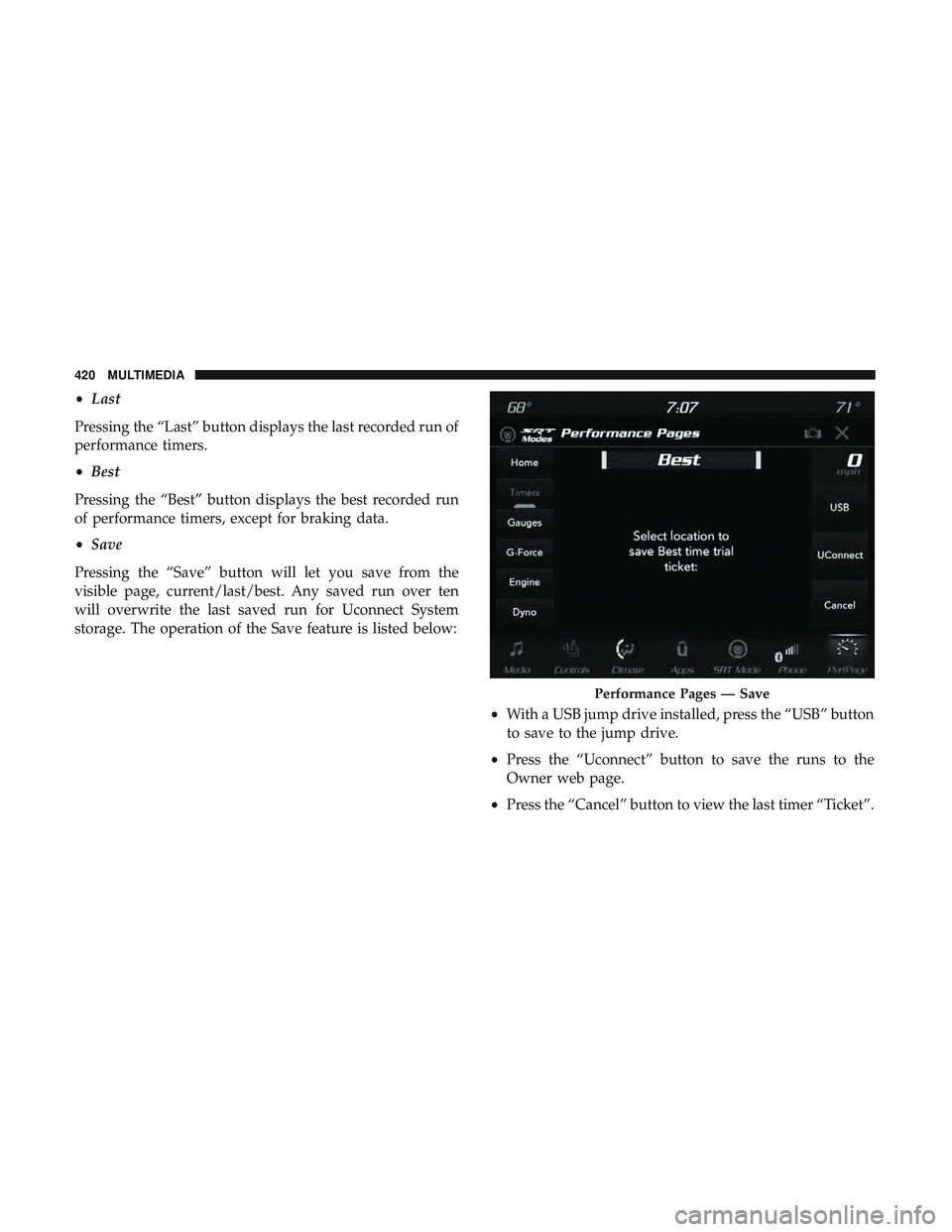
•Last
Pressing the “Last” button displays the last recorded run of
performance timers.
• Best
Pressing the “Best” button displays the best recorded run
of performance timers, except for braking data.
• Save
Pressing the “Save” button will let you save from the
visible page, current/last/best. Any saved run over ten
will overwrite the last saved run for Uconnect System
storage. The operation of the Save feature is listed below:
•With a USB jump drive installed, press the “USB” button
to save to the jump drive.
• Press the “Uconnect” button to save the runs to the
Owner web page.
• Press the “Cancel” button to view the last timer “Ticket”.
Performance Pages — Save
420 MULTIMEDIA
Page 448 of 490
STEERING WHEEL AUDIO CONTROLS — IF
EQUIPPED
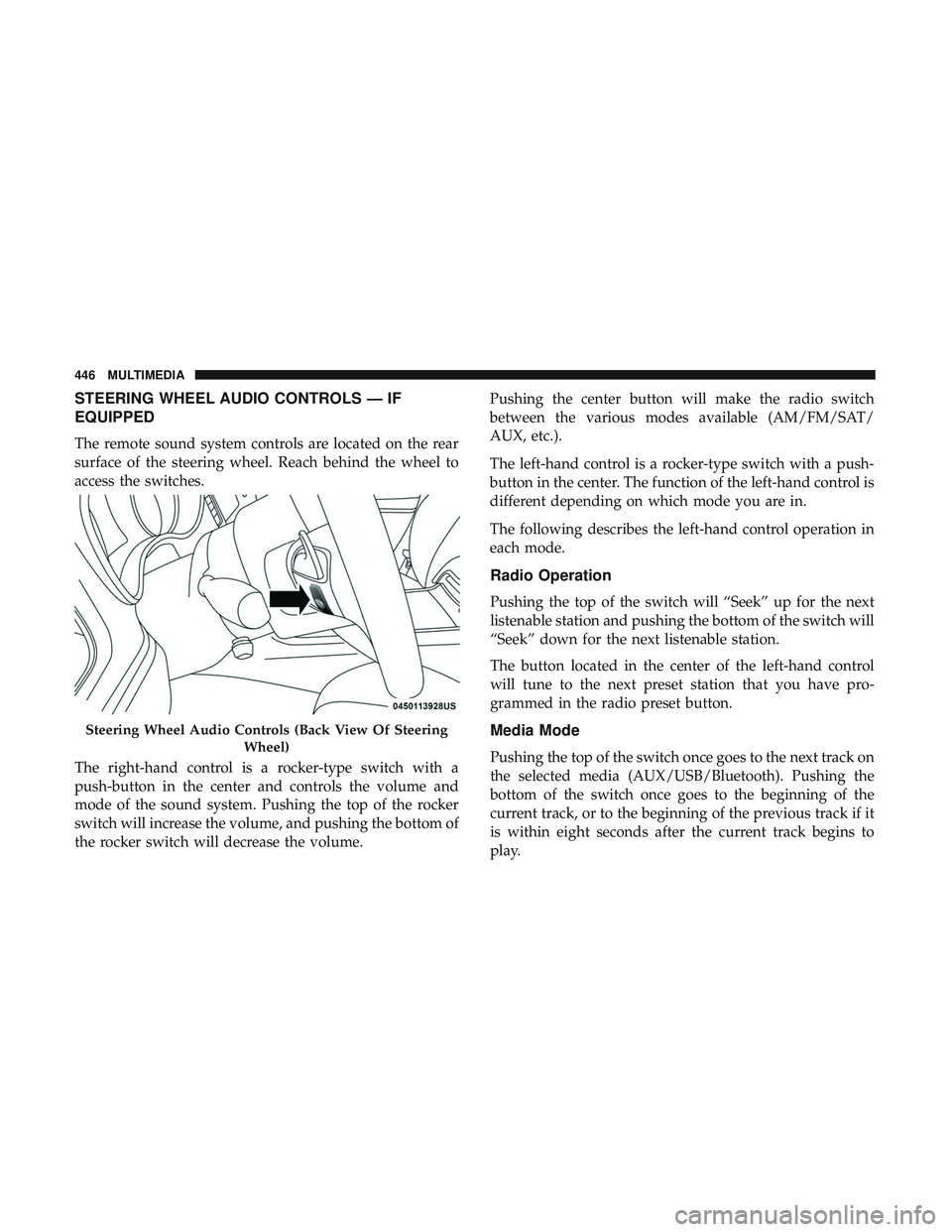
The remote sound system controls are located on the rear
surface of the steering wheel. Reach behind the wheel to
access the switches.
The right-hand control is a rocker-type switch with a
push-button in the center and controls the volume and
mode of the sound system. Pushing the top of the rocker
switch will increase the volume, and pushing the bottom of
the rocker switch will decrease the volume.Pushing the center button will make the radio switch
between the various modes available (AM/FM/SAT/
AUX, etc.).
The left-hand control is a rocker-type switch with a push-
button in the center. The function of the left-hand control is
different depending on which mode you are in.
The following describes the left-hand control operation in
each mode.
Radio Operation
Pushing the top of the switch will “Seek” up for the next
listenable station and pushing the bottom of the switch will
“Seek” down for the next listenable station.
The button located in the center of the left-hand control
will tune to the next preset station that you have pro-
grammed in the radio preset button.
Media Mode
Pushing the top of the switch once goes to the next track on
the selected media (AUX/USB/Bluetooth). Pushing the
bottom of the switch once goes to the beginning of the
current track, or to the beginning of the previous track if it
is within eight seconds after the current track begins to
play.
Steering Wheel Audio Controls (Back View Of Steering
Wheel)
446 MULTIMEDIA
Page 449 of 490
AUX/USB/MP3 CONTROL
This feature allows an external USB device to be plugged
into the USB port.
For further information, refer to the Uconnect Owner ’s
Manual Supplement.
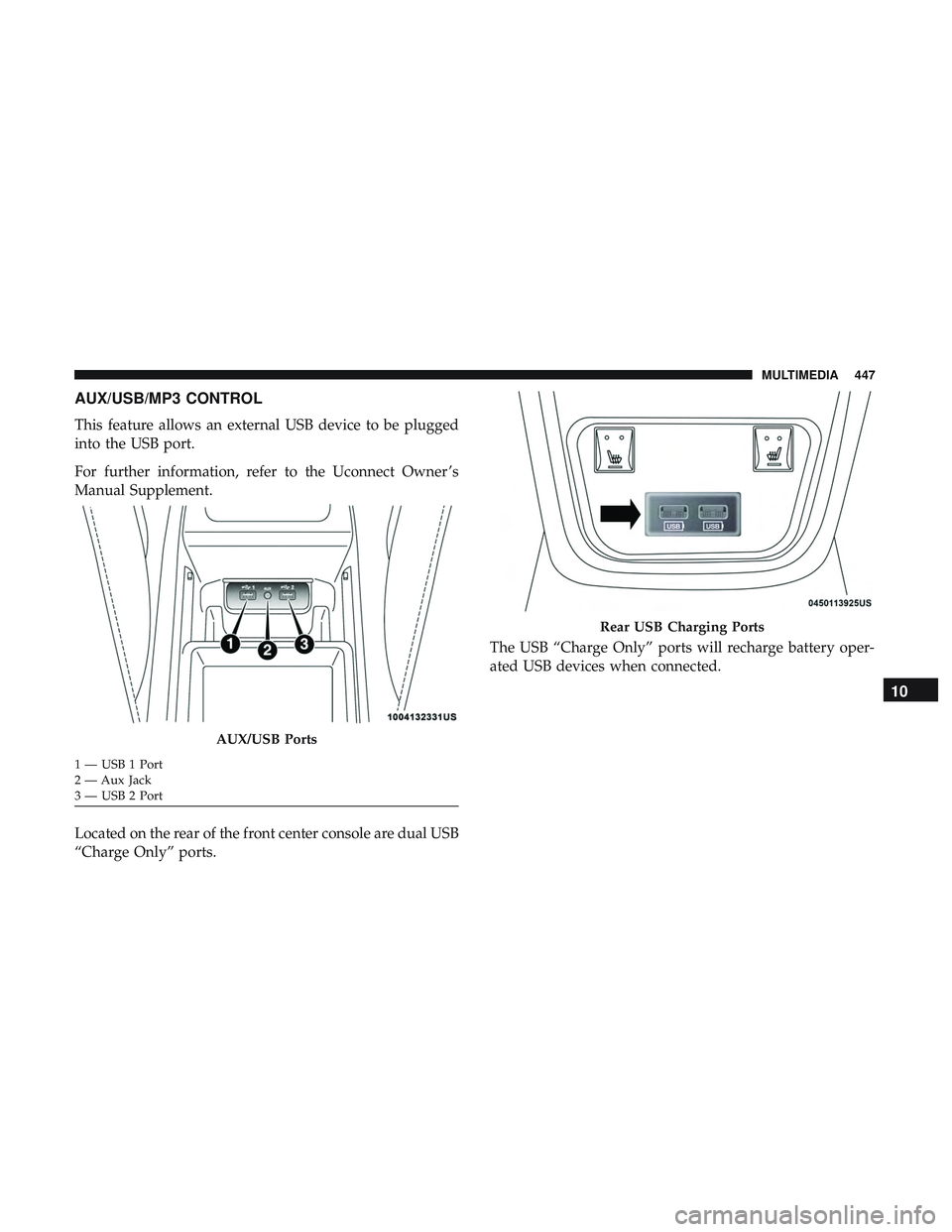
Located on the rear of the front center console are dual USB
“Charge Only” ports.The USB “Charge Only” ports will recharge battery oper-
ated USB devices when connected.
AUX/USB Ports
1 — USB 1 Port
2 — Aux Jack
3 — USB 2 Port
Rear USB Charging Ports
10
MULTIMEDIA 447
Page 454 of 490
Media
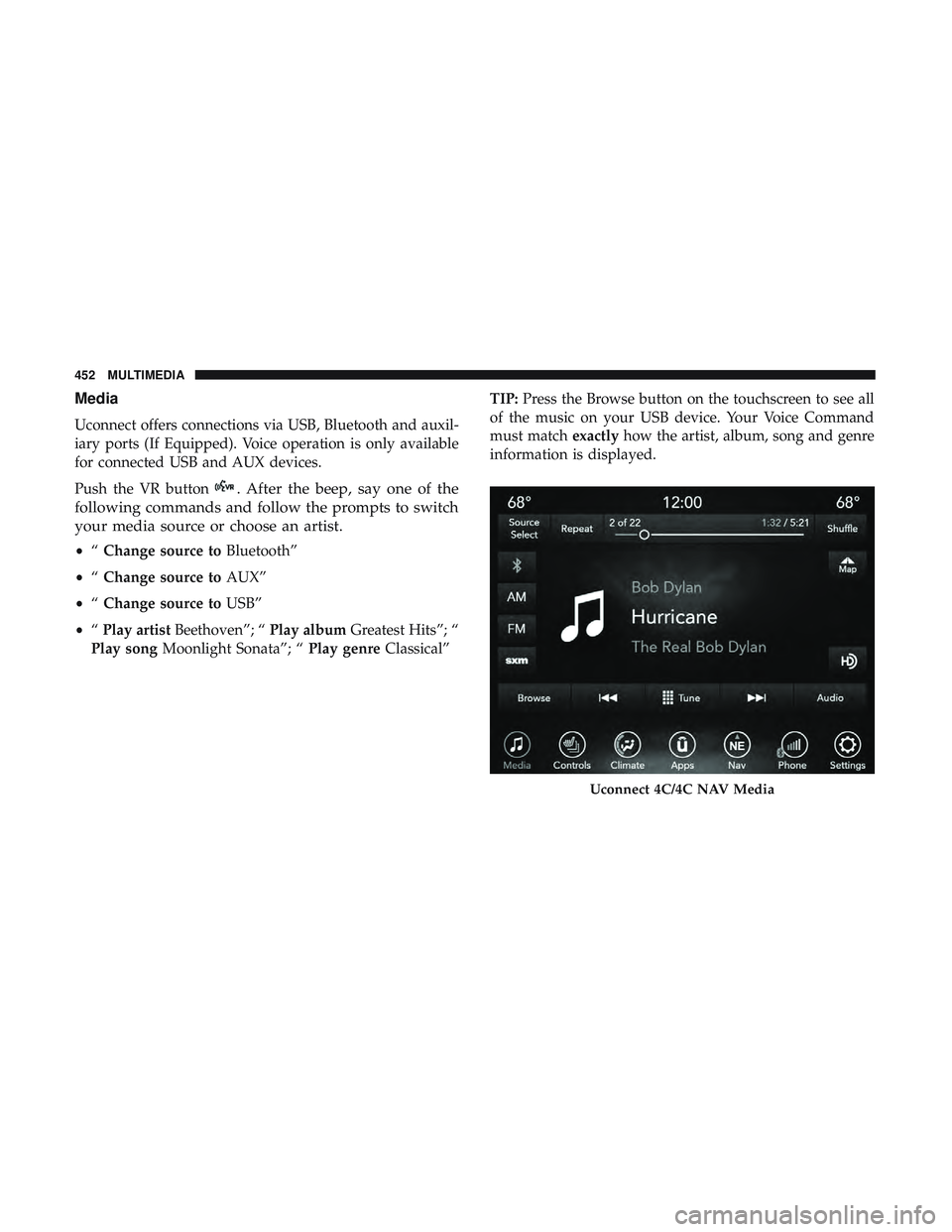
Uconnect offers connections via USB, Bluetooth and auxil-
iary ports (If Equipped). Voice operation is only available
for connected USB and AUX devices.
Push the VR button
. After the beep, say one of the
following commands and follow the prompts to switch
your media source or choose an artist.
• “Change source to Bluetooth”
• “Change source to AUX”
• “Change source to USB”
• “Play artist Beethoven”; “ Play albumGreatest Hits”; “
Play song Moonlight Sonata”; “ Play genreClassical” TIP:
Press the Browse button on the touchscreen to see all
of the music on your USB device. Your Voice Command
must match exactlyhow the artist, album, song and genre
information is displayed.
Uconnect 4C/4C NAV Media
452 MULTIMEDIA
Page 463 of 490
NOTE:
•Reply with text message is not compatible with iPhones.
• Auto reply with text message is only available on
phones that support Bluetooth MAP.
Android Auto — If Equipped
NOTE: Feature availability depends on your carrier and
mobile phone manufacturer. Some Android Auto features
may or may not be available in every region and/or
language.
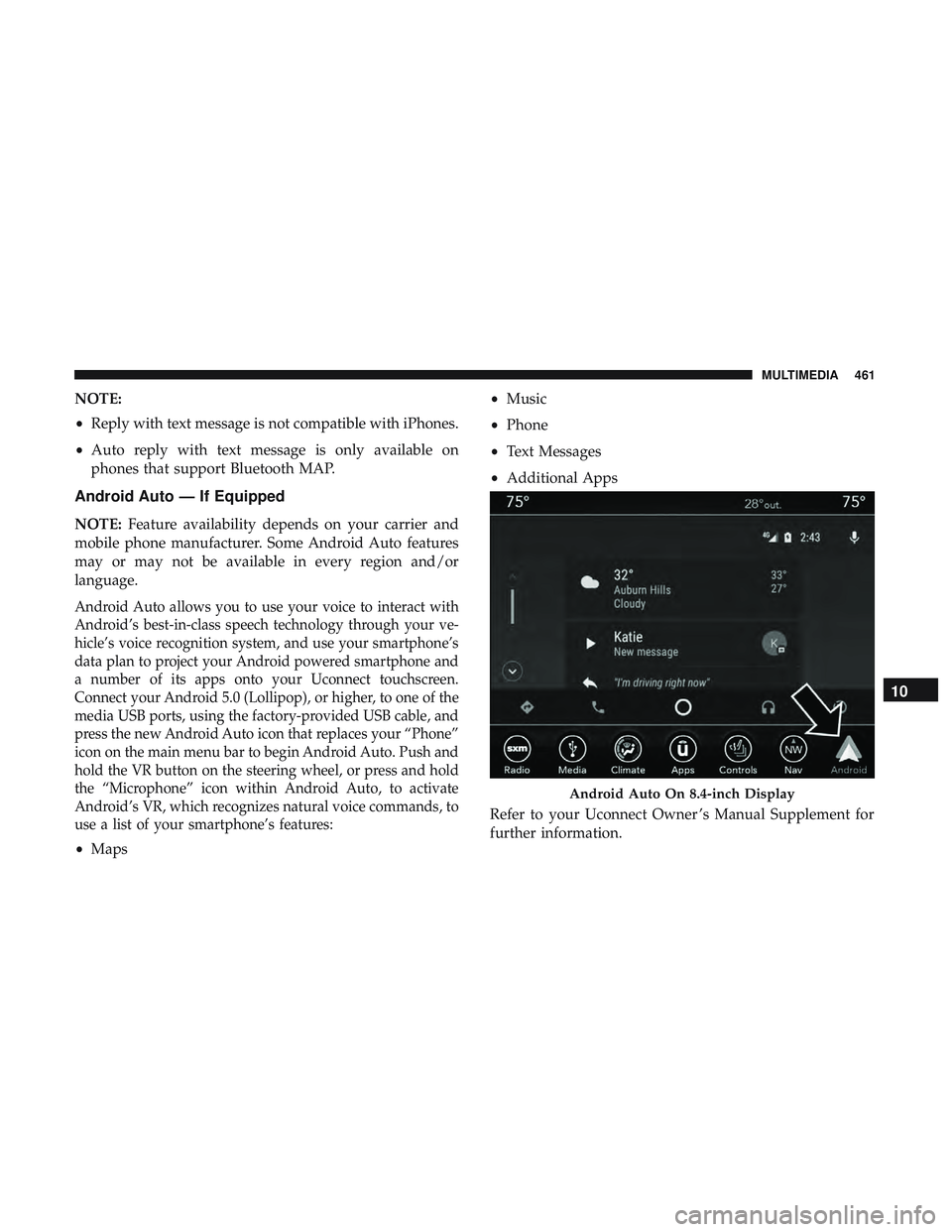
Android Auto allows you to use your voice to interact with
Android’s best-in-class speech technology through your ve-
hicle’s voice recognition system, and use your smartphone’s
data plan to project your Android powered smartphone and
a number of its apps onto your Uconnect touchscreen.
Connect your Android 5.0 (Lollipop), or higher, to one of the
media USB ports, using the factory-provided USB cable, and
press the new Android Auto icon that replaces your “Phone”
icon on the main menu bar to begin Android Auto. Push and
hold the VR button on the steering wheel, or press and hold
the “Microphone” icon within Android Auto, to activate
Android’s VR, which recognizes natural voice commands, to
use a list of your smartphone’s features:
• Maps •
Music
• Phone
• Text Messages
• Additional Apps
Refer to your Uconnect Owner ’s Manual Supplement for
further information.
Android Auto On 8.4-inch Display
10
MULTIMEDIA 461
Page 464 of 490
NOTE:Requires compatible smartphone running
Android™ 5.0 Lollipop or higher and download app on
Google Play. Android, Android Auto, and Google Play are
trademarks of Google Inc.
Apple CarPlay — If Equipped
NOTE: Feature availability depends on your carrier and
mobile phone manufacturer. Some Apple CarPlay features
may or may not be available in every region and/or
language.
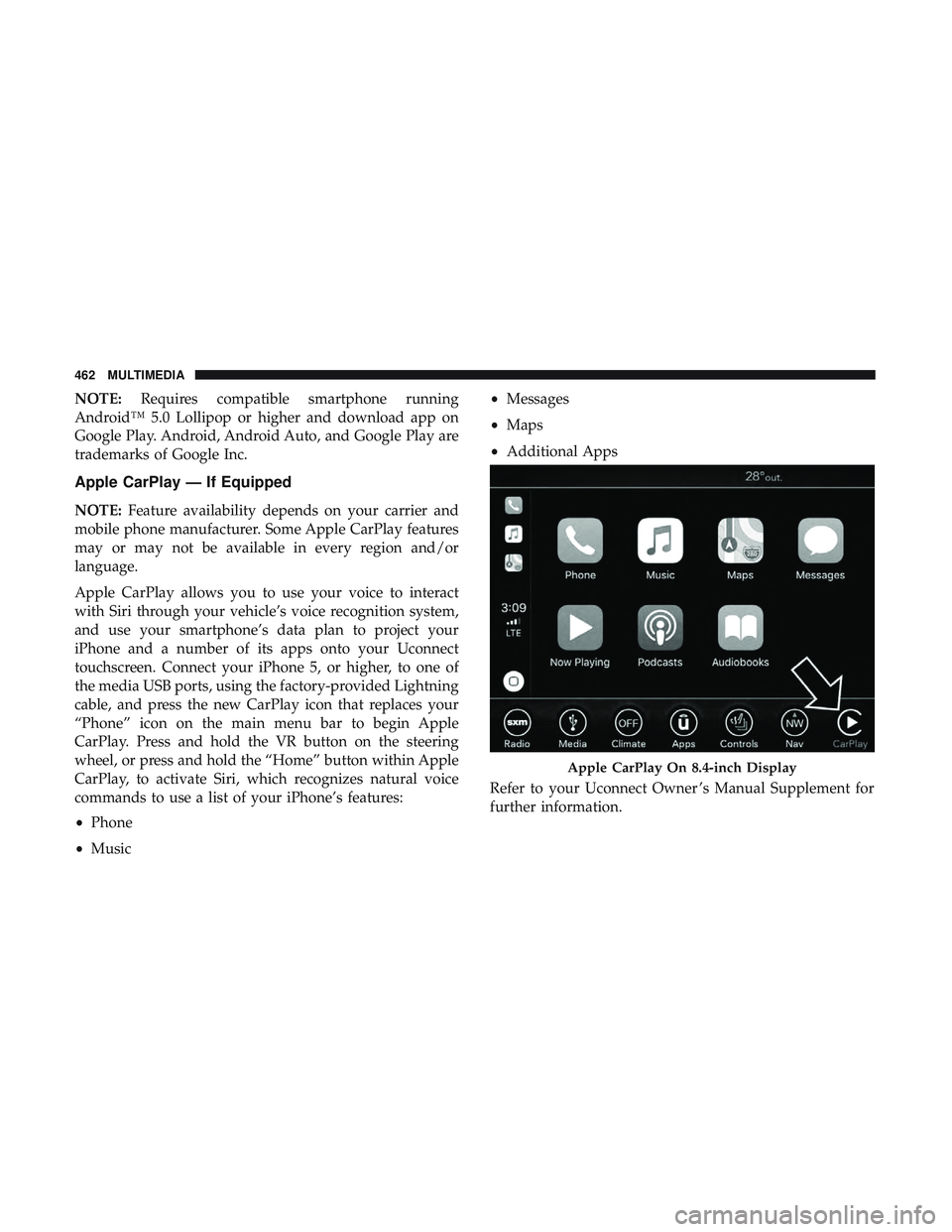
Apple CarPlay allows you to use your voice to interact
with Siri through your vehicle’s voice recognition system,
and use your smartphone’s data plan to project your
iPhone and a number of its apps onto your Uconnect
touchscreen. Connect your iPhone 5, or higher, to one of
the media USB ports, using the factory-provided Lightning
cable, and press the new CarPlay icon that replaces your
“Phone” icon on the main menu bar to begin Apple
CarPlay. Press and hold the VR button on the steering
wheel, or press and hold the “Home” button within Apple
CarPlay, to activate Siri, which recognizes natural voice
commands to use a list of your iPhone’s features:
• Phone
• Music •
Messages
• Maps
• Additional Apps
Refer to your Uconnect Owner ’s Manual Supplement for
further information.
Apple CarPlay On 8.4-inch Display
462 MULTIMEDIA
Page 487 of 490
Tire Service Kit...............301, 302, 304, 307, 308
To Open Hood .............................86
Towing ................................. .275
Behind A Motorhome ..................... .275
Recreational ............................275
Traction .................................276
Traction Control .......................... .145
Trailer Towing ............................ .275
Transfer Case Fluid .................................385
Transmission Automatic ..........................221, 345
Fluid ............................. .385, 387
Maintenance ............................345
Shifting ...............................219
Transporting Pets ..........................203
Tread Wear Indicators .......................360
Trunk Lid (Deck Lid) .........................87
Trunk Release Remote Control ..................87
Turn Signals ............................64, 129
Uconnect Uconnect Settings .................19, 20, 31, 393
Uconnect 4C/4C Nav With 8.4-Inch Display ........394Uconnect Settings
Customer Programmable Features ........31, 37, 393
Passive Entry Programming ..................37
Uniform Tire Quality Grades ..................368
Universal Garage Door Opener (HomeLink) ........90
Universal Transmitter ........................90
Unleaded Gasoline ........................ .379
Untwisting Procedure, Seat Belt ................169
USB....................................447
Vanity Mirrors .............................59
Vehicle Certification Label ....................274
Vehicle Identification Number (VIN) .............376
Vehicle Loading .....................274, 275, 353
Vehicle Modifications/Alterations .................5
Vehicle Security Alarm ........................33
Vehicle Storage ..........................78, 369
Viscosity, Engine Oil ....................... .330
V oice
Command .......................... .449
Voice Recognition System (VR) .................449
Warning Flashers, Hazard ....................280
Warning Lights (Instrument Cluster Descriptions) . . . .125
Warnings And Cautions .......................5
Warranty Information .......................469
12
INDEX 485