audio DODGE CHARGER SRT 2019 User Guide
[x] Cancel search | Manufacturer: DODGE, Model Year: 2019, Model line: CHARGER SRT, Model: DODGE CHARGER SRT 2019Pages: 496, PDF Size: 5.32 MB
Page 404 of 496
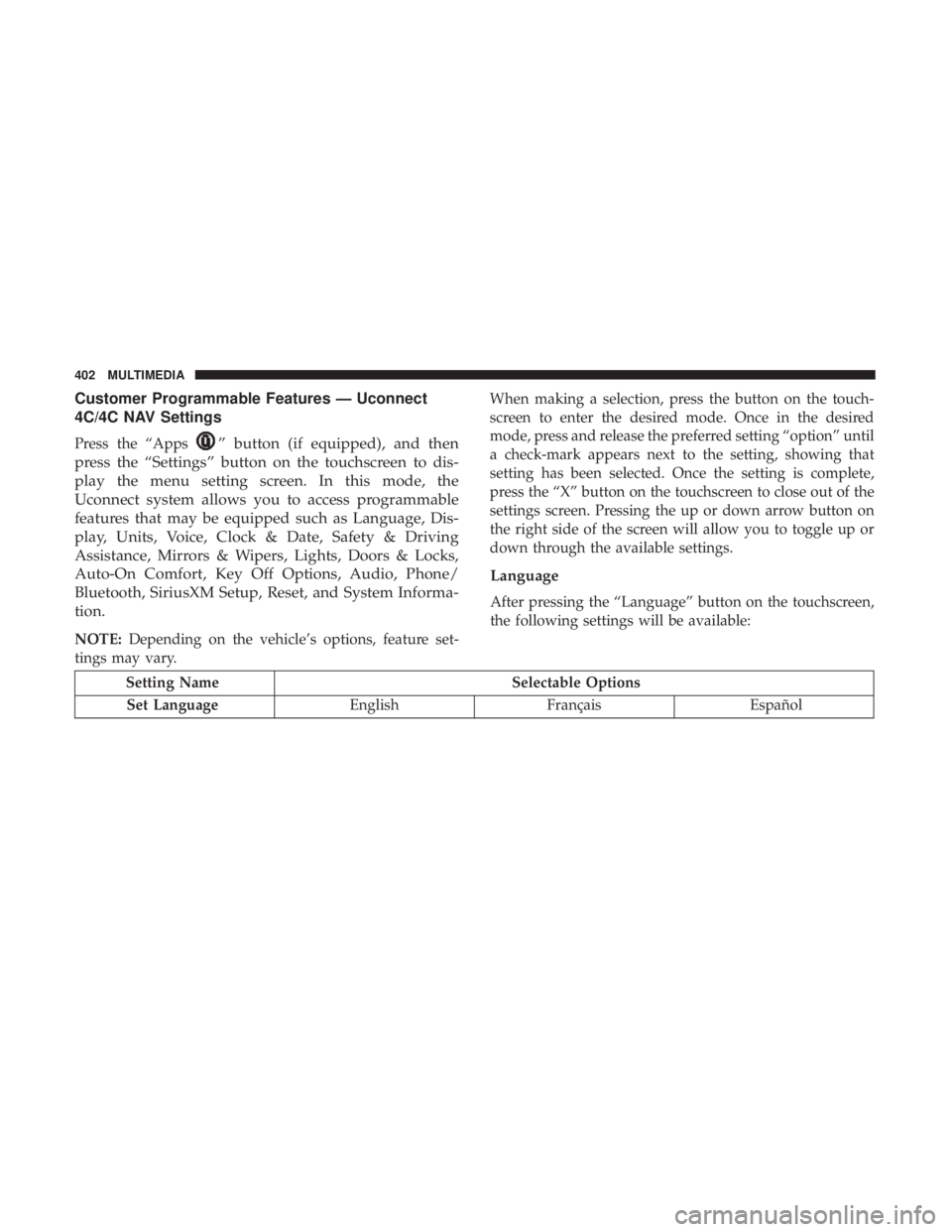
Customer Programmable Features — Uconnect
4C/4C NAV Settings
Press the “Apps” button (if equipped), and then
press the “Settings” button on the touchscreen to dis-
play the menu setting screen. In this mode, the
Uconnect system allows you to access programmable
features that may be equipped such as Language, Dis-
play, Units, Voice, Clock & Date, Safety & Driving
Assistance, Mirrors & Wipers, Lights, Doors & Locks,
Auto-On Comfort, Key Off Options, Audio, Phone/
Bluetooth, SiriusXM Setup, Reset, and System Informa-
tion.
NOTE: Depending on the vehicle’s options, feature set-
tings may vary. When making a selection, press the button on the touch-
screen to enter the desired mode. Once in the desired
mode, press and release the preferred setting “option” until
a check-mark appears next to the setting, showing that
setting has been selected. Once the setting is complete,
press the “X” button on the touchscreen to close out of the
settings screen. Pressing the up or down arrow button on
the right side of the screen will allow you to toggle up or
down through the available settings.
Language
After pressing the “Language” button on the touchscreen,
the following settings will be available:
Setting Name
Selectable Options
Set Language EnglishFrançais Español
402 MULTIMEDIA
Page 420 of 496
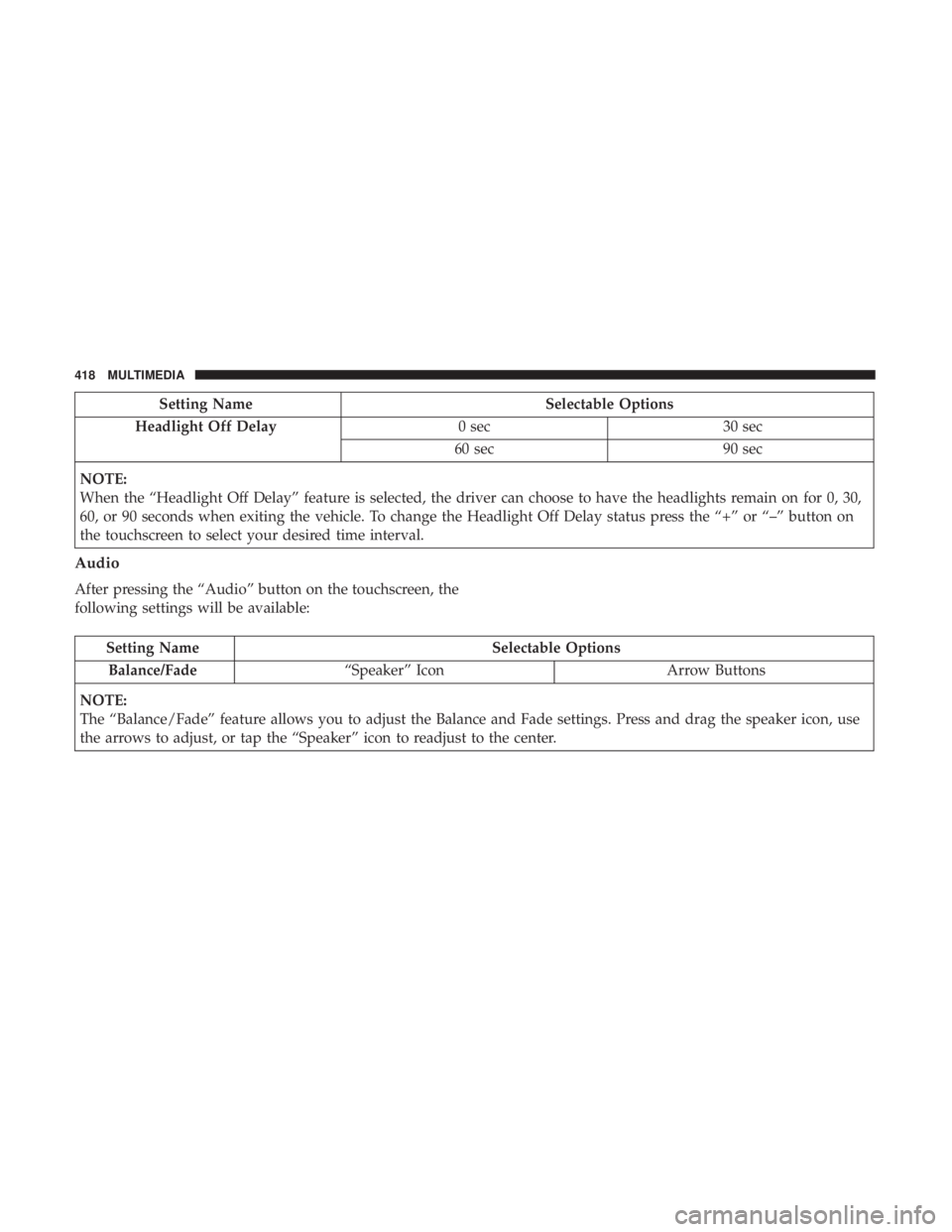
Setting NameSelectable Options
Headlight Off Delay 0 sec30 sec
60 sec 90 sec
NOTE:
When the “Headlight Off Delay” feature is selected, the driver can choose to have the headlights remain on for 0, 30,
60, or 90 seconds when exiting the vehicle. To change the Headlight Off Delay status press the “+” or “–” button on
the touchscreen to select your desired time interval.
Audio
After pressing the “Audio” button on the touchscreen, the
following settings will be available:
Setting Name Selectable Options
Balance/Fade “Speaker” Icon Arrow Buttons
NOTE:
The “Balance/Fade” feature allows you to adjust the Balance and Fade settings. Press and drag the speaker icon, use
the arrows to adjust, or tap the “Speaker” icon to readjust to the center.
418 MULTIMEDIA
Page 422 of 496
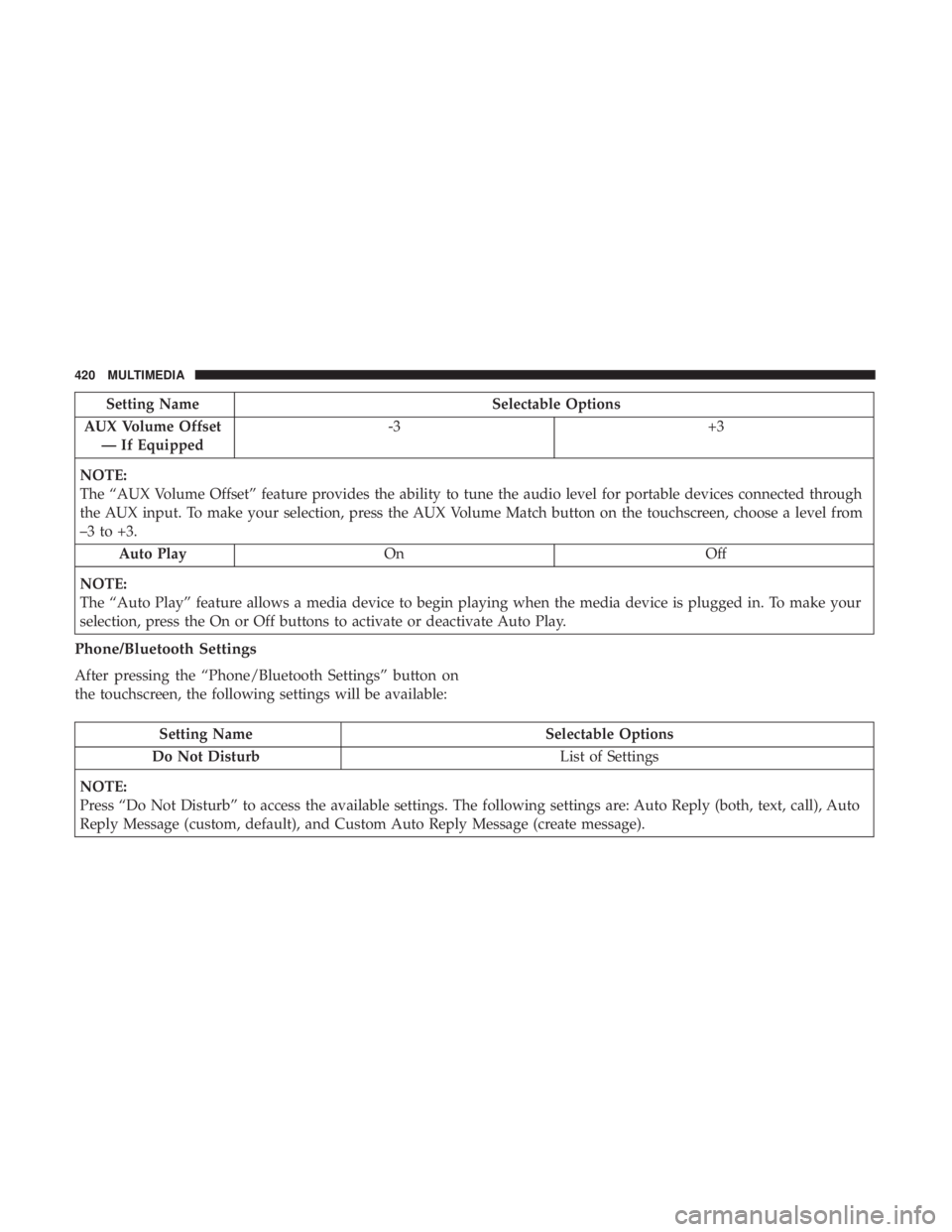
Setting NameSelectable Options
AUX Volume Offset — If Equipped -3
+3
NOTE:
The “AUX Volume Offset” feature provides the ability to tune the audio level for portable devices connected through
the AUX input. To make your selection, press the AUX Volume Match button on the touchscreen, choose a level from
–3 to +3. Auto Play On Off
NOTE:
The “Auto Play” feature allows a media device to begin playing when the media device is plugged in. To make your
selection, press the On or Off buttons to activate or deactivate Auto Play.
Phone/Bluetooth Settings
After pressing the “Phone/Bluetooth Settings” button on
the touchscreen, the following settings will be available:
Setting Name Selectable Options
Do Not Disturb List of Settings
NOTE:
Press “Do Not Disturb” to access the available settings. The following settings are: Auto Reply (both, text, call), Auto
Reply Message (custom, default), and Custom Auto Reply Message (create message).
420 MULTIMEDIA
Page 423 of 496
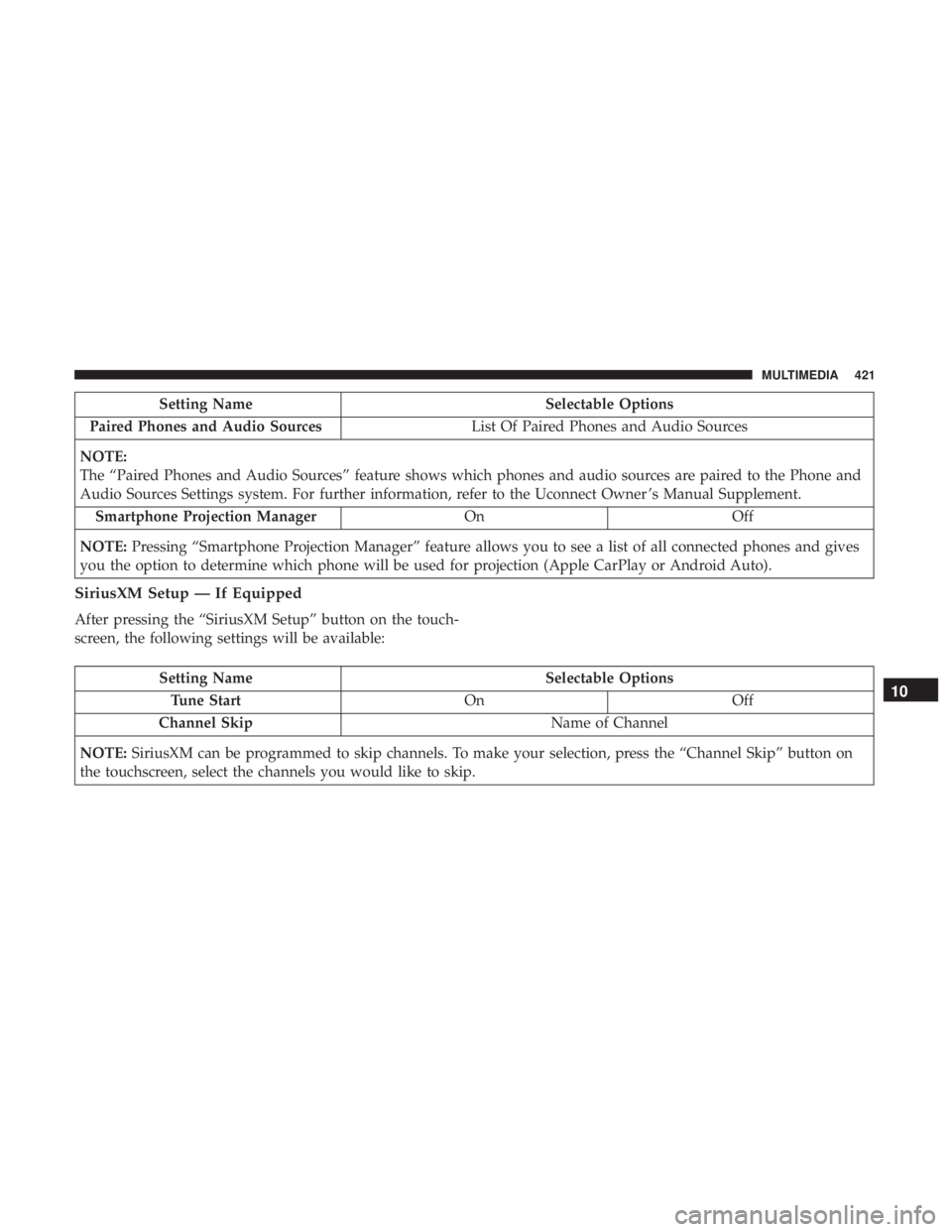
Setting NameSelectable Options
Paired Phones and Audio Sources List Of Paired Phones and Audio Sources
NOTE:
The “Paired Phones and Audio Sources” feature shows which phones and audio sources are paired to the Phone and
Audio Sources Settings system. For further information, refer to the Uconnect Owner ’s Manual Supplement. Smartphone Projection Manager OnOff
NOTE: Pressing “Smartphone Projection Manager” feature allows you to see a list of all connected phones and gives
you the option to determine which phone will be used for projection (Apple CarPlay or Android Auto).
SiriusXM Setup — If Equipped
After pressing the “SiriusXM Setup” button on the touch-
screen, the following settings will be available:
Setting Name Selectable Options
Tune Start OnOff
Channel Skip Name of Channel
NOTE: SiriusXM can be programmed to skip channels. To make your selection, press the “Channel Skip” button on
the touchscreen, select the channels you would like to skip.10
MULTIMEDIA 421
Page 455 of 496
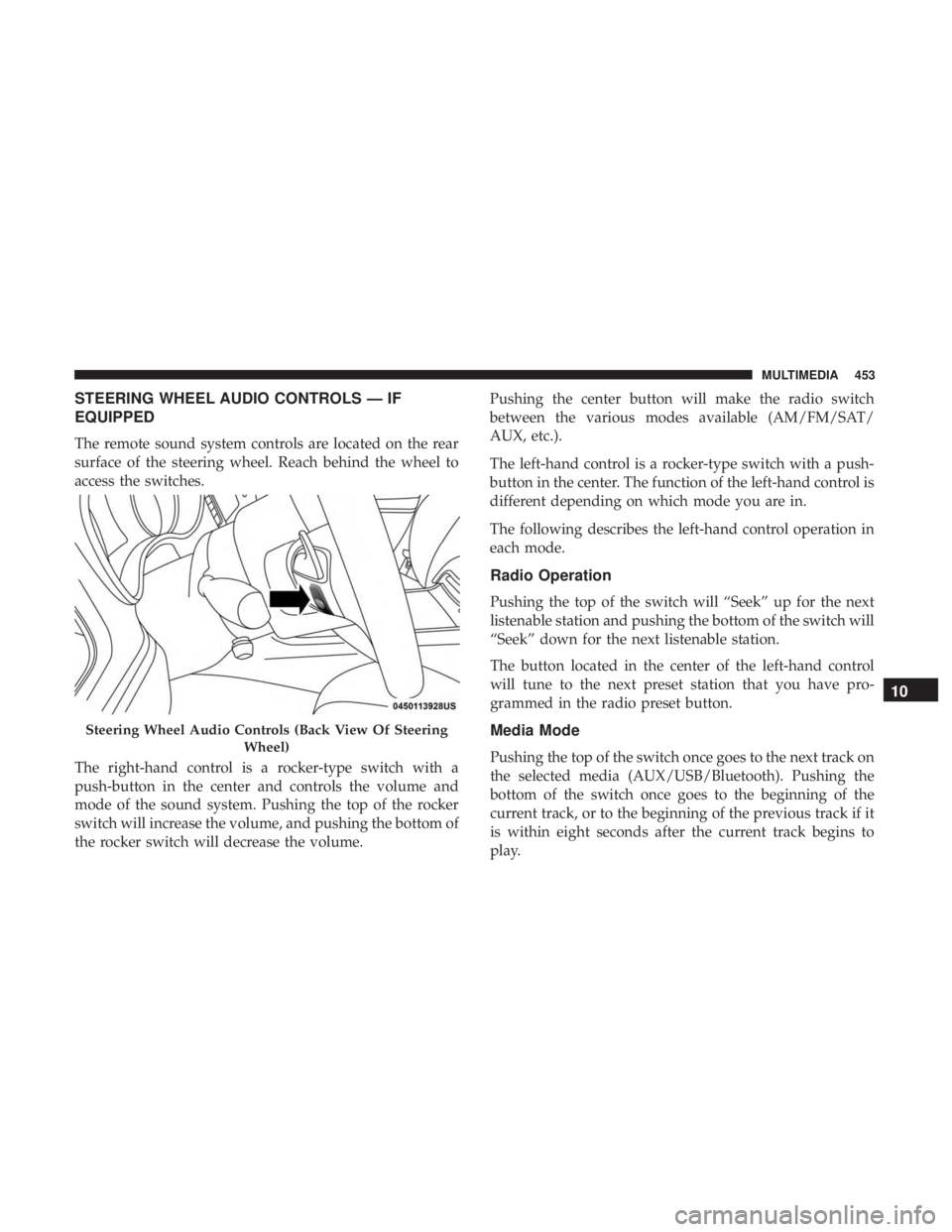
STEERING WHEEL AUDIO CONTROLS — IF
EQUIPPED
The remote sound system controls are located on the rear
surface of the steering wheel. Reach behind the wheel to
access the switches.
The right-hand control is a rocker-type switch with a
push-button in the center and controls the volume and
mode of the sound system. Pushing the top of the rocker
switch will increase the volume, and pushing the bottom of
the rocker switch will decrease the volume.Pushing the center button will make the radio switch
between the various modes available (AM/FM/SAT/
AUX, etc.).
The left-hand control is a rocker-type switch with a push-
button in the center. The function of the left-hand control is
different depending on which mode you are in.
The following describes the left-hand control operation in
each mode.
Radio Operation
Pushing the top of the switch will “Seek” up for the next
listenable station and pushing the bottom of the switch will
“Seek” down for the next listenable station.
The button located in the center of the left-hand control
will tune to the next preset station that you have pro-
grammed in the radio preset button.
Media Mode
Pushing the top of the switch once goes to the next track on
the selected media (AUX/USB/Bluetooth). Pushing the
bottom of the switch once goes to the beginning of the
current track, or to the beginning of the previous track if it
is within eight seconds after the current track begins to
play.
Steering Wheel Audio Controls (Back View Of Steering
Wheel)
10
MULTIMEDIA 453
Page 481 of 496
Arming SystemSecurity Alarm ...........................35
Assist, Hill Start .......................... .145
Audio Systems (Radio) ...................... .399
Auto Down Power Windows ...................83
Automatic Door Locks ........................42
Automatic Headlights ........................65
Automatic High Beams .......................64
Automatic Temperature Control (ATC) ..........74, 79
Automatic Transmission ..................... .222
Adding Fluid .....................355, 393, 395
Fluid And Filter Change ...................355
Fluid Change .......................... .355
Fluid Level Check .....................354, 355
Fluid Type ...................... .354, 393, 395
Special Additives ........................ .355
Automatic Transmission Limp Home Mode .....42, 227
AutoPark ............................... .214
Autostick Operation ............................. .228
Auto Up Power Windows .....................83
AUXCord .............................. .454
Auxiliary Electrical Outlet (Power Outlet) .........102
Axle Fluid ........................... .393, 395Axle Lubrication
....................... .393, 395
Back-Up ................................ .271
Battery .............................. .124, 335
Charging System Light ....................124
Keyless Key Fob Replacement ................23
Location .............................. .335
Belts, Seat ............................... .205
Body Mechanism Lubrication ..................343
B-Pillar Location .......................... .361
Brake Assist System ........................ .139
Brake Control System ....................... .139
Brake Fluid ....................... .353, 393, 395
Brake System ......................... .352, 386
Fluid Check ..................... .353, 393, 395
Master
Cylinder ........................ .353
Parking .............................. .218
Warning Light ...................... .122, 386
Brake/Transmission Interlock ..................222
Brightness, Interior Lights .....................70
Bulb Replacement ......................... .289
Bulbs, Light .......................... .207, 289
Camera, Rear ............................ .271
Capacities, Fluid .......................... .392
12
INDEX 479
Page 492 of 496
Button.................................27
Cold Weather .......................... .216
Engine Fails To Start ..................... .216
Starting And Operating ...................212, 213
Starting Procedures ..................... .212, 213
Steering ..................................57
Power ............................... .235
Tilt Column .............................57
Wheel, Heated ...........................58
Wheel, Tilt ..............................57
Steering Wheel Audio Controls .................453
Steering Wheel Mounted Sound System Controls . . . .453
Storage .............................. .99, 378
Storage, Vehicle ........................ .81, 378
Storing Your Vehicle ....................... .378
Stuck, Freeing ............................ .323
Sunglasses Storage ......................... .106
Sun Roof .............................. .85, 87
Supplemental Restraint System – Air Bag ..........178
Telescoping Steering Column ...................57
Temperature Control, Automatic (ATC) ............79
Tilt Steering Column .........................57
Time Delay Headlight ...............................66 Tire And Loading Information Placard
............361
Tire Markings ............................ .356
Tires......................... .207, 365, 372, 377
Aging (Life Of Tires) ..................... .369
Air Pressure ........................... .365
Chains ............................... .376
Changing ............................. .356
Compact Spare ......................... .373
General Information ...................365, 372
High Speed ............................ .367
Inflation Pressure ....................... .366
Jacking ............................... .356
Life Of Tires ........................... .369
Load Capacity ...................... .361, 362
Pressure Monitoring System (TPMS) ........128,
158
Quality Grading ........................ .377
Radial ............................... .367
Replacement ........................... .370
Rotation .............................. .376
Safety ............................ .356, 365
Sizes ................................ .357
Snow Tires ............................ .372
Spare Tires ......................... .372, 374
Spinning .............................. .368
Tread Wear Indicators .....................368
490 INDEX