cruise control DODGE CHARGER SRT 2019 User Guide
[x] Cancel search | Manufacturer: DODGE, Model Year: 2019, Model line: CHARGER SRT, Model: DODGE CHARGER SRT 2019Pages: 496, PDF Size: 5.32 MB
Page 252 of 496
WARNING!
When the ACC system is resumed, the driver must
ensure that there are no pedestrians, vehicles or objects
in the path of the vehicle. Failure to follow these
warnings can result in a collision and death or serious
personal injury.
Adaptive Cruise Control (ACC) Menu
The instrument cluster display will show the current ACC
system settings. The instrument cluster display is located
in the center of the instrument cluster. The information it
displays depends on ACC system status.
Push the Adaptive Cruise Control (ACC) on/off button
(located on the steering wheel) until one of the following
appears in the instrument cluster display:
Adaptive Cruise Control Off
When ACC is deactivated, the display will read “Adaptive
Cruise Control Off.”
Adaptive Cruise Control Ready
When ACC is activated, but the vehicle speed setting has
not been selected, the display will read “Adaptive Cruise
Control Ready.”Adaptive Cruise Control Set
When the SET (+) or the SET (-) button (located on the
steering wheel) is pushed, the display will read “ACC
SET.”
When ACC is set, the set speed will show in the instrument
cluster display.
The ACC screen may display once again if any ACC
activity occurs, which may include any of the following:
•
System Cancel
• Driver Override
• System Off
• ACC Proximity Warning
• ACC Unavailable Warning
• The instrument cluster display will return to the last
display selected after five seconds of no ACC display
activity
250 STARTING AND OPERATING
Page 253 of 496
Display Warnings And Maintenance
“Wipe Front Radar Sensor In Front Of Vehicle”
Warning
The “ACC/FCW Unavailable Wipe Front Radar Sensor”
warning will display and also a chime will indicate when
conditions temporarily limit system performance.
This most often occurs at times of poor visibility, such as in
snow or heavy rain. The ACC system may also become
temporarily blinded due to obstructions, such as mud, dirt
or ice. In these cases, the instrument cluster display will
display “ACC/FCW Unavailable Wipe Front Radar Sen-
sor” and the system will deactivate.
The “ACC/FCW Unavailable Wipe Front Radar Sensor”
message can sometimes be displayed while driving in
highly reflective areas (i.e. tunnels with reflective tiles, or
ice and snow). The ACC system will recover after the
vehicle has left these areas. Under rare conditions, when
the radar is not tracking any vehicles or objects in its path
this warning may temporarily occur.
NOTE:
If the “ACC/FCW Unavailable Wipe Front Radar
Sensor” warning is active Normal (Fixed Speed) Cruise Con-
trol is still available. For additional information refer to
“Normal (Fixed Speed) Cruise Control Mode” in this section.
If weather conditions are not a factor, the driver should
examine the sensor. It may require cleaning or removal of
an obstruction. The sensor is located in the center of the
vehicle behind the lower grille.
To keep the ACC System operating properly, it is important
to note the following maintenance items:
• Always keep the sensor clean. Carefully wipe the sensor
lens with a soft cloth. Be cautious not to damage the
sensor lens.
• Do not remove any screws from the sensor. Doing so
could cause an ACC system malfunction or failure and
require a sensor realignment.
• If the sensor or front end of the vehicle is damaged due
to a collision, see your authorized dealer for service.
• Do not attach or install any accessories near the sensor,
including transparent material or aftermarket grilles.
Doing so could cause an ACC system failure or malfunc-
tion.
When the condition that deactivated the system is no
longer present, the system will return to the “Adaptive
Cruise Control Off” state and will resume function by
simply reactivating it.
6
STARTING AND OPERATING 251
Page 258 of 496
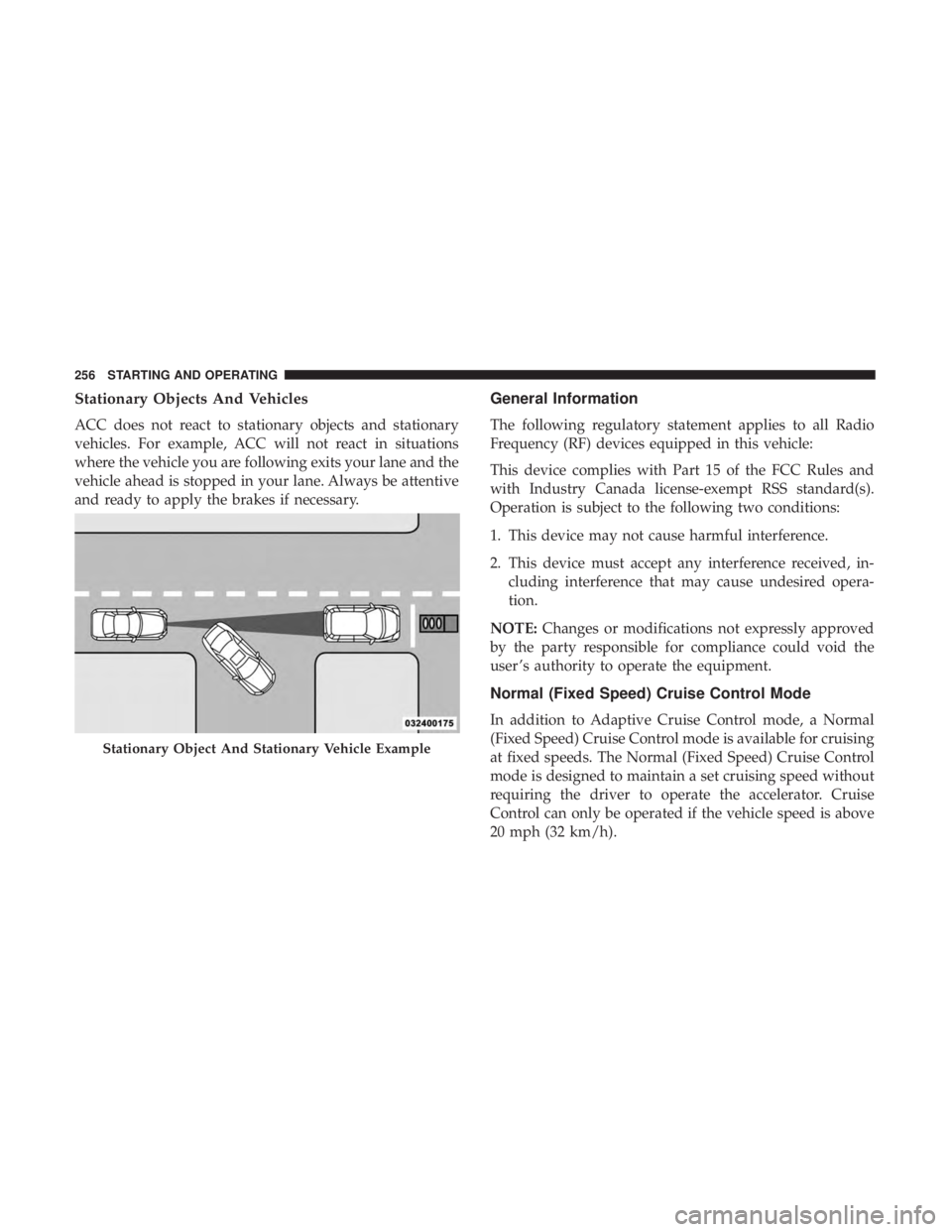
Stationary Objects And Vehicles
ACC does not react to stationary objects and stationary
vehicles. For example, ACC will not react in situations
where the vehicle you are following exits your lane and the
vehicle ahead is stopped in your lane. Always be attentive
and ready to apply the brakes if necessary.
General Information
The following regulatory statement applies to all Radio
Frequency (RF) devices equipped in this vehicle:
This device complies with Part 15 of the FCC Rules and
with Industry Canada license-exempt RSS standard(s).
Operation is subject to the following two conditions:
1. This device may not cause harmful interference.
2. This device must accept any interference received, in-cluding interference that may cause undesired opera-
tion.
NOTE: Changes or modifications not expressly approved
by the party responsible for compliance could void the
user ’s authority to operate the equipment.
Normal (Fixed Speed) Cruise Control Mode
In addition to Adaptive Cruise Control mode, a Normal
(Fixed Speed) Cruise Control mode is available for cruising
at fixed speeds. The Normal (Fixed Speed) Cruise Control
mode is designed to maintain a set cruising speed without
requiring the driver to operate the accelerator. Cruise
Control can only be operated if the vehicle speed is above
20 mph (32 km/h).
Stationary Object And Stationary Vehicle Example
256 STARTING AND OPERATING
Page 259 of 496
To change between the different control modes, push the
Adaptive Cruise Control (ACC) on/off button which turns
the ACC and the Normal (Fixed Speed) Cruise Control off.
Pushing the Normal (Fixed Speed) Cruise Control on/off
button will result in turning on (changing to) the Normal
(Fixed Speed) Cruise Control mode.
WARNING!
In the Normal (Fixed Speed) Cruise Control mode, the
system will not react to vehicles ahead. In addition, the
proximity warning does not activate and no alarm will
sound even if you are too close to the vehicle ahead
since neither the presence of the vehicle ahead nor the
vehicle-to-vehicle distance is detected. Be sure to main-
tain a safe distance between your vehicle and the
vehicle ahead. Always be aware which mode is se-
lected.
To Set A Desired Speed
Turn the Normal (Fixed Speed) Cruise Control
on. When the vehicle has reached the desired
speed, push the SET (+) or SET (-) button and
release. Release the accelerator and the vehicle
will operate at the selected speed. Once a speed has been set a message “CRUISE CONTROL SET TO MPH (km/h)”
will appear indicating what speed was set. This light will
turn on when the system is turned on via the on/off
control. It turns green when the cruise control is set.
To Vary The Speed Setting
To Increase Speed
When the Normal (Fixed Speed) Cruise Control is set, you
can increase speed by pushing the SET
(+)button.
The driver’s preferred units can be selected through the
instrument cluster display. Refer to “Getting To Know Your
Instrument Panel” for more information. The speed incre-
ment shown is dependant on the speed of U.S. (mph) or
Metric (km/h) units:
U.S. Speed (mph)
• Pushing the SET (+)button once will result ina1mph
increase in set speed. Each subsequent tap of the button
results in an increase of 1 mph.
• If the button is continually pushed, the set speed will
continue to increase in 5 mph increments until the
button is released. The increase in set speed is reflected
in the instrument cluster display.
6
STARTING AND OPERATING 257
Page 260 of 496
Metric Speed (km/h)
•Pushing the SET (+)button once will result in a 1 km/h
increase in set speed. Each subsequent tap of the button
results in an increase of 1 km/h.
• If the button is continually pushed, the set speed will
continue to increase in 10 km/h increments until the
button is released. The increase in set speed is reflected
in the instrument cluster display.
To Decrease Speed
When the Normal (Fixed Speed) Cruise Control is set, you
can decrease speed by pushing the SET (-)button.
The driver’s preferred units can be selected through the
instrument cluster display. Refer to “Getting To Know Your
Instrument Panel” for more information. The speed decre-
ment shown is dependant on the speed of U.S. (mph) or
Metric (km/h) units:
U.S. Speed (mph)
• Pushing the SET (-)button once will result in a 1 mph
decrease in set speed. Each subsequent tap of the button
results in a decrease of 1 mph. •
If the button is continually pushed, the set speed will
continue to decrease in 5 mph decrements until the
button is released. The decrease in set speed is reflected
in the instrument cluster display.
Metric Speed (km/h)
• Pushing the SET (-)button once will result in a 1 km/h
decrease in set speed. Each subsequent tap of the button
results in a decrease of 1 km/h.
• If the button is continually pushed, the set speed will
continue to decrease in 10 km/h decrements until the
button is released. The decrease in set speed is reflected
in the instrument cluster display.
To Cancel
The following conditions will cancel the Normal (Fixed
Speed) Cruise Control without clearing the memory:
• The brake pedal is applied.
• The CANC button is pushed.
• The Electronic Stability Control/Traction Control Sys-
tem (ESC/TCS) activates.
• The vehicle parking brake is applied.
258 STARTING AND OPERATING
Page 261 of 496
•The braking temperature exceeds normal range (over-
heated).
• The gear selector is removed from the DRIVE position.
• The driver switches ESC to full-off mode.
To Resume Speed
To resume a previously set speed, push the RES button and
release. Resume can be used at any speed above 20 mph
(32 km/h).
To Turn Off
The system will turn off and erase the set speed in memory
if:
•The Normal (Fixed Speed) Cruise Control on/off button
is pushed.
• The ignition is turned OFF.
• The Adaptive Cruise Control (ACC) on/off button is
pushed.
PARKSENSE REAR PARK ASSIST — IF EQUIPPED
The ParkSense Rear Park Assist system provides visual and
audible indications of the distance between the rear fascia
and a detected obstacle when backing up, e.g. during a
parking maneuver.
Refer to “ParkSense System Usage Precautions” in this
section for limitations of this system and recommenda-
tions.
ParkSense will retain the last system state (enabled or
disabled) from the last ignition cycle when the ignition is
changed to the ON/RUN position.
ParkSense can be active only when the gear selector is in
REVERSE. If ParkSense is enabled at this gear selector
position, the system will remain active until the vehicle
speed is increased to approximately 7 mph (11 km/h) or
above. The system will become active again if the vehicle
speed is decreased to speeds less than approximately
6 mph (9 km/h).
6
STARTING AND OPERATING 259
Page 298 of 496
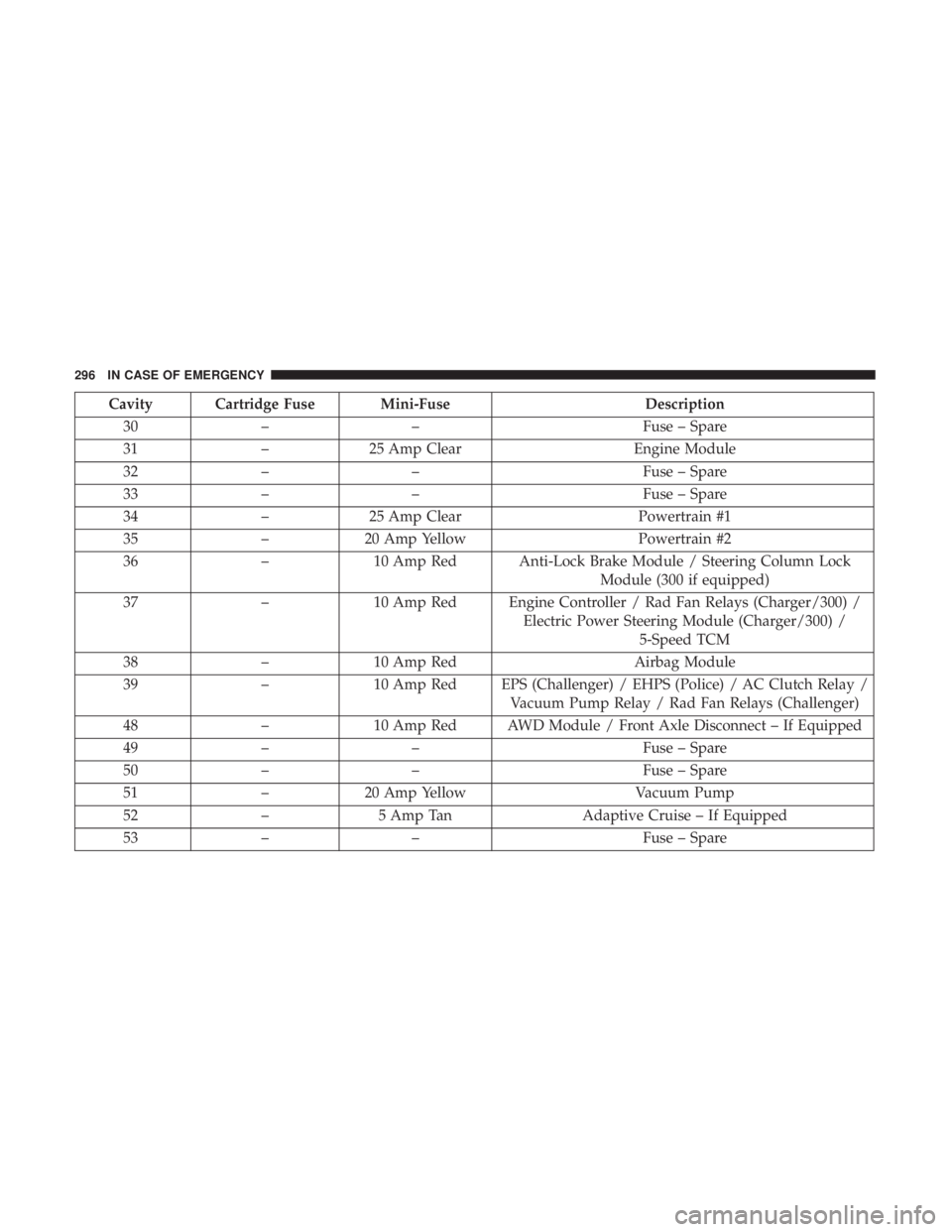
Cavity Cartridge Fuse Mini-FuseDescription
30 – – Fuse – Spare
31 –25 Amp Clear Engine Module
32 – – Fuse – Spare
33 – – Fuse – Spare
34 –25 Amp Clear Powertrain #1
35 –20 Amp Yellow Powertrain #2
36 –10 Amp Red Anti-Lock Brake Module / Steering Column Lock
Module (300 if equipped)
37 –10 Amp Red Engine Controller / Rad Fan Relays (Charger/300) /
Electric Power Steering Module (Charger/300) /5-Speed TCM
38 –10 Amp Red Airbag Module
39 –10 Amp Red EPS (Challenger) / EHPS (Police) / AC Clutch Relay /
Vacuum Pump Relay / Rad Fan Relays (Challenger)
48 –10 Amp Red AWD Module / Front Axle Disconnect – If Equipped
49 – – Fuse – Spare
50 – – Fuse – Spare
51 –20 Amp Yellow Vacuum Pump
52 –5 Amp Tan Adaptive Cruise – If Equipped
53 – – Fuse – Spare
296 IN CASE OF EMERGENCY
Page 480 of 496
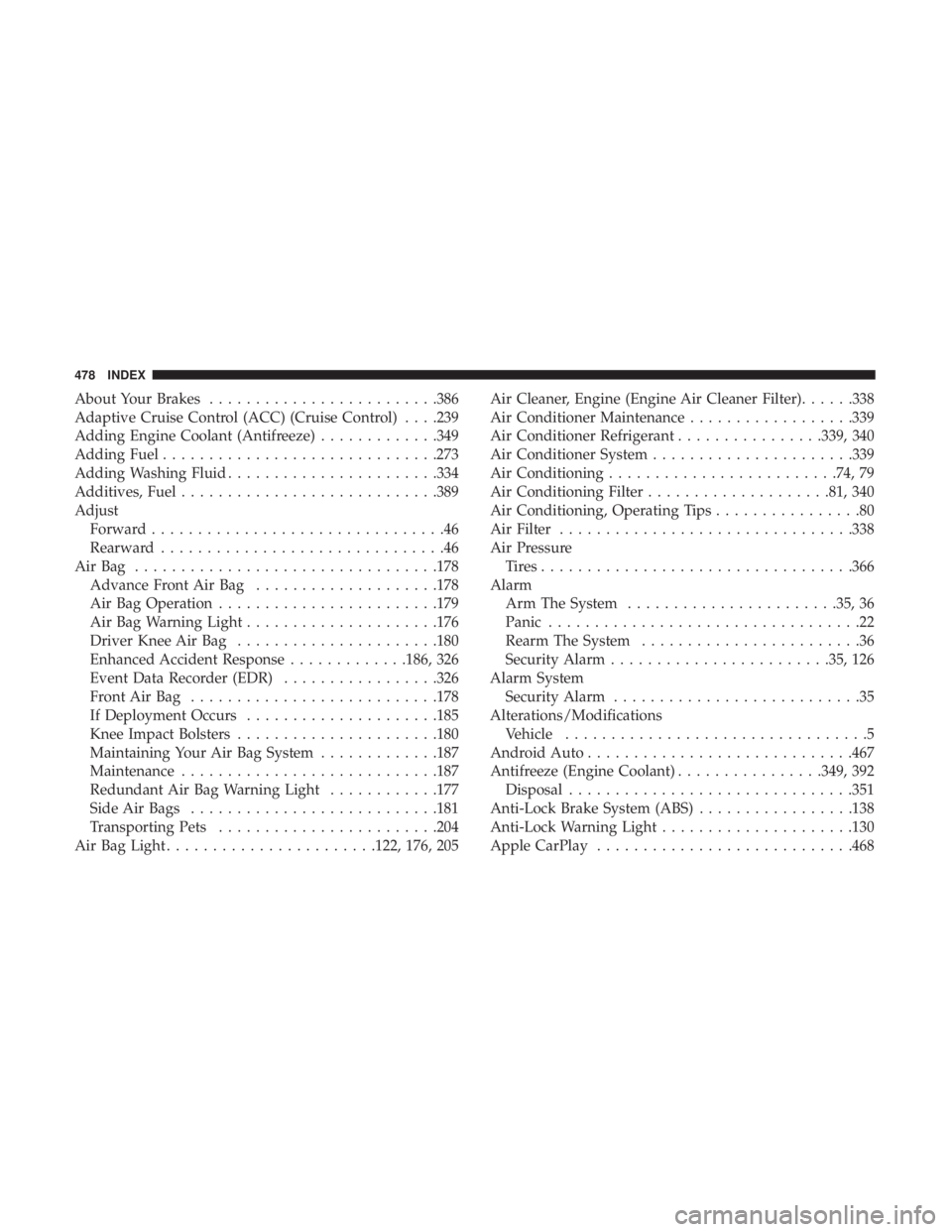
About Your Brakes........................ .386
Adaptive Cruise Control (ACC) (Cruise Control) . . . .239
Adding Engine Coolant (Antifreeze) .............349
Adding Fuel ............................. .273
Adding Washing Fluid ...................... .334
Additives, Fuel ........................... .389
Adjust Forward ................................46
Rearward ...............................46
AirBag ................................ .178
Advance Front Air Bag ....................178
Air Bag Operation ....................... .179
Air Bag Warning Light .....................176
Driver Knee Air Bag ..................... .180
Enhanced Accident Response .............186, 326
Event Data Recorder (EDR) .................326
FrontAirBag .......................... .178
If Deployment Occurs .....................185
Knee Impact Bolsters ..................... .180
Maintaining Your Air Bag System .............187
Maintenance ........................... .187
Redundant Air Bag Warning Light ............177
Side Air Bags .......................... .181
Transporting Pets ....................... .204
Air Bag Light ...................... .122, 176, 205Air Cleaner, Engine (Engine Air Cleaner Filter)
......338
Air Conditioner Maintenance ..................339
Air Conditioner Refrigerant ................339, 340
Air Conditioner System ..................... .339
Air Conditioning ........................ .74, 79
Air Conditioning Filter ....................81, 340
Air Conditioning, Operating Tips ................80
Air Filter ............................... .338
Air Pressure Tires................................. .366
Alarm Arm The System ...................... .35, 36
Panic ..................................22
Rearm The System ........................36
Security
Alarm....................... .35, 126
Alarm System Security Alarm ...........................35
Alterations/Modifications Vehicle .................................5
Android Auto ............................ .467
Antifreeze (Engine Coolant) ................349, 392
Disposal .............................. .351
Anti-Lock Brake System (ABS) .................138
Anti-Lock Warning Light .....................130
Apple CarPlay ........................... .468
478 INDEX
Page 483 of 496
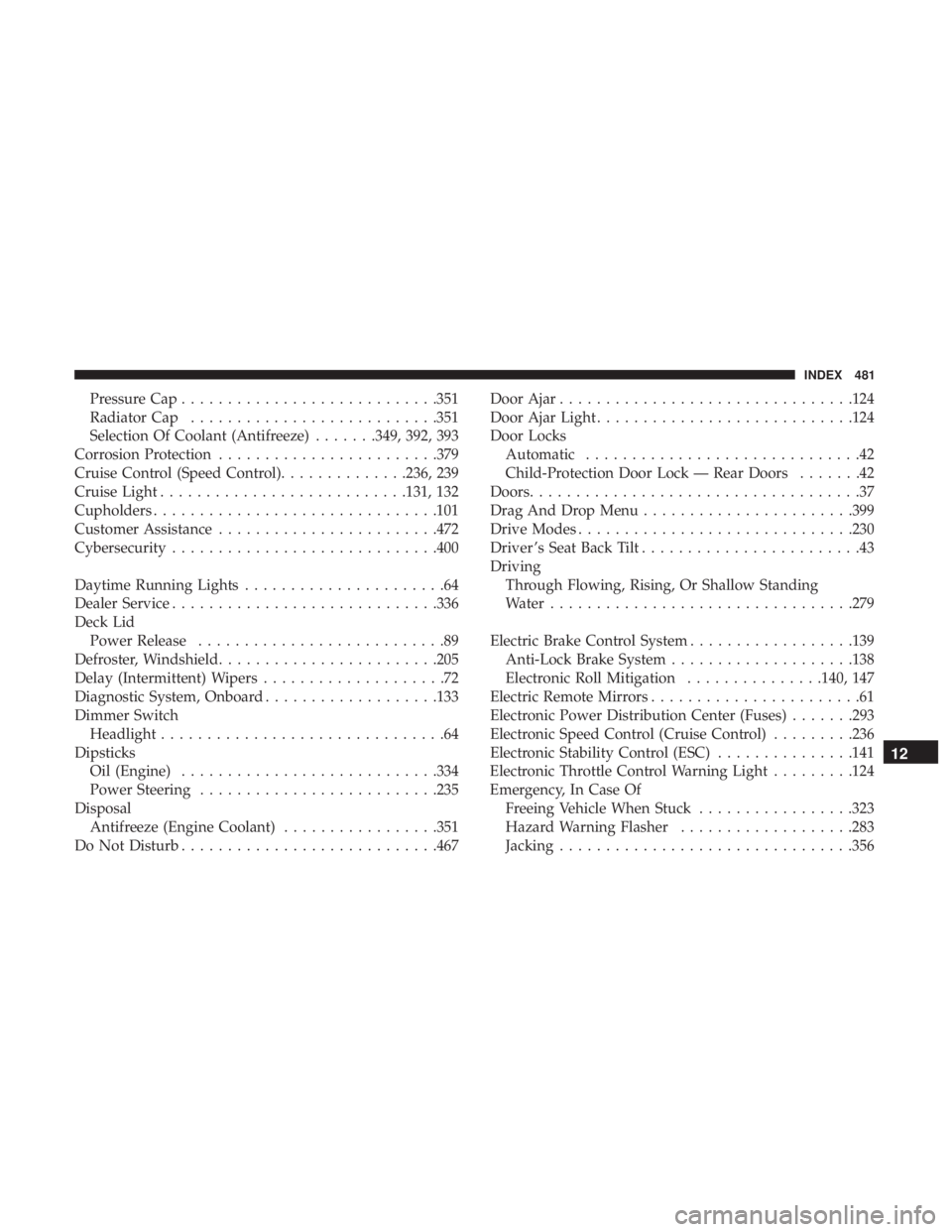
Pressure Cap........................... .351
Radiator Cap .......................... .351
Selection Of Coolant (Antifreeze) .......349, 392, 393
Corrosion Protection ....................... .379
Cruise Control (Speed Control) ..............236, 239
Cruise Light .......................... .131, 132
Cupholders .............................. .101
Customer Assistance ....................... .472
Cybersecurity ............................ .400
Daytime Running Lights ......................64
Dealer Service ............................ .336
Deck Lid Power Release ...........................89
Defroster, Windshield ....................... .205
Delay (Intermittent) Wipers ....................72
Diagnostic System, Onboard ...................133
Dimmer Switch Headlight ...............................64
Dipsticks Oil (Engine) ........................... .334
Power Steering ......................... .235
Disposal Antifreeze (Engine Coolant) .................351
Do Not Disturb ........................... .467Door Ajar
............................... .124
Door Ajar Light ........................... .124
Door Locks Automatic ..............................42
Child-Protection Door Lock — Rear Doors .......42
Doors ....................................37
Drag And Drop Menu ...................... .399
Drive Modes ............................. .230
Driver ’s Seat Back Tilt ........................43
Driving Through Flowing, Rising, Or Shallow Standing
Water ................................ .279
Electric Brake Control System ..................139
Anti-Lock Brake System ....................138
Electronic Roll Mitigation ...............140, 147
Electric Remote Mirrors .......................61
Electronic Power Distribution Center (Fuses) .......293
Electronic Speed Control (Cruise Control) .........236
Electr
onic Stability Control (ESC) ...............141
Electronic Throttle Control Warning Light .........124
Emergency, In Case Of Freeing Vehicle When Stuck .................323
Hazard Warning Flasher ...................283
Jacking ............................... .356
12
INDEX 481
Page 487 of 496
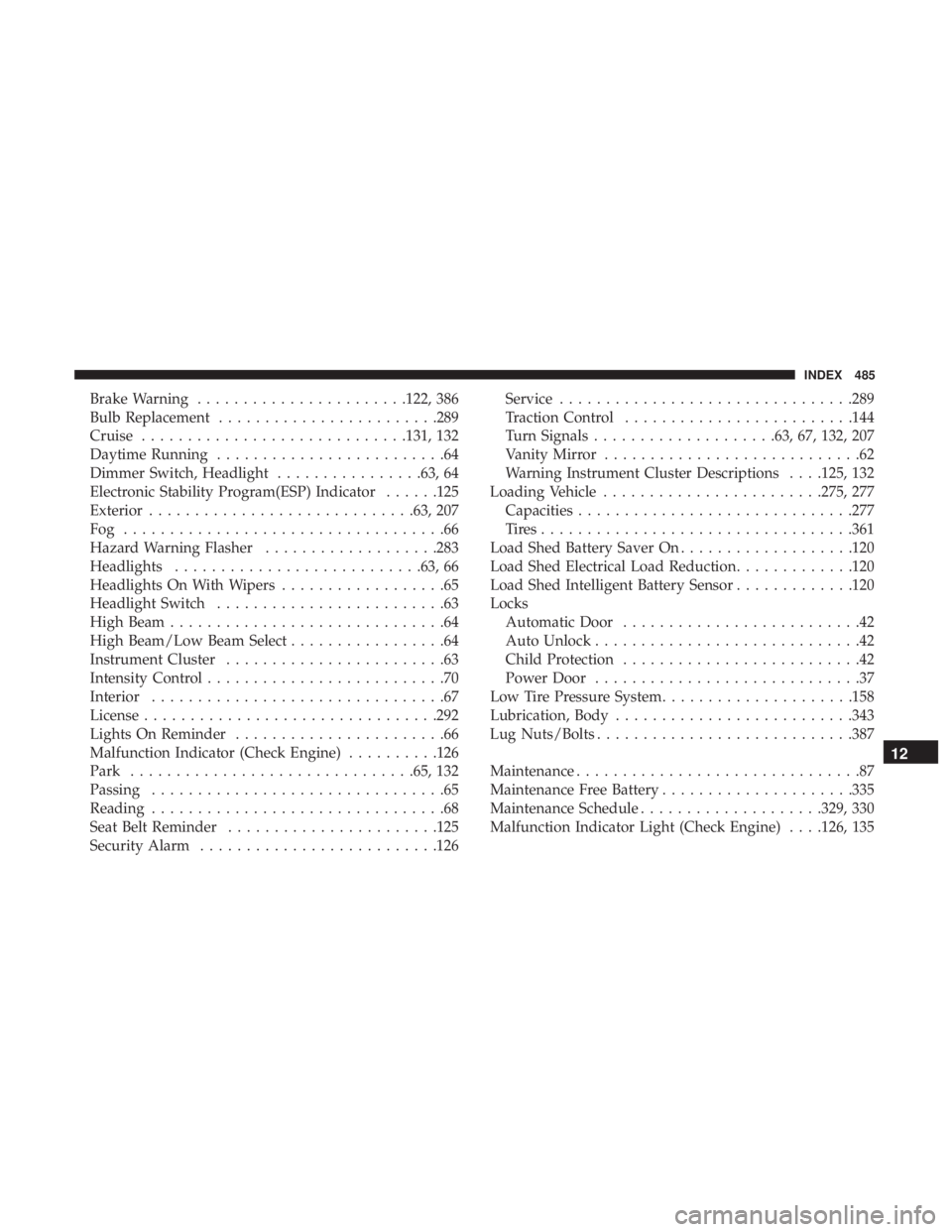
Brake Warning...................... .122, 386
Bulb Replacement ....................... .289
Cruise ............................ .131, 132
Daytime Running .........................64
Dimmer Switch, Headlight ................63, 64
Electronic Stability Program(ESP) Indicator ......125
Exterior ............................ .63, 207
Fog ...................................66
Hazard Warning Flasher ...................283
Headlights .......................... .63, 66
Headlights On With Wipers ..................65
Headlight Switch .........................63
High Beam ..............................64
High Beam/Low Beam Select .................64
Instrument Cluster ........................63
Intensity Control ..........................70
Interior ................................67
License ............................... .292
Lights On Reminder .......................66
Malfunction Indicator (Check Engine) ..........126
Park .............................. .65, 132
Passing ................................65
Reading ................................68
Seat Belt Reminder ...................... .125
Security Alarm ......................... .126Service
............................... .289
Traction Control ........................ .144
Turn Signals ....................63, 67, 132, 207
Vanity Mirror ............................62
Warning Instrument Cluster Descriptions . . . .125, 132
Loading Vehicle ....................... .275, 277
Capacities ............................. .277
Tires................................. .361
Load Shed Battery Saver On ...................120
Load Shed Electrical Load Reduction .............120
Load Shed Intelligent Battery Sensor .............120
Locks Automatic Door ..........................42
Auto Unlock .............................42
Child Protection ..........................42
Power Door .............................37
Low Tire Pressure System .....................158
Lubrication,
Body ......................... .343
Lug Nuts/Bolts ........................... .387
Maintenance ...............................87
Maintenance Free Battery .....................335
Maintenance Schedule ....................329, 330
Malfunction Indicator Light (Check Engine) . . . .126, 135
12
INDEX 485