DODGE CHARGER SRT 2019 User Guide
CHARGER SRT 2019
DODGE
DODGE
https://www.carmanualsonline.info/img/12/40502/w960_40502-0.png
DODGE CHARGER SRT 2019 User Guide
Page 440 of 496
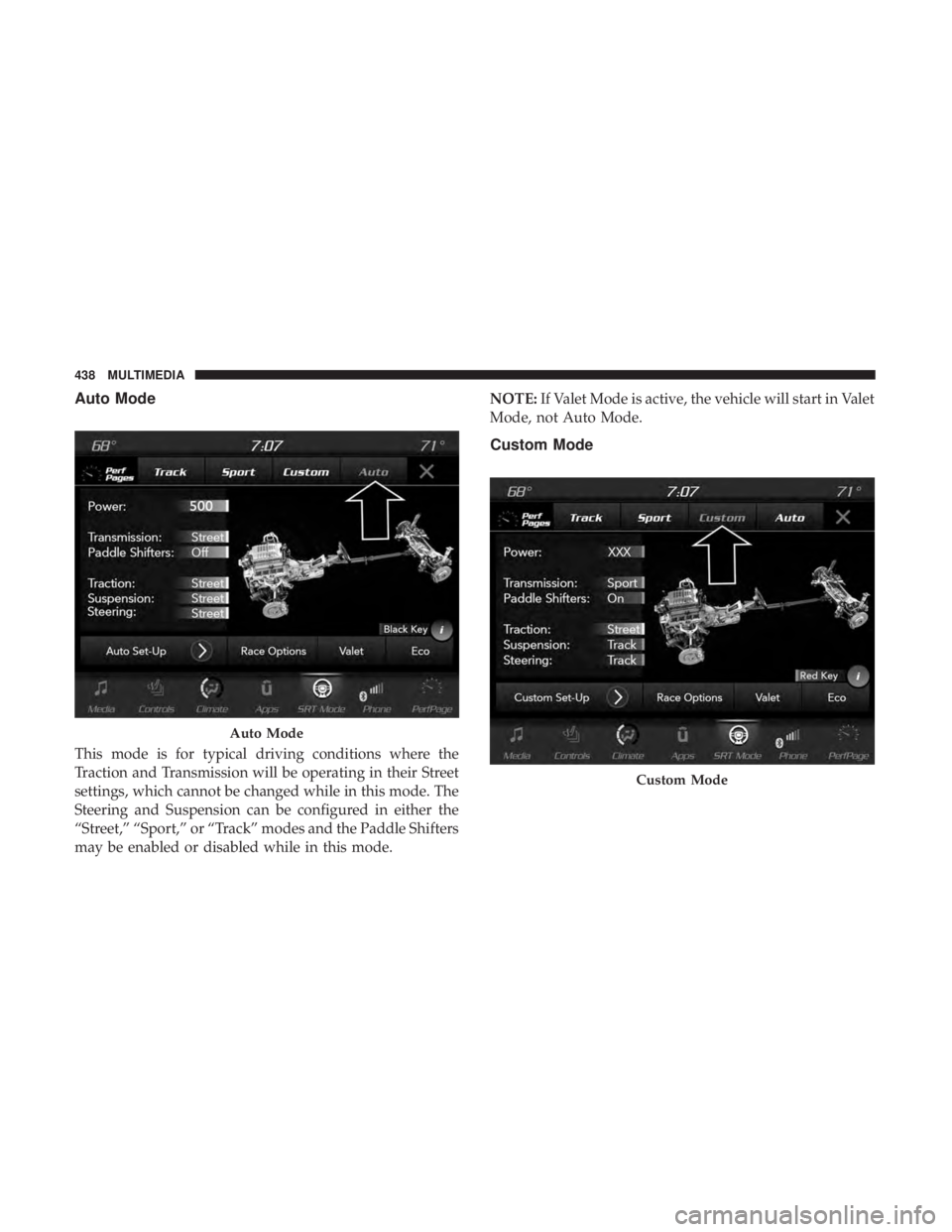
Auto Mode
This mode is for typical driving conditions where the
Traction and Transmission will be operating in their Street
settings, which cannot be changed while in this mode. The
Steering and Suspension can be configured in either the
“Street,” “Sport,” or “Track” modes and the Paddle Shifters
may be enabled or disabled while in this mode.NOTE:
If Valet Mode is active, the vehicle will start in Valet
Mode, not Auto Mode.
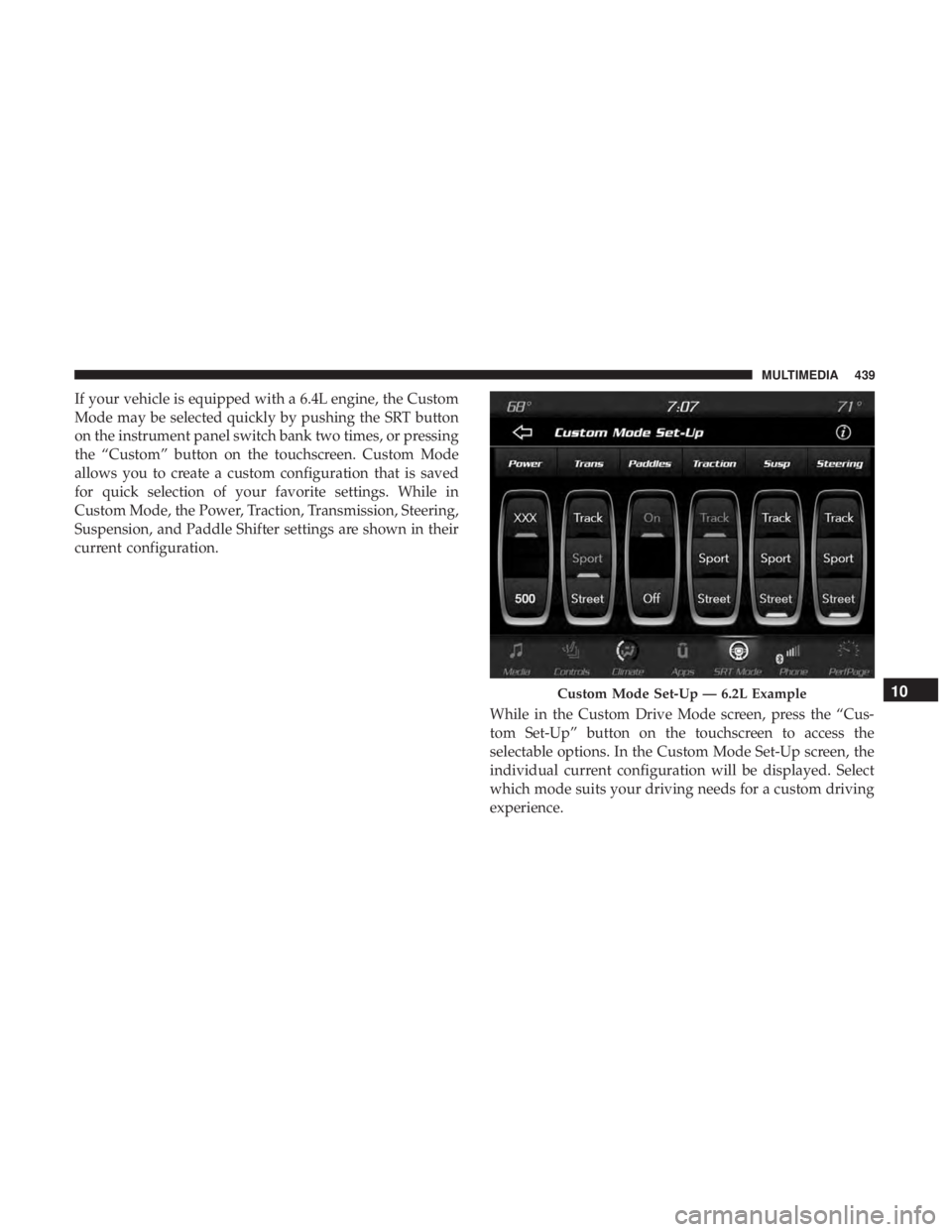
Custom Mode
Auto Mode
Custom Mode
438 MULTIMEDIA
Page 441 of 496
If your vehicle is equipped with a 6.4L engine, the Custom
Mode may be selected quickly by pushing the SRT button
on the instrument panel switch bank two times, or pressing
the “Custom” button on the touchscreen. Custom Mode
allows you to create a custom configuration that is saved
for quick selection of your favorite settings. While in
Custom Mode, the Power, Traction, Transmission, Steering,
Suspension, and Paddle Shifter settings are shown in their
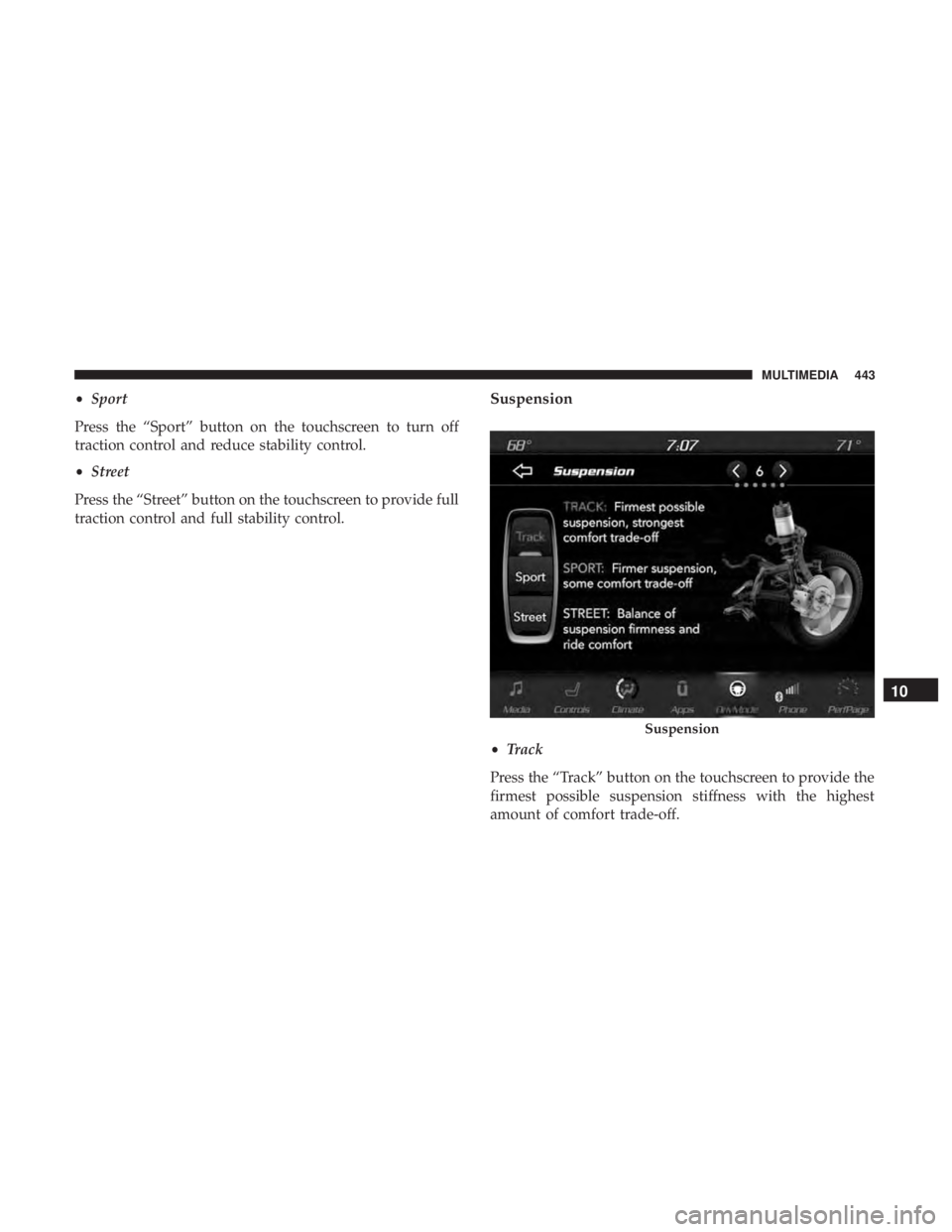
current configuration.While in the Custom Drive Mode screen, press the “Cus-
tom Set-Up” button on the touchscreen to access the
selectable options. In the Custom Mode Set-Up screen, the
individual current configuration will be displayed. Select
which mode suits your driving needs for a custom driving
experience.
Custom Mode Set-Up — 6.2L Example10
MULTIMEDIA 439
Page 445 of 496
•Sport
Press the “Sport” button on the touchscreen to turn off
traction control and reduce stability control.
• Street
Press the “Street” button on the touchscreen to provide full
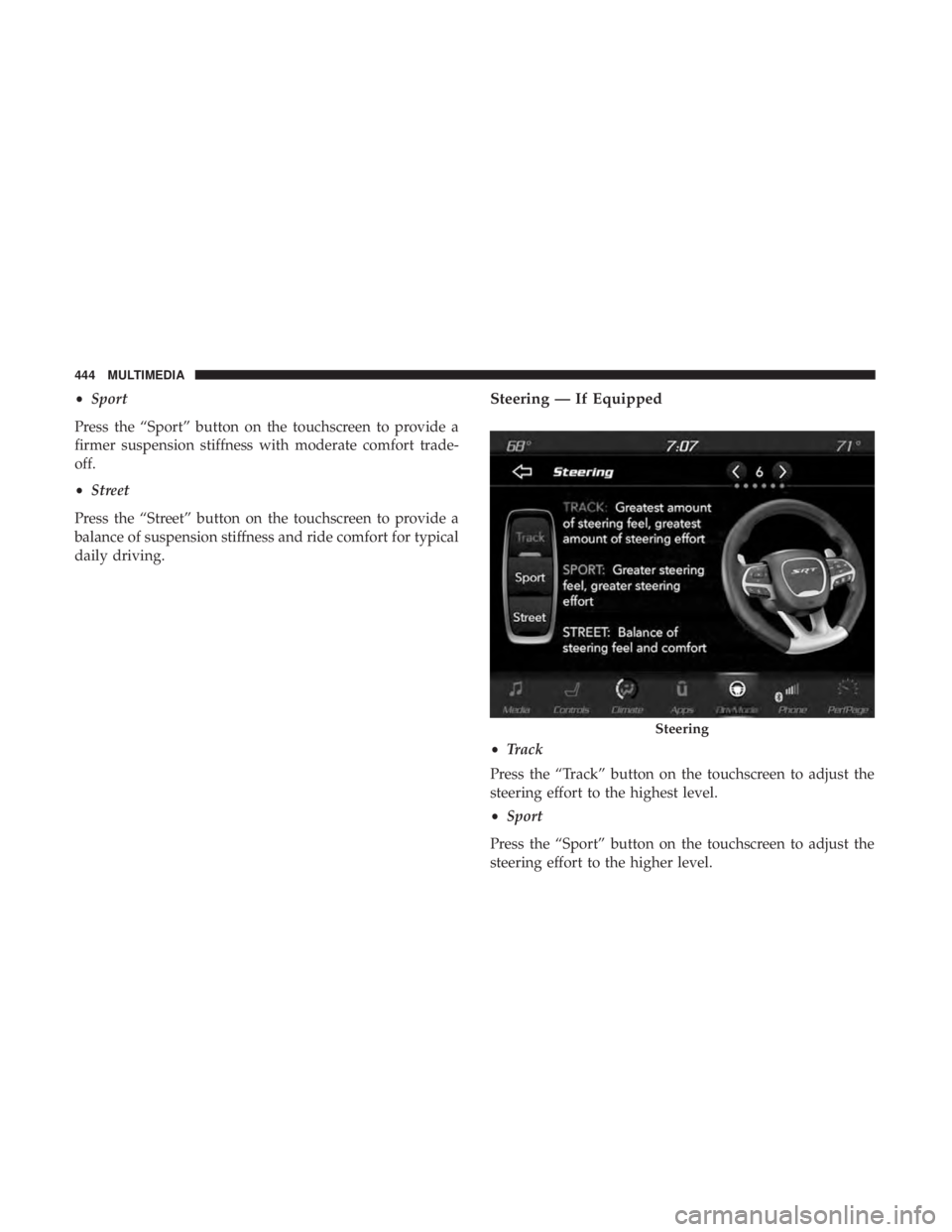
traction control and full stability control.Suspension
• Track
Press the “Track” button on the touchscreen to provide the
firmest possible suspension stiffness with the highest
amount of comfort trade-off.
Suspension
10
MULTIMEDIA 443
Page 446 of 496
•Sport
Press the “Sport” button on the touchscreen to provide a
firmer suspension stiffness with moderate comfort trade-
off.
• Street
Press the “Street” button on the touchscreen to provide a
balance of suspension stiffness and ride comfort for typical
daily driving.Steering — If Equipped
• Track
Press the “Track” button on the touchscreen to adjust the
steering effort to the highest level.
• Sport
Press the “Sport” button on the touchscreen to adjust the
steering effort to the higher level.
Steering
444 MULTIMEDIA
Page 453 of 496
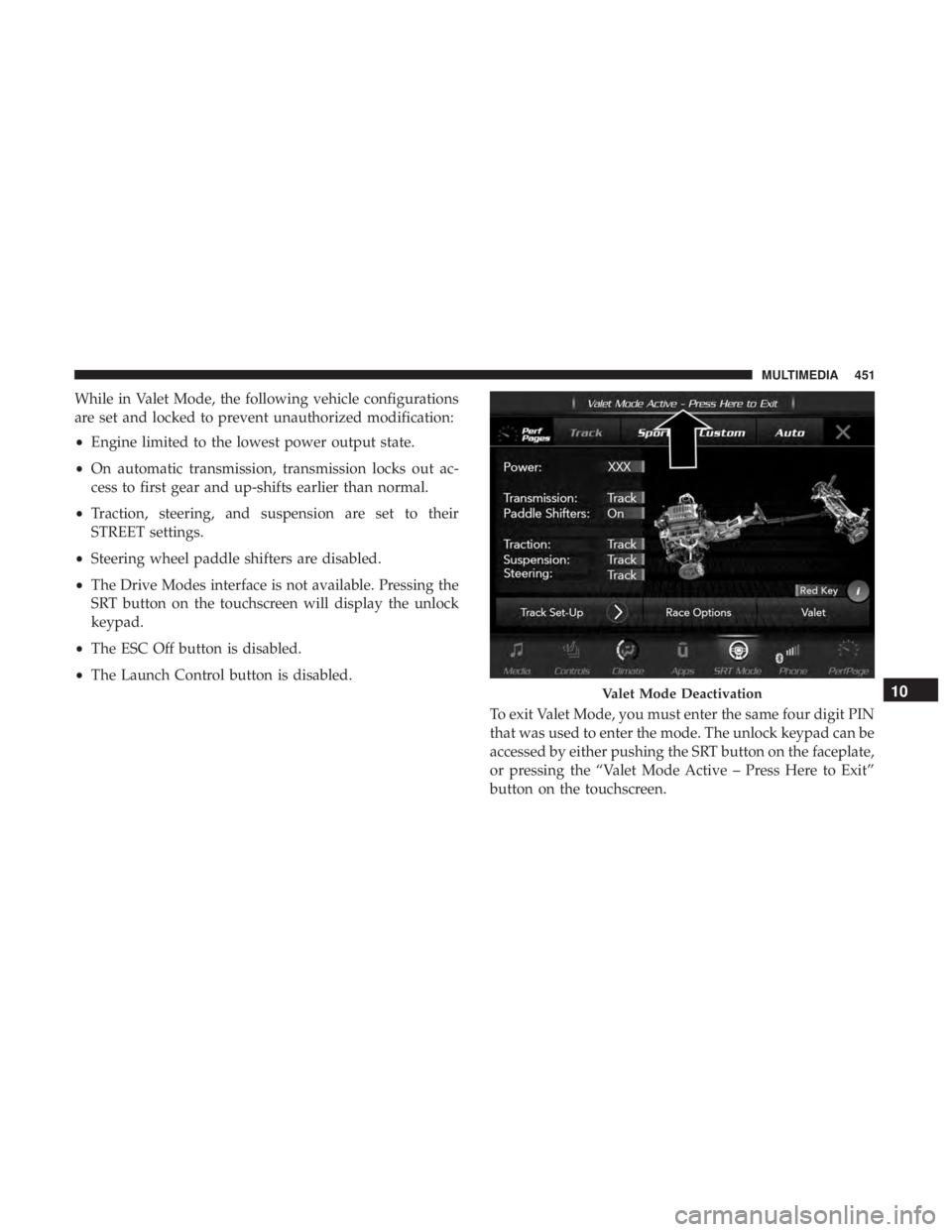
While in Valet Mode, the following vehicle configurations
are set and locked to prevent unauthorized modification:
•Engine limited to the lowest power output state.
• On automatic transmission, transmission locks out ac-
cess to first gear and up-shifts earlier than normal.
• Traction, steering, and suspension are set to their
STREET settings.
• Steering wheel paddle shifters are disabled.
• The Drive Modes interface is not available. Pressing the
SRT button on the touchscreen will display the unlock
keypad.
• The ESC Off button is disabled.
• The Launch Control button is disabled.
To exit Valet Mode, you must enter the same four digit PIN
that was used to enter the mode. The unlock keypad can be
accessed by either pushing the SRT button on the faceplate,
or pressing the “Valet Mode Active – Press Here to Exit”
button on the touchscreen.
Valet Mode Deactivation10
MULTIMEDIA 451