door lock DODGE DAKOTA 2011 3.G User Guide
[x] Cancel search | Manufacturer: DODGE, Model Year: 2011, Model line: DAKOTA, Model: DODGE DAKOTA 2011 3.GPages: 452, PDF Size: 4.92 MB
Page 25 of 452
4. Test the Flash Lamps With Lock feature while outside
of the vehicle by pressing the LOCK button on the RKE
transmitter with the ignition in the OFF position and the
key removed.
NOTE:Pressing the LOCK button on the RKE transmit-
ter while you are in the vehicle will activate the Vehicle
Security Alarm. Opening a door with the Vehicle Security
Alarm activated will cause the alarm to sound. Press the
UNLOCK button to deactivate the Vehicle Security
Alarm System.
5. If the desired programming was not achieved, or to
reactivate this feature, repeat the above steps.
Using The Panic Alarm
To activate the Panic mode while the ignition is OFF,
press and release the PANIC button on the RKE trans-
mitter once. When the Panic mode is activated, the
interior lights will illuminate, the headlights and parking
lights will flash, and the horn will sound. To cancel the Panic mode, press and release the PANIC
button on the RKE transmitter a second time. Panic mode
will automatically cancel after three minutes, or if the
vehicle is started and or exceeds 15 mph (24 km/h).
During the Panic Mode, the door locks and RKE systems
will function normally. Panic mode will not disarm the
Vehicle Security Alarm System, on vehicles so equipped.
General Information
This device complies with part 15 of FCC rules and with
RS-210 of Industry Canada. Operation is subject to the
following conditions:
1. This device may not cause harmful interference.
2. This device must accept any interference that may be
received including interference that may cause undesired
operation.
NOTE:
Changes or modifications not expressly ap-
proved by the party responsible for compliance could
void the user’s authority to operate the equipment.
2
THINGS TO KNOW BEFORE STARTING YOUR VEHICLE 23
Page 28 of 452
WARNING!
•Do not start or run an engine in a closed garage or
confined area. Exhaust gas contains Carbon Mon-
oxide (CO) which is odorless and colorless. Car-
bon Monoxide is poisonous and can cause serious
injury or death when inhaled.
•Keep Remote Keyless Entry (RKE) transmitters
away from children. Operation of the Remote Start
System, windows, door locks or other controls
could cause serious injury or death.
To Enter Remote Start
Press and release the REMOTE START button
on the RKE transmitter twice within five sec-
onds. The parking lights will flash and the horn
will chirp twice (if programmed). Then, the
engine will start and the vehicle will remain in the
Remote Start mode for a 15-minute cycle. NOTE:
•The park lamps will turn on and remain on during
Remote Start mode.
•For security, power window and power sunroof op-
eration (if equipped) are disabled when the vehicle is
in the Remote Start mode.
•The engine can be started two consecutive times (two
15-minute cycles) with the RKE transmitter. However,
the ignition switch must be cycled to the ON/RUN
position before you can repeat the start sequence for a
third cycle.
Remote start will also cancel if any of the following occur:
•The engine stalls or RPM exceeds 2500
•Any engine warning lamps come on
•The hood is opened
•The hazard switch is pressed
26 THINGS TO KNOW BEFORE STARTING YOUR VEHICLE
Page 29 of 452
•The transmission is moved out of PARK
•The brake pedal is pressed
To Exit Remote Start Mode Without Driving The
Vehicle
Press and release the REMOTE START button one time,
or allow the engine to run for the entire 15-minute cycle.
NOTE:To avoid unintentional shut downs, the system
will disable the one time press of the REMOTE START
button for two seconds after receiving a valid Remote
Start request.
To Exit Remote Start Mode And Drive The Vehicle
Before the end of the 15-minute cycle, press and release
the UNLOCK button on the RKE transmitter to unlock
the doors and disarm the Vehicle Security Alarm (if
equipped). Then, prior to the end of the 15-minute cycle,
insert the key into the ignition switch and turn the switch
to the ON/RUN position.
NOTE: The ignition switch must be in the ON/RUN
position in order to drive the vehicle.
2
THINGS TO KNOW BEFORE STARTING YOUR VEHICLE 27
Page 30 of 452
DOOR LOCKS
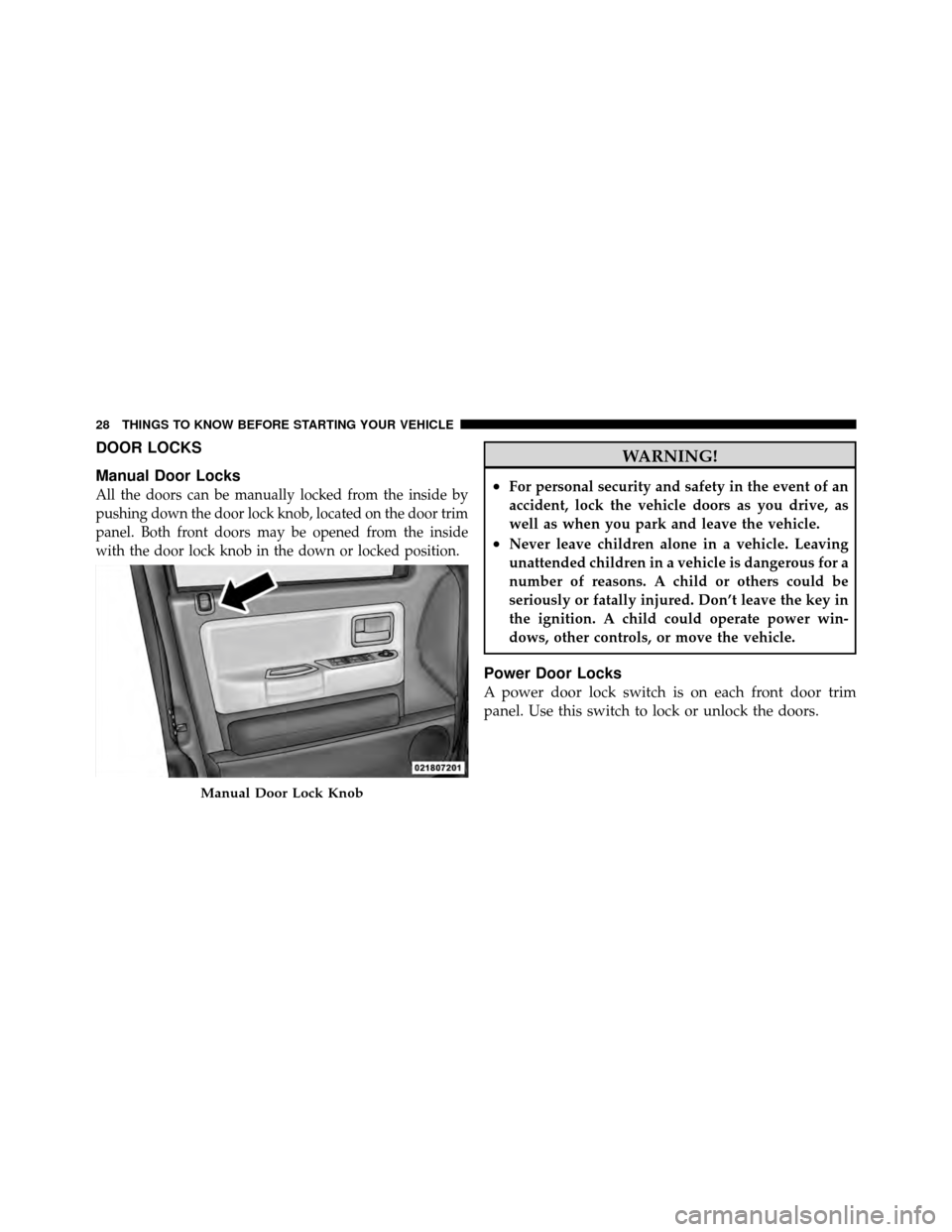
Manual Door Locks
All the doors can be manually locked from the inside by
pushing down the door lock knob, located on the door trim
panel. Both front doors may be opened from the inside
with the door lock knob in the down or locked position.
WARNING!
•For personal security and safety in the event of an
accident, lock the vehicle doors as you drive, as
well as when you park and leave the vehicle.
•Never leave children alone in a vehicle. Leaving
unattended children in a vehicle is dangerous for a
number of reasons. A child or others could be
seriously or fatally injured. Don’t leave the key in
the ignition. A child could operate power win-
dows, other controls, or move the vehicle.
Power Door Locks
A power door lock switch is on each front door trim
panel. Use this switch to lock or unlock the doors.
Manual Door Lock Knob
28 THINGS TO KNOW BEFORE STARTING YOUR VEHICLE
Page 31 of 452
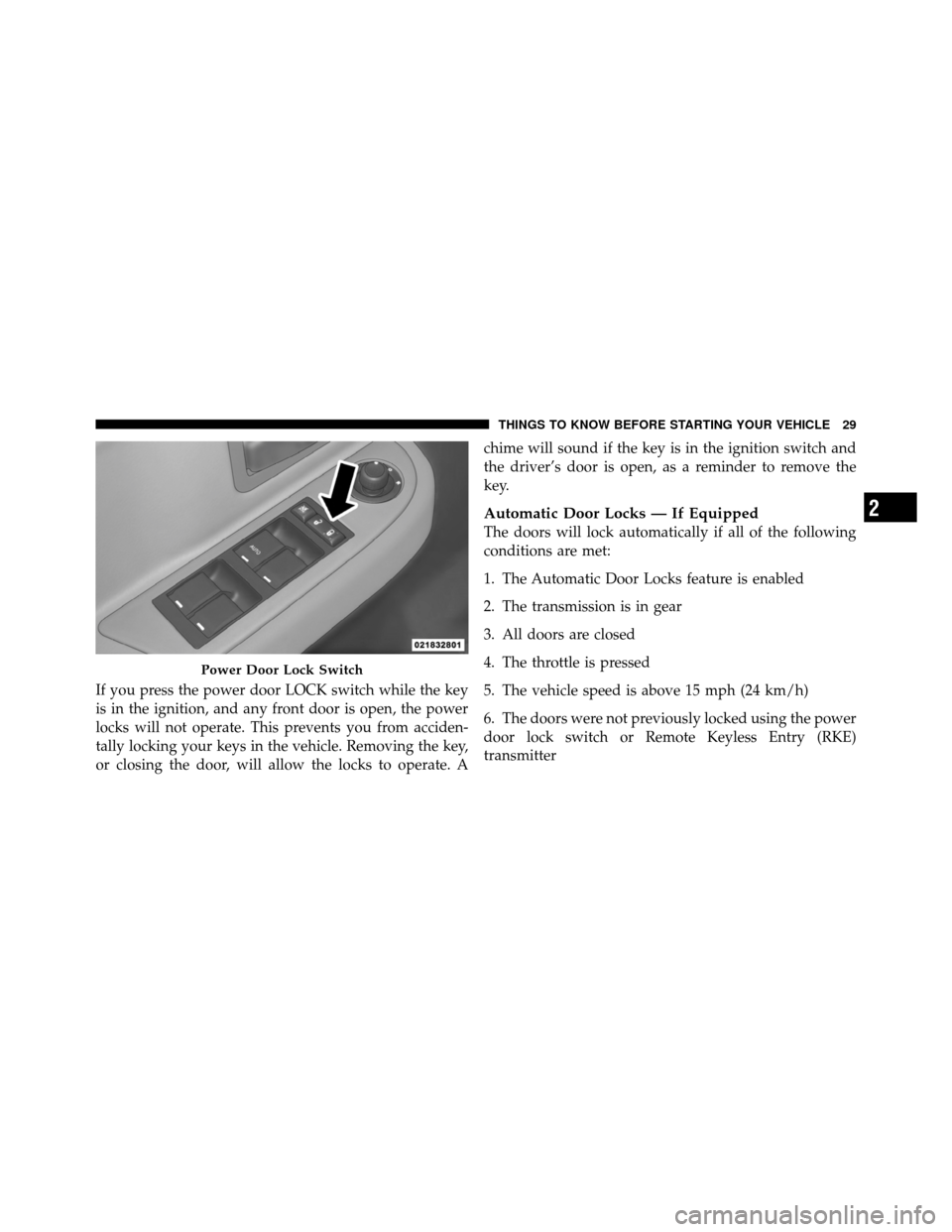
If you press the power door LOCK switch while the key
is in the ignition, and any front door is open, the power
locks will not operate. This prevents you from acciden-
tally locking your keys in the vehicle. Removing the key,
or closing the door, will allow the locks to operate. Achime will sound if the key is in the ignition switch and
the driver’s door is open, as a reminder to remove the
key.
Automatic Door Locks — If Equipped
The doors will lock automatically if all of the following
conditions are met:
1. The Automatic Door Locks feature is enabled
2. The transmission is in gear
3. All doors are closed
4. The throttle is pressed
5. The vehicle speed is above 15 mph (24 km/h)
6. The doors were not previously locked using the power
door lock switch or Remote Keyless Entry (RKE)
transmitter
Power Door Lock Switch
2
THINGS TO KNOW BEFORE STARTING YOUR VEHICLE 29
Page 32 of 452
Automatic Door Locks Programming — If
Equipped
The Automatic Door Locks feature can be enabled or
disabled as follows:
•For vehicles equipped with the Electronic Vehicle
Information Center (EVIC), refer to “Electronic Vehicle
Information Center (EVIC) — If Equipped/Personal
Settings (Customer-Programmable Features)” in “Un-
derstanding Your Instrument Panel” for further infor-
mation.
•For vehicles not equipped with the EVIC, perform the
following procedure:
1. Close all doors and place the key in the ignition
switch. 2. Within 15 seconds, cycle the ignition switch between
LOCK and ON/RUN and then back to LOCK four times
ending up in the LOCK position (do not start the engine).
3. Within 30 seconds, press the power door LOCK switch
to lock the doors.
4. A single chime will indicate the completion of the
programming.
5. Repeat these steps if you want to return this feature to
its previous setting.
NOTE:
•If you do not hear the chime it means that the system
did not enter the programming mode and you will
need to repeat the procedure.
•Use the Automatic Door Locks feature in accordance
with local laws.
30 THINGS TO KNOW BEFORE STARTING YOUR VEHICLE
Page 33 of 452
Auto Unlock On Exit Feature — If Equipped
This feature unlocks all of the doors of the vehicle when
any door is opened. This will occur only after the vehicle
has been shifted into the PARK position after the vehicle
has been driven (shifted out of PARK and the doors
closed).
Auto Unlock Feature Programming
The Customer Programming sequence to disable or en-
able Auto Unlock:
1. Enter your vehicle and close all the doors.
2. Fasten your seat belt. (Fastening the seat belt will
cancel any chiming that may be confusing during this
programming procedure.)
3. Insert the key into the ignition.4. Within 15 seconds, cycle the key from the LOCK
position to the ON/RUN position and back to LOCK
position, a minimum of four times; ending in the LOCK
position.
(Do not start the engine.)
5. Within 30 seconds, press the driver’s door LOCK
switch in the UNLOCK direction.
6. A single chime will sound to indicate the feature has
been changed.
7. To reactivate the feature, repeat the above steps.
8. If a chime is not heard, program mode was canceled
before the feature could be changed. If necessary, repeat
the above procedure.
2
THINGS TO KNOW BEFORE STARTING YOUR VEHICLE 31
Page 34 of 452
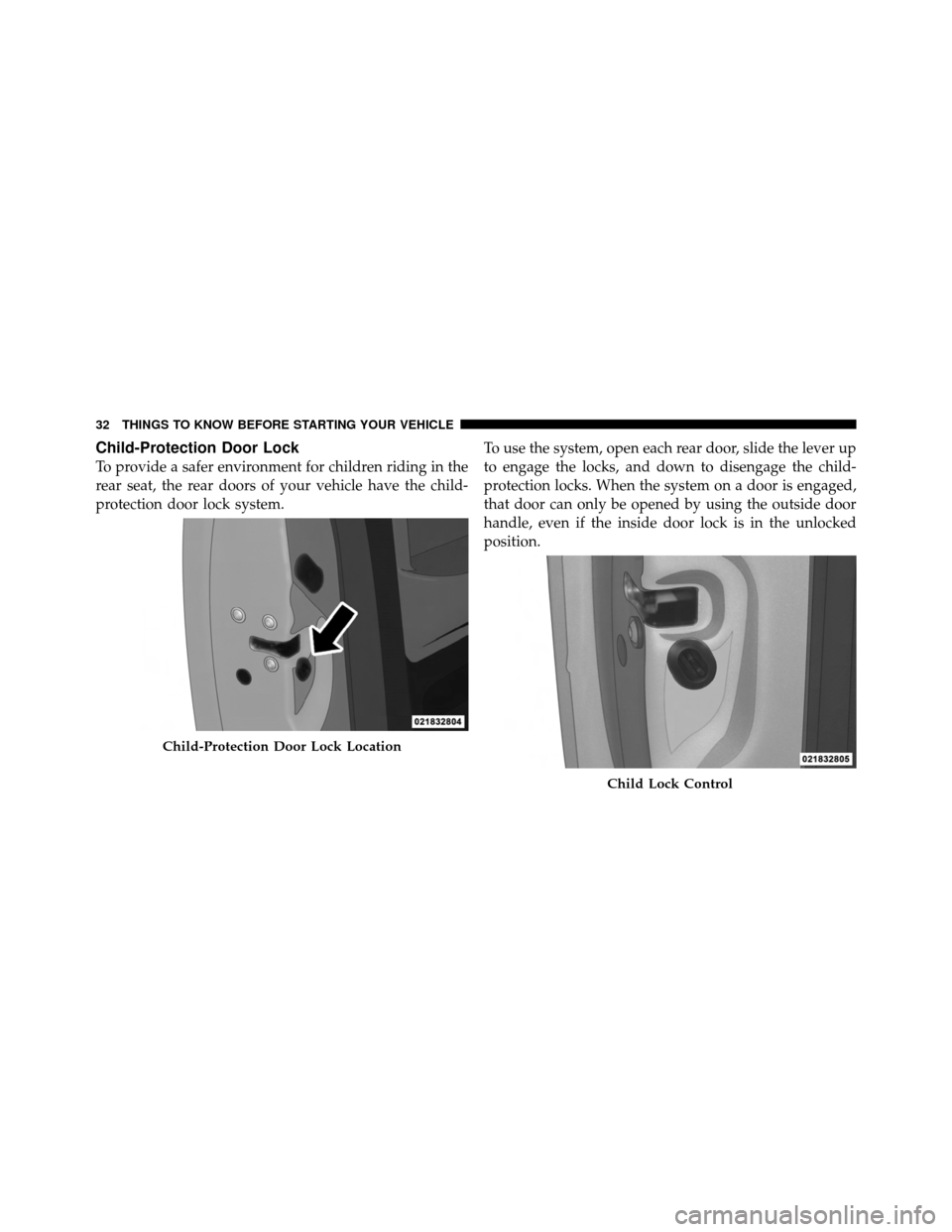
Child-Protection Door Lock
To provide a safer environment for children riding in the
rear seat, the rear doors of your vehicle have the child-
protection door lock system.To use the system, open each rear door, slide the lever up
to engage the locks, and down to disengage the child-
protection locks. When the system on a door is engaged,
that door can only be opened by using the outside door
handle, even if the inside door lock is in the unlocked
position.
Child-Protection Door Lock Location
Child Lock Control
32 THINGS TO KNOW BEFORE STARTING YOUR VEHICLE
Page 35 of 452
WARNING!
Avoid trapping anyone in a vehicle in a collision.
Remember that the rear doors can only be opened
from the outside when the Child-Protection locks are
engaged.
NOTE:
•After setting the Child-Protection Door Lock system,
always test the door from the inside to make certain it
is in the desired position.
•For emergency exit with the system engaged, move
the door lock switch to the UNLOCK position, roll
down the window and open the door with the outside
door handle.
WINDOWS
Power Windows
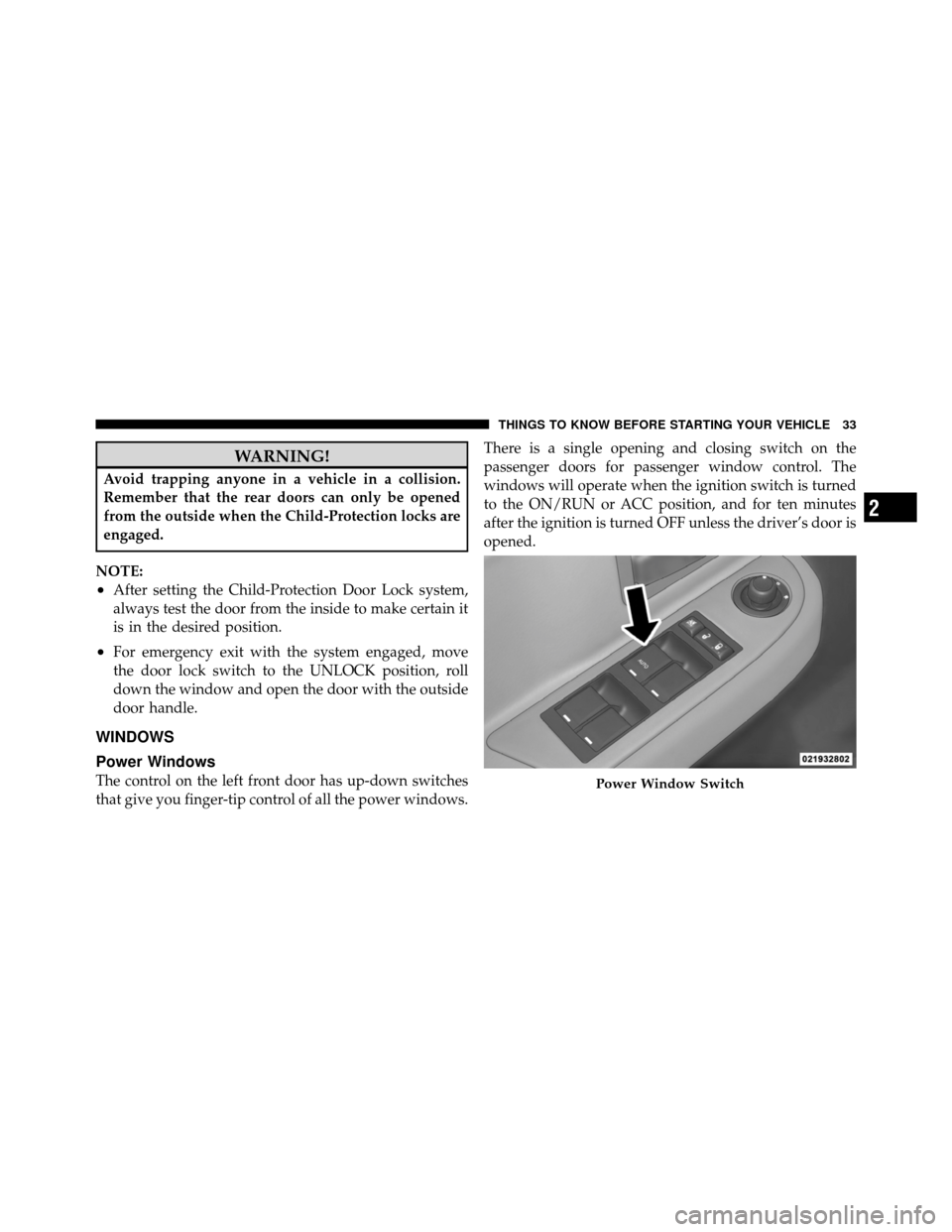
The control on the left front door has up-down switches
that give you finger-tip control of all the power windows. There is a single opening and closing switch on the
passenger doors for passenger window control. The
windows will operate when the ignition switch is turned
to the ON/RUN or ACC position, and for ten minutes
after the ignition is turned OFF unless the driver’s door is
opened.Power Window Switch
2
THINGS TO KNOW BEFORE STARTING YOUR VEHICLE 33
Page 36 of 452
WARNING!
Never leave children alone in a vehicle. Leaving
unattended children in a vehicle is dangerous for a
number of reasons. A child or others could be seri-
ously or fatally injured. Don’t leave the key in the
ignition. A child could operate power windows,
other controls, or move the vehicle.
Auto-Down — Driver’s Side Only
The driver’s window switch has an Auto-Down feature.
Push the window switch past the first detent, release, and
the window will go down automatically. To cancel the
Auto-Down movement, operate the switch in either the
up or down direction and release the switch.
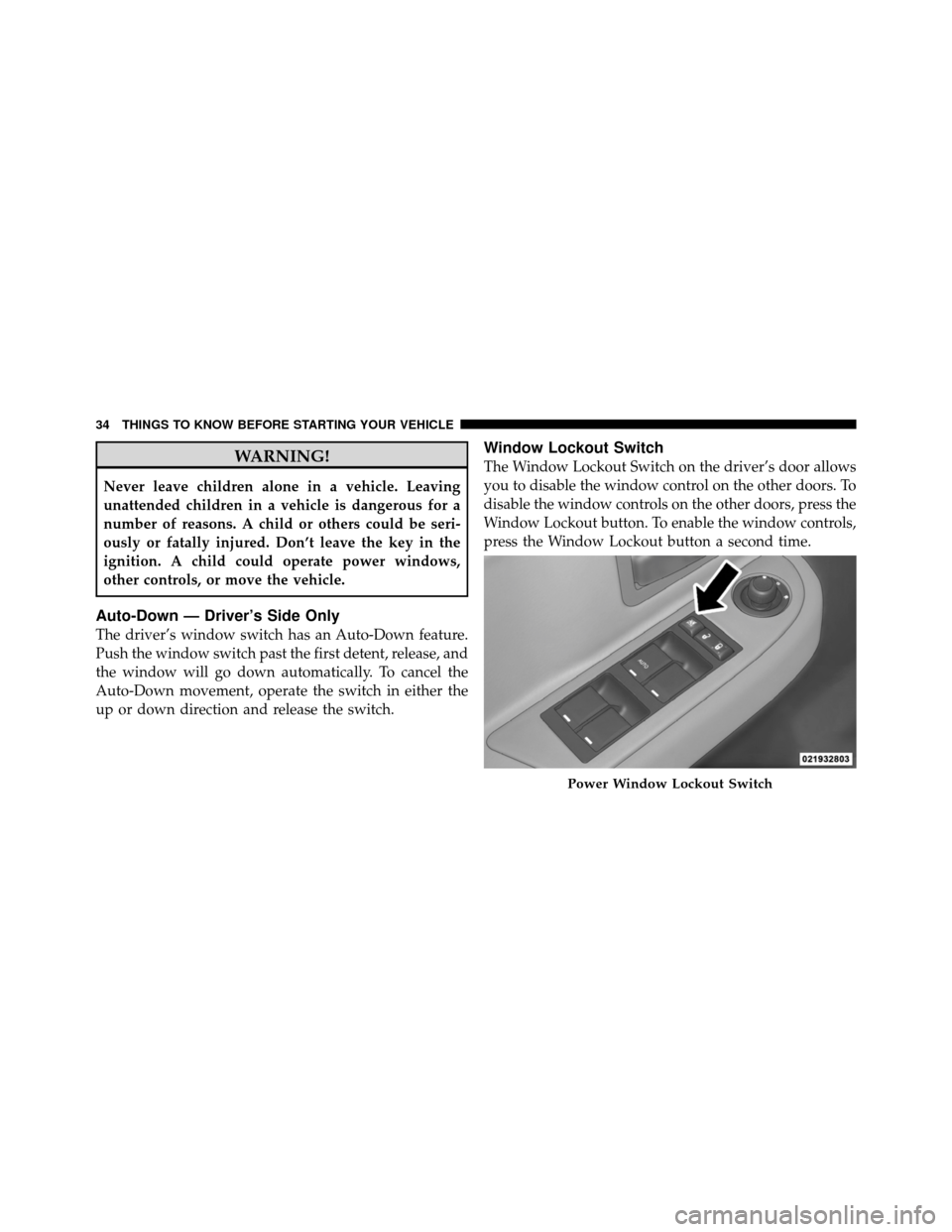
Window Lockout Switch
The Window Lockout Switch on the driver’s door allows
you to disable the window control on the other doors. To
disable the window controls on the other doors, press the
Window Lockout button. To enable the window controls,
press the Window Lockout button a second time.
Power Window Lockout Switch
34 THINGS TO KNOW BEFORE STARTING YOUR VEHICLE