light DODGE DURANGO 2004 2.G Owner's Guide
[x] Cancel search | Manufacturer: DODGE, Model Year: 2004, Model line: DURANGO, Model: DODGE DURANGO 2004 2.GPages: 386, PDF Size: 6.22 MB
Page 106 of 386

Headlight Delay
To aid in your exit, your vehicle is equipped with a
headlight delay that will leave the headlights on for 90
seconds. This delay is initiated when the ignition is
cycled off while the headlight switch is on, and then the
headlight switch is cycled off. The headlights will remain
on for 90 seconds. Headlight delay can be cancelled by
either turning the headlight switch ON then OFF or by
turning the ignition ON.
NOTE:This feature can be disabled by your authorized
dealer.
Automatic Headlights Ð If Equipped
Automatic Headlights can be activated by rotating the
rotary headlight switch to the symbol ªA.º The head-
lights will turn on when the ignition is in the ON or
START position and the ambient light sensor indicates
that the headlights should be activated. The headlights
will turn off if the headlight switch is rotated to the off
position or 90 seconds after the ignition is turned to OFF.
Headlights, Parking Lights, Panel Lights
When the headlight switch is rotated to the first position
to the right, the parking lights, taillights, side marker
lights, license plate light and instrument panel lights are
all turned on. The headlights will turn ON when the
switch is rotated to the second position.
Your vehicle is equipped with plastic headlight lenses
that are lighter and less susceptible to stone breakage
than glass headlights.
Plastic is not as scratch resistant as glass and therefore
different lens cleaning procedures must be followed.
To minimize the possibility of scratching the lenses and
reducing light output, avoid wiping with a dry cloth. To
remove road dirt, wash with a mild soap solution fol-
lowed by rinsing.
Do not use abrasive cleaning components, solvents, steel
wool or other abrasive materials to clean the lenses.
106 UNDERSTANDING THE FEATURES OF YOUR VEHICLE
Page 107 of 386

Illuminated Entry
Headlights turn on for 90 seconds, when the Remote
Keyless Entry UNLOCK button is pressed.
NOTE:This feature can be activated by your authorized
dealer.
Daytime Running Lights (Canada Only)
The headlights on your Durango will illuminate when
the engine is started. This provides a constant ªLights
ONº condition until the ignition is turned OFF. The lights
illuminate at reduced intensity. If the parking brake is
applied the Daytime Running Lights will turn off. If the
headlights are activated, the Daytime Running Lights
feature will transition to the normal headlight operating
mode.
Lights-on Reminder
If the headlights, parking lights, or courtesy lights are left
On, after the ignition is turned Off, a chime will sound
when the driver's door is opened.
Fog Lights Ð If Equipped
The foglights are turned ON by placing the headlight
rotary control in the parking light, headlight, or Auto
UNDERSTANDING THE FEATURES OF YOUR VEHICLE 107
3
Page 108 of 386

position and pressing the fog light button. The fog lights
will operate only when the parking lights are ON or
when the vehicle headlights are ON low beam. An
indicator light located in the instrument cluster will
illuminate when the fog lights are on. The fog lights will
turn off when the switch is pressed in, when the head-
light switch is rotated to the OFF position, or the high
beam is selected.
MULTIFUNCTION CONTROL LEVER
The multifunction control lever is located on the left side
of the steering column.
Turn Signals
Move the lever up or down to signal a right-hand or
left-hand turn.
The arrow on either side of the instrument cluster flashes
to indicate the direction of the turn, and proper operation
108 UNDERSTANDING THE FEATURES OF YOUR VEHICLE
Page 109 of 386

of the front and rear turn signal lights. If an indicator fails
to light when the lever is moved, it would suggest that
the switch or indicator lamp is defective.
If a defective bulb or wiring circuit is detected for the
turn signal system, the arrow indicators will flash at a
faster rate.
You can signal a lane change by moving the lever
partially up or down.
NOTE:If a turn signal has been left on for at least a mile
duration, a continuous chime will sound.
Passing Light
You can signal another vehicle with your headlights by
partially pulling the multifunction lever toward the steer-
ing wheel. This will cause the high beam headlights to
turn on until the lever is released.
High Beam / Low Beam Select Switch
Pull the multifunction control lever fully toward the
steering wheel to switch the headlights from HIGH or
LOW beam.
UNDERSTANDING THE FEATURES OF YOUR VEHICLE 109
3
Page 112 of 386

TRACTION CONTROL SWITCH Ð IF EQUIPPED
Traction control monitors the amount of wheel spin in
each of the driven wheels. If wheel spin is detected, the
pressure to the brake system of the slipping wheel(s) is
modulated to provide enhanced acceleration. The system
operates at speeds typically encountered in city traffic
driving. 4WD drive models also include unique logic in
4HI or 4LO to enhance off-road capabilities.
The traction control Indicator, located in the instrument
cluster, will light up when the Traction Control is in use.
To turn the system OFF, press the Traction Control
switch, located below the climate controls in the center
stack, until the traction control Indicator in the instru-
ment cluster lights up.
112 UNDERSTANDING THE FEATURES OF YOUR VEHICLE
Page 119 of 386
WARNING!
Speed Control can be dangerous where the system
can't maintain a constant speed. Your vehicle could
go too fast for the conditions, and you could lose
control. An accident could be the result. Don't use
Speed Control in heavy traffic or on roads that are
winding, icy, snow-covered, or slippery.
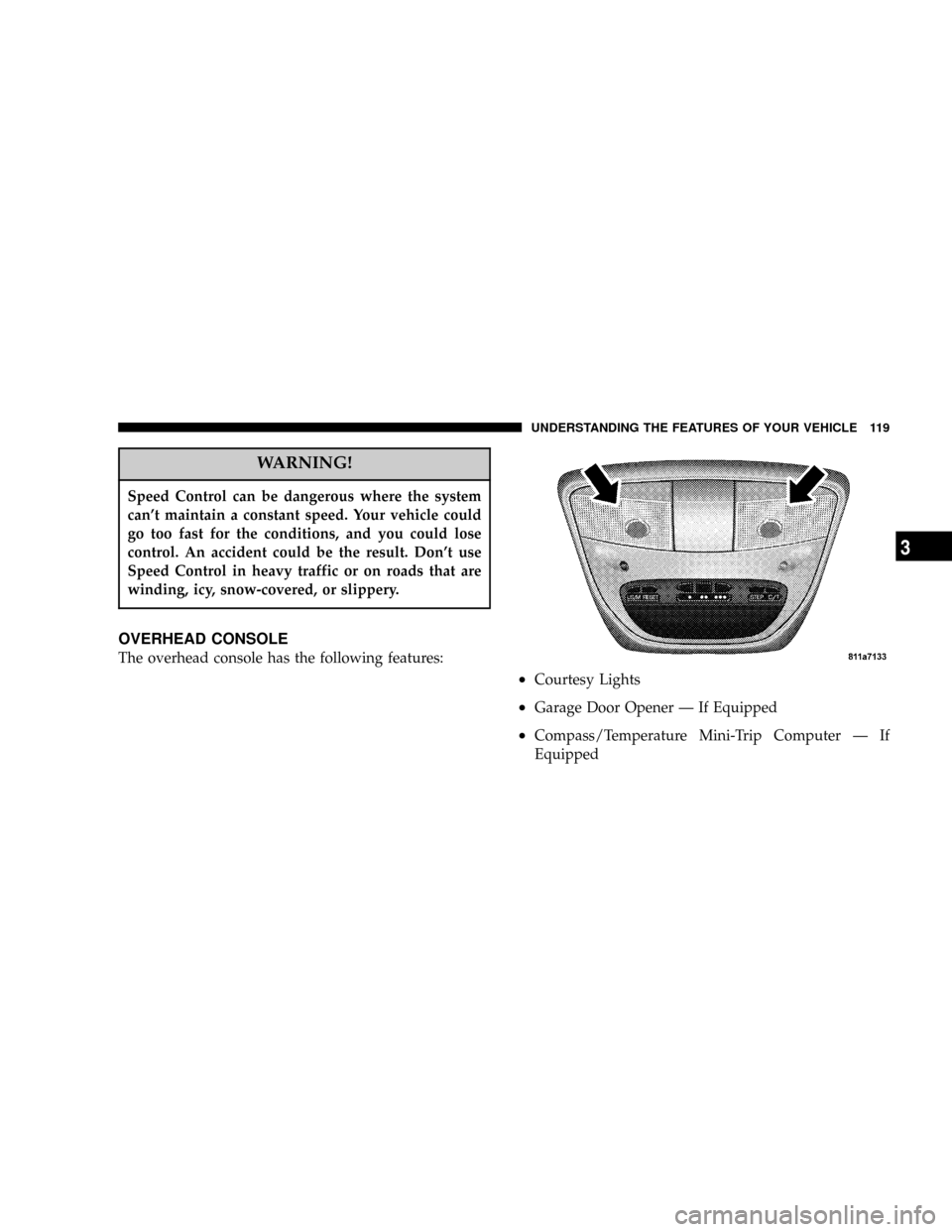
OVERHEAD CONSOLE
The overhead console has the following features:
²Courtesy Lights
²Garage Door Opener Ð If Equipped
²Compass/Temperature Mini-Trip Computer Ð If
Equipped
UNDERSTANDING THE FEATURES OF YOUR VEHICLE 119
3
Page 120 of 386

Courtesy/Reading Lights
Near the front of the console are two courtesy/reading
lights.
Both lights illuminate as courtesy lights when a door is
opened, when the dimmer control is rotated to the
courtesy light position (fully upward position), or when
the UNLOCK button is pressed on the Remote Keyless
Entry transmitter, if so equipped. These lights are also
operated individually as reading lights by pressing the
recessed area of the corresponding lens.
NOTE:The courtesy/reading lights will remain on until
the switch is pressed a second time, so be sure they have
been turned off before leaving the vehicle. If the interior
lights are left on after the vehicle is turned OFF, they will
extinguish after 8 minutes.
COMPASS/TEMPERATURE MINI-TRIP COMPUTER
This feature allows you to choose between a compass/
temperature display and one of four trip conditions being
monitored.
US/M Button
Use this button to change the display from U.S. to metric
measurement units.
120 UNDERSTANDING THE FEATURES OF YOUR VEHICLE
Page 126 of 386

To set the variance: Turn the ignition ON and set the
display to ªCompass/Temperature.º Press and hold the
RESET button approximately five seconds. The last vari-
ance zone number will be displayed. Press the STEP
button to select the new variance zone and press the
RESET button to resume normal operation.
Outside Temperature
Because the ambient temperature sensor is located un-
derhood, engine temperature can influence the displayed
temperature, therefore, temperature readings are slowly
updated when the vehicle speed is below 20 mph (30
km/h) or during stop and go driving.
GARAGE DOOR OPENER Ð IF EQUIPPED
The HomeLinktUniversal Transceiver replaces up to
three remote controls (hand held transmitters) that oper-
ate devices such as garage door openers, motorized
gates, or home lighting. It triggers these devices at the
push of a button. The Universal Transceiver operates off
your vehicle's battery and charging system; no batteries
are needed.
126 UNDERSTANDING THE FEATURES OF YOUR VEHICLE
Page 128 of 386
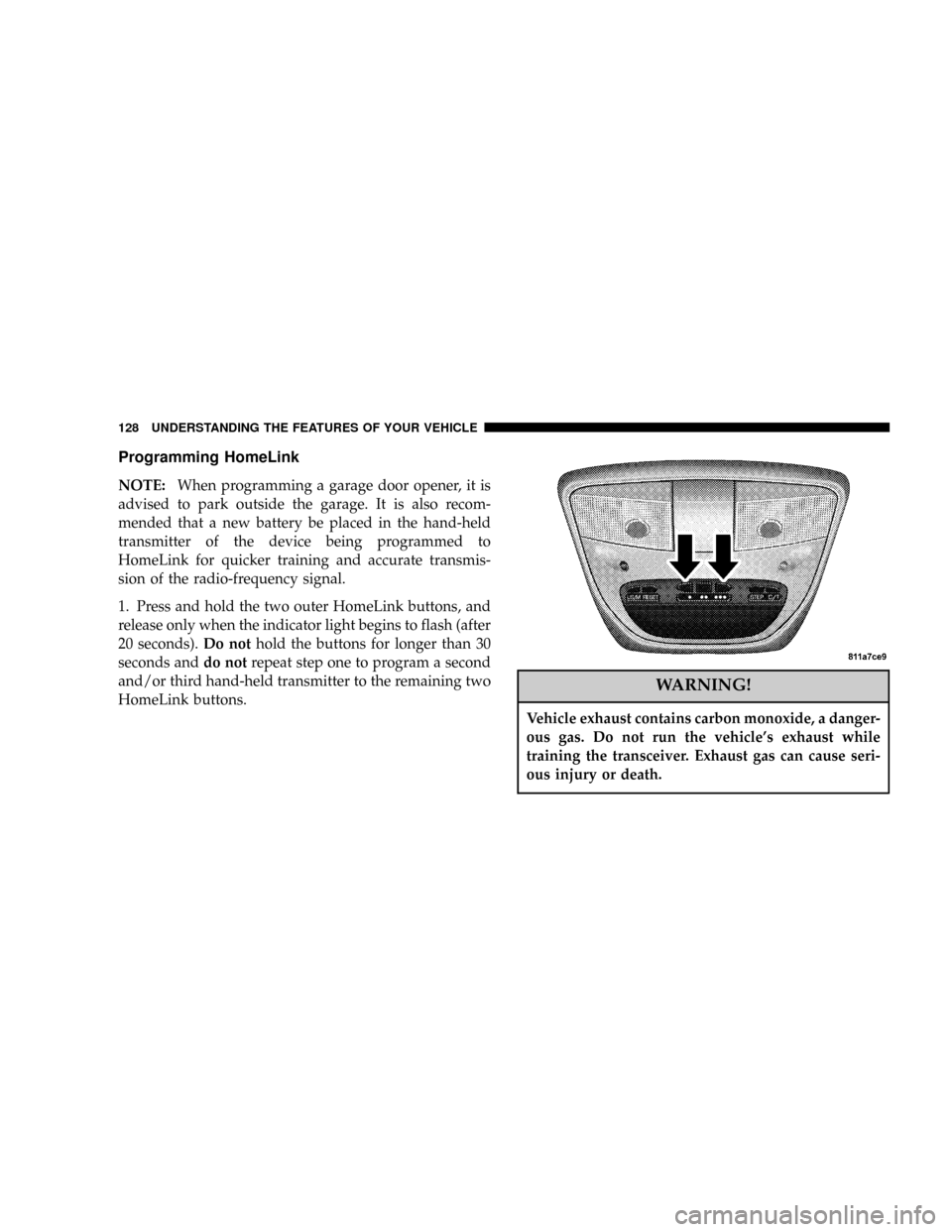
Programming HomeLink
NOTE:When programming a garage door opener, it is
advised to park outside the garage. It is also recom-
mended that a new battery be placed in the hand-held
transmitter of the device being programmed to
HomeLink for quicker training and accurate transmis-
sion of the radio-frequency signal.
1. Press and hold the two outer HomeLink buttons, and
release only when the indicator light begins to flash (after
20 seconds).Do nothold the buttons for longer than 30
seconds anddo notrepeat step one to program a second
and/or third hand-held transmitter to the remaining two
HomeLink buttons.
WARNING!
Vehicle exhaust contains carbon monoxide, a danger-
ous gas. Do not run the vehicle's exhaust while
training the transceiver. Exhaust gas can cause seri-
ous injury or death.
128 UNDERSTANDING THE FEATURES OF YOUR VEHICLE
Page 129 of 386
WARNING!
Your motorized door or gate will open and close
while you are training the Universal Transceiver. Do
not train the transceiver if people or pets are in the
path of the door or gate. A moving door or gate can
cause serious injury or death to people and pets or
damage to objects.
2. Position the end of your hand-held transmitter 1-3
inches (3-8 cm) away from the HomeLink buttons while
keeping the indicator light in view.
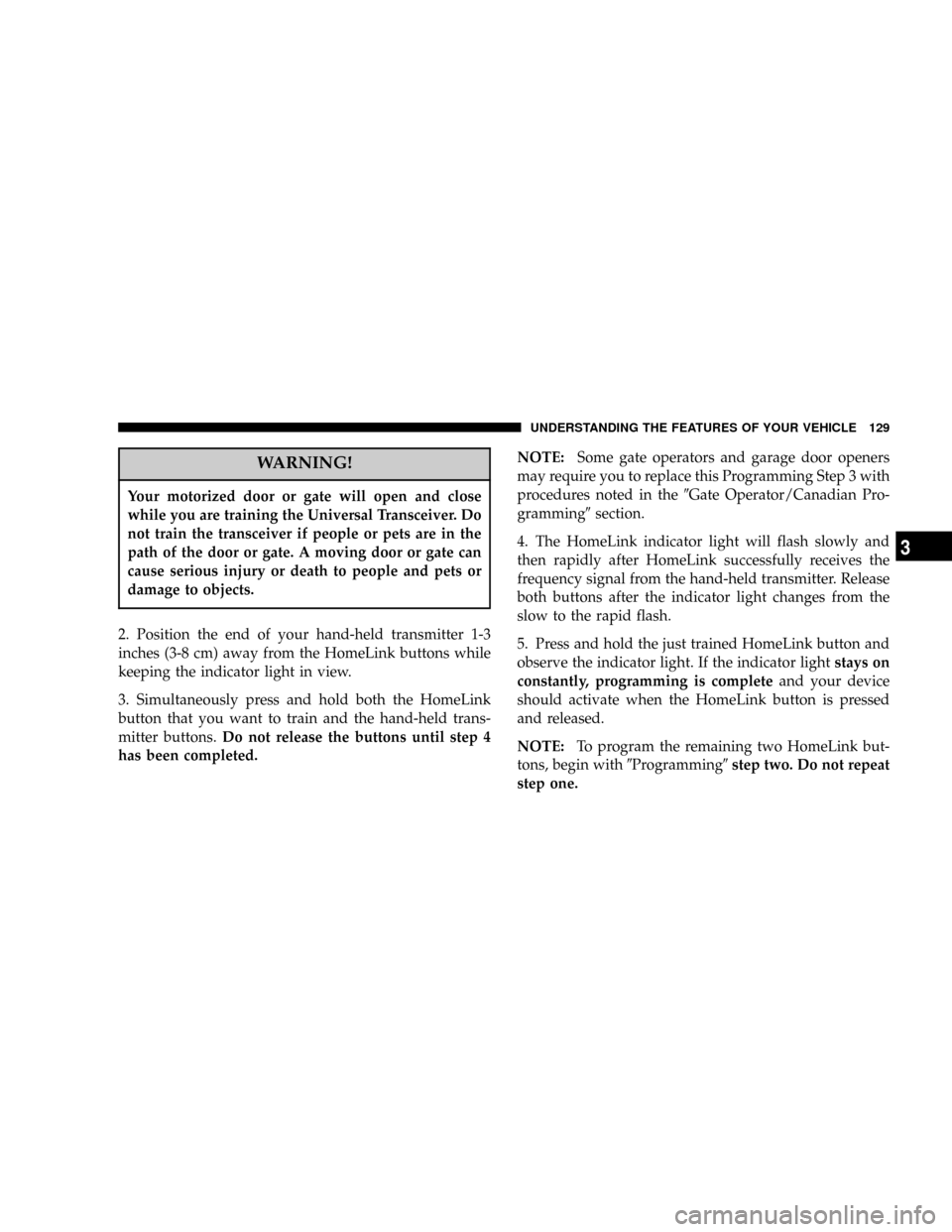
3. Simultaneously press and hold both the HomeLink
button that you want to train and the hand-held trans-
mitter buttons.Do not release the buttons until step 4
has been completed.NOTE:Some gate operators and garage door openers
may require you to replace this Programming Step 3 with
procedures noted in the9Gate Operator/Canadian Pro-
gramming9section.
4. The HomeLink indicator light will flash slowly and
then rapidly after HomeLink successfully receives the
frequency signal from the hand-held transmitter. Release
both buttons after the indicator light changes from the
slow to the rapid flash.
5. Press and hold the just trained HomeLink button and
observe the indicator light. If the indicator lightstays on
constantly, programming is completeand your device
should activate when the HomeLink button is pressed
and released.
NOTE:To program the remaining two HomeLink but-
tons, begin with9Programming9step two. Do not repeat
step one.
UNDERSTANDING THE FEATURES OF YOUR VEHICLE 129
3