ECU DODGE DURANGO 2004 2.G Owners Manual
[x] Cancel search | Manufacturer: DODGE, Model Year: 2004, Model line: DURANGO, Model: DODGE DURANGO 2004 2.GPages: 386, PDF Size: 6.22 MB
Page 8 of 386

mSecurity Alarm System Ð If Equipped.........24
NTo Set The Alarm......................25
NTo Disarm The System...................25
mLiftgate...............................26
mWindows.............................27
NPower Windows.......................27
NAuto Down..........................28
NWindow Lockout Switch.................28
mOccupant Restraints......................28
NLap/Shoulder Belts.....................29
NAdjustable Upper Shoulder Belt Anchorage....34
NSecond Row Center Seat Belt..............34
NSeat Belt Pretensioners...................35NEnhanced Driver Seat Belt Reminder System
(BeltAlert)...........................35
NSeat Belts And Pregnant Women............37
NSeat Belt Extender......................37
NDriver And Right Front Passenger Supplemental
Restraint System (SRS)ÐAirbags...........38
NChild Restraint........................50
mEngine Break-In Recommendations...........62
mSafety Tips............................62
NExhaust System.......................62
NSafety Checks You Should Make Inside The
Vehicle..............................63
NSafety Checks You Should Make Outside The
Vehicle..............................64
8 THINGS TO KNOW BEFORE STARTING YOUR VEHICLE
Page 10 of 386

on the remaining transmitters will work. If the vehicle is
shifted out of PARK, all the transmitter buttons are
disabled for all keys.
NOTE:The Sentry Key Immobilizer System is not
compatible with remote starting systems. Use of these
systems may result in vehicle starting problems and a
loss of security protection. Additional Sentry Keys or
Mobil Speed-passŸ devices held against or immediately
adjacent to the ignition key when starting the engine may
cause vehicle starting problems. If a problem occurs,
remove the Sentry Key from the key-ring and attempt to
start the vehicle again. Pagers, cell phones, walkman, etc.
will have no effect on this system.
The9Security Light9will illuminate for about 3 seconds
when the ignition switch is first turned to the ON
position. If the vehicle electronics do not receive a valid
signal from the ignition key, the9Security Light9will flashcontinuously to signal that the vehicle has been immobi-
lized. If the9Security Light9remains on during vehicle
operation, it indicates a fault in the system electronics. If
this option was ordered, all of the keys provided with
your new vehicle have been programmed to the vehicle
electronics.
Replacement Keys
NOTE:Only keys that have been programmed to the
vehicle electronics can be used to start the vehicle. Once
a Sentry Key has been programmed to a vehicle, it cannot
be programmed to any other vehicle.
At the time of purchase, the original owner is provided
with a four digit PIN number. This number is required
for dealer replacement of keys. Duplication of keys may
be performed at an authorized dealer or by using the
Customer Key Programming procedure. This procedure
10 THINGS TO KNOW BEFORE STARTING YOUR VEHICLE
Page 11 of 386

consists of programming a blank key to the vehicle
electronics. A blank key is one which has never been
programmed and needs to be cut.
NOTE:When having the Sentry Key System serviced,
bring all vehicle keys to the dealer.
Customer Key Programming
You can program new keys to the system if you have two
valid keys by doing the following:
1. Insert the first valid key into the ignition and turn the
ignition to the ON position for at least 3 seconds but no
longer than 15 seconds. Turn the ignition back to the OFF
position and remove the first key.
2. Insert the second valid key and switch the ignition to
the ON position within 15 seconds. After 10 seconds, a
chime will sound and the9Security Light9will begin to
flash. Turn the ignition back to the OFF position and
remove the second key.3. Insert a blank Sentry Key into the ignition and switch
the ignition to the ON position within 60 seconds of
having removed the second key. After 10 seconds, a
single chime will sound. The9Security Light9will stop
flashing, then turn on for 3 seconds; then turn off.
The new Sentry Key has been programmed. Repeat this
process to program up to a total of 8 keys.
General Information
This device complies with part 15 of FCC rules and with
RS-210 of Industry Canada. Operation is subject to the
following conditions:
1. This device may not cause harmful interference.
2. This device must accept any interference that may be
received including interference that may cause undesired
operation.
THINGS TO KNOW BEFORE STARTING YOUR VEHICLE 11
2
Page 14 of 386
WARNING!
For personal security and safety in the event of an
accident, lock the vehicle doors as you drive as well
as when you park and leave the vehicle.
WARNING!
When leaving the vehicle always remove the key
from the ignition lock, and lock your vehicle. Do not
leave children unattended in the vehicle, or with
access to an unlocked vehicle. Unsupervised use of
vehicle equipment may cause severe personal inju-
ries and death.
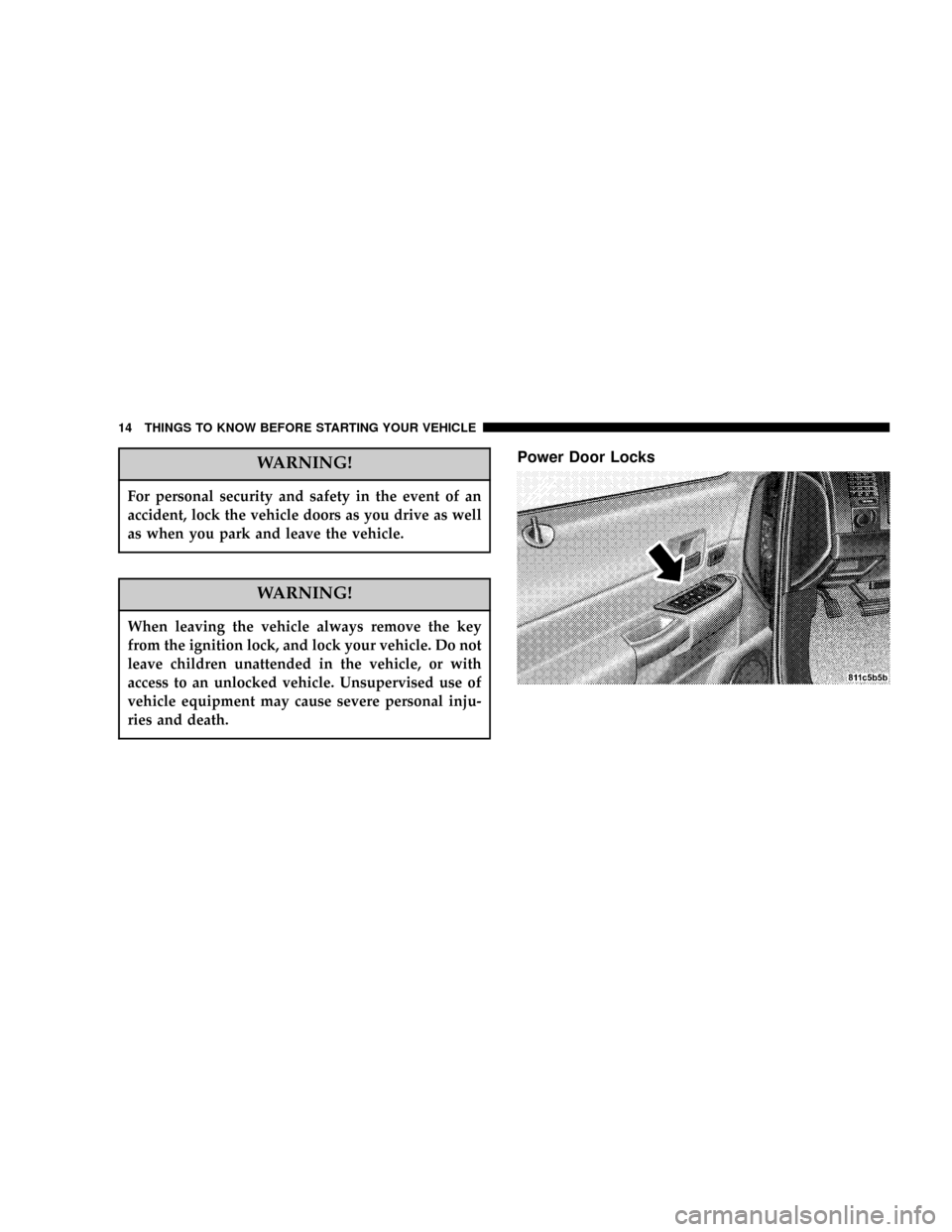
Power Door Locks
14 THINGS TO KNOW BEFORE STARTING YOUR VEHICLE
Page 20 of 386

4. Test the feature while outside of the vehicle, by
pressing the LOCK/UNLOCK button on the keyfob.
NOTE:Pressing the LOCK button on the keyfob while
you are inside the vehicle will activate the Security
Alarm. Opening a door with the Security Alarm activated
will cause the alarm to sound. Press the UNLOCK button
to deactivate the Security Alarm.
5. If the desired programming was not achieved or to
reactivate this feature, repeat the above steps.
To lock the doors and liftgate:
Press and release the LOCK button on the key fob to lock
all doors and liftgate. If the ignition is OFF, when the
doors are locked, the parking lights will flash on once
and the horn will chirp once.
Horn Chirp Programming
The horn chirp feature will be shipped from the assembly
plants activated. If desired this feature can be disabled by
using the following procedure:
1. Press and hold the LOCK button on the key fob.
2. After holding the LOCK button for four seconds, also
press the PANIC button within 6 seconds.
3. Release both buttons at the same time.
4. To reactivate this feature, repeat the above steps.
5. Test the horn chirp feature while outside of the ve-
hicle, by pressing the LOCK button on the key fob with
the ignition in the OFF position and the key removed.
NOTE:Pressing the LOCK button on the keyfob, while
you are inside the vehicle, will activate the Security
20 THINGS TO KNOW BEFORE STARTING YOUR VEHICLE
Page 21 of 386

Alarm. Opening a door with the Security Alarm activated
will cause the alarm to sound. Press the UNLOCK button
to deactivate the Security Alarm.
6. If the desired programming was not achieved or to
reactivate this feature, repeat the above steps.
Flash Lamps with Lock Programming
1. Press and hold the UNLOCK button on the key fob.
2. After holding the UNLOCK button for four seconds,
also press the LOCK button within 6 seconds.
3. Release both buttons at the same time.
4. Test the flash lamps with LOCK feature while outside
of the vehicle, by pressing the LOCK button on the key
fob with the ignition in the OFF position, and the key
removed.
NOTE:Pressing the LOCK button on the key fob, while
you are in the vehicle, will activate the Security Alarm.Opening a door with the Security Alarm activated will
cause the alarm to sound. Press the UNLOCK button to
deactivate the Security Alarm.
5. If the desired programming was not achieved or to
reactivate this feature, repeat the above steps.
Using the Panic Alarm
To activate the Panic mode while the ignition is OFF press
and release the PANIC button on the transmitter once.
When the Panic mode is activated, the interior lights will
illuminate, the headlamps and parking lights will flash,
and the horn will sound.
To cancel the Panic mode press and release the PANIC
button on the transmitter a second time. Panic mode will
automatically cancel after 3 minutes or if the vehicle is
started or exceeds 15 mph (24 km/h). During the Panic
Mode, the door locks and remote keyless entry systems
will function normally. Panic mode will not disarm the
security system on vehicles so equipped.
THINGS TO KNOW BEFORE STARTING YOUR VEHICLE 21
2
Page 24 of 386

Battery Replacement
The recommended replacement battery is CR2032.
1. If the key fob is equipped with a screw, remove the
screw. With the transmitter buttons facing down, use a
flat blade to pry the two halves of the transmitter apart.
Make sure not to damage the elastomer seal during
removal.2. Remove and replace the batteries. Avoid touching the
new batteries with your fingers. Skin oils may cause
battery deterioration. If you touch a battery, clean it with
rubbing alcohol.
3. To assemble the transmitter case, snap the two halves
together.
NOTE:If the key fob is equipped with a screw, reinstall
and tighten the screw until snug.
SECURITY ALARM SYSTEM Ð IF EQUIPPED
This system monitors the vehicle doors, liftgate, and
ignition for unauthorized operation. When the alarm is
activated, the system provides both audible and visual
signals. The horn will sound repeatedly for 3 minutes
and the headlights and security light in the instrument
cluster will flash for an additional 15 minutes. The engine
will not run until the system is disarmed.
24 THINGS TO KNOW BEFORE STARTING YOUR VEHICLE
Page 25 of 386

To Set the Alarm:
The alarm will set when you use the power door locks or
use the Keyless Entry transmitter to lock the doors. After
all the doors are locked and closed the security light in
the instrument cluster will flash rapidly to signal that the
system is arming. The security light in the instrument
panel cluster will flash rapidly for about 15 seconds to
indicate that the alarm is being set. After the alarm is set,
the security light will flash at a slower rate to indicate
that the system is armed.
NOTE:If the security light stays on continuously during
vehicle operation, have the system checked by your
dealer.
To Disarm the System:
Use the Keyless Entry transmitter to unlock the doors. If
something has triggered the system in your absence, the
horn will sound three times when you unlock the doors.
Check the vehicle for tampering.The security system will also disarm, if the vehicle is
started with a programmed Sentry Key. If an unpro-
grammed Sentry Key is used to start a vehicle, the engine
will start and run for 2 seconds and then shut down.
After six unsuccessul attempts at starting the engine, the
system will shut down until the correct key is used. To
exit alarming mode, press the RKE Unlock button or start
the vehicle with a programmed Sentry Key.
The security alarm system is designed to protect your
vehicle; however, you can create conditions where the
system will arm unexpectedly. If you remain in the
vehicle and lock the doors with the transmitter, the alarm
will sound when you pull the door handle to exit.
NOTE:You may accidentally activate the security sys-
tem (horn sounds and lights flash) by entering the vehicle
without using the key fob to unlock the door(s). The
security system can be disarmed with the key fob's
THINGS TO KNOW BEFORE STARTING YOUR VEHICLE 25
2
Page 50 of 386

Enhanced Accident Response System
If the airbags deploy after an impact and the electrical
system remains functional, vehicles equipped with
power door locks will unlock automatically. In addition,
approximately 5 seconds after the vehicle has stopped
moving, the interior lights will light until the ignition
switch is turned off.
Airbag Light
You will want to have the airbags ready to
inflate for your protection in an impact. While
the airbag system is designed to be mainte-
nance free, if any of the following occurs, have
an authorized dealer service the system promptly:
²The airbag light does not come on or flickers during
the 6 to 8 seconds when the ignition switch is first
turned on.
²The light remains on or flickers after the 6 to 8 second
interval.
²The light flickers or comes on and remains on while
driving.
NOTE:If the speedometer, tachometer or any engine
related gauges are not working, the airbag control mod-
ule may also be disabled. The airbags may not be ready
to inflate for your protection. Promptly check fuse block
for blown fuses. Refer to the label located on the inside of
the fuse block cover for the proper airbag fuses. See your
dealer if the fuse is good.
Child Restraint
Everyone in your vehicle needs to be buckled up all the
time - babies and children, too. Every state in the United
States and all Canadian provinces require that small
children ride in proper restraint systems. This is the law,
and you can be prosecuted for ignoring it. Children 12
years and under should ride properly buckled up in a
rear seat, if available. According to crash statistics, chil-
dren are safer when properly restrained in the rear seats
rather than in the front.
50 THINGS TO KNOW BEFORE STARTING YOUR VEHICLE
Page 53 of 386

Standards. The manufacturer recommends that you
try a child restraint in the vehicle seats where you will
use it before you buy it.
²The restraint must be appropriate for your child's
weight and height. Check the label on the restraint for
weight and height limits.
²Carefully follow the instructions that come with the
restraint. If you install the restraint improperly, it may
not work when you need it.
²The second row outside seating positions and all third
row seats have cinching latch plates. The second row
center position has an adjustable locking retractor.
These are designed to keep the lap portion tight
around the child restraint so that it is not necessary to
use a locking clip. If the seat belt has a cinching latch
plate, pulling up on the shoulder portion of the
lap/shoulder belt will tighten the belt. The cinching
latch plate will keep the belt tight, however, any seatbelt system will loosen with time, so check the belt
occasionally and pull it tight if necessary. If the seat
belt has a automatic locking retractor, it will have a
distinctive label. Pull the belt from the retractor until
there is enough to allow you to pass through the child
restraint and slide the latch plate into the buckle. Then,
pull the belt until it is all extracted from the retractor.
Allow the belt to return to the retractor, pulling on the
excess webbing to tighten the lap portion about the
child restraint. Refer to9Automatic Locking Mode9
earlier in this section.
²Buckle the child into the restraint exactly as the
manufacturer's instructions tell you.
²When your child restraint is not in use, secure it in the
vehicle with the seat belt or remove it from the vehicle.
Do not leave it loose in the vehicle. In a sudden stop or
collision, it could strike the occupants or seat backs
and cause serious personal injury.
THINGS TO KNOW BEFORE STARTING YOUR VEHICLE 53
2