homelink DODGE DURANGO 2004 2.G Owners Manual
[x] Cancel search | Manufacturer: DODGE, Model Year: 2004, Model line: DURANGO, Model: DODGE DURANGO 2004 2.GPages: 386, PDF Size: 6.22 MB
Page 68 of 386

NReset Button.........................121
NGlobal Reset.........................121
NStep Button.........................122
NAverage Fuel Economy (AVG ECO)........122
NDistance To Empty (DTE)...............122
NTrip Odometer (ODO)..................123
NElapsed Time (ET).....................123
NC/T Button.........................123
NCompass/Temperature Display...........124
NAutomatic Compass Calibration...........124
NManual Compass Calibration.............124
NTo Put Into a Calibration Mode...........124
NOutside Temperature...................126mGarage Door Opener Ð If Equipped.........126
NProgramming Homelink................128
NCanadian Programming/Gate Programming . . 130
NUsing Homelink......................131
NErasing Homelink Buttons...............131
NReprogramming a Single Homelink Button . . . 132
NSecurity............................132
mPower Sunroof Ð If Equipped.............133
NExpress Open Feature..................133
NWind Buffeting.......................134
NSunroof Maintenance...................135
mElectrical Power Outlets..................135
68 UNDERSTANDING THE FEATURES OF YOUR VEHICLE
Page 126 of 386

To set the variance: Turn the ignition ON and set the
display to ªCompass/Temperature.º Press and hold the
RESET button approximately five seconds. The last vari-
ance zone number will be displayed. Press the STEP
button to select the new variance zone and press the
RESET button to resume normal operation.
Outside Temperature
Because the ambient temperature sensor is located un-
derhood, engine temperature can influence the displayed
temperature, therefore, temperature readings are slowly
updated when the vehicle speed is below 20 mph (30
km/h) or during stop and go driving.
GARAGE DOOR OPENER Ð IF EQUIPPED
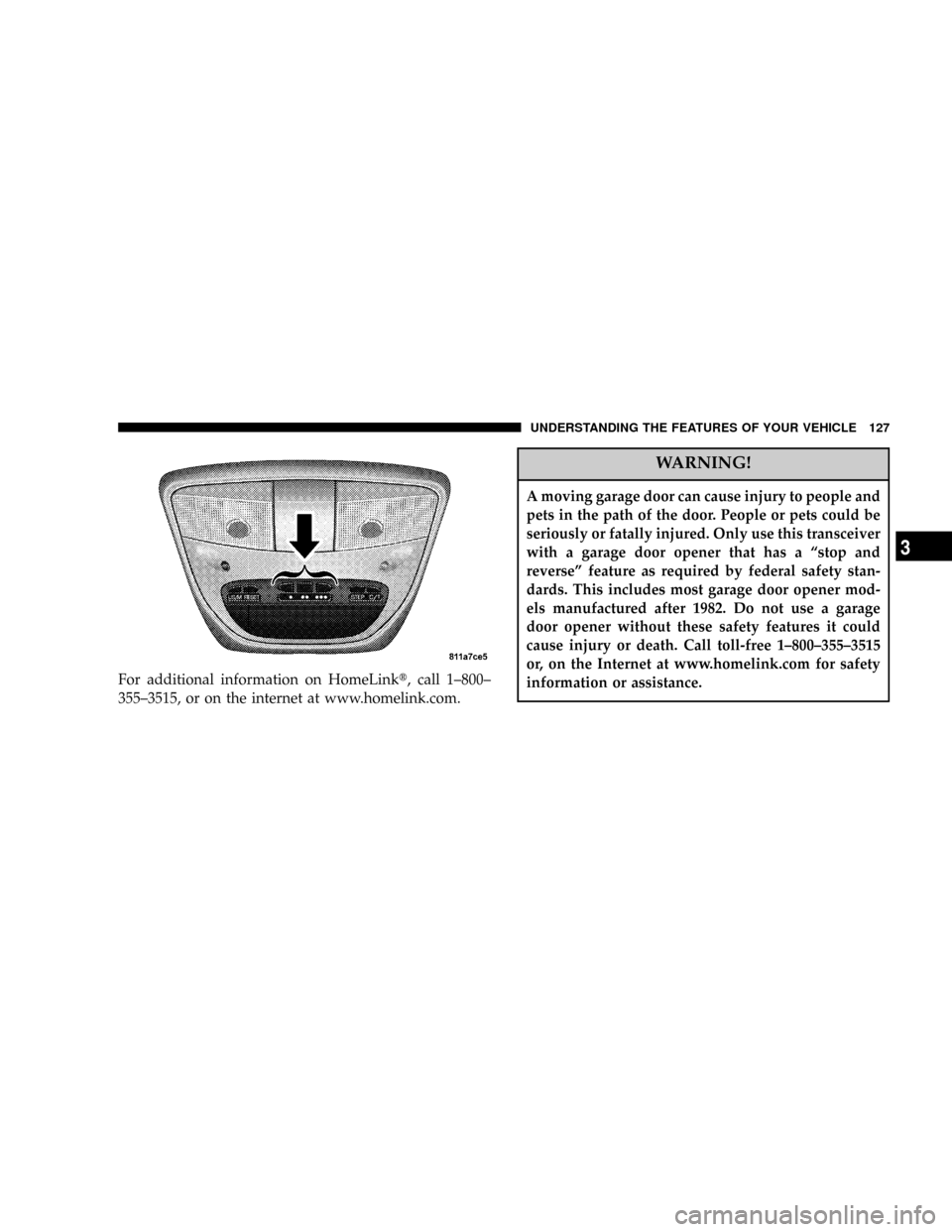
The HomeLinktUniversal Transceiver replaces up to
three remote controls (hand held transmitters) that oper-
ate devices such as garage door openers, motorized
gates, or home lighting. It triggers these devices at the
push of a button. The Universal Transceiver operates off
your vehicle's battery and charging system; no batteries
are needed.
126 UNDERSTANDING THE FEATURES OF YOUR VEHICLE
Page 127 of 386
For additional information on HomeLinkt, call 1±800±
355±3515, or on the internet at www.homelink.com.
WARNING!
A moving garage door can cause injury to people and
pets in the path of the door. People or pets could be
seriously or fatally injured. Only use this transceiver
with a garage door opener that has a ªstop and
reverseº feature as required by federal safety stan-
dards. This includes most garage door opener mod-
els manufactured after 1982. Do not use a garage
door opener without these safety features it could
cause injury or death. Call toll-free 1±800±355±3515
or, on the Internet at www.homelink.com for safety
information or assistance.
UNDERSTANDING THE FEATURES OF YOUR VEHICLE 127
3
Page 128 of 386
Programming HomeLink
NOTE:When programming a garage door opener, it is
advised to park outside the garage. It is also recom-
mended that a new battery be placed in the hand-held
transmitter of the device being programmed to
HomeLink for quicker training and accurate transmis-
sion of the radio-frequency signal.
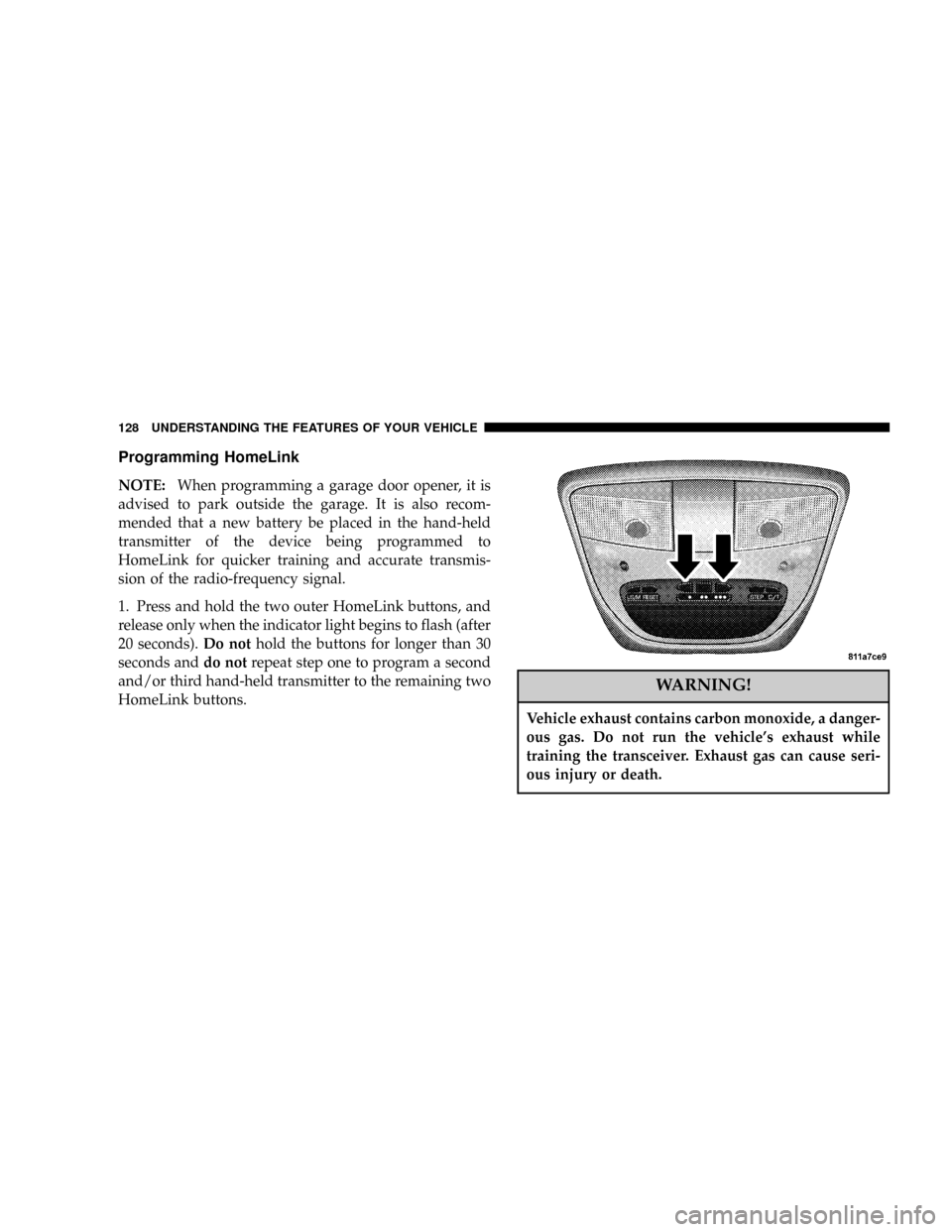
1. Press and hold the two outer HomeLink buttons, and
release only when the indicator light begins to flash (after
20 seconds).Do nothold the buttons for longer than 30
seconds anddo notrepeat step one to program a second
and/or third hand-held transmitter to the remaining two
HomeLink buttons.
WARNING!
Vehicle exhaust contains carbon monoxide, a danger-
ous gas. Do not run the vehicle's exhaust while
training the transceiver. Exhaust gas can cause seri-
ous injury or death.
128 UNDERSTANDING THE FEATURES OF YOUR VEHICLE
Page 129 of 386
WARNING!
Your motorized door or gate will open and close
while you are training the Universal Transceiver. Do
not train the transceiver if people or pets are in the
path of the door or gate. A moving door or gate can
cause serious injury or death to people and pets or
damage to objects.
2. Position the end of your hand-held transmitter 1-3
inches (3-8 cm) away from the HomeLink buttons while
keeping the indicator light in view.
3. Simultaneously press and hold both the HomeLink
button that you want to train and the hand-held trans-
mitter buttons.Do not release the buttons until step 4
has been completed.NOTE:Some gate operators and garage door openers
may require you to replace this Programming Step 3 with
procedures noted in the9Gate Operator/Canadian Pro-
gramming9section.
4. The HomeLink indicator light will flash slowly and
then rapidly after HomeLink successfully receives the
frequency signal from the hand-held transmitter. Release
both buttons after the indicator light changes from the
slow to the rapid flash.
5. Press and hold the just trained HomeLink button and
observe the indicator light. If the indicator lightstays on
constantly, programming is completeand your device
should activate when the HomeLink button is pressed
and released.
NOTE:To program the remaining two HomeLink but-
tons, begin with9Programming9step two. Do not repeat
step one.
UNDERSTANDING THE FEATURES OF YOUR VEHICLE 129
3
Page 130 of 386

If the indicator light blinksrapidly for two seconds and
then turns to a constant light, continue with(Program-
ming(steps 6-8to complete the programming of a rolling
code equipped device (most commonly a garage door
opener).
6. At the garage door opener receiver (motor-head unit)
in the garage, locate the9learn9or9smart9button. This
can usually be found where the hanging antenna wire is
attached to the motor-head unit.
7. Firmly press and release the9learn9or9smart9button.
(The name and color of the button may vary by manu-
facturer.)
NOTE:There are 30 seconds in which to initiate step
eight.
8. Return to the vehicle and firmlypress, hold for two
seconds and releasethe programmed HomeLink button.
Repeat the(press/hold/release(sequence a second time,and, depending on the brand of the garage door opener
(or other rolling code equipped device), repeat this
sequence a third time to complete the programming.
HomeLink should now activate your rolling code
equipped device.
NOTE:To program the remaining two HomeLink but-
tons, begin with9Programming9step two. Do not repeat
step one. For questions or comments, please contact
HomeLink atwww.homelink.com or 1-800-355-3515.
Canadian Programming/Gate Programming
Canadian radio-frequency laws require transmitter sig-
nals to9time-out9(or quit) after several seconds of
transmission which may not be long enough for
HomeLink to pick up the signal during programming.
Similar to this Canadian law, some U.S. gate operators are
designed to9time-out9in the same manner.
130 UNDERSTANDING THE FEATURES OF YOUR VEHICLE
Page 131 of 386

If you live in Canada or you are having difficulties
programming a gate operator by using the9Program-
ming9procedures (regardless of where you live),replace
(Programming HomeLink(step 3with the following:
NOTE:If programming a garage door opener or gate
operator, it is advised to unplug the device during the
9cycling9process to prevent possible overheating.
3. Continue to press and hold the HomeLink button
while youpress and release every two seconds(9cycle9)
your hand-held transmitter until the frequency signal has
successfully been accepted by HomeLink. (The indicator
light will flash slowly and then rapidly.) Proceed with
9Programming9step four to complete.
Using HomeLink
To operate, simply press and release the programmed
HomeLink button. Activation will now occur for the
trained device (i.e. garage door opener, gate operator,
security system, entry door lock, home/office lighting,etc.). For convenience, the hand-held transmitter of the
device may also be used at any time. In the event that
there are still programming difficulties or questions,
contact HomeLink at:www.homelink.com or 1-800-355-
3515.
Erasing HomeLink Buttons
To erase programming from the three buttons (individual
buttons cannot be erased but can be9reprogrammed9-
note below), follow the step noted:
²Press and hold the two outer HomeLink buttons until
the indicator light begins to flash-after 20 seconds.
Release both buttons. Do not hold for longer that 30
seconds. HomeLink is now in the train (or learning)
mode and can be programmed at any time beginning
with9Programming9- step 2.
UNDERSTANDING THE FEATURES OF YOUR VEHICLE 131
3
Page 132 of 386

Reprogramming a Single HomeLink Button
To program a device to HomeLink using a HomeLink
button previously trained, follow these steps:
1. Press and hold the desired HomeLink button.Do
NOTrelease the button.
2. The indicator light will begin to flash after 20 seconds.
Without releasing the HomeLink button, proceed with
9Programming9step 2
For questions or comments, contact HomeLink at:
www.homelink.com or 1-800-355-3515.
Security
Garage Door Opener Operation with Security
Alarm (if equipped)
If your vehicle is equipped with the Security Alarm
feature, the operation of the HomeLink feature will be
purposely inhibited if the Security Alarm is9Armed9.
This prevents HomeLink operation due to un-authorizedvehicle entry. HomeLink operation will be re-stored
when the Security Alarm has been9Disarmed9.
If you sell your vehicle, be sure to erase the frequencies.
To erase all of the previously trained frequencies, hold
down both outside buttons until the green light begins to
flash.
This device complies with part 15 of FCC rules and with
RSS-210 of Industry Canada. Operation is subject to the
following conditions:
²This device may not cause harmful interference.
²This device must accept any interference that may be
received including interference that may cause undes-
ired operation.
NOTE:Changes or modifications not expressly ap-
proved by the party responsible for compliance could
void the user's authority to operate the equipment.
132 UNDERSTANDING THE FEATURES OF YOUR VEHICLE
Page 133 of 386

HomeLinktis a trademark owned by Johnson Controls,
Inc.
POWER SUNROOF Ð IF EQUIPPED
The power sunroof control is located between the sun
visors on the overhead console.
Pressing the9open9end of the rocker switch once moves
the panel to a comfort stop position short of full opening.
Pressing and holding the switch causes the panel to
continue moving rearward, up to the full-open position.
To close the panel, the9close9end of the switch must be
pressed and held.
Pressing the ªventº button from a fully closed position,
raises the trailing edge of the panel for ventilation. When
the panel is venting, pressing the ªcloseº end or the
rocker switch returns it to the closed position. Both
opening and closing operations in the vent mode occur
only while the switch is held.NOTE:The sunroof will continue to operate for ten
minutes after the ignition is turned OFF or until the
driver door is opened. This feature may be disabled by
your authorized dealer.Express Open Feature
During the Express Open operation, any movement of
the switch will stop the sunroof and it will remain in a
partial open position. Again, momentarily pressing the
switch rearward will activate the Express Open Feature.
To close the sunroof, hold the switch in the forward
position. Again, any release of the switch will stop the
movement and the sunroof will remain in a partial open
condition until the switch is pushed forward again. To
close fully, hold the switch in the forward position until
the glass movement has stopped.
The sunshade can be opened manually. It will also open
as the sunroof opens. The sunshade cannot be closed if
the sunroof is open.
UNDERSTANDING THE FEATURES OF YOUR VEHICLE 133
3
Page 376 of 386

Headlights............................ 327
Delay.............................. 106
High Beam........................... 109
High Beam/Low Beam Select Switch........ 109
Lights On Reminder.................... 107
Passing............................. 109
Replacing............................ 327
Heated Mirrors.......................... 73
Heated Seats............................ 90
Heater.............................179,184
Heater, Engine Block..................... 202
High Beam Indicator..................... 147
High Beam/Low Beam Select Switch.......... 109
Hitches
Trailer Towing........................ 257
Homelink Transmitter.................... 126
Hood Release.......................... 102
Hoses................................ 311Ignition............................... 12
Key ................................. 9
Lock................................ 12
Illuminated Entry........................ 13
Infant Restraint........................50,51
Inflation Pressure Tires.................... 239
Inside Rearview Mirror.................... 70
Instrument Cluster....................... 146
Instrument Panel and Controls.............. 144
Instrument Panel Lens Cleaning............. 324
Interior Appearance Care.................. 323
Interior Lighting........................ 104
Interior Lights.......................... 104
Intermittent Wipers...................... 110
Introduction............................. 4
Jack Operation.......................272,275
Jacking Instructions...................... 276
376 INDEX