lock DODGE DURANGO 2005 2.G Manual PDF
[x] Cancel search | Manufacturer: DODGE, Model Year: 2005, Model line: DURANGO, Model: DODGE DURANGO 2005 2.GPages: 416, PDF Size: 14.25 MB
Page 236 of 416
WARNING!
•Always fully apply the parking brake when leav-
ing your vehicle, or vehicle may roll and cause
damage or injury. Also be certain to leave an
automatic transmission in Park. Failure to do so
may cause the vehicle to roll and cause damage or
injury.
•Be sure the parking brake is fully disengaged
before driving, failure to do so can lead to brake
failure and an accident.
•Leaving children in a vehicle unattended is dan-
gerous for a number of reasons. A child or others
could be injured. Children should be warned not
to touch the parking brake or the gear selector
lever. Don’t leave the key in the ignition. A child
could operate power windows, other controls, or
move the vehicle.
BRAKE SYSTEM
In the event power assist is lost for any reason, (for
example, repeated brake applications with the engine
off), the brakes will still function. The effort required to
brake the vehicle will be significantly increased over that
required with the power system operating.
If either the front or rear hydraulic systems lose normal
capability, the remaining system will still function with
some loss of braking effectiveness. This will be evident by
increased pedal travel during application, greater pedal
force required to slow or stop, and activation of the Brake
Warning Lamp and the ABS Lamp during brake use.
Four-Wheel Anti-Lock Brake System (ABS)
This Anti-Lock Brake System is designed to aid the driver
in maintaining vehicle control under adverse braking
conditions. The system operates with a separate com-
puter to modulate hydraulic pressure to prevent wheel
lockup and help avoid skidding on slippery surfaces.
236 STARTING AND OPERATING
Page 237 of 416
The system’s pump motor runs during an ABS stop to
provide regulated hydraulic pressure. The pump motor
makes a low humming noise during operation, which is
normal.
The Anti-Lock Brake system includes an amber (ABS)
warning light. When the light is illuminated, the Anti-
Lock Brake system is not functioning. The system reverts
to standard non-anti-lock brakes. Turning the ignition Off
and On again may reset the Anti-Lock Brake system if the
fault detected was only momentary.WARNING!
Anti-Lock Brake Systems contain sophisticated elec-
tronic equipment. It may be susceptible to interfer-
ence caused by improperly installed or high output
radio transmitting equipment. This interference can
cause possible loss of anti-lock braking capability.
Installation of such equipment should be done by
qualified professionals.
WARNING!
Pumping of the Anti-Lock Brakes will diminish
their effectiveness and may lead to an accident.
Pumping makes the stopping distance longer. Just
press firmly on your brake pedal when you need to
slow down or stop.
STARTING AND OPERATING 237
5
Page 238 of 416
WARNING!
•Anti-lock system (ABS) cannot prevent the natu-
ral laws of physics from acting on the vehicle, nor
can it increase braking or steering efficiency be-
yond that afforded by the condition of the vehicle
brakes and tires or the traction afforded.
•The ABS cannot prevent accidents, including
those resulting from excessive speed in turns,
following another vehicle too closely, or hydro-
planing. Only a safe, attentive, and skillful driver
can prevent accidents.
•The capabilities of an ABS equipped vehicle must
never be exploited in a reckless or dangerous
manner which could jeopardize the user’s safety
or the safety of others.
When you are in a severe braking condition involving
use of the Anti-lock Brake system, you will experience
some pedal drop as the vehicle comes to a stop. This is
the result of the system reverting to the base brake
system.
Engagement of the Anti-lock Brake System may be
accompanied by a pulsing sensation. You may also hear a
clicking noise. These occurrences are normal, and indi-
cate that the system is functioning properly.
POWER STEERING
Your power steering system will provide mechanical
steering capability if power assist is lost.
If for any reason the hydraulic pressure is interrupted, it
will still be possible to steer your vehicle. Under these
conditions you will experience an increase in steering
effort and a noticeable amount of “free play” in the
steering wheel.
238 STARTING AND OPERATING
Page 276 of 416
In Canada, refer to the following website address:http://
www.dodge.ca.
Trailer Towing Requirements
All Dodge Durango trucks are intended to tow trailers up
to 2,000 lbs. (907 kg) without added equipment or
alterations to standard equipment. Your vehicle may be
factory equipped for safe towing of trailers over 2,000 lbs.
(907 kg) with the trailer tow package.The electrical part of
this package includes an instruction sheet and wiring
pigtail for an aftermarket electric trailer brake controller.
These items are stored in the glove box.
If you regularly pull a trailer, regardless of the trailer size,
stop and turn signals on the trailer are recommended for
motoring safety.
When the additional trailer lighting is connected to the
vehicle, the flasher does not provide an indication ofoutside lamp/bulb failure. Therefore, an occasional vi-
sual check around the vehicle is recommended. Once the
trailer is removed the above indication will return to the
vehicle.
WARNING!
The direct connection of hydraulic brake lines from
vehicle brake system to trailer system is not accept-
able. The extra load may cause brake failure and you
may be injured.
All Durango models are equipped with an Anti-Lock
Brake System and require an electrically actuated electric
brake controller. A blue colored connector for electric
brake hookup is located under the instrument panel
above the brake pedal.
276 STARTING AND OPERATING
Page 282 of 416
11. Repeat steps 9 and 10 with the transmission in Drive
(D).
12. Turn ignition key to the unlocked OFF position.
13. Shift automatic transmission into Park (P).
14. Attach vehicle to tow vehicle with tow bar.
NOTE:Items 1 through 5 are requirements that must be
met prior to depressing the Neutral (N) selection button,
and must continue to be met until the 4 seconds elaspes
and the shift has been completed.
If any of these requirements (with the exception of3-Key
ON) are not met prior to depressing the Neutral (N)
button or are no longer met during the 4 second timer,
then the Neutral (N) indicator light will flash continu-
ously until all requirements are met or until the Neutral
(N) button is released.NOTE:The ignition key must be ON for a shift to take
place and for the position indicator lights to be operable.
If the key is not ON, the shift will not take place and no
position indicator lights will be on or flashing.
CAUTION!
Damage to the transmission may occur if the trans-
mission is shifted into Park (P) with the transfer case
in Neutral (N) and the engine RUNNING. With the
transfer case in Neutral (N) ensure that the engine is
OFF prior to shifting the transmission into Park (P)
Shifting OUT of Neutral (N)
Use the following procedure to prepare your vehicle for
normal usage.
1. Bring vehicle to a complete stop.
2. Shut engine OFF.
282 STARTING AND OPERATING
Page 286 of 416
HAZARD WARNING FLASHER
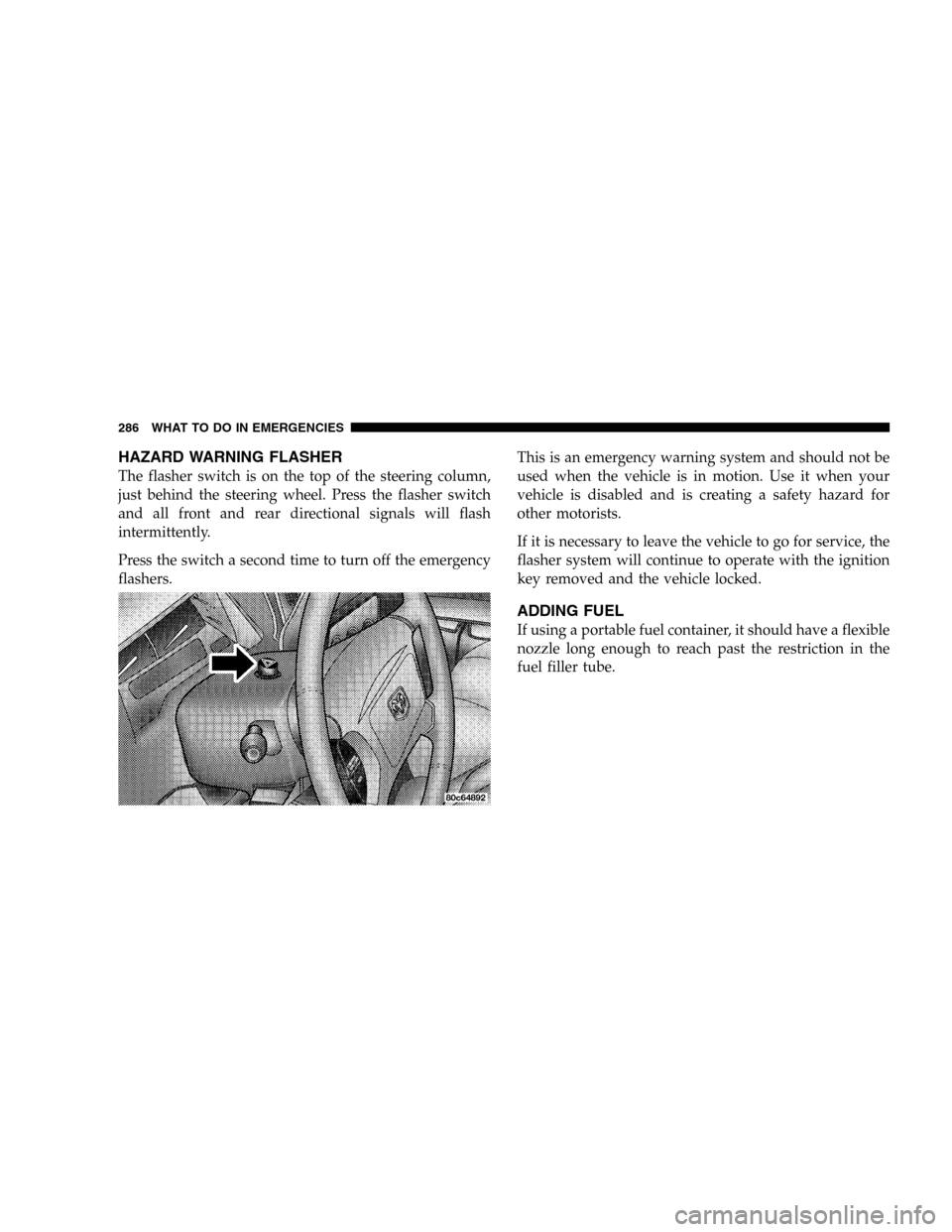
The flasher switch is on the top of the steering column,
just behind the steering wheel. Press the flasher switch
and all front and rear directional signals will flash
intermittently.
Press the switch a second time to turn off the emergency
flashers.This is an emergency warning system and should not be
used when the vehicle is in motion. Use it when your
vehicle is disabled and is creating a safety hazard for
other motorists.
If it is necessary to leave the vehicle to go for service, the
flasher system will continue to operate with the ignition
key removed and the vehicle locked.
ADDING FUEL
If using a portable fuel container, it should have a flexible
nozzle long enough to reach past the restriction in the
fuel filler tube.
286 WHAT TO DO IN EMERGENCIES
Page 290 of 416
Remove the spare tire before attempting to jack the truck.
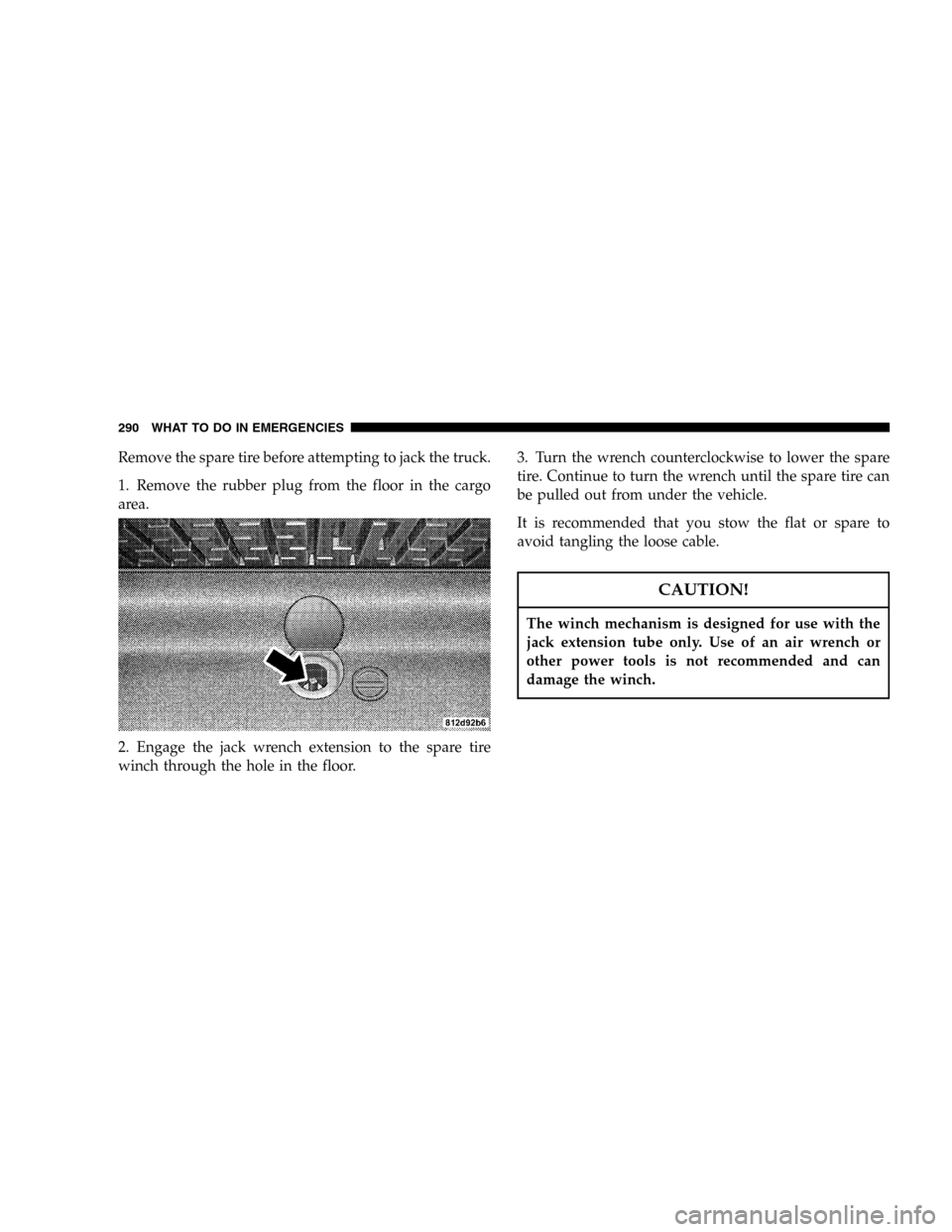
1. Remove the rubber plug from the floor in the cargo
area.
2. Engage the jack wrench extension to the spare tire
winch through the hole in the floor.3. Turn the wrench counterclockwise to lower the spare
tire. Continue to turn the wrench until the spare tire can
be pulled out from under the vehicle.
It is recommended that you stow the flat or spare to
avoid tangling the loose cable.
CAUTION!
The winch mechanism is designed for use with the
jack extension tube only. Use of an air wrench or
other power tools is not recommended and can
damage the winch.
290 WHAT TO DO IN EMERGENCIES
Page 292 of 416
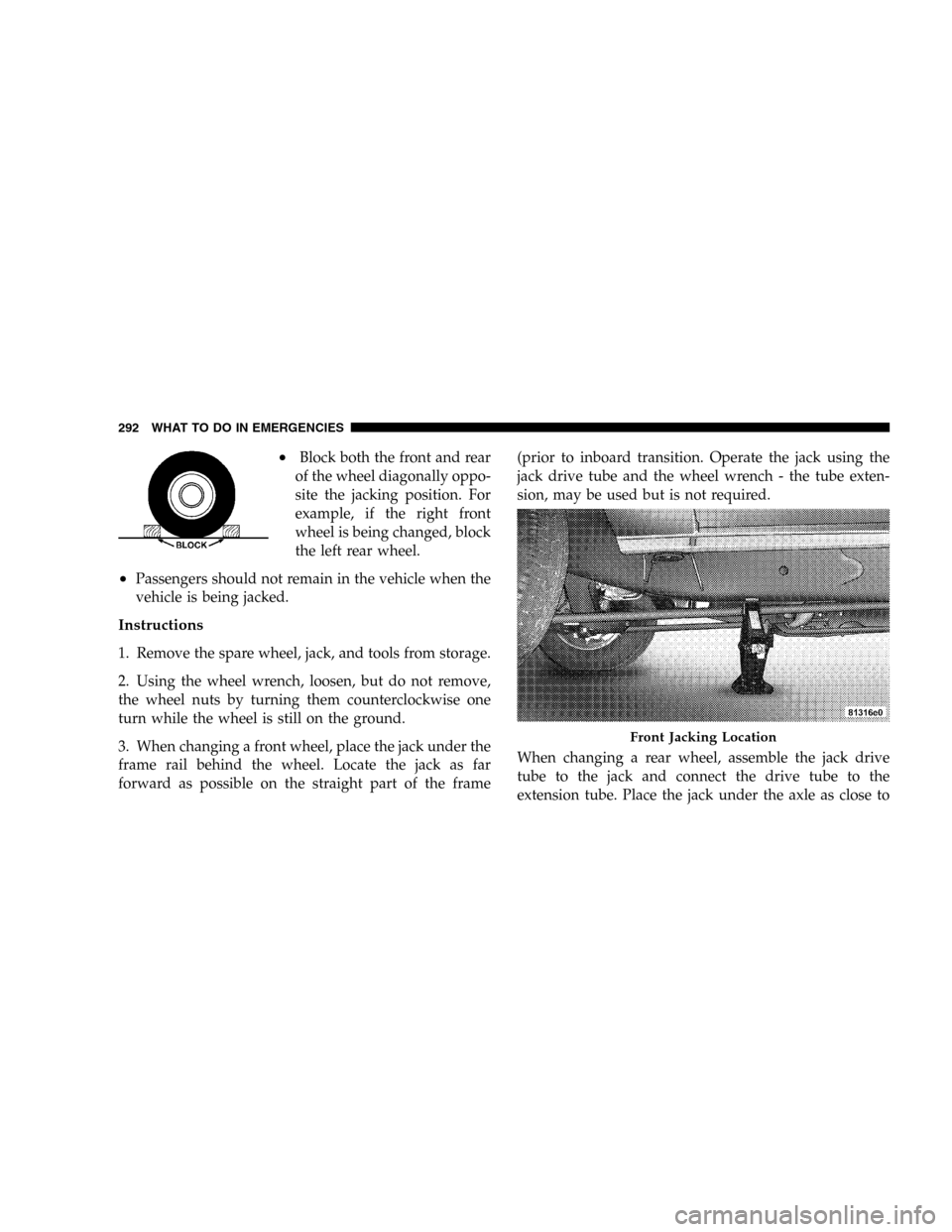
•Block both the front and rear
of the wheel diagonally oppo-
site the jacking position. For
example, if the right front
wheel is being changed, block
the left rear wheel.
•Passengers should not remain in the vehicle when the
vehicle is being jacked.
Instructions
1. Remove the spare wheel, jack, and tools from storage.
2. Using the wheel wrench, loosen, but do not remove,
the wheel nuts by turning them counterclockwise one
turn while the wheel is still on the ground.
3. When changing a front wheel, place the jack under the
frame rail behind the wheel. Locate the jack as far
forward as possible on the straight part of the frame(prior to inboard transition. Operate the jack using the
jack drive tube and the wheel wrench - the tube exten-
sion, may be used but is not required.
When changing a rear wheel, assemble the jack drive
tube to the jack and connect the drive tube to the
extension tube. Place the jack under the axle as close to
Front Jacking Location
292 WHAT TO DO IN EMERGENCIES
Page 293 of 416
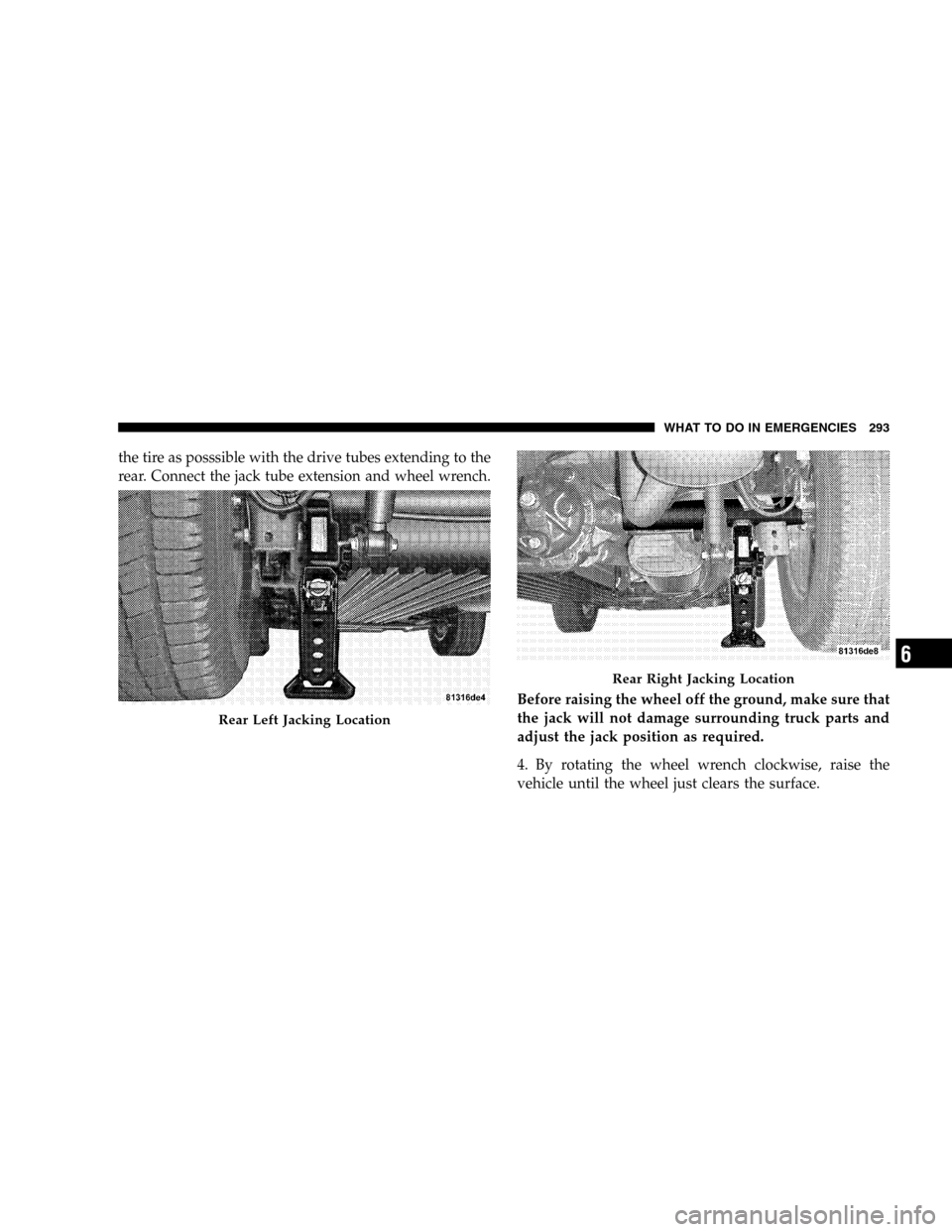
the tire as posssible with the drive tubes extending to the
rear. Connect the jack tube extension and wheel wrench.
Before raising the wheel off the ground, make sure that
the jack will not damage surrounding truck parts and
adjust the jack position as required.
4. By rotating the wheel wrench clockwise, raise the
vehicle until the wheel just clears the surface.
Rear Left Jacking Location
Rear Right Jacking Location
WHAT TO DO IN EMERGENCIES 293
6
Page 294 of 416
WARNING!
Raising the vehicle higher than necessary can make
the vehicle unstable and cause an accident. It could
slip off the jack and hurt someone near it. Raise the
vehicle only enough to remove the tire.
5. Remove the wheel nuts and pull the wheel off. Install
the spare wheel and wheel nuts with the cone shaped end
of the nuts toward the wheel. Lightly tighten the nuts. To
avoid risk of forcing the vehicle off the jack, do not fully
tighten the nuts until the vehicle has been lowered.
NOTE:Do not oil wheel studs. For chrome wheels, do
not substitute with chrome plated wheel nuts.
6. Using the wheel wrench, finish tightening the nuts in
a crisscross pattern. Correct nut tightness is 85-115 ft. lbs.
(115-155 N·m) torque. If in doubt about the correct
tightness, have them checked with a torque wrench by
your dealer or at a service station.
WARNING!
A loose tire or jack thrown forward in a collision or
hard stop could injure someone in the vehicle.
Always stow the jack, tools and the extra tire and
wheel in the places provided.
7. Remove wheel blocks. Do not install chrome or alu-
minum wheel center caps on the spare wheel. This may
result in cap damage.
8. Lower the jack to its fully closed position. Stow the
replaced tire, jack, and tools as previously described.
9. Adjust the tire pressure when possible.
NOTE:Do not oil wheel studs. For chrome wheels, do
not substitute with chrome plated wheel nuts.
294 WHAT TO DO IN EMERGENCIES