wheel DODGE DURANGO 2014 3.G User Guide
[x] Cancel search | Manufacturer: DODGE, Model Year: 2014, Model line: DURANGO, Model: DODGE DURANGO 2014 3.GPages: 664, PDF Size: 4.79 MB
Page 177 of 664
LIGHTS
Headlight Switch
The headlight switch is located on the left side of the
instrument panel, next to the steering wheel. The head-
light switch controls the operation of the headlights,
parking lights, instrument panel lights, cargo lights and
fog lights (if equipped).To turn on the headlights, rotate the headlight
switch clockwise. When the headlight switch is
on the parking lights, taillights, license plate
light and instrument panel lights are also
turned on. To turn off the headlights, rotate the headlight
switch back to the O (Off) position.
Headlight Switch
3
UNDERSTANDING THE FEATURES OF YOUR VEHICLE 175
Page 182 of 664
turn off when the switch is pushed a second time, when
the headlight switch is rotated to the off position, or the
high beam is selected.
Interior Lights
Courtesy and dome lights are turned on when the front
doors are opened or when the dimmer control (rotating
wheel on the right side of the headlight switch) is rotated
to the its farthest upward position. If your vehicle is
equipped with Remote Keyless Entry (RKE) and the
UNLOCK button is pressed on the RKE transmitter the
courtesy and dome lights will turn on. When a door is
open and the interior lights are on, rotating the dimmer
control all the way down, to the OFF detent, will cause all
the interior lights to go out. This is also known as the
“Party” mode because it allows the doors to stay open for
extended periods of time without discharging the vehi-
cle’s battery.The brightness of the instrument panel lighting can be
regulated by rotating the dimmer control up (brighter) or
down (dimmer). When the headlights are on you can
supplement the brightness of the odometer, trip odom-
eter, radio and overhead console by rotating the control
to its farthest position up until you hear a click. This
feature is termed the “Parade” mode and is useful when
headlights are required during the day.
180 UNDERSTANDING THE FEATURES OF YOUR VEHICLE
Page 187 of 664
Lane Change Assist
Tap the lever up or down once, without moving beyond
the detent, and the turn signal (right or left) will flash
three times then automatically turn off.
Flash-To-Pass
You can signal another vehicle with your headlights by
partially pulling the multifunction lever toward the steer-
ing wheel. This will cause the high beam headlights to
turn on until the lever is released.
High/Low Beam Switch
Push the multifunction lever toward the instrument
panel to switch the headlights to high beam. Pulling the
multifunction back toward the steering wheel will turn
the low beams back on, or shut the high beams off.
WINDSHIELD WIPERS AND WASHERS
The windshield wiper/washer controls are located on the
multifunction lever on the left side of the steering col-
umn. The front wipers are operated by rotating a switch,
located on the end of the lever. For information on the
rear wiper/washer, refer to “Rear Window Features” in
“Understanding The Features Of Your Vehicle”.
Multifunction Lever
3
UNDERSTANDING THE FEATURES OF YOUR VEHICLE 185
Page 189 of 664
NOTE:If the vehicle is moving less than 10 mph
(16 km/h), delay times will be doubled.
Windshield Washer Operation
To use the washer, push on the end of the lever (toward
the steering wheel) and hold while spray is desired. If the lever is pushed while in the intermittent setting, the
wipers will turn on and operate for several wipe cycles
after the end of the lever is released, and then resume the
intermittent interval previously selected.
Intermittent Wiper Operation
Windshield Washer Operation
3
UNDERSTANDING THE FEATURES OF YOUR VEHICLE 187
Page 192 of 664
•Transmission In NEUTRAL Position — When the
ignition is ON, and the automatic transmission is in
the NEUTRAL position, the Rain Sensing system will
not operate until the wiper switch is moved, vehicle
speed is greater than 5 mph (8 km/h), or the shift
lever/gear selector is moved out of the NEUTRAL
position.
Remote Start Mode Inhibit — On vehicles equipped
with Remote Starting system, Rain Sensing wipers are
not operational when the vehicle is in the remote start
mode. Once the operator is in the vehicle and has placed
the ignition switch in the RUN position, rain sensing
wiper operation can resume, if it has been selected, and
no other inhibit conditions (mentioned previously) exist.TILT/TELESCOPING STEERING COLUMN
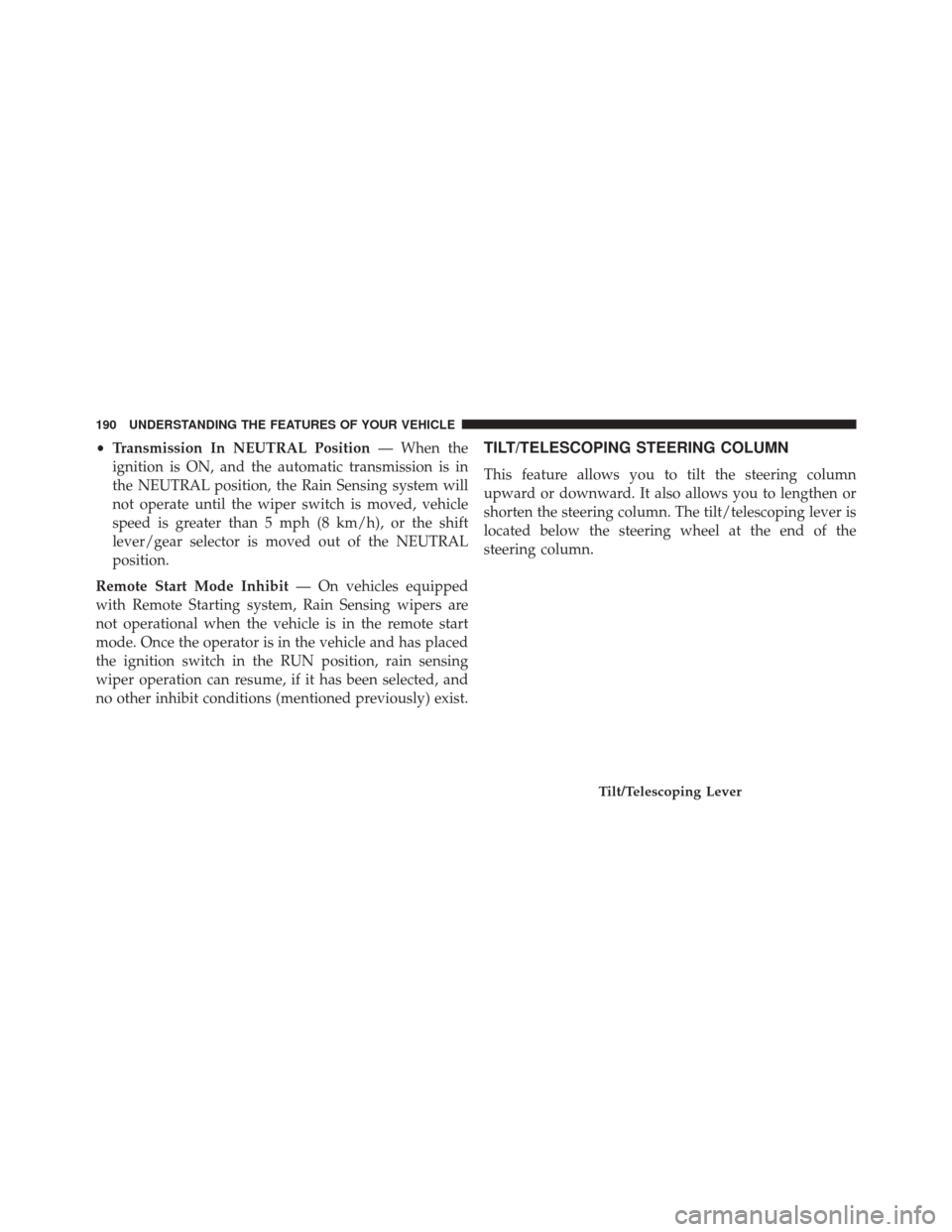
This feature allows you to tilt the steering column
upward or downward. It also allows you to lengthen or
shorten the steering column. The tilt/telescoping lever is
located below the steering wheel at the end of the
steering column.
Tilt/Telescoping Lever
190 UNDERSTANDING THE FEATURES OF YOUR VEHICLE
Page 193 of 664
To unlock the steering column, push the lever downward
(toward the floor). To tilt the steering column, move the
steering wheel upward or downward as desired. To
lengthen or shorten the steering column, pull the steering
wheel outward or push it inward as desired. To lock the
steering column in position, push the lever upward until
fully engaged.
WARNING!
Do not adjust the steering column while driving.
Adjusting the steering column while driving or driv-
ing with the steering column unlocked, could cause
the driver to lose control of the vehicle. Failure to
follow this warning may result in serious injury or
death.
POWER TILT/TELESCOPING STEERING COLUMN
— IF EQUIPPED
This feature allows you to tilt the steering column
upward or downward. It also allows you to lengthen or
shorten the steering column. The power tilt/telescoping
steering column lever is located below the multifunction
lever on the steering column.
3
UNDERSTANDING THE FEATURES OF YOUR VEHICLE 191
Page 195 of 664
HEATED STEERING WHEEL — IF EQUIPPED
The steering wheel contains a heating element that helps
warm your hands in cold weather. The heated steering
wheel has only one temperature setting. Once the heated
steering wheel has been turned on it will operate for up
to 80 minutes before automatically shutting off. The
heated steering wheel can shut off early or may not turn
on when the steering wheel is already warm.
The heated steering wheel control button is located
within the climate or controls screen of the touchscreen.
•Press the heated steering wheel button
once to
turn the heating element On.
• Press the heated steering wheel buttona second
time to turn the heating element Off.
NOTE: The engine must be running for the heated
steering wheel to operate. Vehicles Equipped With Remote Start
On models that are equipped with remote start, the
heated steering wheel can be programmed to come on
during a remote start through the Uconnect® system.
Refer to “Uconnect® Settings” in “Understanding Your
Instrument Panel” for further information.
WARNING!
•
Persons who are unable to feel pain to the skin
because of advanced age, chronic illness, diabetes,
spinal cord injury, medication, alcohol use, exhaus-
tion, or other physical conditions must exercise
care when using the steering wheel heater. It may
cause burns even at low temperatures, especially if
used for long periods.
(Continued)
3
UNDERSTANDING THE FEATURES OF YOUR VEHICLE 193
Page 196 of 664
WARNING!(Continued)
•Do not place anything on the steering wheel that
insulates against heat, such as a blanket or steering
wheel covers of any type and material. This may
cause the steering wheel heater to overheat.
ELECTRONIC SPEED CONTROL — IF EQUIPPED
When engaged, the Electronic Speed Control takes over
accelerator operations at speeds greater than 25 mph
(40 km/h).
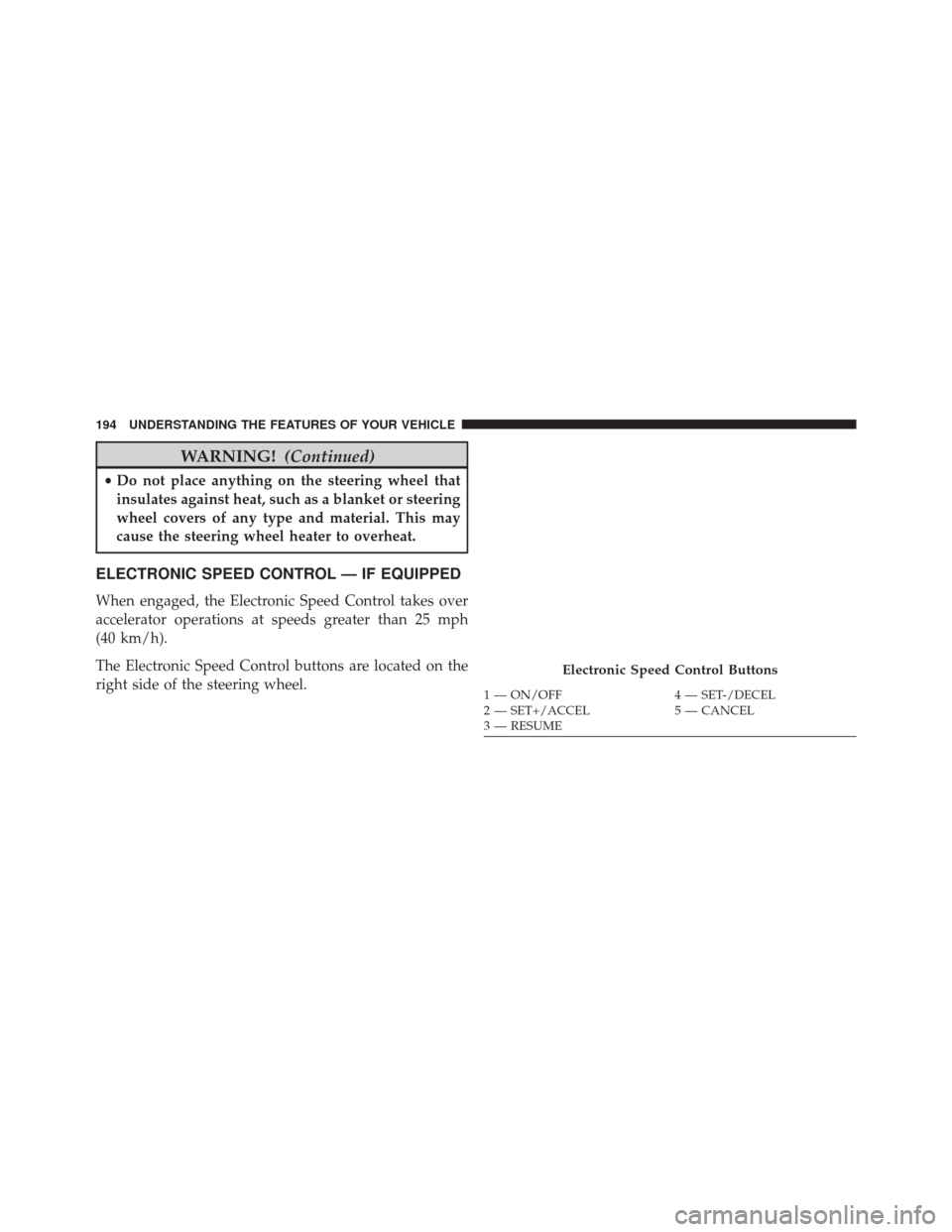
The Electronic Speed Control buttons are located on the
right side of the steering wheel.
Electronic Speed Control Buttons
1 — ON/OFF 4 — SET-/DECEL
2 — SET+/ACCEL 5 — CANCEL
3 — RESUME
194 UNDERSTANDING THE FEATURES OF YOUR VEHICLE
Page 203 of 664
Adaptive Cruise Control (ACC) Operation
The speed control buttons (located on the right side of the
steering wheel) operates the ACC system.
Adaptive Cruise Control Buttons1 — NORMAL (FIXED SPEED) CRUISE CONTROL ON/OFF
2 — SET+/ACCEL
3 — RESUME
4 — SET-/DECEL
5 — DISTANCE SETTING — INCREASE
6 — ADAPTIVE CRUISE CONTROL (ACC) ON/OFF
7 — DISTANCE SETTING — DECREASE
8 — CANCEL
3
UNDERSTANDING THE FEATURES OF YOUR VEHICLE 201
Page 204 of 664
NOTE:Any chassis/suspension or tire size modifications
to the vehicle will effect the performance of the Adaptive
Cruise Control.
Activating Adaptive Cruise Control (ACC)
You can only engage ACC if the vehicle speed is above
0 mph (0 km/h).
The minimum Set Speed for the ACC system is 20 mph
(32 km/h).
When the system is turned on and in the READY state,
the Electronic Vehicle Information Center (EVIC) dis-
plays “ACC Ready.”
When the system is OFF, the EVIC displays “Adaptive
Cruise Control (ACC) Off.”
NOTE: You cannot enable ACC under the following
conditions: •
When in Four-Wheel Drive Low.
• When you apply the brakes.
• When the parking brake is set.
• When the automatic transmission is in PARK, RE-
VERSE or NEUTRAL.
• When the Vehicle speed is outside of the speed range.
• When the brakes are overheated.
• When the driver door is open.
• When the driver seat belt is unbuckled.
To Activate/Deactivate
Push and release the Adaptive Cruise Control (ACC)
ON/OFF button. The ACC menu in the EVIC displays
“ACC Ready.”
202 UNDERSTANDING THE FEATURES OF YOUR VEHICLE