keyless entry DODGE DURANGO 2014 3.G Owner's Manual
[x] Cancel search | Manufacturer: DODGE, Model Year: 2014, Model line: DURANGO, Model: DODGE DURANGO 2014 3.GPages: 664, PDF Size: 4.79 MB
Page 194 of 664
To tilt the steering column, move the lever up or down as
desired. To lengthen or shorten the steering column, pull
the lever toward you or push the lever away from you as
desired.NOTE:
For vehicles equipped with Driver Memory Seat,
you can use your Remote Keyless Entry (RKE) transmit-
ter or the memory switch on the driver’s door trim panel
to return the tilt/telescopic steering column to pre-
programmed positions. Refer to “Driver Memory Seat”
in this section for further information.
WARNING!
Do not adjust the steering column while driving.
Adjusting the steering column while driving or driv-
ing with the steering column unlocked, could cause
the driver to lose control of the vehicle. Failure to
follow this warning may result in serious injury or
death.
Power Tilt/Telescoping Steering Column
192 UNDERSTANDING THE FEATURES OF YOUR VEHICLE
Page 332 of 664
appears next to setting, indicating that the setting had
been selected. Touch the back arrow soft-key to return to
the previous menu.
•Hold ’n Go™
When this feature is selected, the vehicle will automati-
cally hold its position when it comes to a stop. To make
your selection, touch the “Hold ’n Go” soft-key until a
check-mark appears next to setting, indicating that the
setting had been selected. Touch the back arrow soft-key
to return to the previous menu.
Lights
After pressing the “Lights” soft-key the following set-
tings will be available:
• Interior Ambient Lights
When this feature is selected, it allows the adjustment of
the brightness of the interior ambient lighting. To change
the Interior Ambient Lights setting, touch the “+” or “-” soft-key to select your desired Interior Ambient Light
level. Touch the back arrow soft-key to return to the
previous menu.
•
Headlights Off Delay
When this feature is selected, it allows the adjustment of
the amount of time the headlights remain on after the
engine is shut off. To change the Headlights Off Delay
setting, touch the “Headlights Off Delay” soft-key, and
choose either 0, 30, 60 or 90 seconds. A check-mark
appears next to setting indicating that the setting has
been selected. Touch the back arrow soft-key to return to
the previous menu.
• Headlight Illumination On Approach
When this feature is selected, the headlights will activate
and remain on for 0, 30, 60, or 90 seconds when the doors
are unlocked with the Remote Keyless Entry (RKE)
transmitter. To change the Illuminated Approach status,
330 UNDERSTANDING YOUR INSTRUMENT PANEL
Page 333 of 664
touch the “+” or “-” soft-key to select your desired time
interval. Touch the back arrow soft-key to return to the
previous menu.
•Headlights With Wipers — If Equipped
When this feature is selected, and the headlight switch is
in the AUTO position, the headlights will turn on ap-
proximately 10 seconds after the wipers are turned on.
The headlights will also turn off when the wipers are
turned off if they were turned on by this feature. To make
your selection, touch the “Headlights With Wipers” soft-
key, until a check-mark appears next to setting, indicating
that the setting has been selected. Touch the back arrow
soft-key to return to the previous menu.
• Auto High Beams — If Equipped
When this feature is selected, the high beam headlights
will activate/deactivate automatically under certain con-
ditions. To make your selection, touch the “Auto High
Beams” soft-key, until a check-mark appears next to setting, indicating that the setting has been selected.
Touch the back arrow soft-key to return to the previous
menu. Refer to “Lights/SmartBeam™ — If Equipped” in
“Understanding The Features Of Your Vehicle” for fur-
ther information.
•
Daytime Running Lights — If Equipped
When this feature is selected, the headlights will turn on
whenever the engine is running. To make your selection,
touch the “Daytime Running Lights” soft-key, until a
check-mark appears next to setting, indicating that the
setting has been selected. Touch the back arrow soft-key
to return to the previous menu.
• Flash Lights With Lock
When this feature is selected, the exterior lights will flash
when the doors are locked or unlocked with the Remote
Keyless Entry (RKE) transmitter. This feature may be
selected with or without the sound horn on lock feature
4
UNDERSTANDING YOUR INSTRUMENT PANEL 331
Page 335 of 664
Keyless Entry (RKE) transmitter UNLOCK button. When
1st Push Of Key Fob Unlocks is selected, you must push
the RKE transmitter UNLOCK button twice to unlock the
passenger’s doors. When Unlock All Doors On 1st Push
is selected, all of the doors will unlock on the first push of
the RKE transmitter UNLOCK button.
NOTE:If the vehicle is programmed 1st Push Of Key Fob
Unlocks, all doors will unlock no matter which Passive
Entry equipped door handle is grasped. If 1st Push Of
Key Fob Unlocks is programmed, only the driver ’s door
will unlock when the driver ’s door is grasped. With
Passive Entry, if 1st Push Of Key Fob Unlocks is pro-
grammed, touching the handle more than once will only
result in the driver ’s door opening. If driver door first is
selected, once the driver door is opened, the interior door
lock/unlock switch can be used to unlock all doors (or
use RKE transmitter). •
Passive Entry
This feature allows you to lock and unlock the vehicle’s
door(s) without having to push the Remote Keyless Entry
(RKE) transmitter lock or unlock buttons. It automatically
unlocks the doors when the outside door handle is
grabbed. To make your selection, touch the “Passive
Entry” soft-key until a check-mark appears next to set-
ting, showing that setting has been selected. Touch the
back arrow soft-key to return to the previous menu. Refer
to “Keyless Enter-N-Go™” in “Things To Know Before
Starting Your Vehicle” for further information.
• Personal Settings Linked to Key Fob — If Equipped
This feature provides automatic driver seat positioning to
enhance driver mobility when entering and exiting the
vehicle. To make your selection, touch the “Memory
Linked To FOB” soft-key, until a check-mark appears next
to setting, showing that setting has been selected. Touch
the back arrow soft-key to return to the previous menu.
4
UNDERSTANDING YOUR INSTRUMENT PANEL 333
Page 336 of 664
NOTE:The seat will return to the memorized seat
location (if Recall Memory with Remote Key Unlock is set
to ON) when the Remote Keyless Entry (RKE) transmitter
is used to unlock the door. Refer to “Driver Memory
Seat” in “Understanding The Features Of Your Vehicle”
for further information.
• Power Lift Gate Alert
This feature plays an alert when the power lift gate is
raising or lowering. To make your selection, touch the
“Power Lift Gate Alert” soft-key until a check-mark
appears next to setting, showing that setting has been
selected. Touch the back arrow soft-key to return to the
previous menu. Refer to “Keyless Enter-N-Go™” in
“Things To Know Before Starting Your Vehicle” for
further information.
Remote Start Comfort Systems — If Equipped
After pressing the “Auto-On Comfort & Remote Start”
soft-key the following settings will be available: •
Auto-On Driver Heated/Ventilated Seat & Steering
Wheel With Vehicle Start — If Equipped
When this feature is selected the driver’s heated seat and
heated steering wheel will automatically turn ON when
temperatures are below 40° F (4.4° C). When tempera-
tures are above 80° F (26.7° C) the driver vented seat will
turn ON. To make your selection, touch the “Auto
Heated Seats” soft-key, then select either “Off,” “Remote
Start” or “All Starts” until a check-mark appears next to
setting, showing that setting has been selected. Touch the
back arrow soft-key to return to the previous menu.
Engine Off Options
After pressing the Engine Off Options soft-key the fol-
lowing settings will be available.
• Easy Exit Seats
When this feature is selected, the Driver ’s seat will
automatically move rearward once the engine is shut off.
334 UNDERSTANDING YOUR INSTRUMENT PANEL
Page 351 of 664
the “Hill Start Assist” soft-key, until a check-mark ap-
pears next to setting, indicating that the setting had been
selected. Touch the back arrow soft-key to return to the
previous menu.
Lights
After pressing the “Lights” soft-key the following set-
tings will be available:
•Headlight Illumination On Approach
When this feature is selected, the headlights will activate
and remain on for 0, 30, 60, or 90 seconds when the doors
are unlocked with the Remote Keyless Entry (RKE)
transmitter. To change the Illuminated Approach status,
touch the “+” or “–” soft-key to select your desired time
interval. Touch the back arrow soft-key to return to the
previous menu. •
Headlights With Wipers — If Equipped
When this feature is selected, and the headlight switch is
in the AUTO position, the headlights will turn on ap-
proximately 10 seconds after the wipers are turned on.
The headlights will also turn off when the wipers are
turned off, if they were turned on by this feature. To
make your selection, touch the “Headlights With Wipers”
soft-key, until a check-mark appears next to the setting,
showing that setting has been selected. Touch the back
arrow soft-key to return to the previous menu.
• Auto Dim High Beams — If Equipped
When this feature is selected, the high beam headlights
will deactivate automatically under certain conditions. To
make your selection, touch the “Auto High Beams”
soft-key, until a check-mark appears next to the setting,
showing that setting has been selected. Touch the back
arrow soft-key to return to the previous menu. Refer to
4
UNDERSTANDING YOUR INSTRUMENT PANEL 349
Page 352 of 664
“Lights / SmartBeam™ — If Equipped” in “Understand-
ing The Features Of Your Vehicle” for further informa-
tion.
•Daytime Running Lights — If Equipped
When this feature is selected, the headlights will turn on
whenever the engine is running. To make your selection,
touch the “Daytime Running Lights” soft-key, until a
check-mark appears next to the setting, showing that the
setting has been selected. Touch the back arrow soft-key
to return to the previous menu.
• Flash Lights With Lock
When this feature is selected, the exterior lights will flash
when the doors are locked or unlocked with the Remote
Keyless Entry (RKE) transmitter. This feature may be
selected with or without the Sound Horn on Lock feature
selected. To make your selection, touch the “Flash Head-
lights with Lock” soft-key, until a check-mark appears next to the setting, showing that setting has been se-
lected. Touch the back arrow soft-key to return to the
previous menu.
Doors & Locks
After pressing the “Doors & Locks” soft-key the follow-
ing settings will be available:
•
Auto Unlock On Exit
When this feature is selected, all doors will unlock when
the vehicle is stopped and the transmission is in the
PARK or NEUTRAL position and the driver’s door is
opened. To make your selection, touch the “Auto Unlock
On Exit” soft-key, until a check-mark appears next to the
setting, showing that the setting has been selected. Touch
the back arrow soft-key to return to the previous menu.
• Sound Horn With Lock
When this feature is selected, the horn will sound when
the door locks are activated. To make your selection,
350 UNDERSTANDING YOUR INSTRUMENT PANEL
Page 353 of 664
touch the “Sound Horn With Lock” soft-key, until a
check-mark appears next to the setting, showing that the
setting has been selected. Touch the back arrow soft-key
to return to the previous menu.
•Sound Horn With Remote Start
When this feature is selected, the horn will sound when
the remote start is activated. To make your selection,
touch the “Sound Horn With Remote Start” soft-key, until
a check-mark appears next to the setting, showing that
the setting has been selected. Touch the back arrow
soft-key to return to the previous menu.
• 1st Push Of Key Fob Unlocks
When 1st Push Of Key Fob Unlocks is selected, only the
driver’s door will unlock on the first push of the Remote
Keyless Entry (RKE) transmitter UNLOCK button. When
1st Push Of Key Fob Unlocks is selected, you must push
the RKE transmitter UNLOCK button twice to unlock the passenger’s doors. When Unlock All Doors On 1st Push
is selected, all of the doors will unlock on the first push of
the RKE transmitter UNLOCK button.
NOTE:
If the vehicle is programmed 1st Push Of Key Fob
Unlocks, all doors will unlock no matter which Passive
Entry equipped door handle is grasped. If 1st Push Of
Key Fob Unlocks is programmed, only the driver ’s door
will unlock when the driver ’s door is grasped. With
Passive Entry, if 1st Push Of Key Fob Unlocks is pro-
grammed, touching the handle more than once will only
result in the driver ’s door opening. If Driver ’s Door first
is selected, once the driver door is opened, the interior
door lock/unlock switch can be used to unlock all doors
(or use RKE transmitter).
• Passive Entry
This feature allows you to lock and unlock the vehicles
door(s) without having to push the Remote Keyless Entry
(RKE) transmitter LOCK or UNLOCK buttons. To make
4
UNDERSTANDING YOUR INSTRUMENT PANEL 351
Page 354 of 664
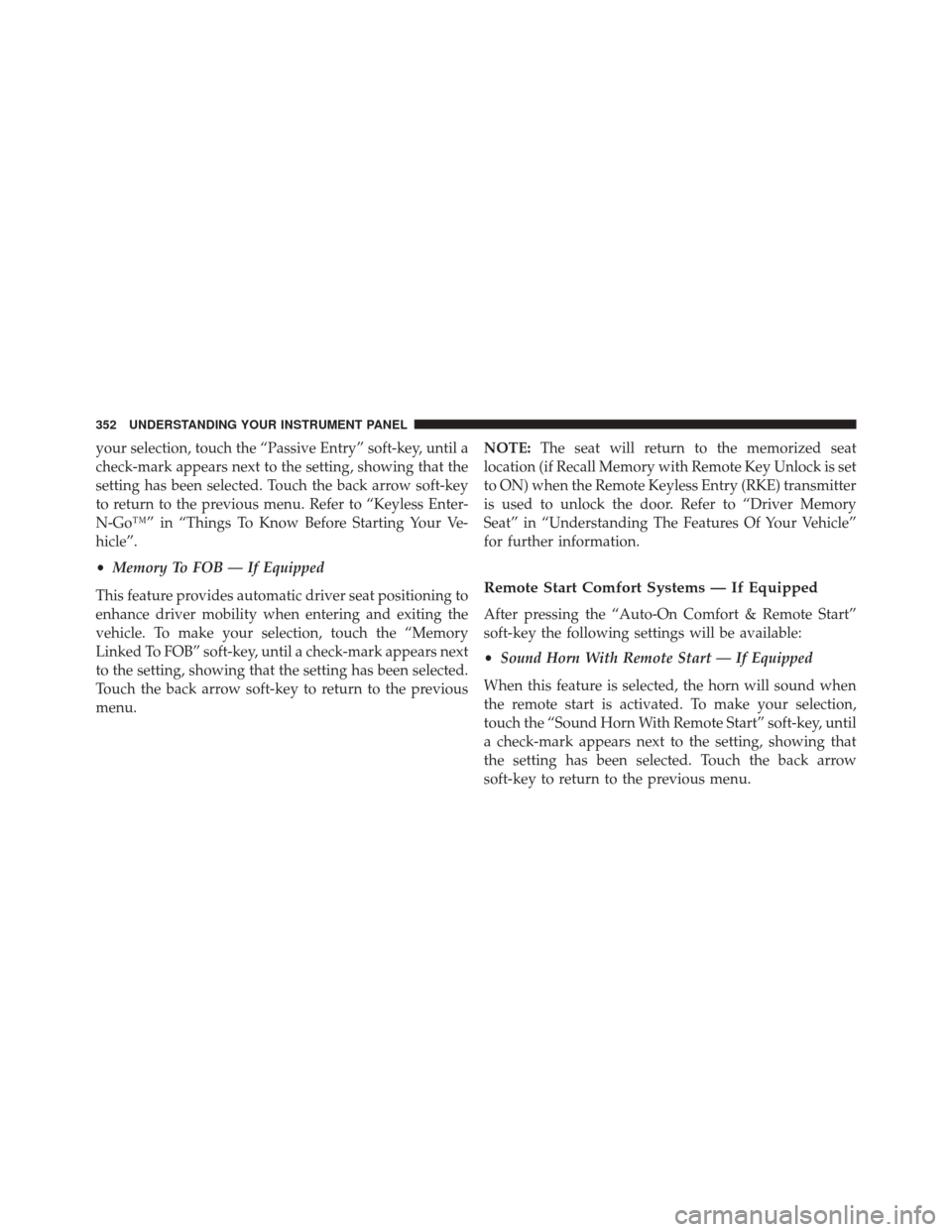
your selection, touch the “Passive Entry” soft-key, until a
check-mark appears next to the setting, showing that the
setting has been selected. Touch the back arrow soft-key
to return to the previous menu. Refer to “Keyless Enter-
N-Go™” in “Things To Know Before Starting Your Ve-
hicle”.
•Memory To FOB — If Equipped
This feature provides automatic driver seat positioning to
enhance driver mobility when entering and exiting the
vehicle. To make your selection, touch the “Memory
Linked To FOB” soft-key, until a check-mark appears next
to the setting, showing that the setting has been selected.
Touch the back arrow soft-key to return to the previous
menu. NOTE:
The seat will return to the memorized seat
location (if Recall Memory with Remote Key Unlock is set
to ON) when the Remote Keyless Entry (RKE) transmitter
is used to unlock the door. Refer to “Driver Memory
Seat” in “Understanding The Features Of Your Vehicle”
for further information.
Remote Start Comfort Systems — If Equipped
After pressing the “Auto-On Comfort & Remote Start”
soft-key the following settings will be available:
• Sound Horn With Remote Start — If Equipped
When this feature is selected, the horn will sound when
the remote start is activated. To make your selection,
touch the “Sound Horn With Remote Start” soft-key, until
a check-mark appears next to the setting, showing that
the setting has been selected. Touch the back arrow
soft-key to return to the previous menu.
352 UNDERSTANDING YOUR INSTRUMENT PANEL
Page 647 of 664
Disposal of Used Coolant.................588
Drain, Flush, and Refill ...................585
Inspection ........................... .584
Points to Remember .....................589
Pressure Cap ......................... .587
Radiator Cap ......................... .587
Selection of Coolant (Antifreeze) .............585
Corrosion Protection ...................... .596
Cruise Control (Speed Control) ................198
Cupholders ............................ .263
Customer Assistance ...................... .633
Data Recorder, Event .......................84
Daytime Running Lights ....................178
Dealer Service ........................... .565
Defroster, Rear Window .....................277
Defroster, Windshield ......................116
Dipsticks Oil (Engine) .......................... .567Power Steering
........................ .438
Disabled Vehicle Towing ....................555
Disposal Antifreeze (Engine Coolant) ................588
Door Locks ..............................32
Child-Protection Door Lock — Rear Doors ......35
Door Locks ............................32
KeyFob...............................32
Remote ...............................32
Remote Keyless Entry (RKE) ................32
Door Opener, Garage ...................... .244
Driving ............................... .431
E-85 Fuel .............................. .492
Economy (Fuel) Mode ..................... .414
Electrical Outlet, Auxiliary (Power Outlet) ........256
Electric Rear Window Defrost .................277
Electric Remote Mirrors .....................133
Electronically Shifted Transfer Case .............424
10
INDEX 645