roof DODGE DURANGO 2015 3.G User Guide
[x] Cancel search | Manufacturer: DODGE, Model Year: 2015, Model line: DURANGO, Model: DODGE DURANGO 2015 3.GPages: 689, PDF Size: 20.05 MB
Page 256 of 689
Sunroof Maintenance
Use only a non-abrasive cleaner and a soft cloth to clean
the glass panel.
Ignition OFF Operation
The power sunroof switch will remain active for up to
approximately ten minutes after the ignition switch is
turned to the LOCK position. Opening either front door
will cancel this feature.
NOTE:Ignition Off time is programmable through the
Uconnect® System. Refer to “Uconnect® Settings/
Customer Programmable Features” in “Understanding
Your Instrument Panel” for further information.
ELECTRICAL POWER OUTLETS
Your vehicle is equipped with 12 Volt (13 Amp) power
outlets that can be used to power cellular phones, small
electronics and other low powered electrical accessories.
The power outlets are labeled with either a “key” or a
“battery” symbol to indicate how the outlet is powered.
Power outlets labeled with a “key” are powered when
the ignition switch is in the ON or ACC position, while
the outlets labeled with a “battery” are connected directly
to the battery and powered at all times.
NOTE:
•All accessories connected to the “battery” powered
outlets should be removed or turned off when the
vehicle is not in use to protect the battery against
discharge.
•To ensure proper operation a MOPAR® knob and
element must be used.
254 UNDERSTANDING THE FEATURES OF YOUR VEHICLE
Page 278 of 689
mirrors (if equipped). An indicator in the button will
illuminate when the rear window defroster is on. The
rear window defroster automatically turns off after ap-
proximately 10 minutes. For an additional five minutes of
operation, push the button a second time.
NOTE:To prevent excessive battery drain, use the rear
window defroster only when the engine is operating.
CAUTION!
Failure to follow these cautions can cause damage to
the heating elements:
•Use care when washing the inside of the rear
window. Do not use abrasive window cleaners on
the interior surface of the window. Use a soft cloth
and a mild washing solution, wiping parallel to the
heating elements. Labels can be peeled off after
soaking with warm water.
(Continued)
CAUTION!(Continued)
•Do not use scrapers, sharp instruments, or abrasive
window cleaners on the interior surface of the
window.
•Keep all objects a safe distance from the window.
ROOF LUGGAGE RACK — IF EQUIPPED
The crossbars and side rails are designed to carry weight
on vehicles equipped with a luggage rack.The load must
not exceed 150 lbs (68 kg), and should be uniformly
distributed over the luggage rack crossbars.
The crossbars on your vehicle are delivered stowed
within the roof rack side rails. Crossbars should always
be used whenever cargo is placed on the roof rack. Check
the straps frequently to be sure that the load remains
securely attached.
276 UNDERSTANDING THE FEATURES OF YOUR VEHICLE
Page 279 of 689
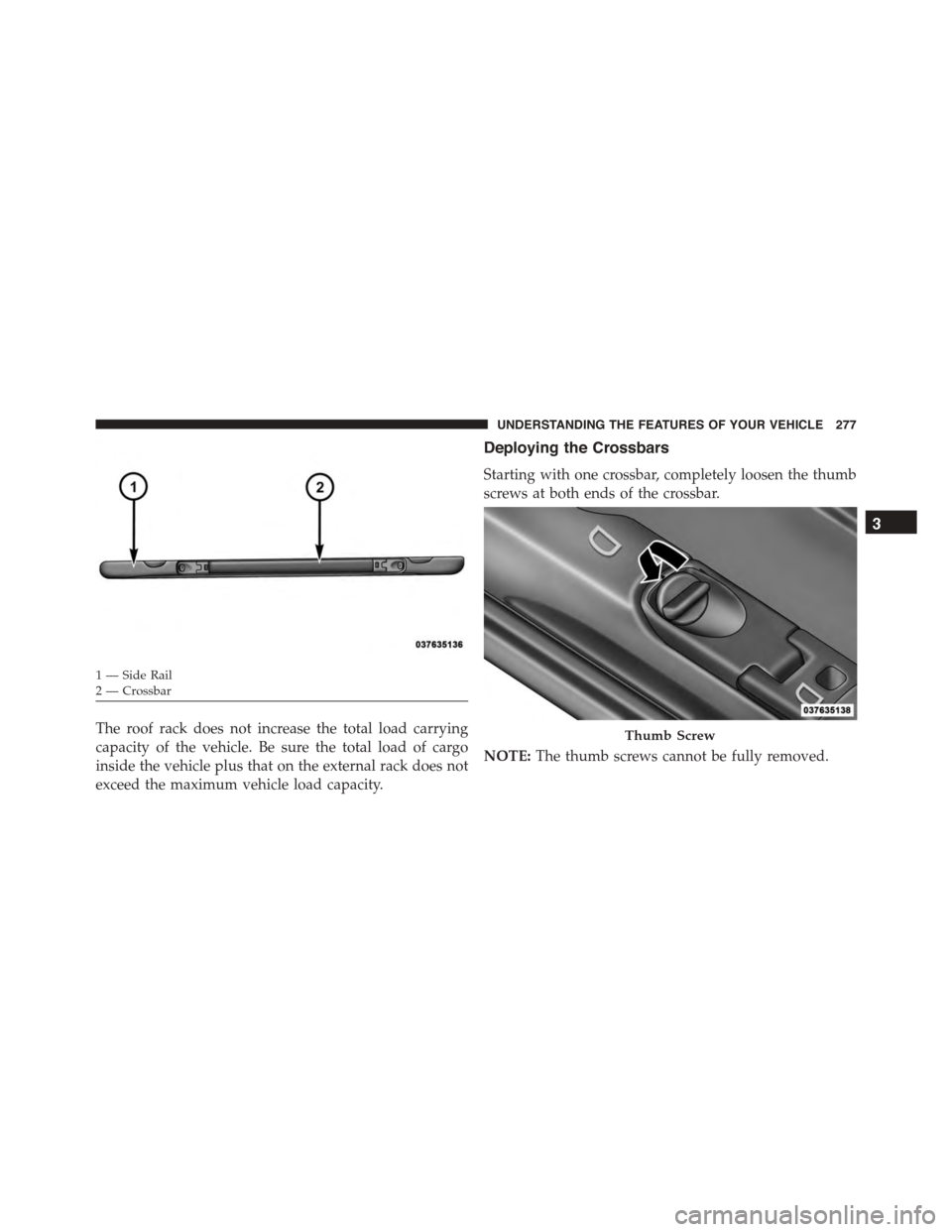
The roof rack does not increase the total load carrying
capacity of the vehicle. Be sure the total load of cargo
inside the vehicle plus that on the external rack does not
exceed the maximum vehicle load capacity.
Deploying the Crossbars
Starting with one crossbar, completely loosen the thumb
screws at both ends of the crossbar.
NOTE:The thumb screws cannot be fully removed.
1—SideRail2—Crossbar
Thumb Screw
3
UNDERSTANDING THE FEATURES OF YOUR VEHICLE 277
Page 280 of 689
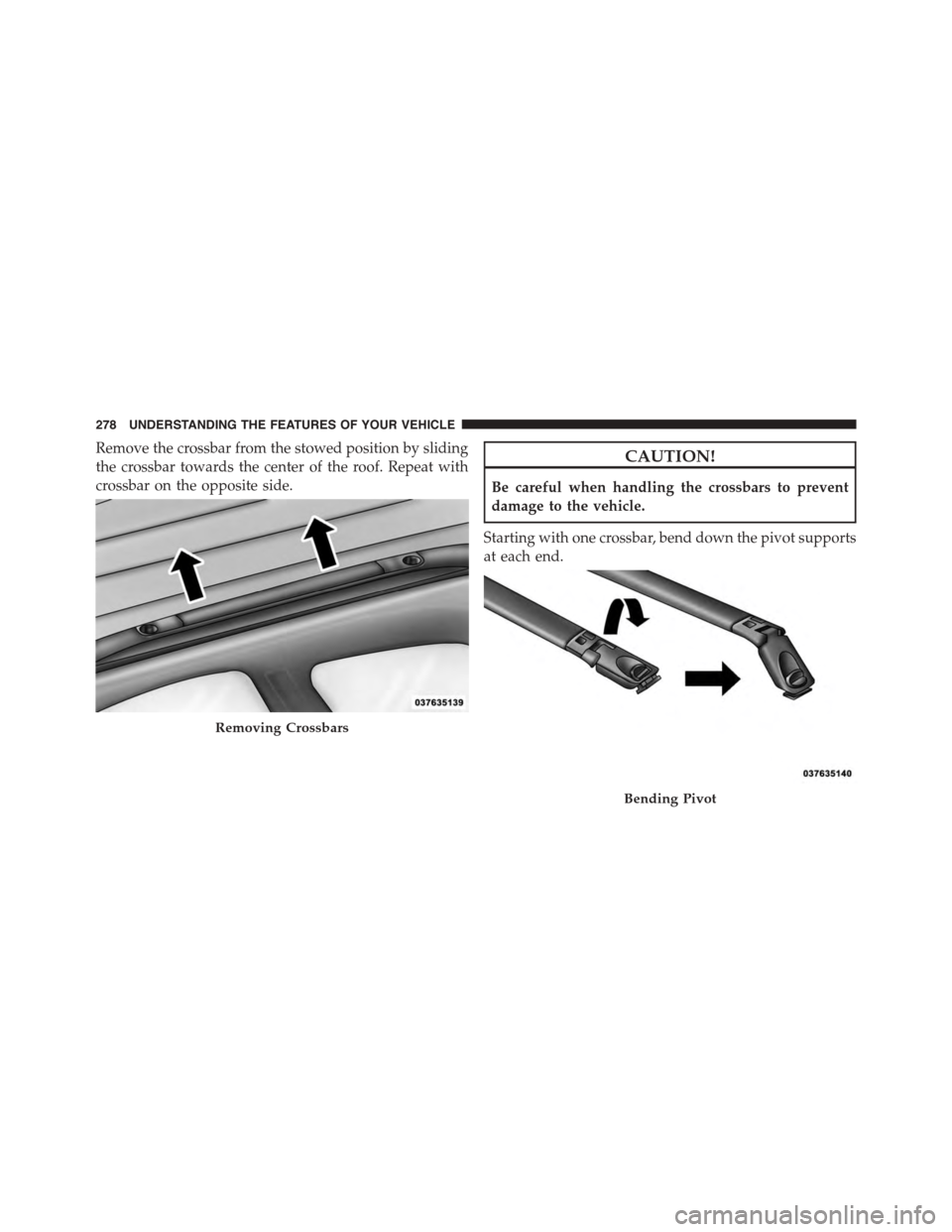
Remove the crossbar from the stowed position by sliding
the crossbar towards the center of the roof. Repeat with
crossbar on the opposite side.
CAUTION!
Be careful when handling the crossbars to prevent
damage to the vehicle.
Starting with one crossbar, bend down the pivot supports
at each end.
Removing Crossbars
Bending Pivot
278 UNDERSTANDING THE FEATURES OF YOUR VEHICLE
Page 281 of 689
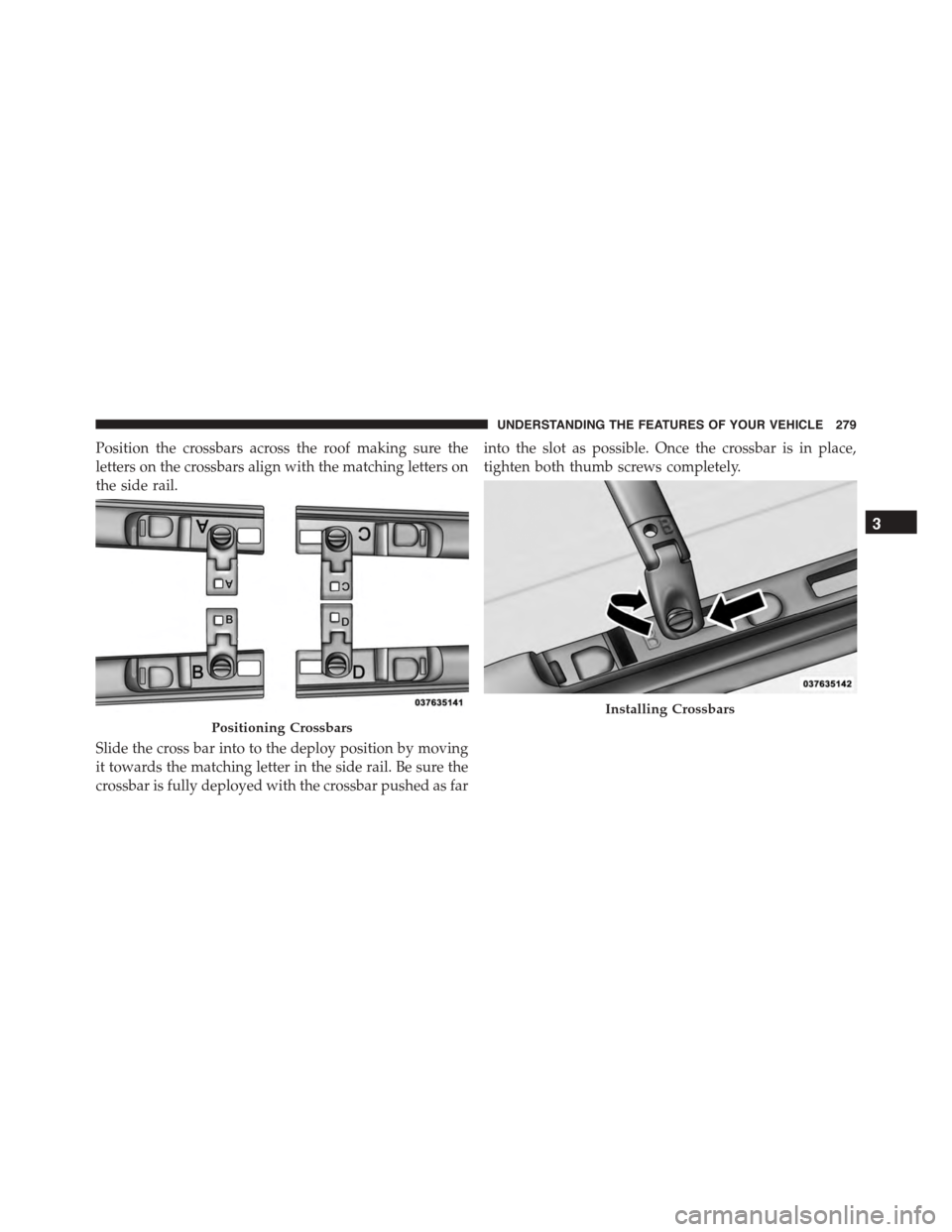
Position the crossbars across the roof making sure the
letters on the crossbars align with the matching letters on
the side rail.
Slide the cross bar into to the deploy position by moving
it towards the matching letter in the side rail. Be sure the
crossbar is fully deployed with the crossbar pushed as far
into the slot as possible. Once the crossbar is in place,
tighten both thumb screws completely.
Positioning Crossbars
Installing Crossbars
3
UNDERSTANDING THE FEATURES OF YOUR VEHICLE 279
Page 284 of 689
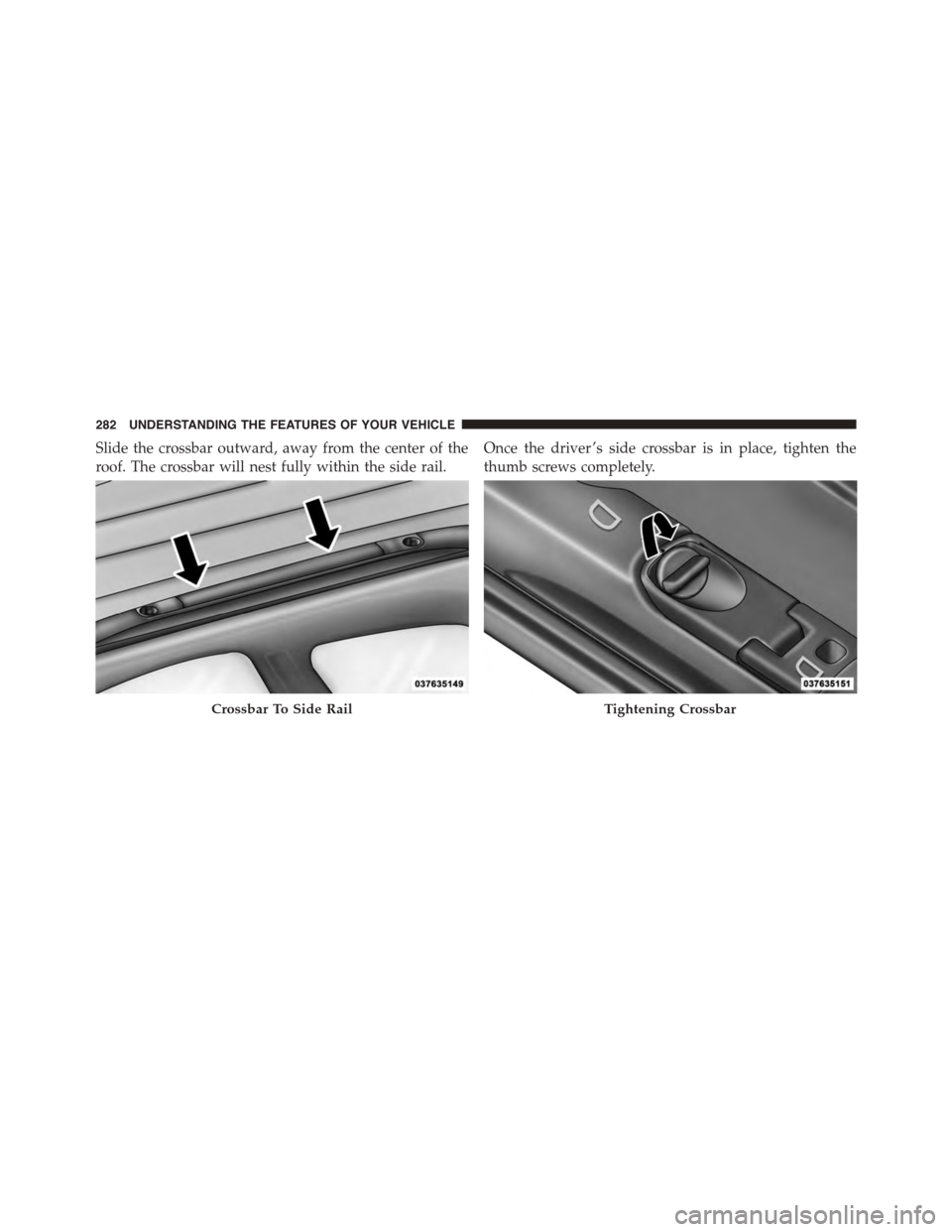
Slide the crossbar outward, away from the center of the
roof. The crossbar will nest fully within the side rail.
Once the driver ’s side crossbar is in place, tighten the
thumb screws completely.
Crossbar To Side RailTightening Crossbar
282 UNDERSTANDING THE FEATURES OF YOUR VEHICLE
Page 285 of 689
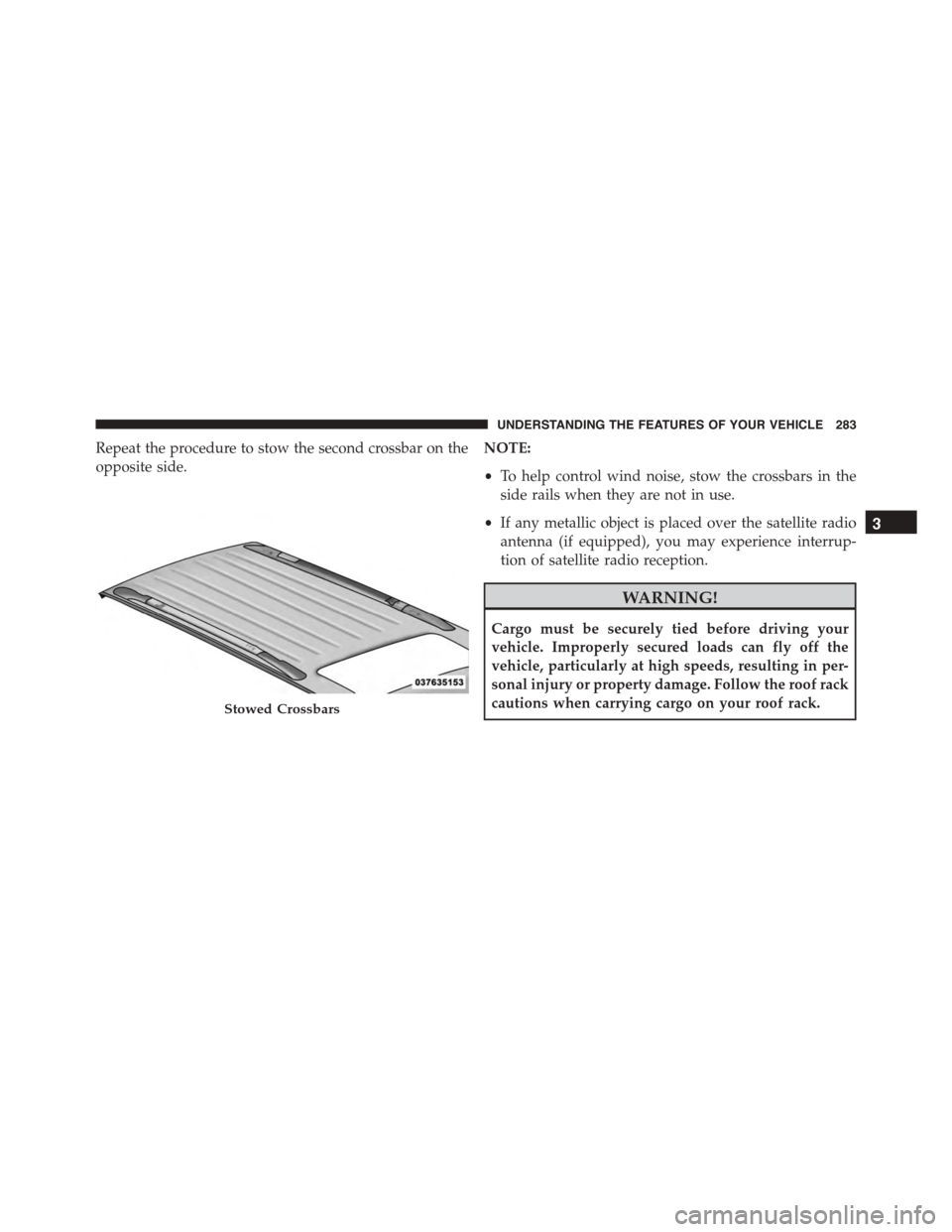
Repeat the procedure to stow the second crossbar on the
opposite side.
NOTE:
•To help control wind noise, stow the crossbars in the
side rails when they are not in use.
•If any metallic object is placed over the satellite radio
antenna (if equipped), you may experience interrup-
tion of satellite radio reception.
WARNING!
Cargo must be securely tied before driving your
vehicle. Improperly secured loads can fly off the
vehicle, particularly at high speeds, resulting in per-
sonal injury or property damage. Follow the roof rack
cautions when carrying cargo on your roof rack.Stowed Crossbars
3
UNDERSTANDING THE FEATURES OF YOUR VEHICLE 283
Page 286 of 689
CAUTION!
•To prevent damage to the roof of your vehicle, DO
NOT carry any loads on the roof rack without the
crossbars deployed. The load should be secured
and placed on top of the crossbars, not directly on
the roof. If it is necessary to place the load on the
roof, place a blanket or other protective layer
between the load and the roof surface.
•To avoid damage to the roof rack and vehicle, do
not exceed the maximum roof rack load capacity of
150 lb (68 kg). Always distribute heavy loads as
evenly as possible and secure the load appropri-
ately.
(Continued)
CAUTION!(Continued)
•Load should always be secured to cross bars first,
with tie down loops used as additional securing
points if needed. Tie loops are intended as supple-
mentary tie down points only. Do not use ratchet-
ing mechanisms with the tie loops. Check the
straps and thumb wheels frequently to be sure that
the load remains securely attached.
•Long loads that extend over the windshield, such
as wood panels or surfboards, or loads with large
frontal area should be secured to both the front and
rear of the vehicle.
(Continued)
284 UNDERSTANDING THE FEATURES OF YOUR VEHICLE
Page 287 of 689

CAUTION!(Continued)
•Travel at reduced speeds and turn corners carefully
when carrying large or heavy loads on the roof
rack. Wind forces, due to natural causes or nearby
truck traffic, can add sudden upward lift to a load.
This is especially true on large flat loads and may
result in damage to the cargo or your vehicle.
3
UNDERSTANDING THE FEATURES OF YOUR VEHICLE 285
Page 331 of 689
Engine Off Options
After pressing the “Engine Off Options” button on the
touchscreen the following settings will be available.
•Easy Exit Seats — If Equipped
When this feature is selected, the Driver ’s seat will
automatically move rearward once the engine is shut off.
To make your selection, press the “Easy Exit Seats”
button on the touchscreen and make your selection. Press
the back arrow button on the touchscreen to return to the
previous menu.
•Headlight Off Delay
When this feature is selected, the driver can choose to
have the headlights remain on for 0, 30, 60, or 90 seconds
when exiting the vehicle. Press the “Headlight Off Delay”
button on the touchscreen and choose from “0,” “30,”
“60,” or “90” seconds to select your desired time interval.
Press the back arrow button on the touchscreen to return
to the previous menu.
•Engine Off Power Delay
When this feature is selected, the power window
switches, radio, Uconnect® phone system (if equipped),
DVD video system (if equipped), power sunroof (if
equipped), and power outlets will remain active for up to
10 minutes after the ignition is cycled to OFF. Opening
either front door will cancel this feature. Press the “En-
gine Off Power Delay” button on the touchscreen and
choose from “0 sec,” “45 sec,” “5 min” or “10 min” to
select your desired time interval. Then press the arrow
back button on the touchscreen.
Compass Settings — If Equipped
After pressing the “Compass Settings” button on the
touchscreen the following settings will be available:
•Variance
Compass Variance is the difference between Magnetic
North and Geographic North. To compensate for the
4
UNDERSTANDING YOUR INSTRUMENT PANEL 329