warning light DODGE DURANGO 2015 3.G User Guide
[x] Cancel search | Manufacturer: DODGE, Model Year: 2015, Model line: DURANGO, Model: DODGE DURANGO 2015 3.GPages: 689, PDF Size: 20.05 MB
Page 114 of 689
WARNING!(Continued)
•Always make sure that objects cannot fall into the
driver footwell while the vehicle is moving. Ob-
jects can become trapped under the brake pedal
and accelerator pedal causing a loss of vehicle
control.
•If required, mounting posts must be properly in-
stalled, if not equipped from the factory.
Failure to properly follow floor mat installation or
mounting can cause interference with the brake
pedal and accelerator pedal operation causing loss of
control of the vehicle.
Periodic Safety Checks You Should Make Outside
The Vehicle
Tires
Examine tires for excessive tread wear and uneven wear
patterns. Check for stones, nails, glass, or other objects
lodged in the tread or sidewall. Inspect the tread for cuts
and cracks. Inspect sidewalls for cuts, cracks, and bulges.
Check the wheel nuts for tightness. Check the tires
(including spare) for proper cold inflation pressure.
Lights
Have someone observe the operation of brake lights and
exterior lights while you work the controls. Check turn
signal and high beam indicator lights on the instrument
panel.
Door Latches
Check for proper closing, latching, and locking.
Fluid Leaks
Check area under vehicle after overnight parking for fuel,
engine coolant, oil, or other fluid leaks. Also, if gasoline
fumes are detected or if fuel, power steering fluid (if
equipped), or brake fluid leaks are suspected. The cause
should be located and corrected immediately.
11 2 T H I N G S TO K N O W B E F O R E S TA R T I N G Y O U R V E H I C L E
Page 119 of 689
▫Turning FCW ON Or OFF...............225
▫Changing FCW And Active Braking Status. . . .226
▫FCW Limited Warning..................227
▫Service FCW Warning..................227
!PARKSENSE® REAR PARK ASSIST — IF
EQUIPPED...........................228
▫ParkSense® Sensors....................228
▫ParkSense® Warning Display.............229
▫ParkSense® Display....................229
▫Enabling And Disabling ParkSense®........234
▫Service The ParkSense® Rear Park Assist
System.............................234
▫Cleaning The ParkSense® System..........235
▫ParkSense® System Usage Precautions.......235
!PARKVIEW® REAR BACK UP CAMERA — IF
EQUIPPED...........................237
!OVERHEAD CONSOLE..................239
▫Front Map/Reading Lights — If Equipped . . .240
▫Courtesy Lights.......................241
▫Sunglasses Bin Door...................241
!GARAGE DOOR OPENER — IF EQUIPPED . . .242
▫Before You Begin Programming HomeLink® . .243
▫Programming A Rolling Code.............244
▫Programming A Non-Rolling Code.........246
▫Canadian/Gate Operator Programming......247
▫Using HomeLink®.....................249
▫Security............................249
3
UNDERSTANDING THE FEATURES OF YOUR VEHICLE 117
Page 123 of 689

WARNING!
Vehicles and other objects seen in the passenger side
convex mirror will look smaller and farther away
than they really are. Relying too much on your
passenger side convex mirror could cause you to
collide with another vehicle or other object. Use your
inside mirror when judging the size or distance of a
vehicle seen in the passenger side convex mirror.
Some vehicles will not have a convex passenger side
mirror.
Automatic Dimming Mirror — If Equipped
A single ball joint mirror is provided in the vehicle. It is
a twist on mirror that has a fixed position at the wind-
shield. The mirror installs on the windshield button with
a counterclockwise rotation and requires no tools for
mounting. The mirror head can be adjusted up, down,
left, and right for various drivers. The mirror should be
adjusted to center on the view through the rear window.
This mirror automatically adjusts for headlight glare
from vehicles behind you.
NOTE:The Automatic Dimming Mirror feature is dis-
abled when the vehicle is in reverse gear to improve rear
view viewing.
The Automatic Dimming Mirror feature can be turned
On or Off through the touchscreen.
•Push the Mirror Dimmer button once to turn the
feature On.
•Push the Mirror Dimmer button a second time to turn
the feature Off.
3
UNDERSTANDING THE FEATURES OF YOUR VEHICLE 121
Page 127 of 689
WARNING!(Continued)
•The 9-1-1 Call system is embedded into the vehi-
cle’s electrical system. Do not add aftermarket
electrical equipment to the vehicle’s electrical sys-
tem. This may prevent your vehicle from sending a
signal to initiate an emergency call. To avoid inter-
ference that can cause the 9-1-1 Call system to fail,
never add aftermarket equipment (e.g., two-way
mobile radio, CB radio, data recorder, etc.) to your
vehicle’s electrical system or modify the antennas
on your vehicle. IF YOUR VEHICLE LOSES BAT-
TERY POWER FOR ANY REASON (INCLUDING
DURING OR AFTER AN ACCIDENT), THE
UCONNECT FEATURES, APPS AND SERVICES,
AMONG OTHERS, WILL NOT OPERATE.
(Continued)
WARNING!(Continued)
•Modifications to any part of the 9-1-1 Call system
could cause the air bag system to fail when you
need it. You could be injured if the air bag system
is not there to help protect you.
9-1-1 Call System Limitations
Vehicles sold in Canada and MexicoDO NOThave 9-1-1
Call system capabilities.
9-1-1 or other emergency line operators in Canada and
Mexico may not answer or respond to 9-1-1 system calls.
If the 9-1-1 Call system detects a malfunction, any of the
following may occur at the time the malfunction is
detected, and at the beginning of each ignition cycle:
•The Rearview Mirror light located between the Assist
and 9-1-1 buttons will continuously be illuminated
red.
3
UNDERSTANDING THE FEATURES OF YOUR VEHICLE 125
Page 128 of 689
•The Phone Screen will display the following message
“Vehicle phone requires service. Please contact your
dealer.”
•An In-Vehicle Audio message will state “Vehicle phone
requires service. Please contact your dealer.”
WARNING!
•Ignoring the Rearview Mirror light could mean you
will not have 9-1-1 Call services. If the Rearview
Mirror light is illuminated, have an authorized
dealer service the 9-1-1 Call system immediately.
(Continued)
WARNING!(Continued)
•The Occupant Restraint Control module turns on
the Air Bag Warning Light on the instrument panel
if a malfunction in any part of the system is
detected. If the Air Bag Warning Light is illumi-
nated, the air bag system may not be working
properly and the 9-1-1 system may not be able to
send a signal to a 9-1-1 operator. If the Air Bag
Warning Light is illuminated, have an authorized
dealer service the ORC system immediately.
Even if the 9-1-1 Call system is fully functional, factors
beyond Chrysler Group LLC’s control may prevent or
stop the 9-1-1 Call system operation. These include, but
are not limited to, the following factors:
•Delayed accessories mode is active.
•The ignition is in the OFF position.
126 UNDERSTANDING THE FEATURES OF YOUR VEHICLE
Page 133 of 689
Sun Visor Extension — If Equipped
This feature has a pull out extension on the sun visor for
increased coverage.
BLIND SPOT MONITORING (BSM) — IF
EQUIPPED
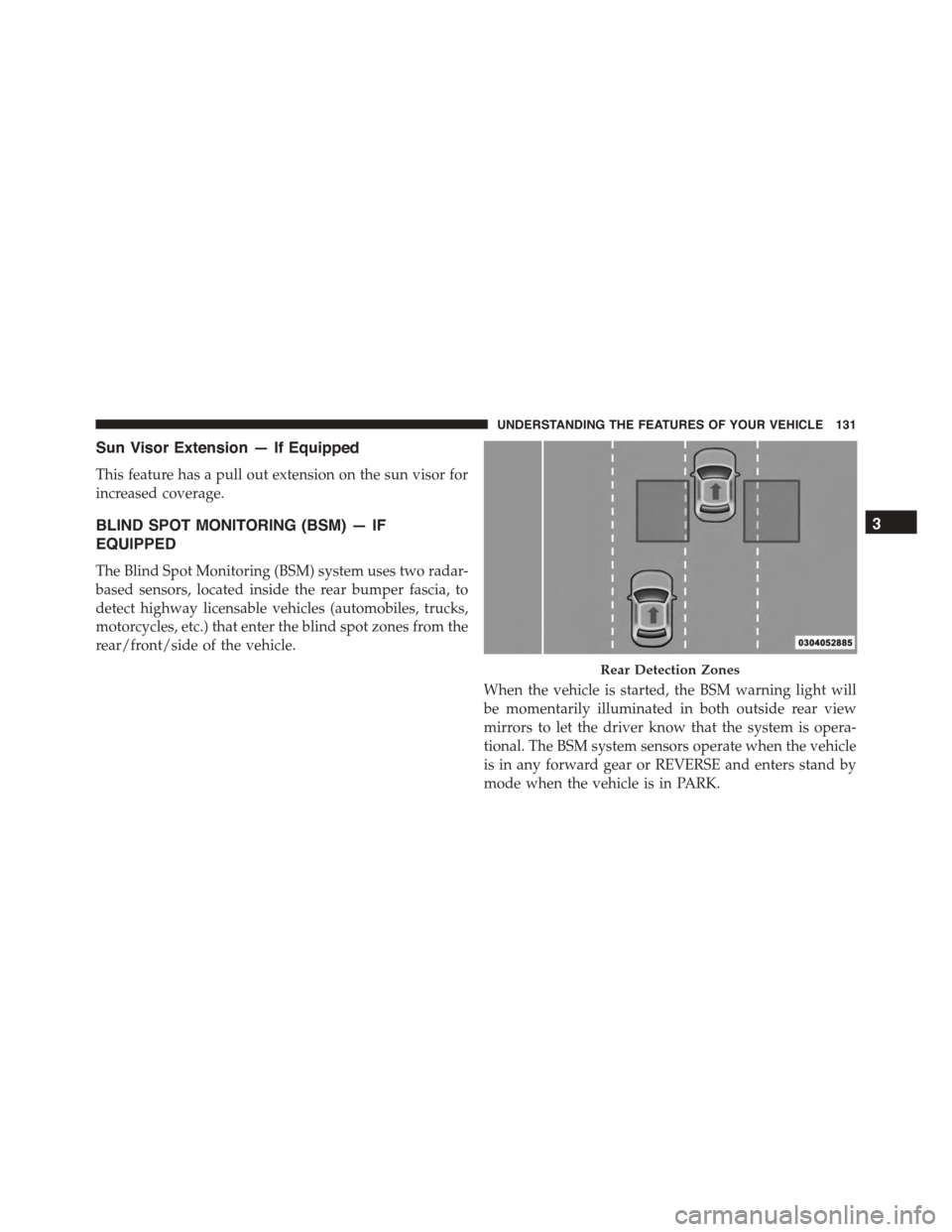
The Blind Spot Monitoring (BSM) system uses two radar-
based sensors, located inside the rear bumper fascia, to
detect highway licensable vehicles (automobiles, trucks,
motorcycles, etc.) that enter the blind spot zones from the
rear/front/side of the vehicle.
When the vehicle is started, the BSM warning light will
be momentarily illuminated in both outside rear view
mirrors to let the driver know that the system is opera-
tional. The BSM system sensors operate when the vehicle
is in any forward gear or REVERSE and enters stand by
mode when the vehicle is in PARK.
Rear Detection Zones
3
UNDERSTANDING THE FEATURES OF YOUR VEHICLE 131
Page 134 of 689
The BSM detection zone covers approximately one lane
on both sides of the vehicle (12 ft or 3.8 m). The zone
length starts at the outside rear view mirror and extends
approximately 10 ft (3 m) beyond the rear bumper of the
vehicle. The BSM system monitors the detection zones on
both sides of the vehicle when the vehicle speed has
reached approximately 6 mph (10 km/h) or higher and
will alert the driver of vehicles in these areas.
NOTE:
•The BSM system does NOT alert the driver about
rapidly approaching vehicles that are outside the de-
tection zones.
•The BSM system detection zone DOES NOT change if
your vehicle is towing a trailer. Therefore, visually
verify the adjacent lane is clear for both your vehicle
and trailer before making a lane change. If the trailer or
other object (i.e., bicycle, sports equipment) extends
beyond the side of your vehicle, this may result in the
BSM warning light remaining illuminated or the alert
chime remaining on the entire time the vehicle is in a
forward gear. Refer to “Uconnect® Settings” in “Un-
derstanding Your Instrument Panel” for more informa-
tion.
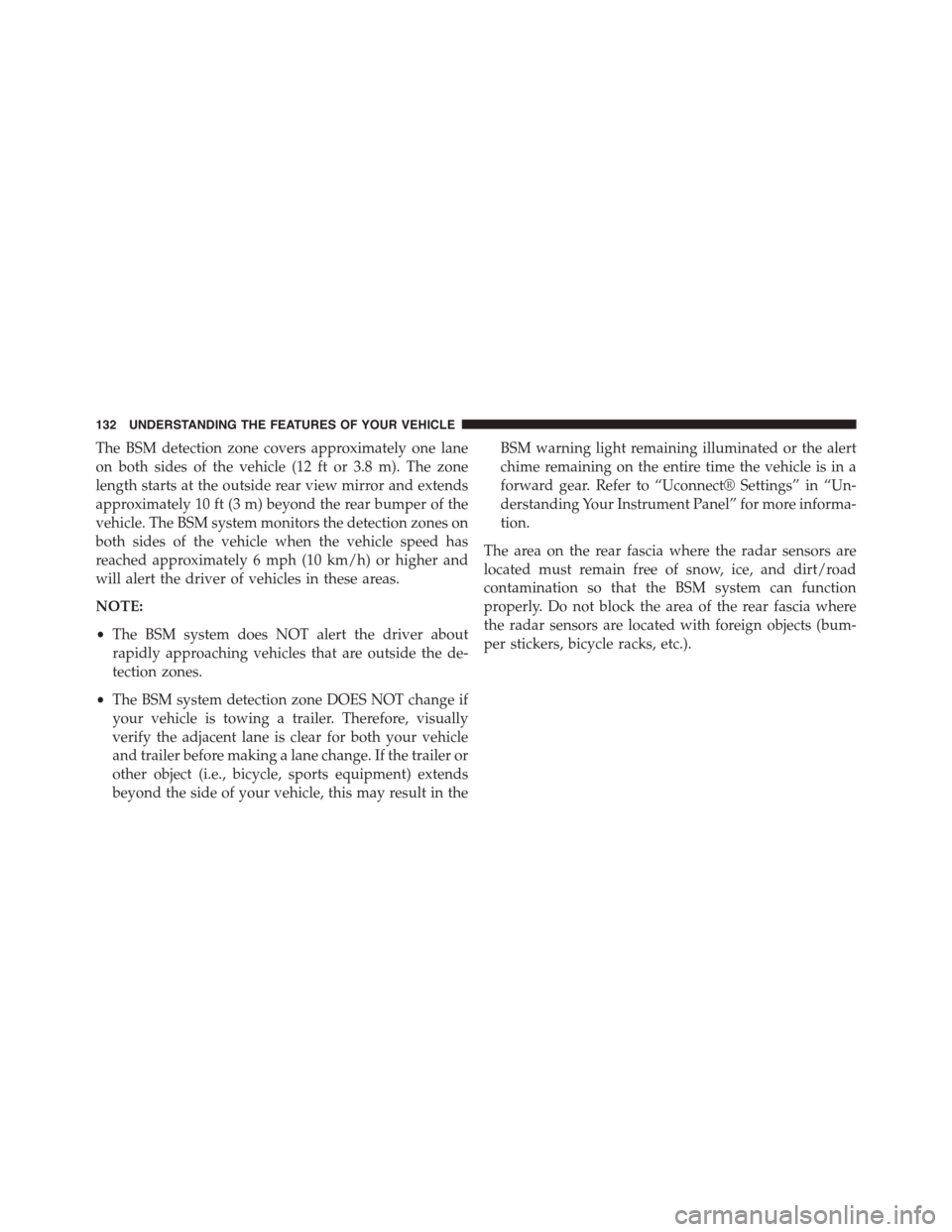
The area on the rear fascia where the radar sensors are
located must remain free of snow, ice, and dirt/road
contamination so that the BSM system can function
properly. Do not block the area of the rear fascia where
the radar sensors are located with foreign objects (bum-
per stickers, bicycle racks, etc.).
132 UNDERSTANDING THE FEATURES OF YOUR VEHICLE
Page 135 of 689
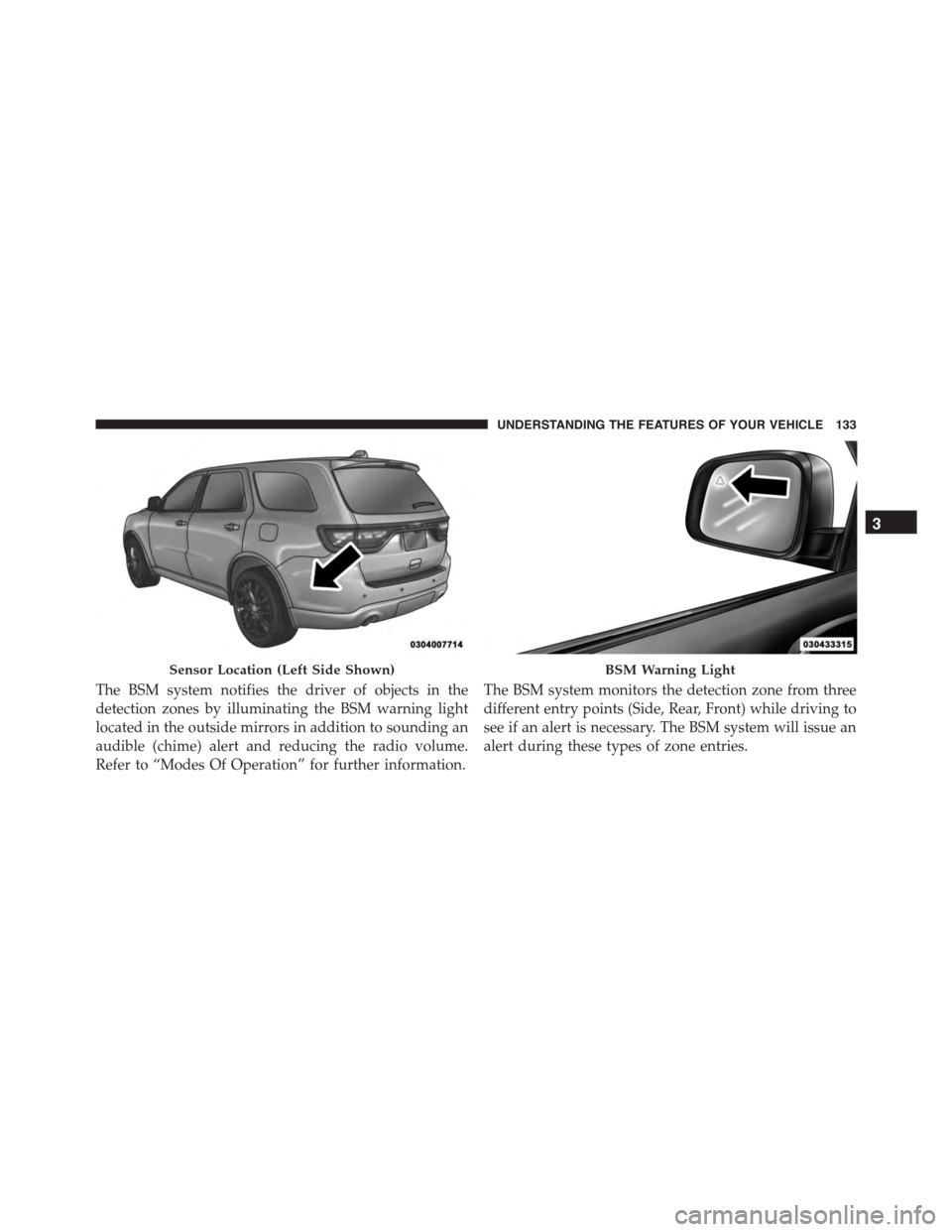
The BSM system notifies the driver of objects in the
detection zones by illuminating the BSM warning light
located in the outside mirrors in addition to sounding an
audible (chime) alert and reducing the radio volume.
Refer to “Modes Of Operation” for further information.
The BSM system monitors the detection zone from three
different entry points (Side, Rear, Front) while driving to
see if an alert is necessary. The BSM system will issue an
alert during these types of zone entries.
Sensor Location (Left Side Shown)BSM Warning Light
3
UNDERSTANDING THE FEATURES OF YOUR VEHICLE 133
Page 137 of 689
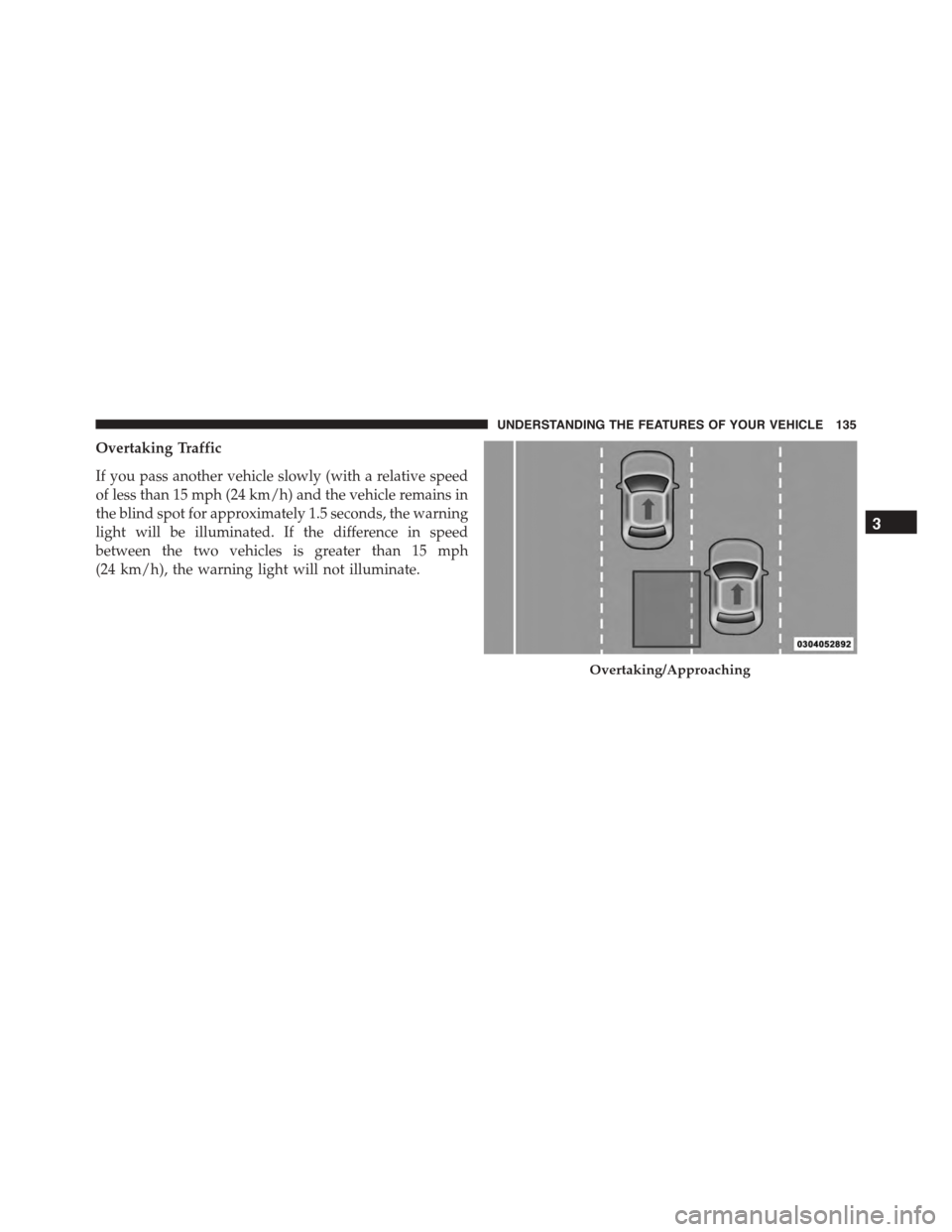
Overtaking Traffic
If you pass another vehicle slowly (with a relative speed
of less than 15 mph (24 km/h) and the vehicle remains in
the blind spot for approximately 1.5 seconds, the warning
light will be illuminated. If the difference in speed
between the two vehicles is greater than 15 mph
(24 km/h), the warning light will not illuminate.
Overtaking/Approaching
3
UNDERSTANDING THE FEATURES OF YOUR VEHICLE 135
Page 173 of 689
CAUTION!
To prevent possible damage, do not slam the hood to
close it. Use a firm downward push at the front center
of the hood to ensure that both latches engage.
WARNING!
Be sure the hood is fully latched before driving your
vehicle. If the hood is not fully latched, it could open
when the vehicle is in motion and block your vision.
Failure to follow this warning could result in serious
injury or death.
LIGHTS
Headlight Switch
The headlight switch is located on the left side of the
instrument panel, next to the steering wheel. The head-
light switch controls the operation of the headlights,
parking lights, instrument panel lights, cargo lights and
fog lights (if equipped).
3
UNDERSTANDING THE FEATURES OF YOUR VEHICLE 171