keyless DODGE DURANGO 2015 3.G Owner's Manual
[x] Cancel search | Manufacturer: DODGE, Model Year: 2015, Model line: DURANGO, Model: DODGE DURANGO 2015 3.GPages: 689, PDF Size: 20.05 MB
Page 166 of 689
WARNING!
Be certain that the seatback is securely locked into
position. If the seatback is not securely locked into
position the seat will not provide the proper stability
for child seats and/or passengers. An improperly
latched seat could cause serious injury.
DRIVER MEMORY SEAT — IF EQUIPPED
This feature allows the driver to store up to two different
memory profiles for easy recall through a memory
switch. Each memory profile contains desired position
settings for the driver seat, side mirrors, adjustable
pedals (if equipped), and power tilt and telescopic steer-
ing column (if equipped) and a set of desired radio
station presets. Your Remote Keyless Entry (RKE) trans-
mitter can also be programmed to recall the same posi-
tions when the UNLOCK button is pushed.
NOTE:Your vehicle is equipped with two RKE transmit-
ters, one RKE transmitter can be linked to memory
position 1 and the other transmitter can be linked to
memory position 2.
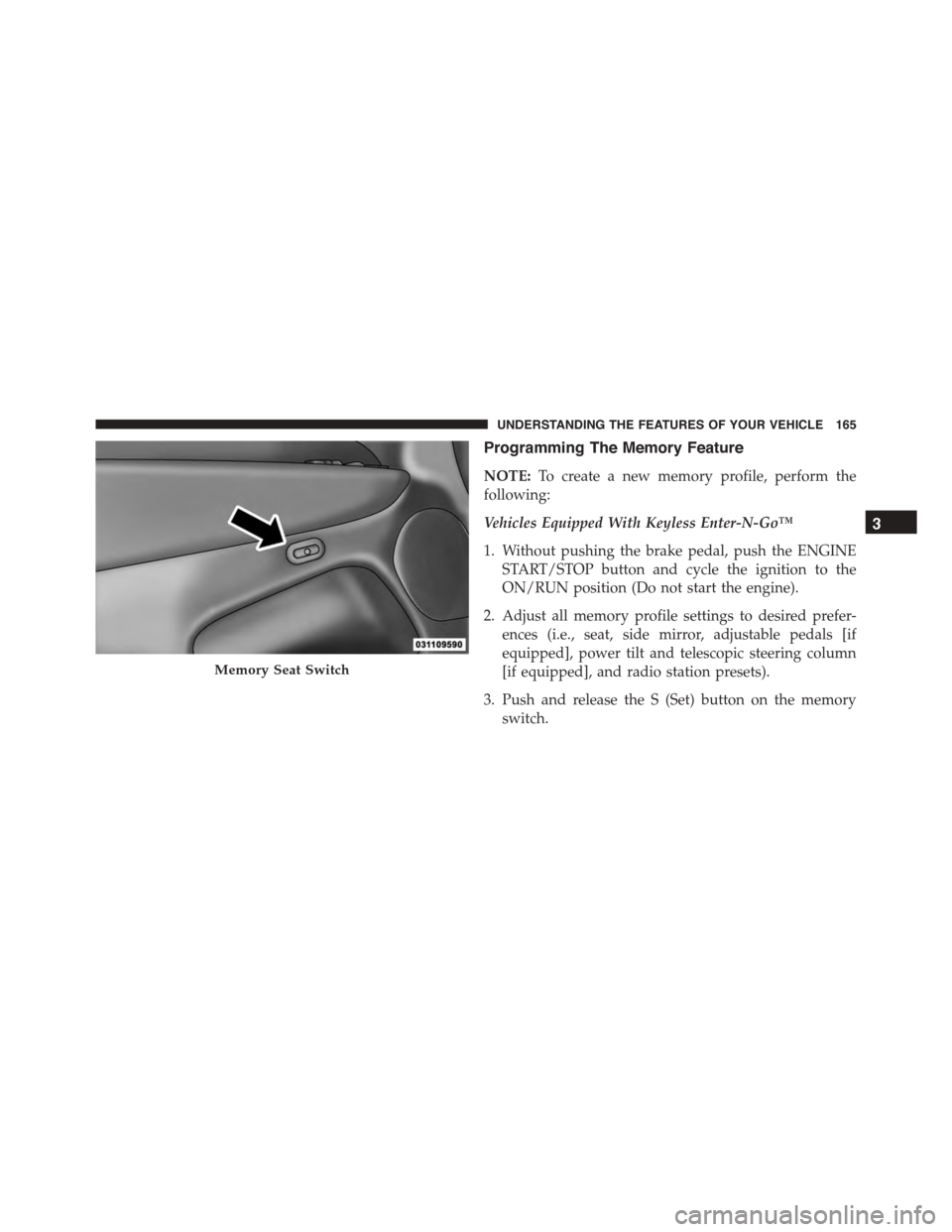
The memory seat switch is located on the driver ’s door
trim panel. The switch consists of three buttons:
•The (S) button, which is used to activate the memory
save function.
•The (1) and (2) buttons which are used to recall either
of two pre-programmed memory profiles.
164 UNDERSTANDING THE FEATURES OF YOUR VEHICLE
Page 167 of 689
Programming The Memory Feature
NOTE:To create a new memory profile, perform the
following:
Vehicles Equipped With Keyless Enter-N-Go™
1. Without pushing the brake pedal, push the ENGINE
START/STOP button and cycle the ignition to the
ON/RUN position (Do not start the engine).
2. Adjust all memory profile settings to desired prefer-
ences (i.e., seat, side mirror, adjustable pedals [if
equipped], power tilt and telescopic steering column
[if equipped], and radio station presets).
3. Push and release the S (Set) button on the memory
switch.
Memory Seat Switch
3
UNDERSTANDING THE FEATURES OF YOUR VEHICLE 165
Page 168 of 689
4. Within five seconds, push and release either of the
memory buttons (1) or (2). The Driver Information
Display (DID) will display which memory position
has been set.
Vehicles Not Equipped With Keyless Enter-N-Go™
1. Insert the ignition key fob, and turn the ignition switch
to the ON/RUN position.
2. Adjust all memory profile settings to desired prefer-
ences (i.e., seat, side mirror, adjustable pedals [if
equipped], power tilt and telescopic steering column
[if equipped], and radio station presets).
3. Push and release the S (Set) button on the memory
switch.
4. Within five seconds, push and release either of the
memory buttons (1) or (2). The Driver Information
Display (DID) will display which memory position
has been set.
NOTE:
•Memory profiles can be set without the vehicle in
PARK, but the vehicle must be in PARK to recall a
memory profile.
•The Recall Memory with the “Memory To FOB” fea-
ture can be enabled through the Uconnect® system
screen. Refer to “Customer- Programmable Features —
Uconnect® Access 8.4 Settings ” in “Understanding
Your Instrument Panel” for further information.
Linking And Unlinking The Remote Keyless Entry
Transmitter To Memory
Your RKE transmitters can be programmed to recall one
of two pre-programmed memory profiles by pushng the
UNLOCK button on the RKE transmitter.
166 UNDERSTANDING THE FEATURES OF YOUR VEHICLE
Page 170 of 689
Driver One Memory Position Recall
•To recall the memory settings for driver one using the
memory switch, push MEMORY button number 1 on
the memory switch.
•To recall the memory settings for driver one using the
RKE transmitter, push the UNLOCK button on the
RKE transmitter linked to memory position 1.
Driver Two Memory Position Recall
•To recall the memory setting for driver two using the
memory switch, push MEMORY button number 2 on
the memory switch.
•To recall the memory settings for driver two using the
RKE transmitter, push the UNLOCK button on the
RKE transmitter linked to memory position 2.
A recall can be cancelled by pushing any of the MEMORY
buttons during a recall (S, 1, or 2). When a recall is
cancelled, the driver’s seat, and the power pedals (if
equipped) stop moving. A delay of one second will occur
before another recall can be selected.
Easy Entry/Exit Seat
This feature provides automatic driver seat positioning to
enhance driver mobility when entering and exiting the
vehicle.
The distance the driver seat moves depends on where
you have the driver seat positioned when you remove the
Key Fob from the ignition (or change the ignition to OFF,
for vehicles equipped with Keyless Enter-N-Go™).
•When you remove the Key Fob from the ignition (or
change the ignition to OFF, for vehicles equipped with
Keyless Enter-N-Go™), the driver seat will move
about 2.4 in (60 mm) rearward if the driver seat
position is greater than or equal to 2.7 in (67.7 mm)
168 UNDERSTANDING THE FEATURES OF YOUR VEHICLE
Page 171 of 689
forward of the rear stop. The seat will return to its
previously set position when you place the ignition
into the ACC or RUN position.
•When you remove the Key Fob from the ignition (or
change the ignition to OFF, for vehicles equipped with
Keyless Enter-N-Go™), the driver seat will move to a
position 0.3 in (7.7 mm) forward of the rear stop if the
driver seat position is between 0.9 in and 2.7 in (22.7
mm and 67.7 mm) forward of the rear stop. The seat
will return to its previously set position when you
place the ignition to the ACC or RUN position.
•The Easy Entry/Easy Exit feature is disabled when the
driver seat position is less than 0.9 in (22.7 mm)
forward of the rear stop. At this position, there is no
benefit to the driver by moving the seat for Easy Exit
or Easy Entry.
Each stored memory setting will have an associated Easy
Entry and Easy Exit position.
NOTE:The Easy Entry/Exit feature is not enabled when
the vehicle is delivered from the factory. The Easy
Entry/Exit feature is enabled (or later disabled) through
the programmable features in the Uconnect® system.
Refer to “Uconnect® Settings/Customer Programmable
Features” in “Understanding Your Instrument Panel” for
further information.
3
UNDERSTANDING THE FEATURES OF YOUR VEHICLE 169
Page 178 of 689
An indicator light located in the instrument cluster will
illuminate when the fog lights are on. The fog lights will
turn off when the switch is pushed a second time, when
the headlight switch is rotated to the off position, or the
high beam is selected.
Interior Lights
Courtesy and dome lights are turned on when the front
doors are opened or when the dimmer control (rotating
wheel on the right side of the headlight switch) is rotated
to the its farthest upward position. If your vehicle is
equipped with Remote Keyless Entry (RKE) and the
UNLOCK button is pushed on the RKE transmitter, the
courtesy and dome lights will turn on. When a door is
open and the interior lights are on, rotating the dimmer
control all the way down, to the OFF detent, will cause all
the interior lights to go out. This is also known as the
“Party” mode because it allows the doors to stay open for
extended periods of time without discharging the vehi-
cle’s battery.
The brightness of the instrument panel lighting can be
regulated by rotating the dimmer control up (brighter) or
down (dimmer). When the headlights are on you can
supplement the brightness of the odometer, trip odom-
eter, radio and overhead console by rotating the control
to its farthest position up until you hear a click. This
feature is termed the “Parade” mode and is useful when
headlights are required during the day.
176 UNDERSTANDING THE FEATURES OF YOUR VEHICLE
Page 180 of 689
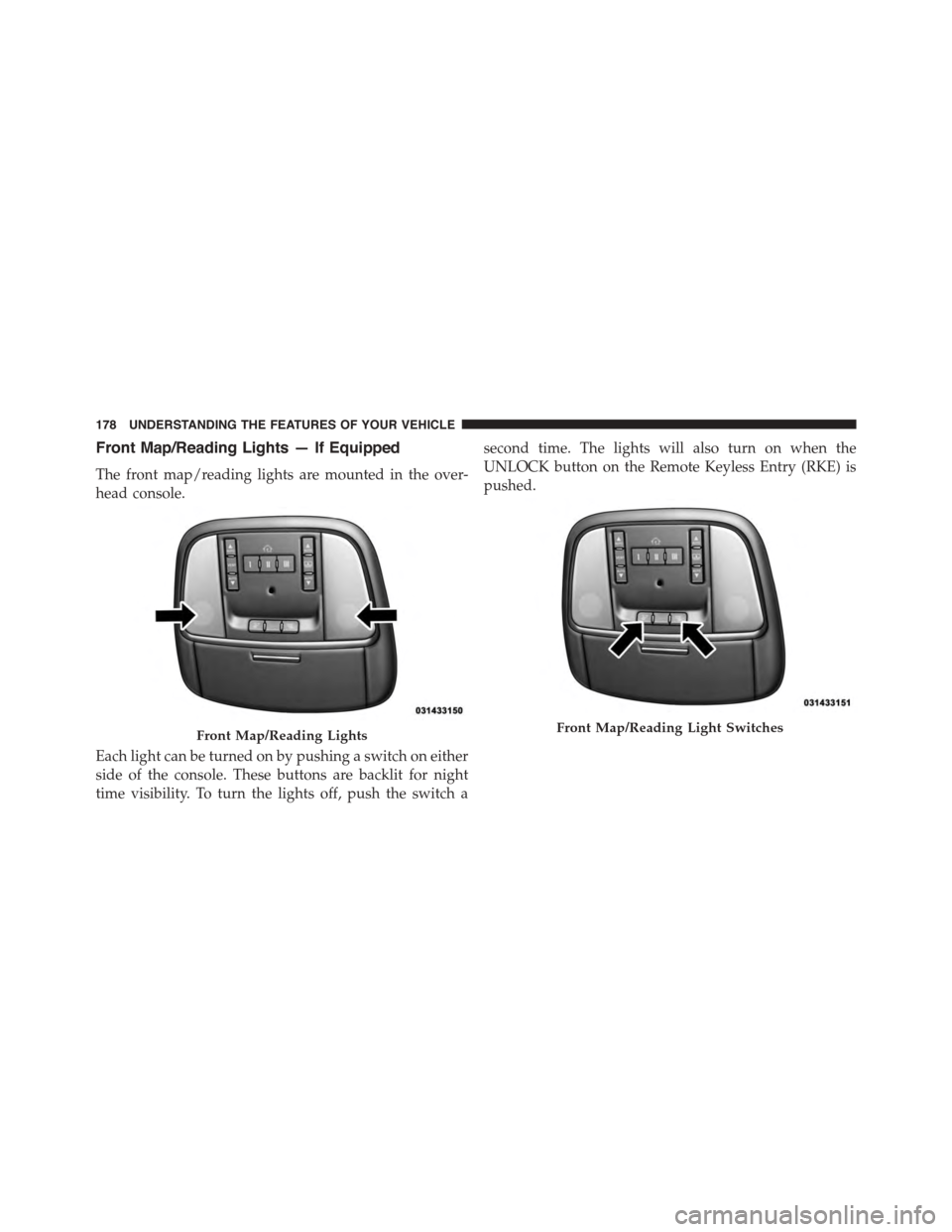
Front Map/Reading Lights — If Equipped
The front map/reading lights are mounted in the over-
head console.
Each light can be turned on by pushing a switch on either
side of the console. These buttons are backlit for night
time visibility. To turn the lights off, push the switch a
second time. The lights will also turn on when the
UNLOCK button on the Remote Keyless Entry (RKE) is
pushed.
Front Map/Reading LightsFront Map/Reading Light Switches
178 UNDERSTANDING THE FEATURES OF YOUR VEHICLE
Page 191 of 689
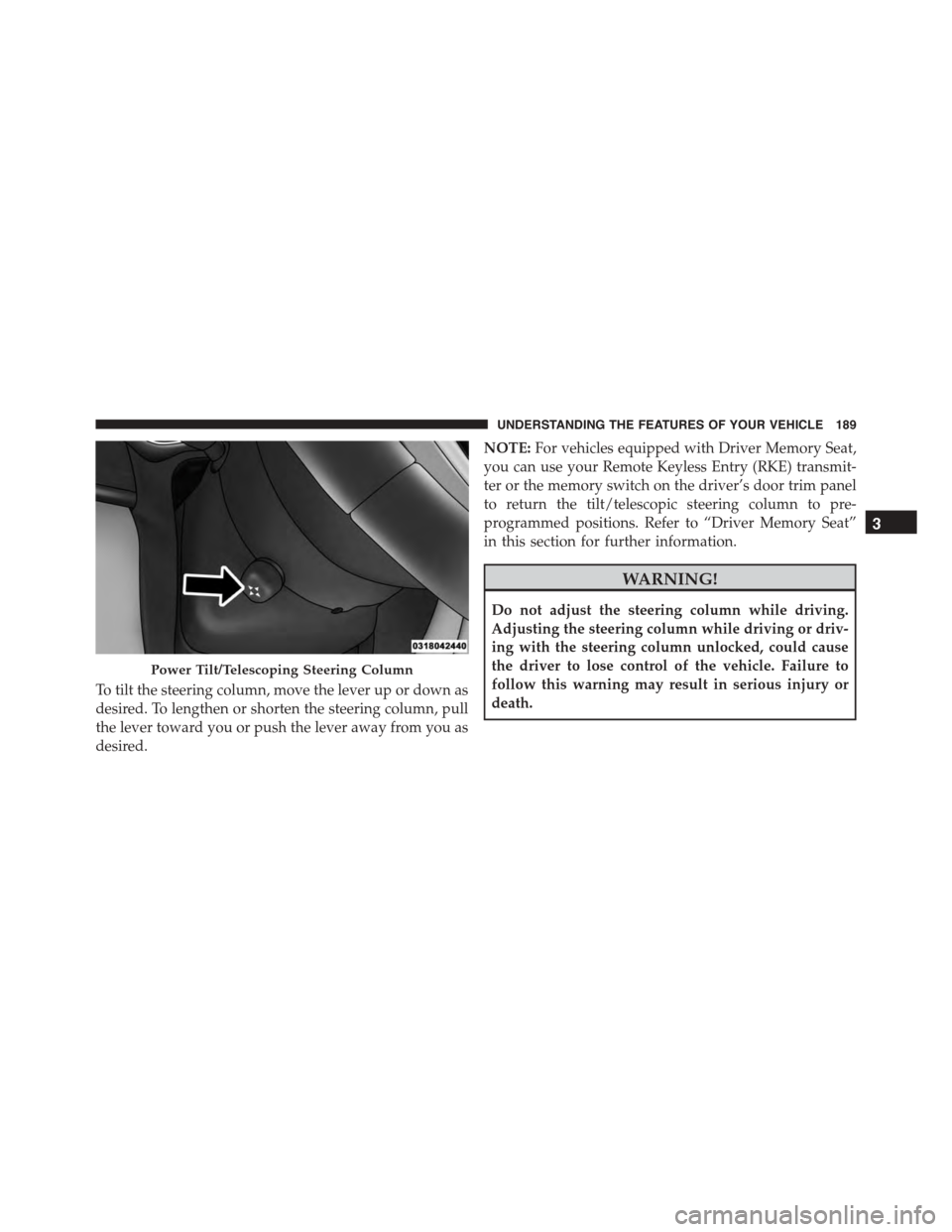
To tilt the steering column, move the lever up or down as
desired. To lengthen or shorten the steering column, pull
the lever toward you or push the lever away from you as
desired.
NOTE:For vehicles equipped with Driver Memory Seat,
you can use your Remote Keyless Entry (RKE) transmit-
ter or the memory switch on the driver’s door trim panel
to return the tilt/telescopic steering column to pre-
programmed positions. Refer to “Driver Memory Seat”
in this section for further information.
WARNING!
Do not adjust the steering column while driving.
Adjusting the steering column while driving or driv-
ing with the steering column unlocked, could cause
the driver to lose control of the vehicle. Failure to
follow this warning may result in serious injury or
death.
Power Tilt/Telescoping Steering Column
3
UNDERSTANDING THE FEATURES OF YOUR VEHICLE 189
Page 253 of 689
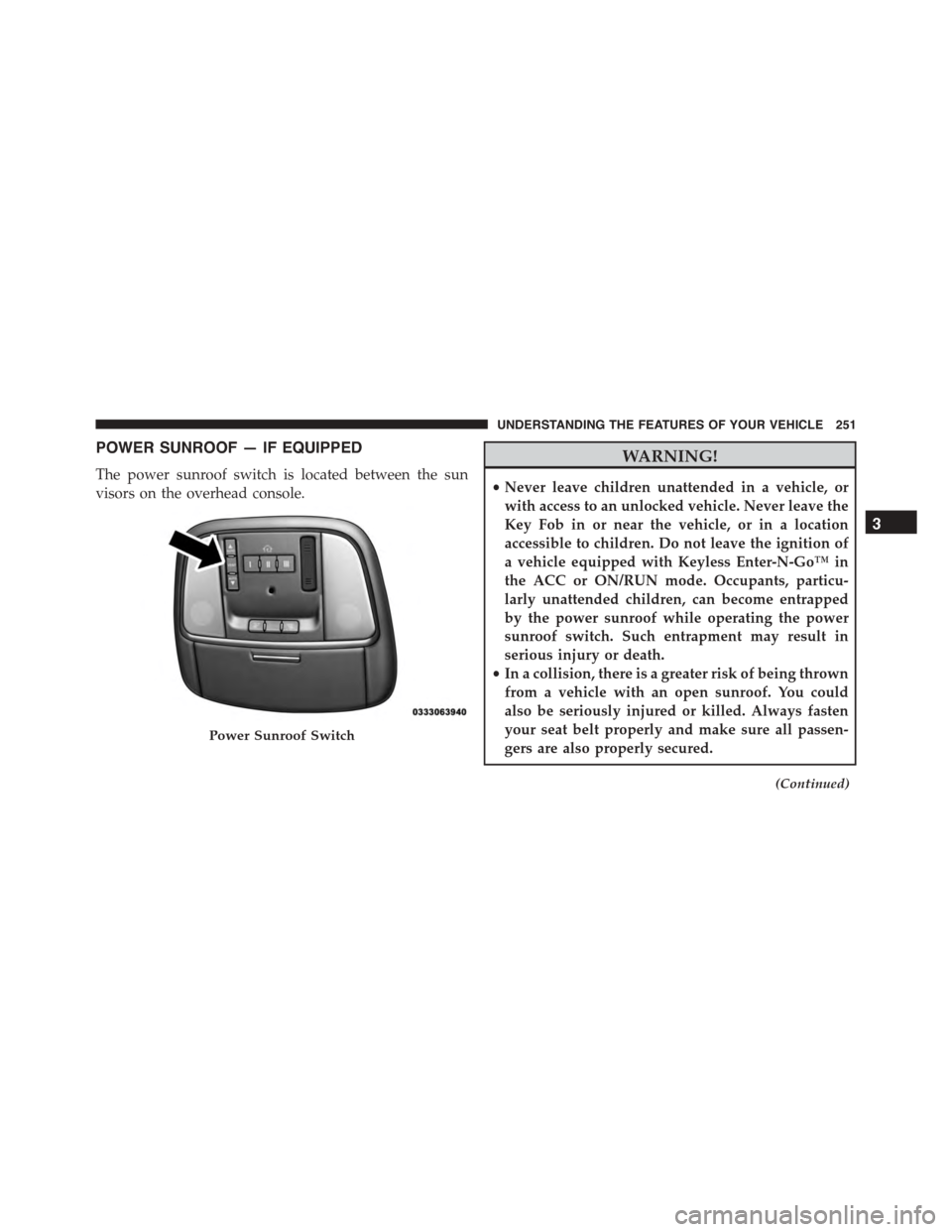
POWER SUNROOF — IF EQUIPPED
The power sunroof switch is located between the sun
visors on the overhead console.
WARNING!
•Never leave children unattended in a vehicle, or
with access to an unlocked vehicle. Never leave the
Key Fob in or near the vehicle, or in a location
accessible to children. Do not leave the ignition of
a vehicle equipped with Keyless Enter-N-Go™ in
the ACC or ON/RUN mode. Occupants, particu-
larly unattended children, can become entrapped
by the power sunroof while operating the power
sunroof switch. Such entrapment may result in
serious injury or death.
•In a collision, there is a greater risk of being thrown
from a vehicle with an open sunroof. You could
also be seriously injured or killed. Always fasten
your seat belt properly and make sure all passen-
gers are also properly secured.
(Continued)
Power Sunroof Switch
3
UNDERSTANDING THE FEATURES OF YOUR VEHICLE 251
Page 309 of 689
•Battery Voltage Low
•Service Electronic Throttle Control
•Lights On
•Right Turn Signal Light Out
•Left Turn Signal Light Out
•IGN OR ACC
•Vehicle Not In Park
•IGN OR ACC KEYLESS GO
•Key in Ignition Lights On
•Remote Start Active Key to Run
•Remote Start Active Push Start Button
•Remote Start Aborted Fuel Low
•Remote Start Aborted Too Cold
•Remote Start Aborted Door Open
•Remote Start Aborted Hood Open
•Remote Start Aborted Tailgate Open
•Remote Start Aborted Time Expired
•Remote Start Disabled Start To Reset
•Service Airbag System
•Service Airbag Warning Light
•Door Open
•Doors Open
•Liftgate Open
•Gear Not Available
•Shift Not Allowed
•Vehicle Speed To High To Shift
4
UNDERSTANDING YOUR INSTRUMENT PANEL 307