tow DODGE DURANGO 2015 3.G Owner's Manual
[x] Cancel search | Manufacturer: DODGE, Model Year: 2015, Model line: DURANGO, Model: DODGE DURANGO 2015 3.GPages: 689, PDF Size: 20.05 MB
Page 280 of 689
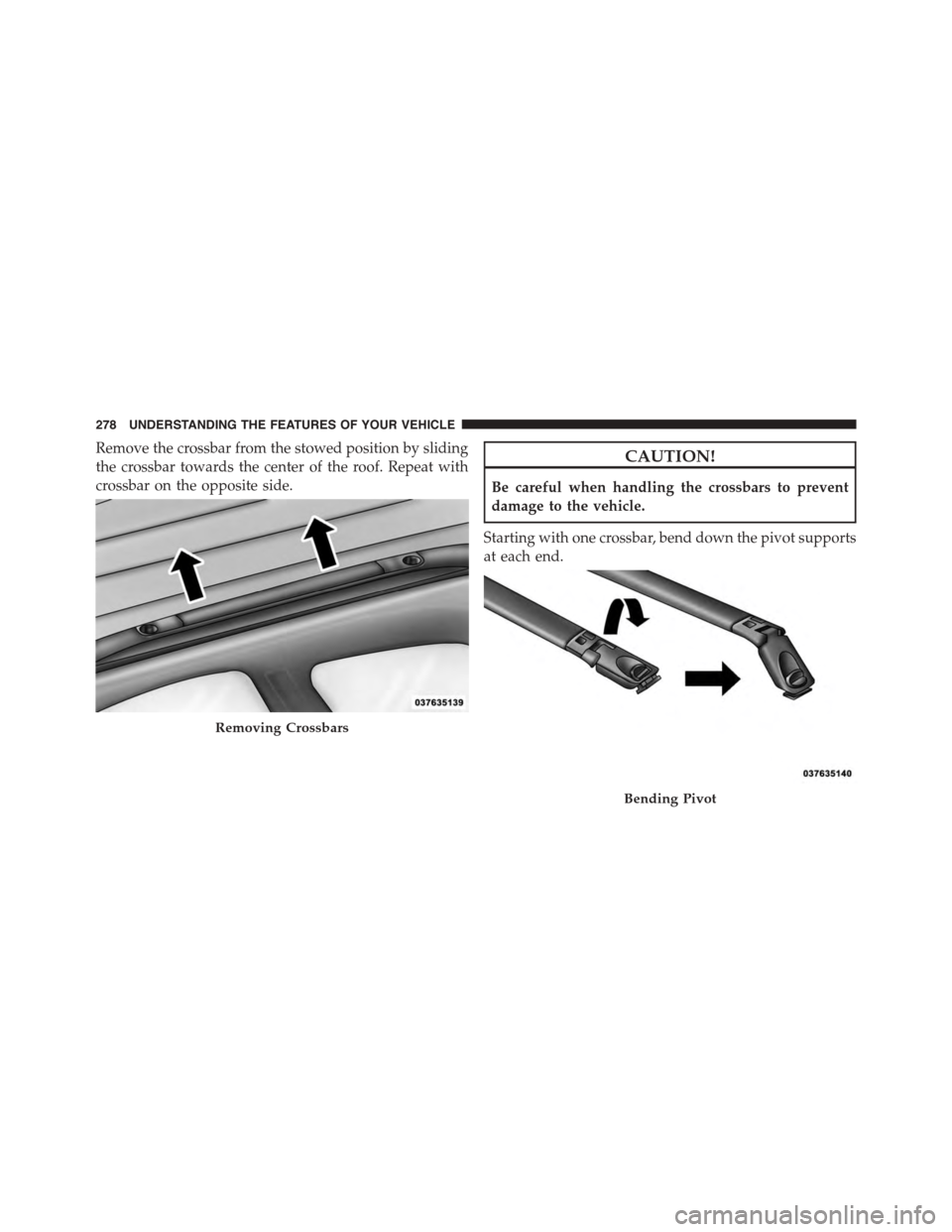
Remove the crossbar from the stowed position by sliding
the crossbar towards the center of the roof. Repeat with
crossbar on the opposite side.
CAUTION!
Be careful when handling the crossbars to prevent
damage to the vehicle.
Starting with one crossbar, bend down the pivot supports
at each end.
Removing Crossbars
Bending Pivot
278 UNDERSTANDING THE FEATURES OF YOUR VEHICLE
Page 281 of 689
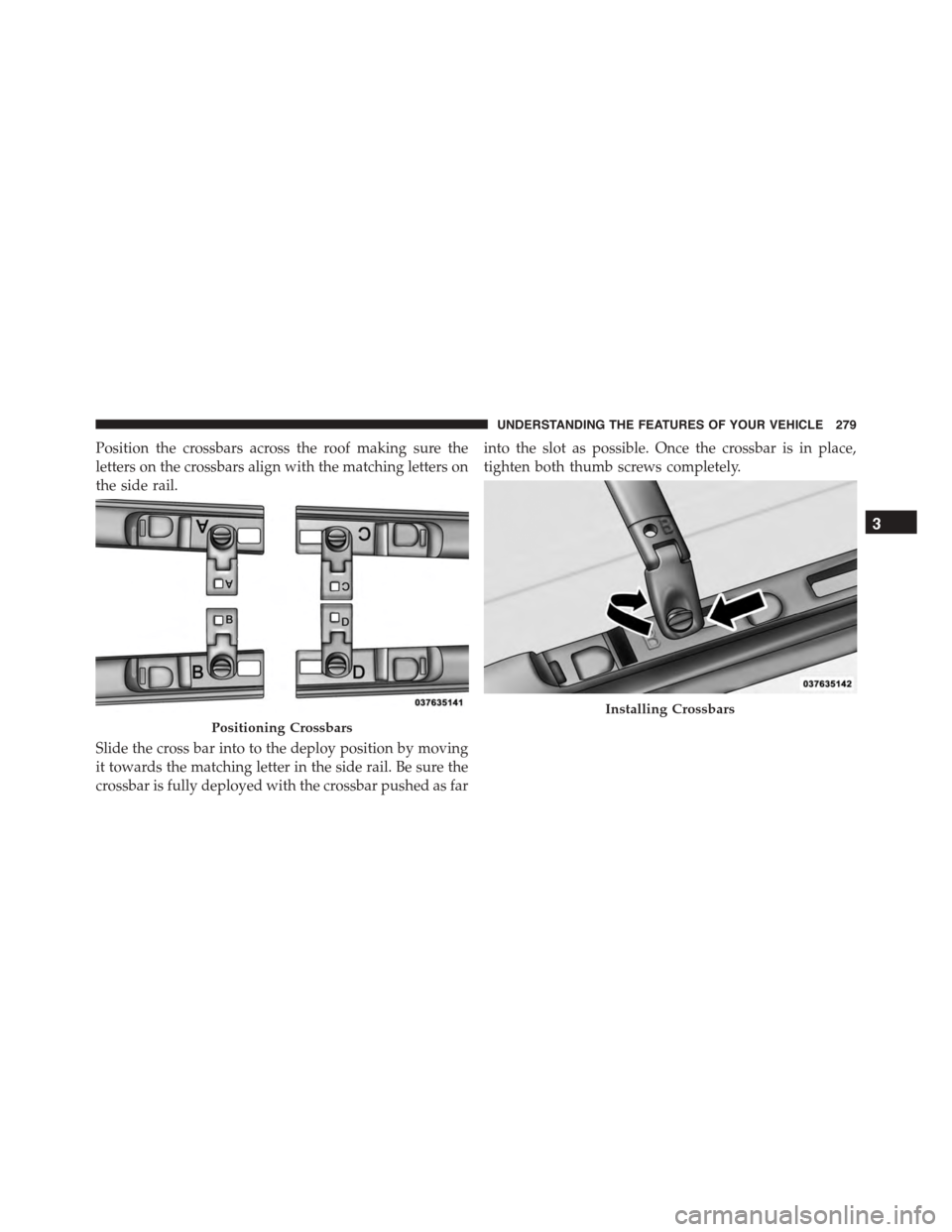
Position the crossbars across the roof making sure the
letters on the crossbars align with the matching letters on
the side rail.
Slide the cross bar into to the deploy position by moving
it towards the matching letter in the side rail. Be sure the
crossbar is fully deployed with the crossbar pushed as far
into the slot as possible. Once the crossbar is in place,
tighten both thumb screws completely.
Positioning Crossbars
Installing Crossbars
3
UNDERSTANDING THE FEATURES OF YOUR VEHICLE 279
Page 282 of 689
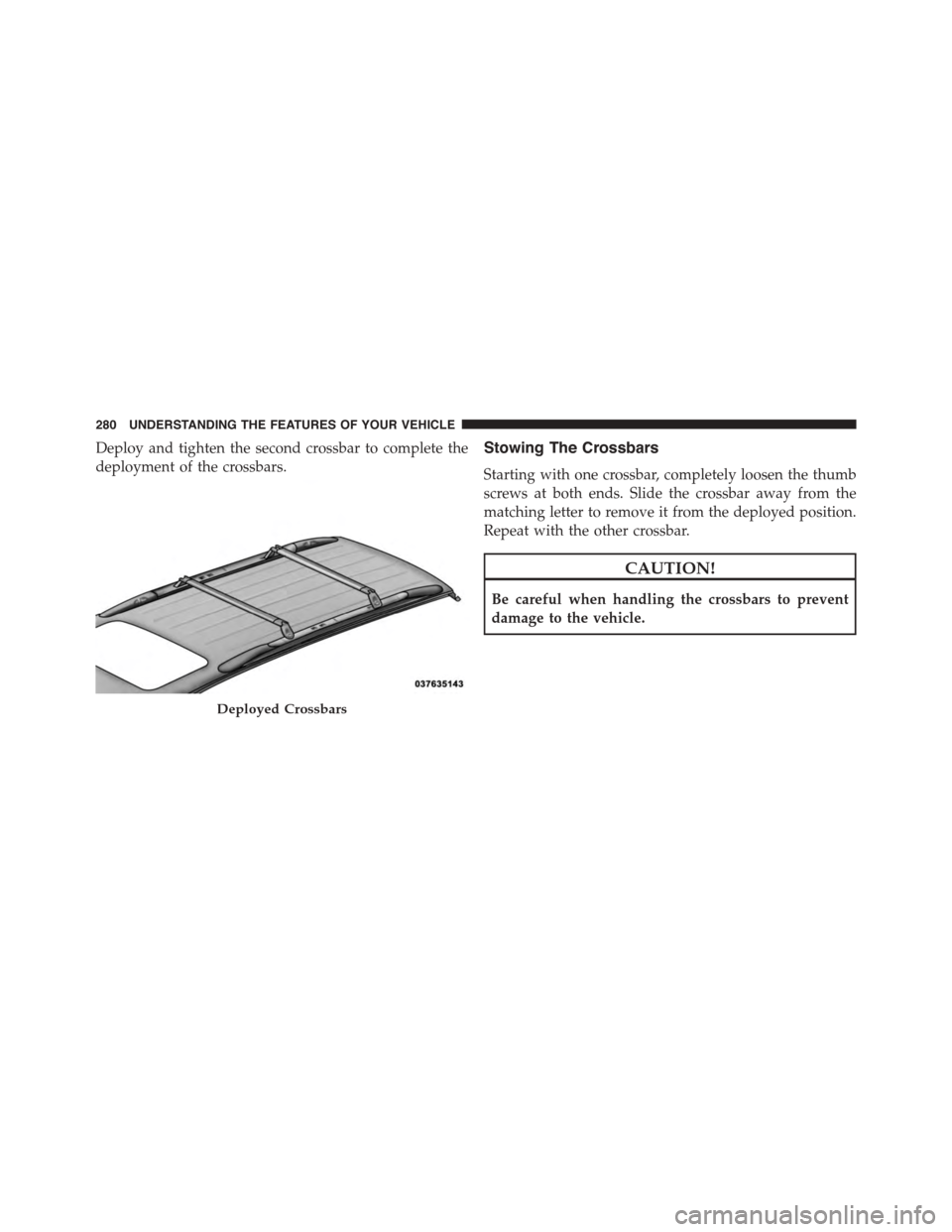
Deploy and tighten the second crossbar to complete the
deployment of the crossbars.
Stowing The Crossbars
Starting with one crossbar, completely loosen the thumb
screws at both ends. Slide the crossbar away from the
matching letter to remove it from the deployed position.
Repeat with the other crossbar.
CAUTION!
Be careful when handling the crossbars to prevent
damage to the vehicle.
Deployed Crossbars
280 UNDERSTANDING THE FEATURES OF YOUR VEHICLE
Page 283 of 689
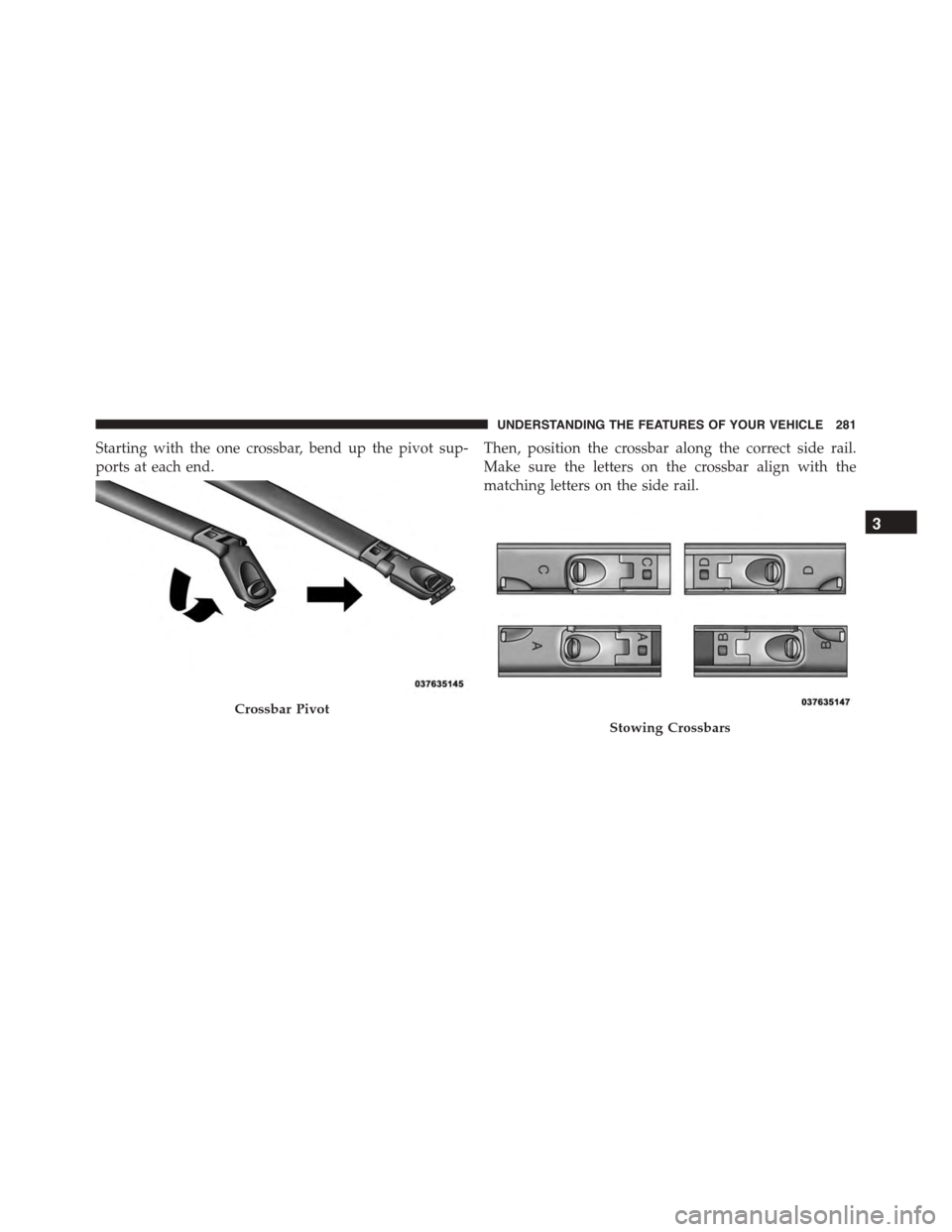
Starting with the one crossbar, bend up the pivot sup-
ports at each end.
Then, position the crossbar along the correct side rail.
Make sure the letters on the crossbar align with the
matching letters on the side rail.
Crossbar Pivot
Stowing Crossbars
3
UNDERSTANDING THE FEATURES OF YOUR VEHICLE 281
Page 285 of 689
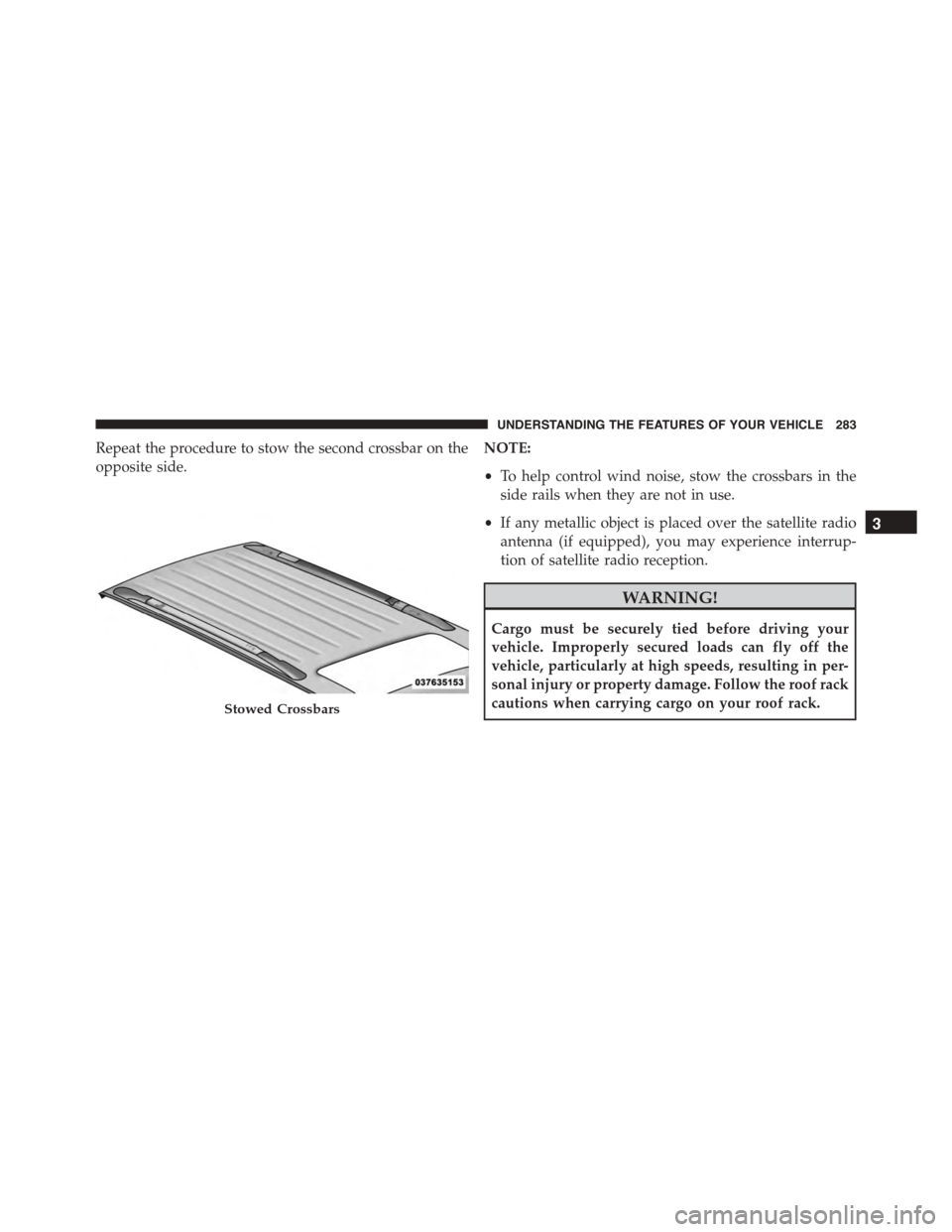
Repeat the procedure to stow the second crossbar on the
opposite side.
NOTE:
•To help control wind noise, stow the crossbars in the
side rails when they are not in use.
•If any metallic object is placed over the satellite radio
antenna (if equipped), you may experience interrup-
tion of satellite radio reception.
WARNING!
Cargo must be securely tied before driving your
vehicle. Improperly secured loads can fly off the
vehicle, particularly at high speeds, resulting in per-
sonal injury or property damage. Follow the roof rack
cautions when carrying cargo on your roof rack.Stowed Crossbars
3
UNDERSTANDING THE FEATURES OF YOUR VEHICLE 283
Page 296 of 689
Certain conditions, poor fuel quality, may illuminate the
light after engine start. The vehicle should be serviced if
the light stays on through several of your typical driving
cycles. In most situations, the vehicle will drive normally
and will not require towing.
CAUTION!
Prolonged driving with the Malfunction Indicator
Light (MIL) on could cause damage to the engine
control system. It also could affect fuel economy and
driveability. If the MIL is flashing, severe catalytic
converter damage and power loss will soon occur.
Immediate service is required.
WARNING!
A malfunctioning catalytic converter, as referenced
above, can reach higher temperatures than in normal
operating conditions. This can cause a fire if you
drive slowly or park over flammable substances such
as dry plants, wood, cardboard, etc. This could result
in death or serious injury to the driver, occupants or
others.
11. Temperature Gauge
The temperature gauge shows engine coolant tempera-
ture. Any reading within the normal range indicates that
the engine cooling system is operating satisfactorily.
The gauge pointer will likely indicate a higher tempera-
ture when driving in hot weather, up mountain grades,
or when towing a trailer. It should not be allowed to
exceed the upper limits of the normal operating range.
294 UNDERSTANDING YOUR INSTRUMENT PANEL
Page 311 of 689
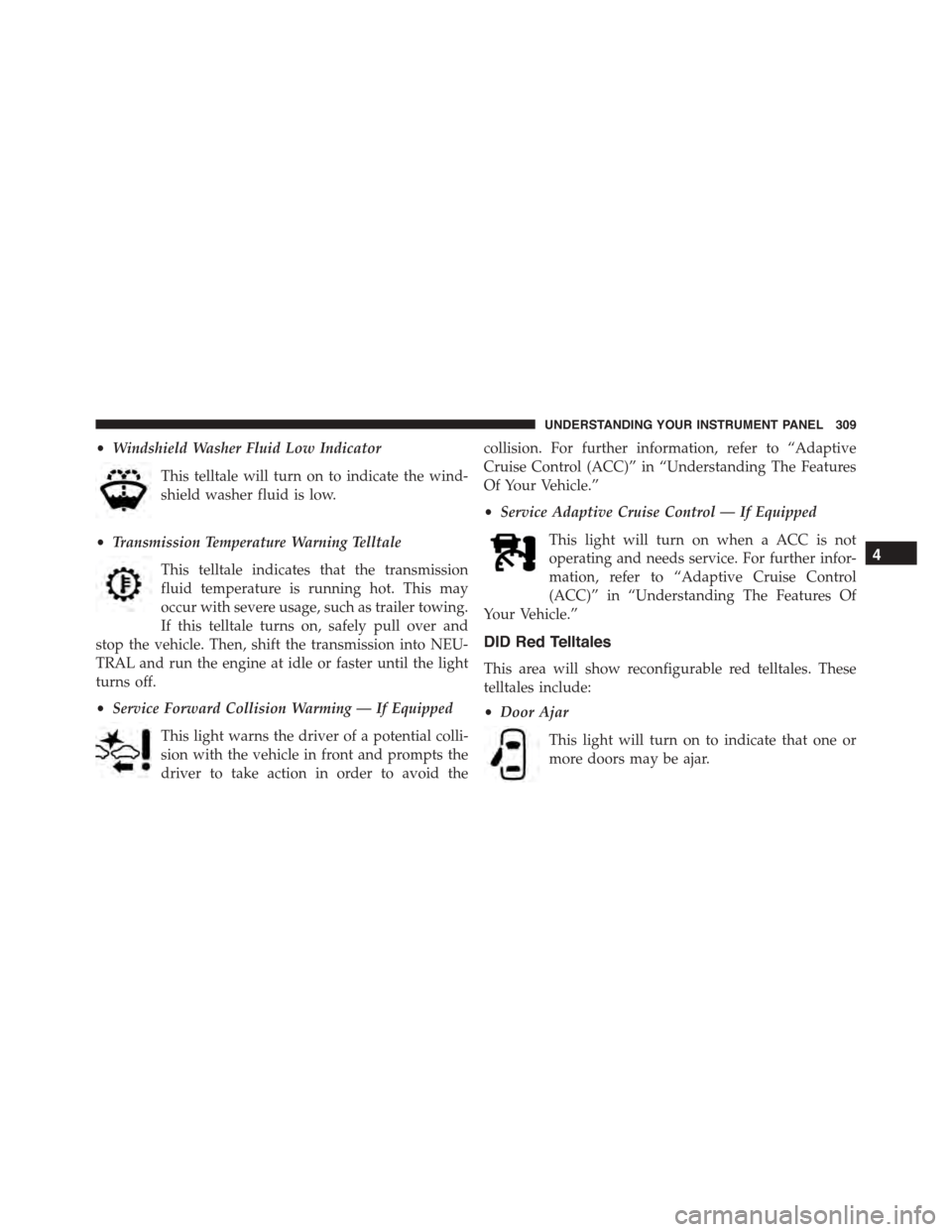
•Windshield Washer Fluid Low Indicator
This telltale will turn on to indicate the wind-
shield washer fluid is low.
•Transmission Temperature Warning Telltale
This telltale indicates that the transmission
fluid temperature is running hot. This may
occur with severe usage, such as trailer towing.
If this telltale turns on, safely pull over and
stop the vehicle. Then, shift the transmission into NEU-
TRAL and run the engine at idle or faster until the light
turns off.
•Service Forward Collision Warming — If Equipped
This light warns the driver of a potential colli-
sion with the vehicle in front and prompts the
driver to take action in order to avoid the
collision. For further information, refer to “Adaptive
Cruise Control (ACC)” in “Understanding The Features
Of Your Vehicle.”
•Service Adaptive Cruise Control — If Equipped
This light will turn on when a ACC is not
operating and needs service. For further infor-
mation, refer to “Adaptive Cruise Control
(ACC)” in “Understanding The Features Of
Your Vehicle.”
DID Red Telltales
This area will show reconfigurable red telltales. These
telltales include:
•Door Ajar
This light will turn on to indicate that one or
more doors may be ajar.
4
UNDERSTANDING YOUR INSTRUMENT PANEL 309
Page 313 of 689
If the light remains lit with the engine running, your
vehicle will usually be drivable. However, see an autho-
rized dealer for service as soon as possible. If the light is
flashing when the engine is running, immediate service is
required. You may experience reduced performance, an
elevated/rough idle or engine stall and your vehicle may
require towing.
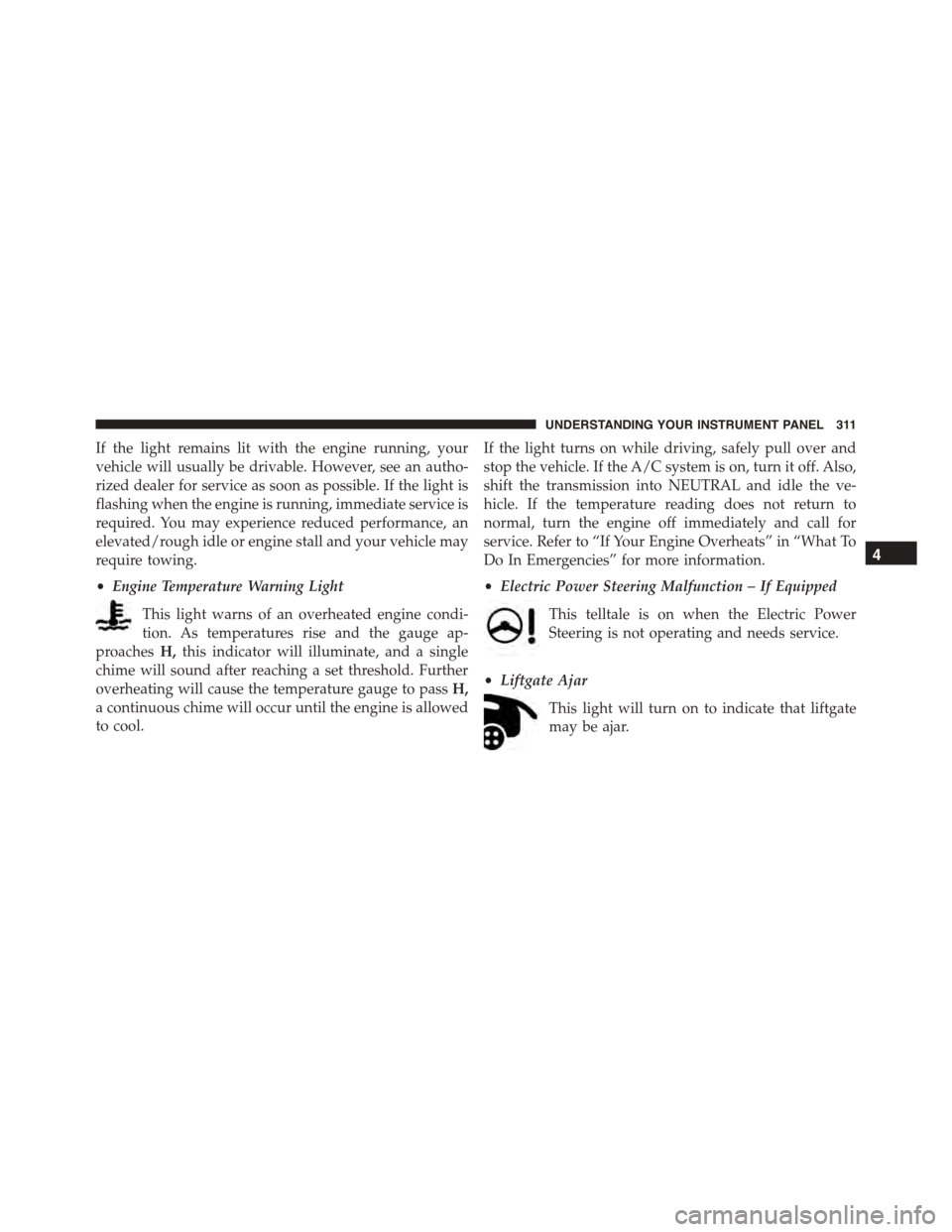
•Engine Temperature Warning Light
This light warns of an overheated engine condi-
tion. As temperatures rise and the gauge ap-
proachesH,this indicator will illuminate, and a single
chime will sound after reaching a set threshold. Further
overheating will cause the temperature gauge to passH,
a continuous chime will occur until the engine is allowed
to cool.
If the light turns on while driving, safely pull over and
stop the vehicle. If the A/C system is on, turn it off. Also,
shift the transmission into NEUTRAL and idle the ve-
hicle. If the temperature reading does not return to
normal, turn the engine off immediately and call for
service. Refer to “If Your Engine Overheats” in “What To
Do In Emergencies” for more information.
•Electric Power Steering Malfunction – If Equipped
This telltale is on when the Electric Power
Steering is not operating and needs service.
•Liftgate Ajar
This light will turn on to indicate that liftgate
may be ajar.
4
UNDERSTANDING YOUR INSTRUMENT PANEL 311
Page 387 of 689
7. Rear Climate Button — If Equipped
Press and release this button to turn on the rear climate
controls. The indicator will illuminate when the rear
climate controls are ON. Performing this function again
will turn OFF the rear climate controls.
8. Passenger Temperature Control Up Button
Provides the passenger with independent temperature
control. Push the button on the faceplate button for
warmer temperature settings or on the touchscreen, press
and slide the button on the touchscreen temperature bar
towards the red arrow button on the touchscreen for
warmer temperature settings.
NOTE:Pressing this button while in Sync mode will
automatically exit Sync.
9. Passenger Temperature Control Down Button
Provides the passenger with independent temperature
control. Push the button on the faceplate button for cooler
temperature settings or on the touchscreen, press and
slide the button on the touchscreen temperature bar
towards the blue arrow button on the touchscreen for
cooler temperature settings.
NOTE:Pressing this button while in Sync mode will
automatically exit Sync.
10. SYNC
Press the Sync button on the touchscreen to toggle the
Sync feature On/Off. The Sync indicator is illuminated
when this feature is enabled. Sync is used to synchronize
the passenger temperature setting with the driver tem-
perature setting. Changing the passenger temperature
setting while in Sync will automatically exit this feature.
11. Blower Control
Blower control is used to regulate the amount of air
forced through the climate system. There are seven
blower speeds available. Adjusting the blower will cause
4
UNDERSTANDING YOUR INSTRUMENT PANEL 385
Page 389 of 689
NOTE:BI-LEVEL mode is designed under comfort con-
ditions to provide cooler air out of the panel outlets and
warmer air from the floor outlets.
•Floor Mode
Air comes from the floor outlets. A slight amount
of air is directed through the defrost and side
window demister outlets.
•Mix Mode
Air comes from the floor, defrost and side window
demist outlets. This mode works best in cold or
snowy conditions.
13. Climate Control OFF Button
Press and release this button to turn the Climate Control
ON/OFF.
14. Driver Temperature Control Down Button
Provides the driver with independent temperature con-
trol. Push the button on the faceplate for cooler tempera-
ture settings or on the touchscreen press and slide the
button on the touchscreen temperature bar towards the
blue arrow button on the touchscreen for cooler tempera-
ture settings.
NOTE:In Sync mode, this button will also automatically
adjust the passenger temperature setting at the same time.
15. Driver Temperature Control Up Button
Provides the driver with independent temperature control.
Push the button for warmer temperature settings or on the
touchscreen, press and slide the button on the touchscreen
temperature bar towards the red arrow button on the
touchscreen for warmer temperature settings.
NOTE:In Sync mode, this button will also automatically
adjust the passenger temperature setting at the same time.
4
UNDERSTANDING YOUR INSTRUMENT PANEL 387