buttons DODGE DURANGO 2015 3.G Service Manual
[x] Cancel search | Manufacturer: DODGE, Model Year: 2015, Model line: DURANGO, Model: DODGE DURANGO 2015 3.GPages: 689, PDF Size: 20.05 MB
Page 366 of 689
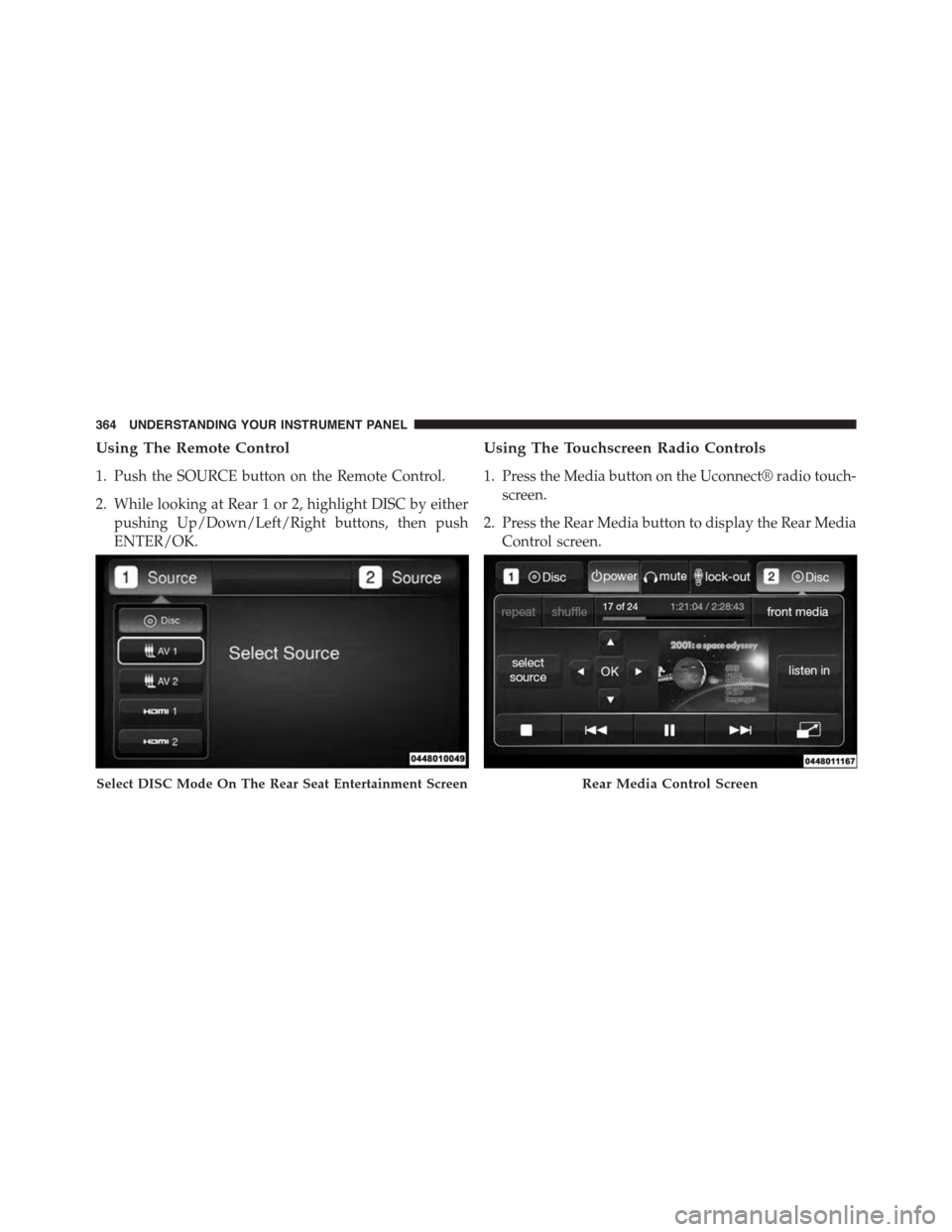
Using The Remote Control
1. Push the SOURCE button on the Remote Control.
2. While looking at Rear 1 or 2, highlight DISC by either
pushing Up/Down/Left/Right buttons, then push
ENTER/OK.
Using The Touchscreen Radio Controls
1. Press the Media button on the Uconnect® radio touch-
screen.
2. Press the Rear Media button to display the Rear Media
Control screen.
Select DISC Mode On The Rear Seat Entertainment ScreenRear Media Control Screen
364 UNDERSTANDING YOUR INSTRUMENT PANEL
Page 367 of 689
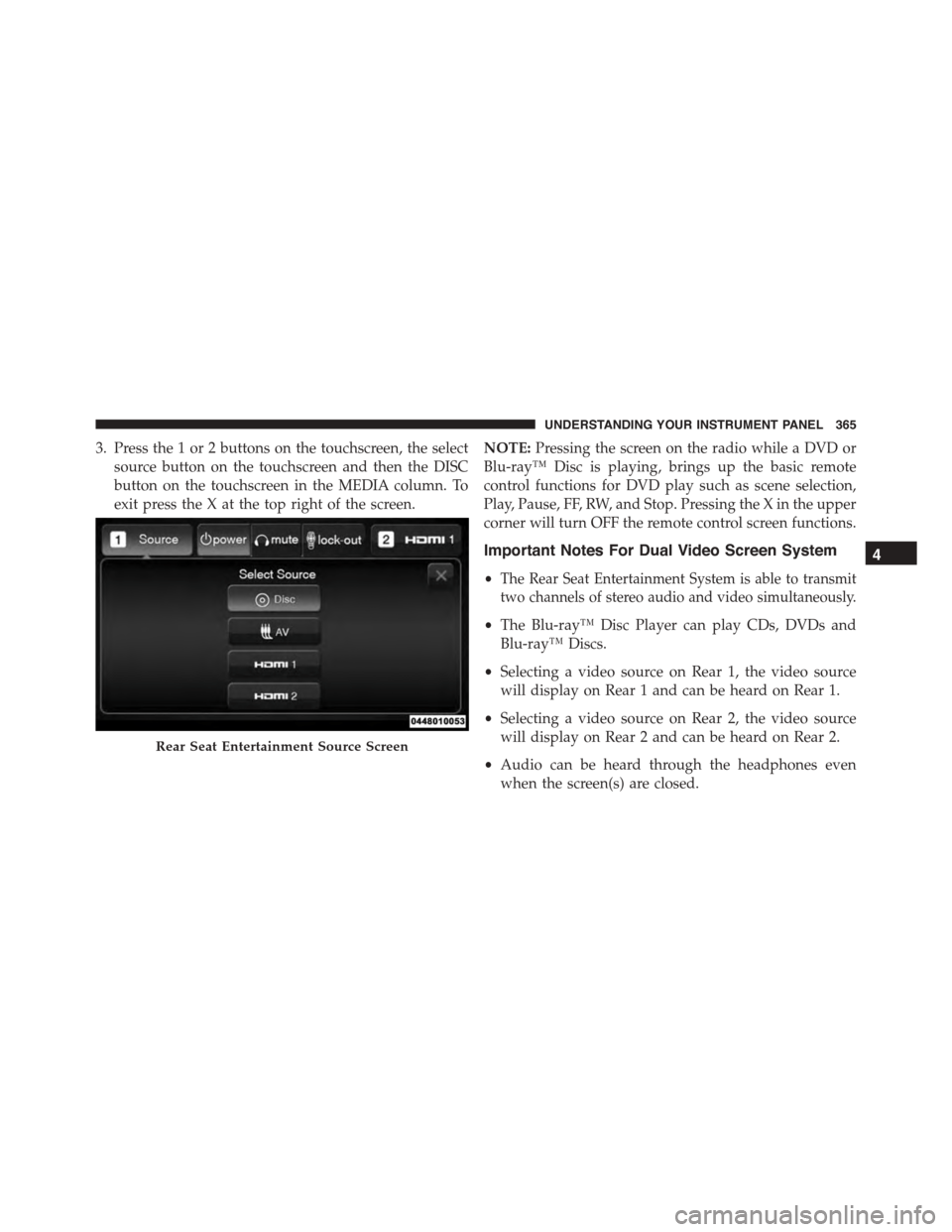
3. Press the 1 or 2 buttons on the touchscreen, the select
source button on the touchscreen and then the DISC
button on the touchscreen in the MEDIA column. To
exit press the X at the top right of the screen.
NOTE:Pressing the screen on the radio while a DVD or
Blu-ray™ Disc is playing, brings up the basic remote
control functions for DVD play such as scene selection,
Play, Pause, FF, RW, and Stop. Pressing the X in the upper
corner will turn OFF the remote control screen functions.
Important Notes For Dual Video Screen System
•The Rear Seat Entertainment System is able to transmit
two channels of stereo audio and video simultaneously.
•The Blu-ray™ Disc Player can play CDs, DVDs and
Blu-ray™ Discs.
•Selecting a video source on Rear 1, the video source
will display on Rear 1 and can be heard on Rear 1.
•Selecting a video source on Rear 2, the video source
will display on Rear 2 and can be heard on Rear 2.
•Audio can be heard through the headphones even
when the screen(s) are closed.
Rear Seat Entertainment Source Screen
4
UNDERSTANDING YOUR INSTRUMENT PANEL 365
Page 369 of 689
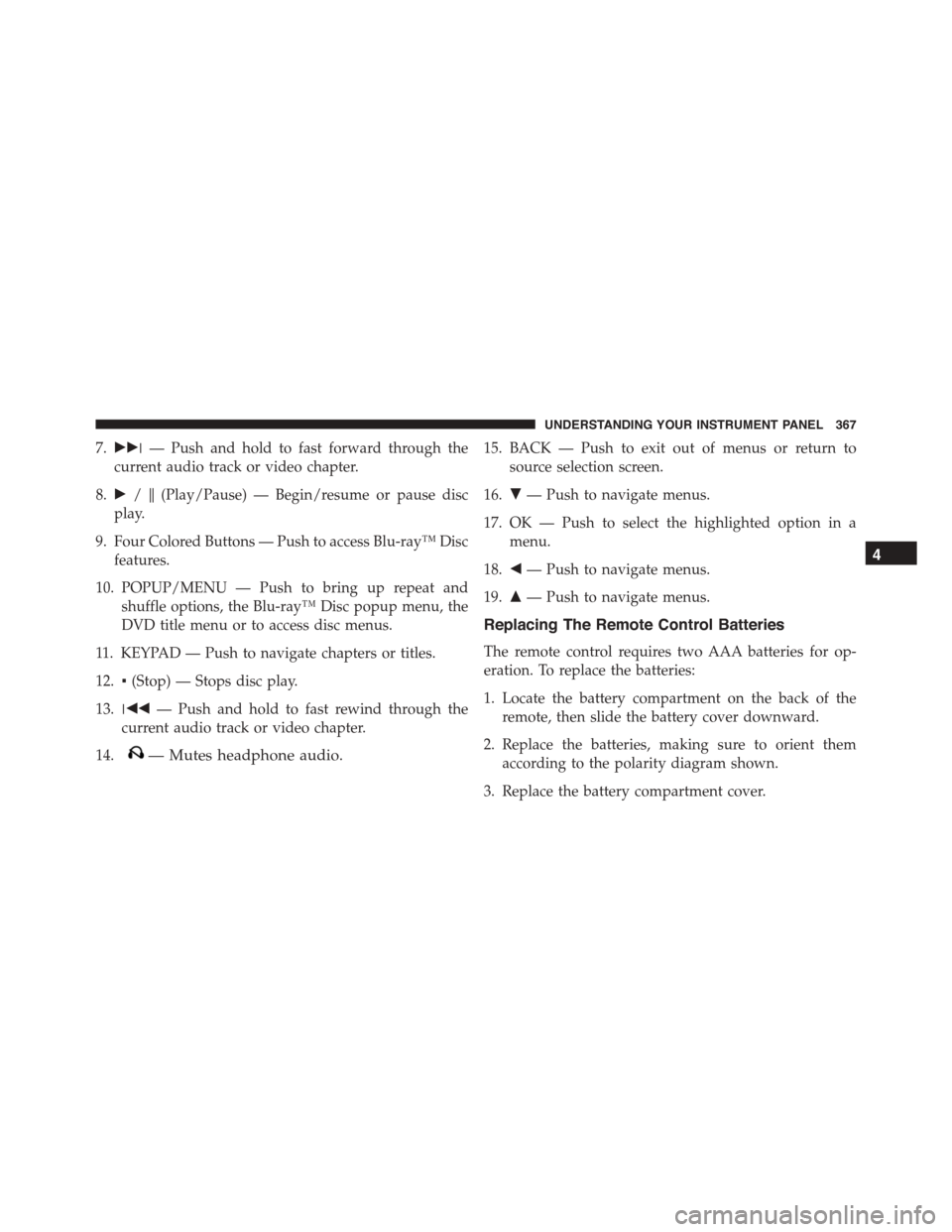
7.!!!— Push and hold to fast forward through the
current audio track or video chapter.
8.!/$(Play/Pause) — Begin/resume or pause disc
play.
9. Four Colored Buttons — Push to access Blu-ray™ Disc
features.
10. POPUP/MENU — Push to bring up repeat and
shuffle options, the Blu-ray™ Disc popup menu, the
DVD title menu or to access disc menus.
11. KEYPAD — Push to navigate chapters or titles.
12.▪(Stop) — Stops disc play.
13.!""— Push and hold to fast rewind through the
current audio track or video chapter.
14.— Mutes headphone audio.
15. BACK — Push to exit out of menus or return to
source selection screen.
16.#— Push to navigate menus.
17. OK — Push to select the highlighted option in a
menu.
18."— Push to navigate menus.
19.$— Push to navigate menus.
Replacing The Remote Control Batteries
The remote control requires two AAA batteries for op-
eration. To replace the batteries:
1. Locate the battery compartment on the back of the
remote, then slide the battery cover downward.
2. Replace the batteries, making sure to orient them
according to the polarity diagram shown.
3. Replace the battery compartment cover.
4
UNDERSTANDING YOUR INSTRUMENT PANEL 367
Page 371 of 689
Controls
The headphone power indicator and controls are located
on the right ear cup.
NOTE:The rear video system must be turned on before
sound can be heard from the headphones. To conserve
battery life, the headphones will automatically turn off
approximately three minutes after the rear video system
is turned off.
Changing the Audio Mode for Headphones
1. Ensure the Remote Control channel/screen selector
switch is in the same position as the headphone
selector switch.
NOTE:
•When both the headphone and the remote control
channel selector switches are on Channel 1, the
Remote is controlling Channel 1 and the headphones
are tuned to the audio on Channel 1.
•When both the headphone and the remote control
channel selector switches are on Channel 2, the
Remote is controlling Channel 2 and the headphones
are tuned to the audio on Channel 2.
2. Push the SOURCE button on the remote control.
3. Pushing the SOURCE button will advance to the next
mode.
4. When the Mode Selection menu appears on screen,
use the cursor buttons on the remote control to navi-
gate to the available modes and push the OK button to
select the new mode.
5. To cancel out of the Mode Selection menu, push the
BACK button on the remote control.
4
UNDERSTANDING YOUR INSTRUMENT PANEL 369
Page 374 of 689
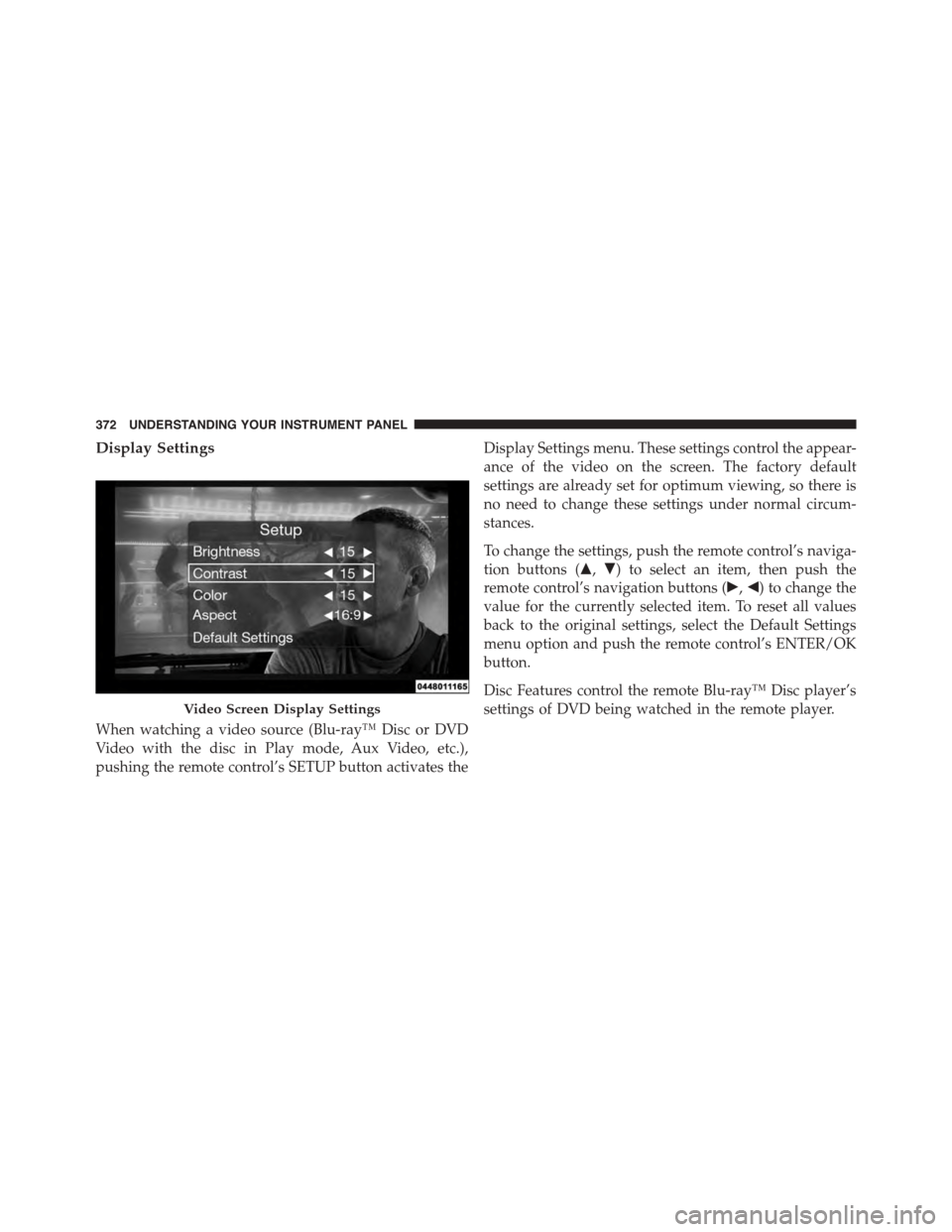
Display Settings
When watching a video source (Blu-ray™ Disc or DVD
Video with the disc in Play mode, Aux Video, etc.),
pushing the remote control’s SETUP button activates the
Display Settings menu. These settings control the appear-
ance of the video on the screen. The factory default
settings are already set for optimum viewing, so there is
no need to change these settings under normal circum-
stances.
To change the settings, push the remote control’s naviga-
tion buttons ($,#) to select an item, then push the
remote control’s navigation buttons (!,") to change the
value for the currently selected item. To reset all values
back to the original settings, select the Default Settings
menu option and push the remote control’s ENTER/OK
button.
Disc Features control the remote Blu-ray™ Disc player’s
settings of DVD being watched in the remote player.Video Screen Display Settings
372 UNDERSTANDING YOUR INSTRUMENT PANEL
Page 384 of 689
General Overview
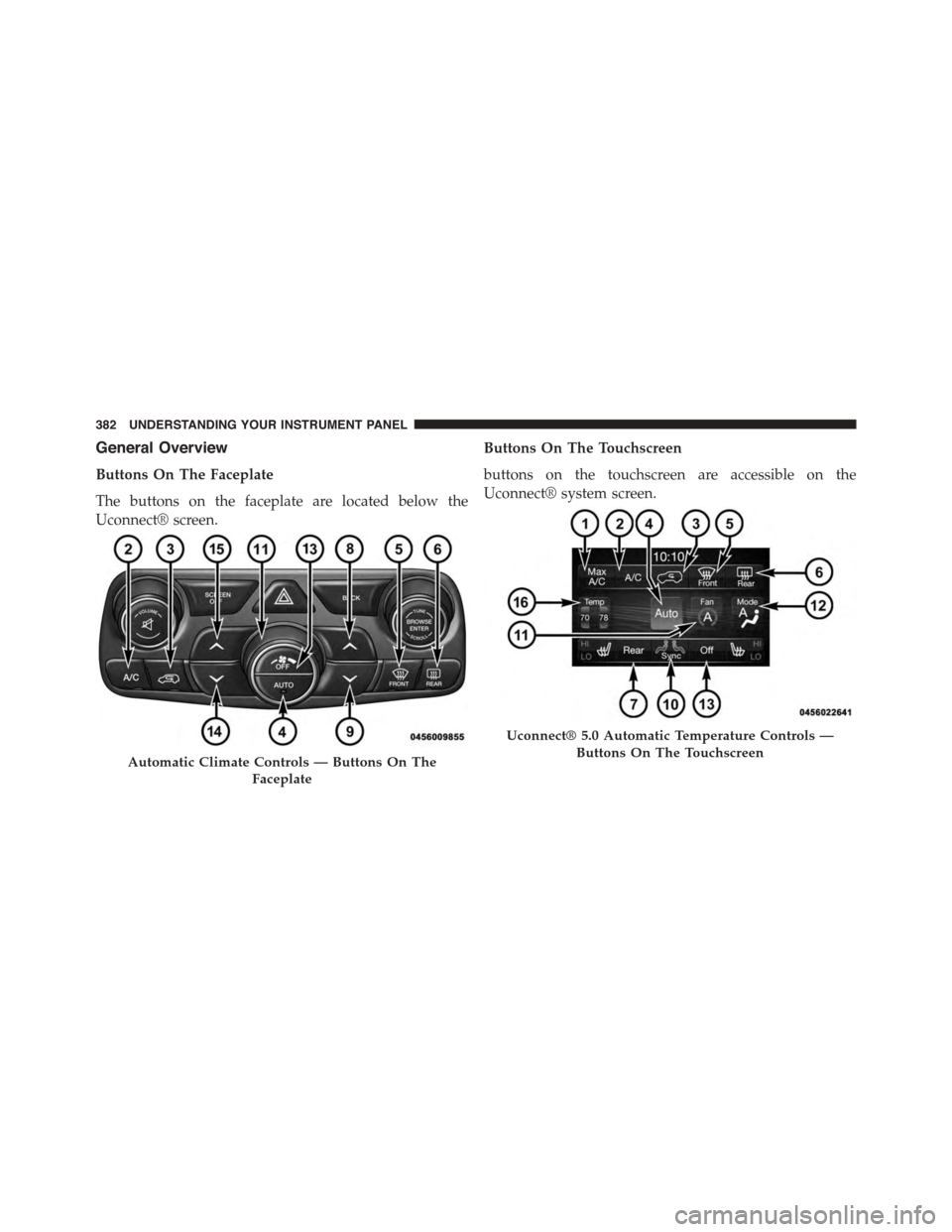
Buttons On The Faceplate
The buttons on the faceplate are located below the
Uconnect® screen.
Buttons On The Touchscreen
buttons on the touchscreen are accessible on the
Uconnect® system screen.
Automatic Climate Controls — Buttons On The
Faceplate
Uconnect® 5.0 Automatic Temperature Controls —
Buttons On The Touchscreen
382 UNDERSTANDING YOUR INSTRUMENT PANEL
Page 385 of 689
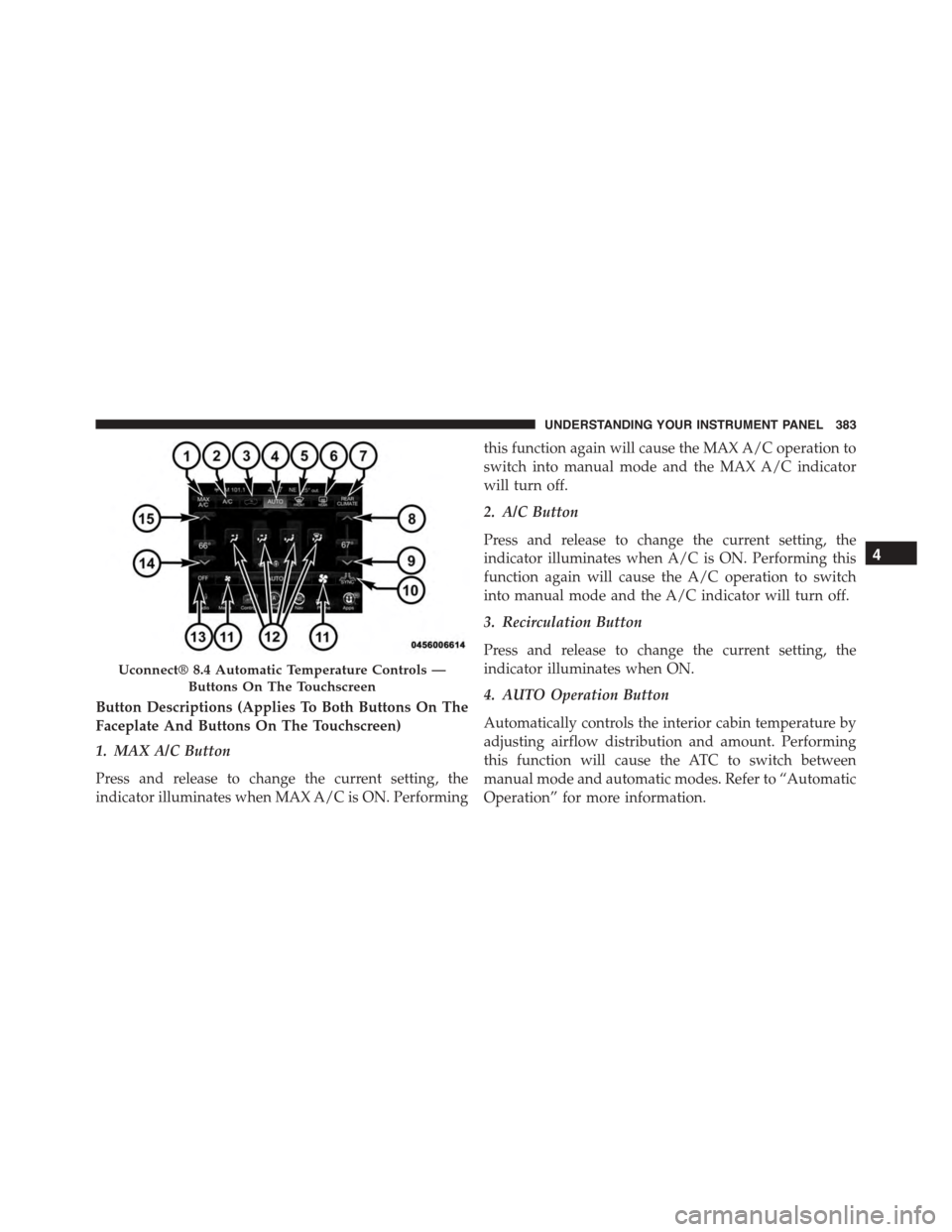
Button Descriptions (Applies To Both Buttons On The
Faceplate And Buttons On The Touchscreen)
1. MAX A/C Button
Press and release to change the current setting, the
indicator illuminates when MAX A/C is ON. Performing
this function again will cause the MAX A/C operation to
switch into manual mode and the MAX A/C indicator
will turn off.
2. A/C Button
Press and release to change the current setting, the
indicator illuminates when A/C is ON. Performing this
function again will cause the A/C operation to switch
into manual mode and the A/C indicator will turn off.
3. Recirculation Button
Press and release to change the current setting, the
indicator illuminates when ON.
4. AUTO Operation Button
Automatically controls the interior cabin temperature by
adjusting airflow distribution and amount. Performing
this function will cause the ATC to switch between
manual mode and automatic modes. Refer to “Automatic
Operation” for more information.
Uconnect® 8.4 Automatic Temperature Controls —
Buttons On The Touchscreen
4
UNDERSTANDING YOUR INSTRUMENT PANEL 383
Page 388 of 689
automatic mode to switch to manual operation. The
speeds can be selected using either the blower control
knob on the faceplate or buttons on the touchscreen as
follows:
Blower Control Knob On The Faceplate
The blower speed increases as you turn the blower
control knob clockwise from the lowest blower setting.
The blower speed decreases as you turn the blower
control knob counterclockwise.
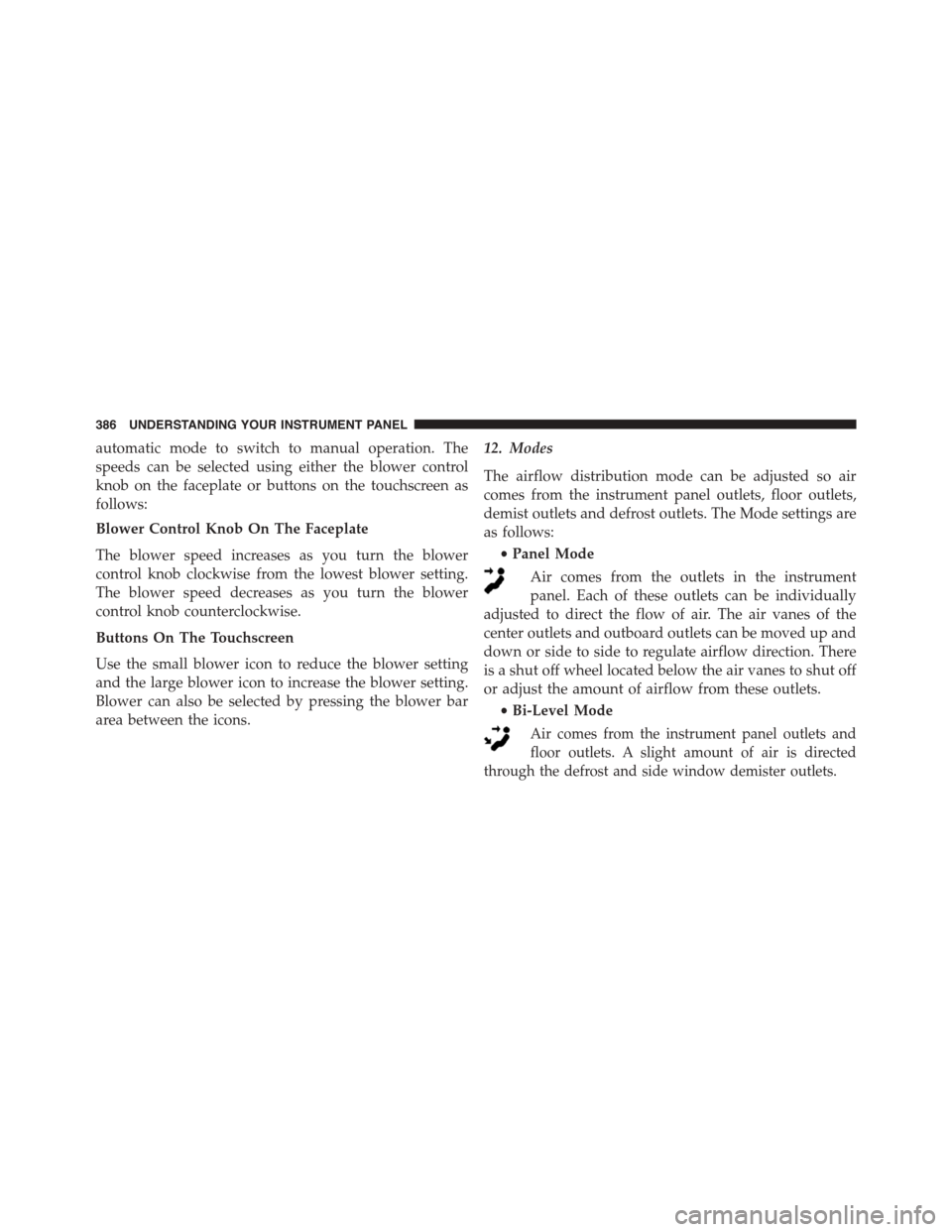
Buttons On The Touchscreen
Use the small blower icon to reduce the blower setting
and the large blower icon to increase the blower setting.
Blower can also be selected by pressing the blower bar
area between the icons.
12. Modes
The airflow distribution mode can be adjusted so air
comes from the instrument panel outlets, floor outlets,
demist outlets and defrost outlets. The Mode settings are
as follows:
•Panel Mode
Air comes from the outlets in the instrument
panel. Each of these outlets can be individually
adjusted to direct the flow of air. The air vanes of the
center outlets and outboard outlets can be moved up and
down or side to side to regulate airflow direction. There
is a shut off wheel located below the air vanes to shut off
or adjust the amount of airflow from these outlets.
•Bi-Level Mode
Air comes from the instrument panel outlets and
floor outlets. A slight amount of air is directed
through the defrost and side window demister outlets.
386 UNDERSTANDING YOUR INSTRUMENT PANEL
Page 392 of 689
Automatic Temperature Control (ATC)
Automatic Operation
1. Push the AUTO button on the faceplate or press the
“AUTO” button on the touchscreen.
2. Next, adjust the temperature you would like the
system to maintain by adjusting the driver and pas-
senger temperature buttons on the faceplate or but-
tons on the touchscreen. Once the desired temperature
is displayed, the system will achieve and automati-
cally maintain that comfort level.
3. When the system is set up for your comfort level, it is
not necessary to change the temperature. You will
experience the greatest efficiency by simply allowing
the system to function automatically.
NOTE:
•It is not necessary to move the temperature settings.
The system automatically adjusts the temperature,
mode, and blower speed to provide comfort as quickly
as possible.
•The temperature can be displayed in U.S. or Metric
units by selecting the Uconnect® customer-
programmable feature. Refer to the “Uconnect® Sys-
tem Settings” in this section of the manual.
To provide you with maximum comfort in the Automatic
mode, during cold start-ups the blower fan will remain
on low until the engine warms up. The blower will
increase in speed and transition into Auto mode.
390 UNDERSTANDING YOUR INSTRUMENT PANEL
Page 393 of 689
Manual Operation Override
The system allows for manual selection of blower speed,
air distribution mode, A/C status and recirculation con-
trol.
The blower fan speed can be set to any fixed speed by
adjusting the blower control. The fan will now operate at
a fixed speed until additional speeds are selected. This
allows the front occupants to control the volume of air
circulated in the vehicle and cancel the Auto mode.
The operator can also select the direction of the airflow
by selecting one of the available mode settings. A/C
operation and Recirculation control can also be manually
selected in Manual operation.
NOTE:Each of these features operates independently
from each other. If any feature is controlled manually,
temperature control will continue to operate automati-
cally.
Rear Automatic Temperature Control (ATC)
The rear ATC system has floor air outlets at the rear right
side of the 3rd Row seats and overhead outlets at each
outboard rear seating position. The system provides
heated air through the floor outlets or cool, dehumidified
air through the headliner outlets.
The rear system temperature control buttons are located
in the Uconnect® system, located on the instrument
panel.
4
UNDERSTANDING YOUR INSTRUMENT PANEL 391