No power DODGE DURANGO 2015 3.G Repair Manual
[x] Cancel search | Manufacturer: DODGE, Model Year: 2015, Model line: DURANGO, Model: DODGE DURANGO 2015 3.GPages: 689, PDF Size: 20.05 MB
Page 370 of 689
Headphones Operation
The headphones receive two separate channels of audio
using an infrared transmitter from the video screen.
If no audio is heard after increasing the volume control,
verify that the screen is turned on, the channel is not
muted and the headphone channel selector switch is on
the desired channel. If audio is still not heard, check that
fully charged batteries are installed in the headphones.
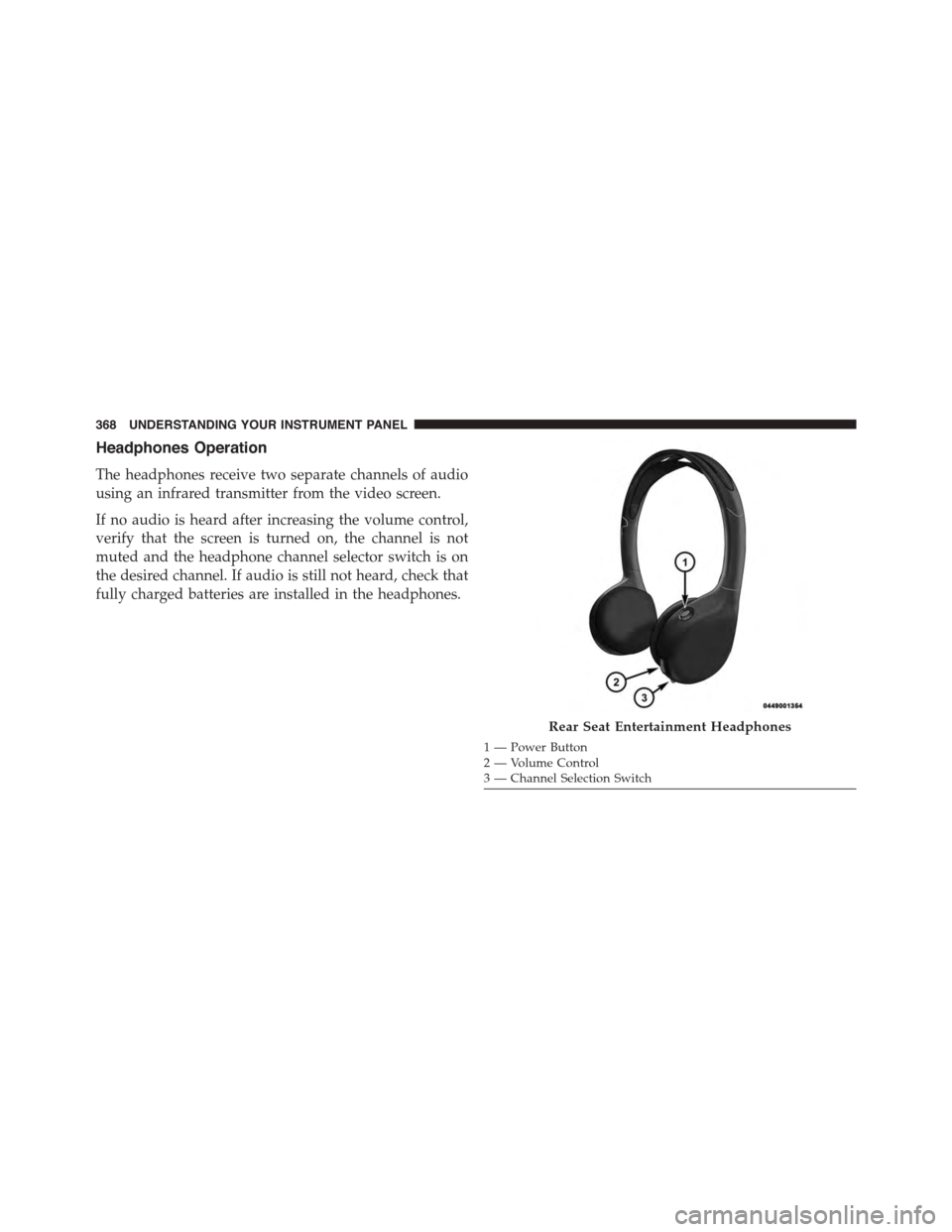
Rear Seat Entertainment Headphones
1—PowerButton2—VolumeControl3 — Channel Selection Switch
368 UNDERSTANDING YOUR INSTRUMENT PANEL
Page 371 of 689
Controls
The headphone power indicator and controls are located
on the right ear cup.
NOTE:The rear video system must be turned on before
sound can be heard from the headphones. To conserve
battery life, the headphones will automatically turn off
approximately three minutes after the rear video system
is turned off.
Changing the Audio Mode for Headphones
1. Ensure the Remote Control channel/screen selector
switch is in the same position as the headphone
selector switch.
NOTE:
•When both the headphone and the remote control
channel selector switches are on Channel 1, the
Remote is controlling Channel 1 and the headphones
are tuned to the audio on Channel 1.
•When both the headphone and the remote control
channel selector switches are on Channel 2, the
Remote is controlling Channel 2 and the headphones
are tuned to the audio on Channel 2.
2. Push the SOURCE button on the remote control.
3. Pushing the SOURCE button will advance to the next
mode.
4. When the Mode Selection menu appears on screen,
use the cursor buttons on the remote control to navi-
gate to the available modes and push the OK button to
select the new mode.
5. To cancel out of the Mode Selection menu, push the
BACK button on the remote control.
4
UNDERSTANDING YOUR INSTRUMENT PANEL 369
Page 375 of 689
Listening To Audio With The Screen Closed
To listen to only audio portion of the channel with the
screen closed:
•Set the audio to the desired source and channel.
•Close the video screen.
•To change the current audio mode, push the remote
control’s SOURCE button. This will automatically se-
lect the next available audio mode without using the
Mode/Source Select menu.
•When the screen is reopened, the video screen will
automatically turn back on and show the appropriate
display menu or media.
If the screen is closed and there is no audio heard, verify
that the headphones are turned on (the ON indicator is
illuminated) and the headphone selector switch is on the
desired channel. If the headphones are turned on, push
the remote control’s power button to turn audio on. If
audio is still not heard, check that fully charged batteries
are installed in the headphones.
Disc Formats
The Blu-ray™ Disc player is capable of the playing the
following types of discs (12 mm or 8 mm diameter):
•BD: BDMV (Profile 1.1), BDAV (Profile 1.1),
•DVD: DVD-Video, DVD-Audio, AVCREC, AVCHD,
DVD-VR
•CD: CD-DA, VCD, CD-TEXT
•DVD/CD: MP3, WMA, AAC, DivX (versions3–6)
profile 3.0
4
UNDERSTANDING YOUR INSTRUMENT PANEL 373
Page 381 of 689
2. If the disc is stained, clean the surface with a soft cloth,
wiping from center to edge.
3. Do not apply paper or tape to the disc; avoid scratch-
ing the disc.
4. Do not use solvents such as benzene, thinner, cleaners,
or anti-static sprays.
5. Store the disc in its case after playing.
6. Do not expose the disc to direct sunlight.
7. Do not store the disc where temperatures may become
too high.
NOTE:If you experience difficulty in playing a particular
disc, it may be damaged (i.e., scratched, reflective coating
removed, a hair, moisture or dew on the disc) oversized,
or have protection encoding. Try a known good disc
before considering disc player service.
RADIO OPERATION AND MOBILE PHONES
Under certain conditions, the mobile phone being on in
your vehicle can cause erratic or noisy performance from
your radio. This condition may be lessened or eliminated
by relocating the mobile phone antenna. This condition is
not harmful to the radio. If your radio performance does
not satisfactorily “clear” by the repositioning of the
antenna, it is recommended that the radio volume be
turned down or off during mobile phone operation when
not using Uconnect® (if equipped).
Regulatory And Safety Information
USA/CANADA
Exposure to Radio Frequency Radiation
The radiated output power of the internal wireless radio
is far below the FCC radio frequency exposure limits.
4
UNDERSTANDING YOUR INSTRUMENT PANEL 379
Page 420 of 689
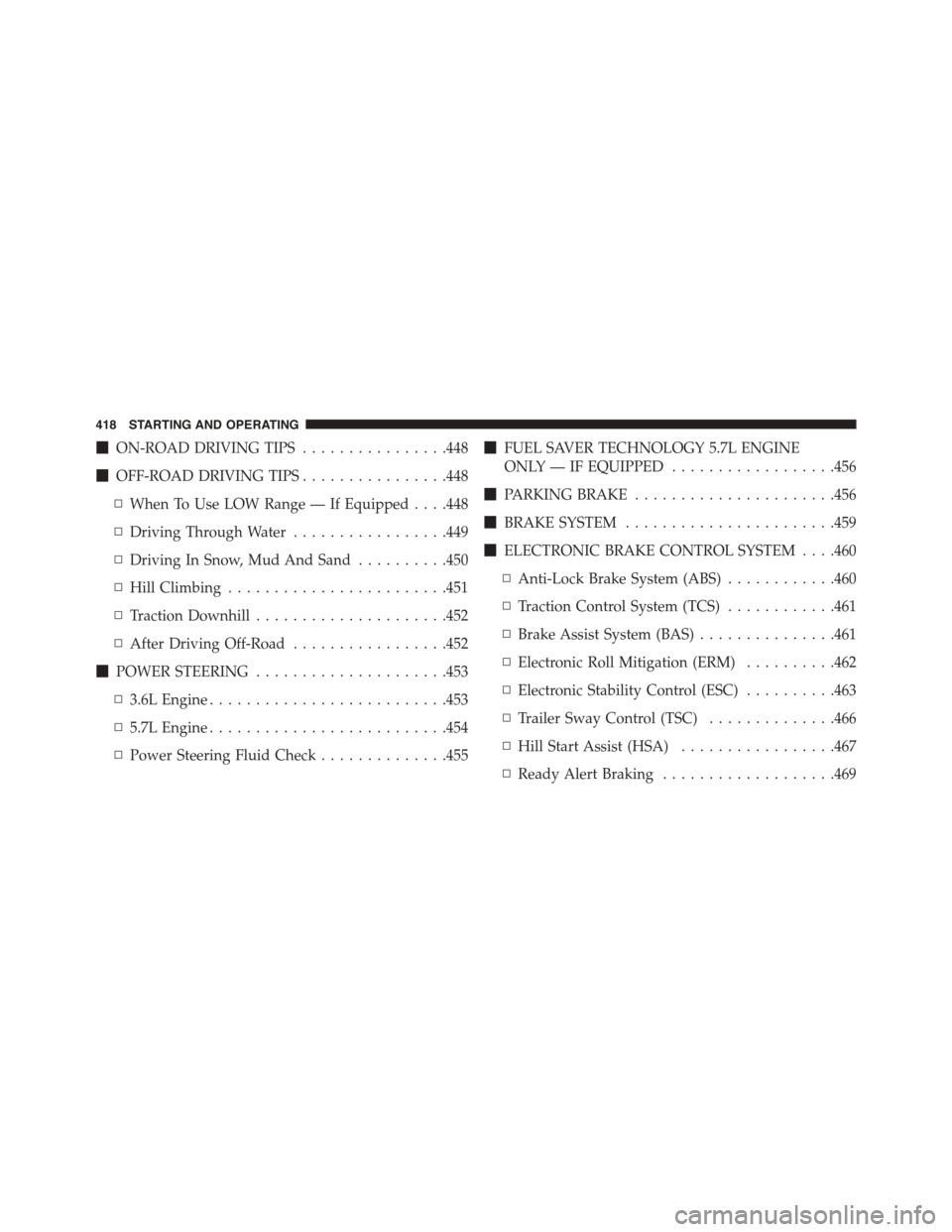
!ON-ROAD DRIVING TIPS................448
!OFF-ROAD DRIVING TIPS................448
▫When To Use LOW Range — If Equipped . . . .448
▫Driving Through Water.................449
▫Driving In Snow, Mud And Sand..........450
▫Hill Climbing........................451
▫Traction Downhill.....................452
▫After Driving Off-Road.................452
!POWER STEERING.....................453
▫3.6L Engine..........................453
▫5.7L Engine..........................454
▫Power Steering Fluid Check..............455
!FUEL SAVER TECHNOLOGY 5.7L ENGINE
ONLY — IF EQUIPPED..................456
!PARKING BRAKE......................456
!BRAKE SYSTEM.......................459
!ELECTRONIC BRAKE CONTROL SYSTEM . . . .460
▫Anti-Lock Brake System (ABS)............460
▫Traction Control System (TCS)............461
▫Brake Assist System (BAS)...............461
▫Electronic Roll Mitigation (ERM)..........462
▫Electronic Stability Control (ESC)..........463
▫Trailer Sway Control (TSC)..............466
▫Hill Start Assist (HSA).................467
▫Ready Alert Braking...................469
418 STARTING AND OPERATING
Page 424 of 689
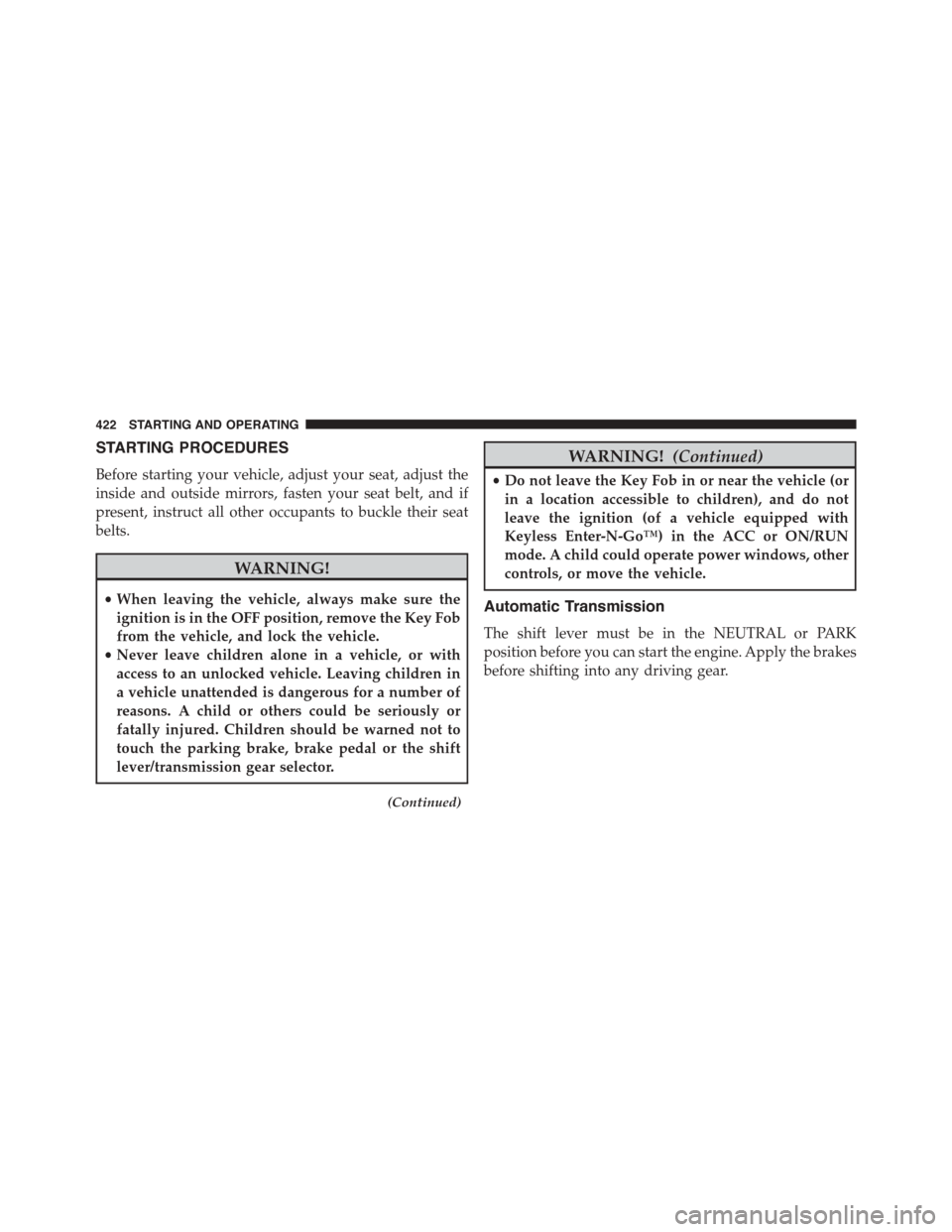
STARTING PROCEDURES
Before starting your vehicle, adjust your seat, adjust the
inside and outside mirrors, fasten your seat belt, and if
present, instruct all other occupants to buckle their seat
belts.
WARNING!
•When leaving the vehicle, always make sure the
ignition is in the OFF position, remove the Key Fob
from the vehicle, and lock the vehicle.
•Never leave children alone in a vehicle, or with
access to an unlocked vehicle. Leaving children in
a vehicle unattended is dangerous for a number of
reasons. A child or others could be seriously or
fatally injured. Children should be warned not to
touch the parking brake, brake pedal or the shift
lever/transmission gear selector.
(Continued)
WARNING!(Continued)
•Do not leave the Key Fob in or near the vehicle (or
in a location accessible to children), and do not
leave the ignition (of a vehicle equipped with
Keyless Enter-N-Go™) in the ACC or ON/RUN
mode. A child could operate power windows, other
controls, or move the vehicle.
Automatic Transmission
The shift lever must be in the NEUTRAL or PARK
position before you can start the engine. Apply the brakes
before shifting into any driving gear.
422 STARTING AND OPERATING
Page 428 of 689
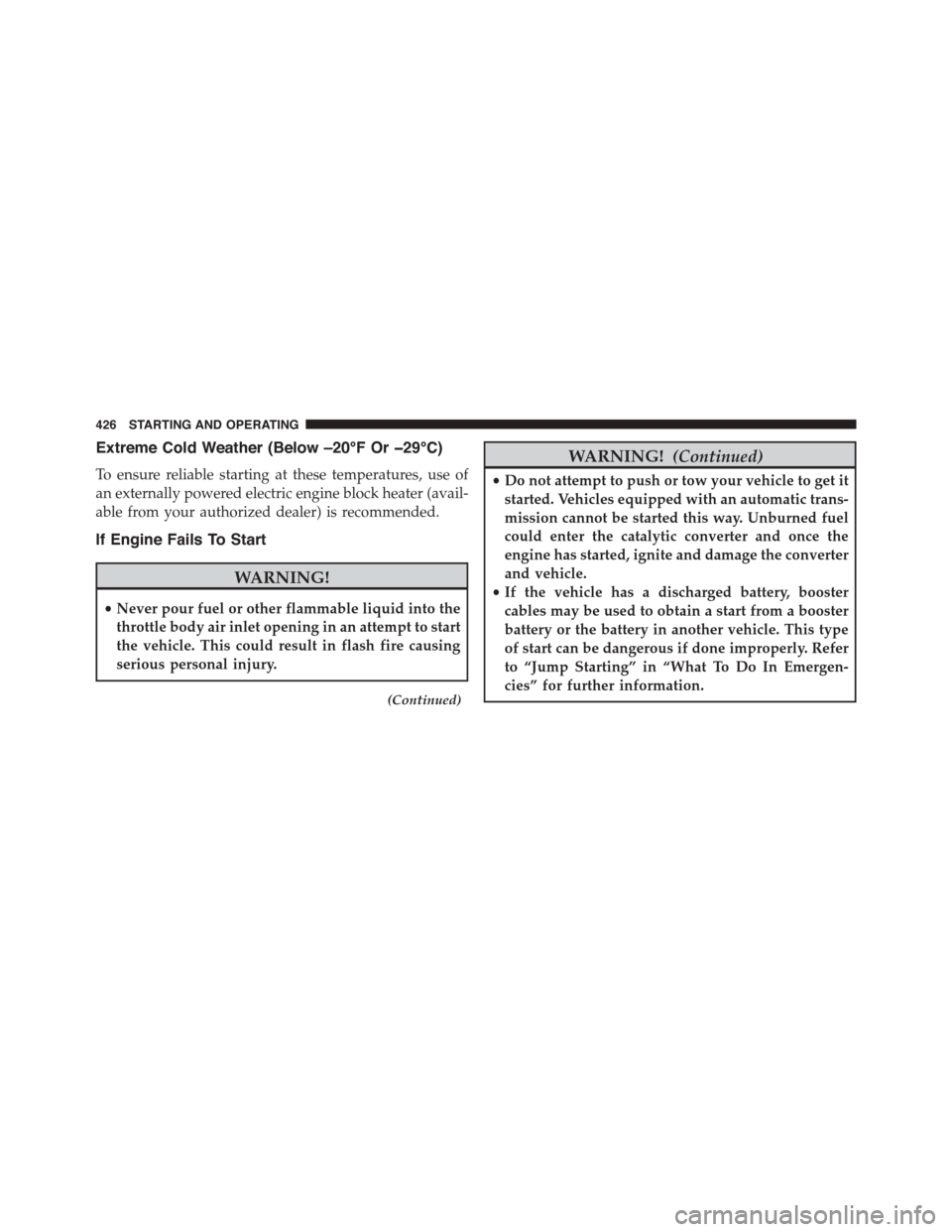
Extreme Cold Weather (Below –20°F Or−29°C)
To ensure reliable starting at these temperatures, use of
an externally powered electric engine block heater (avail-
able from your authorized dealer) is recommended.
If Engine Fails To Start
WARNING!
•Never pour fuel or other flammable liquid into the
throttle body air inlet opening in an attempt to start
the vehicle. This could result in flash fire causing
serious personal injury.
(Continued)
WARNING!(Continued)
•Do not attempt to push or tow your vehicle to get it
started. Vehicles equipped with an automatic trans-
mission cannot be started this way. Unburned fuel
could enter the catalytic converter and once the
engine has started, ignite and damage the converter
and vehicle.
•If the vehicle has a discharged battery, booster
cables may be used to obtain a start from a booster
battery or the battery in another vehicle. This type
of start can be dangerous if done improperly. Refer
to “Jump Starting” in “What To Do In Emergen-
cies” for further information.
426 STARTING AND OPERATING
Page 431 of 689
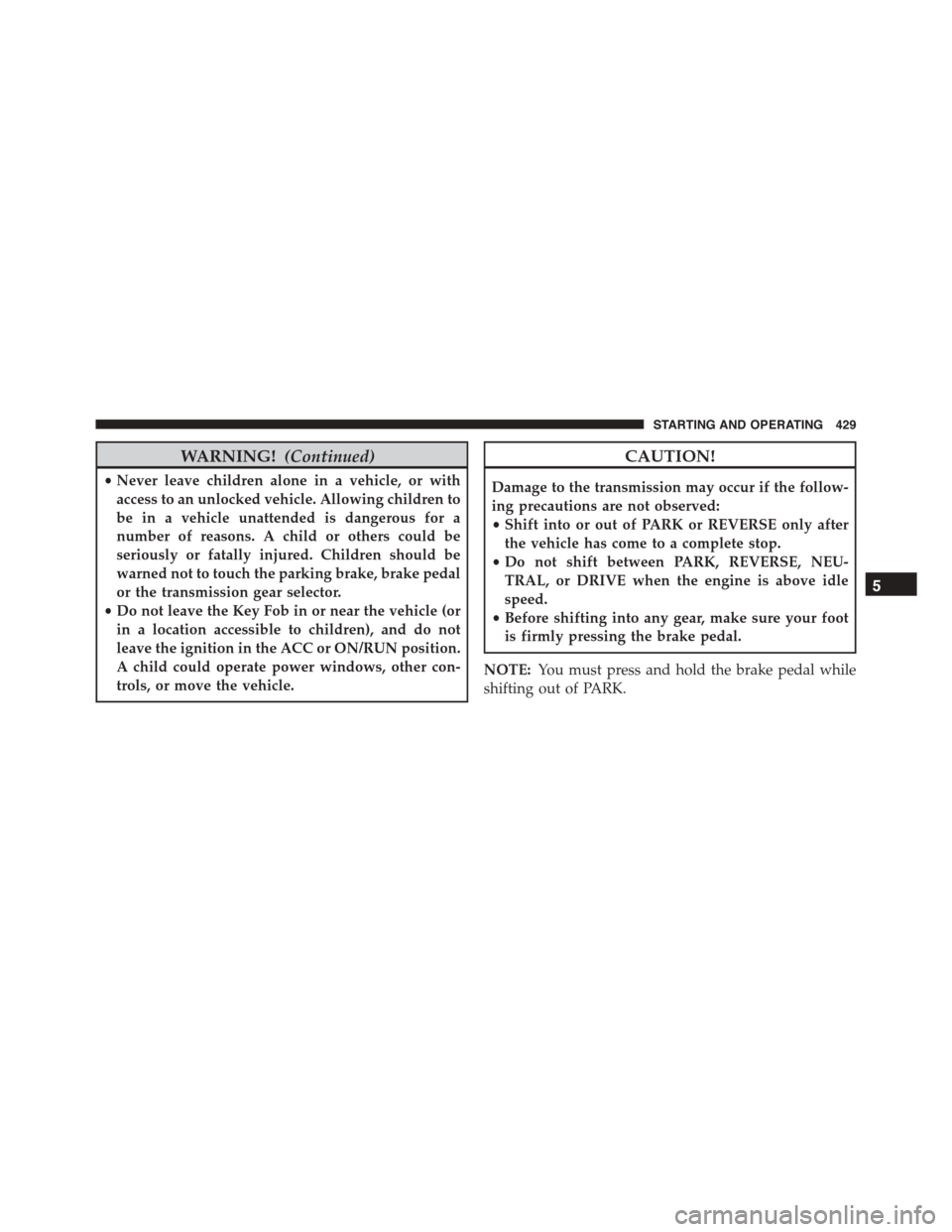
WARNING!(Continued)
•Never leave children alone in a vehicle, or with
access to an unlocked vehicle. Allowing children to
be in a vehicle unattended is dangerous for a
number of reasons. A child or others could be
seriously or fatally injured. Children should be
warned not to touch the parking brake, brake pedal
or the transmission gear selector.
•Do not leave the Key Fob in or near the vehicle (or
in a location accessible to children), and do not
leave the ignition in the ACC or ON/RUN position.
A child could operate power windows, other con-
trols, or move the vehicle.
CAUTION!
Damage to the transmission may occur if the follow-
ing precautions are not observed:
•Shift into or out of PARK or REVERSE only after
the vehicle has come to a complete stop.
•Do not shift between PARK, REVERSE, NEU-
TRAL, or DRIVE when the engine is above idle
speed.
•Before shifting into any gear, make sure your foot
is firmly pressing the brake pedal.
NOTE:You must press and hold the brake pedal while
shifting out of PARK.
5
STARTING AND OPERATING 429
Page 437 of 689
WARNING!(Continued)
•Never leave children alone in a vehicle, or with
access to an unlocked vehicle. Allowing children to
be in a vehicle unattended is dangerous for a
number of reasons. A child or others could be
seriously or fatally injured. Children should be
warned not to touch the parking brake, brake pedal
or the transmission gear selector.
•Do not leave the key fob in or near the vehicle (or
in a location accessible to children), and do not
leave the ignition in the ACC or ON/RUN position.
A child could operate power windows, other con-
trols, or move the vehicle.
NOTE:
•Before moving the transmission gear selector out of
PARK, you must start the engine and also press the
brake pedal. Otherwise, damage to the gear selector
could result.
•DO NOT race the engine when shifting from PARK or
NEUTRAL into another gear range, as this can damage
the drivetrain.
The following indicator should be used to ensure that
you have engaged the transmission into the PARK posi-
tion:
•With brake pedal released, look at the transmission
gear position display and verify that it indicates the
PARK position (P).
5
STARTING AND OPERATING 435
Page 444 of 689
This electronically shifted transfer case is designed to be
driven in the AWD AUTO position for normal street and
highway conditions on dry hard surfaced roads.
For variable driving conditions, the AWD AUTO mode
can be used. In this mode, the front axle is engaged, but
the vehicle’s power is sent to the rear wheels. All-wheel
drive will be automatically engaged when the vehicle
senses a loss of traction.
When additional traction is required, the transfer case
LOW RANGE position can be used to lock the front and
rear driveshafts together forcing the front and rear
wheels to rotate at the same speed. This is accomplished
by rotating the AWD Control Switch to the desired
position. Refer to “Shifting Procedure” for specific shift-
ing instructions. The LOW RANGE position is designed
for loose, slippery road surfaces only. Driving in the
LOW RANGE position on dry hard surfaced roads may
cause increased tire wear and damage to the driveline
components.
Transfer Case Position Indicator Messages
The Transfer Case Position Indicator messages (AWD
AUTO and LOW RANGE) are located in the Driver
Information Display (DID) and indicate the current and
desired transfer case selection. Refer to “Driver Informa-
tion Display (DID)” in “Understanding Your Instrument
Panel” for further information. When you select a differ-
ent transfer case position, the position indicator lights
will do the following:
If All Shift Conditions Are Met:
1. The current position indicator light will turn OFF.
2. The selected position indicator light will flash until the
transfer case completes the shift.
3. When the shift is complete, the indicator light for the
selected position will stop flashing and remain ON.
442 STARTING AND OPERATING