power steering DODGE DURANGO 2015 3.G Owners Manual
[x] Cancel search | Manufacturer: DODGE, Model Year: 2015, Model line: DURANGO, Model: DODGE DURANGO 2015 3.GPages: 689, PDF Size: 20.05 MB
Page 114 of 689
WARNING!(Continued)
•Always make sure that objects cannot fall into the
driver footwell while the vehicle is moving. Ob-
jects can become trapped under the brake pedal
and accelerator pedal causing a loss of vehicle
control.
•If required, mounting posts must be properly in-
stalled, if not equipped from the factory.
Failure to properly follow floor mat installation or
mounting can cause interference with the brake
pedal and accelerator pedal operation causing loss of
control of the vehicle.
Periodic Safety Checks You Should Make Outside
The Vehicle
Tires
Examine tires for excessive tread wear and uneven wear
patterns. Check for stones, nails, glass, or other objects
lodged in the tread or sidewall. Inspect the tread for cuts
and cracks. Inspect sidewalls for cuts, cracks, and bulges.
Check the wheel nuts for tightness. Check the tires
(including spare) for proper cold inflation pressure.
Lights
Have someone observe the operation of brake lights and
exterior lights while you work the controls. Check turn
signal and high beam indicator lights on the instrument
panel.
Door Latches
Check for proper closing, latching, and locking.
Fluid Leaks
Check area under vehicle after overnight parking for fuel,
engine coolant, oil, or other fluid leaks. Also, if gasoline
fumes are detected or if fuel, power steering fluid (if
equipped), or brake fluid leaks are suspected. The cause
should be located and corrected immediately.
11 2 T H I N G S TO K N O W B E F O R E S TA R T I N G Y O U R V E H I C L E
Page 117 of 689
▫Parking Lights And Panel Lights...........175
▫Fog Lights — If Equipped...............175
▫Interior Lights........................176
▫Lights-On Reminder...................177
▫Battery Saver.........................177
▫Front Map/Reading Lights — If Equipped . . .178
▫Courtesy Lights.......................179
▫Ambient Light — If Equipped............179
▫Multifunction Lever....................180
▫Turn Signals.........................180
▫Lane Change Assist...................181
▫Flash-To-Pass........................181
▫High/Low Beam Switch.................181
!WINDSHIELD WIPERS AND WASHERS......182
▫Windshield Wiper Operation.............183
▫Intermittent Wiper System...............183
▫Windshield Washer Operation.............184
▫Mist...............................185
▫Rain Sensing Wipers — If Equipped........186
!TILT/TELESCOPING STEERING COLUMN . . .187
!POWER TILT/TELESCOPING STEERING
COLUMN — IF EQUIPPED...............188
!HEATED STEERING WHEEL — IF EQUIPPED . .190
!ELECTRONIC SPEED CONTROL —
IF EQUIPPED.........................191
▫To Activate..........................192
▫To Set A Desired Speed.................193
3
UNDERSTANDING THE FEATURES OF YOUR VEHICLE 115
Page 167 of 689
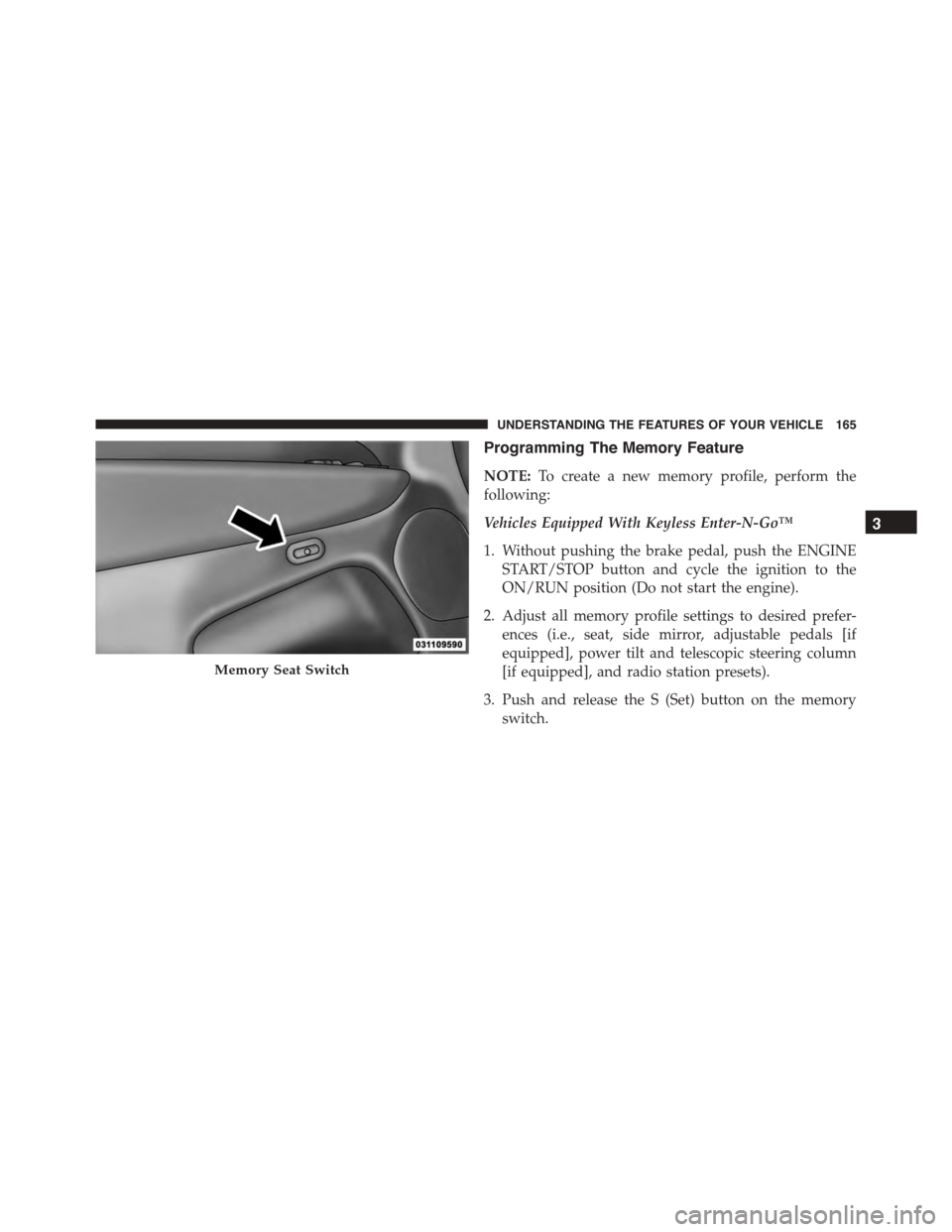
Programming The Memory Feature
NOTE:To create a new memory profile, perform the
following:
Vehicles Equipped With Keyless Enter-N-Go™
1. Without pushing the brake pedal, push the ENGINE
START/STOP button and cycle the ignition to the
ON/RUN position (Do not start the engine).
2. Adjust all memory profile settings to desired prefer-
ences (i.e., seat, side mirror, adjustable pedals [if
equipped], power tilt and telescopic steering column
[if equipped], and radio station presets).
3. Push and release the S (Set) button on the memory
switch.
Memory Seat Switch
3
UNDERSTANDING THE FEATURES OF YOUR VEHICLE 165
Page 168 of 689
4. Within five seconds, push and release either of the
memory buttons (1) or (2). The Driver Information
Display (DID) will display which memory position
has been set.
Vehicles Not Equipped With Keyless Enter-N-Go™
1. Insert the ignition key fob, and turn the ignition switch
to the ON/RUN position.
2. Adjust all memory profile settings to desired prefer-
ences (i.e., seat, side mirror, adjustable pedals [if
equipped], power tilt and telescopic steering column
[if equipped], and radio station presets).
3. Push and release the S (Set) button on the memory
switch.
4. Within five seconds, push and release either of the
memory buttons (1) or (2). The Driver Information
Display (DID) will display which memory position
has been set.
NOTE:
•Memory profiles can be set without the vehicle in
PARK, but the vehicle must be in PARK to recall a
memory profile.
•The Recall Memory with the “Memory To FOB” fea-
ture can be enabled through the Uconnect® system
screen. Refer to “Customer- Programmable Features —
Uconnect® Access 8.4 Settings ” in “Understanding
Your Instrument Panel” for further information.
Linking And Unlinking The Remote Keyless Entry
Transmitter To Memory
Your RKE transmitters can be programmed to recall one
of two pre-programmed memory profiles by pushng the
UNLOCK button on the RKE transmitter.
166 UNDERSTANDING THE FEATURES OF YOUR VEHICLE
Page 190 of 689
To unlock the steering column, push the lever downward
(toward the floor). To tilt the steering column, move the
steering wheel upward or downward as desired. To
lengthen or shorten the steering column, pull the steering
wheel outward or push it inward as desired. To lock the
steering column in position, push the lever upward until
fully engaged.
WARNING!
Do not adjust the steering column while driving.
Adjusting the steering column while driving or driv-
ing with the steering column unlocked, could cause
the driver to lose control of the vehicle. Failure to
follow this warning may result in serious injury or
death.
POWER TILT/TELESCOPING STEERING COLUMN
— IF EQUIPPED
This feature allows you to tilt the steering column
upward or downward. It also allows you to lengthen or
shorten the steering column. The power tilt/telescoping
steering column lever is located below the multifunction
lever on the steering column.
188 UNDERSTANDING THE FEATURES OF YOUR VEHICLE
Page 191 of 689
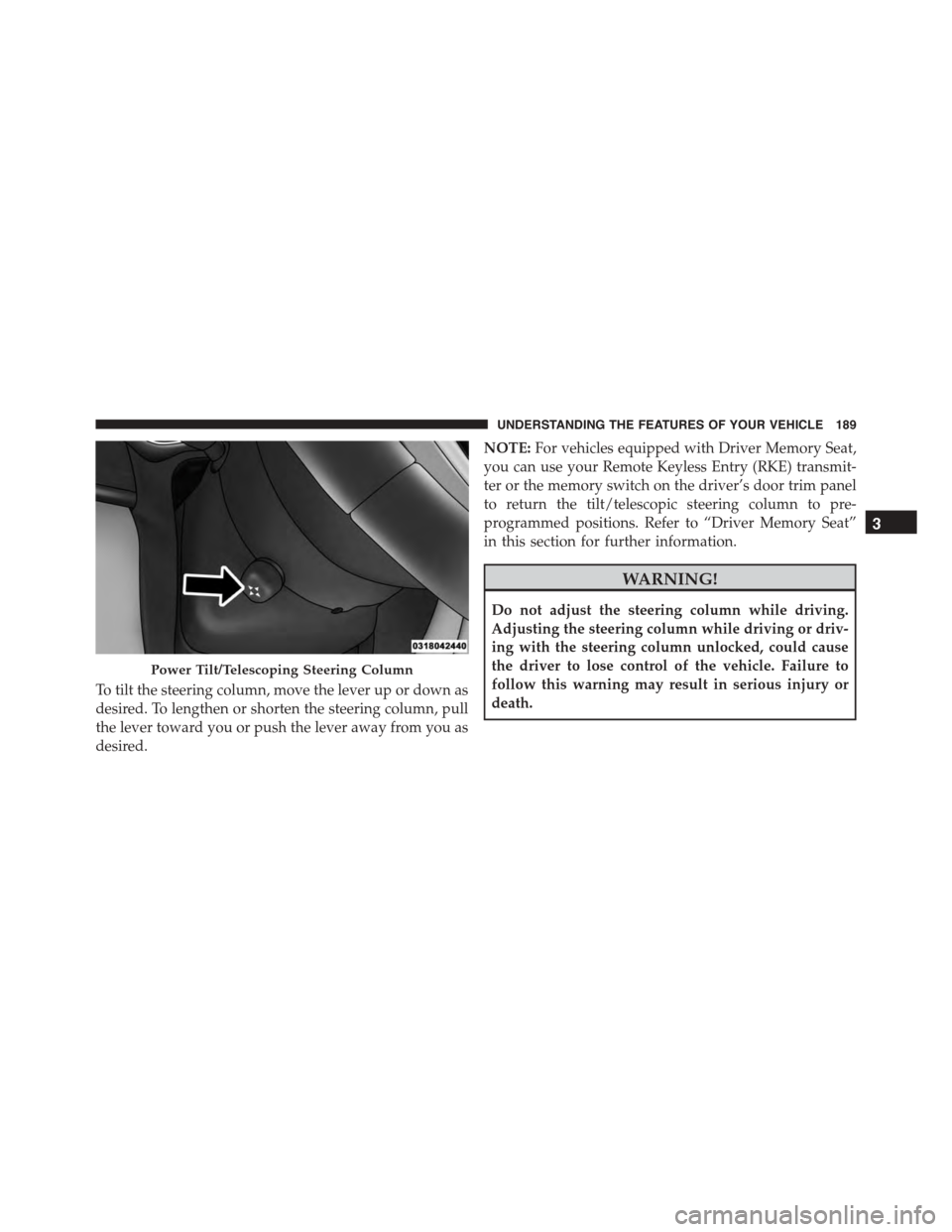
To tilt the steering column, move the lever up or down as
desired. To lengthen or shorten the steering column, pull
the lever toward you or push the lever away from you as
desired.
NOTE:For vehicles equipped with Driver Memory Seat,
you can use your Remote Keyless Entry (RKE) transmit-
ter or the memory switch on the driver’s door trim panel
to return the tilt/telescopic steering column to pre-
programmed positions. Refer to “Driver Memory Seat”
in this section for further information.
WARNING!
Do not adjust the steering column while driving.
Adjusting the steering column while driving or driv-
ing with the steering column unlocked, could cause
the driver to lose control of the vehicle. Failure to
follow this warning may result in serious injury or
death.
Power Tilt/Telescoping Steering Column
3
UNDERSTANDING THE FEATURES OF YOUR VEHICLE 189
Page 308 of 689
DID Messages
•Front Seatbelts Unbuckled
•Driver Seatbelt Unbuckled
•Passenger Seatbelt Unbuckled
•Service Air Bag System
•Traction Control Off
•Washer Fluid Low
•Oil Pressure Low
•Oil Change Due
•Fuel Low
•Service Antilock Brake System
•Service Electronic Throttle Control
•Service Power Steering
•Cruise Off
•Cruise Ready
•ACC Override
•Cruise Set To XXX MPH
•Tire Pressure Screen With Low Tire(s) “Inflate Tire to
XX”
•Service Tire Pressure System
•Speed Warning Set
•Speed Warning Exceeded
•Parking Brake Engaged
•Brake Fluid Low
•Service Electronic Braking System
•Engine Temperature Hot
306 UNDERSTANDING YOUR INSTRUMENT PANEL
Page 313 of 689
If the light remains lit with the engine running, your
vehicle will usually be drivable. However, see an autho-
rized dealer for service as soon as possible. If the light is
flashing when the engine is running, immediate service is
required. You may experience reduced performance, an
elevated/rough idle or engine stall and your vehicle may
require towing.
•Engine Temperature Warning Light
This light warns of an overheated engine condi-
tion. As temperatures rise and the gauge ap-
proachesH,this indicator will illuminate, and a single
chime will sound after reaching a set threshold. Further
overheating will cause the temperature gauge to passH,
a continuous chime will occur until the engine is allowed
to cool.
If the light turns on while driving, safely pull over and
stop the vehicle. If the A/C system is on, turn it off. Also,
shift the transmission into NEUTRAL and idle the ve-
hicle. If the temperature reading does not return to
normal, turn the engine off immediately and call for
service. Refer to “If Your Engine Overheats” in “What To
Do In Emergencies” for more information.
•Electric Power Steering Malfunction – If Equipped
This telltale is on when the Electric Power
Steering is not operating and needs service.
•Liftgate Ajar
This light will turn on to indicate that liftgate
may be ajar.
4
UNDERSTANDING YOUR INSTRUMENT PANEL 311
Page 330 of 689
•Memory Linked to Fob — If Equipped
This feature provides automatic driver seat positioning to
enhance driver mobility when entering and exiting the
vehicle. To make your selection, press the “Memory
Linked to Fob” button on the touchscreen and select from
“On” or “Off.” Press the back arrow button on the
touchscreen to return to the previous menu.
NOTE:The seat will return to the memorized seat
location if “Memory Linked to Fob” is set to (ON) when
the Remote Keyless Entry (RKE) transmitter is used to
unlock the door. Refer to “Driver Memory Seat” in
“Understanding The Features Of Your Vehicle” for fur-
ther information.
•Power Lift Gate Alert — If Equipped
This feature plays an alert when the power lift gate is
raising or lowering. To make your selection, press the
“Power Lift Gate Alert” button on the touchscreen and
select from “On” or “Off.” Press the back arrow button on
the touchscreen to return to the previous menu.
Auto Comfort Systems — If Equipped
After pressing the “Auto-On Comfort & Remote Start”
button on the touchscreen the following settings will be
available:
•Auto-On Driver Heated/Ventilated Seat & Steering
Wheel With Vehicle Start — If Equipped
When this feature is selected the driver’s heated seat and
heated steering wheel will automatically turn ON when
temperatures are below 40° F (4.4° C). When tempera-
tures are above 80° F (26.7° C) the driver vented seat will
turn ON. To make your selection, press the “Auto Heated
Seats” button on the touchscreen, then select either “Off,”
“Remote Start” or “All Starts.” Press the back arrow
button on the touchscreen to return to the previous
menu.
328 UNDERSTANDING YOUR INSTRUMENT PANEL
Page 350 of 689
showing that setting has been selected. Press the back
arrow button on the touchscreen to return to the previous
menu, or push the back button on the faceplate. Refer to
“Keyless Enter-N-Go™” in “Things To Know Before
Starting Your Vehicle”.
•Personal Settings Linked to Key Fob — If Equipped
This feature provides automatic recall of all settings
stored to a memory location (driver ’s seat, exterior
mirrors, steering column position and radio station pre-
sets) to enhance driver mobility when entering and
exiting the vehicle. To make your selection, press the
“Personal Settings Linked to Key Fob” button on the
touchscreen, until a check-mark appears next to setting,
showing that setting has been selected. Press the back
arrow button on the touchscreen to return to the previous
menu, or push the back button on the faceplate.
NOTE:The seat will return to the memorized seat
location (if Recall Memory with Remote Key Unlock is set
to ON) when the Remote Keyless Entry (RKE) transmitter
is used to unlock the door. Refer to “Driver Memory
Seat” in “Understanding The Features Of Your Vehicle”
for further information.
•Power Lift Gate Chime — If Equipped
This feature plays an alert when the power lift gate is
raising or lowering. To make your selection, press the
“Power Lift Gate Chime” button on the touchscreen, until
a check-mark appears next to setting, showing that
setting has been selected. Press the back arrow button on
the touchscreen to return to the previous menu, or push
the back button on the faceplate.
348 UNDERSTANDING YOUR INSTRUMENT PANEL