radio controls DODGE DURANGO 2015 3.G Owners Manual
[x] Cancel search | Manufacturer: DODGE, Model Year: 2015, Model line: DURANGO, Model: DODGE DURANGO 2015 3.GPages: 689, PDF Size: 20.05 MB
Page 290 of 689
!Uconnect® RADIOS — IF EQUIPPED........354
!iPod®/USB/MP3 CONTROL — IF EQUIPPED . .354
▫Connecting The iPod® Or External USB
Device.............................354
▫Using This Feature.....................355
▫Second Row USB Charging Port...........356
!Uconnect® REAR SEAT ENTERTAINMENT (RSE)
SYSTEM — IF EQUIPPED................357
▫Getting Started.......................357
▫Dual Video Screen.....................359
▫Blu-ray™ Disc Player...................360
▫Play Video Games.....................362
▫Play A DVD/Blu-ray™ Disc Using The
Touchscreen Radio.....................363
▫Important Notes For Dual Video Screen
System.............................365
▫Blu-ray™ Disc Player Remote Control — If
Equipped...........................366
▫Replacing The Remote Control Batteries......367
▫Headphones Operation.................368
▫Controls............................369
▫Replacing The Headphone Batteries.........370
▫Unwired® Stereo Headphone Lifetime Limited
Warranty...........................370
!STEERING WHEEL AUDIO CONTROLS — IF
EQUIPPED...........................377
▫Radio Operation......................378
▫CD Player...........................378
288 UNDERSTANDING YOUR INSTRUMENT PANEL
Page 291 of 689
!CD/DVD/Blu-ray™ Disc MAINTENANCE . . . .378
!RADIO OPERATION AND MOBILE PHONES . .379
▫Regulatory And Safety Information.........379
!CLIMATE CONTROLS...................381
▫General Overview.....................382
▫Climate Control Functions...............388
▫Automatic Temperature Control (ATC)......390
▫Rear Automatic Temperature Control (ATC) . .391
▫Operating Tips.......................396
!Uconnect® VOICE RECOGNITION QUICK
TIPS................................399
▫Introducing Uconnect®.................399
▫Get Started..........................400
▫Basic Voice Commands..................401
▫Radio..............................403
▫Media..............................404
▫Phone..............................406
▫Voice Text Reply......................407
▫Climate (8.4A/8.4AN)..................408
▫Navigation (8.4A/8.4AN)................409
▫Uconnect® Access* (8.4A/8.4AN)..........410
▫Register (8.4A/8.4AN)..................411
▫Mobile App (8.4A/8.4AN)...............412
▫Voice Texting (8.4A/8.4AN)..............413
▫Yelp® (8.4A/8.4AN)....................414
▫SiriusXM Travel Link™ (8.4A/8.4AN).......415
▫Additional Information.................416
4
UNDERSTANDING YOUR INSTRUMENT PANEL 289
Page 292 of 689
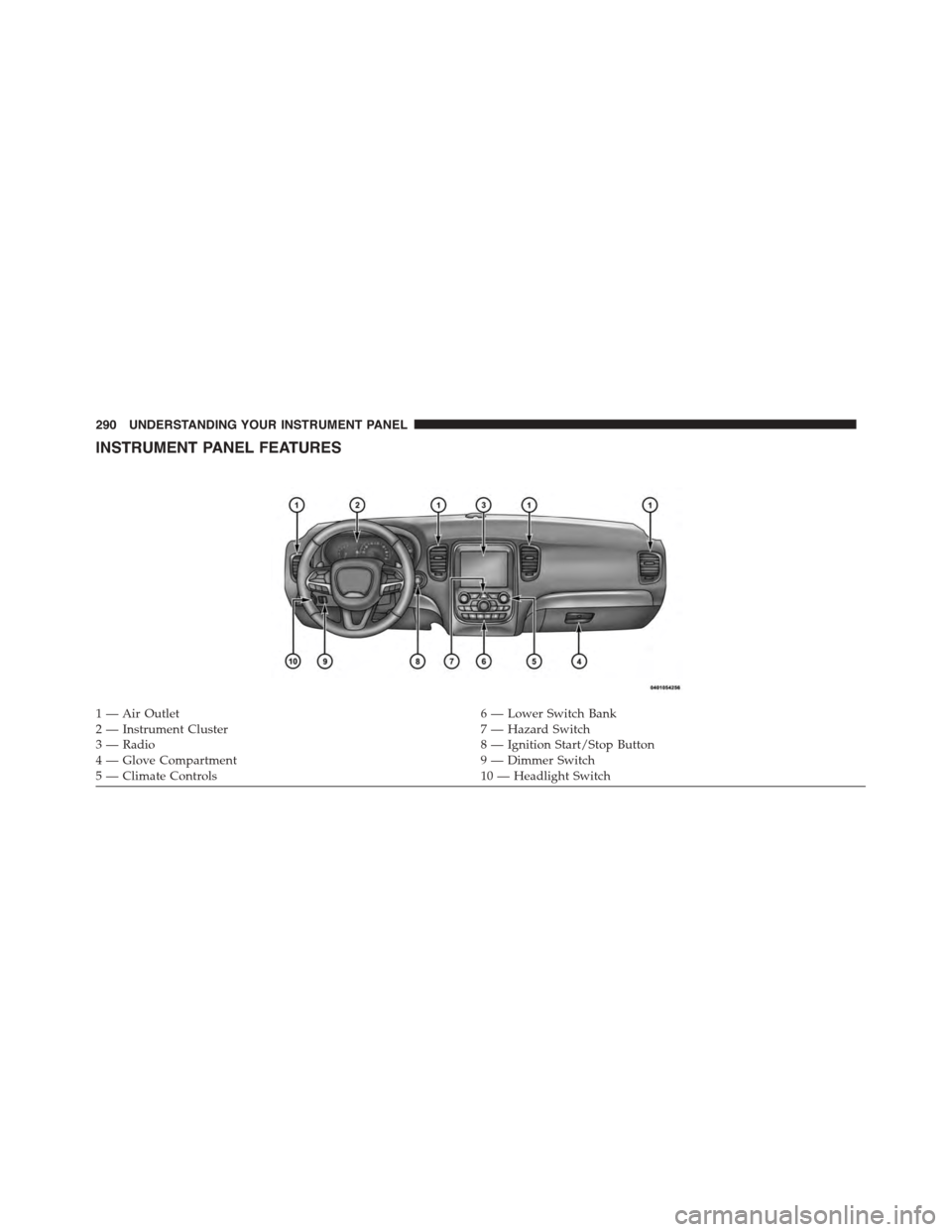
INSTRUMENT PANEL FEATURES
1—AirOutlet6—LowerSwitchBank2 — Instrument Cluster7 — Hazard Switch3—Radio8—IgnitionStart/StopButton4—GloveCompartment9—DimmerSwitch5 — Climate Controls10 — Headlight Switch
290 UNDERSTANDING YOUR INSTRUMENT PANEL
Page 363 of 689
1.RSE Channel 1 Mode
Indicates the current source for Screen 1/Channel 1; This
button will be highlighted when it is the active Screen/
Channel being controlled by the front user. If this button
is not highlighted select button to access controls for
Screen 1/Channel 1 source.
2.RSE Power
Press to turn RSE On/Off.
3.RSE Mute
Mute rear headphones for the current ignition cycle.
Pressing mute again will unmute rear headphones.
4.RSE Remote Control Lock Out
Press to enable/disable Remote Control functions.
5.RSE Channel 2 Mode
Indicates the current source for Screen 2/Channel 2; This
button will be highlighted when it is the active Screen/
Channel being controlled by the front user. If this button
is not highlighted select button to access controls for
Screen 2/Channel 2 source.
6.Radio Full Screen Mode
Select this button to change to Full Screen Mode.
7.Cabin Audio Mode
Select this button to change the cabin audio to the rear
entertainment source currently shown on the rear media
control screen.
8.RSE Mode
Select this button to change source for the active (high-
lighted) rear Screen/Channel on the rear media control
screen.
•Press the Media button on the touchscreen, then press
the Rear Media button on the touchscreen.
4
UNDERSTANDING YOUR INSTRUMENT PANEL 361
Page 366 of 689
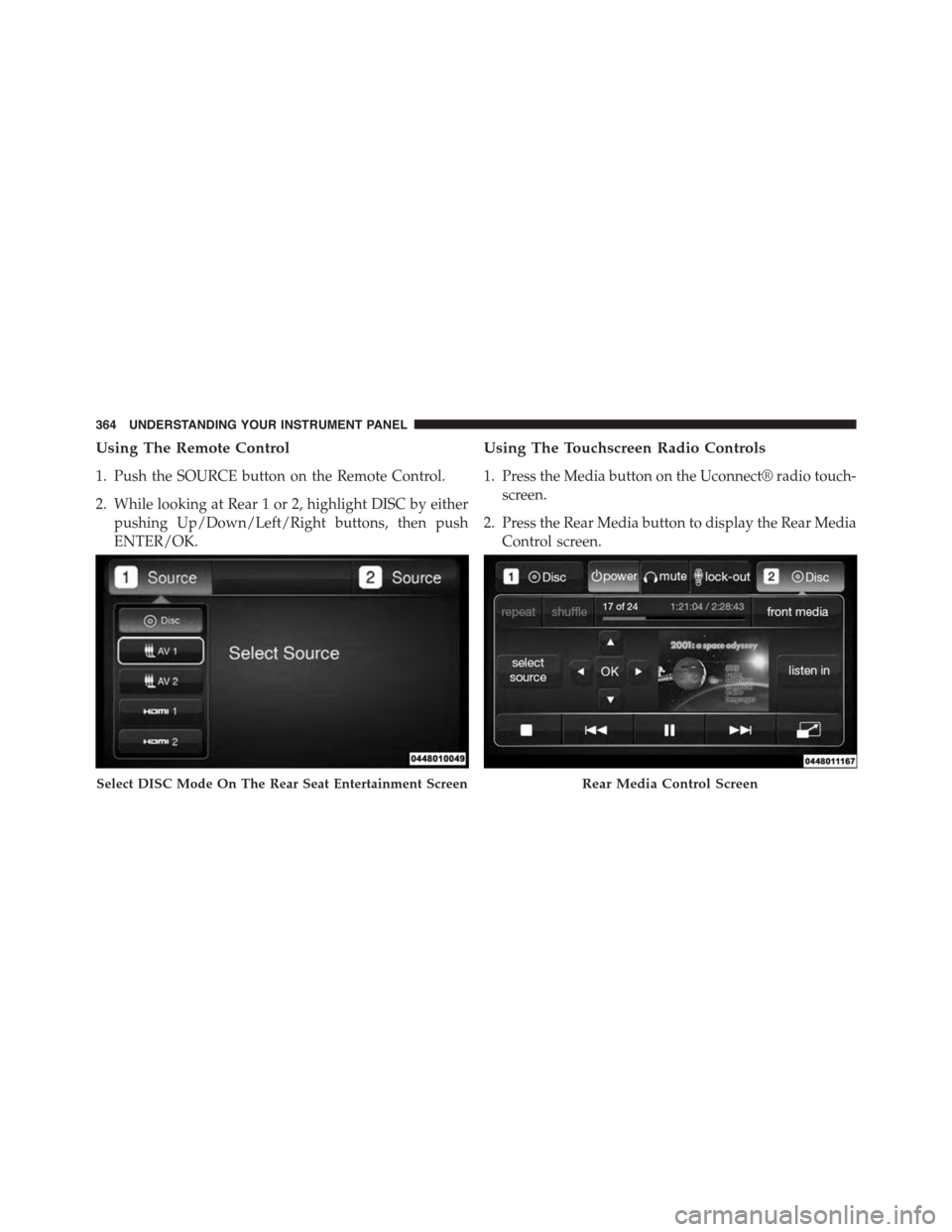
Using The Remote Control
1. Push the SOURCE button on the Remote Control.
2. While looking at Rear 1 or 2, highlight DISC by either
pushing Up/Down/Left/Right buttons, then push
ENTER/OK.
Using The Touchscreen Radio Controls
1. Press the Media button on the Uconnect® radio touch-
screen.
2. Press the Rear Media button to display the Rear Media
Control screen.
Select DISC Mode On The Rear Seat Entertainment ScreenRear Media Control Screen
364 UNDERSTANDING YOUR INSTRUMENT PANEL
Page 380 of 689
The right-hand control is a rocker-type switch with a
push-button in the center and controls the volume and
mode of the sound system. Pushing the top of the rocker
switch will increase the volume, and pushing the bottom
of the rocker switch will decrease the volume.
Pushing the center button will make the radio switch
between the various modes available (AM/FM/SXM/
CD/AUX/VES, etc.).
The left-hand control is a rocker-type switch with a
push-button in the center. The function of the left-hand
control is different depending on which mode you are in.
The following describes the left-hand control operation in
each mode.
Radio Operation
Pushing the top of the switch will “Seek” up for the next
listenable station and pushing the bottom of the switch
will “Seek” down for the next listenable station.
The button located in the center of the left-hand control
will tune to the next preset station that you have pro-
grammed in the radio preset button.
CD Player
Pushing the top of the switch once will go to the next
track on the CD. Pushing the bottom of the switch once
will go to the beginning of the current track, or to the
beginning of the previous track if it is within one second
after the current track begins to play.
If you push the switch up or down twice, it plays the
second track; three times, it will play the third, etc.
CD/DVD/Blu-ray™ Disc MAINTENANCE
To keep a CD/DVD/Blu-ray™ Disc in good condition,
take the following precautions:
1. Handle the disc by its edge; avoid touching the
surface.
378 UNDERSTANDING YOUR INSTRUMENT PANEL
Page 383 of 689
NOTE:
•This equipment has been tested and found to comply
with the limits for a Class B digital device, pursuant to
Part 15 of the FCC Rules. These limits are designed to
provide reasonable protection against harmful inter-
ference in a residential installation. This equipment
generates, uses and can radiate radio frequency energy
and, if not installed and used in accordance with the
instructions, may cause harmful interference to radio
communications. However, there is no guarantee that
interference will not occur in a particular installation.
•If this equipment does cause harmful interference to
radio or television reception, which can be determined
by turning the equipment off and on, the user is
encouraged to try to correct the interference by one or
more of the following measures:
•Increase the separation between the equipment and
receiver.
•Consult the dealer or an experienced radio technician
for help.
CLIMATE CONTROLS
The air conditioning and heating system is designed to
make you comfortable in all types of weather. This
system can be operated through either the controls on the
instrument panel or through the Uconnect® system dis-
play.
When the Uconnect® system is in different modes (Ra-
dio, Player, Settings, More, etc.) the driver and passenger
temperature settings will be indicated at the top of the
display.
4
UNDERSTANDING YOUR INSTRUMENT PANEL 381
Page 390 of 689
16. Temperature Control (Uconnect® 5.0 Radio Only)
Press the temperature button on the touchscreen to
regulate the temperature of the air inside the passenger
compartment. Moving the temperature bar into the red
area, indicates warmer temperatures. Moving the tem-
perature bar into the blue area indicates cooler tempera-
tures.
Climate Control Functions
A/C (Air Conditioning)
The Air Conditioning (A/C) button allows the operator
to manually activate or deactivate the air conditioning
system. When the air conditioning system is turned on,
cool dehumidified air will flow through the outlets into
the cabin. For improved fuel economy, press the A/C
button to turn off the air conditioning and manually
adjust the blower and airflow mode settings. Also, make
sure to select only Panel, Bi-Level or Floor modes.
NOTE:
•For Manual Climate Controls, if the system is in Mix,
Floor or Defrost Mode, the A/C can be turned off, but
the A/C system shall remain active to prevent fogging
of the windows.
•If fog or mist appears on the windshield or side glass,
select Defrost mode and adjust blower speed if
needed.
•If your air conditioning performance seems lower than
expected, check the front of the A/C condenser (lo-
cated in front of the radiator), for an accumulation of
dirt or insects. Clean with a gentle water spray from
behind the radiator and through the condenser. Fabric
front fascia protectors may reduce airflow to the
condenser, reducing air conditioning performance.
388 UNDERSTANDING YOUR INSTRUMENT PANEL
Page 680 of 689
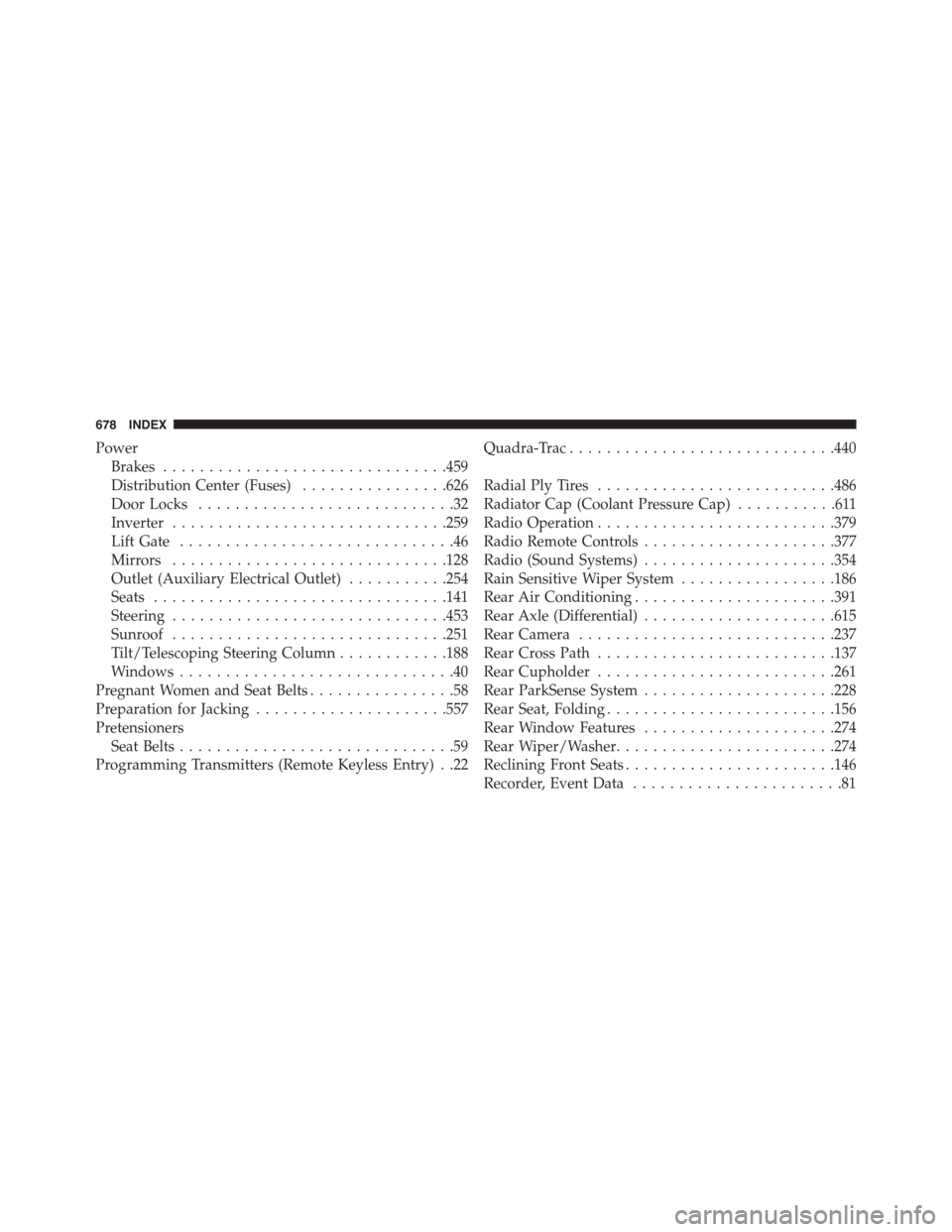
Power
Brakes...............................459
Distribution Center (Fuses)................626
Door Locks............................32
Inverter..............................259
Lift Gate..............................46
Mirrors..............................128
Outlet (Auxiliary Electrical Outlet)...........254
Seats................................141
Steering..............................453
Sunroof..............................251
Tilt/Telescoping Steering Column............188
Windows..............................40
Pregnant Women and Seat Belts................58
Preparation for Jacking.....................557
Pretensioners
Seat Belts..............................59
Programming Transmitters (Remote Keyless Entry) . .22
Quadra-Trac.............................440
Radial Ply Tires..........................486
Radiator Cap (Coolant Pressure Cap)...........611
Radio Operation..........................379
Radio Remote Controls.....................377
Radio (Sound Systems).....................354
Rain Sensitive Wiper System.................186
Rear Air Conditioning......................391
Rear Axle (Differential).....................615
Rear Camera............................237
Rear Cross Path..........................137
Rear Cupholder..........................261
Rear ParkSense System.....................228
Rear Seat, Folding.........................156
Rear Window Features.....................274
Rear Wiper/Washer........................274
Reclining Front Seats.......................146
Recorder, Event Data.......................81
678 INDEX
Page 681 of 689
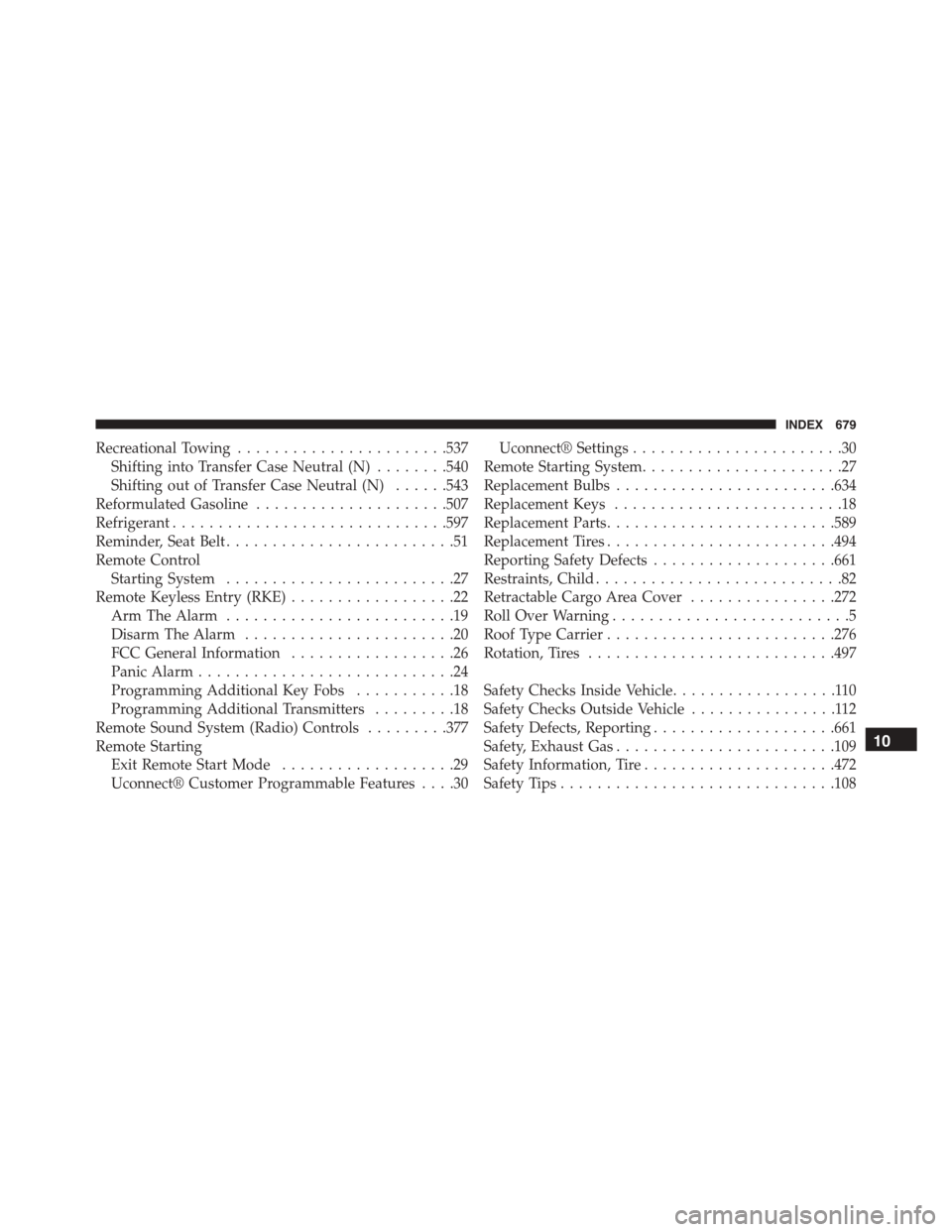
Recreational Towing.......................537
Shifting into Transfer Case Neutral (N)........540
Shifting out of Transfer Case Neutral (N)......543
Reformulated Gasoline.....................507
Refrigerant..............................597
Reminder, Seat Belt.........................51
Remote Control
Starting System.........................27
Remote Keyless Entry (RKE)..................22
Arm The Alarm.........................19
Disarm The Alarm.......................20
FCC General Information..................26
Panic Alarm............................24
Programming Additional Key Fobs...........18
Programming Additional Transmitters.........18
Remote Sound System (Radio) Controls.........377
Remote Starting
Exit Remote Start Mode...................29
Uconnect® Customer Programmable Features....30
Uconnect® Settings.......................30
Remote Starting System......................27
Replacement Bulbs........................634
Replacement Keys.........................18
Replacement Parts.........................589
Replacement Tires.........................494
Reporting Safety Defects....................661
Restraints, Child...........................82
Retractable Cargo Area Cover................272
Roll Over Warning..........................5
Roof Type Carrier.........................276
Rotation, Tires...........................497
Safety Checks Inside Vehicle..................110
Safety Checks Outside Vehicle................112
Safety Defects, Reporting....................661
Safety, Exhaust Gas........................109
Safety Information, Tire.....................472
Safety Tips..............................108
10
INDEX 679