transmission DODGE DURANGO 2017 3.G User Guide
[x] Cancel search | Manufacturer: DODGE, Model Year: 2017, Model line: DURANGO, Model: DODGE DURANGO 2017 3.GPages: 584, PDF Size: 5.14 MB
Page 202 of 584
2. Push and hold the desired HomeLink button until theindicator light begins to flash after 20 seconds. Do not
release the button.
3. Without releasing the button, proceed with “Program-
ming A Non-Rolling Code” step 2 and follow all remain-
ing steps.
Canadian/Gate Operator Programming
For programming transmitters in Canada/United States
that require the transmitter signals to “time-out” after
several seconds of transmission:
Canadian radio frequency laws require transmitter signals
to time-out (or quit) after several seconds of transmission,
which may not be long enough for HomeLink to pick up
the signal during programming. Similar to this Canadian
law, some U.S. gate operators are designed to time-out in
the same manner.
It may be helpful to unplug the device during the cycling
process to prevent possible overheating of the garage door
or gate motor.
1. Cycle the ignition to the ON/RUN position. 2. Place the hand-held transmitter 1 to 3 inches (3 to 8 cm)
away from the HomeLink button you wish to program
while keeping the HomeLink indicator light in view.
3. Continue to push and hold the HomeLink button while you push and release (“cycle”) your hand-held trans-
mitter every two seconds until HomeLink has success-
fully accepted the frequency signal. The indicator light
will flash slowly and then rapidly when fully trained.
4. Watch for the HomeLink indicator to change flash rates. When it changes, it is programmed. It may take up to 30
seconds or longer in rare cases. The garage door may
open and close while you are programming.
5. Push and hold the programmed HomeLink button and observe the indicator light.
NOTE: •If the indicator light stays on constantly, programming
is complete and the garage door/device should acti-
vate when the HomeLink button is pushed.
• To program the two remaining HomeLink buttons,
repeat each step for each remaining button. DO NOT
erase the channels.
200 UNDERSTANDING THE FEATURES OF YOUR VEHICLE
Page 243 of 584
Engine Temperature Warning Light
Red WarningLight What It Means
Engine Temperature Warning Light
This light warns of an overheated engine condition. As engine coolant temperatures rise and the
gauge approaches
H, this indicator will illuminate and a single chime will sound after reaching a
set threshold. Further overheating will cause a continuous chime sound for 4 minutes, or until
the engine is allowed to cool, whichever comes first.
If the light turns on while driving, safely pull over and stop the vehicle. If the A/C system is on,
turn it off. Also, shift the transmission into NEUTRAL and idle the vehicle. If the temperature
reading does not return to normal, turn the engine off immediately and call for service. Refer to
“If Your Engine Overheats” in “What To Do In Emergencies” for further information.
Battery Charge Warning Light
Red Telltale Light What It Means
Battery Charge Warning Light
This light illuminates when the battery is not charging properly. If it stays on while the engine is run-
ning, there may be a malfunction with the charging system. Contact your authorized dealer as soon
as possible. This indicates a possible problem with the electrical system or a related component.
4
UNDERSTANDING YOUR INSTRUMENT PANEL 241
Page 244 of 584
Oil Pressure Warning Light
Red TelltaleLight What It Means
Oil Pressure Warning Light
This light indicates low engine oil pressure. If the light turns on while driving, stop the vehicle
and shut off the engine as soon as possible. A chime will sound when this light turns on.
Do not operate the vehicle until the cause is corrected. This light does not indicate how much oil
is in the engine. The engine oil level must be checked under the hood.
Transmission Temperature Indicator Light
Yellow Telltale
Light What It Means
Transmission Temperature Indicator Light
This light indicates that the transmission fluid temperature is running hot. This may occur with severe
usage, such as trailer towing. If this light turns on, safely pull over and stop the vehicle. Then, shift
the transmission into NEUTRAL and run the engine at idle or faster until the light turns off.
WARNING!
If you continue operating the vehicle when the Trans-
mission Temperature Warning Light is illuminated you
could cause the fluid to boil over, come in contact with
hot engine or exhaust components and cause a fire.
CAUTION!
Continuous driving with the Transmission Temperature
Warning Light illuminated will eventually cause severe
transmission damage or transmission failure.
242 UNDERSTANDING YOUR INSTRUMENT PANEL
Page 245 of 584
Electronic Throttle Control (ETC) Warning Light
Red TelltaleLight What It Means
Electronic Throttle Control (ETC) Warning Light
This light informs you of a problem with the Electronic Throttle Control (ETC) system. If a prob-
lem is detected while the engine is running, the light will either stay on or flash depending on
the nature of the problem. Cycle the ignition key when the vehicle is safely and completely
stopped and the transmission is placed in the PARK position. The light should turn off. If the
light remains on with the engine running, your vehicle will usually be drivable; however, see an
authorized dealer for service as soon as possible.
If the light continues to flash when the engine is running, immediate service is required and you
may experience reduced performance, an elevated/rough idle, or engine stall and your vehicle
may require towing. The light will come on when the ignition is first turned to ON/RUN and
remain on briefly as a bulb check. If the light does not come on during starting, have the system
checked by an authorized dealer.
Oil Temperature Warning Light
Red Telltale
Light What It Means
Oil Temperature Warning Light
This telltale indicates engine oil temperature is high. If the light turns on while driving, stop the
vehicle and shut off the engine as soon as possible.
4
UNDERSTANDING YOUR INSTRUMENT PANEL 243
Page 247 of 584
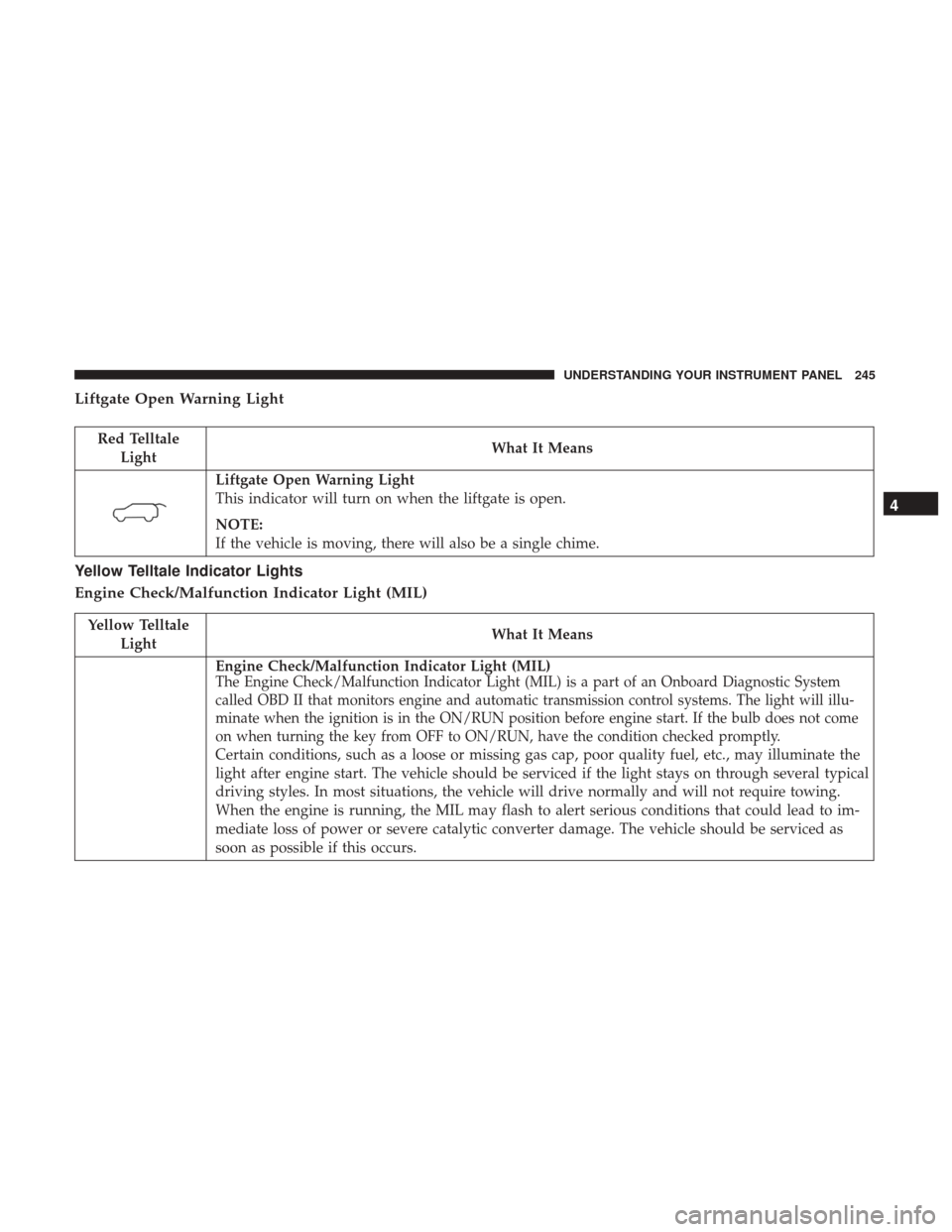
Liftgate Open Warning Light
Red TelltaleLight What It Means
Liftgate Open Warning Light
This indicator will turn on when the liftgate is open.
NOTE:
If the vehicle is moving, there will also be a single chime.
Yellow Telltale Indicator Lights
Engine Check/Malfunction Indicator Light (MIL)
Yellow Telltale
Light What It Means
Engine Check/Malfunction Indicator Light (MIL)The Engine Check/Malfunction Indicator Light (MIL) is a part of an Onboard Diagnostic System
called OBD II that monitors engine and automatic transmission control systems. The light will illu-
minate when the ignition is in the ON/RUN position before engine start. If the bulb does not come
on when turning the key from OFF to ON/RUN, have the condition checked promptly.
Certain conditions, such as a loose or missing gas cap, poor quality fuel, etc., may illuminate the
light after engine start. The vehicle should be serviced if the light stays on through several typical
driving styles. In most situations, the vehicle will drive normally and will not require towing.
When the engine is running, the MIL may flash to alert serious conditions that could lead to im-
mediate loss of power or severe catalytic converter damage. The vehicle should be serviced as
soon as possible if this occurs.
4
UNDERSTANDING YOUR INSTRUMENT PANEL 245
Page 266 of 584
•Remote Start Canceled Liftgate Open
• Remote Start Canceled Time Expired
• Remote Start Disabled Start To Reset
• Service Air Bag System
• Service Air Bag Warning Light
• Door Open
• Doors Open
• Liftgate Open
• Hood Open
• Shift Not Allowed
• Vehicle Speed Too High To Shift to D
• Vehicle Speed is Too High to Shift to R
• Vehicle Speed is Too High to Shift to P
• Service Transmission
• Service Shifter
The Reconfigurable Telltales section is divided into the
white or green telltales area on the right, and the amber or
red telltales area on the left.Instrument Cluster Display Selectable Menu Items
Push and release the UPorDOWNarrow button
until the desired Selectable Menu icon is highlighted in
the Instrument Cluster Display.
Speedometer
Push and release the UPorDOWNar-
row button until the Speedometer icon is dis-
played in the Instrument Cluster Display.
Push and release the LEFT
orRIGHT
arrow button to change the speedometer
type (Analog or Digital). Push and release the
OK button to toggle units (km/h or MPH) of
the speedometer.
Vehicle Info
Push and release the UPorDOWNar-
row button until the Vehicle Info icon/title is
highlighted in the Instrument Cluster Display.
Push the LEFT
orRIGHTarrow button
to scroll through the information submenus
264 UNDERSTANDING YOUR INSTRUMENT PANEL
Page 267 of 584
Tire Pressure Monitor System
•If tire pressure is OKfor all tires a vehicle ICON is
displayed with tire pressure values in each corner of the
ICON.
• If one or more tires have low pressure, “Inflate Tire To
XX” is displayed with the vehicle ICON and the tire
pressure values in each corner of the ICON with the
pressure value of the low tire are displayed in a different
color than the other tire pressure value.
• If the Tire Pressure system requires service, “Service Tire
Pressure System” is displayed.
Tire PSI is an information only function, and cannot be
reset.
Refer to “Tire Pressure Monitoring System (TPMS)” under
“Starting and Operating” for further information. Transmission Temperature
•
Displays the actual transmission temperature.
Oil Temperature
• Displays the actual oil temperature.
4
UNDERSTANDING YOUR INSTRUMENT PANEL 265
Page 280 of 584
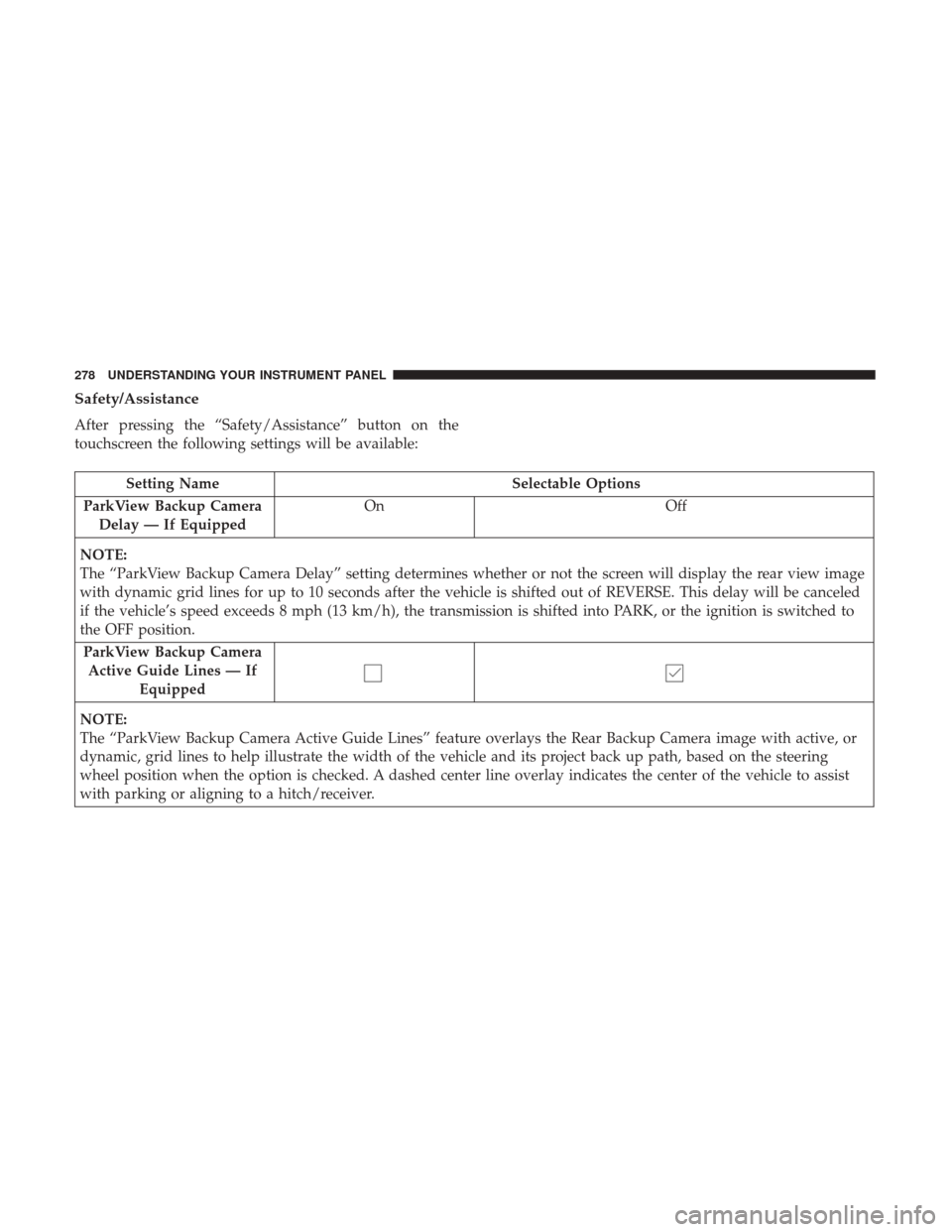
Safety/Assistance
After pressing the “Safety/Assistance” button on the
touchscreen the following settings will be available:
Setting NameSelectable Options
ParkView Backup Camera Delay — If Equipped On
Off
NOTE:
The “ParkView Backup Camera Delay” setting determines whether or not the screen will display the rear view image
with dynamic grid lines for up to 10 seconds after the vehicle is shifted out of REVERSE. This delay will be canceled
if the vehicle’s speed exceeds 8 mph (13 km/h), the transmission is shifted into PARK, or the ignition is switched to
the OFF position. ParkView Backup Camera Active Guide Lines — If Equipped
NOTE:
The “ParkView Backup Camera Active Guide Lines” feature overlays the Rear Backup Camera image with active, or
dynamic, grid lines to help illustrate the width of the vehicle and its project back up path, based on the steering
wheel position when the option is checked. A dashed center line overlay indicates the center of the vehicle to assist
with parking or aligning to a hitch/receiver.
278 UNDERSTANDING YOUR INSTRUMENT PANEL
Page 282 of 584
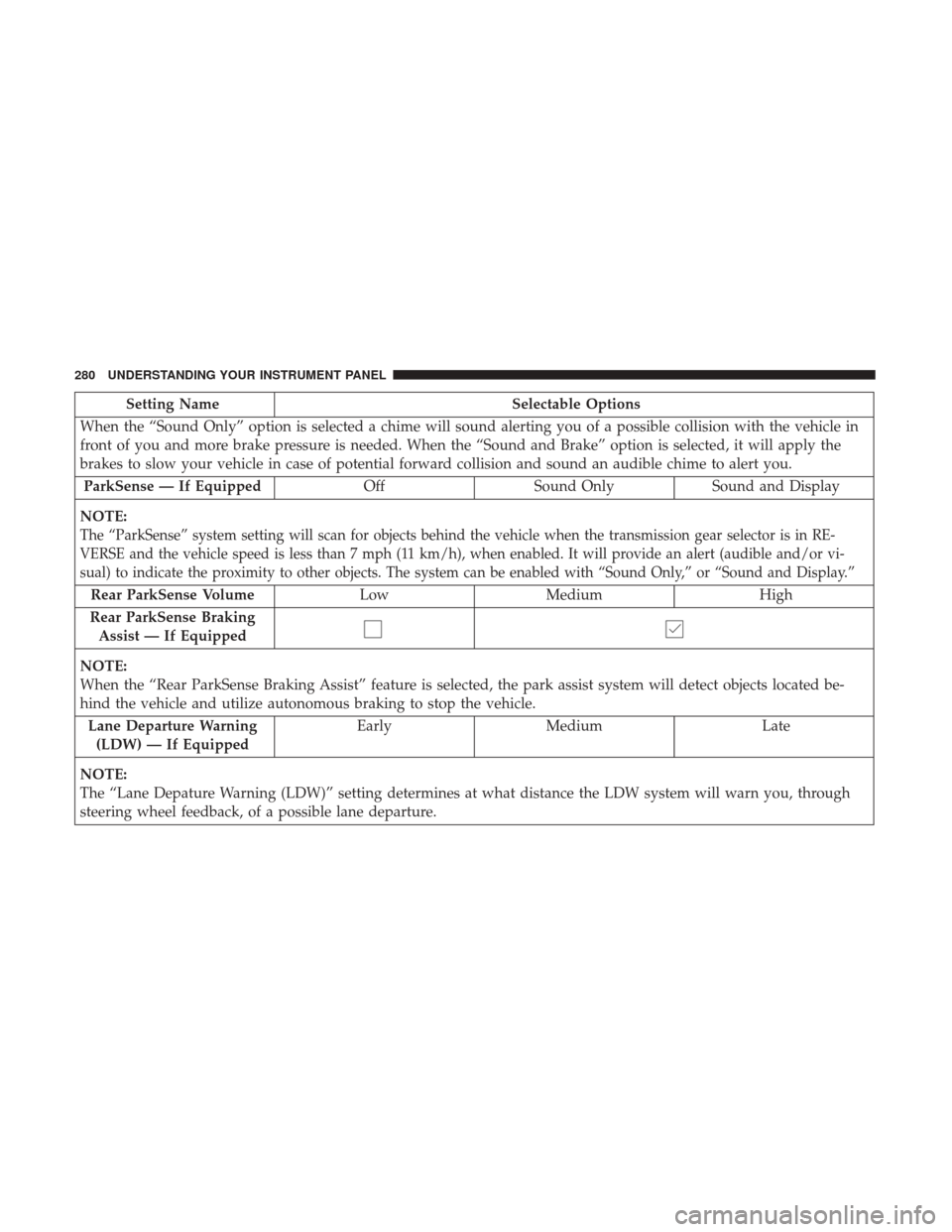
Setting NameSelectable Options
When the “Sound Only” option is selected a chime will sound alerting you of a possible collision with the vehicle in
front of you and more brake pressure is needed. When the “Sound and Brake” option is selected, it will apply the
brakes to slow your vehicle in case of potential forward collision and sound an audible chime to alert you. ParkSense — If Equipped OffSound Only Sound and Display
NOTE:
The “ParkSense” system setting will scan for objects behind the vehicle when the transmission gear selector is in RE-
VERSE and the vehicle speed is less than 7 mph (11 km/h), when enabled. It will provide an alert (audible and/or vi-
sual) to indicate the proximity to other objects. The system can be enabled with “Sound Only,” or “Sound and Display.”
Rear ParkSense Volume Low Medium High
Rear ParkSense Braking Assist — If Equipped
NOTE:
When the “Rear ParkSense Braking Assist” feature is selected, the park assist system will detect objects located be-
hind the vehicle and utilize autonomous braking to stop the vehicle. Lane Departure Warning (LDW) — If Equipped Early
Medium Late
NOTE:
The “Lane Depature Warning (LDW)” setting determines at what distance the LDW system will warn you, through
steering wheel feedback, of a possible lane departure.
280 UNDERSTANDING YOUR INSTRUMENT PANEL
Page 300 of 584
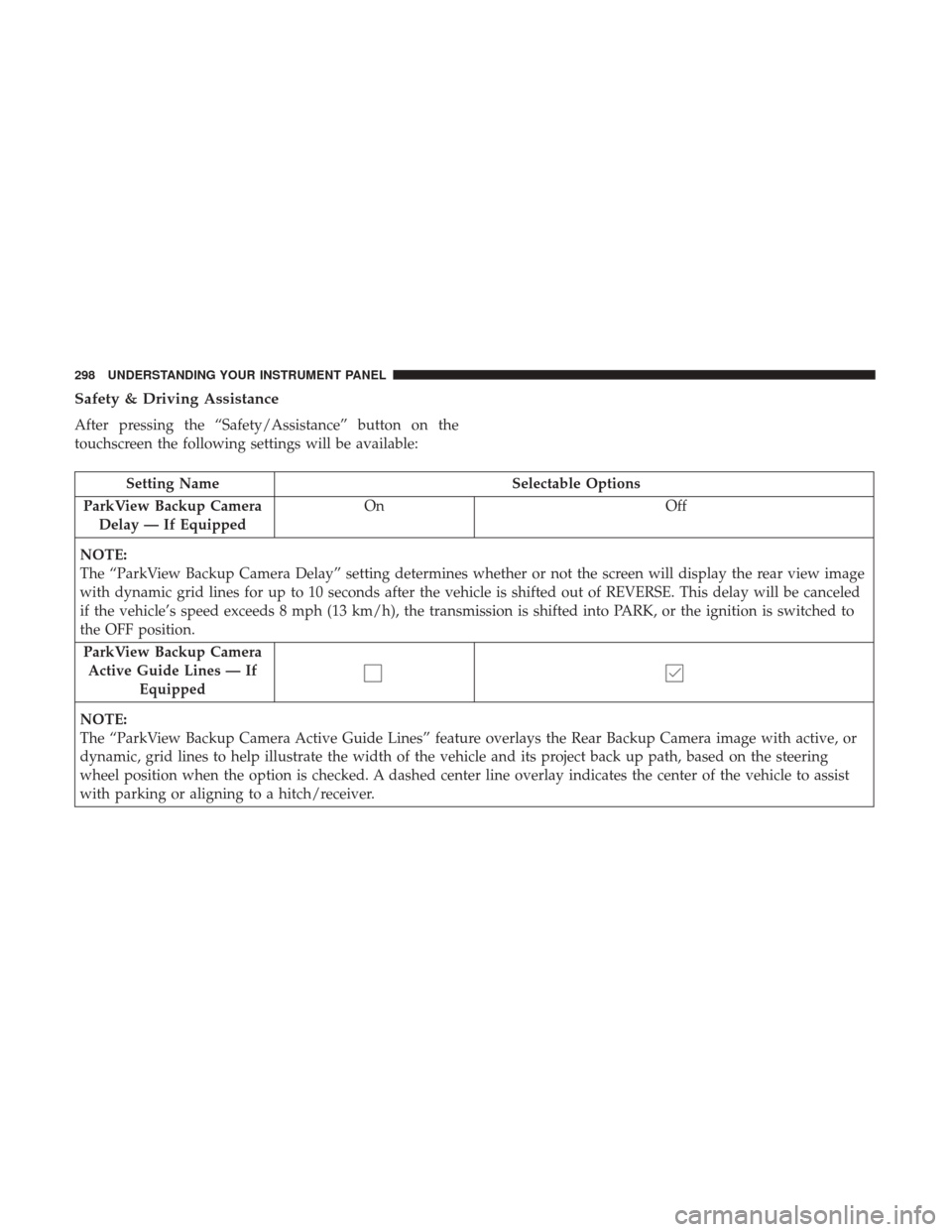
Safety & Driving Assistance
After pressing the “Safety/Assistance” button on the
touchscreen the following settings will be available:
Setting NameSelectable Options
ParkView Backup Camera Delay — If Equipped On
Off
NOTE:
The “ParkView Backup Camera Delay” setting determines whether or not the screen will display the rear view image
with dynamic grid lines for up to 10 seconds after the vehicle is shifted out of REVERSE. This delay will be canceled
if the vehicle’s speed exceeds 8 mph (13 km/h), the transmission is shifted into PARK, or the ignition is switched to
the OFF position. ParkView Backup Camera Active Guide Lines — If Equipped
NOTE:
The “ParkView Backup Camera Active Guide Lines” feature overlays the Rear Backup Camera image with active, or
dynamic, grid lines to help illustrate the width of the vehicle and its project back up path, based on the steering
wheel position when the option is checked. A dashed center line overlay indicates the center of the vehicle to assist
with parking or aligning to a hitch/receiver.
298 UNDERSTANDING YOUR INSTRUMENT PANEL