mirror DODGE DURANGO 2017 3.G Owner's Manual
[x] Cancel search | Manufacturer: DODGE, Model Year: 2017, Model line: DURANGO, Model: DODGE DURANGO 2017 3.GPages: 584, PDF Size: 5.14 MB
Page 283 of 584
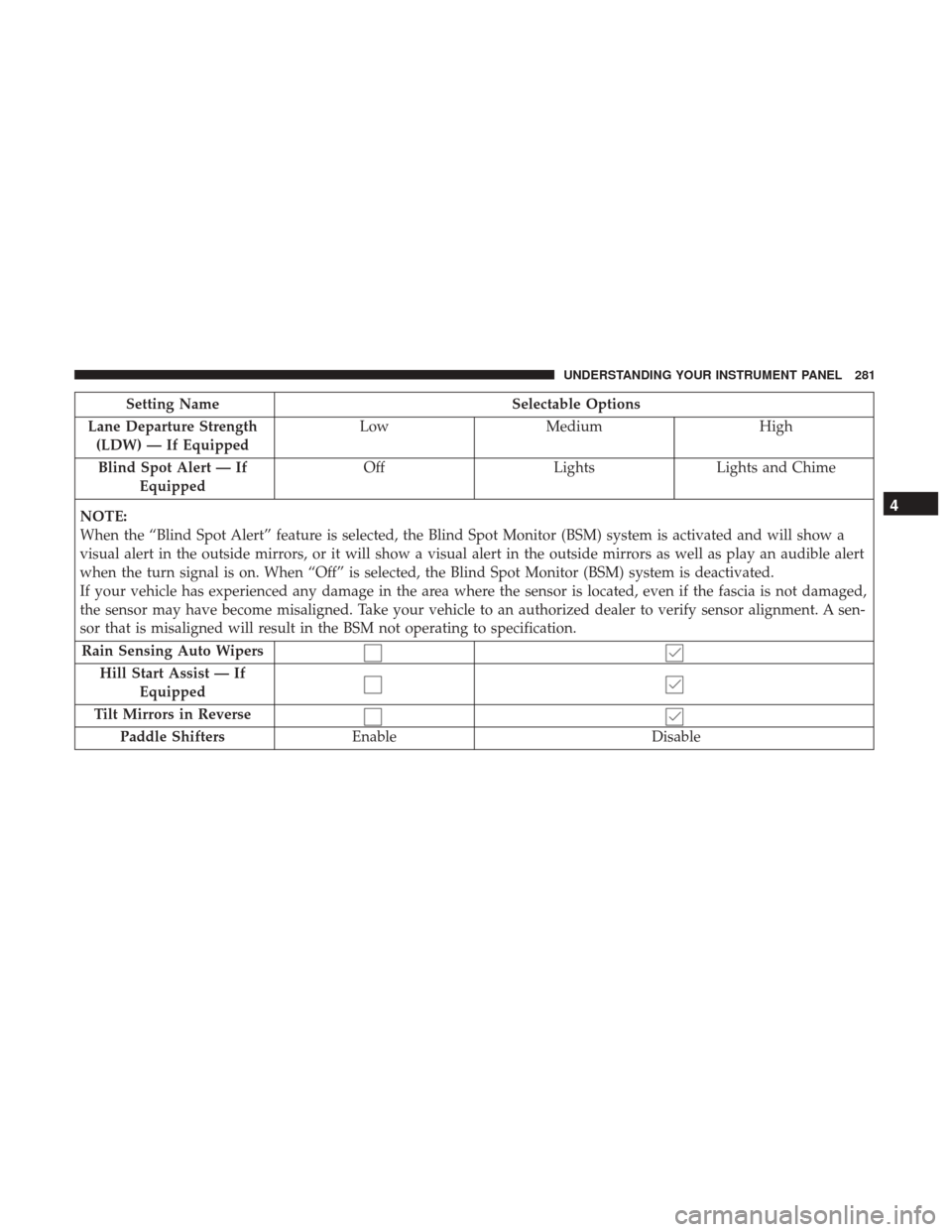
Setting NameSelectable Options
Lane Departure Strength (LDW) — If Equipped Low
Medium High
Blind Spot Alert — If Equipped Off
LightsLights and Chime
NOTE:
When the “Blind Spot Alert” feature is selected, the Blind Spot Monitor (BSM) system is activated and will show a
visual alert in the outside mirrors, or it will show a visual alert in the outside mirrors as well as play an audible alert
when the turn signal is on. When “Off” is selected, the Blind Spot Monitor (BSM) system is deactivated.
If your vehicle has experienced any damage in the area where the sensor is located, even if the fascia is not damaged,
the sensor may have become misaligned. Take your vehicle to an authorized dealer to verify sensor alignment. A sen-
sor that is misaligned will result in the BSM not operating to specification. Rain Sensing Auto Wipers Hill Start Assist — If Equipped
Tilt Mirrors in Reverse Paddle Shifters Enable Disable
4
UNDERSTANDING YOUR INSTRUMENT PANEL 281
Page 286 of 584
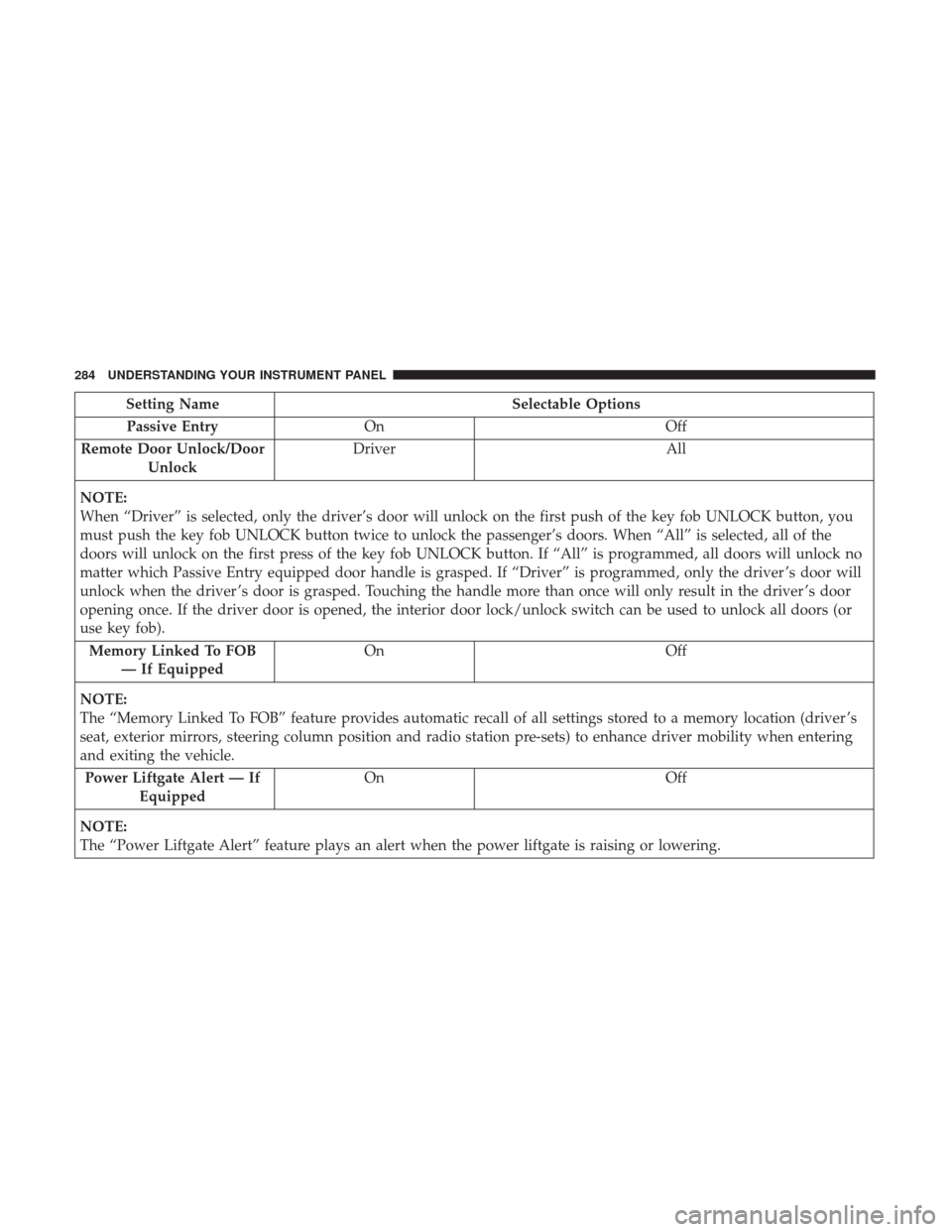
Setting NameSelectable Options
Passive Entry On Off
Remote Door Unlock/Door Unlock Driver
All
NOTE:
When “Driver” is selected, only the driver’s door will unlock on the first push of the key fob UNLOCK button, you
must push the key fob UNLOCK button twice to unlock the passenger’s doors. When “All” is selected, all of the
doors will unlock on the first press of the key fob UNLOCK button. If “All” is programmed, all doors will unlock no
matter which Passive Entry equipped door handle is grasped. If “Driver” is programmed, only the driver ’s door will
unlock when the driver ’s door is grasped. Touching the handle more than once will only result in the driver ’s door
opening once. If the driver door is opened, the interior door lock/unlock switch can be used to unlock all doors (or
use key fob). Memory Linked To FOB — If Equipped On
Off
NOTE:
The “Memory Linked To FOB” feature provides automatic recall of all settings stored to a memory location (driver ’s
seat, exterior mirrors, steering column position and radio station pre-sets) to enhance driver mobility when entering
and exiting the vehicle. Power Liftgate Alert — If Equipped On
Off
NOTE:
The “Power Liftgate Alert” feature plays an alert when the power liftgate is raising or lowering.
284 UNDERSTANDING YOUR INSTRUMENT PANEL
Page 290 of 584
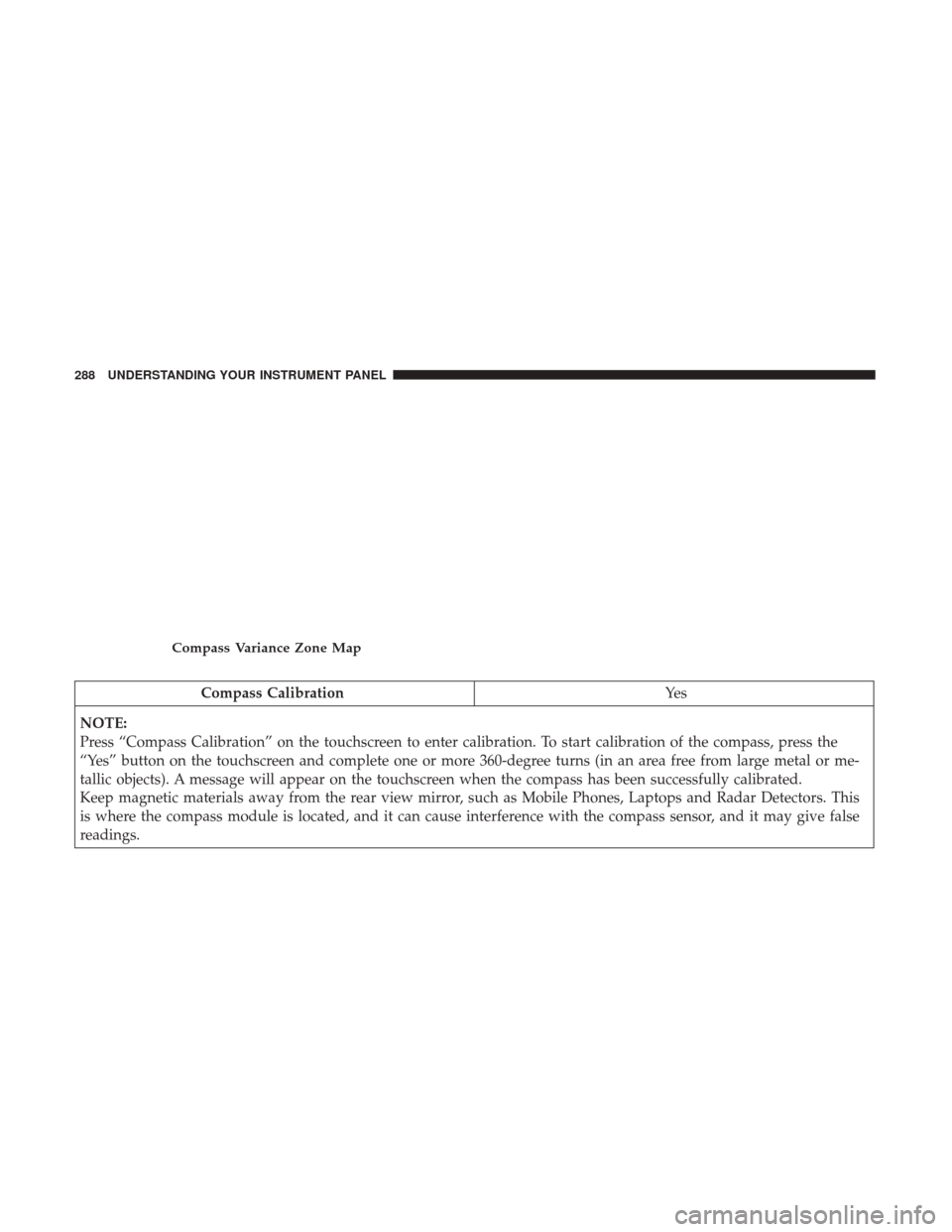
Compass CalibrationYe s
NOTE:
Press “Compass Calibration” on the touchscreen to enter calibration. To start calibration of the compass, press the
“Yes” button on the touchscreen and complete one or more 360-degree turns (in an area free from large metal or me-
tallic objects). A message will appear on the touchscreen when the compass has been successfully calibrated.
Keep magnetic materials away from the rear view mirror, such as Mobile Phones, Laptops and Radar Detectors. This
is where the compass module is located, and it can cause interference with the compass sensor, and it may give false
readings.
Compass Variance Zone Map
288 UNDERSTANDING YOUR INSTRUMENT PANEL
Page 304 of 584
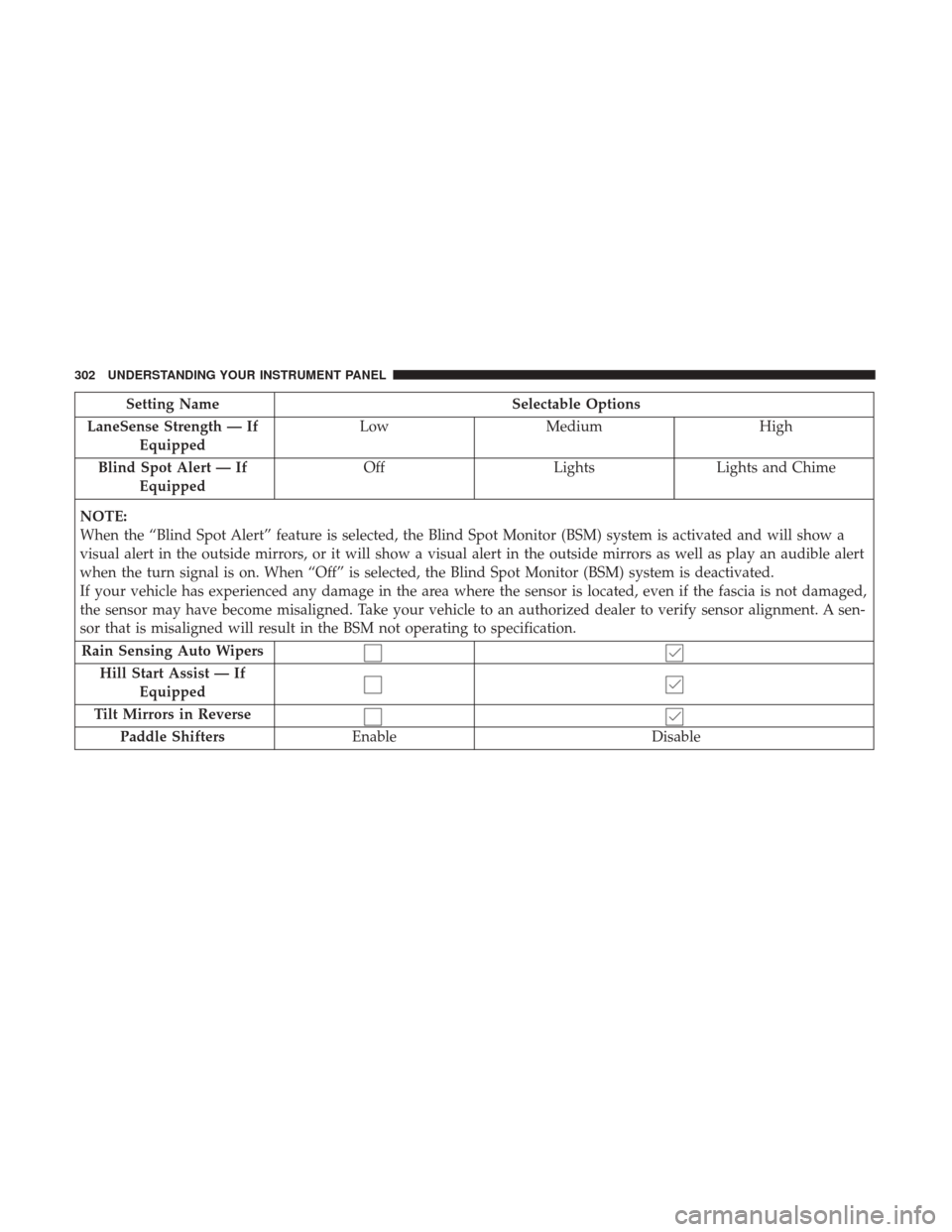
Setting NameSelectable Options
LaneSense Strength — If Equipped Low
Medium High
Blind Spot Alert — If Equipped Off
LightsLights and Chime
NOTE:
When the “Blind Spot Alert” feature is selected, the Blind Spot Monitor (BSM) system is activated and will show a
visual alert in the outside mirrors, or it will show a visual alert in the outside mirrors as well as play an audible alert
when the turn signal is on. When “Off” is selected, the Blind Spot Monitor (BSM) system is deactivated.
If your vehicle has experienced any damage in the area where the sensor is located, even if the fascia is not damaged,
the sensor may have become misaligned. Take your vehicle to an authorized dealer to verify sensor alignment. A sen-
sor that is misaligned will result in the BSM not operating to specification. Rain Sensing Auto Wipers Hill Start Assist — If Equipped
Tilt Mirrors in Reverse Paddle Shifters Enable Disable
302 UNDERSTANDING YOUR INSTRUMENT PANEL
Page 308 of 584
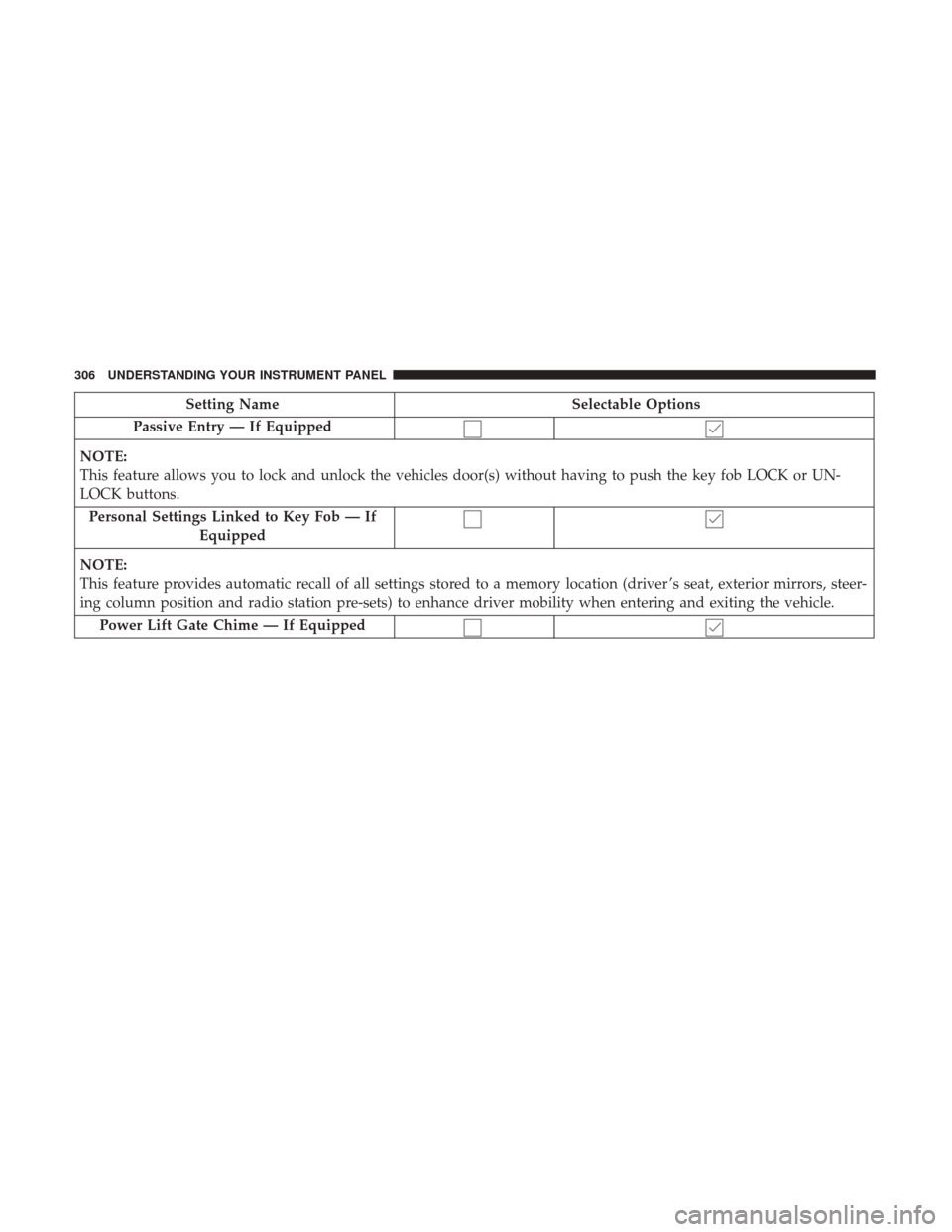
Setting NameSelectable Options
Passive Entry — If Equipped
NOTE:
This feature allows you to lock and unlock the vehicles door(s) without having to push the key fob LOCK or UN-
LOCK buttons. Personal Settings Linked to Key Fob — If Equipped
NOTE:
This feature provides automatic recall of all settings stored to a memory location (driver ’s seat, exterior mirrors, steer-
ing column position and radio station pre-sets) to enhance driver mobility when entering and exiting the vehicle. Power Lift Gate Chime — If Equipped
306 UNDERSTANDING YOUR INSTRUMENT PANEL
Page 341 of 584
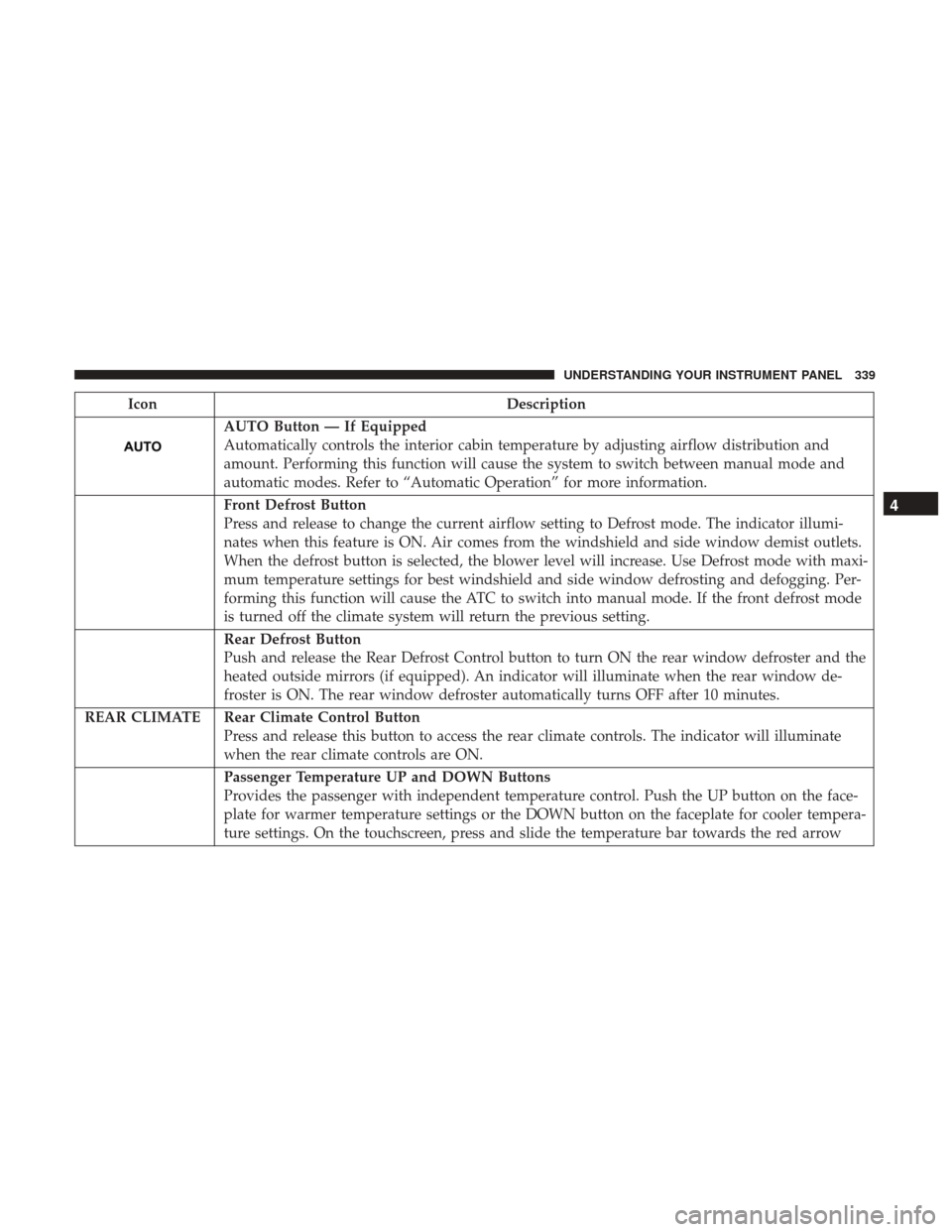
IconDescription
AUTO Button — If Equipped
Automatically controls the interior cabin temperature by adjusting airflow distribution and
amount. Performing this function will cause the system to switch between manual mode and
automatic modes. Refer to “Automatic Operation” for more information.
Front Defrost Button
Press and release to change the current airflow setting to Defrost mode. The indicator illumi-
nates when this feature is ON. Air comes from the windshield and side window demist outlets.
When the defrost button is selected, the blower level will increase. Use Defrost mode with maxi-
mum temperature settings for best windshield and side window defrosting and defogging. Per-
forming this function will cause the ATC to switch into manual mode. If the front defrost mode
is turned off the climate system will return the previous setting.
Rear Defrost Button
Push and release the Rear Defrost Control button to turn ON the rear window defroster and the
heated outside mirrors (if equipped). An indicator will illuminate when the rear window de-
froster is ON. The rear window defroster automatically turns OFF after 10 minutes.
REAR CLIMATE Rear Climate Control Button Press and release this button to access the rear climate controls. The indicator will illuminate
when the rear climate controls are ON.
Passenger Temperature UP and DOWN Buttons
Provides the passenger with independent temperature control. Push the UP button on the face-
plate for warmer temperature settings or the DOWN button on the faceplate for cooler tempera-
ture settings. On the touchscreen, press and slide the temperature bar towards the red arrow
4
UNDERSTANDING YOUR INSTRUMENT PANEL 339
Page 366 of 584
Register (8.4/8.4 NAV)
To unlock the full potential of Uconnect Access in your
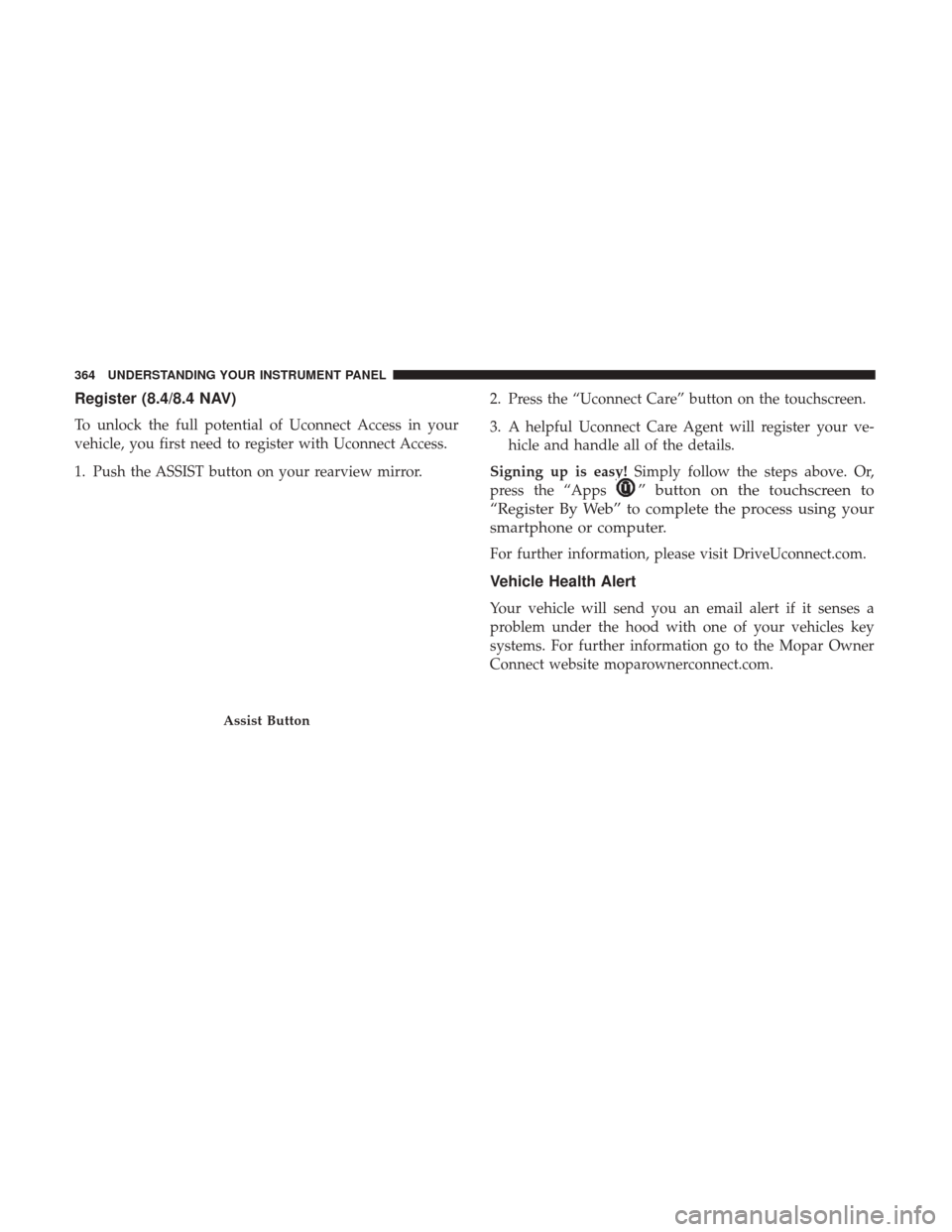
vehicle, you first need to register with Uconnect Access.
1. Push the ASSIST button on your rearview mirror.2. Press the “Uconnect Care” button on the touchscreen.
3. A helpful Uconnect Care Agent will register your ve-
hicle and handle all of the details.
Signing up is easy! Simply follow the steps above. Or,
press the “Apps
” button on the touchscreen to
“Register By Web” to complete the process using your
smartphone or computer.
For further information, please visit DriveUconnect.com.
Vehicle Health Alert
Your vehicle will send you an email alert if it senses a
problem under the hood with one of your vehicles key
systems. For further information go to the Mopar Owner
Connect website moparownerconnect.com.
Assist Button
364 UNDERSTANDING YOUR INSTRUMENT PANEL
Page 381 of 584
STARTING PROCEDURES
Before starting your vehicle, adjust your seat, adjust the
inside and outside mirrors, fasten your seat belt, and if
present, instruct all other occupants to buckle their seat belts.
WARNING!
•Before exiting a vehicle, always shift the automatic
transmission into PARK and apply the parking
brake. Always make sure the keyless ignition node is
in the “OFF” mode, remove the key fob from the
vehicle and lock the vehicle.
•
Never leave children alone in a vehicle, or with access
to an unlocked vehicle. Leaving children in a vehicle
unattended is dangerous for a number of reasons. A
child or others could be seriously or fatally injured.
Children should be warned not to touch the parking
brake, brake pedal or the gear selector.
• Do not leave the key fob in or near the vehicle, or in
a location accessible to children, and do not leave the
ignition of a vehicle equipped with Keyless Enter-
N-Go in the ACC or ON/RUN mode. A child could
operate power windows, other controls, or move the
vehicle.
(Continued)
WARNING! (Continued)
•Do not leave children or animals inside parked
vehicles in hot weather. Interior heat build-up may
cause serious injury or death.
Automatic Transmission
The gear selector must be in the NEUTRAL or PARK
position before you can start the engine. Apply the brakes
before shifting into any driving gear.
CAUTION!
Damage to the transmission may occur if the following
precautions are not observed:
•
Do not shift from REVERSE, PARK, or NEUTRAL into
any forward gear when the engine is above idle speed.
• Shift into PARK only after the vehicle has come to a
complete stop.
•
Shift into or out of REVERSE only after the vehicle has
come to a complete stop and the engine is at idle speed.
• Before shifting into any gear, make sure your foot is
firmly on the brake pedal.
5
STARTING AND OPERATING 379
Page 534 of 584
CAUTION!
Damage caused by these type of products may not be
covered by your New Vehicle Limited Warranty.
CAUTION!
Do not use Alcohol and Alcohol-based and/or Keton
based cleaning products to clean leather seats, as
damage to the seat may result.
Cleaning Headlights
Your vehicle is equipped with plastic headlights and fog
lights that are lighter and less susceptible to stone breakage
than glass headlights.
Plastic is not as scratch resistant as glass and therefore
different lens cleaning procedures must be followed.
To minimize the possibility of scratching the lenses and
reducing light output, avoid wiping with a dry cloth. To
remove road dirt, wash with a mild soap solution followed
by rinsing.
Do not use abrasive cleaning components, solvents, steel
wool or other aggressive material to clean the lenses.
Glass Surfaces
All glass surfaces should be cleaned on a regular basis with
MOPAR Glass Cleaner, or any commercial household-type
glass cleaner. Never use an abrasive type cleaner. Use
caution when cleaning the inside rear window equipped
with electric defrosters or windows equipped with radio
antennas. Do not use scrapers or other sharp instrument
that may scratch the elements.
When cleaning the rear view mirror, spray cleaner on the
towel or cloth that you are using. Do not spray cleaner
directly on the mirror.
Cleaning Plastic Instrument Cluster Lenses
The lenses in front of the instruments in this vehicle are
molded in clear plastic. When cleaning the lenses, care
must be taken to avoid scratching the plastic.
1. Clean with a wet soft cloth. A mild soap solution may beused, but do not use high alcohol content or abrasive
cleaners. If soap is used, wipe clean with a clean damp
cloth.
2. Dry with a soft cloth.
532 MAINTAINING YOUR VEHICLE
Page 541 of 584
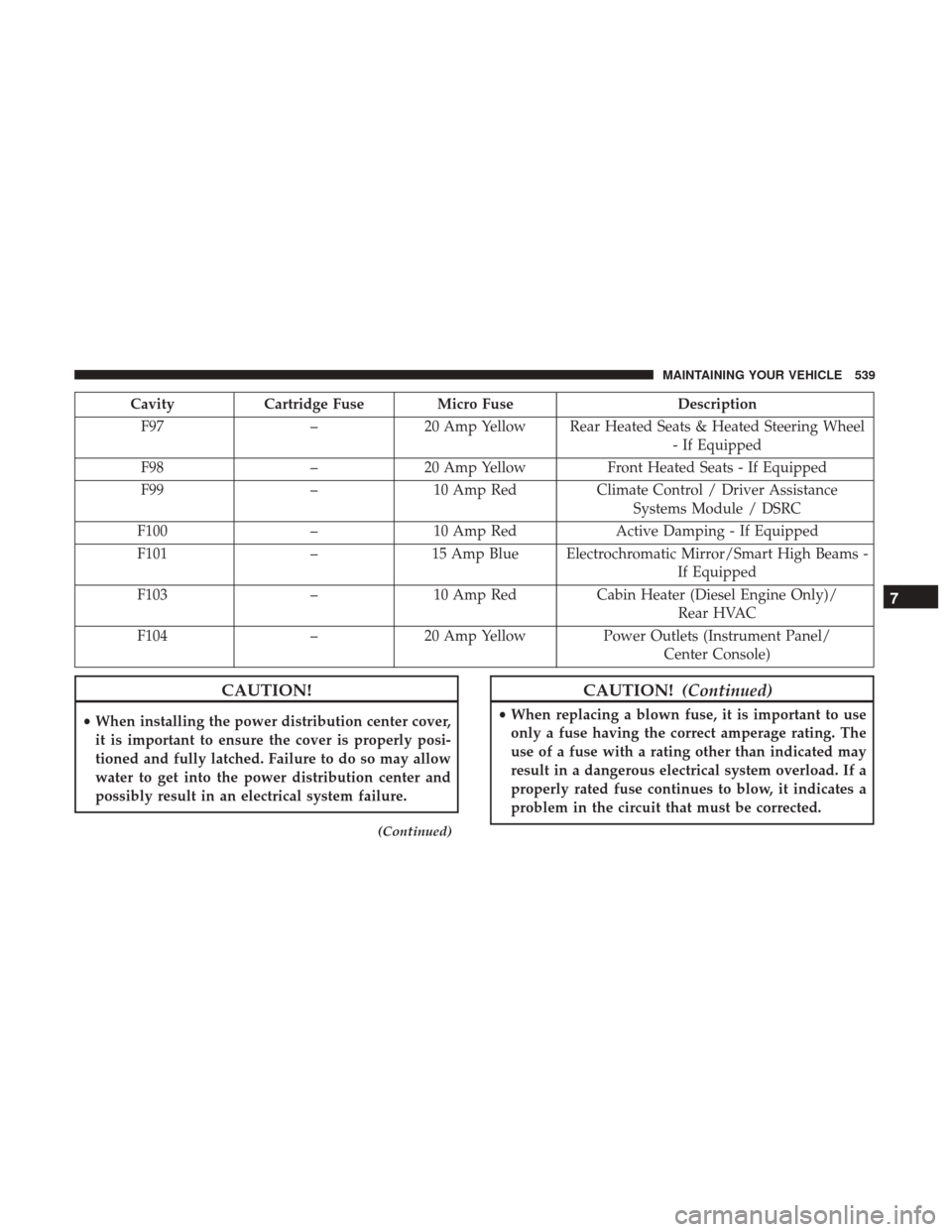
CavityCartridge Fuse Micro Fuse Description
F97 –20 Amp Yellow Rear Heated Seats & Heated Steering Wheel
- If Equipped
F98 –20 Amp Yellow Front Heated Seats - If Equipped
F99 –10 Amp Red Climate Control / Driver Assistance
Systems Module / DSRC
F100 –10 Amp Red Active Damping - If Equipped
F101 –15 Amp Blue Electrochromatic Mirror/Smart High Beams -
If Equipped
F103 –10 Amp Red Cabin Heater (Diesel Engine Only)/
Rear HVAC
F104 –20 Amp Yellow Power Outlets (Instrument Panel/
Center Console)
CAUTION!
•When installing the power distribution center cover,
it is important to ensure the cover is properly posi-
tioned and fully latched. Failure to do so may allow
water to get into the power distribution center and
possibly result in an electrical system failure.
(Continued)
CAUTION! (Continued)
•When replacing a blown fuse, it is important to use
only a fuse having the correct amperage rating. The
use of a fuse with a rating other than indicated may
result in a dangerous electrical system overload. If a
properly rated fuse continues to blow, it indicates a
problem in the circuit that must be corrected.
7
MAINTAINING YOUR VEHICLE 539