seats DODGE DURANGO 2017 3.G Owner's Guide
[x] Cancel search | Manufacturer: DODGE, Model Year: 2017, Model line: DURANGO, Model: DODGE DURANGO 2017 3.GPages: 584, PDF Size: 5.14 MB
Page 126 of 584
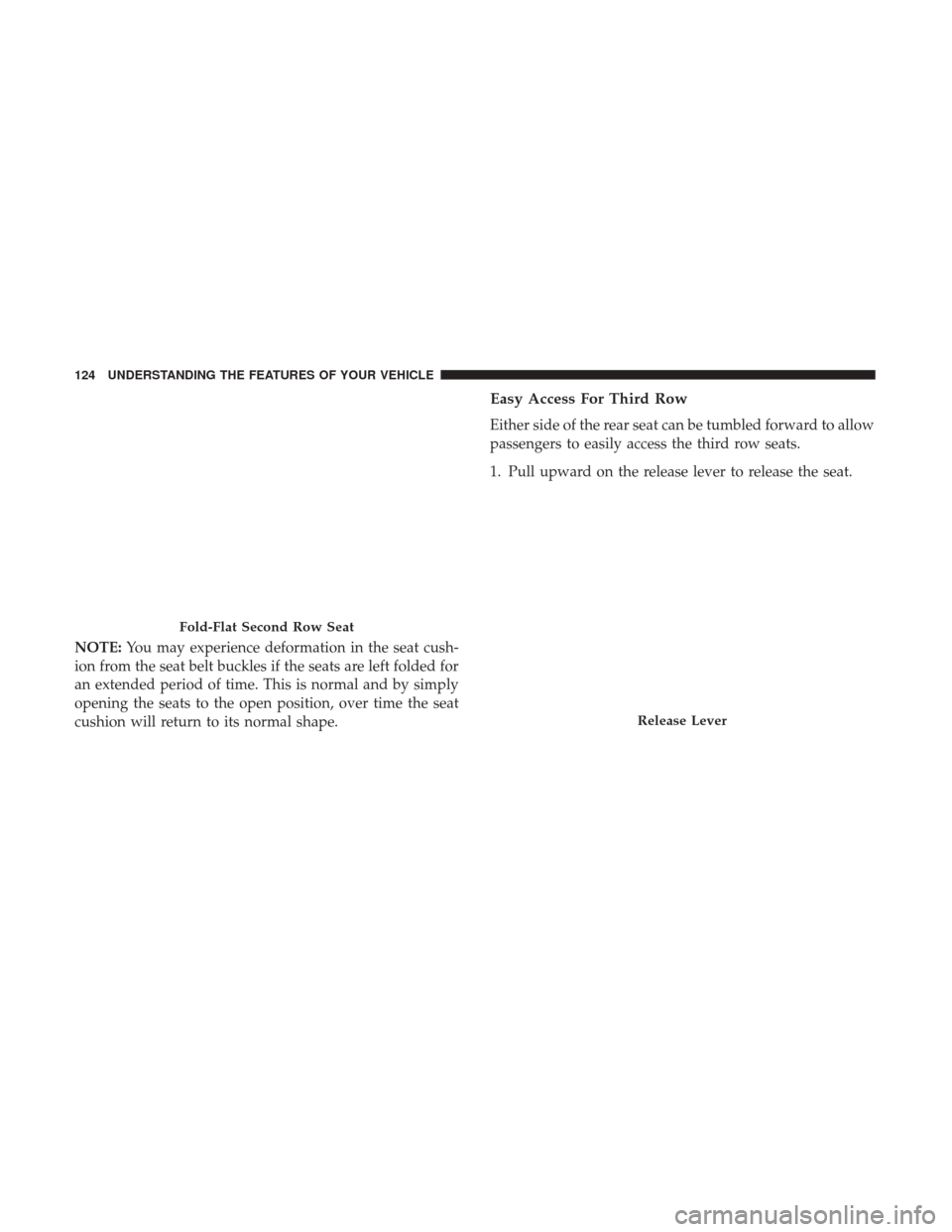
NOTE:You may experience deformation in the seat cush-
ion from the seat belt buckles if the seats are left folded for
an extended period of time. This is normal and by simply
opening the seats to the open position, over time the seat
cushion will return to its normal shape.
Easy Access For Third Row
Either side of the rear seat can be tumbled forward to allow
passengers to easily access the third row seats.
1. Pull upward on the release lever to release the seat.
Fold-Flat Second Row Seat
Release Lever
124 UNDERSTANDING THE FEATURES OF YOUR VEHICLE
Page 127 of 584
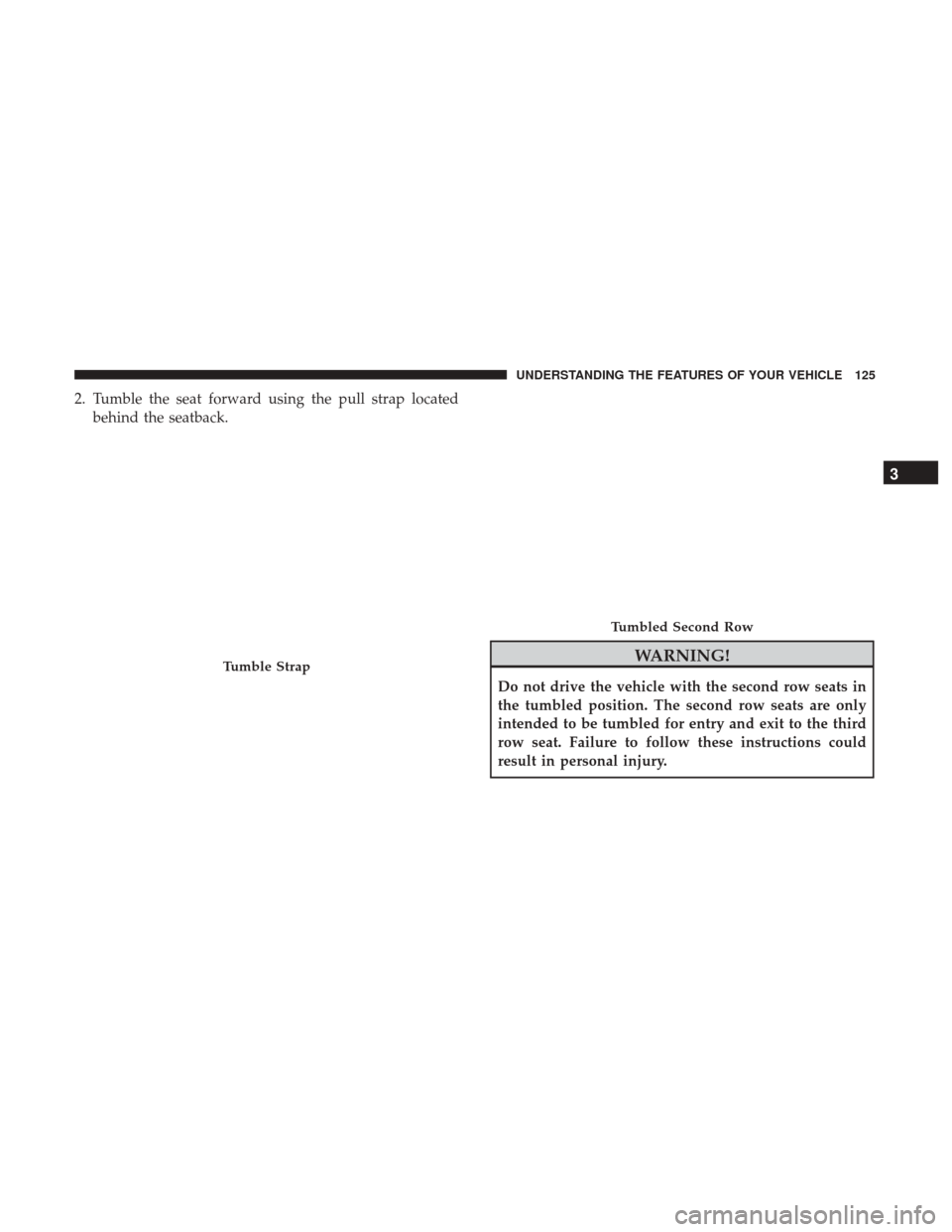
2. Tumble the seat forward using the pull strap locatedbehind the seatback.
WARNING!
Do not drive the vehicle with the second row seats in
the tumbled position. The second row seats are only
intended to be tumbled for entry and exit to the third
row seat. Failure to follow these instructions could
result in personal injury.
Tumble Strap
Tumbled Second Row
3
UNDERSTANDING THE FEATURES OF YOUR VEHICLE 125
Page 128 of 584
To Raise Rear Seat
Fold the seat rearward and lock it into place.
WARNING!
Be certain that the seatback is securely locked into
position. If the seatback is not securely locked into
position the seat will not provide the proper stability
for child seats and/or passengers. An improperly
latched seat could cause serious injury.
Rear Captain’s Chairs — If Equipped
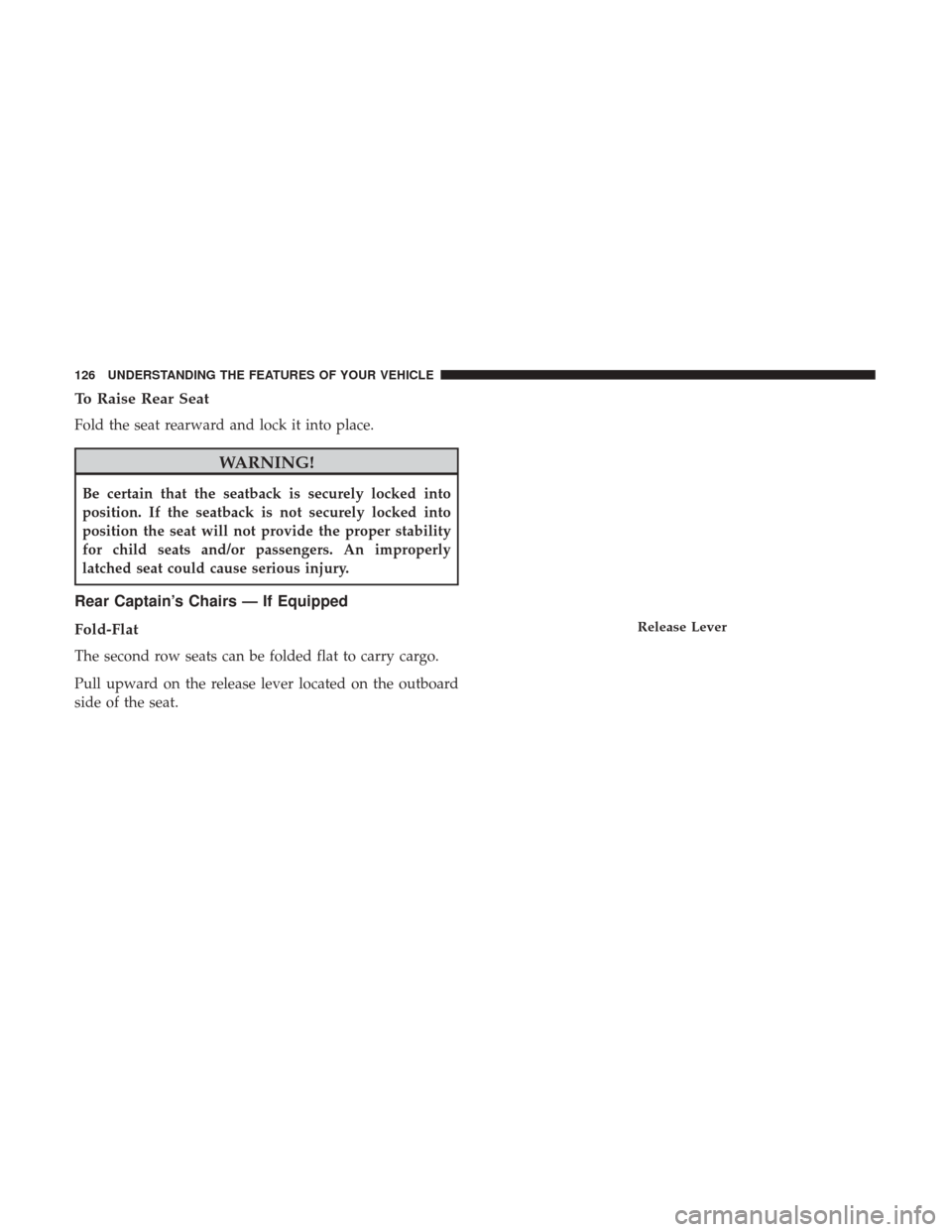
Fold-Flat
The second row seats can be folded flat to carry cargo.
Pull upward on the release lever located on the outboard
side of the seat.
Release Lever
126 UNDERSTANDING THE FEATURES OF YOUR VEHICLE
Page 129 of 584
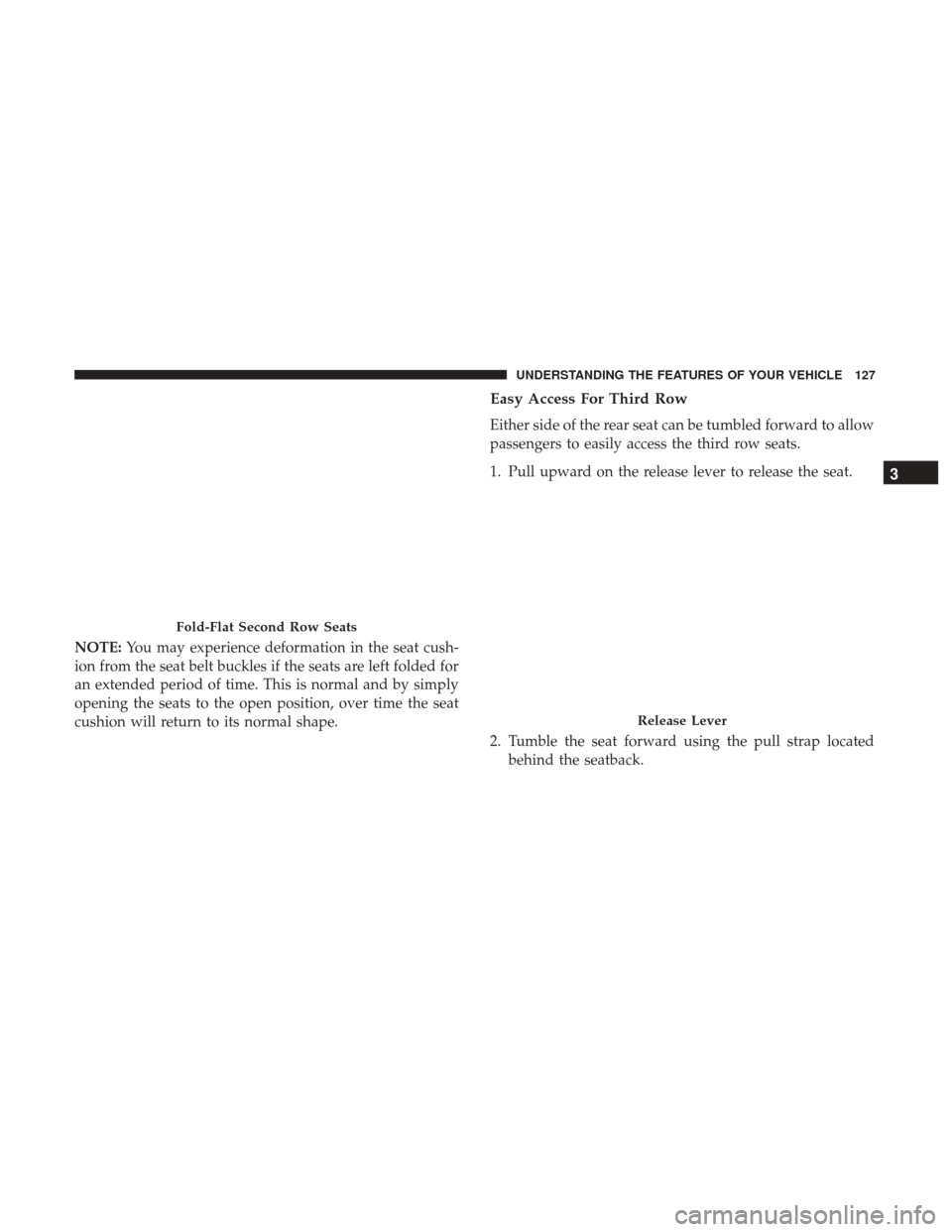
NOTE:You may experience deformation in the seat cush-
ion from the seat belt buckles if the seats are left folded for
an extended period of time. This is normal and by simply
opening the seats to the open position, over time the seat
cushion will return to its normal shape.
Easy Access For Third Row
Either side of the rear seat can be tumbled forward to allow
passengers to easily access the third row seats.
1. Pull upward on the release lever to release the seat.
2. Tumble the seat forward using the pull strap located behind the seatback.
Fold-Flat Second Row Seats
Release Lever
3
UNDERSTANDING THE FEATURES OF YOUR VEHICLE 127
Page 130 of 584
WARNING!
Do not drive the vehicle with the second row seats in
the tumbled position. The second row seats are only
intended to be tumbled for entry and exit to the third
row seat. Failure to follow these instructions could
result in personal injury.
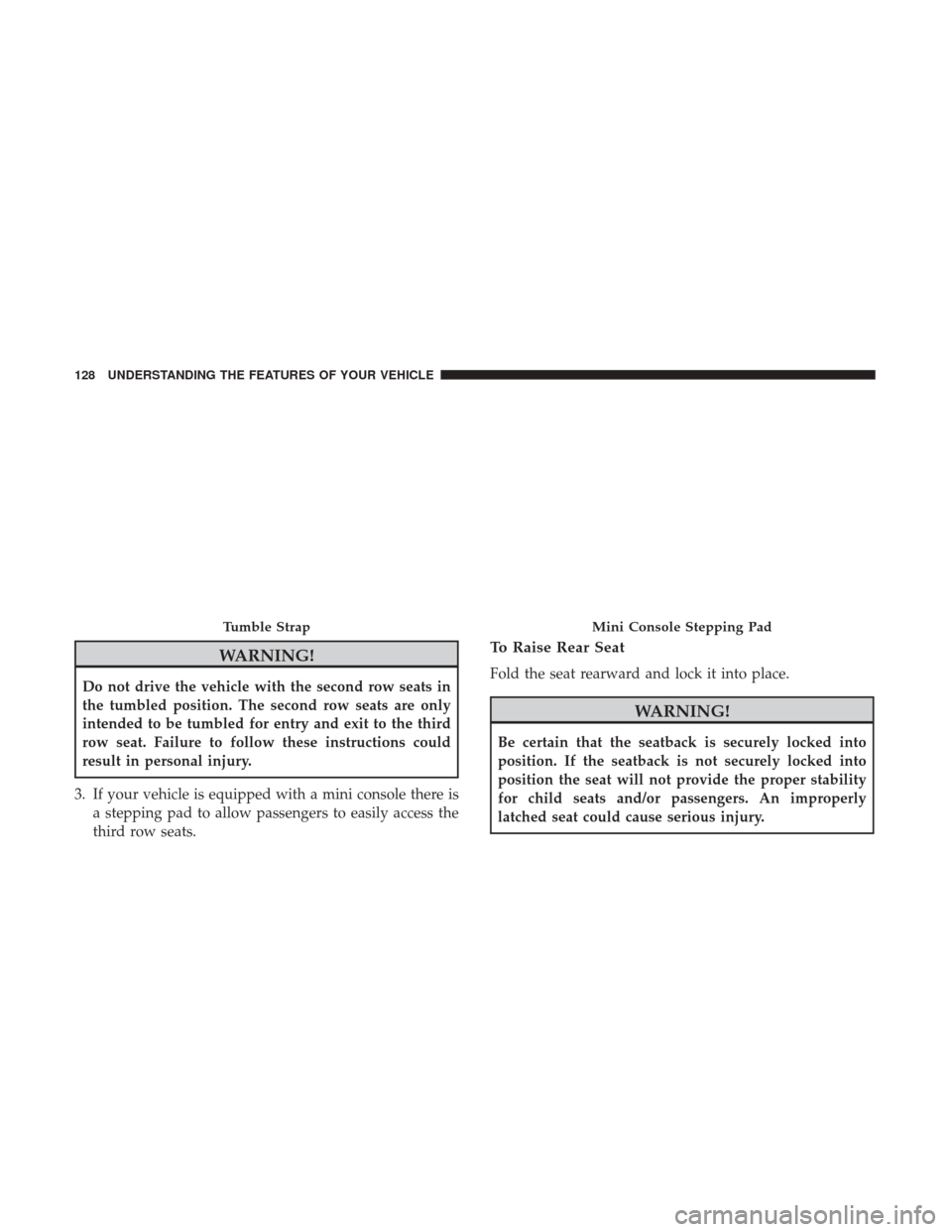
3. If your vehicle is equipped with a mini console there is a stepping pad to allow passengers to easily access the
third row seats.
To Raise Rear Seat
Fold the seat rearward and lock it into place.
WARNING!
Be certain that the seatback is securely locked into
position. If the seatback is not securely locked into
position the seat will not provide the proper stability
for child seats and/or passengers. An improperly
latched seat could cause serious injury.
Tumble StrapMini Console Stepping Pad
128 UNDERSTANDING THE FEATURES OF YOUR VEHICLE
Page 131 of 584
Folding Third Row
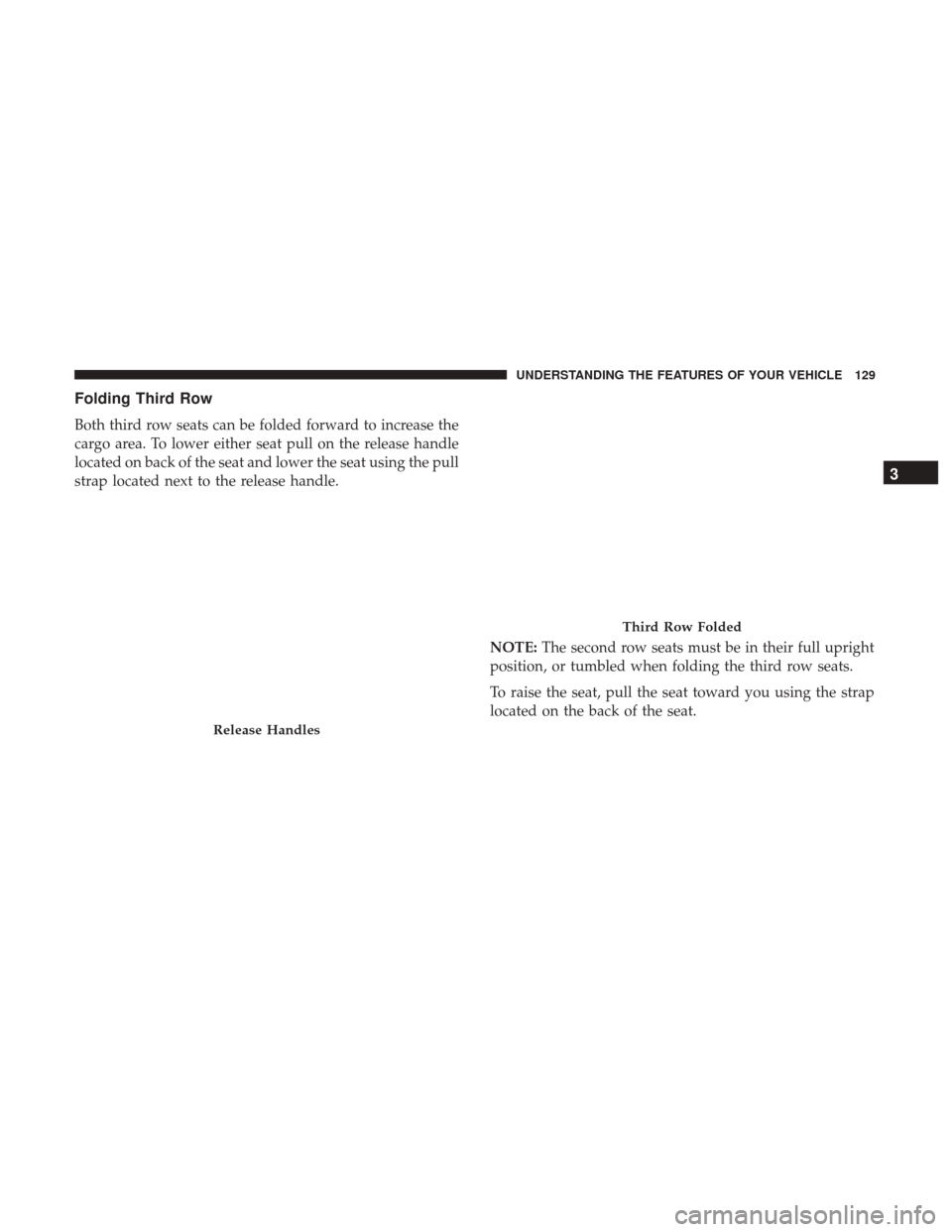
Both third row seats can be folded forward to increase the
cargo area. To lower either seat pull on the release handle
located on back of the seat and lower the seat using the pull
strap located next to the release handle.NOTE:The second row seats must be in their full upright
position, or tumbled when folding the third row seats.
To raise the seat, pull the seat toward you using the strap
located on the back of the seat.
Release Handles
Third Row Folded
3
UNDERSTANDING THE FEATURES OF YOUR VEHICLE 129
Page 132 of 584
NOTE:You may experience deformation in the seat cush-
ion from the seat belt buckles if the seats are left folded for
an extended period of time. This is normal and by simply
opening the seats to the open position, over time the seat
cushion will return to its normal shape.
WARNING!
Be certain that the seatback is securely locked into
position. If the seatback is not securely locked into
position the seat will not provide the proper stability
for child seats and/or passengers. An improperly
latched seat could cause serious injury.
DRIVER MEMORY SEAT — IF EQUIPPED
This feature allows the driver to store up to two different
memory profiles for easy recall through a memory switch.
Each memory profile contains desired position settings for
the driver seat, side mirrors, and power tilt and telescopic
steering column (if equipped) and a set of desired radio
station presets. Your Remote Keyless Entry key fob can also
be programmed to recall the same positions when the
UNLOCK button is pushed. NOTE:
Your vehicle is equipped with two key fobs, one
key fob can be linked to memory position 1 and the other
key fob can be linked to memory position 2.
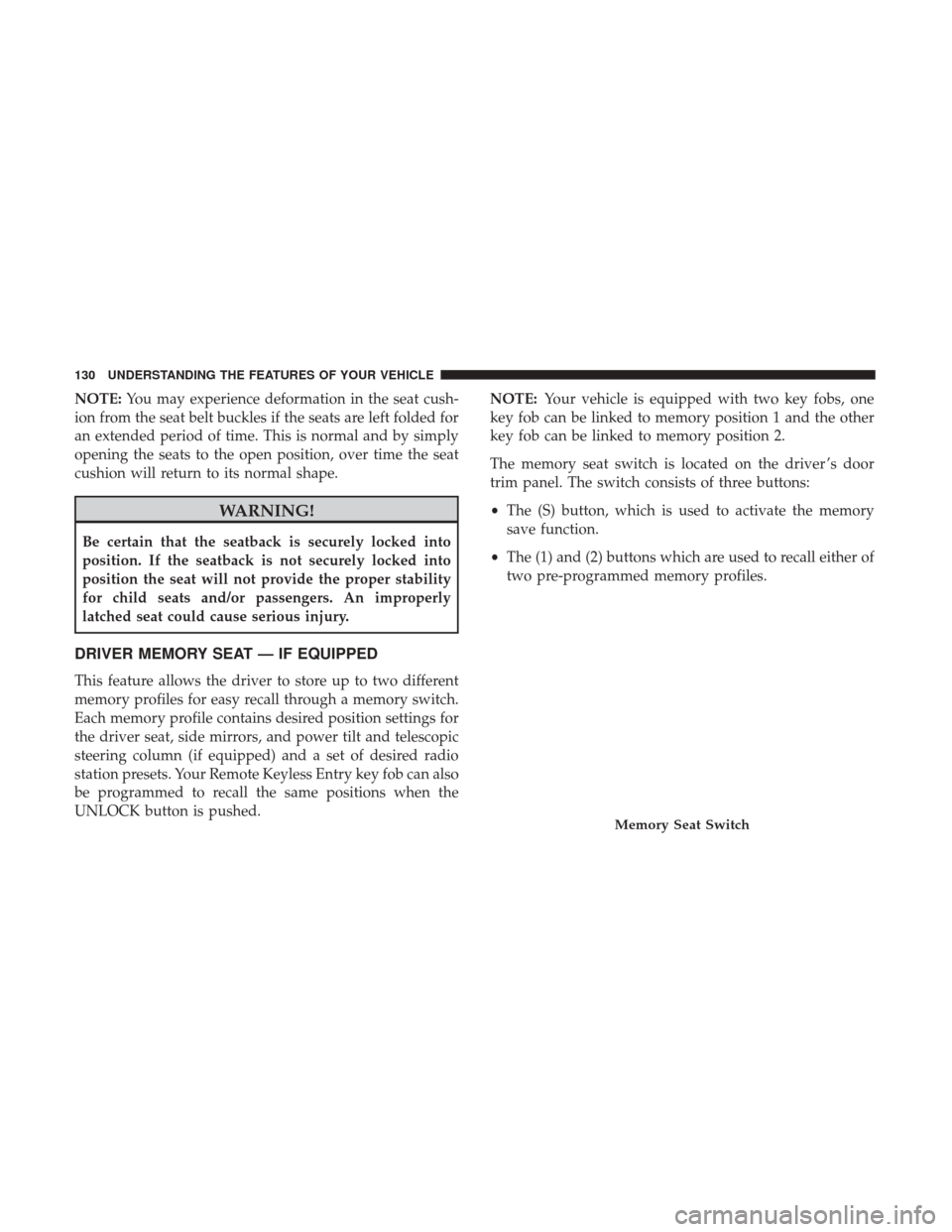
The memory seat switch is located on the driver ’s door
trim panel. The switch consists of three buttons:
• The (S) button, which is used to activate the memory
save function.
• The (1) and (2) buttons which are used to recall either of
two pre-programmed memory profiles.
Memory Seat Switch
130 UNDERSTANDING THE FEATURES OF YOUR VEHICLE
Page 223 of 584
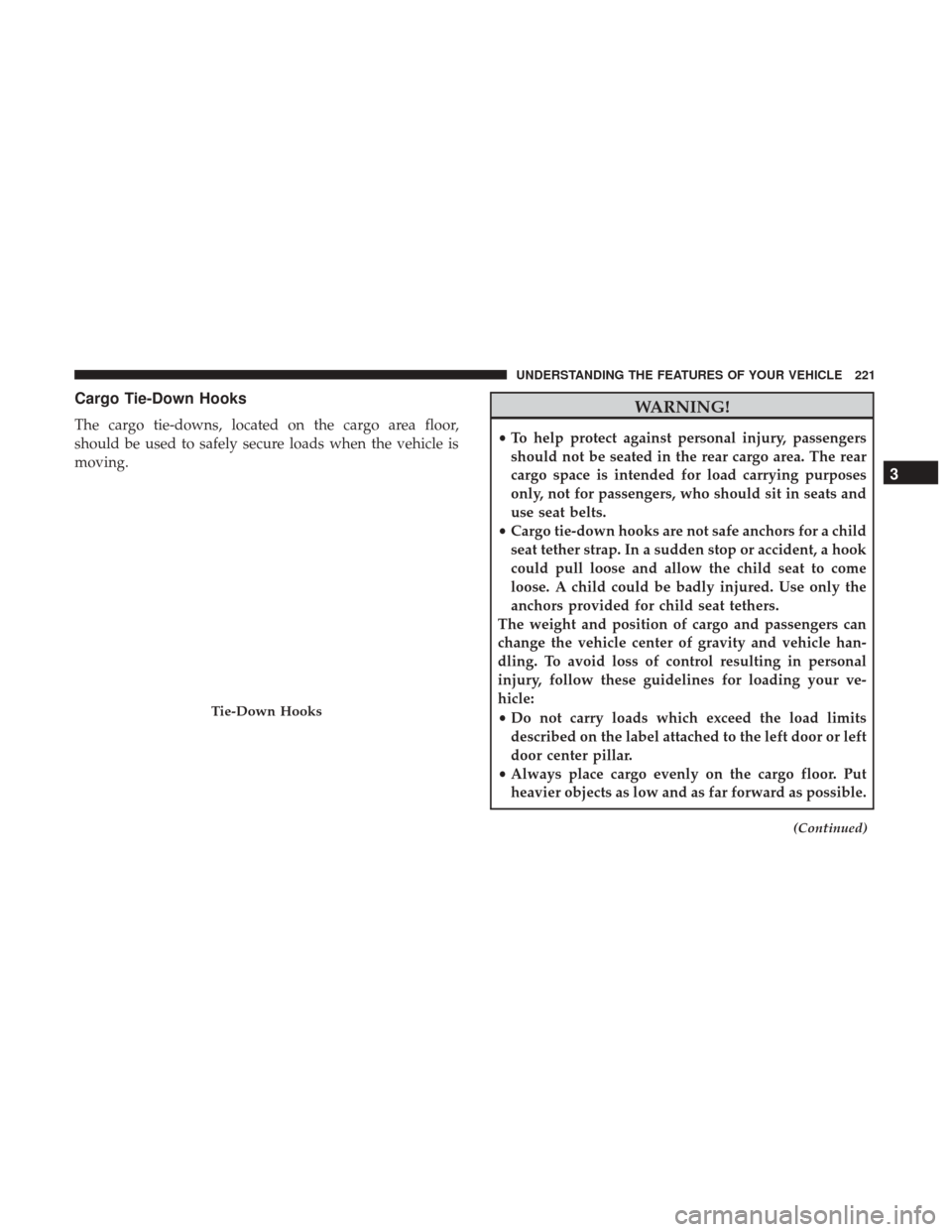
Cargo Tie-Down Hooks
The cargo tie-downs, located on the cargo area floor,
should be used to safely secure loads when the vehicle is
moving.
WARNING!
•To help protect against personal injury, passengers
should not be seated in the rear cargo area. The rear
cargo space is intended for load carrying purposes
only, not for passengers, who should sit in seats and
use seat belts.
• Cargo tie-down hooks are not safe anchors for a child
seat tether strap. In a sudden stop or accident, a hook
could pull loose and allow the child seat to come
loose. A child could be badly injured. Use only the
anchors provided for child seat tethers.
The weight and position of cargo and passengers can
change the vehicle center of gravity and vehicle han-
dling. To avoid loss of control resulting in personal
injury, follow these guidelines for loading your ve-
hicle:
• Do not carry loads which exceed the load limits
described on the label attached to the left door or left
door center pillar.
• Always place cargo evenly on the cargo floor. Put
heavier objects as low and as far forward as possible.
(Continued)
Tie-Down Hooks
3
UNDERSTANDING THE FEATURES OF YOUR VEHICLE 221
Page 272 of 584
When load reduction is activated, the message “Battery
Saver On” or “Battery Saver Mode” will appear in the
Instrument Cluster Display.
These messages indicate the vehicle battery has a low state
of charge and continues to lose electrical charge at a rate
that the charging system cannot sustain.
NOTE:
•The charging system is independent from load reduc-
tion. The charging system performs a diagnostic on the
charging system continuously.
• If the Battery Charge Warning Light is on it may indicate
a problem with the charging system. Refer to “Battery
Charge Warning Light” in “Understanding Your Instru-
ment Panel” for further information.
The electrical loads that may be switched off (if equipped),
and vehicle functions which can be effected by load reduction:
• Heated Seat/Vented Seats/Heated Wheel
• Heated/Cooled Cup Holders — If Equipped
• Rear Defroster And Heated Mirrors
• HVAC System •
115V AC Power Inverter System
• Audio and Telematics System
Loss of the battery charge may indicate one or more of the
following conditions:
• The charging system cannot deliver enough electrical
power to the vehicle system because the electrical loads
are larger than the capability of charging system. The
charging system is still functioning properly.
• Turning on all possible vehicle electrical loads (e.g.
HVAC to max settings, exterior and interior lights,
overloaded power outlets +12V, 115V AC, USB ports)
during certain driving conditions (city driving, towing,
frequent stopping).
•
Installing options like additional lights, upfitter electrical
accessories, audio systems, alarms and similar devices.
• Unusual driving cycles (short trips separated by long
parking periods).
• The vehicle was parked for an extended period of time
(weeks, months).
• The battery was recently replaced and was not charged
completely.
270 UNDERSTANDING YOUR INSTRUMENT PANEL
Page 318 of 584
UCONNECT REAR SEAT ENTERTAINMENT (RSE)
SYSTEM — IF EQUIPPED
Your Rear Seat Entertainment System is designed to give
your family years of enjoyment. You can play your favorite
CDs, DVDs or Blu-ray Discs, listen to audio over the
wireless headphones, or plug and play a variety of stan-
dard video games or audio devices. Please review this
Owner’s Manual to become familiar with its features and
operation.
Getting Started
•Screen(s) located in the rear of front seats: Open the
LCD screen cover by lifting up on cover.
• Place the ignition in the ON or ACC position.
• Your vehicle may be equipped with a Blu-ray Disc
Player. If equipped with a Blu-ray Disc Player, the icon
will be present on the Player.
Second Row Center Console USB Port
RSE System Screen
316 UNDERSTANDING YOUR INSTRUMENT PANEL