instrument cluster DODGE DURANGO 2019 User Guide
[x] Cancel search | Manufacturer: DODGE, Model Year: 2019, Model line: DURANGO, Model: DODGE DURANGO 2019Pages: 598, PDF Size: 4.32 MB
Page 147 of 598
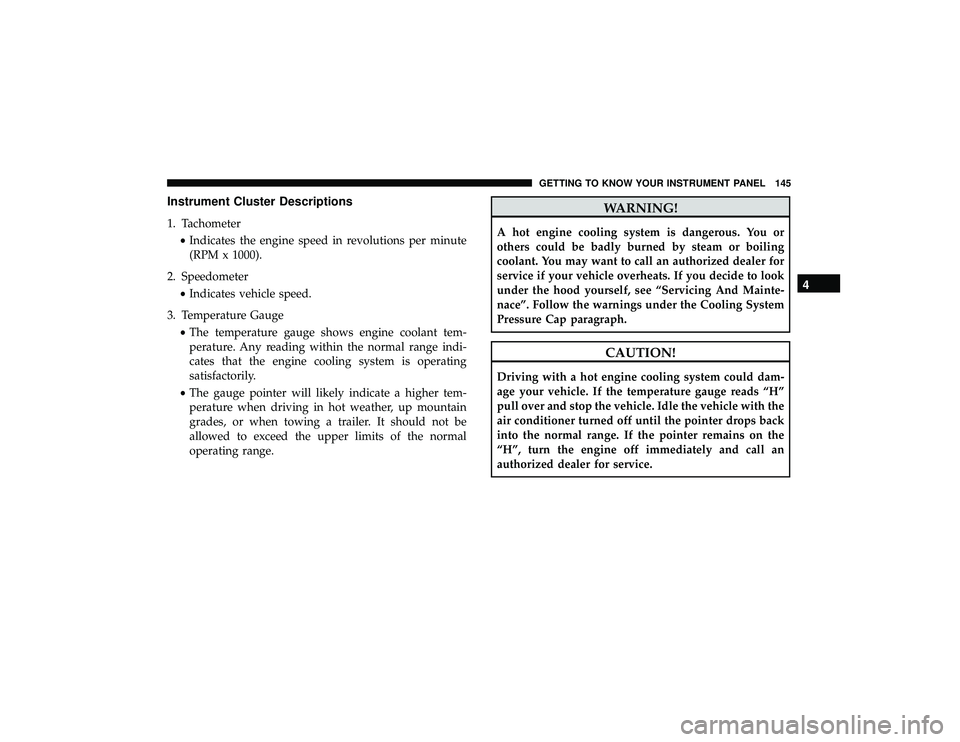
Instrument Cluster Descriptions
1. Tachometer•Indicates the engine speed in revolutions per minute
(RPM x 1000).
2. Speedometer •Indicates vehicle speed.
3. Temperature Gauge •The temperature gauge shows engine coolant tem-
perature. Any reading within the normal range indi-
cates that the engine cooling system is operating
satisfactorily.
• The gauge pointer will likely indicate a higher tem-
perature when driving in hot weather, up mountain
grades, or when towing a trailer. It should not be
allowed to exceed the upper limits of the normal
operating range.
WARNING!
A hot engine cooling system is dangerous. You or
others could be badly burned by steam or boiling
coolant. You may want to call an authorized dealer for
service if your vehicle overheats. If you decide to look
under the hood yourself, see “Servicing And Mainte-
nace”. Follow the warnings under the Cooling System
Pressure Cap paragraph.
CAUTION!
Driving with a hot engine cooling system could dam-
age your vehicle. If the temperature gauge reads “H”
pull over and stop the vehicle. Idle the vehicle with the
air conditioner turned off until the pointer drops back
into the normal range. If the pointer remains on the
“H”, turn the engine off immediately and call an
authorized dealer for service.
4
GETTING TO KNOW YOUR INSTRUMENT PANEL 145
Page 148 of 598
4. Fuel Gauge•The pointer shows the level of fuel in the fuel tank
when the Keyless Push Button Ignition is in the
ON/RUN position.
•
The fuel pump symbol points to the side of the
vehicle where the fuel door is located.
5. Instrument Cluster Display
•The instrument cluster display features a driver-
interactive display. Refer to “Instrument Cluster Dis-
play” in “Getting To Know Your Instrument Panel” for
further information.
NOTE: The hard telltales will illuminate for a bulb check
when the ignition is first cycled.
INSTRUMENT CLUSTER DISPLAY
Your vehicle will be equipped with an instrument cluster
display, which offers useful information to the driver. With
the ignition in the STOP/OFF mode, opening/closing of a
door will activate the display for viewing, and display the
total miles, or kilometers, in the odometer. Your instrument
cluster display is designed to display important informa-
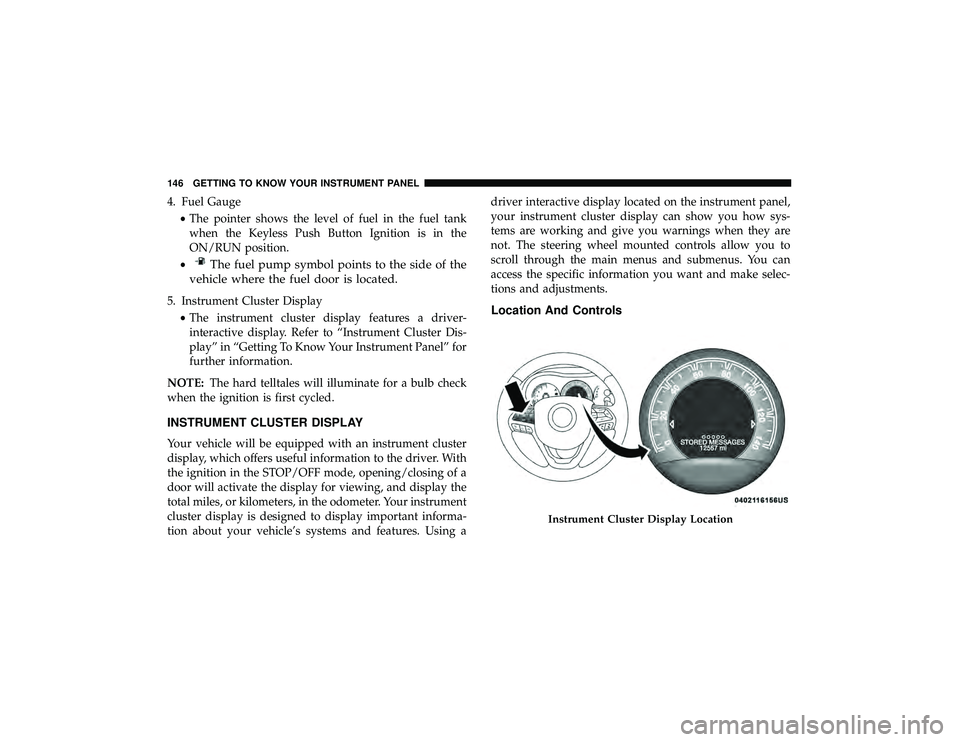
tion about your vehicle’s systems and features. Using a driver interactive display located on the instrument panel,
your instrument cluster display can show you how sys-
tems are working and give you warnings when they are
not. The steering wheel mounted controls allow you to
scroll through the main menus and submenus. You can
access the specific information you want and make selec-
tions and adjustments.
Location And Controls
Instrument Cluster Display Location
146 GETTING TO KNOW YOUR INSTRUMENT PANEL
Page 149 of 598
The Main Menu items consists of the following:
•Speedometer Main Gauge
• Vehicle Info
• Driver Assist — If Equipped
• Fuel Economy
• Trip
• Trailer Tow — If Equipped
• Stop/Start — If Equipped
• Audio
• Stored Messages
• Screen Setup
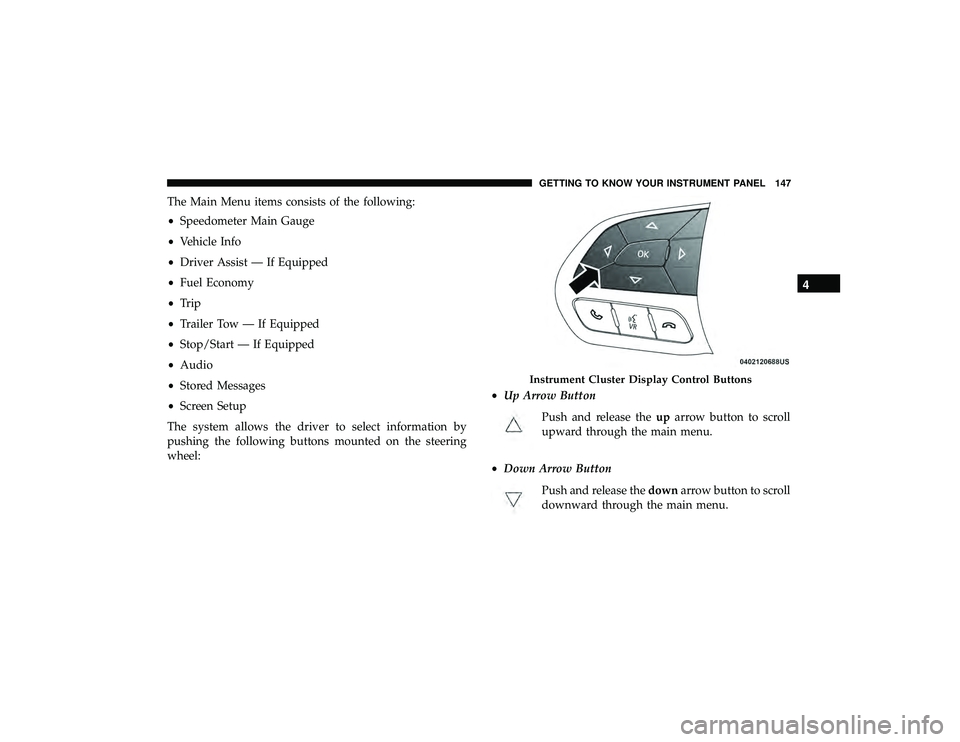
The system allows the driver to select information by
pushing the following buttons mounted on the steering
wheel: •
Up Arrow Button
Push and release the uparrow button to scroll
upward through the main menu.
• Down Arrow Button
Push and release the downarrow button to scroll
downward through the main menu.
Instrument Cluster Display Control Buttons
4
GETTING TO KNOW YOUR INSTRUMENT PANEL 147
Page 150 of 598
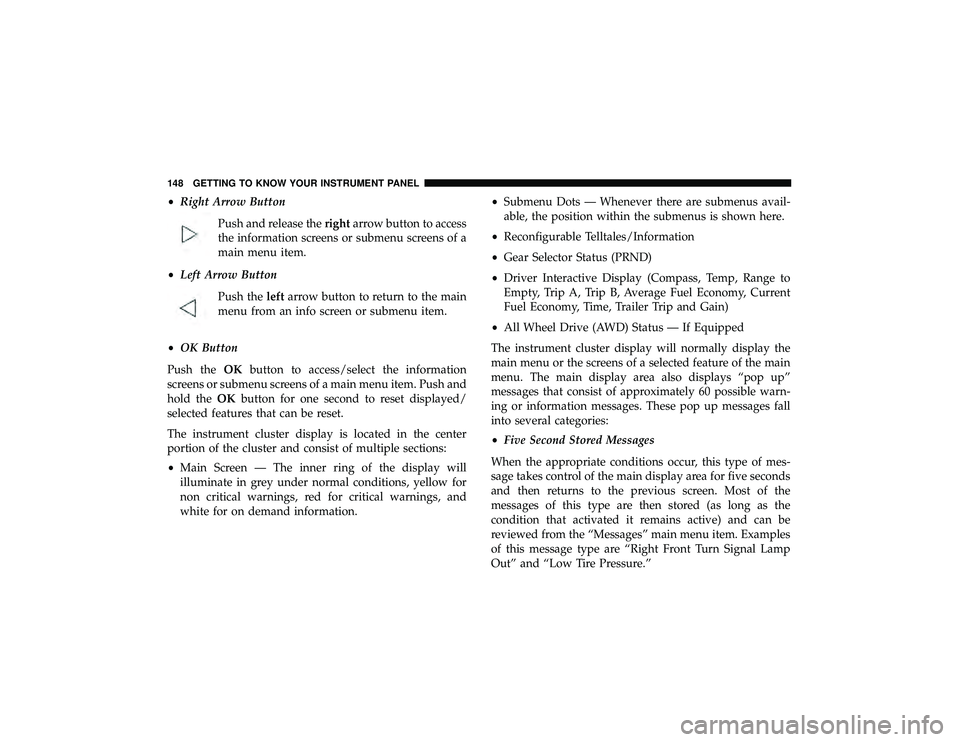
•Right Arrow Button
Push and release the rightarrow button to access
the information screens or submenu screens of a
main menu item.
• Left Arrow Button
Push the leftarrow button to return to the main
menu from an info screen or submenu item.
• OK Button
Push the OKbutton to access/select the information
screens or submenu screens of a main menu item. Push and
hold the OKbutton for one second to reset displayed/
selected features that can be reset.
The instrument cluster display is located in the center
portion of the cluster and consist of multiple sections:
• Main Screen — The inner ring of the display will
illuminate in grey under normal conditions, yellow for
non critical warnings, red for critical warnings, and
white for on demand information. •
Submenu Dots — Whenever there are submenus avail-
able, the position within the submenus is shown here.
• Reconfigurable Telltales/Information
• Gear Selector Status (PRND)
• Driver Interactive Display (Compass, Temp, Range to
Empty, Trip A, Trip B, Average Fuel Economy, Current
Fuel Economy, Time, Trailer Trip and Gain)
• All Wheel Drive (AWD) Status — If Equipped
The instrument cluster display will normally display the
main menu or the screens of a selected feature of the main
menu. The main display area also displays “pop up”
messages that consist of approximately 60 possible warn-
ing or information messages. These pop up messages fall
into several categories:
• Five Second Stored Messages
When the appropriate conditions occur, this type of mes-
sage takes control of the main display area for five seconds
and then returns to the previous screen. Most of the
messages of this type are then stored (as long as the
condition that activated it remains active) and can be
reviewed from the “Messages” main menu item. Examples
of this message type are “Right Front Turn Signal Lamp
Out” and “Low Tire Pressure.”
148 GETTING TO KNOW YOUR INSTRUMENT PANEL
Page 151 of 598
•Unstored Messages
This message type is displayed indefinitely or until the
condition that activated the message is cleared. Examples
of this message type are “Turn Signal On” (if a turn signal
is left on) and “Lights On” (if driver leaves the vehicle).
• Unstored Messages Until RUN
These messages deal primarily with the Remote Start
feature. This message type is displayed until the ignition is
in the RUN state. Examples of this message type are
“Remote Start Canceled - Door Ajar” and “Press Brake
Pedal and Push Button to Start.”
• Five Second Unstored Messages
When the appropriate conditions occur, this type of mes-
sage takes control of the main display area for five seconds
and then returns to the previous screen. An example of this
message type is “Automatic High Beams On.”
Engine Oil Life Reset
Oil Change Required
Your vehicle is equipped with an engine oil change indi-
cator system. The “Oil Change Required” message will
display in the instrument cluster display for five seconds after a single chime has sounded, to indicate the next
scheduled oil change interval. The engine oil change indi-
cator system is duty cycle based, which means the engine
oil change interval may fluctuate, dependent upon your
personal driving style.
Unless reset, this message will continue to display each
time you place the ignition in the ON/RUN position. To
turn off the message temporarily, push and release the
OK
or arrow buttons. To reset the oil change indicator system
(after performing the scheduled maintenance), refer to the
following procedure.
Vehicles Equipped With Keyless Enter-N-Go — Ignition
Use the steering wheel instrument cluster display controls
for the following procedure(s):
1. Without pressing the brake pedal, push the ENGINE START/STOP button and place the ignition in the
ON/RUN position (do not start the engine).
2. Push and release the downarrow button to scroll
downward through the main menu to “Vehicle Info.”
3. Push and release the rightarrow button to access the
”Oil Life” screen.
4
GETTING TO KNOW YOUR INSTRUMENT PANEL 149
Page 154 of 598
Instrument Cluster Display Menu Items
The instrument cluster display can be used to view the
main menu items for several features. Use theupand
down arrow buttons to scroll through the driver interactive
display menu options until the desired menu is reached.
NOTE: Depending on the vehicle’s options, feature set-
tings may vary.
Speedometer
Push and release the upordown arrow button until the
main gauge icon is displayed in the instrument cluster
display. Push and release the leftorright arrow button to
select the large or small speedometer display. Push and
release the OKbutton to toggle units (km/h or mph) of the
speedometer.
Vehicle Info
Push and release the upordown arrow button until the
Vehicle Info icon/title is highlighted in the instrument
cluster display. Push the leftorright arrow button to scroll
through the information submenus. Tire Pressure Monitor System
•
If tire pressure is OKfor all tires a vehicle icon is
displayed with tire pressure values in each corner of the
icon.
• If one or more tires have low pressure, “Inflate Tire To
XX” is displayed with the vehicle icon and the tire
pressure values in each corner of the icon with the
pressure value of the low tire are displayed in a different
color than the other tire pressure value.
• If the Tire Pressure system requires service, “Service Tire
Pressure System” is displayed.
Tire PSI is an information only function, and cannot be
reset.
Refer to “Tire Pressure Monitoring System (TPMS)” in
“Safety” for further information.
Transmission Temperature
• Displays the actual transmission temperature.
Oil Temperature
• Displays the actual oil temperature.
152 GETTING TO KNOW YOUR INSTRUMENT PANEL
Page 155 of 598
Oil Pressure
•Displays the actual oil pressure.
Oil Life
• Displays the current oil life of the vehicle.
Battery Voltage
• Displays the current voltage level of the battery.
Driver Assist — If Equipped
Push and release the upordown arrow button until the
Driver Assist display icon/title is highlighted in the instru-
ment cluster display. For further information, refer to
“Adaptive Cruise Control (ACC) — If Equipped” in “Start-
ing And Operating.”
Fuel Economy
Push and release the upordown arrow button until the
Fuel Economy Menu icon/title is highlighted. Push the left
or right arrow button to scroll the submenus, one with
current fuel economy display and one without it.
• Range
• Current MPG, L/100 km, or km/L
• Average MPG, L/100 km, or km/L •
Press the OKbutton to reset the average fuel economy
NOTE: The Range feature is not able to be reset through
the instrument cluster display controls.
Trip
Push and release the upordown arrow button until the
Trip icon/title is highlighted in the instrument cluster
display, then push and release the leftorright arrow
button to select Trip A or Trip B.
The Trip A and Trip B information will display the follow-
ing:
• Distance
• Average Fuel Economy
• Elapsed Time
Hold the OKbutton to reset all the information.
Trailer Tow
Push and release the upordown arrow button until the
Trailer Tow Menu icon/title is highlighted in the instru-
ment cluster display. Push and release the leftorright
arrow button to select Trailer Trip or Trailer Brake.
4
GETTING TO KNOW YOUR INSTRUMENT PANEL 153
Page 156 of 598
Trailer Trip will display the following:
•Distance
• Average Fuel Economy
• Elapsed Time
NOTE: Press and hold the OKbutton to reset all the
information.
Trailer Brake will display the following:
• Output
• Type
• Gain
Stop/Start – If Equipped
Push and release the upordown arrow button on
the steering wheel to scroll to the Stop/Start menu
in the driver interactive display. This menu will give access
to Stop/Start settings using the leftand right arrow
buttons on the steering wheel.
For further information on the use and different modes of
the Stop/Start System accessible through these settings,
refer to “Stop/Start System – If Equipped” in “Starting
And Operating”.
Audio
Push and release the upordown arrow button until the
Audio Menu icon/title is highlighted in the instrument
cluster display. This menu will display the audio source
information, including the Song name, Artist name, and
audio source with an accompanying graphic.
Stored Messages
Push and release the upordown arrow button until the
Messages Menu item is highlighted. This feature shows the
number of stored warning messages. Pushing the right
arrow button will allow you to see what the stored
messages are.
When no messages are present, main menu icon will be a
closed envelope.
Screen Setup
Push and release the upordown arrow button until the
Screen Setup Menu icon/title is highlighted in the instru-
ment cluster display. Push and release the OKbutton to
enter the submenus and follow the prompts on the screen
as needed. The Screen Setup feature allows you to change
what information is displayed in the instrument cluster as
well as the location that information is displayed.
154 GETTING TO KNOW YOUR INSTRUMENT PANEL
Page 157 of 598
Current Gear
•On
• Off (default setting)
Gear Display
• Full (default setting)
• Single
Favorite Menus
• Speedometer
• Vehicle Info
• Driver Assist (Show/Hide)
• Fuel Economy (Show/Hide)
• Trip (Show/Hide)
• Trailer Tow (Show/Hide)
• Stop/Start
• Audio (Show/Hide)
• Stored Messages
• Screen Setup NOTE:
Menus with (show/hide) can push the OKbutton
to choose whether to show or hide this menu on the
instrument cluster display.
Upper Left
• None
• Compass (default setting)
• Outside Temp
• Time
• Range To Empty (RTE)
• Fuel Economy Average
• Fuel Economy Current
• Trip A
• Trip B
• Trailer Trip
• Gain
4
GETTING TO KNOW YOUR INSTRUMENT PANEL 155
Page 158 of 598
Upper Right
•None
• Compass
• Outside Temp (default setting)
• Time
• Range To Empty (RTE)
• Fuel Economy Average
• Fuel Economy Current
• Trip A
• Trip B
• Trailer Trip
• Gain
Defaults (Restores All Settings To Default Settings)
• Restore
• CancelBattery Saver On/Battery Saver Mode Message —
Electrical Load Reduction Actions — If Equipped
This vehicle is equipped with an Intelligent Battery Sensor
(IBS) to perform additional monitoring of the electrical
system and status of the vehicle battery.
In cases when the IBS detects charging system failure, or
the vehicle battery conditions are deteriorating, electrical
load reduction actions will take place to extend the driving
time and distance of the vehicle. This is done by reducing
power to or turning off non-essential electrical loads.
Load reduction is only active when the engine is running.
It will display a message if there is a risk of battery
depletion to the point where the vehicle may stall due to
lack of electrical supply, or will not restart after the current
drive cycle.
When load reduction is activated, the message “Battery
Saver On” or “Battery Saver Mode” will appear in the
instrument cluster.
These messages indicate the vehicle battery has a low state
of charge and continues to lose electrical charge at a rate
that the charging system cannot sustain.
156 GETTING TO KNOW YOUR INSTRUMENT PANEL