wipers DODGE DURANGO 2020 User Guide
[x] Cancel search | Manufacturer: DODGE, Model Year: 2020, Model line: DURANGO, Model: DODGE DURANGO 2020Pages: 464, PDF Size: 22.14 MB
Page 365 of 464
MULTIMEDIA363
CUSTOMER PROGRAMMABLE FEATURES
— U
CONNECT 4 SETTINGS
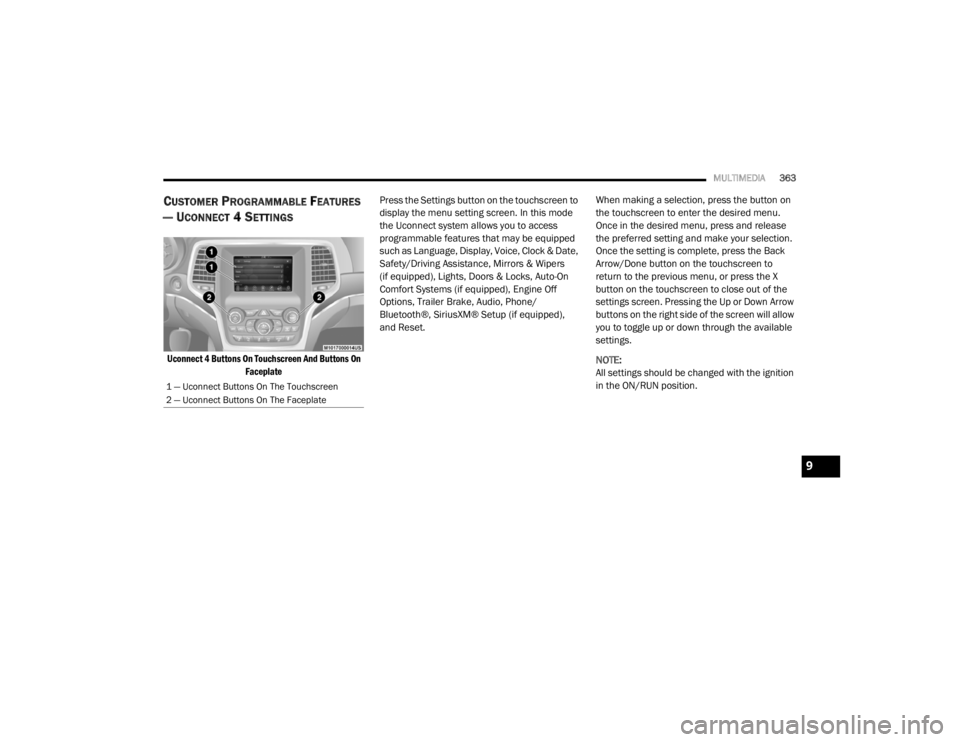
Uconnect 4 Buttons On Touchscreen And Buttons On
Faceplate
Press the Settings button on the touchscreen to
display the menu setting screen. In this mode
the Uconnect system allows you to access
programmable features that may be equipped
such as Language, Display, Voice, Clock & Date,
Safety/Driving Assistance, Mirrors & Wipers
(if equipped), Lights, Doors & Locks, Auto-On
Comfort Systems (if equipped), Engine Off
Options, Trailer Brake, Audio, Phone/
Bluetooth®, SiriusXM® Setup (if equipped),
and Reset.
When making a selection, press the button on
the touchscreen to enter the desired menu.
Once in the desired menu, press and release
the preferred setting and make your selection.
Once the setting is complete, press the Back
Arrow/Done button on the touchscreen to
return to the previous menu, or press the X
button on the touchscreen to close out of the
settings screen. Pressing the Up or Down Arrow
buttons on the right side of the screen will allow
you to toggle up or down through the available
settings.
NOTE:
All settings should be changed with the ignition
in the ON/RUN position.
1 — Uconnect Buttons On The Touchscreen
2 — Uconnect Buttons On The Faceplate
9
20_WD_OM_EN_USC_t.book Page 363
Page 370 of 464

368MULTIMEDIA
Rear ParkSense Braking Assist — If
Equipped On
Off
NOTE:
When the “Rear ParkSense Braking Assist” feature is selected, the Park Assist system detects objects located behind the vehicle and utilizes auton -
omous braking to stop the vehicle.
LaneSense Warning — If Equipped EarlyMedium Late
NOTE:
The “LaneSense Warning” setting determines at what distance the LaneSense system warns you, through steering wheel feedback, of a possible lane
departure. LaneSense Strength — If Equipped LowMedium High
Blind Spot Alert — If Equipped OffLightsLights & Chime
NOTE:
When the “Blind Spot Alert” feature is selected, the Blind Spot Monitor (BSM) system is activated and shows a visual alert in the outside mirrors, or
it shows a visual alert in the outside mirrors as well as plays an audible alert when the turn signal is on. When “Off” is selected, the BSM system is
deactivated.
If your vehicle has experienced any damage in the area where the sensor is located, even if the fascia is not damaged, the sensor may have become
misaligned. Take your vehicle to an authorized dealer to verify sensor alignment. A sensor that is misaligned results in the BSM not operating to spec -
ification.
Rain Sensing Auto Wipers — If Equipped On
Off
Hill Start Assist — If Equipped On Off
Tilt Side Mirrors in Reverse On Off
Paddle Shifters Enable Disable
Setting Name Selectable Options
20_WD_OM_EN_USC_t.book Page 368
Page 371 of 464

MULTIMEDIA369
Mirrors & Wipers — If Equipped
After pressing the Mirrors & Wipers button on the touchscreen, the following settings will be available:
Lights
After pressing the Lights button on the touchscreen, the following settings will be available:
Setting Name Selectable Options
Rain Sensing Auto WipersOnOff
Tilt Side Mirrors in Reverse OnOff
Headlights with Wipers OnOff
Setting Name Selectable Options
Headlight Off Delay0 sec
30 sec
60 sec 90 sec
NOTE:
When the “Headlight Off Delay” feature is selected, it allows the adjustment of the amount of time the headlights remain on after the engine is shut off. Headlights With Wipers — If Equipped OnOff
Headlight Illumination On Approach 0 sec
30 sec
60 sec 90 sec
NOTE:
When this feature is selected, it allows the adjustment of the amount of time the headlights remain on after the doors are unlocked with the key fob.
9
20_WD_OM_EN_USC_t.book Page 369
Page 379 of 464
MULTIMEDIA377
CUSTOMER PROGRAMMABLE FEATURES
— U
CONNECT 4C/4C NAV SETTINGS
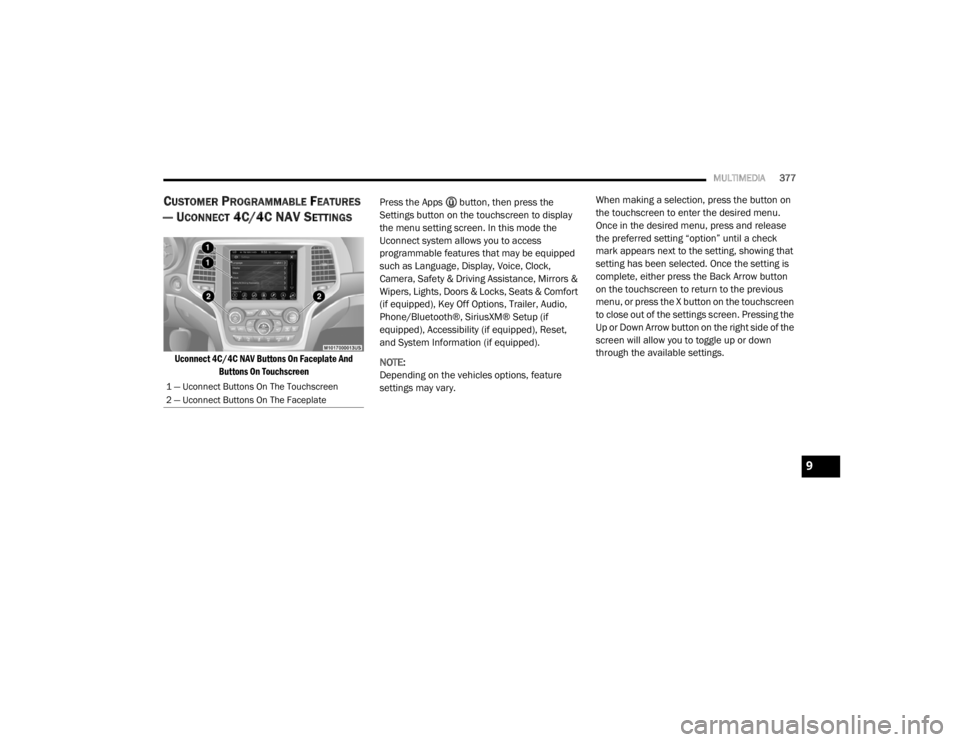
Uconnect 4C/4C NAV Buttons On Faceplate And
Buttons On Touchscreen
Press the Apps button, then press the
Settings button on the touchscreen to display
the menu setting screen. In this mode the
Uconnect system allows you to access
programmable features that may be equipped
such as Language, Display, Voice, Clock,
Camera, Safety & Driving Assistance, Mirrors &
Wipers, Lights, Doors & Locks, Seats & Comfort
(if equipped), Key Off Options, Trailer, Audio,
Phone/Bluetooth®, SiriusXM® Setup (if
equipped), Accessibility (if equipped), Reset,
and System Information (if equipped).
NOTE:
Depending on the vehicles options, feature
settings may vary. When making a selection, press the button on
the touchscreen to enter the desired menu.
Once in the desired menu, press and release
the preferred setting “option” until a check
mark appears next to the setting, showing that
setting has been selected. Once the setting is
complete, either press the Back Arrow button
on the touchscreen to return to the previous
menu, or press the X button on the touchscreen
to close out of the settings screen. Pressing the
Up or Down Arrow button on the right side of the
screen will allow you to toggle up or down
through the available settings.
1 — Uconnect Buttons On The Touchscreen
2 — Uconnect Buttons On The Faceplate
9
20_WD_OM_EN_USC_t.book Page 377
Page 386 of 464

384MULTIMEDIA
Mirrors & Wipers
After pressing the Mirrors & Wipers button on the touchscreen, the following settings will be available:
Lights
After pressing the Lights button on the touchscreen, the following settings will be available:
Setting Name Selectable Options
Tilt Side Mirrors in ReverseOnOff
Rain Sensing Auto Wipers OnOff
Headlights with Wipers OnOff
Setting Name Selectable Options
Headlight Off Delay0 sec
30 sec
60 sec 90 sec
NOTE:
When the “Headlight Off Delay” feature is selected, it allows the adjustment of the amount of time the headlights remain on after the engine is shut off.
Headlight Illuminated On Approach 0 sec
30 sec
60 sec 90 sec
NOTE:
When the “Headlight Illumination On Approach” feature is selected, it allows the adjustment of the amount of time the headlights remain on after the
doors are unlocked with the key fob. Auto Dim High Beams— If Equipped OnOff
NOTE:
When the “Auto Dim High Beams” feature is selected, the high beam headlights activates/deactivates automatically under certain conditions.
20_WD_OM_EN_USC_t.book Page 384
Page 453 of 464

451
Fluid Capacities
................................... 355, 356Fluid Leaks.................................................... 183Fluid Level Checks Brake........................................................ 325Fluid, Brake................................................... 360Fluids And Lubricants................. 357, 358, 359Fog Lights...................................................... 269Fog Lights, Service......................................... 269Fold-Flat Seats................................................. 32Folding Rear Seats.......................................... 34Forward Collision Warning............................. 136Four-Way Hazard Flasher............................... 261Freeing A Stuck Vehicle................................. 289Front Axle (Differential).................................. 327Fuel............................................................... 351Additives................................................... 352Clean Air.................................................... 352Economy Mode.......................................... 192Ethanol...................................................... 353Gasoline.................................................... 351Materials Added........................................ 352Methanol................................................... 353Octane Rating................................. 351, 359Requirements................................. 351, 355Specifications.................................. 357, 359Tank Capacity.................................. 355, 356Fueling........................................................... 238Fuses............................................................. 269
G
Garage Door Opener (HomeLink)..................... 78Gasoline, (Fuel)............................................. 351Gasoline, Clean Air........................................ 352Gasoline, Reformulated................................ 352Gear Ranges................................................. 194Glass Cleaning.............................................. 349Gross Axle Weight Rating.............................. 242Gross Vehicle Weight Rating......................... 241GVWR............................................................ 240
H
Hazard Warning Flashers.............................. 261Head Restraints............................................... 42Headlights.................................................... 268Automatic.................................................... 52Bulb Replacement.................................... 268Cleaning................................................... 346High Beam/Low Beam Select Switch.......... 51Lights On Reminder..................................... 52On With Wipers............................................ 52Passing........................................................ 52Replacing................................................. 268Heated Mirrors................................................. 49Heated Seats................................................... 40Heated Steering Wheel.................................... 47Heater, Engine Block.................................... 188Hill Start Assist.............................................. 128
HitchesTrailer Towing........................................... 243Holder, Cup......................................................86HomeLink (Garage Door Opener).....................78Hood Prop........................................................75Hood Release...................................................75
I
Ignition.............................................................17Key Fob Battery Low Or Dead......................17Key Fob Not Detected..................................17Keyless Ignition...........................................17Keyless Push Button....................................17Push Button Ignition....................................17Switch..........................................................17Immobilizer (Sentry Key)..................................21In Vehicle HelpVehicle User Guide......................................12Inside Rearview Mirror.................... 47, 48, 261Instrument Cluster...................... 95, 96, 97, 98Descriptions.............................................. 118Display.........................................................99Menu Items.............................................. 103Instrument Panel Lens Cleaning................... 348Integrated Trailer Brake Control.................... 249Interior And Instrument Lights.........................54Interior Appearance Care.............................. 348Interior Lights...................................................5411
20_WD_OM_EN_USC_t.book Page 451
Page 454 of 464

452
Intermittent Wipers (Delay Wipers)
.................. 56Introduction....................................................... 9Inverter Power.......................................................... 90iPod/USB/MP3 Control....................... 404, 424
J
Jack Location................................................. 276Jack Operation..................................... 279, 327Jacking And Tire Changing Instructions......... 279Jacking Instructions....................................... 279Jump Starting................................................ 283
K
Key Fob........................................................... 13Arm The System.......................................... 23Disarm The System..................................... 24Programming Additional Key Fobs....... 16, 22Key Fob Battery Service (Remote
Keyless Entry).................................................. 15Key Fob Programming (Remote
Keyless Entry).................................................. 16Key-In Reminder.............................................. 18Keyless Enter-N-Go........................................ 184Passive Entry............................................... 26Passive Entry Programming................ 26, 370Keys................................................................. 13Replacement........................................ 16, 22Sentry (Immobilizer).................................... 21
L
Lane Change Assist......................................... 53LaneSense.................................................... 234Lap/Shoulder Belts....................................... 145Latches......................................................... 183Hood............................................................ 75Lead Free Gasoline....................................... 351Leaks, Fluid.................................................. 183Life Of Tires................................................... 338Liftgate............................................................ 75Liftgate Window Wiper/Washer....................... 58Light Bulbs.................................................... 183Lights............................................................ 183Air Bag.................................... 110, 153, 181Automatic Headlights.................................. 52Brake Assist Warning............................... 127Brake Warning.......................................... 110Bulb Replacement........................... 266, 268Cargo........................................................... 77Center Mounted Stop............................... 269Cruise.............................................. 117, 119Daytime Running......................................... 51Dimmer Switch, Headlight........................... 50Electronic Stability Program(ESP) Indicator............................................... 112Exterior...............................................50, 183Fog........................................................... 269Hazard Warning Flasher........................... 261
Headlights................................................ 268Headlights On With Wipers..........................52High Beam/Low Beam Select......................51Interior.........................................................54Lights On Reminder.....................................52Malfunction Indicator (Check Engine)....... 113Park................................................... 52, 118Passing........................................................52Reading.......................................................54Rear Servicing.......................................... 269Rear Tail Lamps........................................ 269Seat Belt Reminder.................................. 110Security Alarm.......................................... 113Service............................................. 266, 268Side Marker.............................................. 269Traction Control........................................ 127Turn Signals..................... 50, 118, 183, 269Vanity Mirror................................................50Warning Instrument ClusterDescriptions................................ 112, 118Load Shed Battery Saver Mode..................... 108Load Shed Battery Saver On......................... 108Load Shed Electrical Load Reduction........... 108Load Shed Intelligent Battery Sensor............ 108Loading Vehicle............................................. 240Tires.......................................................... 332
20_WD_OM_EN_USC_t.book Page 452
Page 459 of 464

457
Connect Or Disconnect Link Between The Uconnect Phone And Mobile
Phone
................................................... 422Connecting To A Particular Mobile Phone Or Audio Device After Pairing..... 417Deleting A Phone Or Audio Device.............417Dial By Saying A Number........................... 419Disconnecting A Phone Or Audio Device... 417Far End Audio Performance...................... 422Help Command......................................... 414Join Calls................................................... 421Making A Phone Or Audio Device A Favorite................................................. 417Making A Second Call While CurrentCall Is In Progress................................. 421Managing Your Favorites........................... 418Natural Speech......................................... 414Operation.................................................. 413Pair (Link) Uconnect Phone To A Mobile Phone........................................ 414Pair A Bluetooth Streaming AudioDevice................................................... 416Pair Additional Mobile Phones.................. 416Phonebook Download............................... 417Place/Retrieve A Call From Hold............... 420Power-Up................................................... 423Recent Calls.............................................. 419Redial........................................................ 421To Remove A Favorite............................... 418
Toggling Between Calls............................. 421Touch-Tone Number Entry........................ 419Transfer Call To And From MobilePhone................................................... 421Voice Command....................................... 422Ways To Initiate A Phone Call................... 419Uconnect SettingsCustomer ProgrammableFeatures
..................................26, 29, 372Passive Entry Programming.........26, 29, 370Uniform Tire Quality Grades.......................... 344Universal Transmitter...................................... 78Unleaded Gasoline....................................... 351Untwisting Procedure, Seat Belt................... 148
V
Vanity Mirrors.................................................. 50Vehicle Identification Number (VIN).............. 350Vehicle Loading................................... 240, 332Vehicle Modifications/Alterations.................... 11Vehicle Security Alarm..................................... 23Vehicle Storage.......................................70, 346Vehicle User GuideIn Vehicle Help............................................ 12Navigation................................................... 12Operating Instructions................................. 12Searching User Guide.................................. 12Viscosity, Engine Oil............................. 309, 310Voice Command............................................ 438Voice Recognition System (VR)..................... 438
W
Warning Flashers, Hazard............................. 261Warning Lights (Instrument Cluster
Descriptions)................................................. 114Warnings And Cautions....................................11Warnings, Roll Over..........................................10Warranty Information.................................... 446Washers, Windshield............................. 55, 307Washing Vehicle............................................ 347Wheel And Wheel Tire Care........................... 342Wheel And Wheel Tire Trim........................... 342Wind Buffeting..........................................72, 74Window Fogging...............................................70Windows..........................................................71Power...........................................................71Reset Auto-Up..............................................72Windshield Defroster.................................... 181Windshield Washers.............................. 55, 307Fluid.......................................................... 307Windshield Wiper Blades.............................. 316Windshield Wipers...........................................55Wipers Blade Replacement........................... 316Wipers, Intermittent.........................................56Wipers, Rain Sensitive.....................................57
11
20_WD_OM_EN_USC_t.book Page 457