change time DODGE DURANGO 2021 Owner's Manual
[x] Cancel search | Manufacturer: DODGE, Model Year: 2021, Model line: DURANGO, Model: DODGE DURANGO 2021Pages: 340, PDF Size: 20.38 MB
Page 163 of 340
MULTIMEDIA161
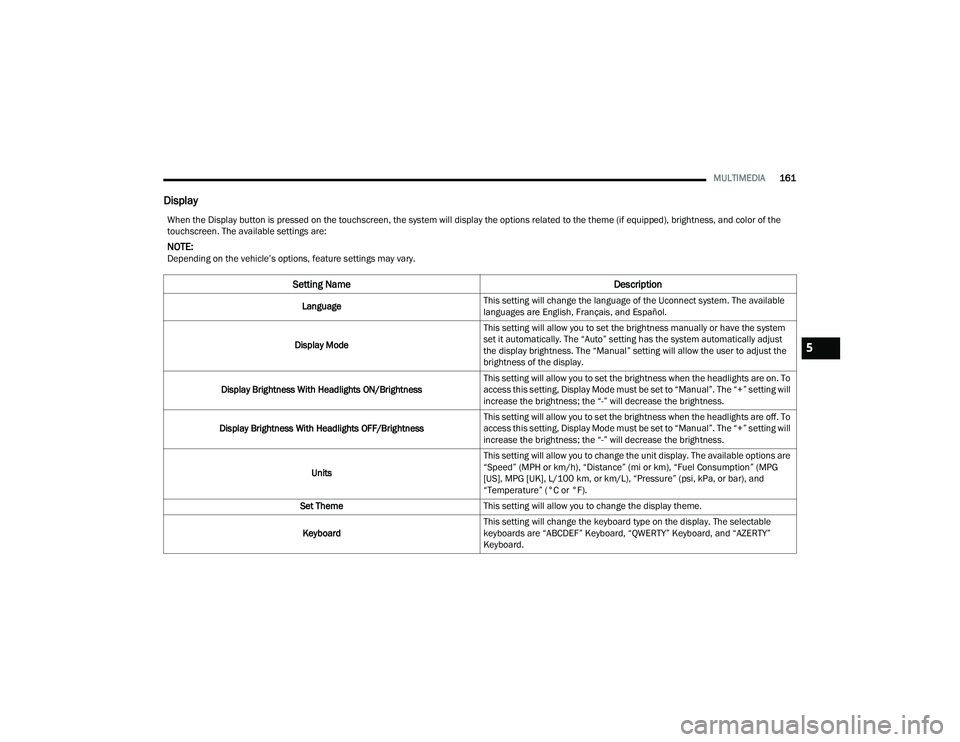
Display
When the Display button is pressed on the touchscreen, the system will display the options related to the theme (if equipped), brightness, and color of the
touchscreen. The available settings are:
NOTE:Depending on the vehicle’s options, feature settings may vary.
Setting Name Description
LanguageThis setting will change the language of the Uconnect system. The available
languages are English, Français, and Español.
Display Mode This setting will allow you to set the brightness manually or have the system
set it automatically. The “Auto” setting has the system automatically adjust
the display brightness. The “Manual” setting will allow the user to adjust the
brightness of the display.
Display Brightness With Headlights ON/Brightness This setting will allow you to set the brightness when the headlights are on. To
access this setting, Display Mode must be set to “Manual”. The “+” setting will
increase the brightness; the “-” will decrease the brightness.
Display Brightness With Headlights OFF/Brightness This setting will allow you to set the brightness when the headlights are off. To
access this setting, Display Mode must be set to “Manual”. The “+” setting will
increase the brightness; the “-” will decrease the brightness.
Units This setting will allow you to change the unit display. The available options are
“Speed” (MPH or km/h), “Distance” (mi or km), “Fuel Consumption” (MPG
[US], MPG [UK], L/100 km, or km/L), “Pressure” (psi, kPa, or bar), and
“Temperature” (°C or °F).
Set Theme This setting will allow you to change the display theme.
Keyboard This setting will change the keyboard type on the display. The selectable
keyboards are “ABCDEF” Keyboard, “QWERTY” Keyboard, and “AZERTY”
Keyboard.
5
21_WD_OM_EN_USC_t.book Page 161
Page 164 of 340
162MULTIMEDIA
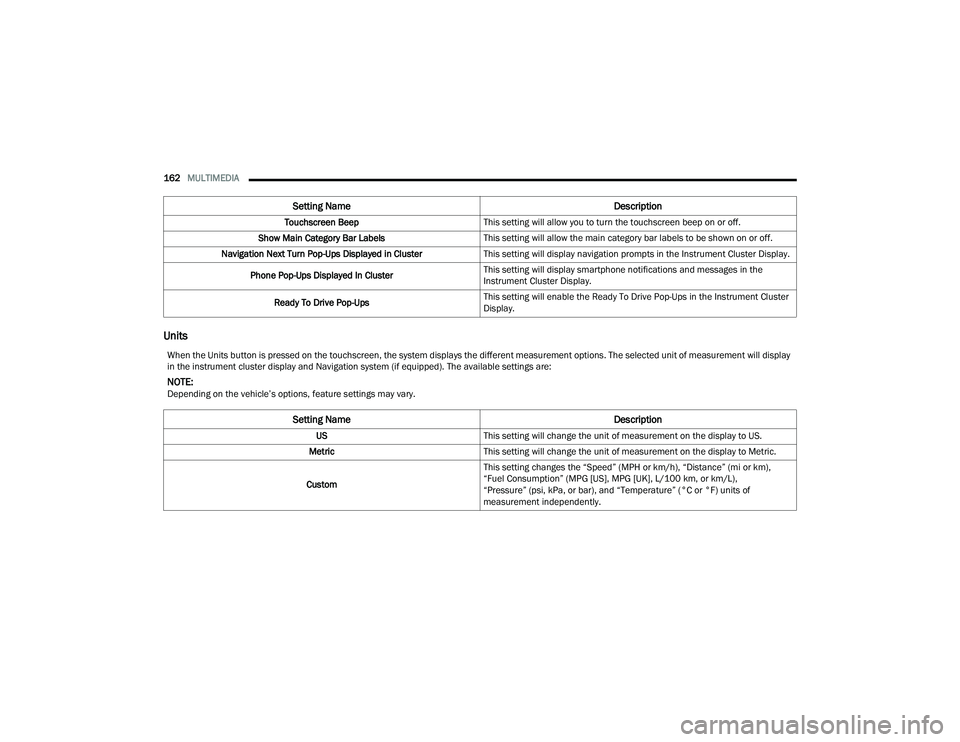
Units
Touchscreen Beep This setting will allow you to turn the touchscreen beep on or off.
Show Main Category Bar Labels This setting will allow the main category bar labels to be shown on or off.
Navigation Next Turn Pop-Ups Displayed in Cluster This setting will display navigation prompts in the Instrument Cluster Display.
Phone Pop-Ups Displayed In Cluster This setting will display smartphone notifications and messages in the
Instrument Cluster Display.
Ready To Drive Pop-Ups This setting will enable the Ready To Drive Pop-Ups in the Instrument Cluster
Display.
Setting Name
Description
When the Units button is pressed on the touchscreen, the system displays the different measurement options. The selected unit of measurement will display
in the instrument cluster display and Navigation system (if equipped). The available settings are:
NOTE:Depending on the vehicle’s options, feature settings may vary.
Setting NameDescription
USThis setting will change the unit of measurement on the display to US.
Metric This setting will change the unit of measurement on the display to Metric.
Custom This setting changes the “Speed” (MPH or km/h), “Distance” (mi or km),
“Fuel Consumption” (MPG [US], MPG [UK], L/100 km, or km/L),
“Pressure” (psi, kPa, or bar), and “Temperature” (°C or °F) units of
measurement independently.
21_WD_OM_EN_USC_t.book Page 162
Page 165 of 340
MULTIMEDIA163
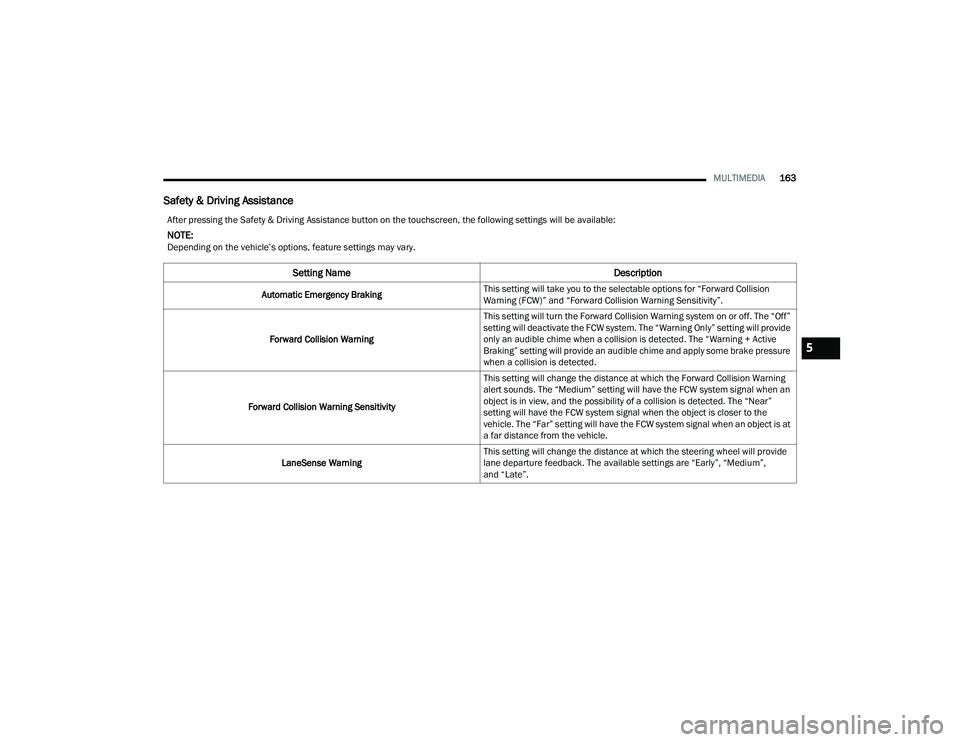
Safety & Driving Assistance
After pressing the Safety & Driving Assistance button on the touchscreen, the following settings will be available:
NOTE:Depending on the vehicle’s options, feature settings may vary.
Setting Name Description
Automatic Emergency BrakingThis setting will take you to the selectable options for “Forward Collision
Warning (FCW)” and “Forward Collision Warning Sensitivity”.
Forward Collision Warning This setting will turn the Forward Collision Warning system on or off. The “Off”
setting will deactivate the FCW system. The “Warning Only” setting will provide
only an audible chime when a collision is detected. The “Warning + Active
Braking” setting will provide an audible chime and apply some brake pressure
when a collision is detected.
Forward Collision Warning Sensitivity This setting will change the distance at which the Forward Collision Warning
alert sounds. The “Medium” setting will have the FCW system signal when an
object is in view, and the possibility of a collision is detected. The “Near”
setting will have the FCW system signal when the object is closer to the
vehicle. The “Far” setting will have the FCW system signal when an object is at
a far distance from the vehicle.
LaneSense Warning This setting will change the distance at which the steering wheel will provide
lane departure feedback. The available settings are “Early”, “Medium”,
and “Late”.
5
21_WD_OM_EN_USC_t.book Page 163
Page 166 of 340
164MULTIMEDIA
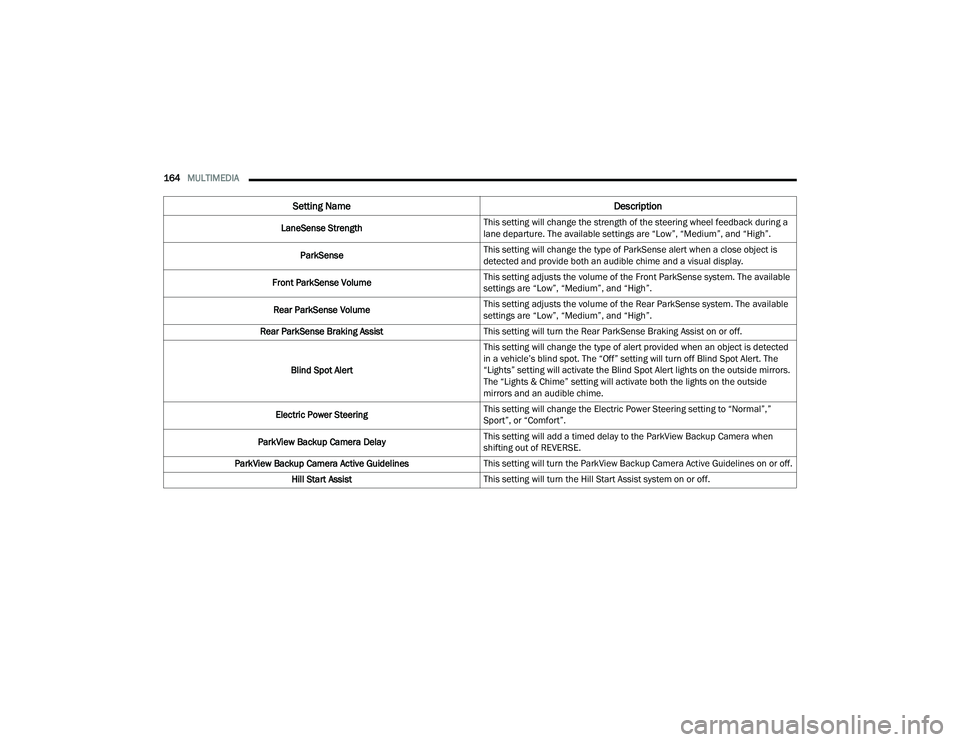
LaneSense Strength This setting will change the strength of the steering wheel feedback during a
lane departure. The available settings are “Low”, “Medium”, and “High”.
ParkSense This setting will change the type of ParkSense alert when a close object is
detected and provide both an audible chime and a visual display.
Front ParkSense Volume This setting adjusts the volume of the Front ParkSense system. The available
settings are “Low”, “Medium”, and “High”.
Rear ParkSense Volume This setting adjusts the volume of the Rear ParkSense system. The available
settings are “Low”, “Medium”, and “High”.
Rear ParkSense Braking Assist This setting will turn the Rear ParkSense Braking Assist on or off.
Blind Spot Alert This setting will change the type of alert provided when an object is detected
in a vehicle’s blind spot. The “Off” setting will turn off Blind Spot Alert. The
“Lights” setting will activate the Blind Spot Alert lights on the outside mirrors.
The “Lights & Chime” setting will activate both the lights on the outside
mirrors and an audible chime.
Electric Power Steering This setting will change the Electric Power Steering setting to “Normal”,”
Sport”, or “Comfort”.
ParkView Backup Camera Delay This setting will add a timed delay to the ParkView Backup Camera when
shifting out of REVERSE.
ParkView Backup Camera Active Guidelines This setting will turn the ParkView Backup Camera Active Guidelines on or off.
Hill Start Assist This setting will turn the Hill Start Assist system on or off.
Setting Name Description
21_WD_OM_EN_USC_t.book Page 164
Page 169 of 340
MULTIMEDIA167
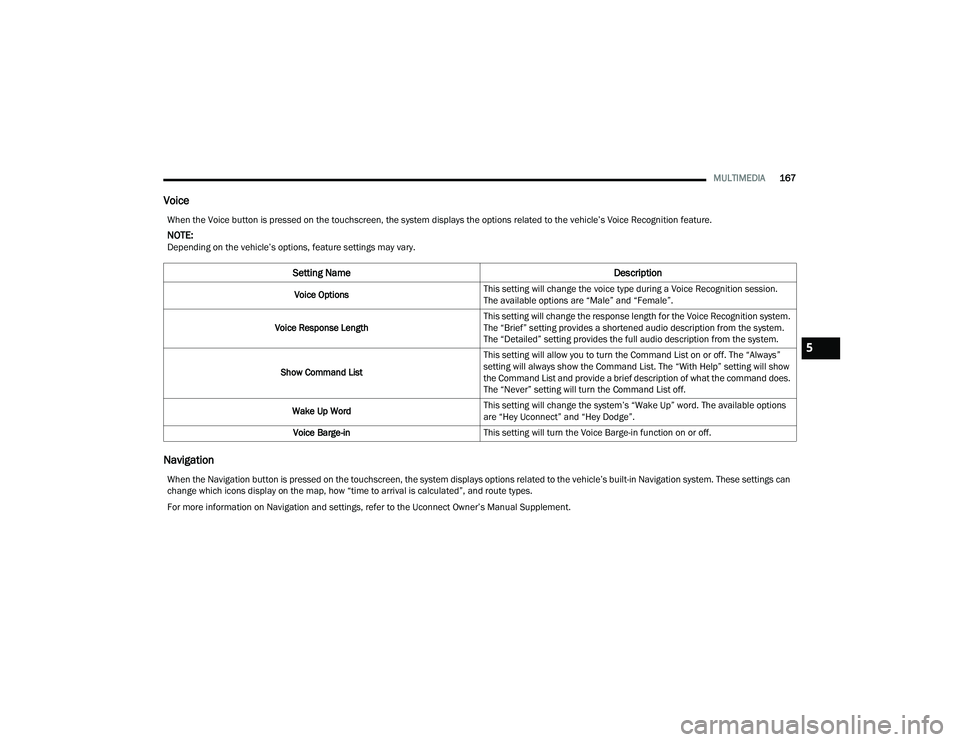
Voice
Navigation
When the Voice button is pressed on the touchscreen, the system displays the options related to the vehicle’s Voice Recognition feature.
NOTE:Depending on the vehicle’s options, feature settings may vary.
Setting Name Description
Voice OptionsThis setting will change the voice type during a Voice Recognition session.
The available options are “Male” and “Female”.
Voice Response Length This setting will change the response length for the Voice Recognition system.
The “Brief” setting provides a shortened audio description from the system.
The “Detailed” setting provides the full audio description from the system.
Show Command List This setting will allow you to turn the Command List on or off. The “Always”
setting will always show the Command List. The “With Help” setting will show
the Command List and provide a brief description of what the command does.
The “Never” setting will turn the Command List off.
Wake Up Word This setting will change the system’s “Wake Up” word. The available options
are “Hey Uconnect” and “Hey Dodge”.
Voice Barge-in This setting will turn the Voice Barge-in function on or off.
When the Navigation button is pressed on the touchscreen, the system displays options related to the vehicle’s built-in Navigation system. These settings can
change which icons display on the map, how “time to arrival is calculated”, and route types.
For more information on Navigation and settings, refer to the Uconnect Owner’s Manual Supplement.
5
21_WD_OM_EN_USC_t.book Page 167
Page 173 of 340
MULTIMEDIA171
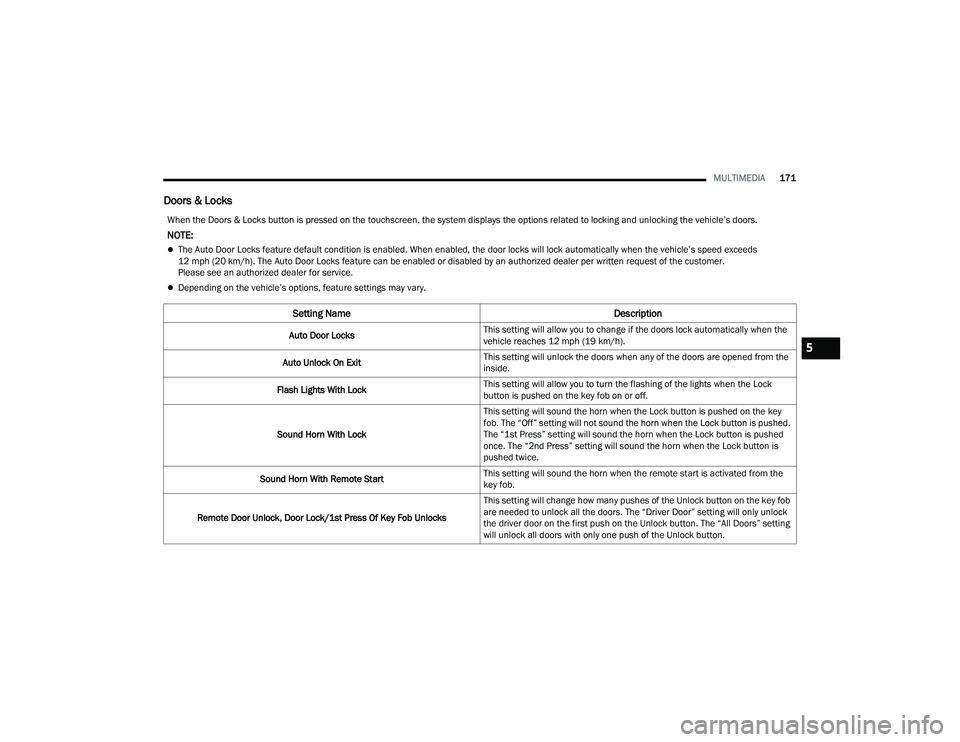
Doors & Locks
When the Doors & Locks button is pressed on the touchscreen, the system displays the options related to locking and unlocking the vehicle’s doors.
NOTE:
The Auto Door Locks feature default condition is enabled. When enabled, the door locks will lock automatically when the vehicle’s speed exceeds
12 mph (20 km/h). The Auto Door Locks feature can be enabled or disabled by an authorized dealer per written request of the customer.
Please see an authorized dealer for service.
Depending on the vehicle’s options, feature settings may vary.
Setting Name Description
Auto Door LocksThis setting will allow you to change if the doors lock automatically when the
vehicle reaches 12 mph (19 km/h).
Auto Unlock On Exit This setting will unlock the doors when any of the doors are opened from the
inside.
Flash Lights With Lock This setting will allow you to turn the flashing of the lights when the Lock
button is pushed on the key fob on or off.
Sound Horn With Lock This setting will sound the horn when the Lock button is pushed on the key
fob. The “Off” setting will not sound the horn when the Lock button is pushed.
The “1st Press” setting will sound the horn when the Lock button is pushed
once. The “2nd Press” setting will sound the horn when the Lock button is
pushed twice.
Sound Horn With Remote Start This setting will sound the horn when the remote start is activated from the
key fob.
Remote Door Unlock, Door Lock/1st Press Of Key Fob Unlocks This setting will change how many pushes of the Unlock button on the key fob
are needed to unlock all the doors. The “Driver Door” setting will only unlock
the driver door on the first push on the Unlock button. The “All Doors” setting
will unlock all doors with only one push of the Unlock button.
5
21_WD_OM_EN_USC_t.book Page 171
Page 176 of 340
174MULTIMEDIA
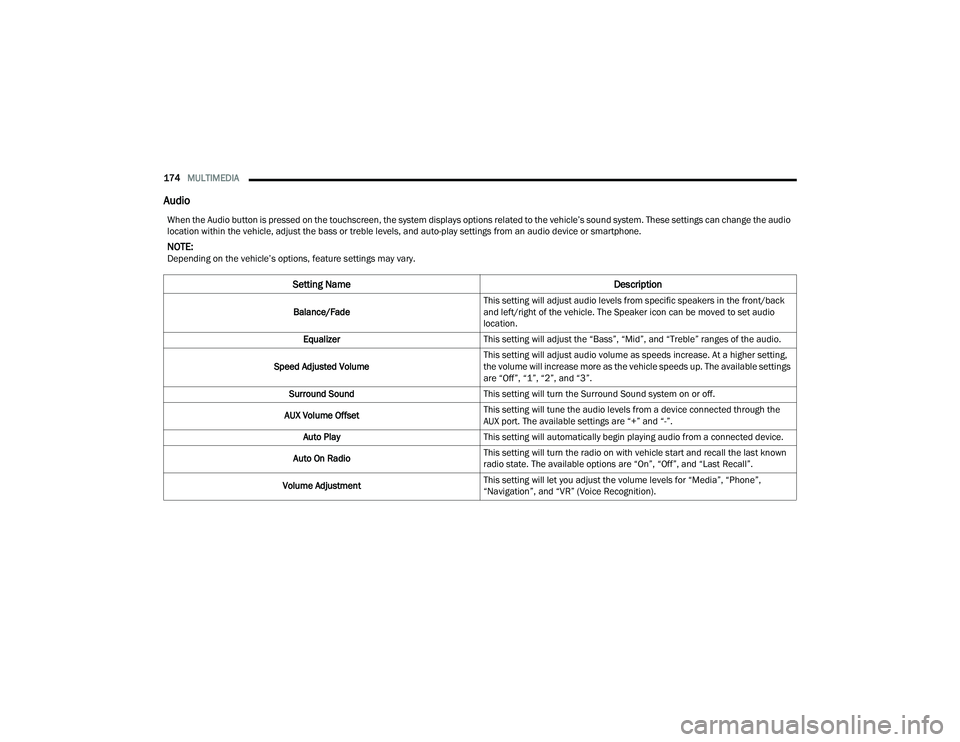
Audio
When the Audio button is pressed on the touchscreen, the system displays options related to the vehicle’s sound system. These settings can change the audio
location within the vehicle, adjust the bass or treble levels, and auto-play settings from an audio device or smartphone.
NOTE:Depending on the vehicle’s options, feature settings may vary.
Setting Name Description
Balance/FadeThis setting will adjust audio levels from specific speakers in the front/back
and left/right of the vehicle. The Speaker icon can be moved to set audio
location.
Equalizer This setting will adjust the “Bass”, “Mid”, and “Treble” ranges of the audio.
Speed Adjusted Volume This setting will adjust audio volume as speeds increase. At a higher setting,
the volume will increase more as the vehicle speeds up. The available settings
are “Off”, “1”, “2”, and “3”.
Surround Sound This setting will turn the Surround Sound system on or off.
AUX Volume Offset This setting will tune the audio levels from a device connected through the
AUX port. The available settings are “+” and “-”.
Auto Play This setting will automatically begin playing audio from a connected device.
Auto On Radio This setting will turn the radio on with vehicle start and recall the last known
radio state. The available options are “On”, “Off”, and “Last Recall”.
Volume Adjustment This setting will let you adjust the volume levels for “Media”, “Phone”,
“Navigation”, and “VR” (Voice Recognition).
21_WD_OM_EN_USC_t.book Page 174
Page 179 of 340
MULTIMEDIA177
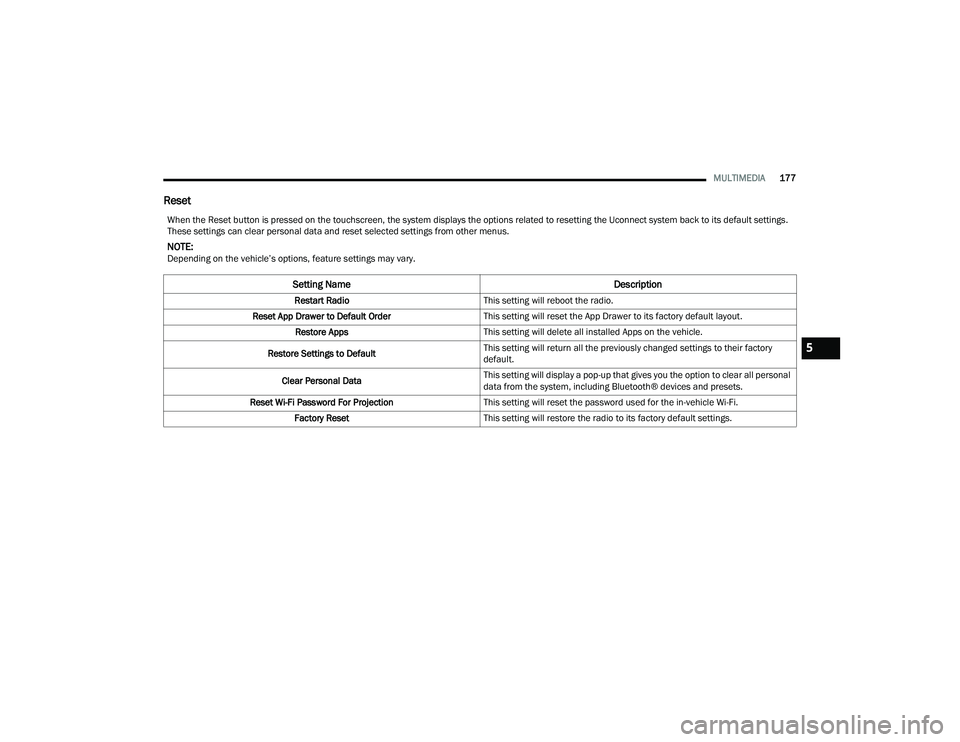
Reset
When the Reset button is pressed on the touchscreen, the system displays the options related to resetting the Uconnect system back to its default settings.
These settings can clear personal data and reset selected settings from other menus.
NOTE:Depending on the vehicle’s options, feature settings may vary.
Setting Name Description
Restart RadioThis setting will reboot the radio.
Reset App Drawer to Default Order This setting will reset the App Drawer to its factory default layout.
Restore Apps This setting will delete all installed Apps on the vehicle.
Restore Settings to Default This setting will return all the previously changed settings to their factory
default.
Clear Personal Data This setting will display a pop-up that gives you the option to clear all personal
data from the system, including Bluetooth® devices and presets.
Reset Wi-Fi Password For Projection This setting will reset the password used for the in-vehicle Wi-Fi.
Factory Reset This setting will restore the radio to its factory default settings.
5
21_WD_OM_EN_USC_t.book Page 177
Page 182 of 340
180MULTIMEDIA
PLAY A BLU-RAY™ DISC
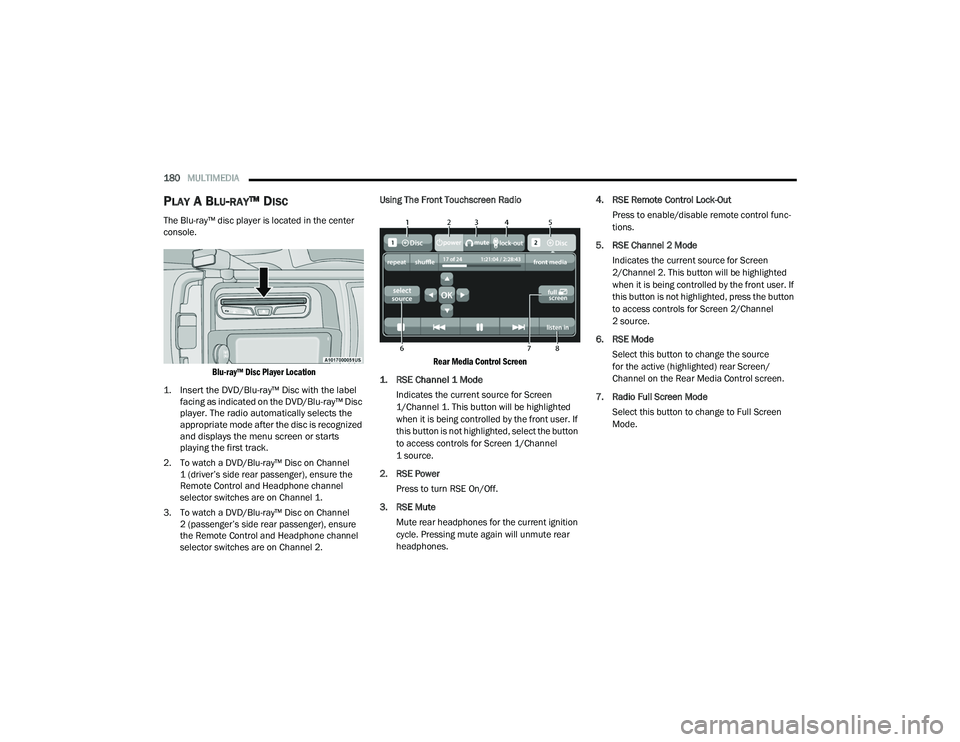
The Blu-ray™ disc player is located in the center
console.
Blu-ray™ Disc Player Location
1. Insert the DVD/Blu-ray™ Disc with the label facing as indicated on the DVD/Blu-ray™ Disc
player. The radio automatically selects the
appropriate mode after the disc is recognized
and displays the menu screen or starts
playing the first track.
2. To watch a DVD/Blu-ray™ Disc on Channel 1 (driver’s side rear passenger), ensure the
Remote Control and Headphone channel
selector switches are on Channel 1.
3. To watch a DVD/Blu-ray™ Disc on Channel 2 (passenger’s side rear passenger), ensure
the Remote Control and Headphone channel
selector switches are on Channel 2. Using The Front Touchscreen Radio
Rear Media Control Screen
1. RSE Channel 1 Mode
Indicates the current source for Screen
1/Channel 1. This button will be highlighted
when it is being controlled by the front user. If
this button is not highlighted, select the button
to access controls for Screen 1/Channel
1 source.
2. RSE Power Press to turn RSE On/Off.
3. RSE Mute Mute rear headphones for the current ignition
cycle. Pressing mute again will unmute rear
headphones. 4. RSE Remote Control Lock-Out
Press to enable/disable remote control func -
tions.
5. RSE Channel 2 Mode Indicates the current source for Screen
2/Channel 2. This button will be highlighted
when it is being controlled by the front user. If
this button is not highlighted, press the button
to access controls for Screen 2/Channel
2 source.
6. RSE Mode Select this button to change the source
for the active (highlighted) rear Screen/
Channel on the Rear Media Control screen.
7. Radio Full Screen Mode Select this button to change to Full Screen
Mode.
21_WD_OM_EN_USC_t.book Page 180
Page 183 of 340
MULTIMEDIA181
8. Cabin Audio Mode Press this button to change the cabin audio to
the rear entertainment source currently shown
on the Rear Media Control screen.
Press the Media button on the touchscreen,
and then press the Rear Media button on the
touchscreen.
Press the OK button on the touchscreen to
begin playing the Blu-ray™ disc.
Using The Remote Control
Select an audio channel (Channel 1 or
Channel 2), and then press the source key.
Using the Up and Down arrows, highlight “Disc”
from the menu and press the OK button.
Press the pop-up/menu key to navigate the disc
menu and options.
Using The Remote Control
1. Push the SOURCE button on the Remote Control.
2. While looking at Channel 1 or 2, highlight “Disc” by either pushing Up/Down/Left/Right
buttons, then push ENTER/OK.
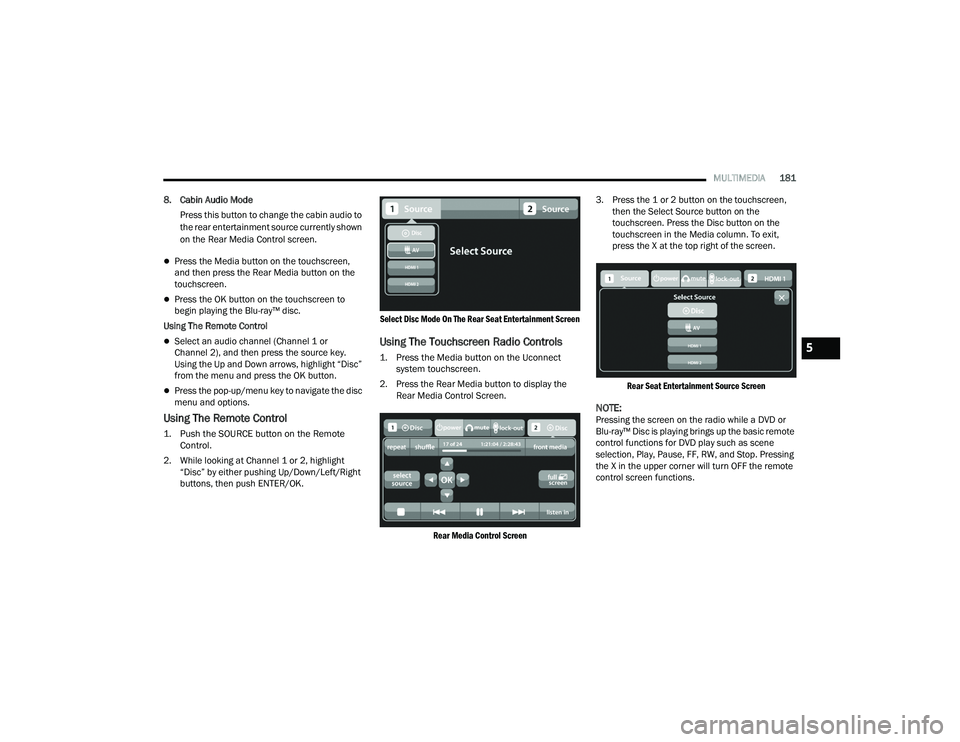
Select Disc Mode On The Rear Seat Entertainment Screen
Using The Touchscreen Radio Controls
1. Press the Media button on the Uconnect
system touchscreen.
2. Press the Rear Media button to display the Rear Media Control Screen.
Rear Media Control Screen
3. Press the 1 or 2 button on the touchscreen,
then the Select Source button on the
touchscreen. Press the Disc button on the
touchscreen in the Media column. To exit,
press the X at the top right of the screen.
Rear Seat Entertainment Source Screen
NOTE:Pressing the screen on the radio while a DVD or
Blu-ray™ Disc is playing brings up the basic remote
control functions for DVD play such as scene
selection, Play, Pause, FF, RW, and Stop. Pressing
the X in the upper corner will turn OFF the remote
control screen functions.
5
21_WD_OM_EN_USC_t.book Page 181