U connect DODGE DURANGO 2022 Owners Manual
[x] Cancel search | Manufacturer: DODGE, Model Year: 2022, Model line: DURANGO, Model: DODGE DURANGO 2022Pages: 332, PDF Size: 19.82 MB
Page 2 of 332

The driver’s primary responsibility is the safe operation of the vehicle. Driving w\
hile distracted can result in loss of vehicle control, resulting in an accident
and personal injury. FCA US LLC strongly recommends that the driver use extreme caution whe\
n using any device or feature that may take their attention
off the road. Use of any electrical devices, such as cellular telephones\
, computers, portable radios, vehicle navigation or other devices, by the driver while
the vehicle is moving is dangerous and could lead to a serious accident.\
Texting while driving is also dangerous and should never be done while th\
e vehicle
is moving. If you find yourself unable to devote your full attention t\
o vehicle operation, pull off the road to a safe location and stop your vehicle. Some states
or provinces prohibit the use of cellular telephones or texting while dr\
iving. It is always the driver’s responsibility to comply with all local laws.
This Owner’s Manual has been prepared to help you get acquainted with your new Dodg\
e brand vehicle and to provide a convenient reference source for
common questions.
Not all features shown in this manual may apply to your vehicle. For add\
itional information, visit mopar.com/om (U.S.), owners.mopar.ca (Canada) or your
local Dodge brand dealer.
DRIVING AND ALCOHOL
Drunk driving is one of the most frequent causes of accidents. Your driving ability can be seriously impaired with blood alcohol levels far
below the legal minimum. If you are drinking, don’t drive. Ride with \
a designated non-drinking driver, call a cab, a rideshare, a friend, or use public
transportation.
WARNING
Driving after drinking can lead to an accident. Your perceptions are less sharp, your reflexes are slower and your judg\
ment is impaired when you have
been drinking. Never drink and then drive.
WARNING: Operating, servicing and maintaining a passenger vehicle or off-highway \
motor vehicle can expose you to
chemicals including engine exhaust, carbon monoxide, phthalates, and lea\
d, which are known to the State of California to
cause cancer and birth defects or other reproductive harm. To minimize exposure, avoid breathing exhaust, do not idle the
engine except as necessary, service your vehicle in a well-ventilated area and wear gloves or wash\
your hands frequently
when servicing your vehicle. For more information go to www.P65Warnings.ca.gov/passenger-vehicle.
This Owner’s Manual illustrates and describes the operation of features and equipme\
nt that are either standard or optional on this vehicle. This manual
may also include a description of features and equipment that are no lon\
ger available or were not ordered on this vehicle. Please disregard any features and
equipment described in this manual that are not on this vehicle. FCA US \
LLC reserves the right to make changes in design and specifications, and/or make
additions to or improvements to its products without imposing any obliga\
tion upon itself to install them on products previously manufactured.
With respect to any vehicles sold in Canada, the name FCA US LLC shall b\
e deemed to be deleted and the name FCA Canada Inc. used in substitution there-
fore.
This Owner’s Manual is intended to familiarize you with the important features of y\
our vehicle. Your most up-to-date Owner’s Manual, Navigation/Uconnect
manuals and Warranty Booklet can be found by visiting the website on the back cover.
U.S. Residents: If you are the first registered retail owner of your vehicle, you ma\
y obtain a complimentary printed copy of the Warranty Booklet by calling
1-800-423-6343 or by contacting your dealer. Replacement kits can be purchased by visiting www.techauthority.com.
Canadian Residents: If you are the first registered retail owner of your vehicle, you ma\
y obtain a complimentary printed copy of the Warranty Booklet or
purchase a replacement kit by calling 1-800-387-1143 or by contacting your dealer.
Page 4 of 332
2
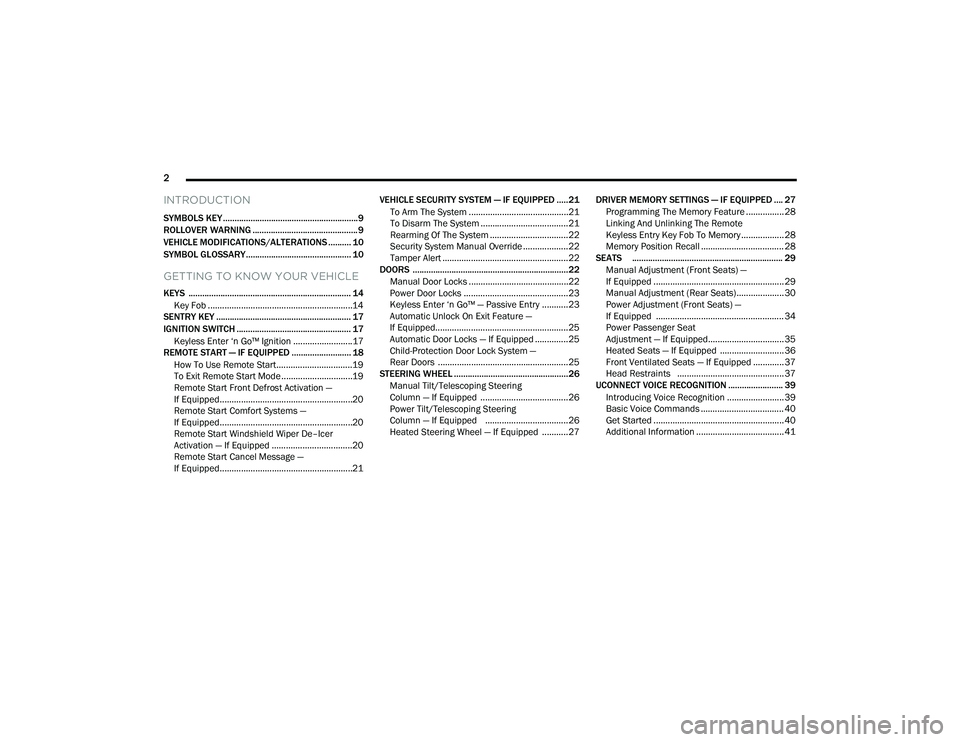
INTRODUCTION
SYMBOLS KEY ...........................................................9
ROLLOVER WARNING .............................................. 9
VEHICLE MODIFICATIONS/ALTERATIONS .......... 10
SYMBOL GLOSSARY.............................................. 10
GETTING TO KNOW YOUR VEHICLE
KEYS ....................................................................... 14 Key Fob .............................................................14
SENTRY KEY ........................................................... 17
IGNITION SWITCH .................................................. 17
Keyless Enter ‘n Go™ Ignition .........................17
REMOTE START — IF EQUIPPED .......................... 18
How To Use Remote Start ................................19
To Exit Remote Start Mode ..............................19
Remote Start Front Defrost Activation —
If Equipped........................................................20
Remote Start Comfort Systems —
If Equipped........................................................20
Remote Start Windshield Wiper De–Icer
Activation — If Equipped ..................................20
Remote Start Cancel Message —
If Equipped........................................................21 VEHICLE SECURITY SYSTEM — IF EQUIPPED .....21
To Arm The System ..........................................21
To Disarm The System .....................................21
Rearming Of The System .................................22
Security System Manual Override ...................22
Tamper Alert .....................................................22
DOORS ....................................................................22
Manual Door Locks ..........................................22
Power Door Locks ............................................23
Keyless Enter ‘n Go™ — Passive Entry ...........23
Automatic Unlock On Exit Feature —
If Equipped........................................................25
Automatic Door Locks — If Equipped ..............25
Child-Protection Door Lock System —
Rear Doors .......................................................25
STEERING WHEEL ..................................................26
Manual Tilt/Telescoping Steering
Column — If Equipped .....................................26
Power Tilt/Telescoping Steering
Column — If Equipped ...................................26
Heated Steering Wheel — If Equipped ...........27 DRIVER MEMORY SETTINGS — IF EQUIPPED .... 27
Programming The Memory Feature ................28
Linking And Unlinking The Remote
Keyless Entry Key Fob To Memory .................. 28
Memory Position Recall ................................... 28
SEATS .................................................................. 29
Manual Adjustment (Front Seats) —
If Equipped .......................................................29
Manual Adjustment (Rear Seats).................... 30
Power Adjustment (Front Seats) —
If Equipped ...................................................... 34
Power Passenger Seat
Adjustment — If Equipped................................ 35
Heated Seats — If Equipped ........................... 36
Front Ventilated Seats — If Equipped ............. 37
Head Restraints ............................................. 37
UCONNECT VOICE RECOGNITION ........................ 39
Introducing Voice Recognition ........................ 39
Basic Voice Commands ................................... 40
Get Started .......................................................40
Additional Information ..................................... 41
22_WD_OM_EN_USC_t.book Page 2
Page 7 of 332
5
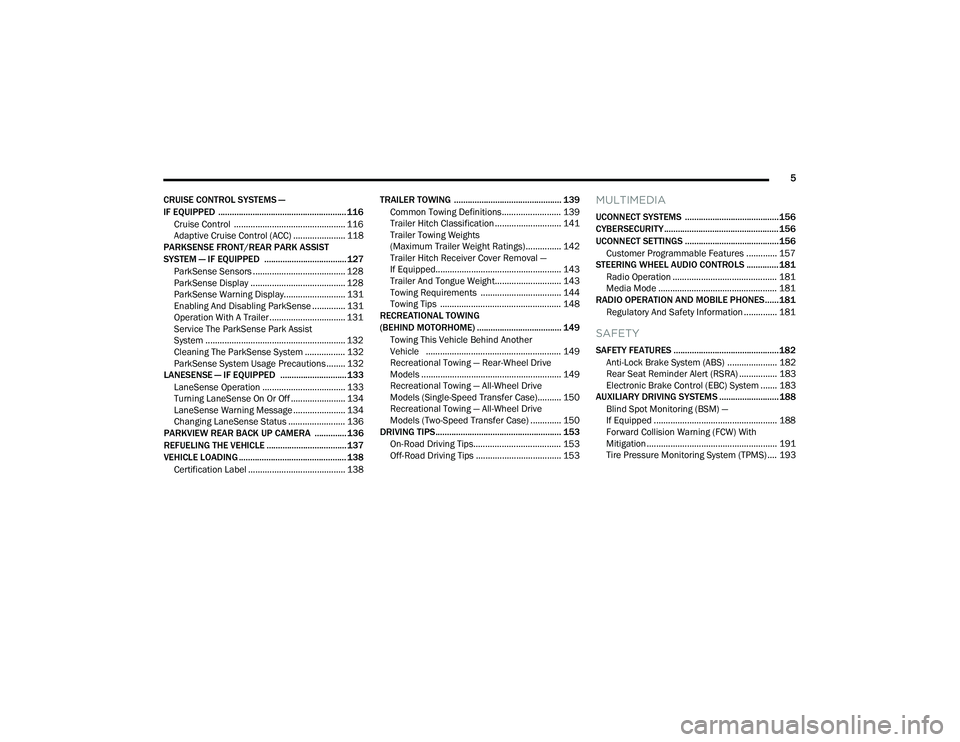
CRUISE CONTROL SYSTEMS —
IF EQUIPPED ........................................................ 116 Cruise Control ............................................... 116
Adaptive Cruise Control (ACC) ...................... 118
PARKSENSE FRONT/REAR PARK ASSIST
SYSTEM — IF EQUIPPED .................................... 127
ParkSense Sensors ....................................... 128
ParkSense Display ........................................ 128
ParkSense Warning Display.......................... 131
Enabling And Disabling ParkSense .............. 131
Operation With A Trailer ................................ 131
Service The ParkSense Park Assist
System ........................................................... 132Cleaning The ParkSense System ................. 132ParkSense System Usage Precautions ........ 132
LANESENSE — IF EQUIPPED ............................. 133
LaneSense Operation ................................... 133Turning LaneSense On Or Off ....................... 134
LaneSense Warning Message ...................... 134Changing LaneSense Status ........................ 136
PARKVIEW REAR BACK UP CAMERA .............. 136
REFUELING THE VEHICLE ................................... 137
VEHICLE LOADING ............................................... 138
Certification Label ......................................... 138 TRAILER TOWING ............................................... 139
Common Towing Definitions......................... 139
Trailer Hitch Classification ............................ 141
Trailer Towing Weights
(Maximum Trailer Weight Ratings)............... 142
Trailer Hitch Receiver Cover Removal —
If Equipped..................................................... 143Trailer And Tongue Weight............................ 143
Towing Requirements .................................. 144
Towing Tips ................................................... 148
RECREATIONAL TOWING
(BEHIND MOTORHOME) ..................................... 149
Towing This Vehicle Behind Another
Vehicle ......................................................... 149
Recreational Towing — Rear-Wheel Drive
Models ........................................................... 149
Recreational Towing — All-Wheel Drive
Models (Single-Speed Transfer Case).......... 150
Recreational Towing — All-Wheel Drive
Models (Two-Speed Transfer Case) ............. 150
DRIVING TIPS ....................................................... 153
On-Road Driving Tips..................................... 153
Off-Road Driving Tips .................................... 153
MULTIMEDIA
UCONNECT SYSTEMS ......................................... 156
CYBERSECURITY .................................................. 156
UCONNECT SETTINGS ......................................... 156 Customer Programmable Features ............. 157
STEERING WHEEL AUDIO CONTROLS .............. 181
Radio Operation ............................................ 181
Media Mode .................................................. 181
RADIO OPERATION AND MOBILE PHONES...... 181
Regulatory And Safety Information .............. 181
SAFETY
SAFETY FEATURES .............................................. 182Anti-Lock Brake System (ABS) ..................... 182Rear Seat Reminder Alert (RSRA) ................ 183Electronic Brake Control (EBC) System ....... 183
AUXILIARY DRIVING SYSTEMS .......................... 188
Blind Spot Monitoring (BSM) —
If Equipped .................................................... 188
Forward Collision Warning (FCW) With
Mitigation ....................................................... 191Tire Pressure Monitoring System (TPMS) .... 193
22_WD_OM_EN_USC_t.book Page 5
Page 8 of 332
6
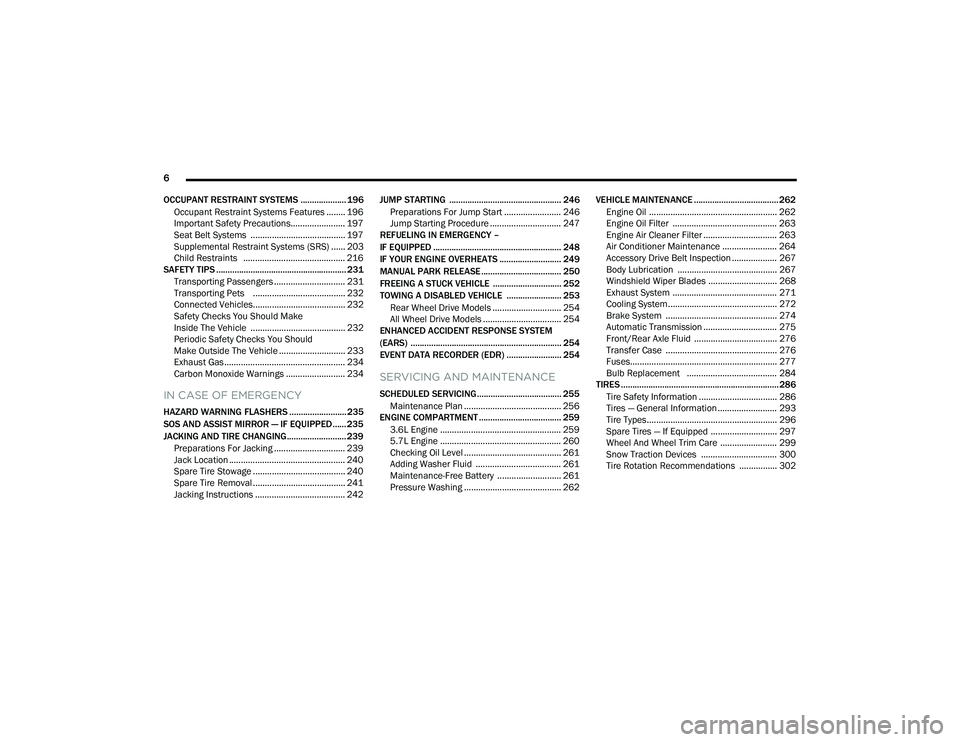
OCCUPANT RESTRAINT SYSTEMS .................... 196 Occupant Restraint Systems Features ........ 196
Important Safety Precautions....................... 197
Seat Belt Systems ........................................ 197
Supplemental Restraint Systems (SRS) ...... 203
Child Restraints ........................................... 216
SAFETY TIPS ......................................................... 231
Transporting Passengers .............................. 231Transporting Pets ....................................... 232
Connected Vehicles....................................... 232
Safety Checks You Should Make
Inside The Vehicle ........................................ 232
Periodic Safety Checks You Should
Make Outside The Vehicle ............................ 233
Exhaust Gas ................................................... 234Carbon Monoxide Warnings ......................... 234
IN CASE OF EMERGENCY
HAZARD WARNING FLASHERS ......................... 235
SOS AND ASSIST MIRROR — IF EQUIPPED...... 235
JACKING AND TIRE CHANGING.......................... 239 Preparations For Jacking .............................. 239Jack Location ................................................. 240
Spare Tire Stowage ....................................... 240
Spare Tire Removal ....................................... 241
Jacking Instructions ...................................... 242 JUMP STARTING ................................................. 246
Preparations For Jump Start ........................ 246
Jump Starting Procedure .............................. 247
REFUELING IN EMERGENCY –
IF EQUIPPED ........................................................ 248
IF YOUR ENGINE OVERHEATS ........................... 249
MANUAL PARK RELEASE ................................... 250
FREEING A STUCK VEHICLE .............................. 252
TOWING A DISABLED VEHICLE ........................ 253
Rear Wheel Drive Models ............................. 254
All Wheel Drive Models ................................. 254
ENHANCED ACCIDENT RESPONSE SYSTEM
(EARS) .................................................................. 254
EVENT DATA RECORDER (EDR) ........................ 254
SERVICING AND MAINTENANCE
SCHEDULED SERVICING..................................... 255
Maintenance Plan ......................................... 256
ENGINE COMPARTMENT .................................... 259
3.6L Engine ................................................... 259
5.7L Engine ................................................... 260
Checking Oil Level ......................................... 261
Adding Washer Fluid .................................... 261
Maintenance-Free Battery ........................... 261Pressure Washing ......................................... 262 VEHICLE MAINTENANCE ..................................... 262
Engine Oil ...................................................... 262
Engine Oil Filter ............................................ 263
Engine Air Cleaner Filter ............................... 263
Air Conditioner Maintenance ....................... 264
Accessory Drive Belt Inspection ................... 267Body Lubrication .......................................... 267Windshield Wiper Blades ............................. 268Exhaust System ............................................ 271
Cooling System.............................................. 272
Brake System ............................................... 274Automatic Transmission ............................... 275
Front/Rear Axle Fluid ................................... 276
Transfer Case ............................................... 276Fuses.............................................................. 277
Bulb Replacement ...................................... 284
TIRES ..................................................................... 286
Tire Safety Information ................................. 286
Tires — General Information ......................... 293
Tire Types....................................................... 296Spare Tires — If Equipped ............................ 297
Wheel And Wheel Trim Care ........................ 299Snow Traction Devices ................................ 300Tire Rotation Recommendations ................ 302
22_WD_OM_EN_USC_t.book Page 6
Page 13 of 332
11
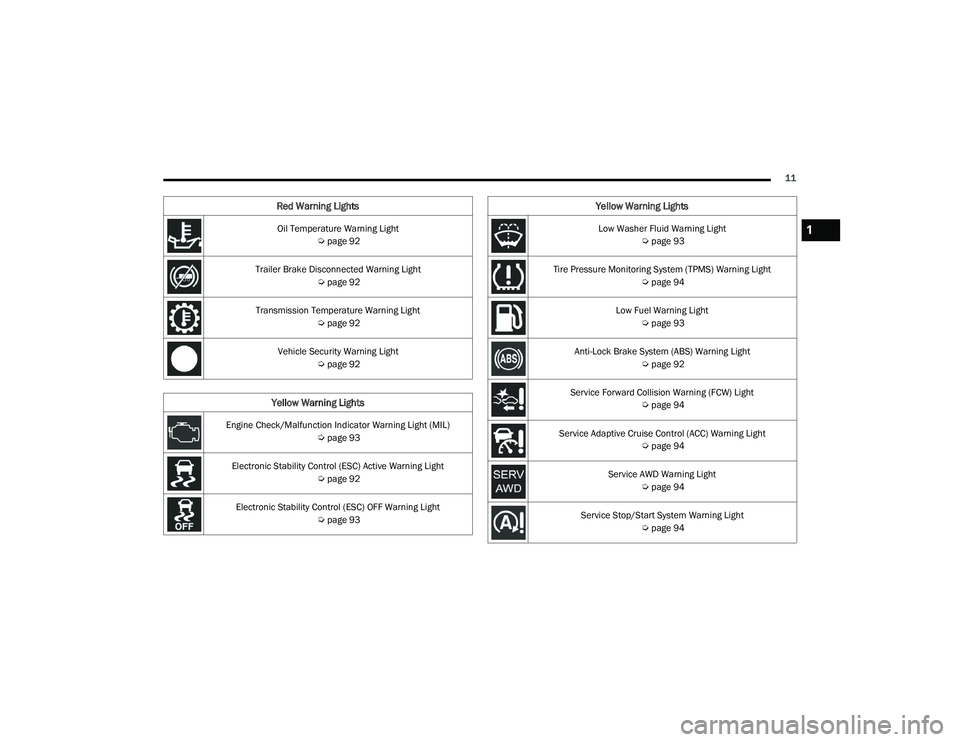
Oil Temperature Warning Light Úpage 92
Trailer Brake Disconnected Warning Light Úpage 92
Transmission Temperature Warning Light Úpage 92
Vehicle Security Warning Light Úpage 92
Yellow Warning Lights
Engine Check/Malfunction Indicator Warning Light (MIL)
Úpage 93
Electronic Stability Control (ESC) Active Warning Light Úpage 92
Electronic Stability Control (ESC) OFF Warning Light Úpage 93
Red Warning Lights
Low Washer Fluid Warning Light
Úpage 93
Tire Pressure Monitoring System (TPMS) Warning Light Úpage 94
Low Fuel Warning Light Úpage 93
Anti-Lock Brake System (ABS) Warning Light Úpage 92
Service Forward Collision Warning (FCW) Light Úpage 94
Service Adaptive Cruise Control (ACC) Warning Light Úpage 94
Service AWD Warning Light Úpage 94
Service Stop/Start System Warning Light Úpage 94
Yellow Warning Lights
1
22_WD_OM_EN_USC_t.book Page 11
Page 16 of 332
14
GETTING TO KNOW YOUR VEHICLE
KEYS
KEY FOB
Your vehicle is equipped with a key fob which
supports Passive Entry, Remote Keyless Entry
(RKE), Keyless Enter ‘n Go™ (if equipped), Remote
Start (if equipped), and remote power liftgate
operation. The key fob allows you to lock or unlock
the doors and liftgate from distances up to
approximately 66 ft (20 m). The key fob does not need to be pointed at the vehicle to activate the
system. The key fob also contains an emergency
key, which is stored in the rear of the key fob.
NOTE:
The key fob’s wireless signal may be blocked if
the key fob is located next to a mobile phone,
laptop, or other electronic device. This may
result in poor performance.
With ignition in the ON position and the vehicle
moving at 2 mph (4 km/h), all RKE commands are disabled.
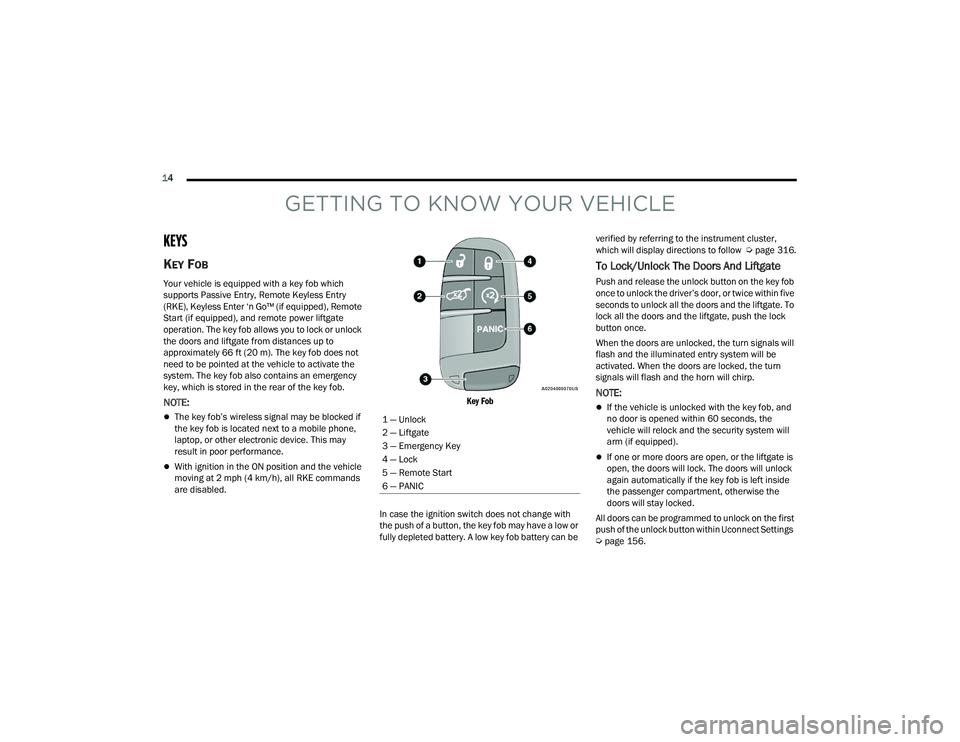
Key Fob
In case the ignition switch does not change with
the push of a button, the key fob may have a low or
fully depleted battery. A low key fob battery can be verified by referring to the instrument cluster,
which will display directions to follow
Úpage 316.
To Lock/Unlock The Doors And Liftgate
Push and release the unlock button on the key fob
once to unlock the driver’s door, or twice within five
seconds to unlock all the doors and the liftgate. To
lock all the doors and the liftgate, push the lock
button once.
When the doors are unlocked, the turn signals will
flash and the illuminated entry system will be
activated. When the doors are locked, the turn
signals will flash and the horn will chirp.
NOTE:
If the vehicle is unlocked with the key fob, and
no door is opened within 60 seconds, the
vehicle will relock and the security system will
arm (if equipped).
If one or more doors are open, or the liftgate is
open, the doors will lock. The doors will unlock
again automatically if the key fob is left inside
the passenger compartment, otherwise the
doors will stay locked.
All doors can be programmed to unlock on the first
push of the unlock button within Uconnect Settings
Ú page 156.
1 — Unlock
2 — Liftgate
3 — Emergency Key
4 — Lock
5 — Remote Start
6 — PANIC
22_WD_OM_EN_USC_t.book Page 14
Page 22 of 332
20GETTING TO KNOW YOUR VEHICLE
Vehicle Security system (if equipped). Then, prior
to the end of the 15 minute cycle, push and
release the START/STOP ignition button.
The Remote Start system will turn the engine off if
the Remote Start button on the key fob is pushed
again, or if the engine is allowed to run for the
entire 15 minute cycle. Once the ignition is placed
in the ON/RUN position, the climate controls will
resume the previously set operations
(temperature, blower control, etc.).
NOTE:
To avoid unintentional shutdowns, the system
will disable for two seconds after receiving a
valid Remote Start request.
For vehicles equipped with the Keyless
Enter ‘n Go™ — Passive Entry feature, the
message “Remote Start Active — Push Start
Button” will display in the instrument cluster
display until you push the START/STOP ignition
button.
REMOTE START FRONT DEFROST
A
CTIVATION — IF EQUIPPED
When Remote Start is active, and the outside
ambient temperature is 40°F (4.5°C) or below, the
system will automatically activate front defrost for
15 minutes or less. The time is dependent on the
ambient temperature. Once the timer expires, the
system will automatically adjust the settings depending on ambient conditions. See “Remote
Start Comfort Systems — If Equipped” in the next
section for detailed operation.
REMOTE START COMFORT SYSTEMS —
I
F EQUIPPED
When Remote Start is activated, the front and rear
defrost will automatically turn on in cold weather.
The heated steering wheel and driver heated seat
feature will turn on if selected in the comfort menu
screen within Uconnect Settings Ú page 156. In
warm weather, the driver vented seat feature will
automatically turn on when Remote Start is
activated, if programmed in the comfort menu
screen. The vehicle will adjust the climate control
settings depending on the outside ambient
temperature.
Automatic Temperature Control (ATC) —
If Equipped
The climate controls will automatically adjust to
the optimal temperature and mode settings
depending on the outside ambient temperature.
This will occur until the ignition is placed in the
ON/RUN position, where the climate controls will
resume their previous settings.
Manual Temperature Control (MTC) — If Equipped
In ambient temperatures at 40°F (4.5°C) or
below, the climate settings will default to
maximum heat, with fresh air entering the cabin. If the front defrost timer expires, the
vehicle will enter Mix Mode.
In ambient temperatures from 40°F (4.5°C) to
78°F (26°C), the climate settings will be based
on the last settings selected by the driver.
In ambient temperatures at 78°F (26°C) or
above, the climate settings will default to
MAX A/C, Bi-Level Mode, and Recirculation on.
For more information on ATC, MTC, and climate
control settings, see Ú page 54.
NOTE:These features will stay on through the duration of
Remote Start until the ignition is placed in the
ON/RUN position. The climate control settings will
change if manually adjusted by the driver while the
vehicle is in Remote Start mode, and exit auto -
matic override. This includes the OFF button on the
climate controls, which will turn the system off.
REMOTE START WINDSHIELD WIPER
D
E–ICER ACTIVATION — IF EQUIPPED
When Remote Start is active and the outside
ambient temperature is less than 33°F (0.6°C),
the Windshield Wiper De-Icer will activate. Exiting
Remote Start will resume its previous operation.
If the Windshield Wiper De-Icer was active, the
timer and operation will continue.
22_WD_OM_EN_USC_t.book Page 20
Page 23 of 332
GETTING TO KNOW YOUR VEHICLE21
REMOTE START CANCEL MESSAGE —
I
F EQUIPPED
The following messages will display in the
instrument cluster display if the vehicle fails to
remote start or exits Remote Start prematurely:
Remote Start Cancelled — Door Open
Remote Start Cancelled — Hood Open
Remote Start Cancelled — Fuel Low
Remote Start Cancelled — Liftgate Open
Remote Start Cancelled — Timer Expired
Remote Start Disabled — Start Vehicle To Reset
The instrument cluster display message stays
active until the ignition is placed in the ON/RUN
position.
VEHICLE SECURITY SYSTEM — IF EQUIPPED
The Vehicle Security system monitors the vehicle
doors for unauthorized entry and the Keyless
Enter ‘n Go™ Ignition for unauthorized operation.
While the Vehicle Security system is armed, interior
switches for door locks and liftgate release are
disabled. If something triggers the alarm, the
Vehicle Security system will provide the following
audible and visible signals:
The horn will pulse
The parking lights and/or turn signals will flash
The Vehicle Security Light in the instrument
cluster will flash
TO ARM THE SYSTEM
Follow these steps to arm the Vehicle Security
system:
1. Make sure the vehicle’s ignition is placed in the OFF position.
For vehicles equipped with Keyless Entry,
make sure the vehicle’s keyless ignition
system is OFF.
2. Perform one of the following methods to lock the vehicle:
Push lock on the interior power door lock
switch with the driver and/or passenger
door open.
Push the lock button on the exterior Passive
Entry door handle with a valid key fob avail -
able in the same exterior zone Ú page 23.
Push the lock button on the key fob.
3. If any doors are open, close them.
TO DISARM THE SYSTEM
The Vehicle Security system can be disarmed using
any of the following methods:
Push the unlock button on the key fob.
Grab the Passive Entry unlock door handle
(if equipped) Ú page 23.
Cycle the vehicle ignition system out of the
OFF position.
NOTE:
The driver's door key cylinder cannot arm or
disarm the Vehicle Security system. Use of the
door key cylinder when the alarm is armed will
sound the alarm when the door is opened.
The Vehicle Security system remains armed
when the power liftgate is opened using the
liftgate button on the key fob. If someone enters
the vehicle through the opened liftgate, then
opens any door from the inside, the alarm will
sound.
If Passive Entry (if equipped) is used to unlock
the liftgate, the Vehicle Security system is
disarmed and the rest of the vehicle doors will
remain locked unless all doors are set to unlock
on first press within Uconnect Settings.
When the Vehicle Security system is armed, the
interior power door lock switches will not unlock
the doors.
2
22_WD_OM_EN_USC_t.book Page 21
Page 24 of 332
22GETTING TO KNOW YOUR VEHICLE
The Vehicle Security system is designed to protect
your vehicle. However, you can create conditions
where the system will give you a false alarm. If one
of the previously described arming sequences has
occurred, the Vehicle Security system will arm
regardless of whether you are in the vehicle or not.
If you remain in the vehicle and open a door, the
alarm will sound. If this occurs, disarm the Vehicle
Security system.
If the Vehicle Security system is armed and the
battery becomes disconnected, the Vehicle
Security system will remain armed when the
battery is reconnected; the exterior lights will flash,
and the horn will sound. If this occurs, disarm the
Vehicle Security system.
REARMING OF THE SYSTEM
If something triggers the alarm and no action is
taken to disarm it, the Vehicle Security system will
turn the horn off after a 29 second cycle (with five
seconds between cycles and up to eight cycles if
the trigger remains active) and then rearm itself.
SECURITY SYSTEM MANUAL OVERRIDE
The Vehicle Security system will not arm if you lock
the doors using the manual door lock.
TAMPER ALERT
If something has triggered the Vehicle Security
system in your absence, the horn will sound three
times and the exterior lights will blink three times
when you disarm the Vehicle Security system.
DOORS
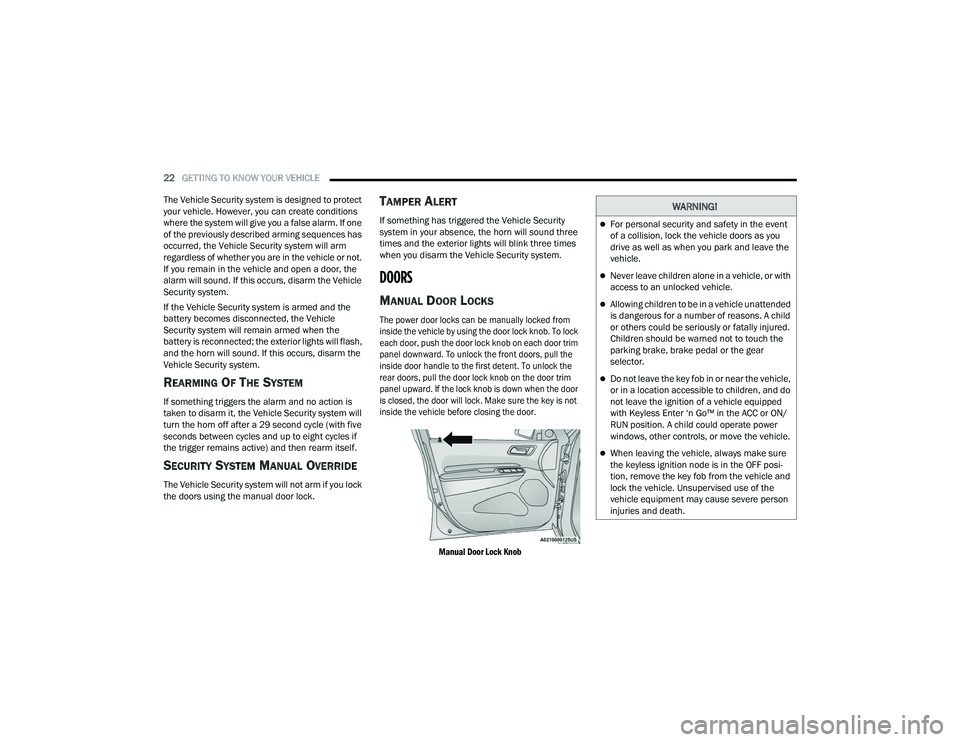
MANUAL DOOR LOCKS
The power door locks can be manually locked from
inside the vehicle by using the door lock knob. To lock
each door, push the door lock knob on each door trim
panel downward. To unlock the front doors, pull the
inside door handle to the first detent. To unlock the
rear doors, pull the door lock knob on the door trim
panel upward. If the lock knob is down when the door
is closed, the door will lock. Make sure the key is not
inside the vehicle before closing the door.
Manual Door Lock Knob
WARNING!
For personal security and safety in the event
of a collision, lock the vehicle doors as you
drive as well as when you park and leave the
vehicle.
Never leave children alone in a vehicle, or with
access to an unlocked vehicle.
Allowing children to be in a vehicle unattended
is dangerous for a number of reasons. A child
or others could be seriously or fatally injured.
Children should be warned not to touch the
parking brake, brake pedal or the gear
selector.
Do not leave the key fob in or near the vehicle,
or in a location accessible to children, and do
not leave the ignition of a vehicle equipped
with Keyless Enter ‘n Go™ in the ACC or ON/
RUN position. A child could operate power
windows, other controls, or move the vehicle.
When leaving the vehicle, always make sure
the keyless ignition node is in the OFF posi -
tion, remove the key fob from the vehicle and
lock the vehicle. Unsupervised use of the
vehicle equipment may cause severe person
injuries and death.
22_WD_OM_EN_USC_t.book Page 22
Page 25 of 332
GETTING TO KNOW YOUR VEHICLE23
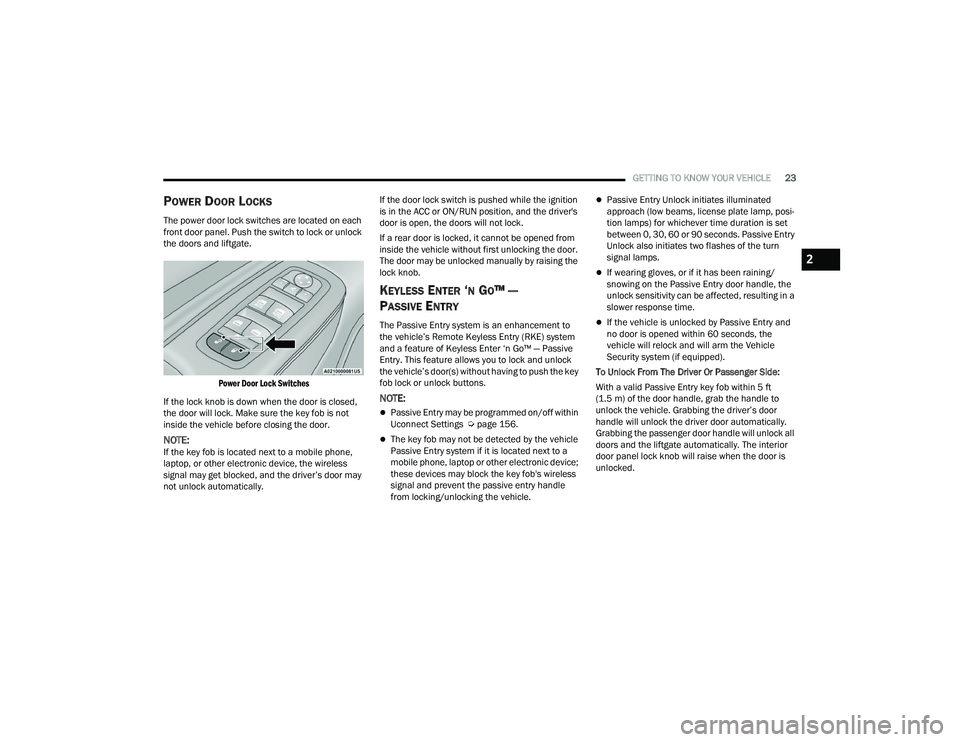
POWER DOOR LOCKS
The power door lock switches are located on each
front door panel. Push the switch to lock or unlock
the doors and liftgate.
Power Door Lock Switches
If the lock knob is down when the door is closed,
the door will lock. Make sure the key fob is not
inside the vehicle before closing the door.
NOTE:If the key fob is located next to a mobile phone,
laptop, or other electronic device, the wireless
signal may get blocked, and the driver’s door may
not unlock automatically. If the door lock switch is pushed while the ignition
is in the ACC or ON/RUN position, and the driver's
door is open, the doors will not lock.
If a rear door is locked, it cannot be opened from
inside the vehicle without first unlocking the door.
The door may be unlocked manually by raising the
lock knob.
KEYLESS ENTER ‘N GO™ —
P
ASSIVE ENTRY
The Passive Entry system is an enhancement to
the vehicle’s Remote Keyless Entry (RKE) system
and a feature of Keyless Enter ‘n Go™ — Passive
Entry. This feature allows you to lock and unlock
the vehicle’s door(s) without having to push the key
fob lock or unlock buttons.
NOTE:
Passive Entry may be programmed on/off within
Uconnect Settings Ú page 156.
The key fob may not be detected by the vehicle
Passive Entry system if it is located next to a
mobile phone, laptop or other electronic device;
these devices may block the key fob's wireless
signal and prevent the passive entry handle
from locking/unlocking the vehicle.
Passive Entry Unlock initiates illuminated
approach (low beams, license plate lamp, posi -
tion lamps) for whichever time duration is set
between 0, 30, 60 or 90 seconds. Passive Entry
Unlock also initiates two flashes of the turn
signal lamps.
If wearing gloves, or if it has been raining/
snowing on the Passive Entry door handle, the
unlock sensitivity can be affected, resulting in a
slower response time.
If the vehicle is unlocked by Passive Entry and
no door is opened within 60 seconds, the
vehicle will relock and will arm the Vehicle
Security system (if equipped).
To Unlock From The Driver Or Passenger Side:
With a valid Passive Entry key fob within 5 ft
(1.5 m) of the door handle, grab the handle to
unlock the vehicle. Grabbing the driver’s door
handle will unlock the driver door automatically.
Grabbing the passenger door handle will unlock all
doors and the liftgate automatically. The interior
door panel lock knob will raise when the door is
unlocked.
2
22_WD_OM_EN_USC_t.book Page 23