steering wheel DODGE DURANGO SRT 2018 Workshop Manual
[x] Cancel search | Manufacturer: DODGE, Model Year: 2018, Model line: DURANGO SRT, Model: DODGE DURANGO SRT 2018Pages: 568, PDF Size: 6.54 MB
Page 499 of 568
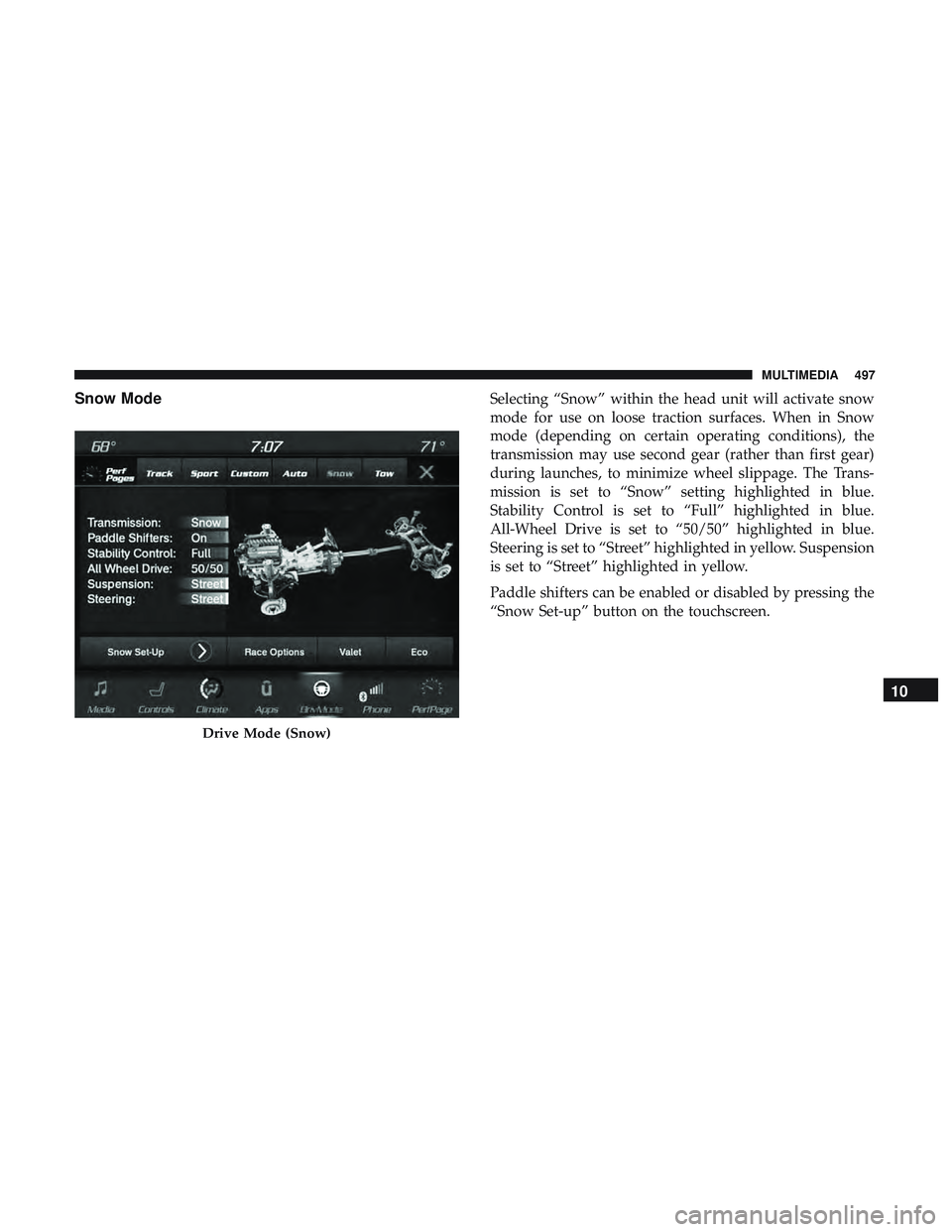
Snow ModeSelecting “Snow” within the head unit will activate snow
mode for use on loose traction surfaces. When in Snow
mode (depending on certain operating conditions), the
transmission may use second gear (rather than first gear)
during launches, to minimize wheel slippage. The Trans-
mission is set to “Snow” setting highlighted in blue.
Stability Control is set to “Full” highlighted in blue.
All-Wheel Drive is set to “50/50” highlighted in blue.
Steering is set to “Street” highlighted in yellow. Suspension
is set to “Street” highlighted in yellow.
Paddle shifters can be enabled or disabled by pressing the
“Snow Set-up” button on the touchscreen.
Drive Mode (Snow)
10
MULTIMEDIA 497
Page 500 of 568
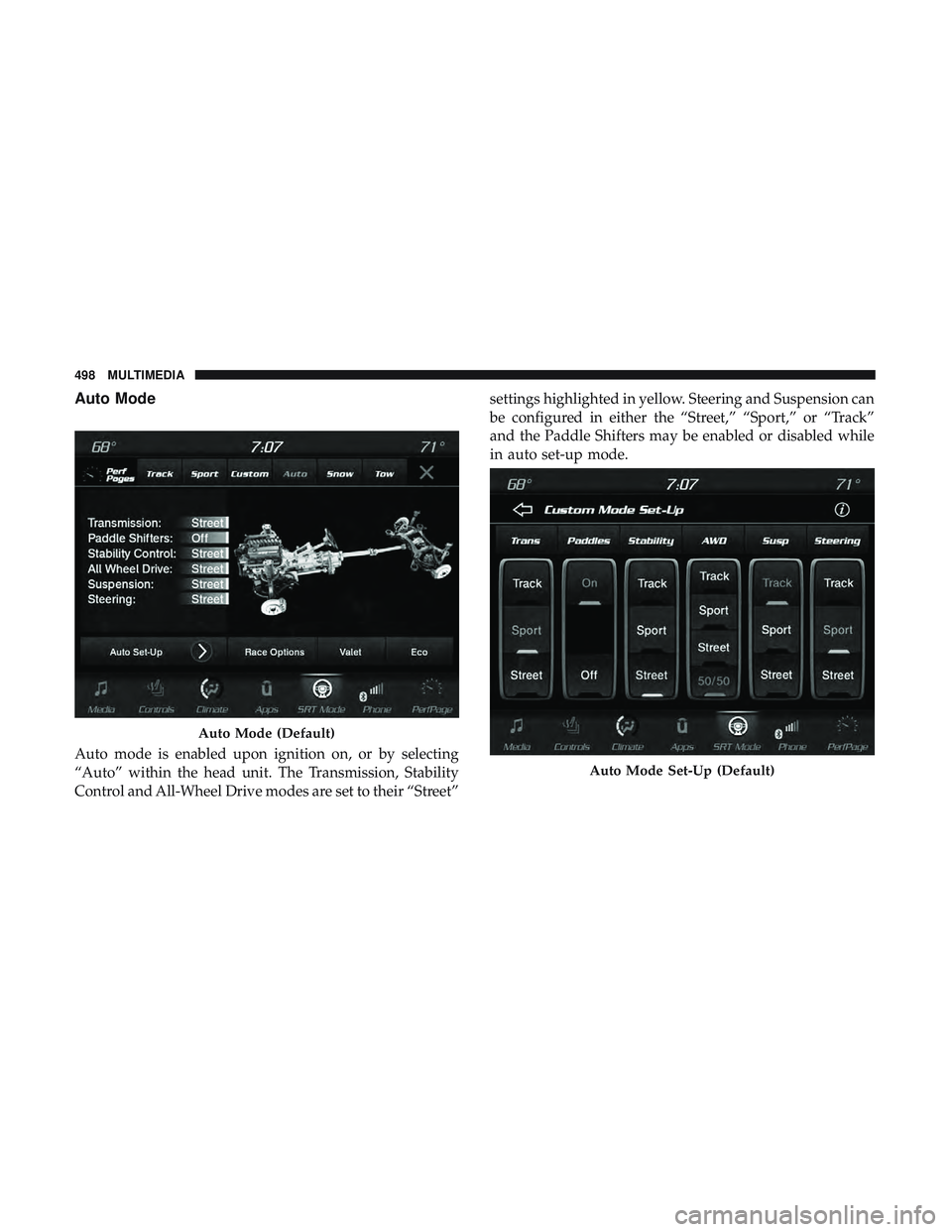
Auto Mode
Auto mode is enabled upon ignition on, or by selecting
“Auto” within the head unit. The Transmission, Stability
Control and All-Wheel Drive modes are set to their “Street”settings highlighted in yellow. Steering and Suspension can
be configured in either the “Street,” “Sport,” or “Track”
and the Paddle Shifters may be enabled or disabled while
in auto set-up mode.
Auto Mode (Default)
Auto Mode Set-Up (Default)
498 MULTIMEDIA
Page 501 of 568
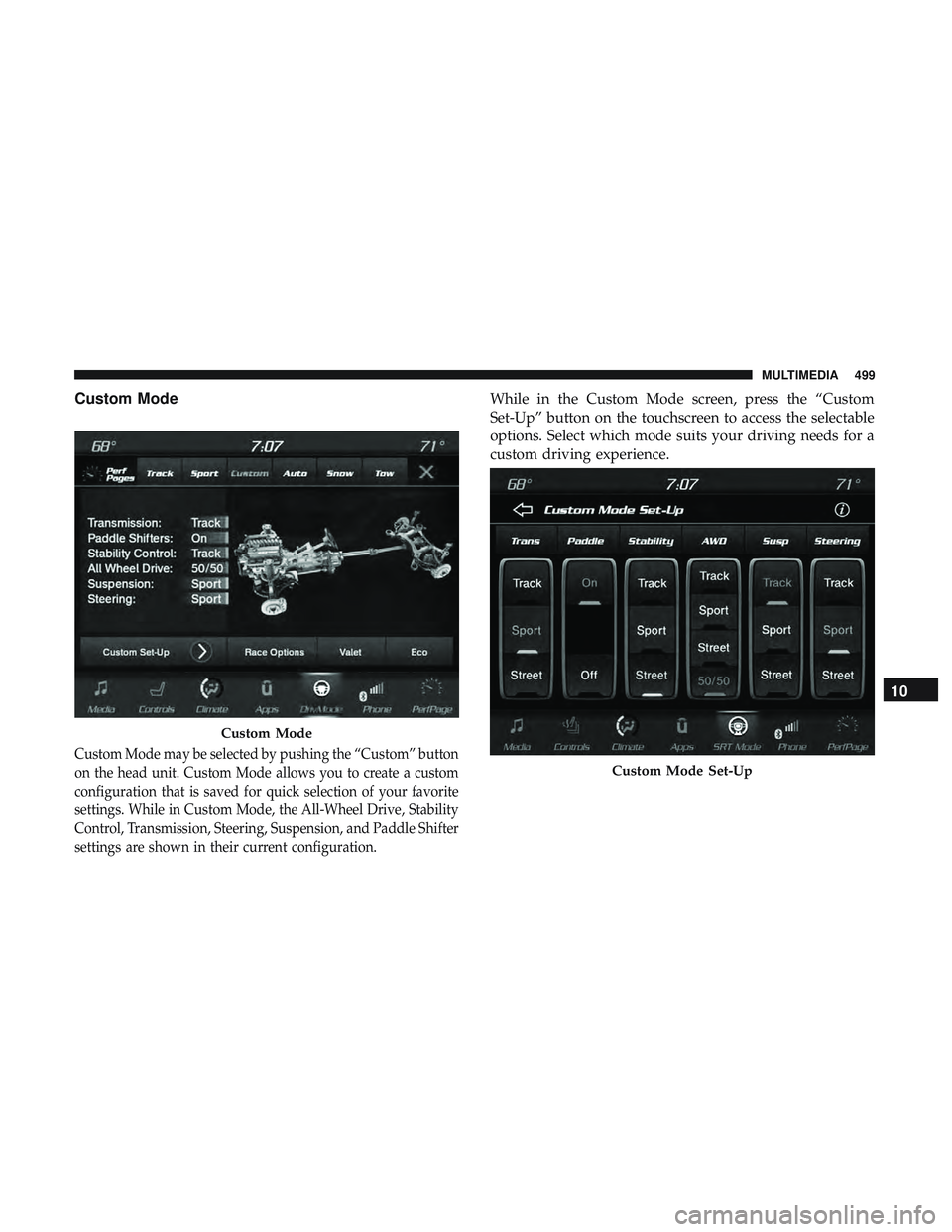
Custom Mode
Custom Mode may be selected by pushing the “Custom” button
on the head unit. Custom Mode allows you to create a custom
configuration that is saved for quick selection of your favorite
settings. While in Custom Mode, the All-Wheel Drive, Stability
Control, Transmission, Steering, Suspension, and Paddle Shifter
settings are shown in their current configuration.
While in the Custom Mode screen, press the “Custom
Set-Up” button on the touchscreen to access the selectable
options. Select which mode suits your driving needs for a
custom driving experience.
Custom Mode
Custom Mode Set-Up
10
MULTIMEDIA 499
Page 505 of 568
Factory Default” button on the touchscreen to change back
to factory settings, or press the “Shift Light Off” button on
the touchscreen to turn the system off completely.
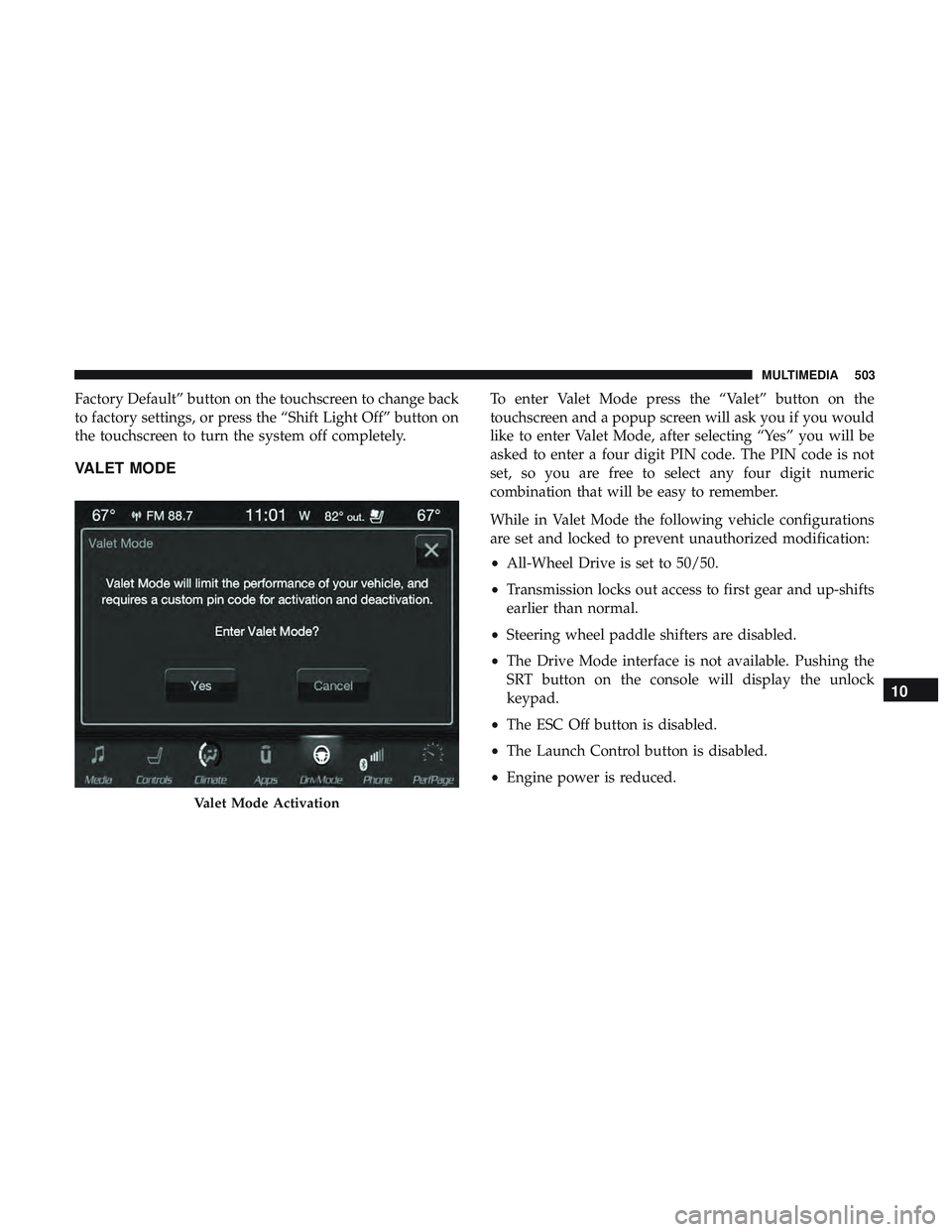
VALET MODE
To enter Valet Mode press the “Valet” button on the
touchscreen and a popup screen will ask you if you would
like to enter Valet Mode, after selecting “Yes” you will be
asked to enter a four digit PIN code. The PIN code is not
set, so you are free to select any four digit numeric
combination that will be easy to remember.
While in Valet Mode the following vehicle configurations
are set and locked to prevent unauthorized modification:
•All-Wheel Drive is set to 50/50.
• Transmission locks out access to first gear and up-shifts
earlier than normal.
• Steering wheel paddle shifters are disabled.
• The Drive Mode interface is not available. Pushing the
SRT button on the console will display the unlock
keypad.
• The ESC Off button is disabled.
• The Launch Control button is disabled.
• Engine power is reduced.
Valet Mode Activation
10
MULTIMEDIA 503
Page 508 of 568
STEERING WHEEL AUDIO CONTROLS — IF
EQUIPPED
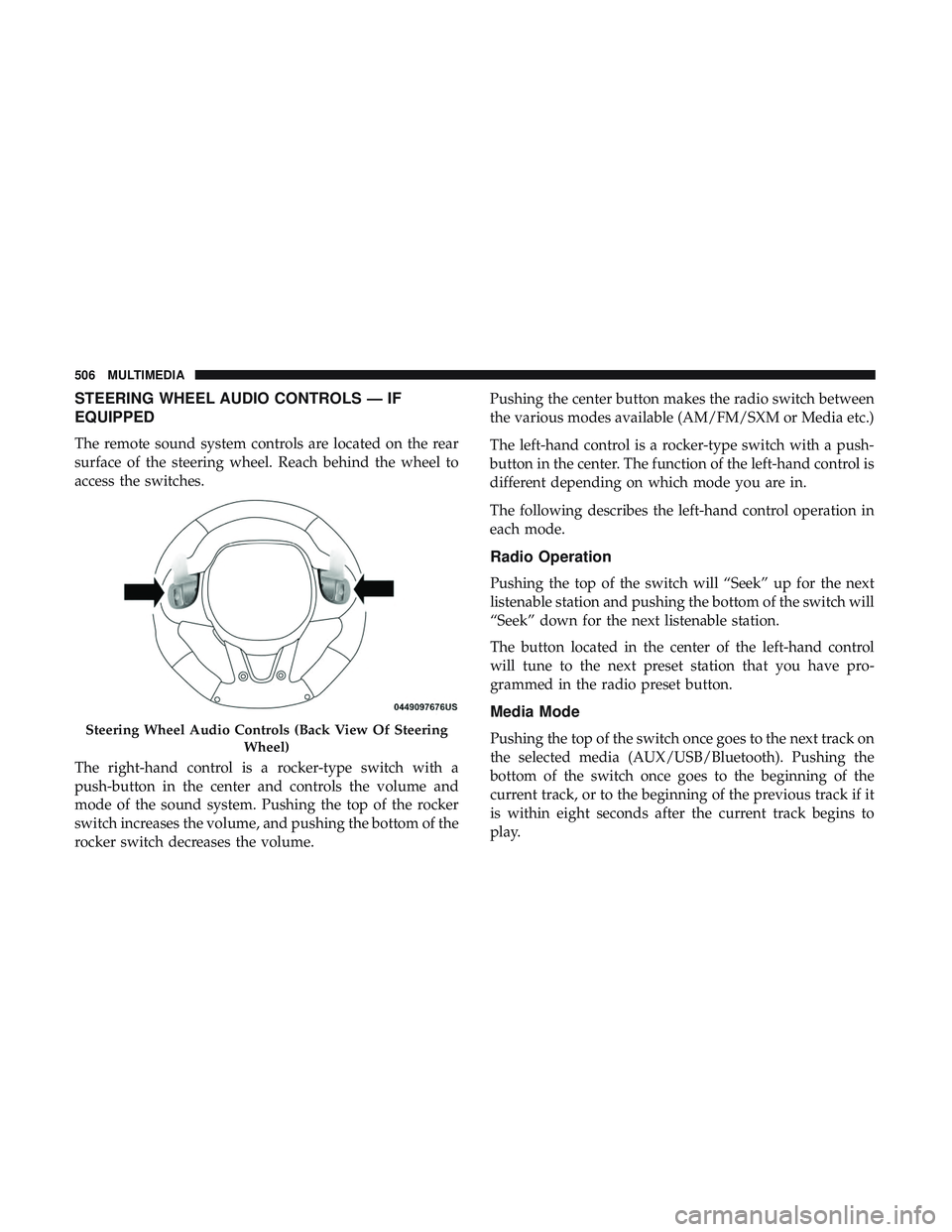
The remote sound system controls are located on the rear
surface of the steering wheel. Reach behind the wheel to
access the switches.
The right-hand control is a rocker-type switch with a
push-button in the center and controls the volume and
mode of the sound system. Pushing the top of the rocker
switch increases the volume, and pushing the bottom of the
rocker switch decreases the volume.Pushing the center button makes the radio switch between
the various modes available (AM/FM/SXM or Media etc.)
The left-hand control is a rocker-type switch with a push-
button in the center. The function of the left-hand control is
different depending on which mode you are in.
The following describes the left-hand control operation in
each mode.
Radio Operation
Pushing the top of the switch will “Seek” up for the next
listenable station and pushing the bottom of the switch will
“Seek” down for the next listenable station.
The button located in the center of the left-hand control
will tune to the next preset station that you have pro-
grammed in the radio preset button.
Media Mode
Pushing the top of the switch once goes to the next track on
the selected media (AUX/USB/Bluetooth). Pushing the
bottom of the switch once goes to the beginning of the
current track, or to the beginning of the previous track if it
is within eight seconds after the current track begins to
play.Steering Wheel Audio Controls (Back View Of Steering
Wheel)
506 MULTIMEDIA
Page 529 of 568
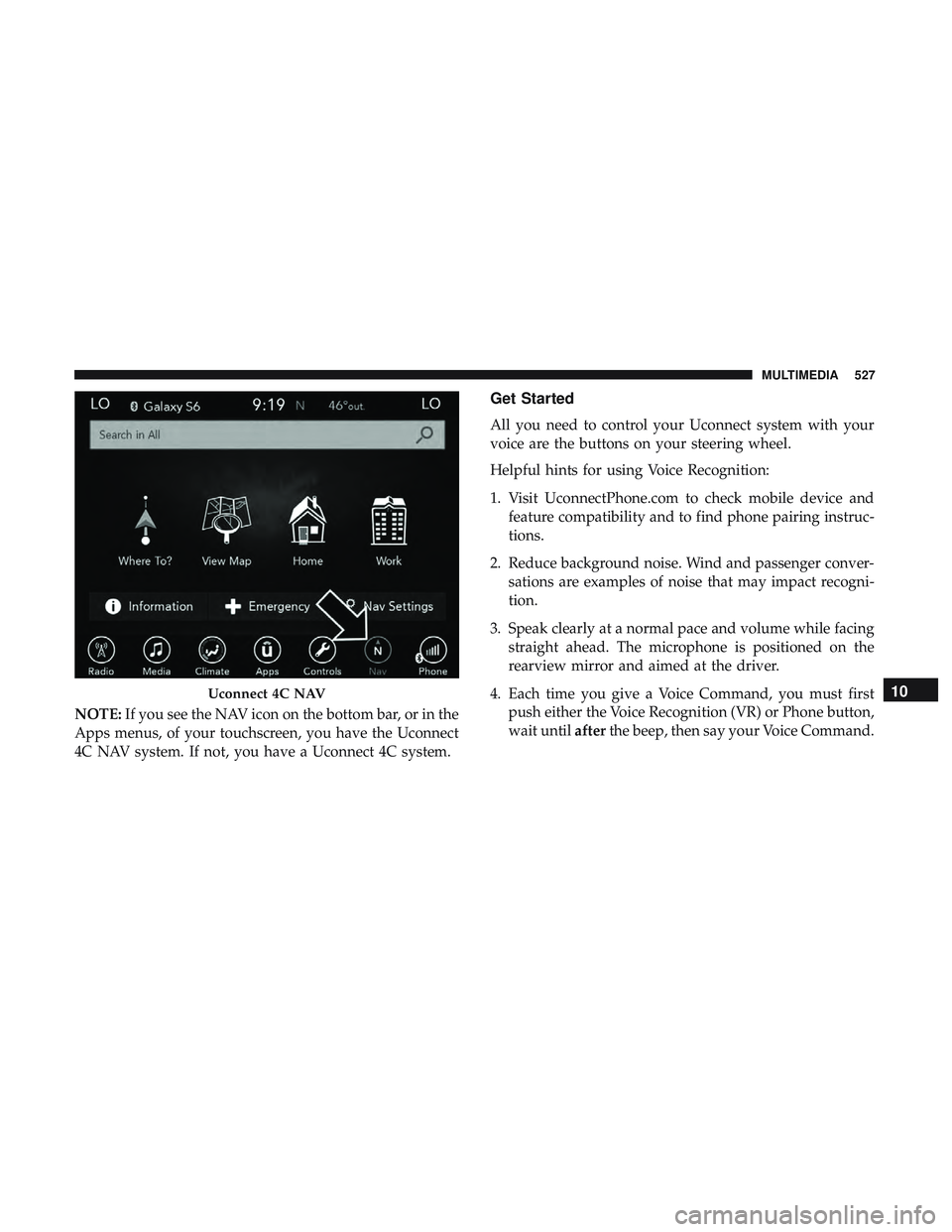
NOTE:If you see the NAV icon on the bottom bar, or in the
Apps menus, of your touchscreen, you have the Uconnect
4C NAV system. If not, you have a Uconnect 4C system.
Get Started
All you need to control your Uconnect system with your
voice are the buttons on your steering wheel.
Helpful hints for using Voice Recognition:
1. Visit UconnectPhone.com to check mobile device and feature compatibility and to find phone pairing instruc-
tions.
2. Reduce background noise. Wind and passenger conver- sations are examples of noise that may impact recogni-
tion.
3. Speak clearly at a normal pace and volume while facing straight ahead. The microphone is positioned on the
rearview mirror and aimed at the driver.
4. Each time you give a Voice Command, you must first push either the Voice Recognition (VR) or Phone button,
wait until afterthe beep, then say your Voice Command.
Uconnect 4C NAV10
MULTIMEDIA 527
Page 534 of 568
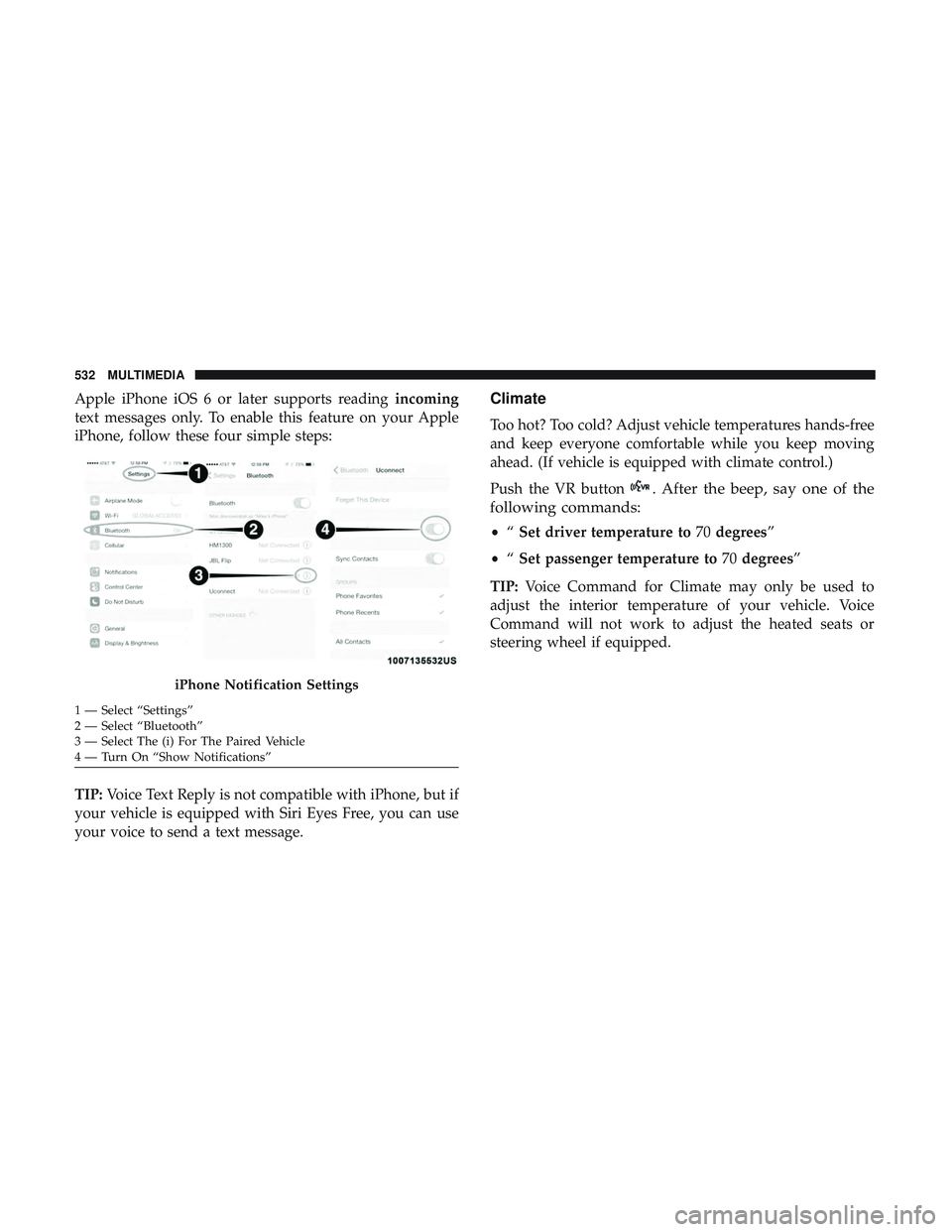
Apple iPhone iOS 6 or later supports readingincoming
text messages only. To enable this feature on your Apple
iPhone, follow these four simple steps:
TIP: Voice Text Reply is not compatible with iPhone, but if
your vehicle is equipped with Siri Eyes Free, you can use
your voice to send a text message.Climate
Too hot? Too cold? Adjust vehicle temperatures hands-free
and keep everyone comfortable while you keep moving
ahead. (If vehicle is equipped with climate control.)
Push the VR button
. After the beep, say one of the
following commands:
• “Set driver temperature to 70degrees”
• “Set passenger temperature to 70degrees”
TIP: Voice Command for Climate may only be used to
adjust the interior temperature of your vehicle. Voice
Command will not work to adjust the heated seats or
steering wheel if equipped.
iPhone Notification Settings
1 — Select “Settings”
2 — Select “Bluetooth”
3 — Select The (i) For The Paired Vehicle
4 — Turn On “Show Notifications” 532 MULTIMEDIA
Page 539 of 568
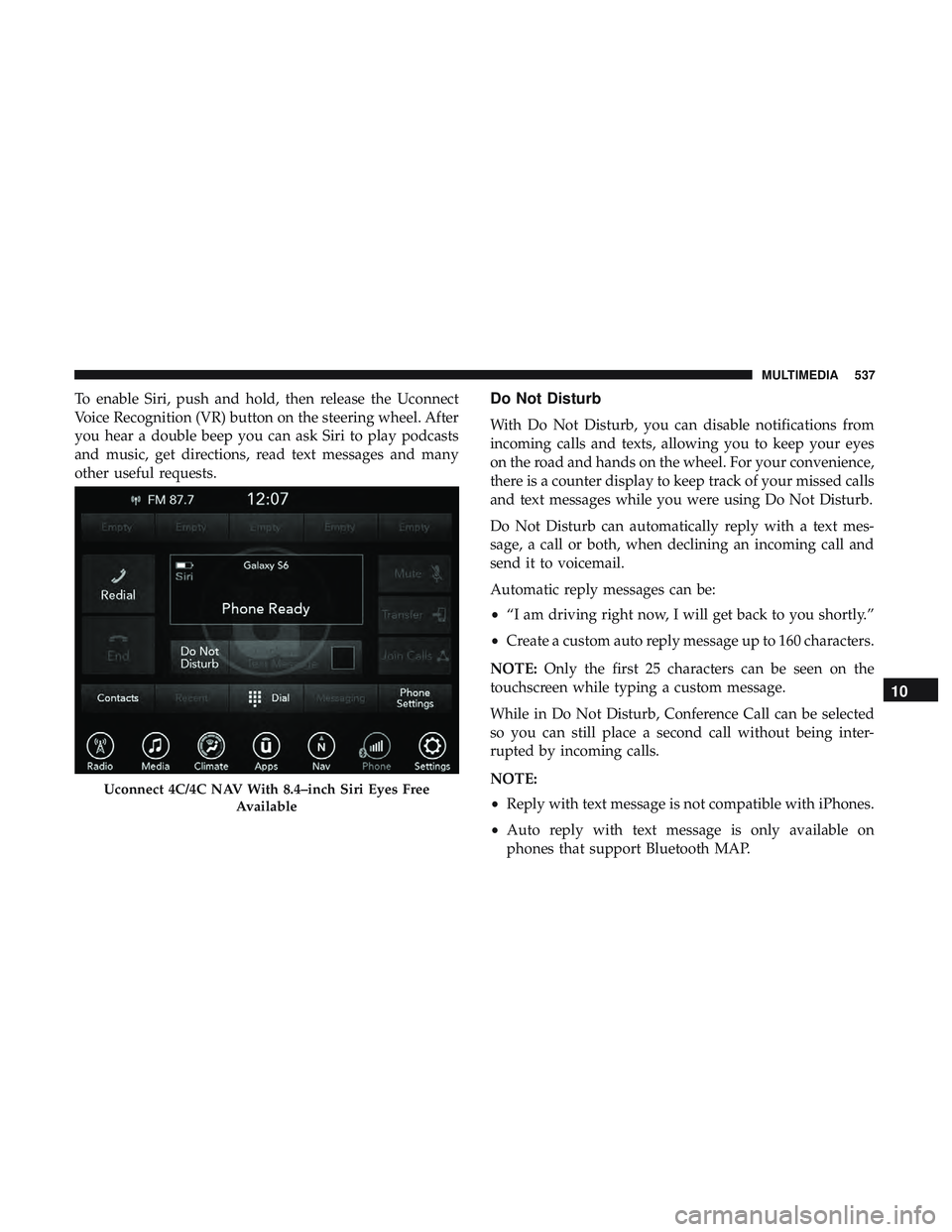
To enable Siri, push and hold, then release the Uconnect
Voice Recognition (VR) button on the steering wheel. After
you hear a double beep you can ask Siri to play podcasts
and music, get directions, read text messages and many
other useful requests.Do Not Disturb
With Do Not Disturb, you can disable notifications from
incoming calls and texts, allowing you to keep your eyes
on the road and hands on the wheel. For your convenience,
there is a counter display to keep track of your missed calls
and text messages while you were using Do Not Disturb.
Do Not Disturb can automatically reply with a text mes-
sage, a call or both, when declining an incoming call and
send it to voicemail.
Automatic reply messages can be:
•“I am driving right now, I will get back to you shortly.”
• Create a custom auto reply message up to 160 characters.
NOTE: Only the first 25 characters can be seen on the
touchscreen while typing a custom message.
While in Do Not Disturb, Conference Call can be selected
so you can still place a second call without being inter-
rupted by incoming calls.
NOTE:
• Reply with text message is not compatible with iPhones.
• Auto reply with text message is only available on
phones that support Bluetooth MAP.
Uconnect 4C/4C NAV With 8.4–inch Siri Eyes Free
Available
10
MULTIMEDIA 537
Page 540 of 568
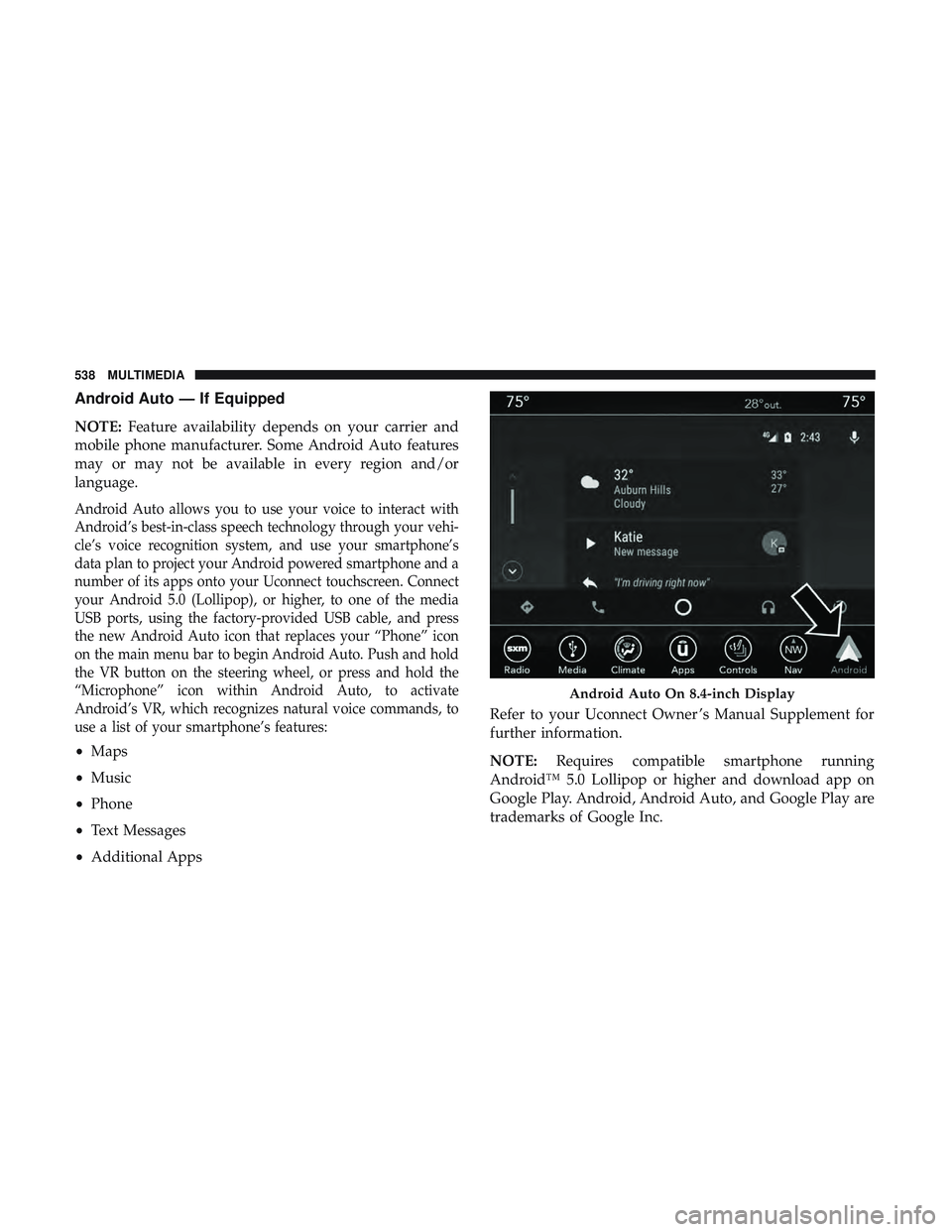
Android Auto — If Equipped
NOTE:Feature availability depends on your carrier and
mobile phone manufacturer. Some Android Auto features
may or may not be available in every region and/or
language.
Android Auto allows you to use your voice to interact with
Android’s best-in-class speech technology through your vehi-
cle’s voice recognition system, and use your smartphone’s
data plan to project your Android powered smartphone and a
number of its apps onto your Uconnect touchscreen. Connect
your Android 5.0 (Lollipop), or higher, to one of the media
USB ports, using the factory-provided USB cable, and press
the new Android Auto icon that replaces your “Phone” icon
on the main menu bar to begin Android Auto. Push and hold
the VR button on the steering wheel, or press and hold the
“Microphone” icon within Android Auto, to activate
Android’s VR, which recognizes natural voice commands, to
use a list of your smartphone’s features:
• Maps
• Music
• Phone
• Text Messages
• Additional Apps Refer to your Uconnect Owner ’s Manual Supplement for
further information.
NOTE:
Requires compatible smartphone running
Android™ 5.0 Lollipop or higher and download app on
Google Play. Android, Android Auto, and Google Play are
trademarks of Google Inc.
Android Auto On 8.4-inch Display
538 MULTIMEDIA
Page 541 of 568
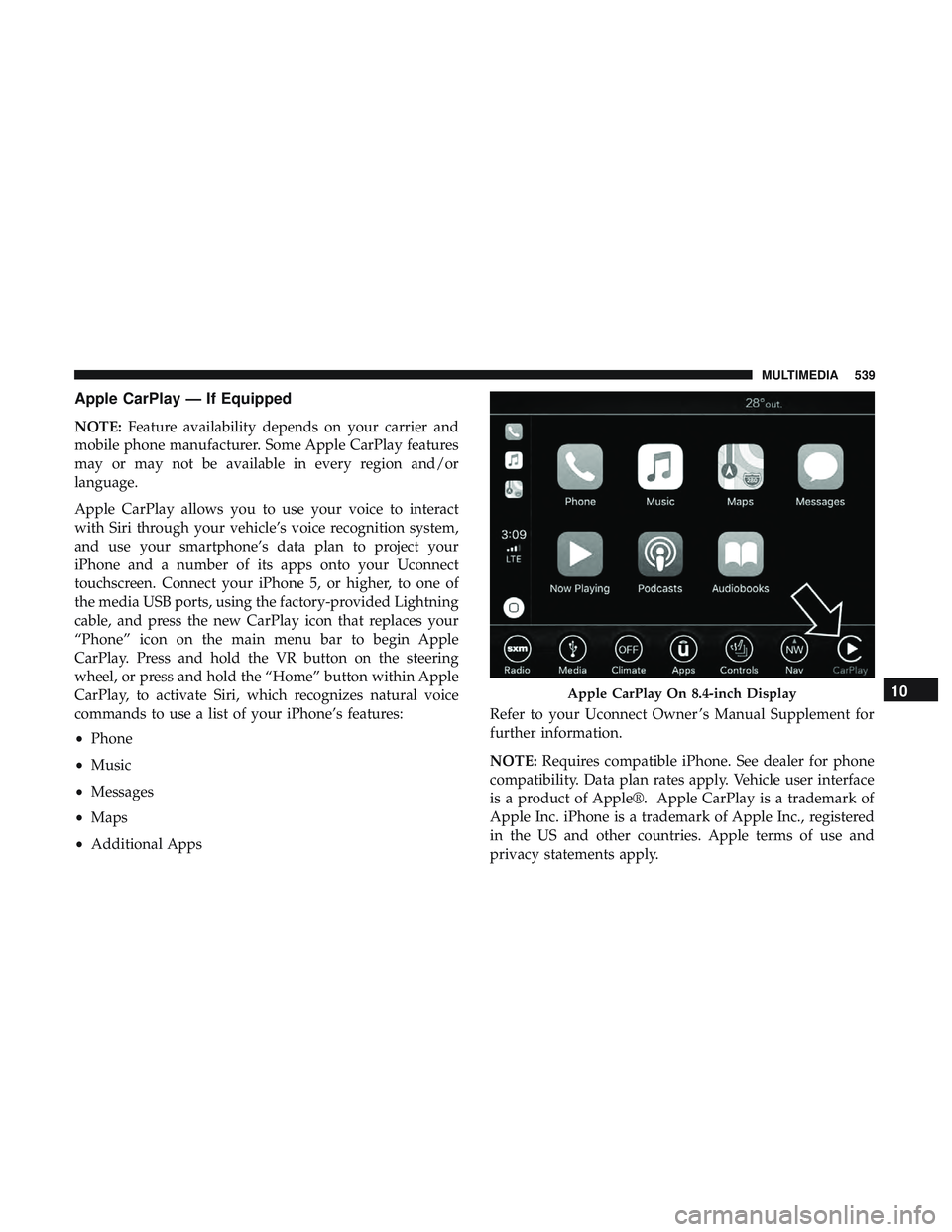
Apple CarPlay — If Equipped
NOTE:Feature availability depends on your carrier and
mobile phone manufacturer. Some Apple CarPlay features
may or may not be available in every region and/or
language.
Apple CarPlay allows you to use your voice to interact
with Siri through your vehicle’s voice recognition system,
and use your smartphone’s data plan to project your
iPhone and a number of its apps onto your Uconnect
touchscreen. Connect your iPhone 5, or higher, to one of
the media USB ports, using the factory-provided Lightning
cable, and press the new CarPlay icon that replaces your
“Phone” icon on the main menu bar to begin Apple
CarPlay. Press and hold the VR button on the steering
wheel, or press and hold the “Home” button within Apple
CarPlay, to activate Siri, which recognizes natural voice
commands to use a list of your iPhone’s features:
• Phone
• Music
• Messages
• Maps
• Additional Apps Refer to your Uconnect Owner ’s Manual Supplement for
further information.
NOTE:
Requires compatible iPhone. See dealer for phone
compatibility. Data plan rates apply. Vehicle user interface
is a product of Apple®. Apple CarPlay is a trademark of
Apple Inc. iPhone is a trademark of Apple Inc., registered
in the US and other countries. Apple terms of use and
privacy statements apply.
Apple CarPlay On 8.4-inch Display10
MULTIMEDIA 539