transmission DODGE DURANGO SRT 2018 Repair Manual
[x] Cancel search | Manufacturer: DODGE, Model Year: 2018, Model line: DURANGO SRT, Model: DODGE DURANGO SRT 2018Pages: 568, PDF Size: 6.54 MB
Page 499 of 568
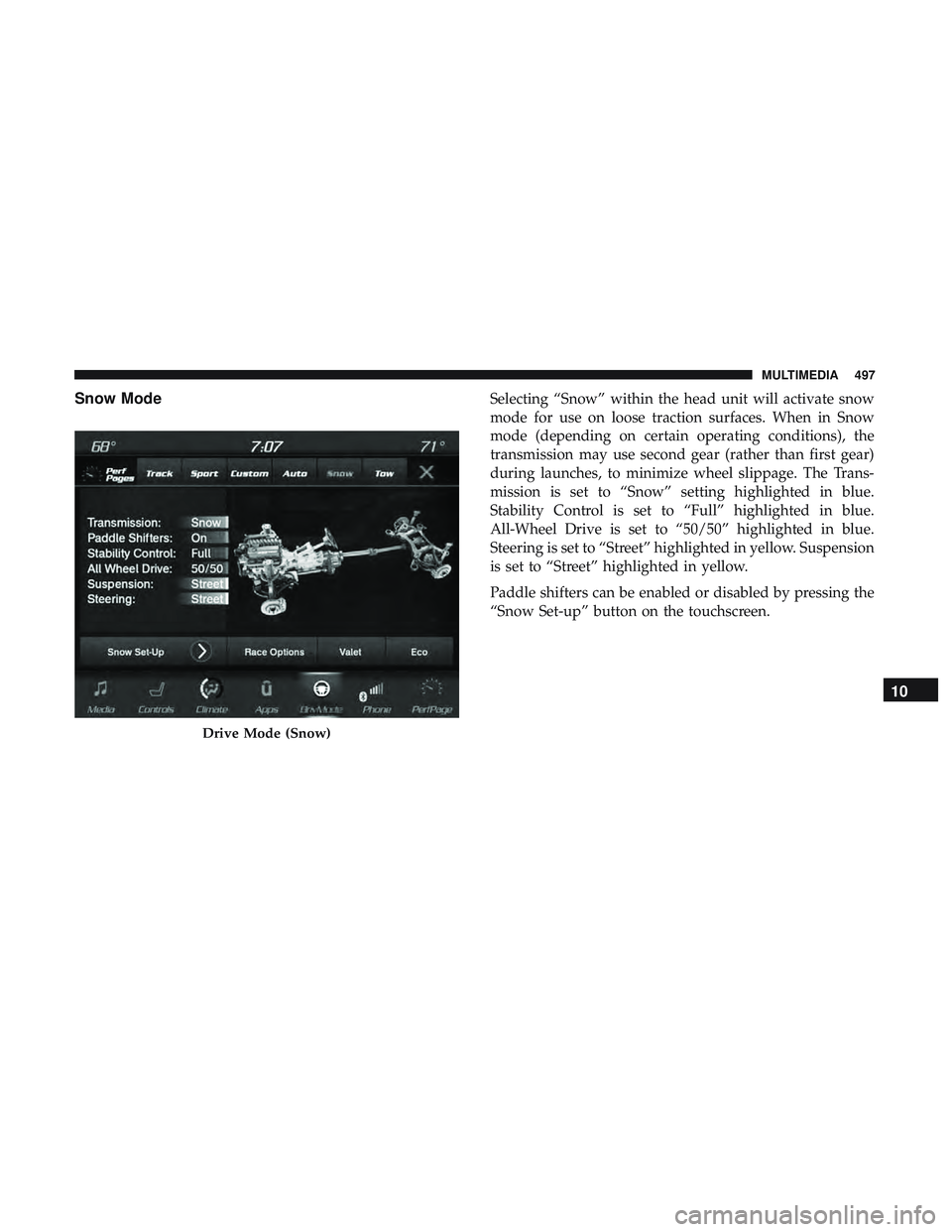
Snow ModeSelecting “Snow” within the head unit will activate snow
mode for use on loose traction surfaces. When in Snow
mode (depending on certain operating conditions), the
transmission may use second gear (rather than first gear)
during launches, to minimize wheel slippage. The Trans-
mission is set to “Snow” setting highlighted in blue.
Stability Control is set to “Full” highlighted in blue.
All-Wheel Drive is set to “50/50” highlighted in blue.
Steering is set to “Street” highlighted in yellow. Suspension
is set to “Street” highlighted in yellow.
Paddle shifters can be enabled or disabled by pressing the
“Snow Set-up” button on the touchscreen.
Drive Mode (Snow)
10
MULTIMEDIA 497
Page 500 of 568
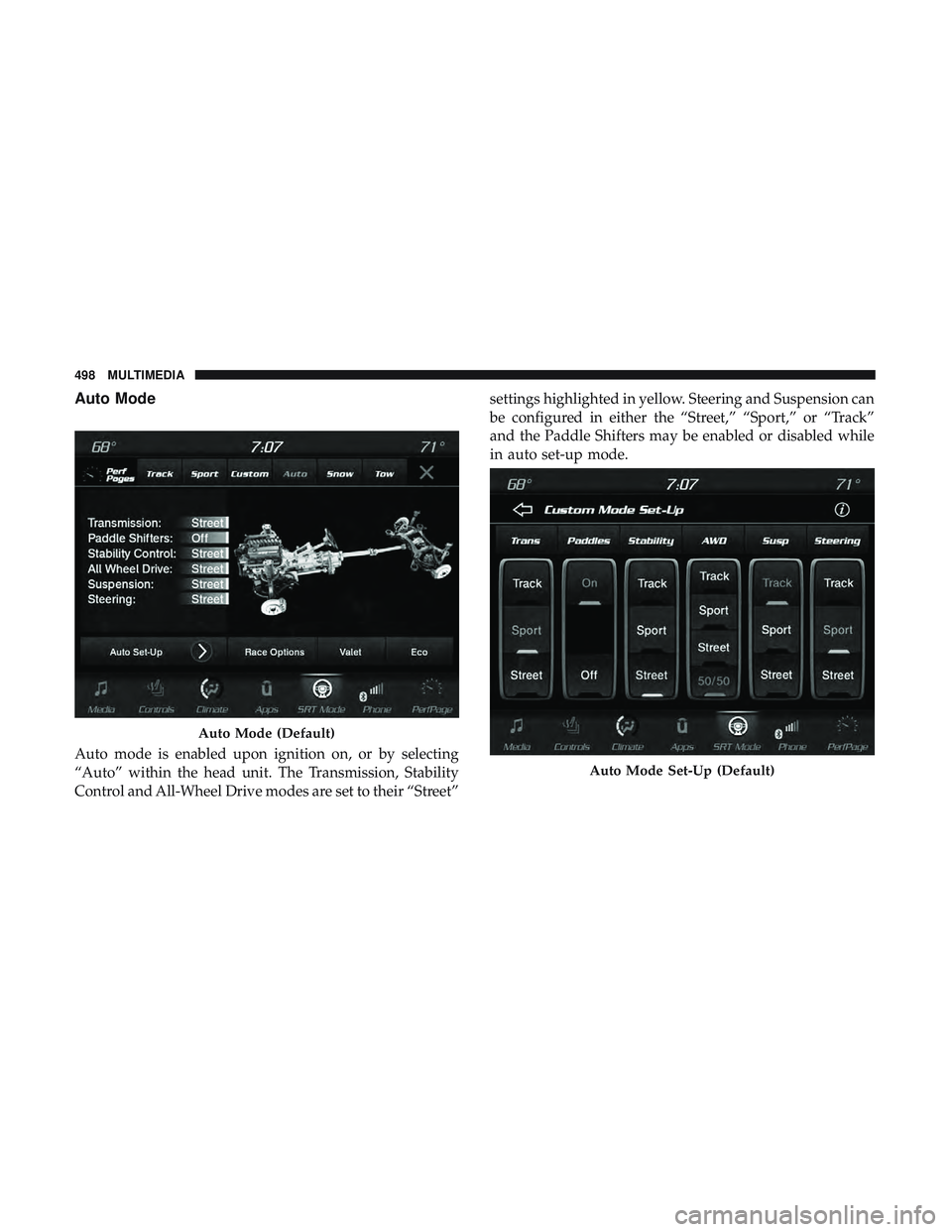
Auto Mode
Auto mode is enabled upon ignition on, or by selecting
“Auto” within the head unit. The Transmission, Stability
Control and All-Wheel Drive modes are set to their “Street”settings highlighted in yellow. Steering and Suspension can
be configured in either the “Street,” “Sport,” or “Track”
and the Paddle Shifters may be enabled or disabled while
in auto set-up mode.
Auto Mode (Default)
Auto Mode Set-Up (Default)
498 MULTIMEDIA
Page 501 of 568
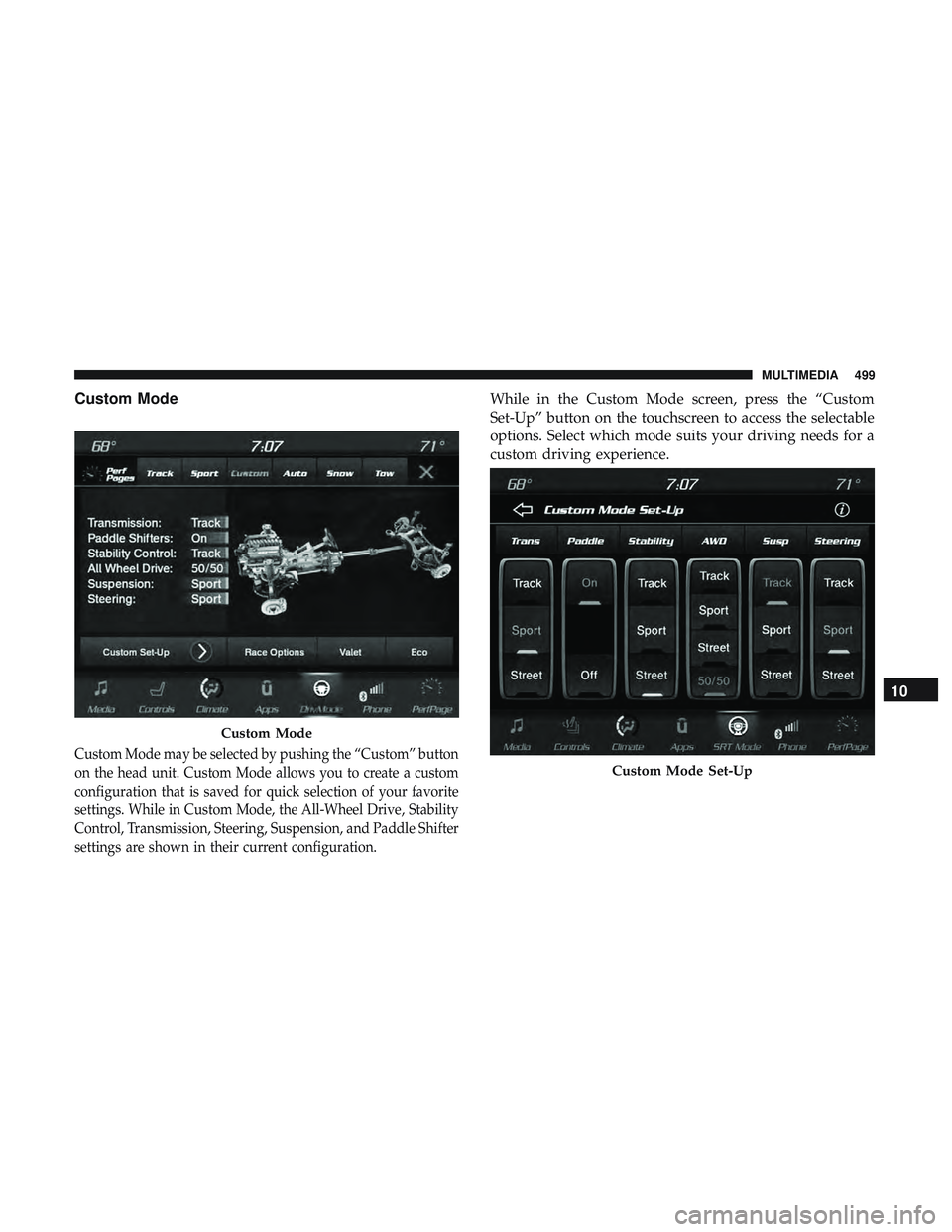
Custom Mode
Custom Mode may be selected by pushing the “Custom” button
on the head unit. Custom Mode allows you to create a custom
configuration that is saved for quick selection of your favorite
settings. While in Custom Mode, the All-Wheel Drive, Stability
Control, Transmission, Steering, Suspension, and Paddle Shifter
settings are shown in their current configuration.
While in the Custom Mode screen, press the “Custom
Set-Up” button on the touchscreen to access the selectable
options. Select which mode suits your driving needs for a
custom driving experience.
Custom Mode
Custom Mode Set-Up
10
MULTIMEDIA 499
Page 504 of 568
To adjust the Launch RPM, drag the slider bar or press the
arrows on the touchscreen to adjust the holding RPM. The
launch RPM limit will display in the head units tachometer
display.
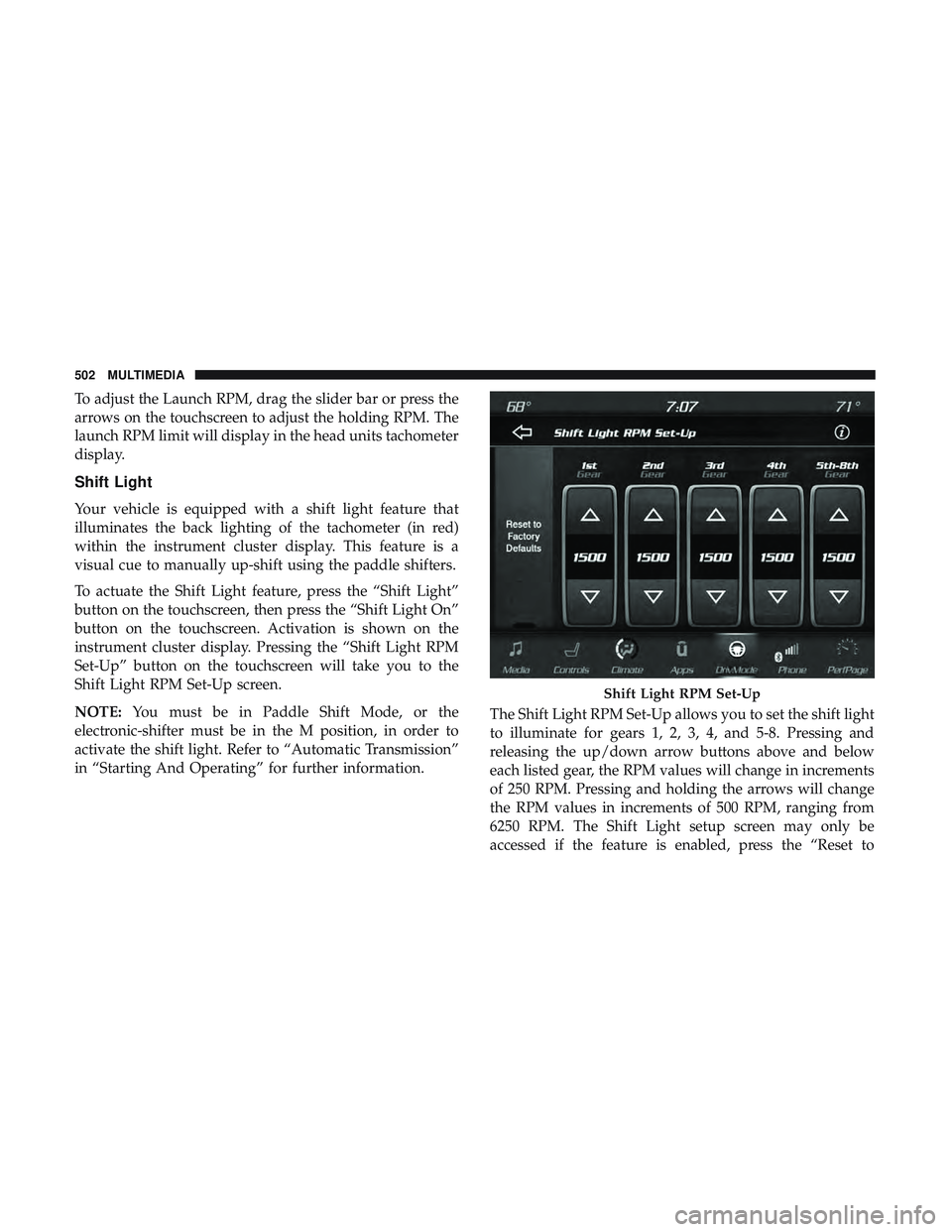
Shift Light
Your vehicle is equipped with a shift light feature that
illuminates the back lighting of the tachometer (in red)
within the instrument cluster display. This feature is a
visual cue to manually up-shift using the paddle shifters.
To actuate the Shift Light feature, press the “Shift Light”
button on the touchscreen, then press the “Shift Light On”
button on the touchscreen. Activation is shown on the
instrument cluster display. Pressing the “Shift Light RPM
Set-Up” button on the touchscreen will take you to the
Shift Light RPM Set-Up screen.
NOTE:You must be in Paddle Shift Mode, or the
electronic-shifter must be in the M position, in order to
activate the shift light. Refer to “Automatic Transmission”
in “Starting And Operating” for further information. The Shift Light RPM Set-Up allows you to set the shift light
to illuminate for gears 1, 2, 3, 4, and 5-8. Pressing and
releasing the up/down arrow buttons above and below
each listed gear, the RPM values will change in increments
of 250 RPM. Pressing and holding the arrows will change
the RPM values in increments of 500 RPM, ranging from
6250 RPM. The Shift Light setup screen may only be
accessed if the feature is enabled, press the “Reset to
Shift Light RPM Set-Up
502 MULTIMEDIA
Page 505 of 568
Factory Default” button on the touchscreen to change back
to factory settings, or press the “Shift Light Off” button on
the touchscreen to turn the system off completely.
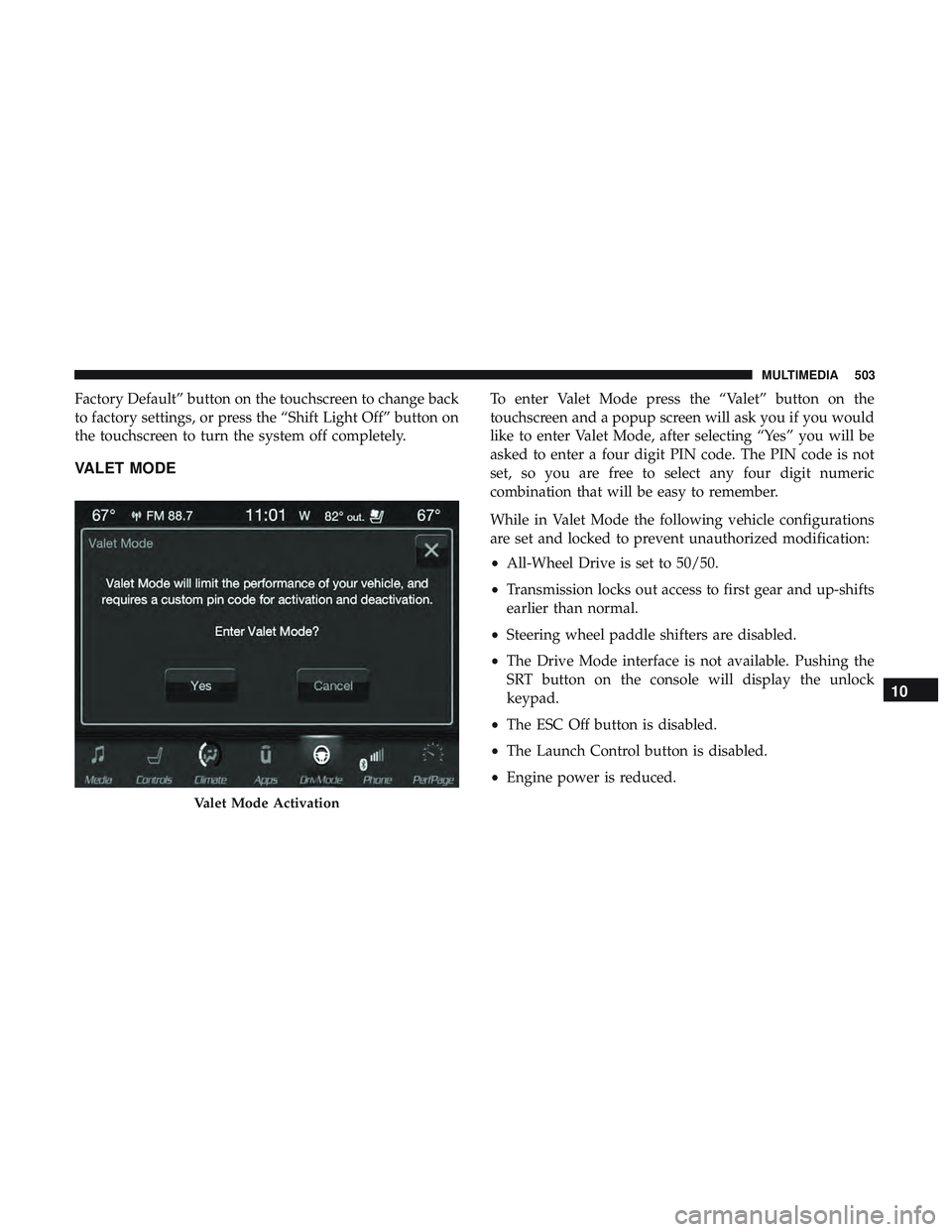
VALET MODE
To enter Valet Mode press the “Valet” button on the
touchscreen and a popup screen will ask you if you would
like to enter Valet Mode, after selecting “Yes” you will be
asked to enter a four digit PIN code. The PIN code is not
set, so you are free to select any four digit numeric
combination that will be easy to remember.
While in Valet Mode the following vehicle configurations
are set and locked to prevent unauthorized modification:
•All-Wheel Drive is set to 50/50.
• Transmission locks out access to first gear and up-shifts
earlier than normal.
• Steering wheel paddle shifters are disabled.
• The Drive Mode interface is not available. Pushing the
SRT button on the console will display the unlock
keypad.
• The ESC Off button is disabled.
• The Launch Control button is disabled.
• Engine power is reduced.
Valet Mode Activation
10
MULTIMEDIA 503
Page 509 of 568
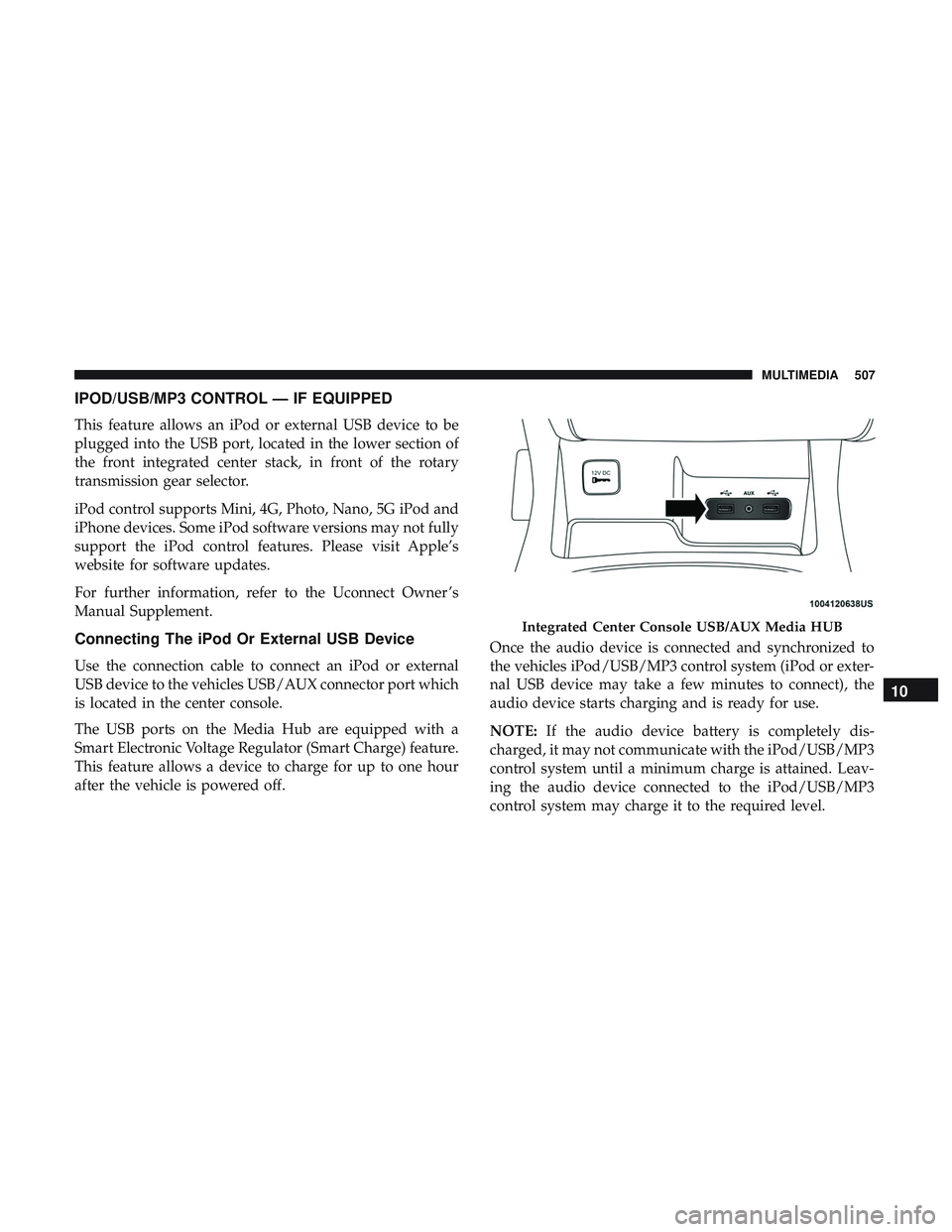
IPOD/USB/MP3 CONTROL — IF EQUIPPED
This feature allows an iPod or external USB device to be
plugged into the USB port, located in the lower section of
the front integrated center stack, in front of the rotary
transmission gear selector.
iPod control supports Mini, 4G, Photo, Nano, 5G iPod and
iPhone devices. Some iPod software versions may not fully
support the iPod control features. Please visit Apple’s
website for software updates.
For further information, refer to the Uconnect Owner ’s
Manual Supplement.
Connecting The iPod Or External USB Device
Use the connection cable to connect an iPod or external
USB device to the vehicles USB/AUX connector port which
is located in the center console.
The USB ports on the Media Hub are equipped with a
Smart Electronic Voltage Regulator (Smart Charge) feature.
This feature allows a device to charge for up to one hour
after the vehicle is powered off.Once the audio device is connected and synchronized to
the vehicles iPod/USB/MP3 control system (iPod or exter-
nal USB device may take a few minutes to connect), the
audio device starts charging and is ready for use.
NOTE:
If the audio device battery is completely dis-
charged, it may not communicate with the iPod/USB/MP3
control system until a minimum charge is attained. Leav-
ing the audio device connected to the iPod/USB/MP3
control system may charge it to the required level.
Integrated Center Console USB/AUX Media HUB
10
MULTIMEDIA 507
Page 514 of 568
2. To watch a Blu-ray disc on Rear 1 for driver’s side rearpassengers, ensure the Remote Control and Headphone
switch is on Rear 1.
3. To watch a Blu-ray disc on Rear 2 for passenger side rear passengers, ensure the Remote Control and Headphone
switch is on Rear 2.
NOTE:
• To view a Blu-ray disc on the radio, press the “Media”
button on the touchscreen, and then press the “Disc”
button. Press the “Play” button, and then the “full
screen” button.
• Viewing a Blu-ray disc on the radio screen is not
available in all states/provinces. The vehicle must be
stopped, and the gear selector must be in the PARK
position for vehicles with automatic transmission. Using The Touchscreen Radio
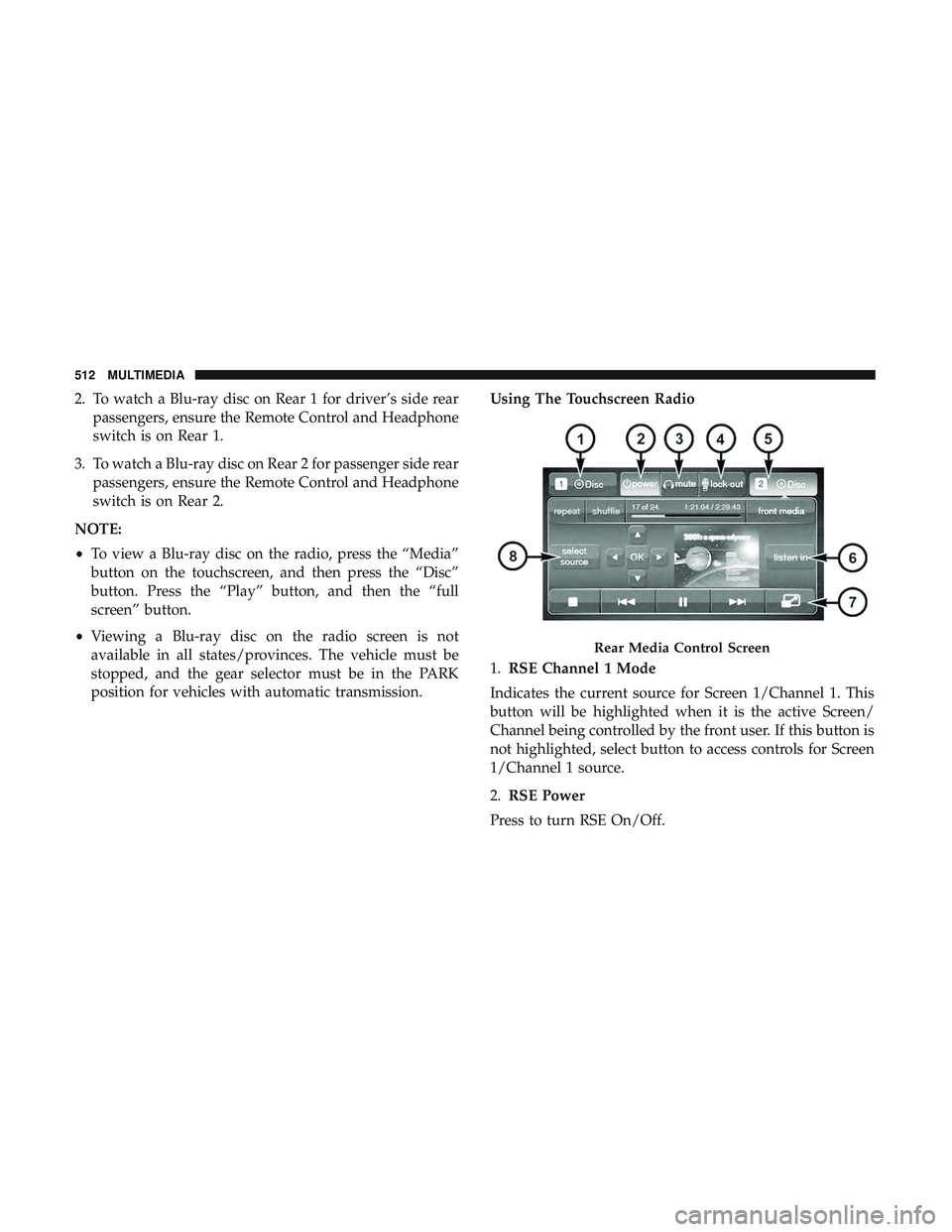
1.
RSE Channel 1 Mode
Indicates the current source for Screen 1/Channel 1. This
button will be highlighted when it is the active Screen/
Channel being controlled by the front user. If this button is
not highlighted, select button to access controls for Screen
1/Channel 1 source.
2. RSE Power
Press to turn RSE On/Off.
Rear Media Control Screen
512 MULTIMEDIA
Page 553 of 568
Anti-Lock Warning Light.....................159
Apple CarPlay ............................539
Arming System Security Alarm ...........................30
Assist, Hill Start .......................... .170
Audio Systems (Radio) .......................462
Auto Down Power Windows ...................98
Automatic Headlights ........................70
Automatic High Beams .......................70
Automatic Temperature Control (ATC) ............94
Automatic Transmission ..................257, 268
Adding Fluid ........................419, 458
Autostick ............................. .274
Fluid And Filter Change ...................419
Fluid Change .......................... .419
Fluid Level Check ........................418
Fluid Type ..........................418, 458
Gear Ranges ............................269
Special Additives ........................ .418
Automatic Transmission Limp Home Mode ........273
Autostick ............................... .274
Auxiliary Electrical Outlet (Power Outlet) .........122
Auxiliary Power Outlet ..................... .122
Axle Lubrication .......................... .458Battery
...............................153, 397
Charging System Light ....................153
Keyless Key Fob Replacement ................19
Belts, Seat ............................... .249
Blind Spot Monitoring .......................179
Body Mechanism Lubrication ..................405
B-Pillar Location .......................... .426
Brake Assist System ........................ .170
Brake Control System, Electronic ................169
Brake Fluid .......................... .417, 458
Brake System ..........................416, 451
Anti-Lock (ABS) ........................ .451
Fluid Check ........................ .417,458
Master
Cylinder ........................ .417
Parking ...............................264
Warning Light .......................... .151
Brake/Transmission Interlock ..................267
Bulb Replacement .......................358, 359
Bulbs, Light ............................. .251
Camera, Rear ............................ .330
Capacities, Fluid .......................... .456
Caps, Filler Oil (Engine) ..................... .395, 398, 399
Radiator (Coolant Pressure) .................415
12
INDEX 551
Page 563 of 568
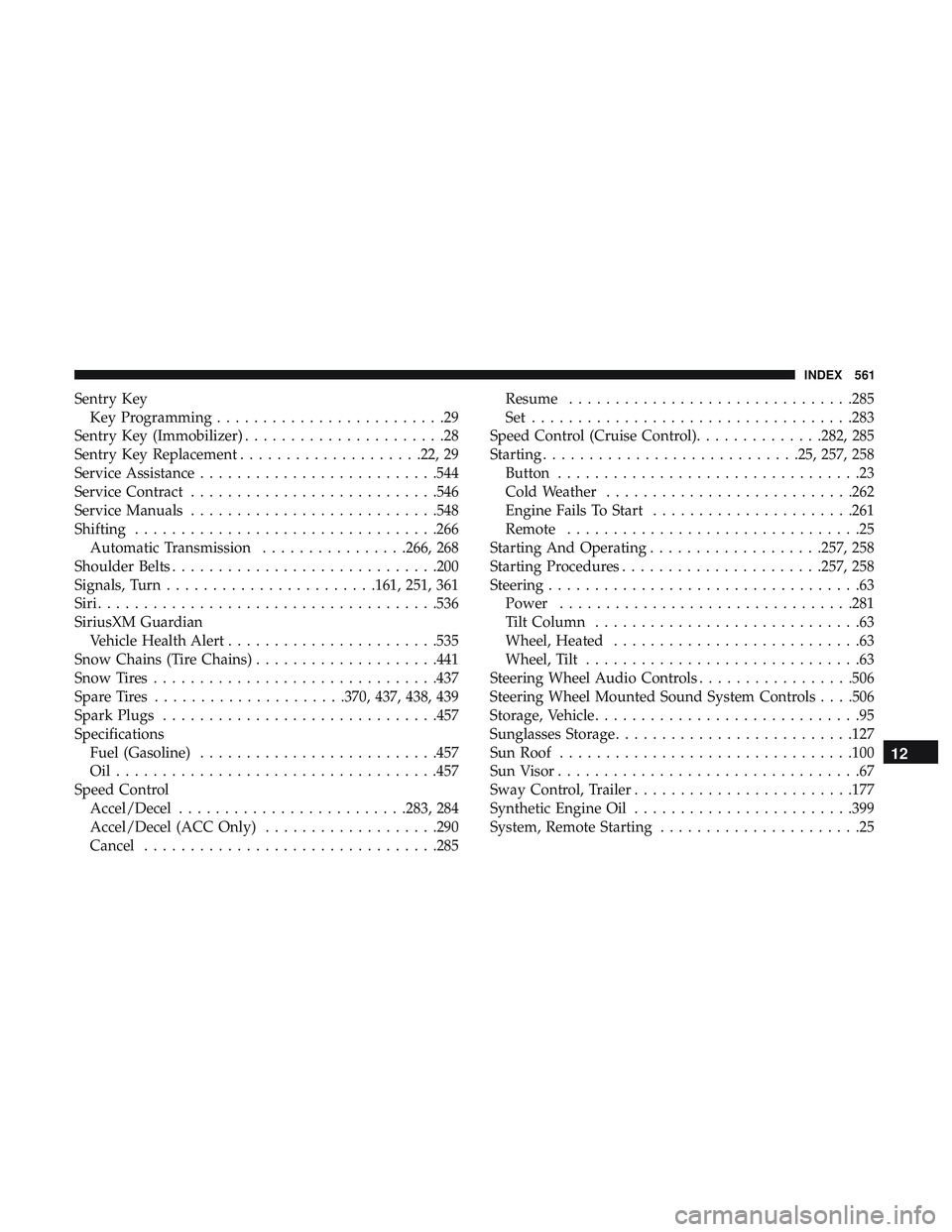
Sentry KeyKey Programming .........................29
Sentry Key (Immobilizer) ......................28
Sentry Key Replacement ....................22, 29
Service Assistance ..........................544
Service Contract .......................... .546
Service Manuals .......................... .548
Shifting .................................266
Automatic Transmission ................266, 268
Shoulder Belts ............................ .200
Signals, Turn .......................161, 251, 361
Siri .................................... .536
SiriusXM Guardian Vehicle Health Alert .......................535
Snow Chains (Tire Chains) ....................441
Snow Tires ...............................437
Spare Tires .....................370, 437, 438, 439
Spark Plugs ............................. .457
Specifications Fuel (Gasoline) ..........................457
Oil...................................457
Speed Control Accel/Decel ........................ .283, 284
Accel/Decel (ACC Only) ...................290
Cancel ............................... .285Resume
...............................285
Set ...................................283
Speed Control (Cruise Control) ..............282, 285
Starting ............................25, 257, 258
Button .................................23
Cold Weather .......................... .262
Engine Fails To Start ..................... .261
Remote ................................25
Starting And Operating ...................257, 258
Starting Procedures ..................... .257, 258
Steering ..................................63
Power ............................... .281
Tilt Column .............................63
Wheel, Heated ...........................63
Wheel, Tilt ..............................63
Steering Wheel
Audio Controls .................506
Steering Wheel Mounted Sound System Controls . . . .506
Storage, Vehicle .............................95
Sunglasses Storage ..........................127
Sun Roof ............................... .100
Sun Visor .................................67
Sway Control, Trailer ........................177
Synthetic Engine Oil ........................399
System, Remote Starting ......................25
12
INDEX 561
Page 565 of 568
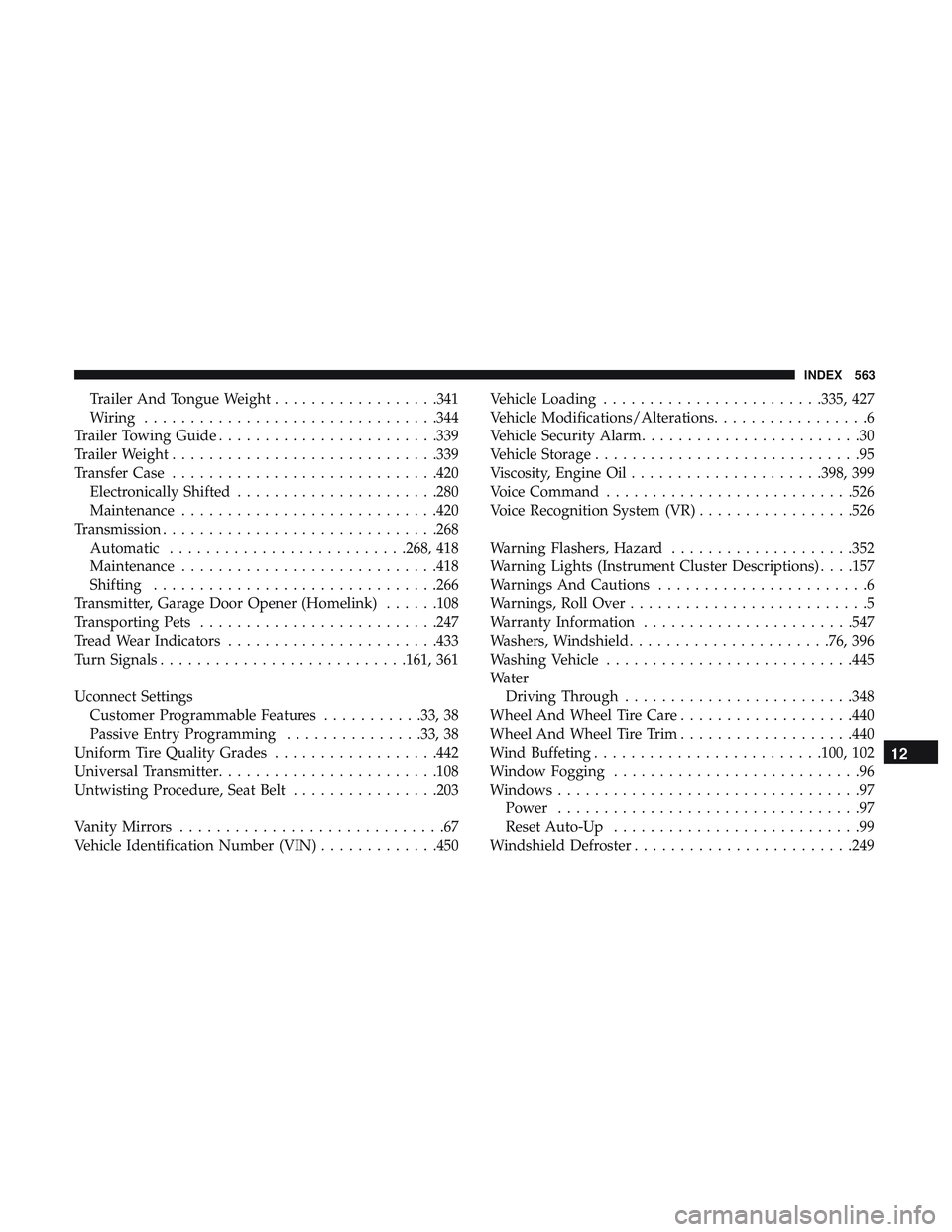
Trailer And Tongue Weight..................341
Wiring ............................... .344
Trailer Towing Guide ........................339
Trailer Weight ............................ .339
Transfer Case ............................ .420
Electronically Shifted ..................... .280
Maintenance ............................420
Transmission ............................. .268
Automatic ..........................268, 418
Maintenance ............................418
Shifting ...............................266
Transmitter, Garage Door Opener (Homelink) ......108
Transporting Pets ..........................247
Tread Wear Indicators .......................433
Turn Signals .......................... .161, 361
Uconnect Settings Customer Programmable Features ...........33, 38
Passive Entry Programming ...............33, 38
Uniform Tire Quality Grades ..................442
Universal Transmitter ........................108
Untwisting Procedure, Seat Belt ................203
Vanity Mirrors .............................67
Vehicle Identification Number (VIN) .............450Vehicle Loading
........................335, 427
Vehicle Modifications/Alterations .................6
Vehicle Security Alarm ........................30
Vehicle Storage .............................95
Viscosity, Engine Oil .....................398, 399
Voice Command .......................... .526
Voice Recognition System (VR) .................526
Warning Flashers, Hazard ....................352
Warning Lights (Instrument Cluster Descriptions) . . . .157
Warnings And Cautions .......................6
Warnings, Roll Over ..........................5
Warranty Information .......................547
Washers, Windshield ..................... .76, 396
Washing Vehicle .......................... .445
W ater
Driving
Through ........................ .348
Wheel And Wheel Tire Care ...................440
Wheel And Wheel Tire Trim ...................440
Wind Buffeting ........................ .100, 102
Window Fogging ...........................96
Windows .................................97
Power .................................97
Reset Auto-Up ...........................99
Windshield Defroster ........................249
12
INDEX 563