ignition DODGE DURANGO SRT 2019 Owners Manual
[x] Cancel search | Manufacturer: DODGE, Model Year: 2019, Model line: DURANGO SRT, Model: DODGE DURANGO SRT 2019Pages: 572, PDF Size: 6.59 MB
Page 510 of 572
Factory Default” button on the touchscreen to change back
to factory settings, or press the “Shift Light Off” button on
the touchscreen to turn the system off completely.
Race Cooldown — If Equipped
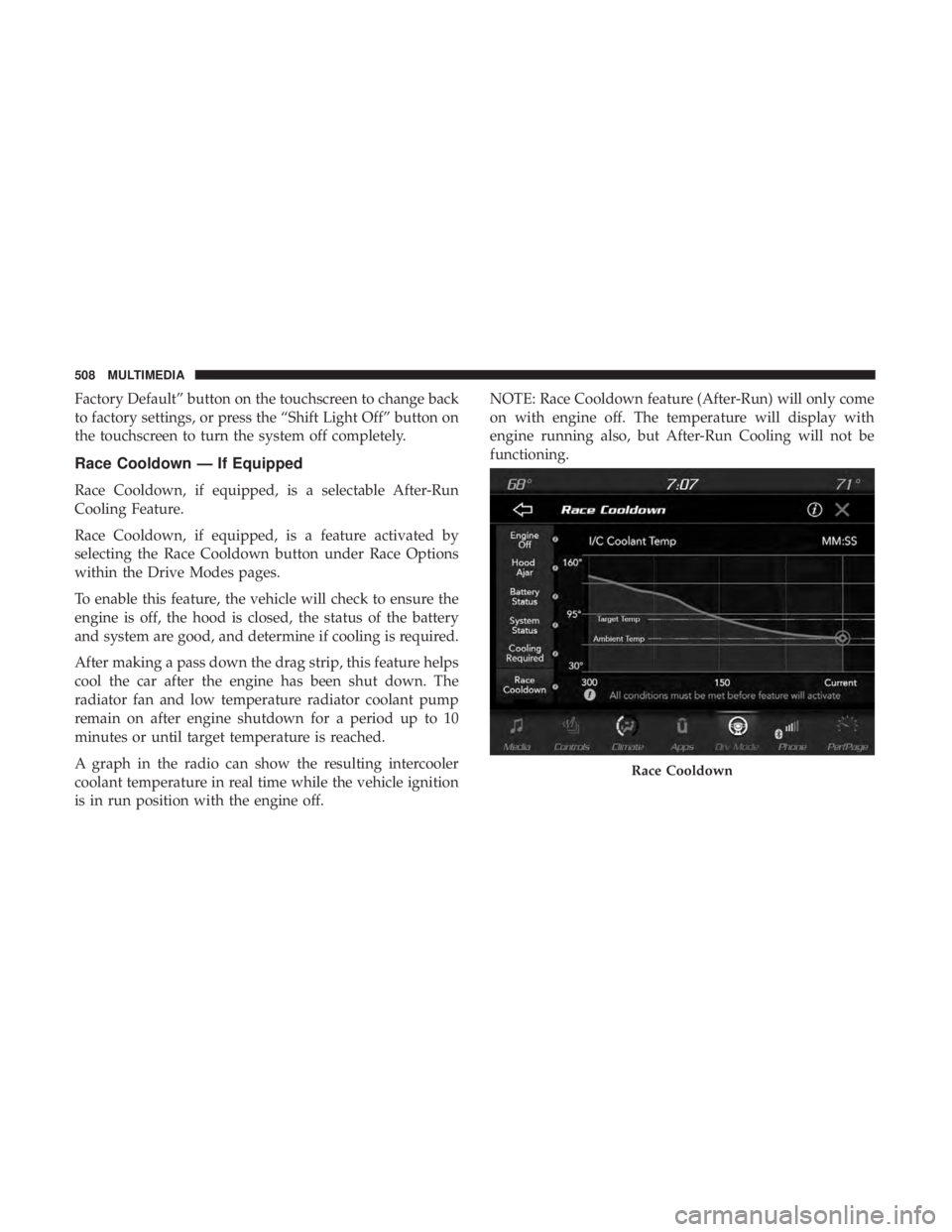
Race Cooldown, if equipped, is a selectable After-Run
Cooling Feature.
Race Cooldown, if equipped, is a feature activated by
selecting the Race Cooldown button under Race Options
within the Drive Modes pages.
To enable this feature, the vehicle will check to ensure the
engine is off, the hood is closed, the status of the battery
and system are good, and determine if cooling is required.
After making a pass down the drag strip, this feature helps
cool the car after the engine has been shut down. The
radiator fan and low temperature radiator coolant pump
remain on after engine shutdown for a period up to 10
minutes or until target temperature is reached.
A graph in the radio can show the resulting intercooler
coolant temperature in real time while the vehicle ignition
is in run position with the engine off.NOTE: Race Cooldown feature (After-Run) will only come
on with engine off. The temperature will display with
engine running also, but After-Run Cooling will not be
functioning.
Race Cooldown
508 MULTIMEDIA
Page 513 of 572
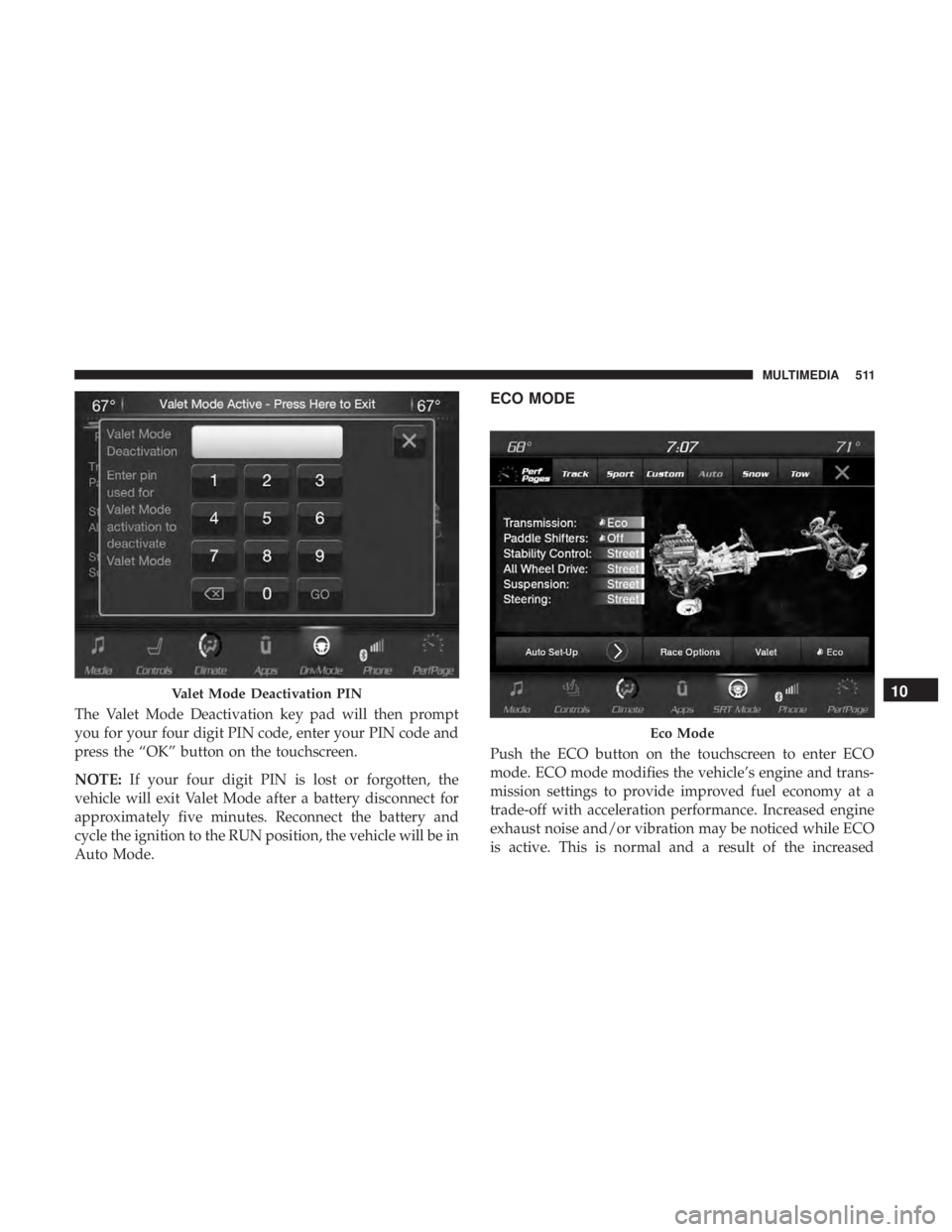
The Valet Mode Deactivation key pad will then prompt
you for your four digit PIN code, enter your PIN code and
press the “OK” button on the touchscreen.
NOTE:If your four digit PIN is lost or forgotten, the
vehicle will exit Valet Mode after a battery disconnect for
approximately five minutes. Reconnect the battery and
cycle the ignition to the RUN position, the vehicle will be in
Auto Mode.
ECO MODE
Push the ECO button on the touchscreen to enter ECO
mode. ECO mode modifies the vehicle’s engine and trans-
mission settings to provide improved fuel economy at a
trade-off with acceleration performance. Increased engine
exhaust noise and/or vibration may be noticed while ECO
is active. This is normal and a result of the increased
Valet Mode Deactivation PIN
Eco Mode
10
MULTIMEDIA 511
Page 517 of 572
UCONNECT REAR SEAT ENTERTAINMENT (RSE)
SYSTEM — IF EQUIPPED
Your Rear Seat Entertainment System is designed to give
your family years of enjoyment. You can play your favorite
CDs, DVDs or Blu-ray Discs, listen to audio over the
wireless headphones, or plug and play a variety of stan-
dard video games or audio devices.
Please review this Owner’s Manual to become familiar
with its features and operation.
Getting Started
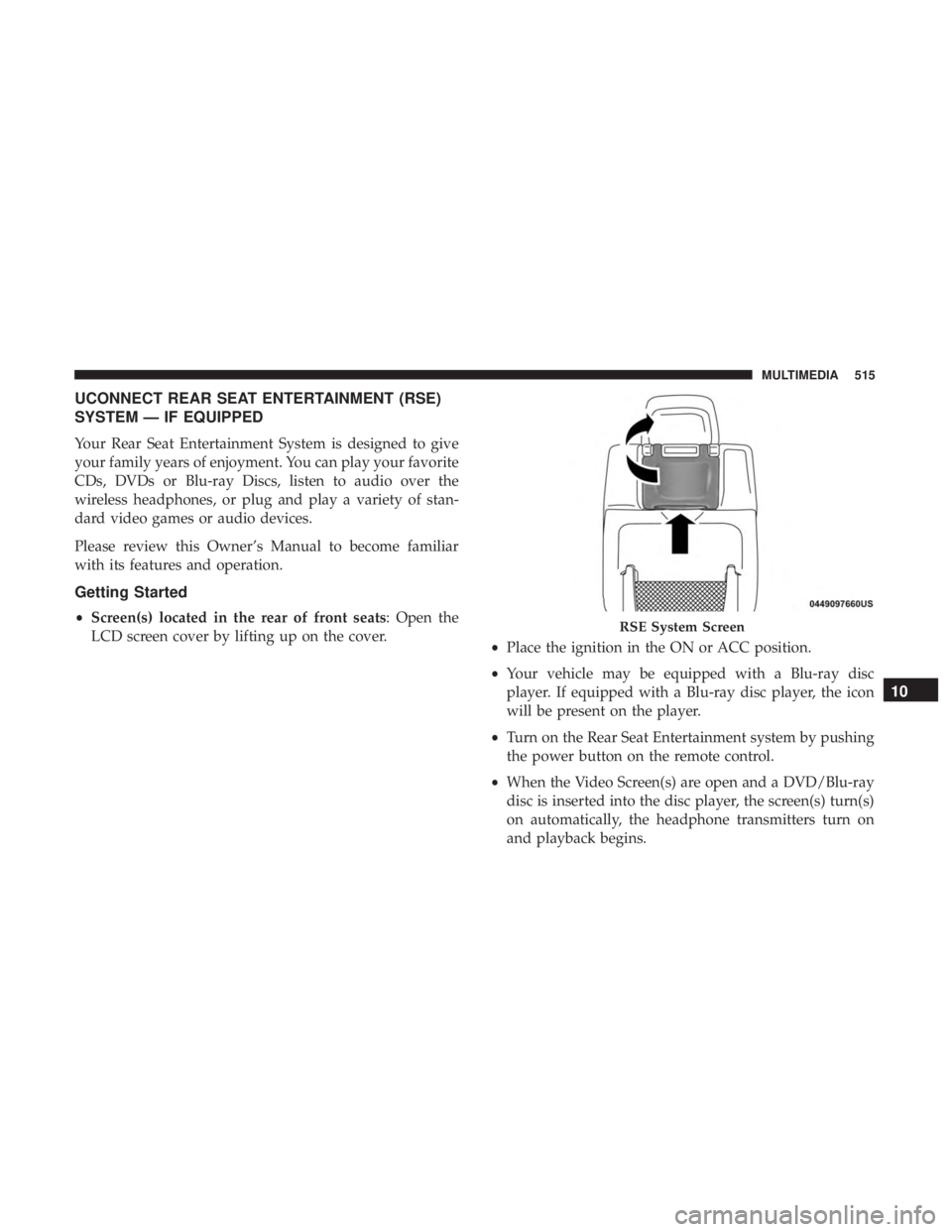
•Screen(s) located in the rear of front seats: Open the
LCD screen cover by lifting up on the cover. •Place the ignition in the ON or ACC position.
• Your vehicle may be equipped with a Blu-ray disc
player. If equipped with a Blu-ray disc player, the icon
will be present on the player.
• Turn on the Rear Seat Entertainment system by pushing
the power button on the remote control.
• When the Video Screen(s) are open and a DVD/Blu-ray
disc is inserted into the disc player, the screen(s) turn(s)
on automatically, the headphone transmitters turn on
and playback begins.RSE System Screen
10
MULTIMEDIA 515
Page 520 of 572
NOTE:
•To view a Blu-ray disc on the radio, press the “Media”
button on the touchscreen, and then press the “Disc”
button. Press the “Play” button, and then the “full
screen” button.
• Viewing a Blu-ray disc on the radio screen is not
available in all states/provinces. The vehicle must be
stopped, and the gear selector must be in the PARK
position for vehicles with automatic transmission.
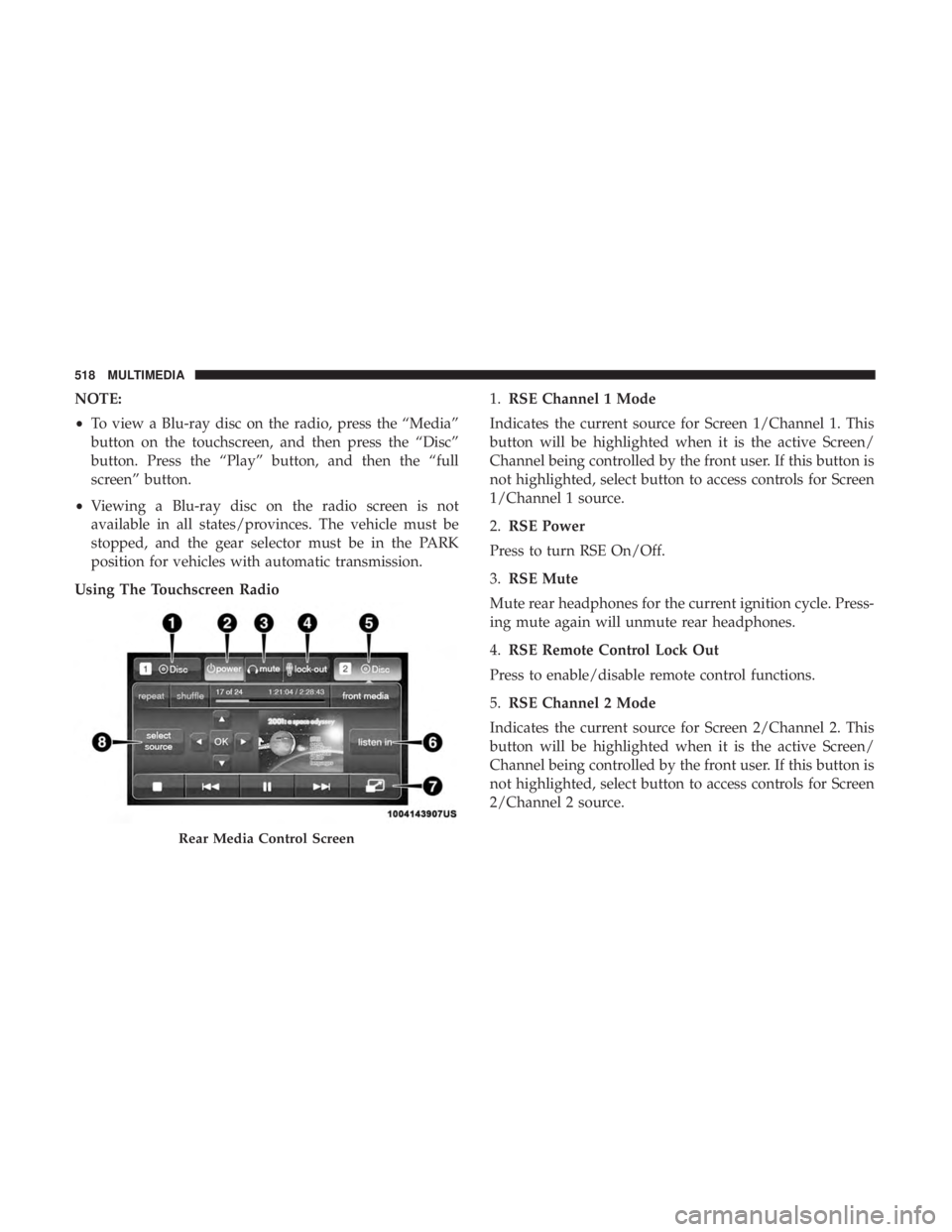
Using The Touchscreen Radio 1.
RSE Channel 1 Mode
Indicates the current source for Screen 1/Channel 1. This
button will be highlighted when it is the active Screen/
Channel being controlled by the front user. If this button is
not highlighted, select button to access controls for Screen
1/Channel 1 source.
2. RSE Power
Press to turn RSE On/Off.
3. RSE Mute
Mute rear headphones for the current ignition cycle. Press-
ing mute again will unmute rear headphones.
4. RSE Remote Control Lock Out
Press to enable/disable remote control functions.
5. RSE Channel 2 Mode
Indicates the current source for Screen 2/Channel 2. This
button will be highlighted when it is the active Screen/
Channel being controlled by the front user. If this button is
not highlighted, select button to access controls for Screen
2/Channel 2 source.
Rear Media Control Screen
518 MULTIMEDIA
Page 561 of 572
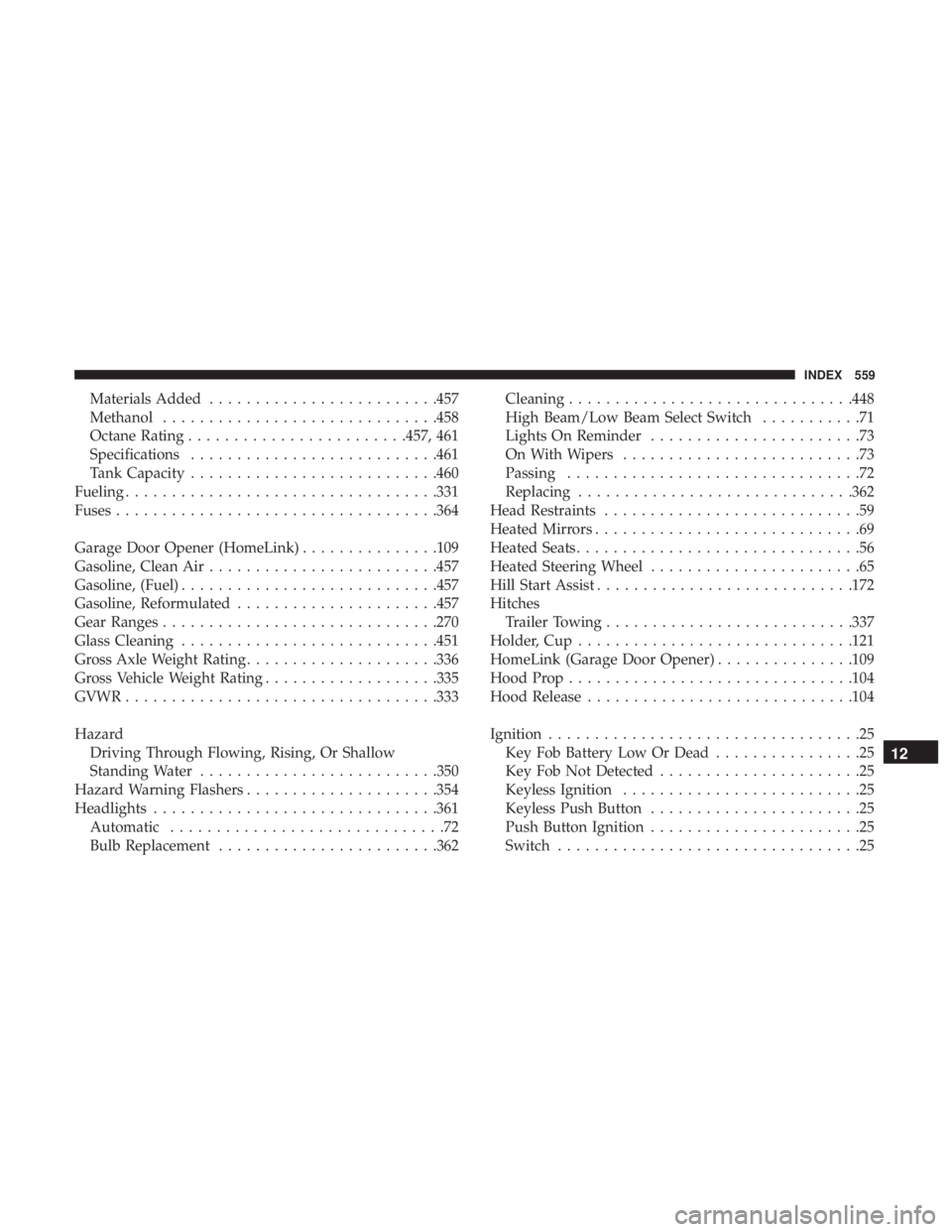
Materials Added........................ .457
Methanol ............................. .458
Octane Rating ....................... .457, 461
Specifications .......................... .461
Tank Capacity .......................... .460
Fueling ................................. .331
Fuses .................................. .364
Garage Door Opener (HomeLink) ...............109
Gasoline, Clean Air ........................ .457
Gasoline, (Fuel) ........................... .457
Gasoline, Reformulated ..................... .457
Gear Ranges ............................. .270
Glass Cleaning ........................... .451
Gross Axle Weight Rating .....................336
Gross Vehicle Weight Rating ...................335
GVWR ................................. .333
Hazard Driving Through Flowing, Rising, Or Shallow
Standing Water ......................... .350
Hazard Warning Flashers .....................354
Headlights .............................. .361
Automatic ..............................72
Bulb Replacement ....................... .362Cleaning
.............................. .448
High Beam/Low Beam Select Switch ...........71
Lights On Reminder .......................73
On With Wipers ..........................73
Passing ................................72
Replacing ............................. .362
Head Restraints ............................59
Heated Mirrors .............................69
Heated Seats ...............................56
Heated Steering Wheel .......................65
Hill Start Assist ........................... .172
Hitches Trailer Towing .......................... .337
Holder, Cup ............................. .121
HomeLink (Garage Door Opener) ...............109
Hood Prop .............................. .104
Hood Release ............................ .104
Ignition ..................................
25
Key Fob Battery Low Or Dead ................25
Key Fob Not Detected ......................25
Keyless Ignition ..........................25
Keyless Push Button .......................25
Push Button Ignition .......................25
Switch .................................25
12
INDEX 559