alarm DODGE DURANGO SRT 2019 User Guide
[x] Cancel search | Manufacturer: DODGE, Model Year: 2019, Model line: DURANGO SRT, Model: DODGE DURANGO SRT 2019Pages: 572, PDF Size: 6.59 MB
Page 155 of 572
•The battery was discharged by an electrical load left on
when the vehicle was parked.
• The battery was used for an extended period with the
engine not running to supply radio, lights, chargers,
+12V portable appliances like vacuum cleaners, game
consoles and similar devices.
What to do when an electrical load reduction action
message is present (“Battery Saver On” or “Battery Saver
Mode”)
During a trip:
• Reduce power to unnecessary loads if possible:
– Turn off redundant lights (interior or exterior)
– Check what may be plugged in to power outlets +12V, 115V AC, USB ports
– Check HVAC settings (blower, temperature)
– Check the audio settings (volume)
After a trip:
• Check if any aftermarket equipment was installed (ad-
ditional lights, upfitter electrical accessories, audio sys-
tems, alarms) and review specifications if any (load and
Ignition Off Draw currents). •
Evaluate the latest driving cycles (distance, driving time
and parking time).
• The vehicle should have service performed if the mes-
sage is still present during consecutive trips, and if the
evaluation and driving pattern of the vehicle did not
help to identify the cause.
WARNING LIGHTS AND MESSAGES
The warning/indicator lights will illuminate in the instru-
ment panel together with a dedicated message and/or
acoustic signal when applicable. These indications are
indicative and precautionary and as such must not be
considered as exhaustive and/or alternative to the infor-
mation contained in the Owner ’s Manual, which you are
advised to read carefully in all cases. Always refer to the
information in this chapter in the event of a failure indica-
tion. All active telltales will display first if applicable. The
system check menu may appear different based upon
equipment options and current vehicle status. Some tell-
tales are optional and may not appear.
4
GETTING TO KNOW YOUR INSTRUMENT PANEL 153
Page 160 of 572
WARNING!(Continued)
could cause the fluid to boil over, come in contact with
hot engine or exhaust components and cause a fire.
CAUTION!
Continuous driving with the Transmission Tempera-
ture Warning Light illuminated will eventually cause
severe transmission damage or transmission failure.
— Vehicle Security Warning Light — If Equipped
This light will flash at a fast rate for approximately 15
seconds when the vehicle security alarm is arming, and
then will flash slowly until the vehicle is disarmed.
Yellow Warning Lights
— Engine Check/Malfunction Indicator Warning
Light (MIL)
The Engine Check/Malfunction Indicator Light (MIL) is a
part of an Onboard Diagnostic System called OBD II that
monitors engine and automatic transmission control sys-
tems. This warning light will illuminate when the ignition
is in the ON/RUN position before engine start. If the bulb does not come on when turning the ignition switch from
OFF to ON/RUN, have the condition checked promptly.
Certain conditions, such as a loose or missing gas cap, poor
quality fuel, etc., may illuminate the light after engine start.
The vehicle should be serviced if the light stays on through
several typical driving styles. In most situations, the ve-
hicle will drive normally and will not require towing.
When the engine is running, the MIL may flash to alert
serious conditions that could lead to immediate loss of
power or severe catalytic converter damage. The vehicle
should be serviced by an authorized dealer as soon as
possible if this occurs.
WARNING!
A malfunctioning catalytic converter, as referenced
above, can reach higher temperatures than in normal
operating conditions. This can cause a fire if you drive
slowly or park over flammable substances such as dry
plants, wood, cardboard, etc. This could result in death
or serious injury to the driver, occupants or others.
158 GETTING TO KNOW YOUR INSTRUMENT PANEL
Page 188 of 572
RCP monitors the rear detection zones on both sides of the
vehicle, for objects that are moving toward the side of the
vehicle with a minimum speed of approximately 5 mph
(8 km/h), to objects moving a maximum of approximately
20 mph (32 km/h), such as in parking lot situations.
NOTE:In a parking lot situation, oncoming vehicles can be
obscured by vehicles parked on either side. If the sensors
are blocked by other structures or vehicles, the system will
not be able to alert the driver.
When RCP is on and the vehicle is in REVERSE, the driver
is alerted using both the visual and audible alarms, includ-
ing reducing the radio volume.
WARNING!
Rear Cross Path Detection (RCP) is not a back up aid
system. It is intended to be used to help a driver detect
an oncoming vehicle in a parking lot situation. Drivers
must be careful when backing up, even when using
RCP. Always check carefully behind your vehicle, look
behind you, and be sure to check for pedestrians,
animals, other vehicles, obstructions, and blind spots
before backing up. Failure to do so can result in serious
injury or death.
Modes Of Operation
Three selectable modes of operation are available in the
Uconnect System. Refer to “Uconnect Settings” in “Multi-
media” for further information.
Blind Spot Alert Lights Only
When operating in Blind Spot Alert mode, the BSM system
will provide a visual alert in the appropriate side view
mirror based on a detected object. However, when the
system is operating in Rear Cross Path (RCP) mode, the
system will respond with both visual and audible alerts
when a detected object is present. Whenever an audible
alert is requested, the radio is muted.
Blind Spot Alert Lights/Chime
When operating in Blind Spot Alert Lights/Chime mode,
the BSM system will provide a visual alert in the appro-
priate side view mirror based on a detected object. If the
turn signal is then activated, and it corresponds to an alert
present on that side of the vehicle, an audible chime will
also be sounded. Whenever a turn signal and detected
object are present on the same side at the same time, both
the visual and audible alerts will be issued. In addition to
the audible alert the radio (if on) will also be muted.
186 SAFETY
Page 219 of 572
Seat belts are necessary for your protection in all collisions,
and also are needed to help keep you in position, away
from an inflating air bag.
When the ORC detects a collision requiring the front air
bags, it signals the inflator units. A large quantity of
non-toxic gas is generated to inflate the front air bags.
The steering wheel hub trim cover and the upper passen-
ger side of the instrument panel separate and fold out of
the way as the air bags inflate to their full size. The front air
bags fully inflate in less time than it takes to blink your
eyes. The front air bags then quickly deflate while helping
to restrain the driver and front passenger.
Knee Impact Bolsters
The Knee Impact Bolsters help protect the knees of the
driver and front passenger, and position the front occu-
pants for improved interaction with the front air bags.
WARNING!
•Do not drill, cut, or tamper with the knee impact
bolsters in any way.
• Do not mount any accessories to the knee impact
bolsters such as alarm lights, stereos, citizen band
radios, etc.
Supplemental Driver Knee Air Bag
This vehicle is equipped with a Supplemental Driver Knee
Air Bag mounted in the instrument panel below the
steering column. The Supplemental Driver Knee Air Bag
provides enhanced protection during a frontal impact by
working together with the seat belts, pretensioners, and
front air bags.
Supplemental Side Air Bags
Supplemental Seat-Mounted Side Air Bags (SABs)
This vehicle is equipped with Supplemental Seat-Mounted
Side Air Bags (SABs).
Supplemental Seat-Mounted Side Air Bags (SABs) are
located in the outboard side of the front seats. The SABs are
marked with “SRS AIRBAG” or “AIRBAG” on a label or on
the seat trim on the outboard side of the seats.
5
SAFETY 217
Page 306 of 572
To change between the different control modes, push the
Adaptive Cruise Control (ACC) on/off button which turns
the ACC and the Normal (Fixed Speed) Cruise Control off.
Pushing the Normal (Fixed Speed) Cruise Control on/off
button will result in turning on (changing to) the Normal
(Fixed Speed) Cruise Control mode.
WARNING!
In the Normal (Fixed Speed) Cruise Control mode, the
system will not react to vehicles ahead. In addition, the
proximity warning does not activate and no alarm will
sound even if you are too close to the vehicle ahead
since neither the presence of the vehicle ahead nor the
vehicle-to-vehicle distance is detected. Be sure to main-
tain a safe distance between your vehicle and the
vehicle ahead. Always be aware which mode is se-
lected.
To Set A Desired Speed
Turn the Normal (Fixed Speed) Cruise Control
on. When the vehicle has reached the desired
speed, push the SET (+) or SET (-) button and
release. Release the accelerator and the vehicle
will operate at the selected speed. Once a speed has been set a message “CRUISE CONTROL SET TO MPH (km/h)”
will appear indicating what speed was set. This light will
turn on when the system is turned on via the on/off
control. It turns green when the cruise control is set.
To Vary The Speed Setting
To Increase Speed
When the Normal (Fixed Speed) Cruise Control is set, you
can increase speed by pushing the SET
(+)button.
The driver’s preferred units can be selected through the
instrument cluster display. Refer to “Getting To Know Your
Instrument Panel” for more information. The speed incre-
ment shown is dependant on the speed of U.S. (mph) or
Metric (km/h) units:
U.S. Speed (mph)
• Pushing the SET (+)button once will result ina1mph
increase in set speed. Each subsequent tap of the button
results in an increase of 1 mph.
• If the button is continually pushed, the set speed will
continue to increase in 5 mph increments until the
button is released. The increase in set speed is reflected
in the instrument cluster display.
304 STARTING AND OPERATING
Page 540 of 572
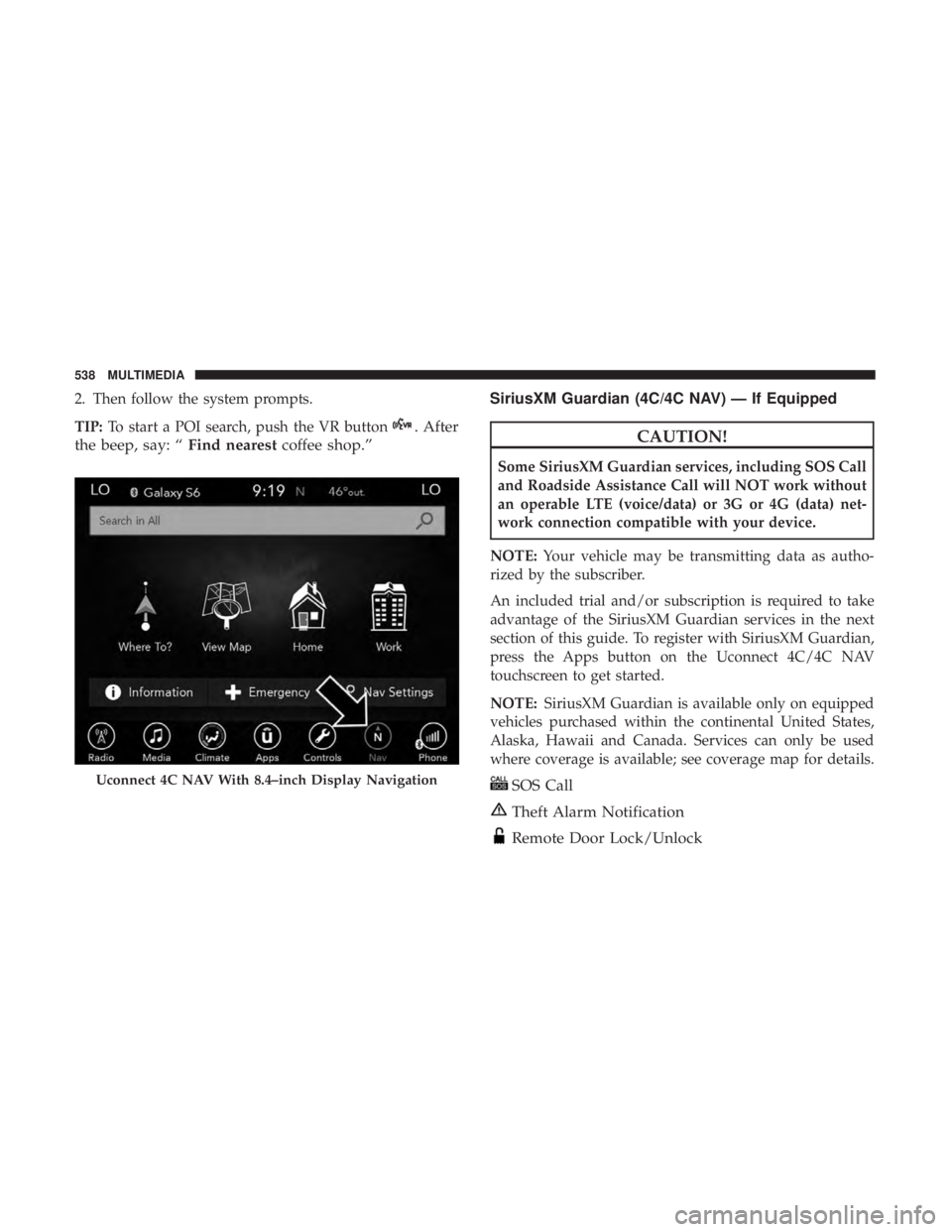
2. Then follow the system prompts.
TIP:To start a POI search, push the VR button
. After
the beep, say: “ Find nearestcoffee shop.” SiriusXM Guardian (4C/4C NAV) — If EquippedCAUTION!
Some SiriusXM Guardian services, including SOS Call
and Roadside Assistance Call will NOT work without
an operable LTE (voice/data) or 3G or 4G (data) net-
work connection compatible with your device.
NOTE: Your vehicle may be transmitting data as autho-
rized by the subscriber.
An included trial and/or subscription is required to take
advantage of the SiriusXM Guardian services in the next
section of this guide. To register with SiriusXM Guardian,
press the Apps button on the Uconnect 4C/4C NAV
touchscreen to get started.
NOTE: SiriusXM Guardian is available only on equipped
vehicles purchased within the continental United States,
Alaska, Hawaii and Canada. Services can only be used
where coverage is available; see coverage map for details.
SOS Call
Theft Alarm Notification
Remote Door Lock/Unlock
Uconnect 4C NAV With 8.4–inch Display Navigation
538 MULTIMEDIA
Page 556 of 572
About Your Brakes........................ .455
Adaptive Cruise Control (ACC) (Cruise Control) . . . .286
Adding Engine Coolant (Antifreeze) .............417
Adding Fuel ............................. .331
Additives, Fuel ........................... .457
Adjust Down .............................. .50, 52
Forward ............................ .50, 52
Rearward ........................... .50, 52
Up ................................ .50, 52
Air Bag Air Bag Operation ....................... .216
Air Bag Warning Light .....................213
Driver Knee Air Bag ..................... .217
Enhanced Accident Response .............223, 390
Event Data Recorder (EDR) .................390
If Deployment Occurs .....................222
Knee Impact Bolsters ..................... .217
Maintaining Your Air Bag System .............224
Maintenance ........................... .224
Redundant Air Bag Warning Light ............214
Side Air Bags .......................... .217
Transporting Pets ....................... .250
Air Bag Light ...................... .154, 213, 251
Air Cleaner, Engine (Engine Air Cleaner Filter) ......403Air Conditioner Maintenance
..................403
Air Conditioner Refrigerant ................403, 404
Air Conditioner System ..................... .403
Air Conditioning ............................93
Rear ..................................91
Air Conditioning Filter ....................97, 405
Air Conditioning, Operating Tips ................96
Air Conditioning System ......................94
Air Filter ............................... .403
Air Pressure Tires................................. .434
Alarm Arm The System ...................... .32, 33
Disarm The System ........................32
Rearm The System ........................
33
Security Alarm ......................... .158
Alarm System Security Alarm ...........................32
All Wheel Drive (AWD) ..................... .281
Alterations/Modifications Vehicle .................................6
Android Auto ............................ .542
Antifreeze (Engine Coolant) ................416, 460
Disposal .............................. .418
Anti-Lock Brake System (ABS) .................170
554 INDEX
Page 557 of 572
Anti-Lock Warning Light.....................161
Apple CarPlay ........................... .543
Arming System Security Alarm ...........................32
Assist, Hill Start .......................... .172
Audio Systems (Radio) ...................... .466
Auto Down Power Windows ...................98
Automatic Headlights ........................72
Automatic High Beams .......................71
Automatic Temperature Control (ATC) ............94
Automatic Transmission ..................258, 269
Adding Fluid ....................... .422, 462
Autostick ............................. .275
Fluid And Filter Change ...................422
Fluid Change .......................... .422
Fluid Level Check .....................421, 422
Fluid Type ......................... .421, 462
Gear Ranges ........................... .270
Special Additives ........................ .421
Automatic Transmission Limp Home Mode ........274
Autostick ............................... .275
Auxiliary Driving Systems ....................180
Auxiliary Electrical Outlet (Power Outlet) .........122
Auxiliary Power Outlet ..................... .122Axle Lubrication
.......................... .462
Battery .............................. .155, 399
Charging System Light ....................155
Keyless Key Fob Replacement ................21
Battery Saver Feature .........................74
Belts, Seat ............................... .251
Blind Spot Monitoring ...................... .180
Body Mechanism Lubrication ..................408
B-Pillar Location .......................... .429
Brake Assist System ........................ .172
Brake Control System, Electronic ................171
Brake Fluid .......................... .420, 462
Brake System ......................... .420, 455
Anti-Lock
(ABS) ........................ .455
Fluid Check ........................ .420, 462
Master Cylinder ........................ .420
Parking .............................. .265
Warning Light .......................... .154
Brake/Transmission Interlock ..................268
Bulb Replacement ...................... .360, 361
Bulbs, Light ............................. .254
Camera, Rear ............................ .329
Capacities, Fluid .......................... .460
12
INDEX 555
Page 563 of 572
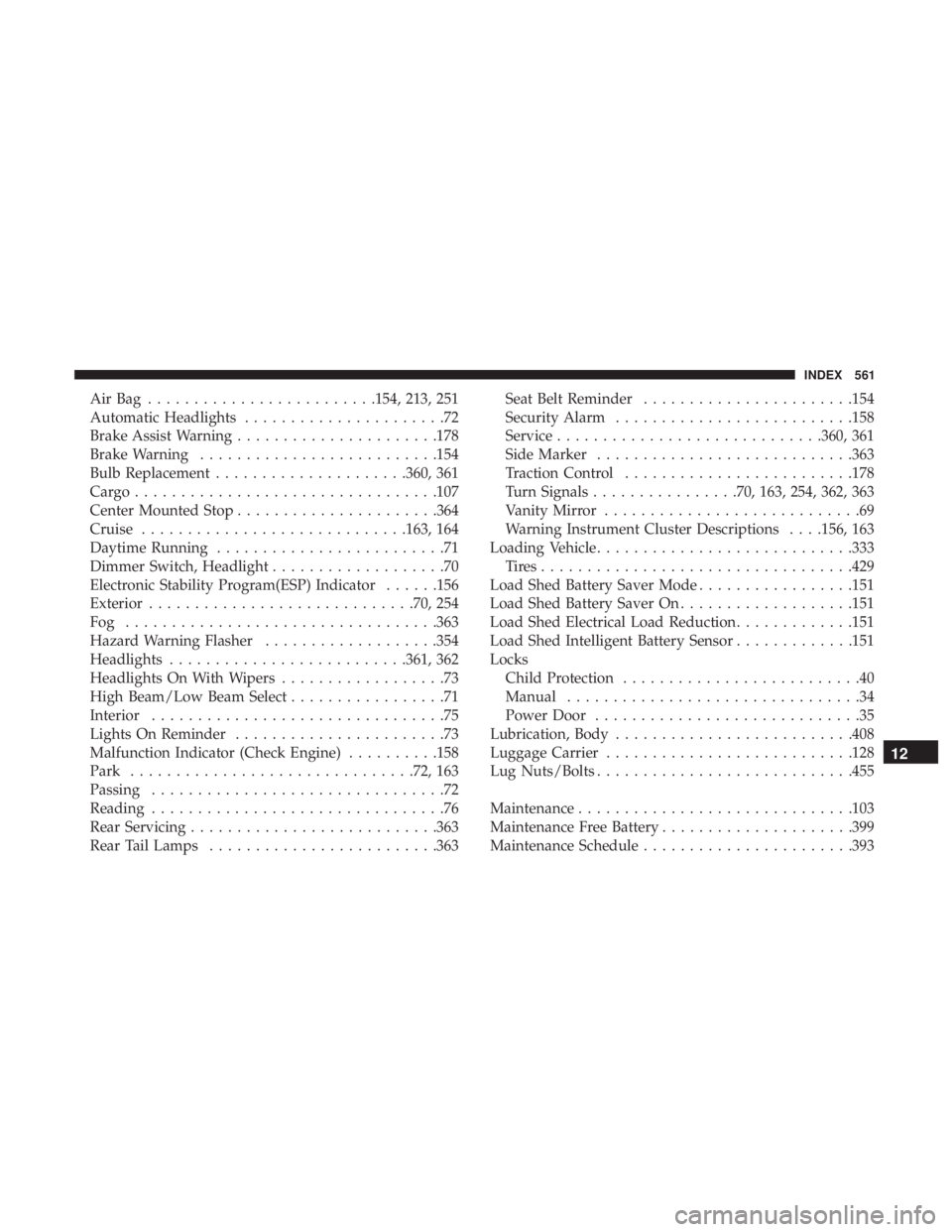
AirBag .........................154, 213, 251
Automatic Headlights......................72
Brake Assist Warning ..................... .178
Brake Warning ......................... .154
Bulb Replacement .....................360, 361
Cargo................................ .107
Center Mounted Stop ..................... .364
Cruise ............................ .163, 164
Daytime Running .........................71
Dimmer Switch, Headlight ...................70
Electronic Stability Program(ESP) Indicator ......156
Exterior ............................ .70, 254
Fog ................................. .363
Hazard Warning Flasher ...................354
Headlights ......................... .361, 362
Headlights On With Wipers ..................73
High Beam/Low Beam Select .................71
Interior ................................75
Lights On Reminder .......................73
Malfunction Indicator (Check Engine) ..........158
Park .............................. .72, 163
Passing ................................72
Reading ................................76
Rear Servicing .......................... .363
Rear Tail Lamps ........................ .363Seat Belt Reminder
...................... .154
Security Alarm ......................... .158
Service ............................ .360, 361
Side Marker ........................... .363
Traction Control ........................ .178
Turn Signals ................70, 163, 254, 362, 363
Vanity Mirror ............................69
Warning Instrument Cluster Descriptions . . . .156, 163
Loading Vehicle ........................... .333
Tires................................. .429
Load Shed Battery Saver Mode .................151
Load Shed Battery Saver On ...................151
Load Shed Electrical Load Reduction .............151
Load Shed Intelligent Battery Sensor .............151
Locks Child
Protection ..........................40
Manual ................................34
Power Door .............................35
Lubrication, Body ......................... .408
Luggage Carrier .......................... .128
Lug Nuts/Bolts ........................... .455
Maintenance ............................. .103
Maintenance Free Battery .....................399
Maintenance Schedule ...................... .393
12
INDEX 561
Page 566 of 572
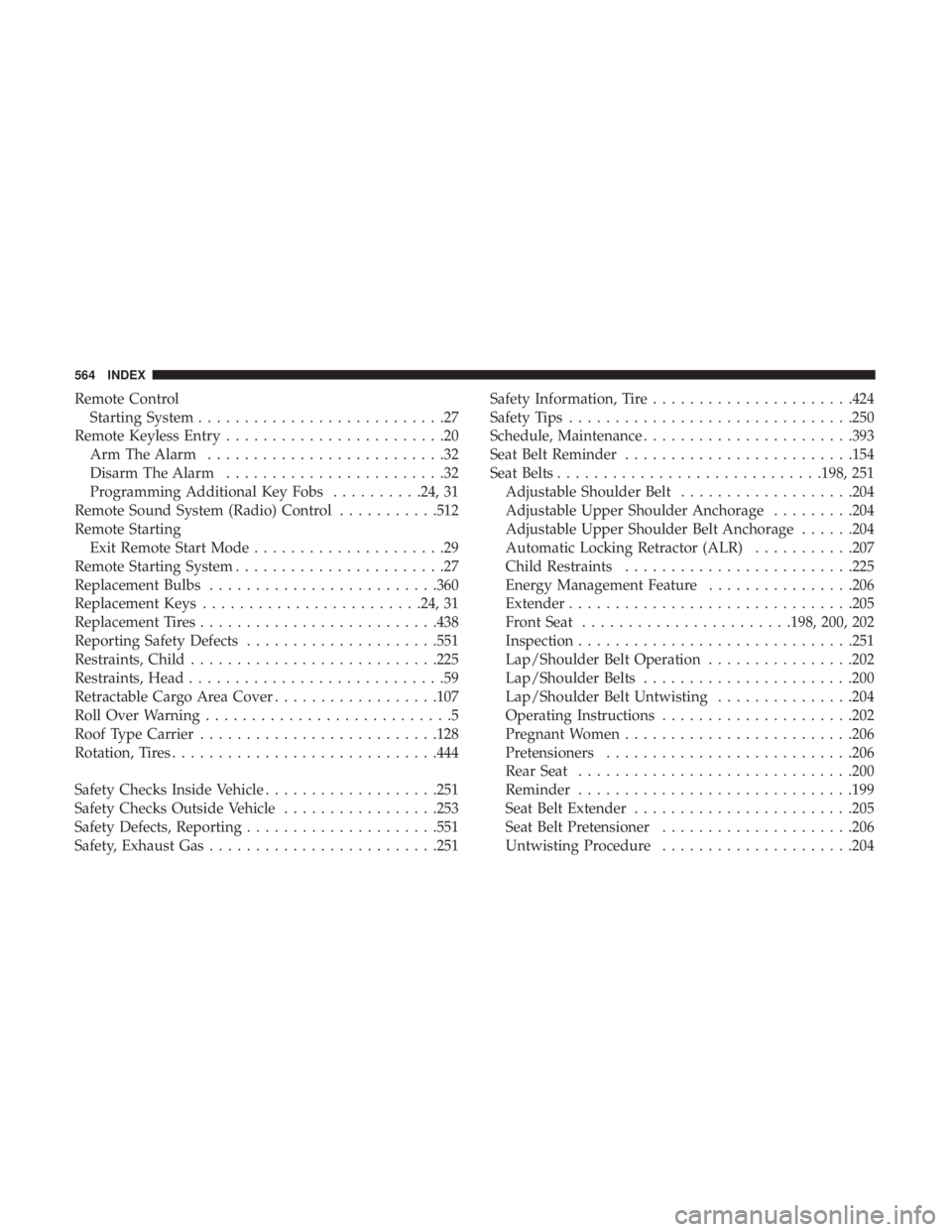
Remote ControlStarting System ...........................27
Remote Keyless Entry ........................20
Arm The Alarm ..........................32
Disarm The Alarm ........................32
Programming Additional Key Fobs ..........24, 31
Remote Sound System (Radio) Control ...........512
Remote Starting Exit Remote Start Mode .....................29
Remote Starting System .......................27
Replacement Bulbs ........................ .360
Replacement Keys ....................... .24, 31
Replacement Tires ......................... .438
Reporting Safety Defects .....................551
Restraints, Child .......................... .225
Restraints, Head ............................59
Retractable Cargo Area Cover ..................107
Roll Over Warning ...........................5
Roof Type Carrier ......................... .128
Rotation, Tires ............................ .444
Safety Checks Inside Vehicle ...................251
Safety Checks Outside Vehicle .................253
Safety Defects, Reporting .....................551
Safety, Exhaust Gas ........................ .251Safety Information, Tire
..................... .424
Safety Tips .............................. .250
Schedule, Maintenance ...................... .393
Seat Belt Reminder ........................ .154
Seat Belts ............................ .198, 251
Adjustable Shoulder Belt ...................204
Adjustable Upper Shoulder Anchorage .........204
Adjustable Upper Shoulder Belt Anchorage ......204
Automatic Locking Retractor (ALR) ...........207
Child Restraints ........................ .225
Energy Management Feature ................206
Extender .............................. .205
Front Seat ...................... .198, 200, 202
Inspection ............................. .251
Lap/Shoulder
Belt Operation ................202
Lap/Shoulder Belts ...................... .200
Lap/Shoulder Belt Untwisting ...............204
Operating Instructions .....................202
Pregnant Women ........................ .206
Pretensioners .......................... .206
Rear Seat ............................. .200
Reminder ............................. .199
Seat Belt Extender ....................... .205
Seat Belt Pretensioner .....................206
Untwisting Procedure .....................204
564 INDEX