sport mode DODGE DURANGO SRT 2019 User Guide
[x] Cancel search | Manufacturer: DODGE, Model Year: 2019, Model line: DURANGO SRT, Model: DODGE DURANGO SRT 2019Pages: 572, PDF Size: 6.59 MB
Page 501 of 572
The following options can be selected:
•Pressing the STOP button will freeze the graph. Selecting
Play will clear the graph and restart the process over.
• Press the “+” or “–” buttons to change the history of the
graph. The selectable options are 30, 60, 90, and 120
seconds. The graph will expand or constrict depending
on the setting selected.
• Select the “Gear” display (if equipped) to turn the graph
gear markers on and off.
SRT DRIVE MODES
NOTE: The use of Sport Mode, Track Mode, or Launch
Control is not recommended when using the Roof Luggage
Rack to carry a load.
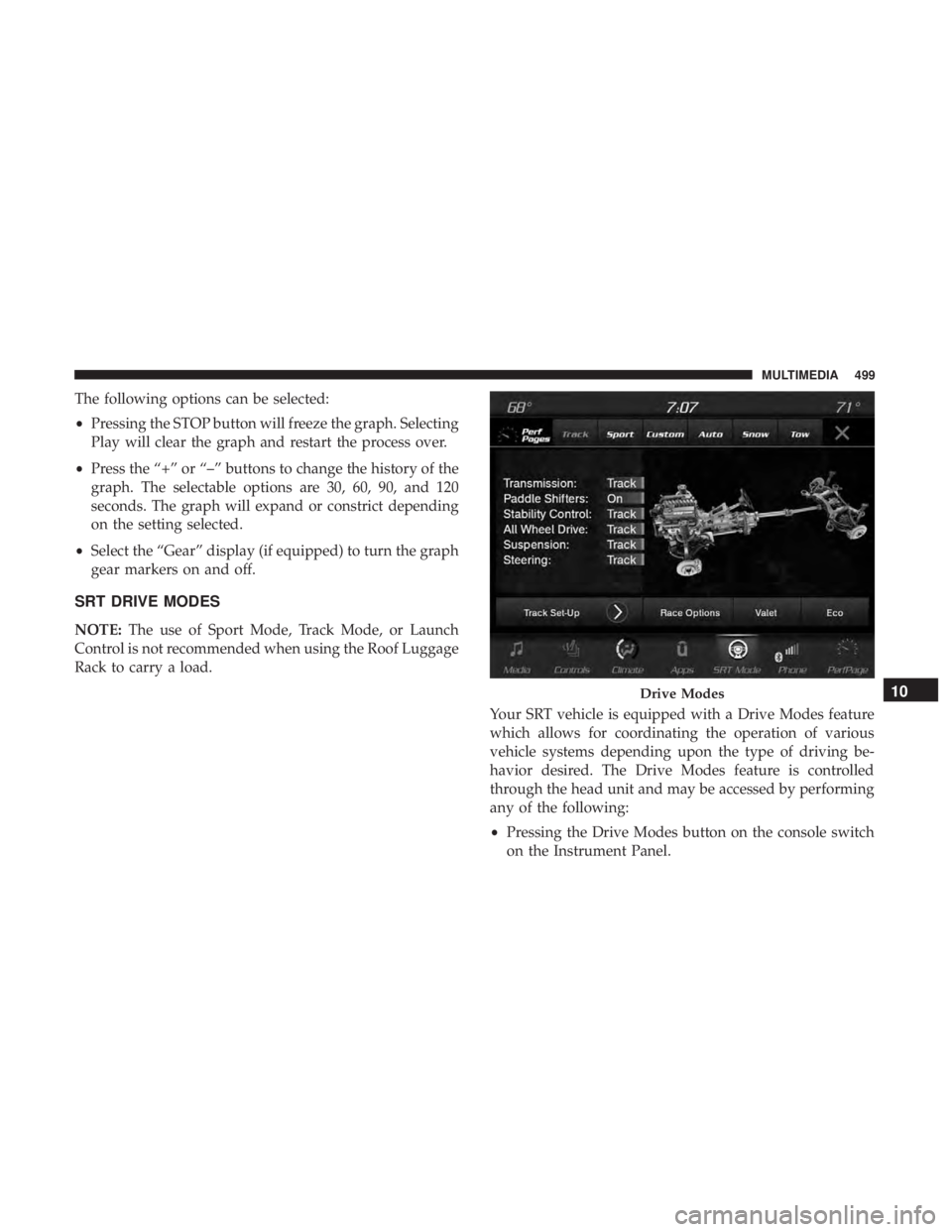
Your SRT vehicle is equipped with a Drive Modes feature
which allows for coordinating the operation of various
vehicle systems depending upon the type of driving be-
havior desired. The Drive Modes feature is controlled
through the head unit and may be accessed by performing
any of the following:
•Pressing the Drive Modes button on the console switch
on the Instrument Panel.
Drive Modes10
MULTIMEDIA 499
Page 502 of 572
•Selecting “Drive Modes” from within the Performance
Pages menu.
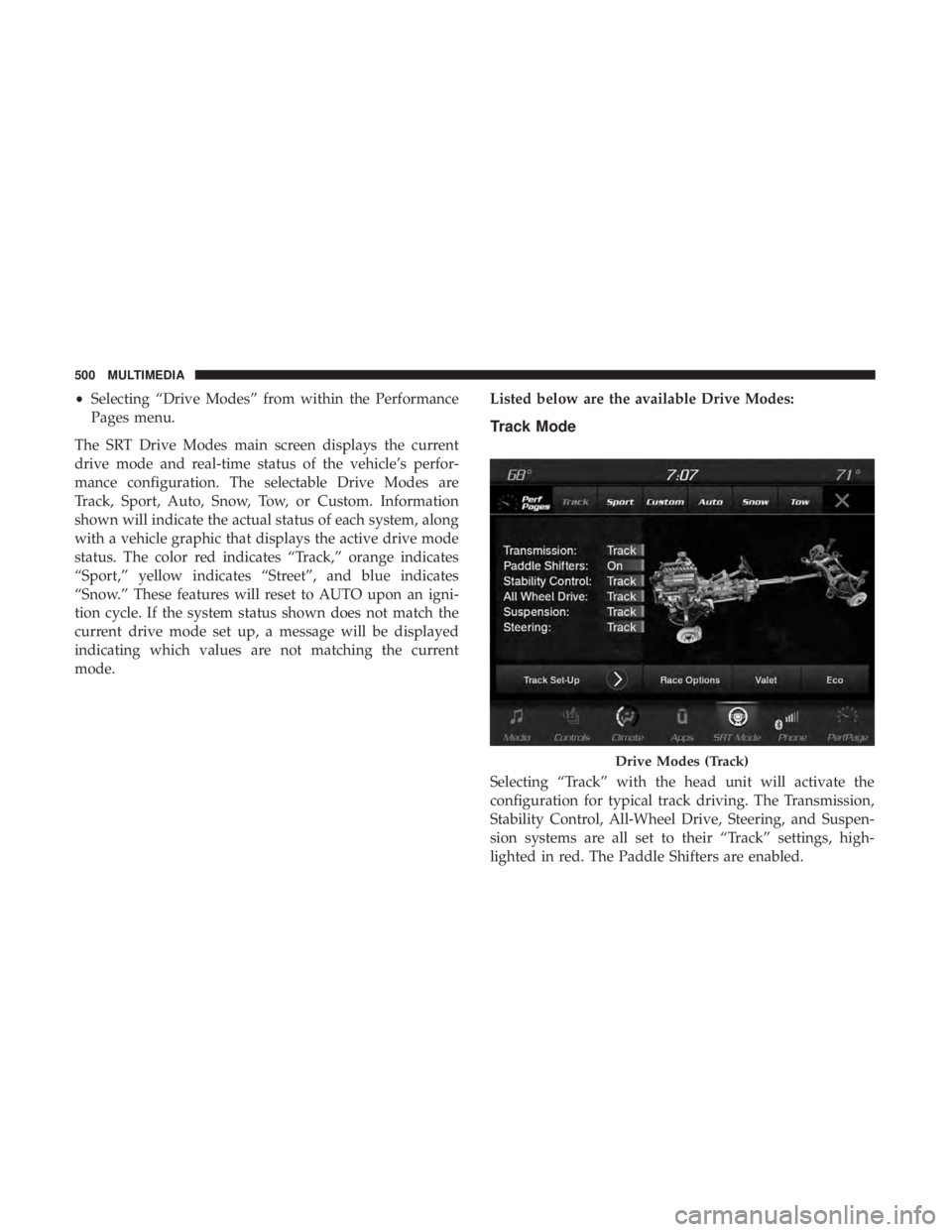
The SRT Drive Modes main screen displays the current
drive mode and real-time status of the vehicle’s perfor-
mance configuration. The selectable Drive Modes are
Track, Sport, Auto, Snow, Tow, or Custom. Information
shown will indicate the actual status of each system, along
with a vehicle graphic that displays the active drive mode
status. The color red indicates “Track,” orange indicates
“Sport,” yellow indicates “Street”, and blue indicates
“Snow.” These features will reset to AUTO upon an igni-
tion cycle. If the system status shown does not match the
current drive mode set up, a message will be displayed
indicating which values are not matching the current
mode. Listed below are the available Drive Modes:
Track Mode
Selecting “Track” with the head unit will activate the
configuration for typical track driving. The Transmission,
Stability Control, All-Wheel Drive, Steering, and Suspen-
sion systems are all set to their “Track” settings, high-
lighted in red. The Paddle Shifters are enabled.
Drive Modes (Track)
500 MULTIMEDIA
Page 503 of 572
NOTE:Electronic Stability Control (ESC) Full-Off can be
activated by pushing and holding the ESC Off button on
the instrument panel switch bank for five seconds.
Sport Mode
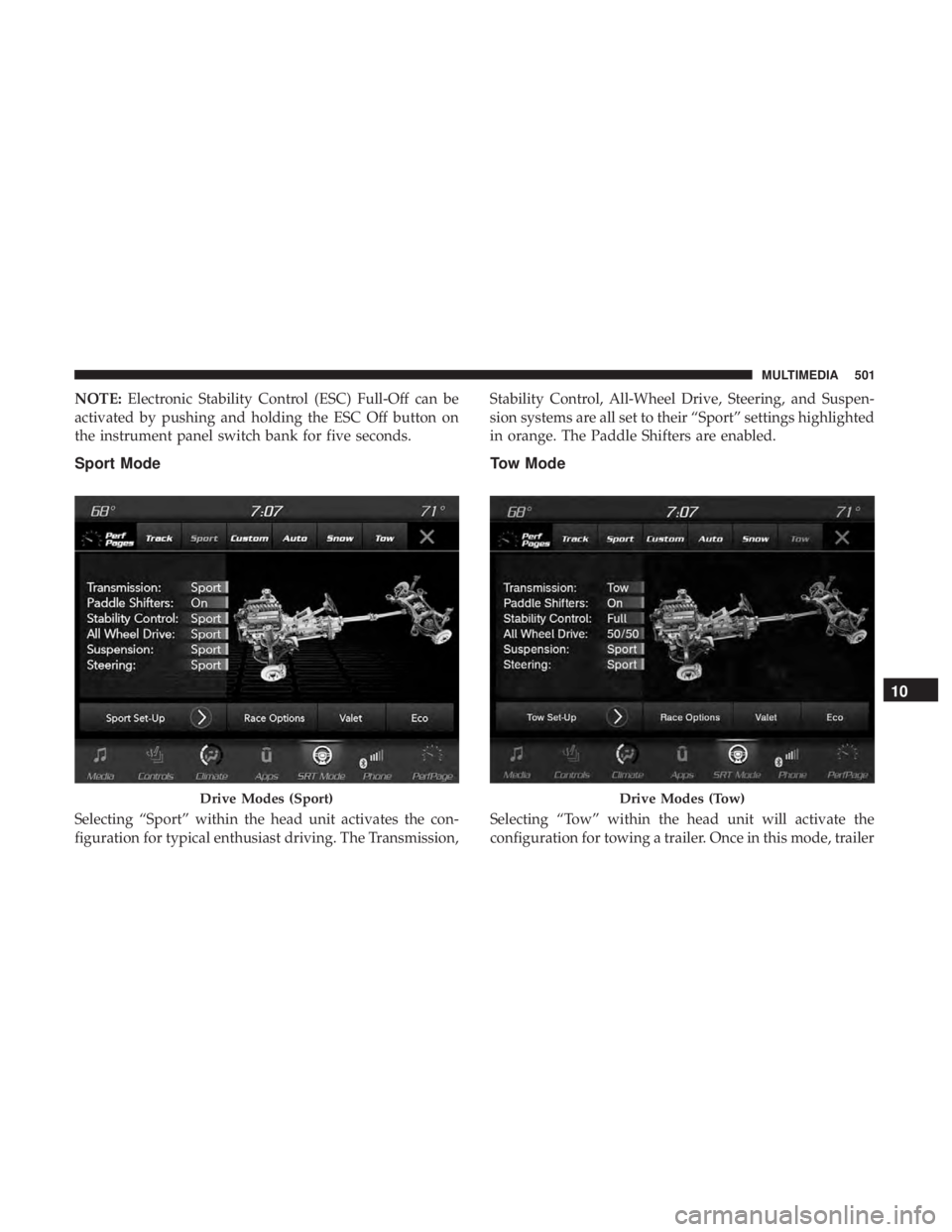
Selecting “Sport” within the head unit activates the con-
figuration for typical enthusiast driving. The Transmission, Stability Control, All-Wheel Drive, Steering, and Suspen-
sion systems are all set to their “Sport” settings highlighted
in orange. The Paddle Shifters are enabled.
Tow Mode
Selecting “Tow” within the head unit will activate the
configuration for towing a trailer. Once in this mode, trailer
Drive Modes (Sport)Drive Modes (Tow)
10
MULTIMEDIA 501
Page 504 of 572
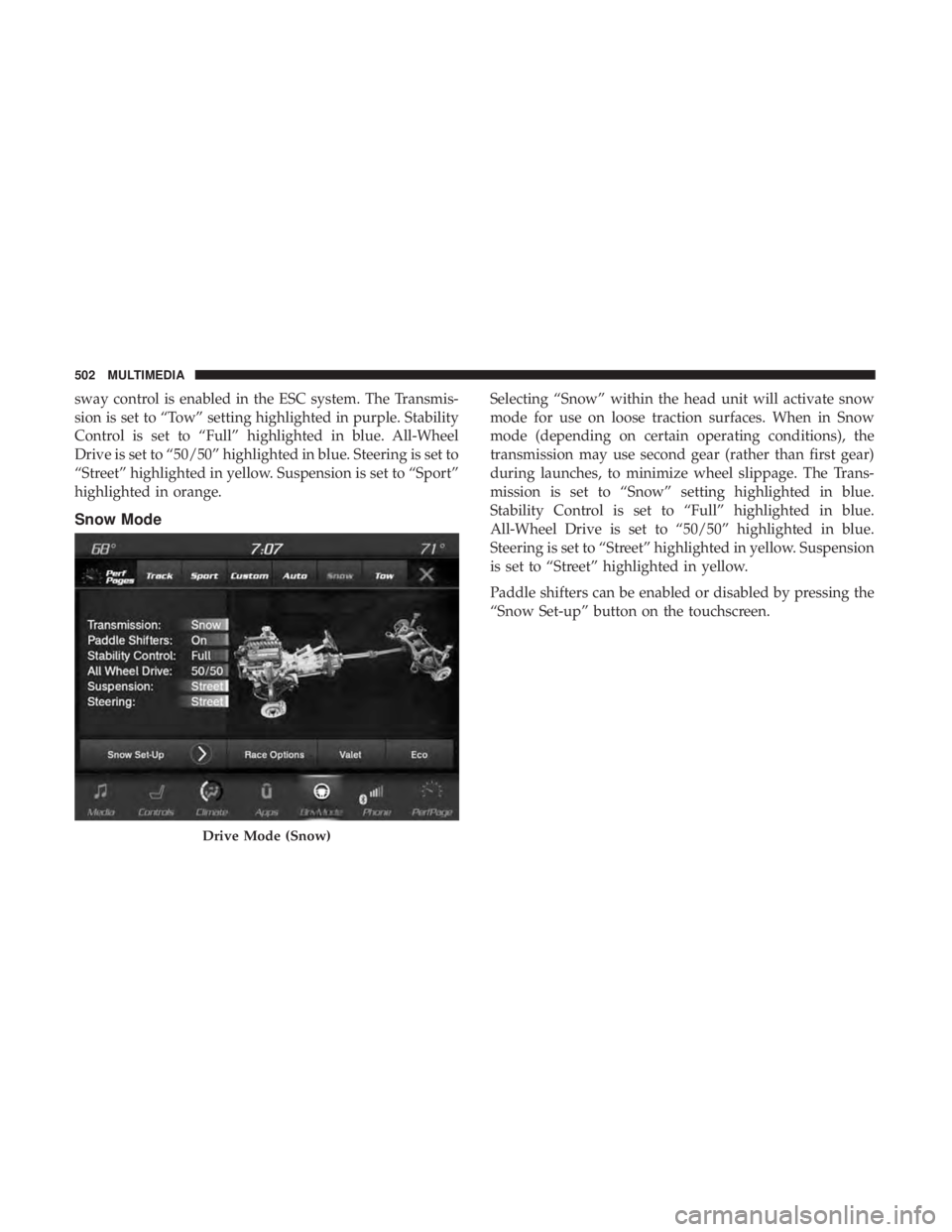
sway control is enabled in the ESC system. The Transmis-
sion is set to “Tow” setting highlighted in purple. Stability
Control is set to “Full” highlighted in blue. All-Wheel
Drive is set to “50/50” highlighted in blue. Steering is set to
“Street” highlighted in yellow. Suspension is set to “Sport”
highlighted in orange.
Snow Mode
Selecting “Snow” within the head unit will activate snow
mode for use on loose traction surfaces. When in Snow
mode (depending on certain operating conditions), the
transmission may use second gear (rather than first gear)
during launches, to minimize wheel slippage. The Trans-
mission is set to “Snow” setting highlighted in blue.
Stability Control is set to “Full” highlighted in blue.
All-Wheel Drive is set to “50/50” highlighted in blue.
Steering is set to “Street” highlighted in yellow. Suspension
is set to “Street” highlighted in yellow.
Paddle shifters can be enabled or disabled by pressing the
“Snow Set-up” button on the touchscreen.
Drive Mode (Snow)
502 MULTIMEDIA
Page 505 of 572
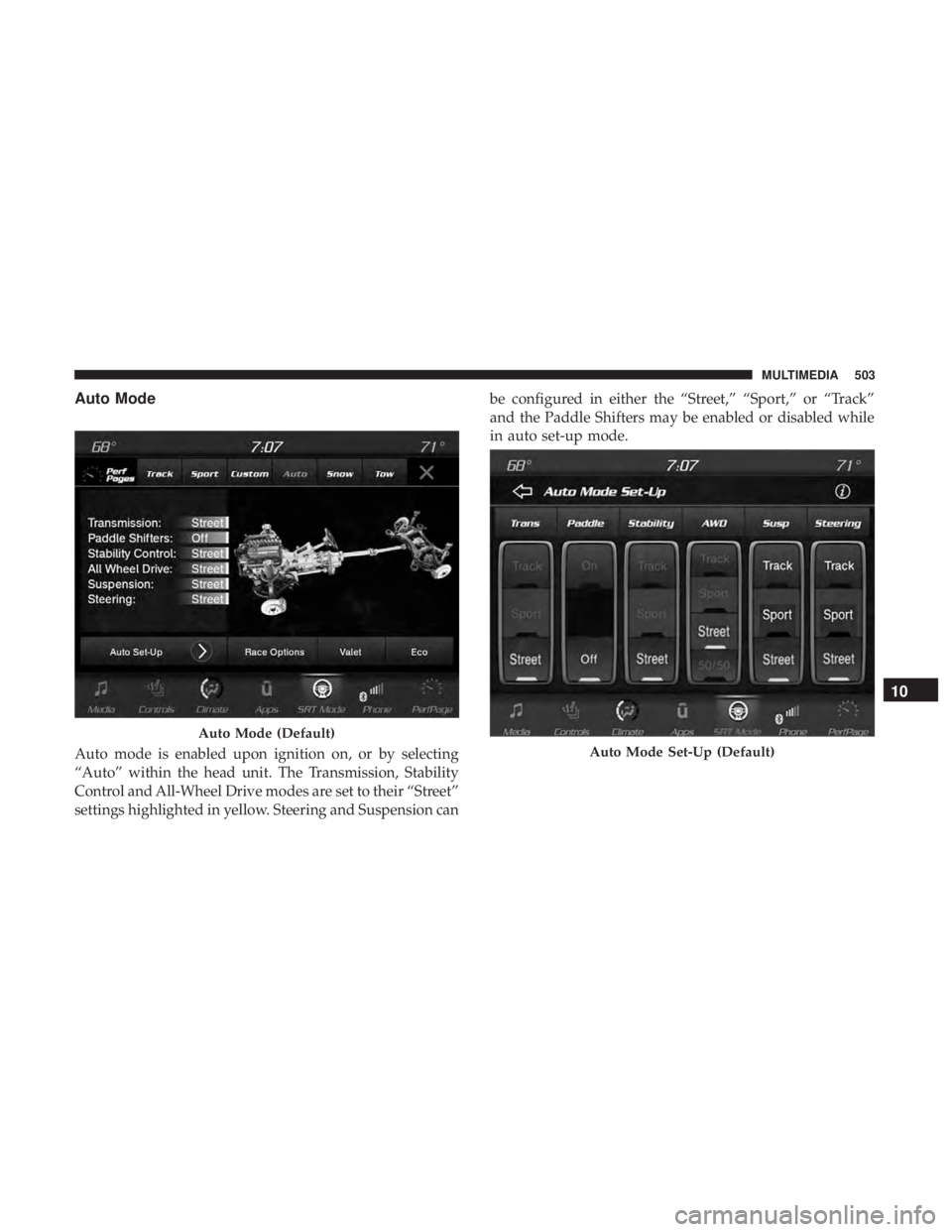
Auto Mode
Auto mode is enabled upon ignition on, or by selecting
“Auto” within the head unit. The Transmission, Stability
Control and All-Wheel Drive modes are set to their “Street”
settings highlighted in yellow. Steering and Suspension canbe configured in either the “Street,” “Sport,” or “Track”
and the Paddle Shifters may be enabled or disabled while
in auto set-up mode.
Auto Mode (Default)
Auto Mode Set-Up (Default)
10
MULTIMEDIA 503