radio DODGE DURANGO SRT 2019 Owners Manual
[x] Cancel search | Manufacturer: DODGE, Model Year: 2019, Model line: DURANGO SRT, Model: DODGE DURANGO SRT 2019Pages: 572, PDF Size: 6.59 MB
Page 20 of 572

Pre-Installed Features
Your User Guide — Up-
dated in real-timeAvailable when and where
you need it
Touchscreen convenience Customizable interface
Maintenance schedules
and information Multilingual
Comprehensive icon &
symbol glossary
Once you launch your Vehicle User Guide, you will be able
to explore your warranty information and radio manual
when and where you need them. Your Uconnect system
displays the Vehicle User Guide on your touchscreen radio
to assist in better understanding your vehicle. There’s no
app to download, no phone to connect and no external
device needed for playback. Plus, it’s updated throughout
the year, in real-time, so it never goes out of date. Features/Benefits
•
Pre-installed on your Uconnect touchscreen radio
• Enhanced search and browsing capability
• Robust NAV application — If Equipped
• Add selected topics to a fast-access Favorites category
• Icon and symbol glossary
• Warranty information
• Crucial driver information and assistance:
Operating Instructions Maintenance Schedules
Warranty Information Emergency Procedures
Fluid Level Standards 911 Contact and More
Tip: When viewing a topic, tap the star icon to add it to
your Favorites, for easy access in the future.
18 GETTING TO KNOW YOUR VEHICLE
Page 26 of 572
4. To assemble the key fob case, snap the two halvestogether.
Programming Additional Key Fobs
Programming the key fob may be performed by an autho-
rized dealer.
NOTE: Once a key fob is programmed to a vehicle, it
cannot be repurposed and reprogrammed to another ve-
hicle.
Request For Additional Remote Controls
NOTE: Only key fobs that are programmed to the vehicle
electronics can be used to start and operate the vehicle.
Once a key fob is programmed to a vehicle, it cannot be
programmed to any other vehicle.
WARNING!
• Always remove the key fobs from the vehicle and
lock all doors when leaving the vehicle unattended.
• For vehicles equipped with Keyless Enter-N-Go —
Ignition, always remember to place the ignition in
the OFF mode. Duplication of key fobs may be performed at an authorized
dealer. This procedure consists of programming a blank
key fob to the vehicle electronics. A blank key fob is one
that has never been programmed.
NOTE:
When having the Sentry Key Immobilizer System
serviced, bring all vehicle keys with you to an authorized
dealer.
General Information
The following regulatory statement applies to all radio
frequency (RF) devices equipped in this vehicle:
This device complies with Part 15 of the FCC Rules and
with Industry Canada license-exempt RSS standard(s).
Operation is subject to the following two conditions:
1. This device may not cause harmful interference, and
2. This device must accept any interference received, in- cluding interference that may cause undesired opera-
tion.
NOTE: Changes or modifications not expressly approved
by the party responsible for compliance could void the
user ’s authority to operate the equipment.
24 GETTING TO KNOW YOUR VEHICLE
Page 28 of 572
Ignition Or Accessory On Message
Upon opening the driver’s door when the ignition is in
ACC or ON (engine not running), a chime will sound to
remind you to place the ignition in the OFF mode. In
addition to the chime, the ignition or accessory on message
will display in the cluster.
NOTE:With the Uconnect system, the power window
switches, radio, power sunroof (if equipped), and power
outlets will remain active for up to 10 minutes after the
ignition is cycled to the OFF position. Opening either front
door will cancel this feature. The time for this feature is
programmable. Refer to “Uconnect Settings” in “Multime-
dia” for further information.
WARNING!
• Before exiting a vehicle, always shift the automatic
transmission into PARK and apply the parking
brake. Always make sure the keyless ignition node is
in the “OFF” mode, remove the key fob from the
vehicle and lock the vehicle.
• Never leave children alone in a vehicle, or with
access to an unlocked vehicle.
(Continued)
WARNING! (Continued)
•Allowing children to be in a vehicle unattended is
dangerous for a number of reasons. A child or others
could be seriously or fatally injured. Children
should be warned not to touch the parking brake,
brake pedal or the gear selector.
• Do not leave the key fob in or near the vehicle, or in
a location accessible to children, and do not leave the
ignition of a vehicle equipped with Keyless Enter-
N-Go in the ACC or ON/RUN mode. A child could
operate power windows, other controls, or move the
vehicle.
• Do not leave children or animals inside parked
vehicles in hot weather. Interior heat build-up may
cause serious injury or death.
CAUTION!
An unlocked vehicle is an invitation. Always remove
the key fobs from vehicle, place the ignition in the OFF
position and lock all doors when leaving the vehicle
unattended.
26 GETTING TO KNOW YOUR VEHICLE
Page 32 of 572
feature will automatically turn on when the remote start is
activated. These features will stay on through the duration
of Remote Start or until the ignition switch is placed in the
ON/RUN mode.
NOTE:The Remote Start Comfort System can be activated
and deactivated through the Uconnect System. Refer to
“Uconnect Settings” in “Multimedia” for further informa-
tion on Remote Start Comfort System operation.
General Information
The following regulatory statement applies to all radio
frequency (RF) devices equipped in this vehicle:
This device complies with Part 15 of the FCC Rules and
with Industry Canada license-exempt RSS standard(s).
Operation is subject to the following two conditions:
1. This device may not cause harmful interference, and
2. This device must accept any interference received, in- cluding interference that may cause undesired opera-
tion.
NOTE: Changes or modifications not expressly approved
by the party responsible for compliance could void the
user ’s authority to operate the equipment.
SENTRY KEY
The Sentry Key Immobilizer system prevents unauthorized
vehicle operation by disabling the engine. The system does
not need to be armed or activated. Operation is automatic,
regardless of whether the vehicle is locked or unlocked.
The system uses a key fob and a Keyless Push Button
Ignition, and a RF receiver to prevent unauthorized vehicle
operation. Therefore, only key fobs that are programmed to
the vehicle can be used to start and operate the vehicle. If
an invalid key fob is used to attempt to start and operate
the vehicle, the system will not allow the engine to crank.
If an invalid key fob is used to start the engine, the system
will shut the engine off in two seconds.
After placing the ignition to the ON/RUN mode, the
vehicle security light will turn on for three seconds for a
bulb check. If the light remains on after the bulb check, it
indicates that there is a problem with the electronics. In
addition, if the light begins to flash after the bulb check, it
indicates that someone used an invalid key fob to start the
engine. Either of these conditions will result in the engine
being shut off after two seconds.
30 GETTING TO KNOW YOUR VEHICLE
Page 33 of 572
If the vehicle security light turns on during normal vehicle
operation (vehicle running for longer than 10 seconds), it
indicates that there is a fault in the electronics. Should this
occur, have the vehicle serviced as soon as possible by an
authorized dealer.
CAUTION!
The Sentry Key Immobilizer system is not compatible
with some aftermarket remote starting systems. Use of
these systems may result in vehicle starting problems
and loss of security protection.
All of the key fobs provided with your new vehicle have
been programmed to the vehicle electronics.
Key Programming
Programming key fobs may be performed at an authorized
dealer.
Replacement Keys
NOTE: Only key fobs that are programmed to the vehicle
electronics can be used to start and operate the vehicle.
Once a key fob is programmed to a vehicle, it cannot be
programmed to any other vehicle.
CAUTION!
• Always remove the key fobs from the vehicle and
lock all doors when leaving the vehicle unattended.
• For vehicles equipped with Keyless Enter-N-Go —
Ignition, always remember to place the ignition in
the OFF position.
NOTE: Duplication of key fobs may be performed at an
authorized dealer. This procedure consists of programming
a blank key fob to the vehicle electronics. A blank key fob
is one that has never been programmed.
When having the Sentry Key Immobilizer System serviced,
bring all vehicle keys with you to an authorized dealer.
General Information
The following regulatory statement applies to all radio
frequency (RF) devices equipped in this vehicle:
This device complies with Part 15 of the FCC Rules and
with Industry Canada license-exempt RSS standard(s).
Operation is subject to the following two conditions:
1. This device may not cause harmful interference, and
3
GETTING TO KNOW YOUR VEHICLE 31
Page 42 of 572
•Closeness to mobile devices can have an effect on the
passive entry system.
The vehicle doors can also be locked by using the key fob
lock button or the lock button located on the vehicle’s
interior door panel.
General Information
The following regulatory statement applies to all radio
frequency (RF) devices equipped in this vehicle:
This device complies with Part 15 of the FCC Rules and
with Industry Canada license-exempt RSS standard(s).
Operation is subject to the following two conditions:
1. This device may not cause harmful interference, and
2. This device must accept any interference received, in- cluding interference that may cause undesired opera-
tion.
NOTE: Changes or modifications not expressly approved
by the party responsible for compliance could void the
user ’s authority to operate the equipment.
Automatic Unlock On Exit Feature — If Equipped
If Auto Unlock is enabled, this feature will unlock all the
doors when any door is opened if the vehicle is stopped
and in PARK.
Refer to “Uconnect Settings” in “Multimedia” for further
information.
Automatic Door Locks — If Equipped
When enabled, the door locks will lock automatically when
the vehicle’s speed exceeds 15 MPH (24 km/h). Auto door
lock feature is enabled/disabled in the Uconnect Settings
sections in the radio. Refer to “Uconnect Settings” in
“Multimedia” for further information.
Child-Protection Door Lock System — Rear Doors
To provide a safer environment for small children riding in
the rear seats, the rear doors are equipped with Child-
Protection Door Lock system.
To Engage Or Disengage The Child Protection Door Lock
System
1. Open the rear door.
2. Insert the tip of the emergency key into the lock and rotate to the lock or unlock position.
40 GETTING TO KNOW YOUR VEHICLE
Page 55 of 572
CAUTION!(Continued)
controls. Seat travel may become limited if movement
is stopped by an obstruction in the seat’s path.
Driver Memory Seat — If Equipped
This feature allows the driver to store up to two different
memory profiles for easy recall through a memory switch.
Each memory profile contains desired position settings for
the driver seat, side mirrors, and power tilt and telescopic
steering column (if equipped) and a set of desired radio
station presets. Your key fob can also be programmed to
recall the same positions when the unlock button is
pushed.
NOTE:Your vehicle is equipped with two key fobs, one
key fob can be linked to memory position 1 and the other
key fob can be linked to memory position 2.
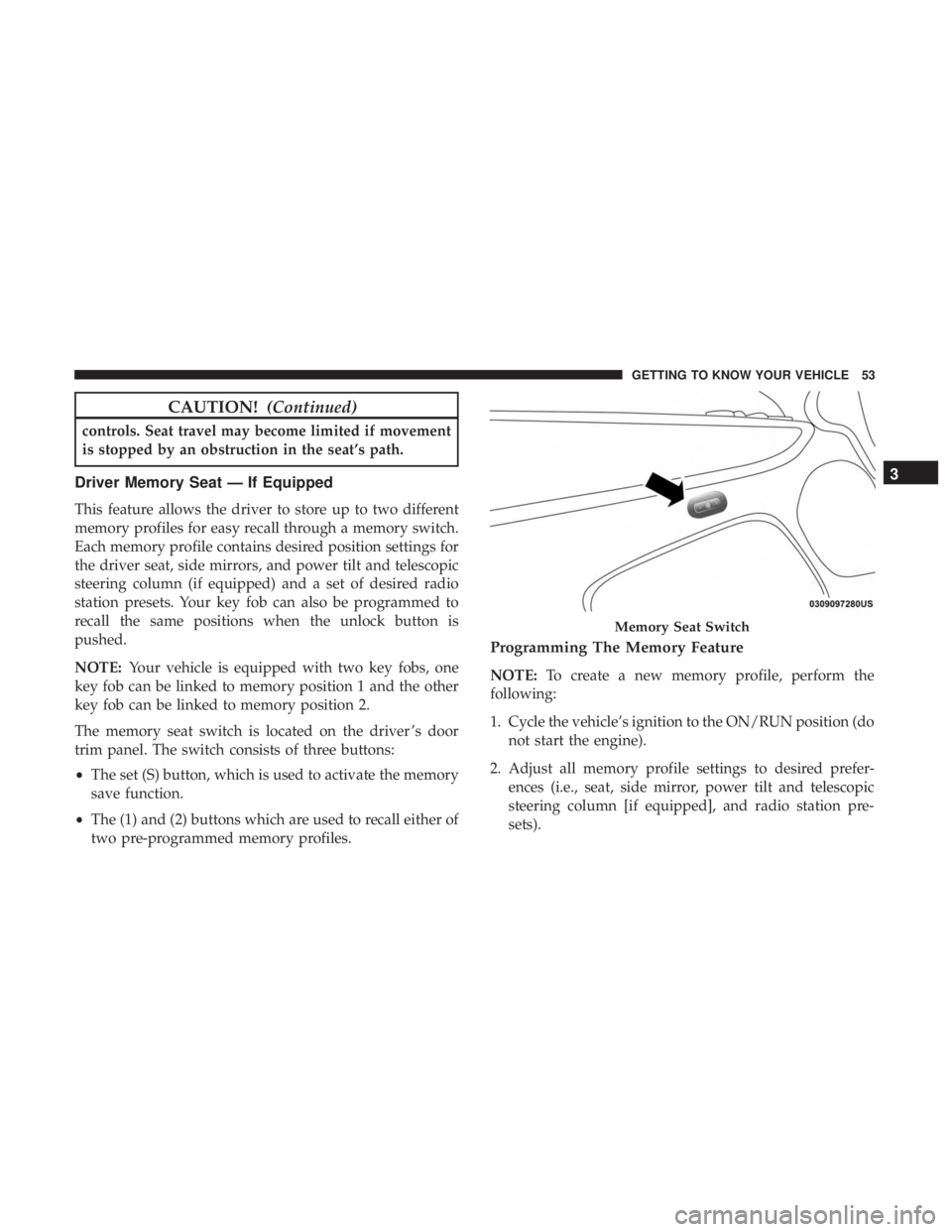
The memory seat switch is located on the driver ’s door
trim panel. The switch consists of three buttons:
• The set (S) button, which is used to activate the memory
save function.
• The (1) and (2) buttons which are used to recall either of
two pre-programmed memory profiles.
Programming The Memory Feature
NOTE: To create a new memory profile, perform the
following:
1. Cycle the vehicle’s ignition to the ON/RUN position (do not start the engine).
2. Adjust all memory profile settings to desired prefer- ences (i.e., seat, side mirror, power tilt and telescopic
steering column [if equipped], and radio station pre-
sets).
Memory Seat Switch
3
GETTING TO KNOW YOUR VEHICLE 53
Page 58 of 572
Each stored memory setting will have an associated Easy
Entry and Easy Exit position.
NOTE:The Easy Entry/Exit feature is not enabled when
the vehicle is delivered from the factory. The Easy Entry/
Exit feature is enabled (or later disabled) through the
programmable features in the Uconnect system. Refer to
“Uconnect Settings” in “Multimedia”.
Heated Seats — If Equipped
On some models, the front and rear seats may be equipped
with heaters located in the seat cushions and seat backs.
WARNING!
• Persons who are unable to feel pain to the skin
because of advanced age, chronic illness, diabetes,
spinal cord injury, medication, alcohol use, exhaus-
tion or other physical condition must exercise care
when using the seat heater. It may cause burns even
at low temperatures, especially if used for long
periods of time.
• Do not place anything on the seat or seatback that
insulates against heat, such as a blanket or cushion.
This may cause the seat heater to overheat. Sitting in
(Continued)
WARNING! (Continued)
a seat that has been overheated could cause serious
burns due to the increased surface temperature of the
seat.
Front Heated Seats
The front heated seat control buttons are located within the
climate or controls screen of the touchscreen.
You can choose from HI, LO, or OFF heat settings. The
indicator arrows in touchscreen buttons indicate the level
of heat in use. Two indicator arrows will illuminate for HI,
and one for LO. Turning the heating elements off will
return the user to the radio screen.
•Press the heated seat button
once to turn the HI
setting on.
• Press the heated seat buttona second time to turn
the LO setting on.
• Press the heated seat buttona third time to turn the
heating elements off.
56 GETTING TO KNOW YOUR VEHICLE
Page 80 of 572
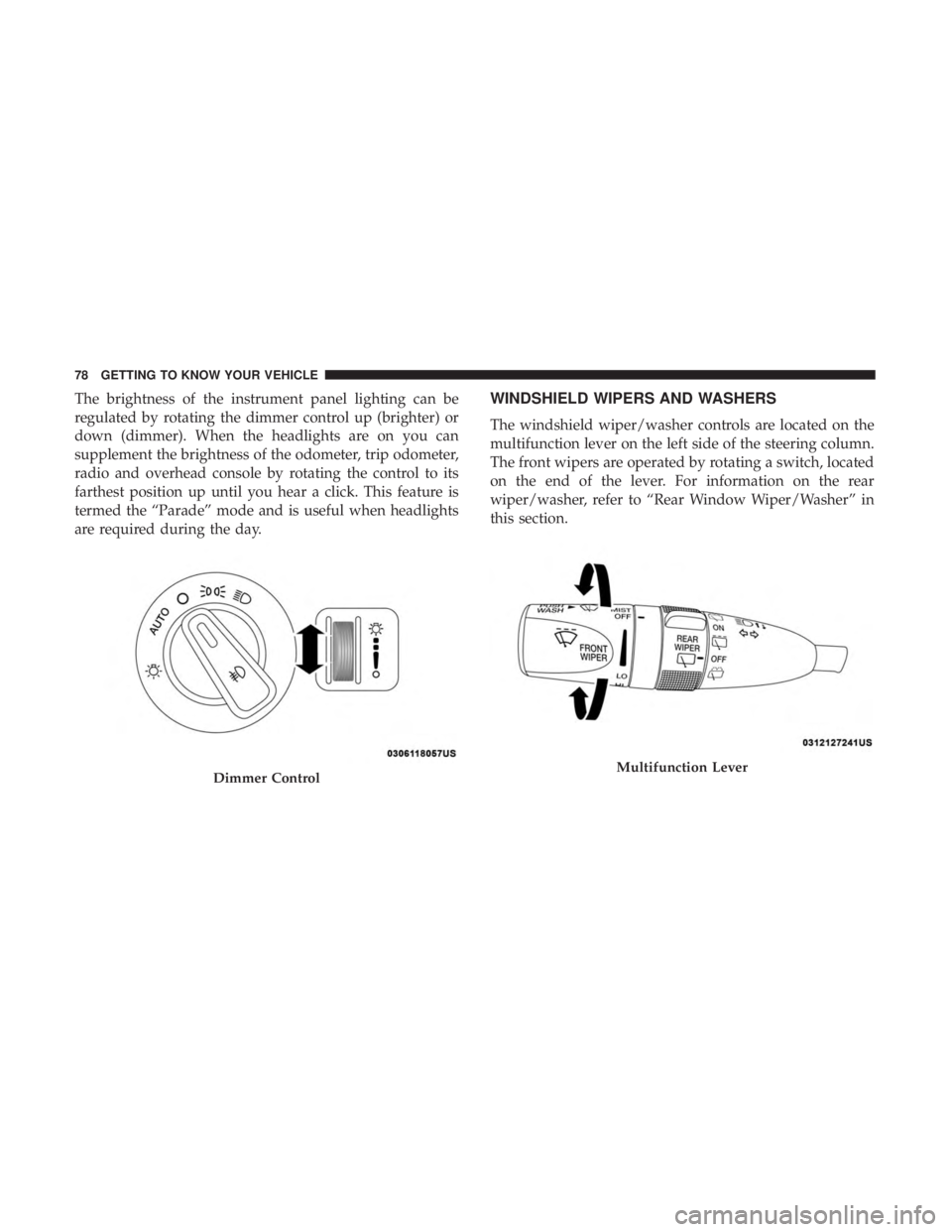
The brightness of the instrument panel lighting can be
regulated by rotating the dimmer control up (brighter) or
down (dimmer). When the headlights are on you can
supplement the brightness of the odometer, trip odometer,
radio and overhead console by rotating the control to its
farthest position up until you hear a click. This feature is
termed the “Parade” mode and is useful when headlights
are required during the day.WINDSHIELD WIPERS AND WASHERS
The windshield wiper/washer controls are located on the
multifunction lever on the left side of the steering column.
The front wipers are operated by rotating a switch, located
on the end of the lever. For information on the rear
wiper/washer, refer to “Rear Window Wiper/Washer” in
this section.
Dimmer ControlMultifunction Lever
78 GETTING TO KNOW YOUR VEHICLE
Page 84 of 572
ignition switch in the RUN position, rain sensing wiper
operation can resume, if it has been selected, and no other
inhibit conditions (mentioned previously) exist.
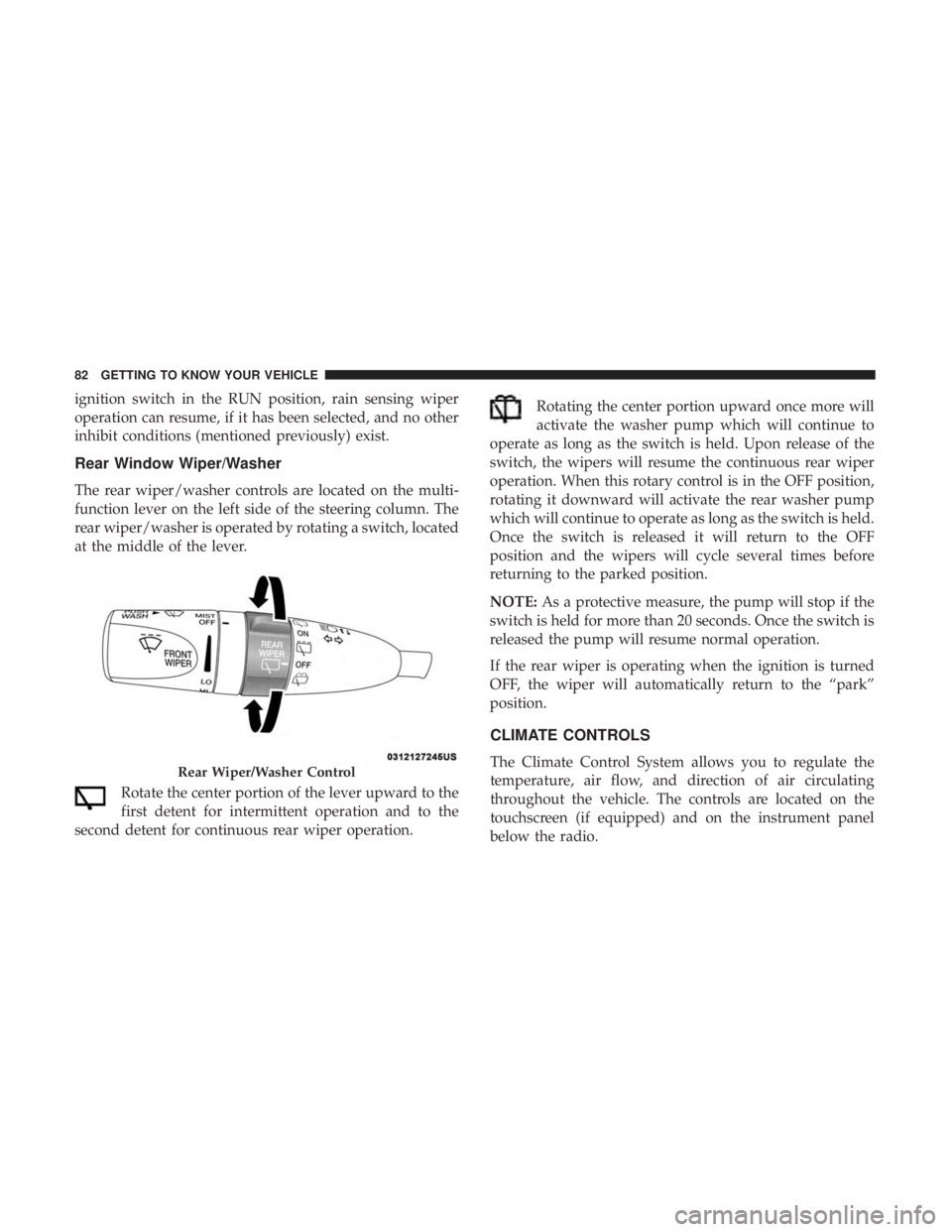
Rear Window Wiper/Washer
The rear wiper/washer controls are located on the multi-
function lever on the left side of the steering column. The
rear wiper/washer is operated by rotating a switch, located
at the middle of the lever.Rotate the center portion of the lever upward to the
first detent for intermittent operation and to the
second detent for continuous rear wiper operation. Rotating the center portion upward once more will
activate the washer pump which will continue to
operate as long as the switch is held. Upon release of the
switch, the wipers will resume the continuous rear wiper
operation. When this rotary control is in the OFF position,
rotating it downward will activate the rear washer pump
which will continue to operate as long as the switch is held.
Once the switch is released it will return to the OFF
position and the wipers will cycle several times before
returning to the parked position.
NOTE: As a protective measure, the pump will stop if the
switch is held for more than 20 seconds. Once the switch is
released the pump will resume normal operation.
If the rear wiper is operating when the ignition is turned
OFF, the wiper will automatically return to the “park”
position.
CLIMATE CONTROLS
The Climate Control System allows you to regulate the
temperature, air flow, and direction of air circulating
throughout the vehicle. The controls are located on the
touchscreen (if equipped) and on the instrument panel
below the radio.Rear Wiper/Washer Control
82 GETTING TO KNOW YOUR VEHICLE