phone DODGE GRAND CARAVAN 2004 User Guide
[x] Cancel search | Manufacturer: DODGE, Model Year: 2004, Model line: GRAND CARAVAN, Model: DODGE GRAND CARAVAN 2004Pages: 397, PDF Size: 7.59 MB
Page 193 of 397
Power Button
Pressing the power button will turn the headphones
ON/OFF.
NOTE:
² The headphones will turn off automatically and the
red LED will illuminate for approximately 2 minutes
when the radio or rear audio/video system is turned
off.
² The rear audio/video system must be turned ON
before sound can be heard from the headphones.
Volume Control
Rotate the volume control upward to increase the vol-
ume. Scan Button
Pressing the scan button will automatically find the
audio signal that is transmitted from the CD/DVD
changer when the rear audio/video system and the
headphones are on. This button is used only if the
headphones are locked on to a source other than the
vehicle's radio.
NOTE: When the ªGREEN LEDº is showing the head-
phones are receiving the audio signal. When the ªRED
LEDº is showing the headphones are searching for the
audio signal UNDERSTANDING YOUR INSTRUMENT PANEL 193
4
Page 194 of 397
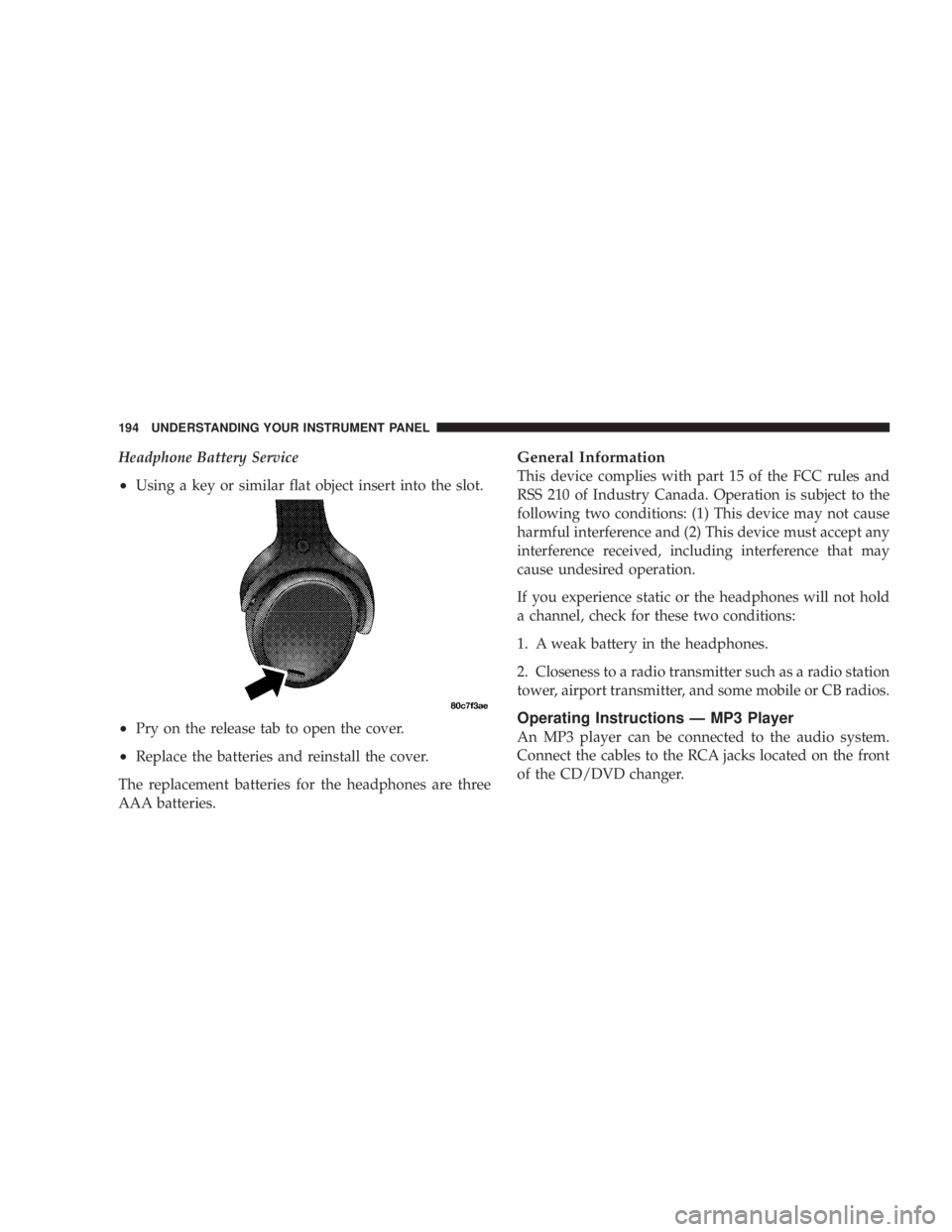
Headphone Battery Service
² Using a key or similar flat object insert into the slot.
² Pry on the release tab to open the cover.
² Replace the batteries and reinstall the cover.
The replacement batteries for the headphones are three
AAA batteries. General Information
This device complies with part 15 of the FCC rules and
RSS 210 of Industry Canada. Operation is subject to the
following two conditions: (1) This device may not cause
harmful interference and (2) This device must accept any
interference received, including interference that may
cause undesired operation.
If you experience static or the headphones will not hold
a channel, check for these two conditions:
1. A weak battery in the headphones.
2. Closeness to a radio transmitter such as a radio station
tower, airport transmitter, and some mobile or CB radios.
Operating Instructions Ð MP3 Player
An MP3 player can be connected to the audio system.
Connect the cables to the RCA jacks located on the front
of the CD/DVD changer.194 UNDERSTANDING YOUR INSTRUMENT PANEL
Page 195 of 397
NOTE: Follow the manufactures instructions for the
correct colors when connecting the RCA cables.
Operating Instructions Ð Video
Games/Camcorders
A video game unit or camcorder can be connected to the
rear audio/video system. Connect the cables to the RCA
jacks located on the front of the CD/DVD changer.
NOTE: To operate a video game unit a DC to AC
adapter may be required, plug the adapter into any
power outlet.
Follow the manufactures instructions for the correct
colors when connecting the RCA cables.
NOTE: MP3 player's, video game systems, camcorders
connected to the RCA jacks and CD's or DVD's inserted
into the CD/DVD changer can be heard through the
headphones. REMOTE SOUND SYSTEM CONTROLS Ð IF
EQUIPPED
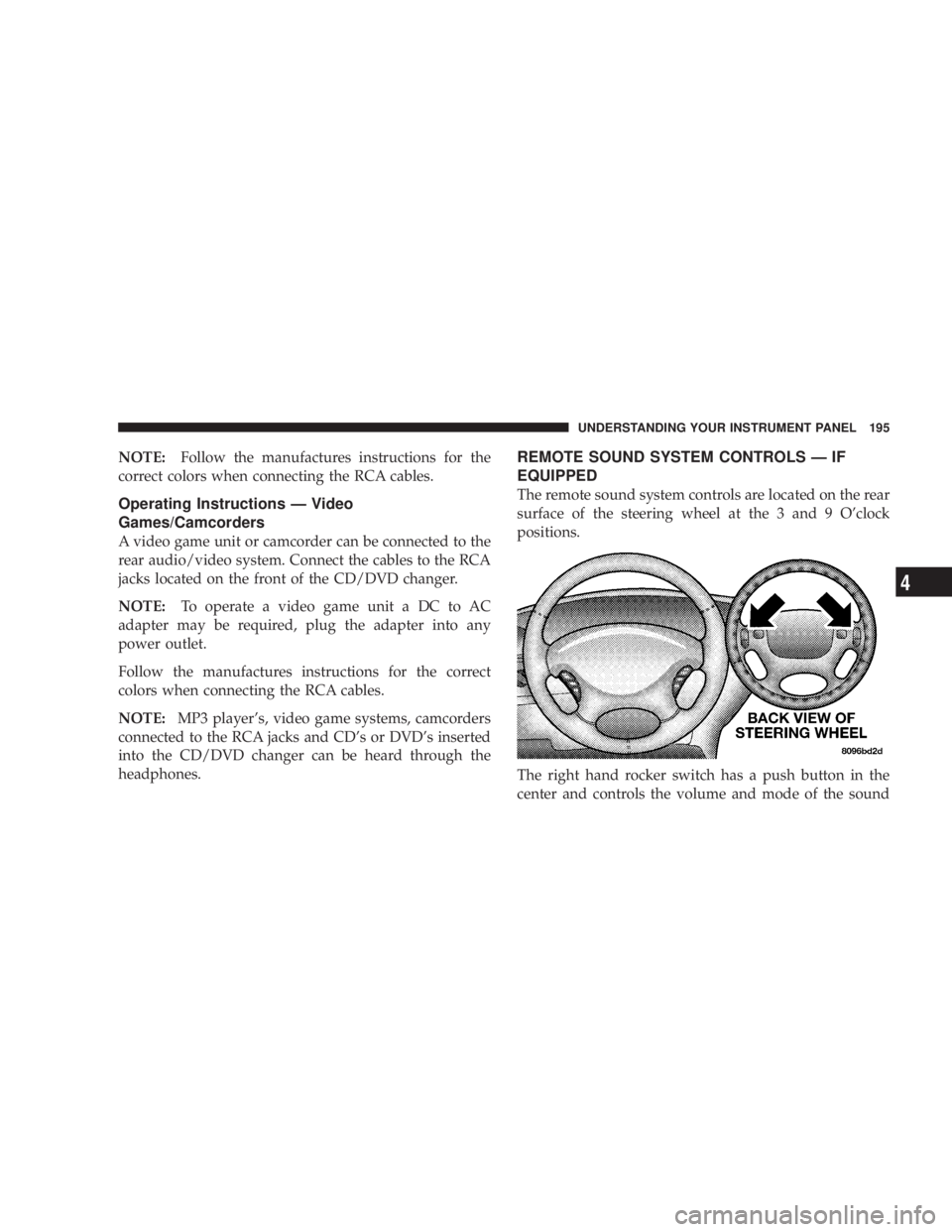
The remote sound system controls are located on the rear
surface of the steering wheel at the 3 and 9 O'clock
positions.
The right hand rocker switch has a push button in the
center and controls the volume and mode of the sound UNDERSTANDING YOUR INSTRUMENT PANEL 195
4
Page 198 of 397
turned all the way down. To prevent this, you should
periodically clean the head with a commercially available
WET cleaning cassette.
As preventive maintenance, clean the head about every
30 hours of use. If you wait until the head becomes very
dirty (noticeably poor sound), it may not be possible to
remove all deposits with a simple WET cleaning cassette.
CD/DVD DISC MAINTENANCE
To keep the CD/DVD discs in good condition, take the
following precautions:
1. Handle the disc by its edge; avoid touching the
surface.
2. If the disc is stained, clean the surface with a soft cloth,
wiping from center to edge.
3. Do not apply paper, paper CD labels, or tape to the
disc; avoid scratching the disc. 4. Do not use solvents such as benzine, thinner, cleaners,
or antistatic sprays.
5. Store the disc in its case after playing.
6. Do not expose the disc to direct sunlight.
7. Do not store the disc where temperatures may become
too high.
RADIO OPERATION AND CELLULAR PHONES
Under certain conditions, the cellular phone being On in
your vehicle can cause erratic or noisy performance from
your radio. This condition may be lessened or eliminated
by relocating the cellular phone antenna. This condition
is not harmful to the radio. If your radio performance
does not satisfactorily ªclearº by the repositioning of the
antenna, it is recommended that the radio volume be
turned down or off during cellular phone operation.198 UNDERSTANDING YOUR INSTRUMENT PANEL
Page 373 of 397
The manufacturer has empowered its dealers to make
warranty and repair decisions that ensure you are not
inconvenienced. There is no need for you to wait for a
decision from the manufacturer. If a special circumstance
occurs that requires information from the manufacturer,
we have asked the dealer's service management to make
the contact on your behalf.
This is why you should always talk to your dealer's
service manager first. Most matters can be resolved with
this process.
² If for some reason you are still not satisfied, talk to the
general manager or owner of the dealership. They
want to know if you need assistance.
² If your dealership is unable to resolve the concern, you
may contact the Manufacturer's Customer Center. Any communication to the Manufacturer's Customer
Center should include the following information:
² Owner's name and address
² Owner's telephone number (home and office)
² Dealership name
² Vehicle identification number
² Vehicle delivery date and mileage
DaimlerChrysler Motors Corporation Customer Center
P.O. Box 21±8004
Auburn Hills, MI 48321±8004
Phone: (800) 992-1997
DaimlerChrysler Canada Inc. Customer Center
P.O. Box 1621
Windsor, Ontario N9A 4H6
Phone Ð(800) 465±2001 IF YOU NEED CONSUMER ASSISTANCE 373
9
Page 376 of 397
REPORTING SAFETY DEFECTS
In the 50 United States and Washington D.C.: If you
believe that your vehicle has a defect which could cause
a crash or cause injury or death, you should immediately
inform the National Highway Traffic Safety Administra-
tion (NHTSA) in addition to notifying the manufacturer.
If NHTSA receives similar complaints, it may open an
investigation, and if it finds that a safety defect exists in
a group of vehicles, it may order a recall and remedy
campaign. However, NHTSA cannot become involved in
individual problems between you, your dealer, and the
manufacturer.
To contact NHTSA, you may either call the Auto Safety
Hotline toll free at 1-800-424-9393 (or 366-0123 in Wash-
ington DC area) or write to: NHTSA, U.S. Dept. of
Transportation, Washington DC 20590. You can also
obtain other information about motor vehicle safety from
the Hotline. In Canada:
If you believe that your vehicle has a safety defect, you
should contact the Customer Service Department imme-
diately. Canadian customers who wish to report a safety
defect to the Canadian government should write to
Transport Canada, Motor Vehicle Defect Investigations
and Recalls, 2780 Sheffield Road, Ottawa, Ontario K1B
3V9.
PUBLICATION ORDER FORMS
To order the following manuals, you may use either the
website or the phone numbers listed below. Visa, Mas-
tercard, American Express, and Discover orders are ac-
cepted. If you prefer mailing your payment, please call
for an order form.
NOTE: A street address is required when ordering
manuals. (No P.O. Boxes).376 IF YOU NEED CONSUMER ASSISTANCE
Page 387 of 397
Fuel ................................. 266
Adding ............................. 270
Additives ............................ 268
Clean Air ............................ 266
Filler Cap ............................ 270
Filter ............................... 309
Gasoline ............................ 266
Gauge .............................. 151
Hoses .............................. 326
Light ............................... 151
Octane Rating ...................... 266,344
Requirements ......................... 266
Tank Capacity ........................ 343
Fueling ............................... 270
Fuses ................................ 336
Garage Door Opener ..................... 119
GasCap .............................. 270
Gasoline .............................. 266 Gasoline, Clean Air ...................... 266
Gasoline, Reformulated ................... 267
Gauges
Coolant Temperature .................... 154
Fuel ................................ 151
Speedometer ......................... 151
Tachometer .......................... 153
Gearshift .............................. 233
General Information .................. 16,25,263
Glass Cleaning .......................... 333
Grocery Bag Retainer ...................... 91
Gross Axle Weight Rating .................. 273
Gross Vehicle Weight Rating ................ 273
Hazard Warning Flasher ................... 280
Head Phones ........................... 192
Head Restraints .......................... 82
Headlights ............................. 99
Bulb Replacement ...................... 339 INDEX 387
10