radio controls DODGE GRAND CARAVAN 2004 User Guide
[x] Cancel search | Manufacturer: DODGE, Model Year: 2004, Model line: GRAND CARAVAN, Model: DODGE GRAND CARAVAN 2004Pages: 397, PDF Size: 7.59 MB
Page 179 of 397
the radio will continue to tune until you release the
button. The frequency will be displayed and continu-
ously updated while the button is pressed.
Balance
The Balance control adjusts the left-to-right speaker bal-
ance. Press the BAL button in and it will pop out. Adjust
the balance and push the button back in.
Fade
The Fade control provides for balance between the front
and rear speakers. Press the FADE button in and it will
pop out. Adjust the balance and push the button back in.
Bass and Treble Tone Control
The tone controls consist of 2 separate bands. The bass
band is on the left, and the treble band is on the right.
Each band is adjusted by a slider control with a detent at
the mid-position. Moving the control up or down in-
creases or decreases amplification of that band. The mid
position provides a balanced output. AM/FM Selection
Press the AM/FM button to change from AM to FM. The
operating mode will be displayed next to the station
frequency. The display will show ST when a stereo
station is received.
To Set The Radio Push-Button Memory
When you are receiving a station that you wish to
commit to push-button memory, press the SET button.
SET 1 will show in the display window. Select the ª1±5º
button you wish to lock onto this station and press and
release that button. If a button is not selected within 5
seconds after pressing the SET button, the station will
continue to play but will not be locked into push-button
memory.
You may add a second station to each push-button by
repeating the above procedure with this exception: Press
the SET button twice and SET 2 will show in the display
window. Each button can be set for SET 1 and SET 2 in UNDERSTANDING YOUR INSTRUMENT PANEL 179
4
Page 182 of 397
Mode
Press the MODE button repeatedly to select between the
CD player, the optional remote CD changer and the
Satellite Radio (if equipped). When Satellite Radio (if
equipped) is selected ªSAº will appear in your radio
display.
A CD or tape may remain in the player while in the
Satellite mode.
Time
Press the TIME button to change the display from
elapsed CD playing time to time of day.
CD Changer Control Capability Ð If Equipped
This radio is compatible with a remote mounted CD
changer available through Mopar Accessories. The fol-
lowing instructions are for the radio controls that operate
this CD changer. Mode Button
To activate the CD changer, press the MODE button until
CD information appears on the display.
Push-Button
While the CD changer is playing, press the NUMBER 1
push-button or the NUMBER 5 push-button to select a
disc numbered higher or lower than the one currently
being played.
Seek Button
Press the SEEK up or down to select another track on the
same disc. A SEEK symbol will appear on the display.
Fast Forward And Rewind Buttons
Press and hold the FF button for fast forward. Press and
hold the RW button for fast reverse.
The audio output can be heard when fast forward and
fast reverse are activated.182 UNDERSTANDING YOUR INSTRUMENT PANEL
Page 220 of 397
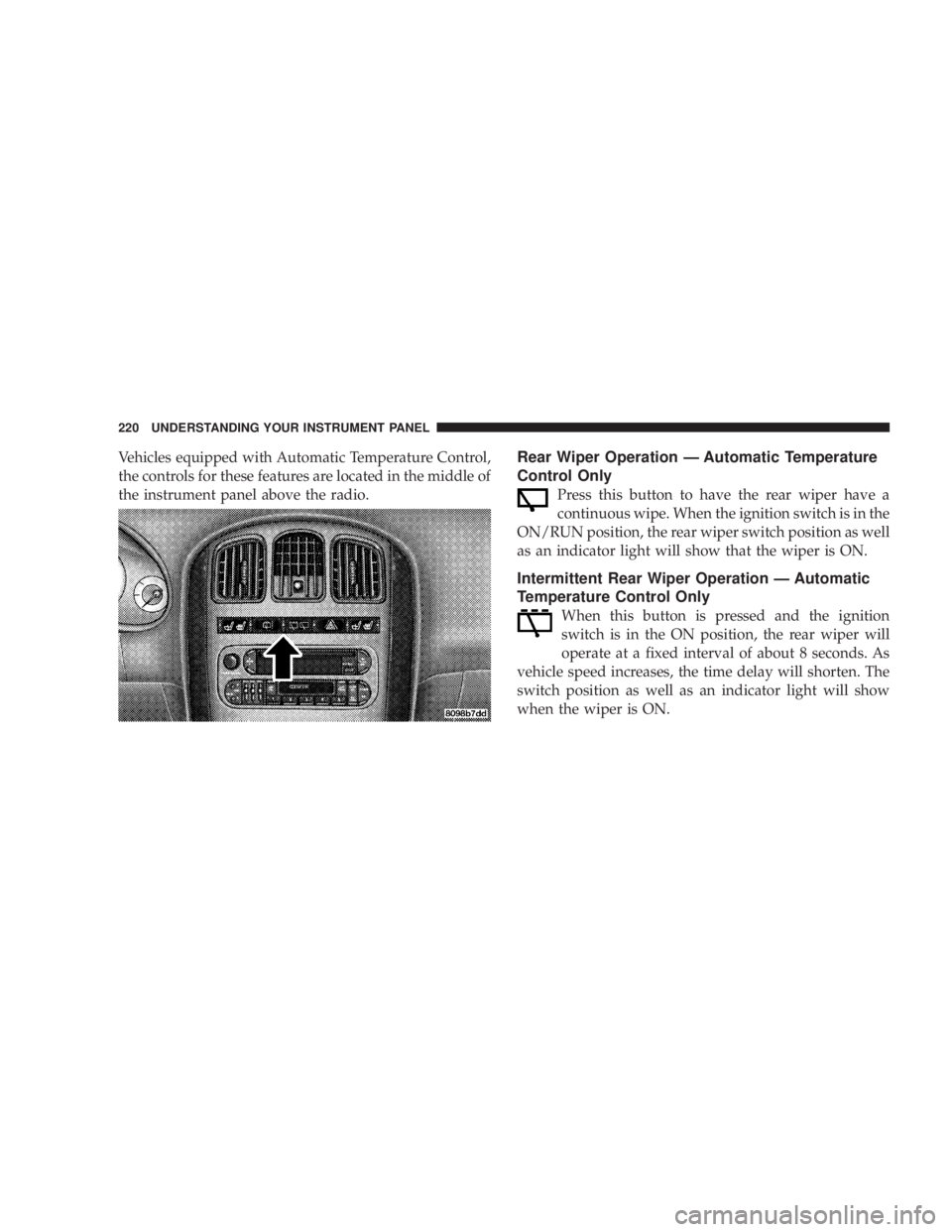
Vehicles equipped with Automatic Temperature Control,
the controls for these features are located in the middle of
the instrument panel above the radio. Rear Wiper Operation Ð Automatic Temperature
Control Only
Press this button to have the rear wiper have a
continuous wipe. When the ignition switch is in the
ON/RUN position, the rear wiper switch position as well
as an indicator light will show that the wiper is ON.
Intermittent Rear Wiper Operation Ð Automatic
Temperature Control Only
When this button is pressed and the ignition
switch is in the ON position, the rear wiper will
operate at a fixed interval of about 8 seconds. As
vehicle speed increases, the time delay will shorten. The
switch position as well as an indicator light will show
when the wiper is ON.220 UNDERSTANDING YOUR INSTRUMENT PANEL
Page 392 of 397
Panic Alarm ............................ 22
Parking Brake .......................... 235
Parking On Hill ......................... 236
Passing Light ........................... 103
Pedals, Adjustable ....................... 106
Pets .................................. 66
Placard, Tire and Loading Information ......... 247
Power
Brakes .............................. 237
Distribution Center ..................... 336
Door Locks ........................... 18
Lift Gate ............................. 34
Mirrors .............................. 79
Outlet .............................. 127
Seats ................................ 81
Sliding Door .......................... 29
Steering ............................. 240
Steering, Checking ..................... 314
Sunroof ............................. 125 Windows ............................. 37
Pregnant Women and Seat Belts .............. 48
Pretensioners
Seat Belts ............................. 47
Programmable Electronic Features ...... 1 16,120,124
Programming Transmitters ............ 23,120,124
Radial Ply Tires ......................... 255
Radiator Cap ........................ 319,320
Radio .......................... 161,171,178
Radio Broadcast Signals ................... 160
Radio Operation ........................ 198
Radio Remote Controls ................. 189,195
Rear Air Conditioning ................. 206,214
Rear Cup Holder ........................ 130
Rear Heater ............................ 206
Rear Seat Removal ...................... 88,90
Rear Seating Flexibility .................. 92,94
Rear Window Defroster ................... 222392 INDEX