ignition DODGE GRAND CARAVAN 2005 Owner's Manual
[x] Cancel search | Manufacturer: DODGE, Model Year: 2005, Model line: GRAND CARAVAN, Model: DODGE GRAND CARAVAN 2005Pages: 480, PDF Size: 15.54 MB
Page 68 of 480
Airbag Light
You will want to have the airbags ready to
inflate for your protection in a collision. While
the airbag system is designed to be mainte-
nance free, if any of the following occurs, have
an authorized dealer service the system immediately.
• The AIRBAG light does not come on or flickers during
the 6 to 8 seconds when the ignition switch is first
turned on.
• The light remains on or flickers after the 6 to 8 second
interval.
• The light flickers or comes on and remains on while
driving. DaimlerChrysler Corporation Integrated Child
Seat — If Equipped
Operating instructions for this seat are included with the
seat. If the instructions are not with the seat or in the
Owner ’ s Manual Package, replacement instructions can
be obtained.
To obtain Integrated Child Seat replacement
instructions:
Use the order form at the back of this manual and specify
publication number 81-016-1950.68 THINGS TO KNOW BEFORE STARTING YOUR VEHICLE
Page 84 of 480
WARNING!If you are required to drive with the deck lid/liftgate
open, make sure that all windows are closed, and the
climate control blower switch is set at high speed.
DO NOT use the recirculation mode.
Safety Checks You Should Make Inside The
Vehicle
Seat Belts
Inspect the belt system periodically, checking for cuts,
frays and loose parts. Damaged parts must be replaced
immediately. Do not disassemble or modify the system.
Front seat belt assemblies must be replaced after a
collision. Rear seat belt assemblies must be replaced after a collision if they have been damaged (bent retractor, torn
webbing, etc. If there is any question regarding belt or
retractor condition, replace the belt.
Airbag Light
The light should come on and remain on for 6
to 8 seconds as a bulb check when the ignition
switch is first turned ON. If the LED is not lit
during starting, have it checked. If the light
stays on or comes on while driving, have the system
checked by an authorized dealer.
Defroster
Check operation by selecting the defrost mode and place
the blower control on high speed. You should be able to
feel the air directed against the windshield.84 THINGS TO KNOW BEFORE STARTING YOUR VEHICLE
Page 134 of 480
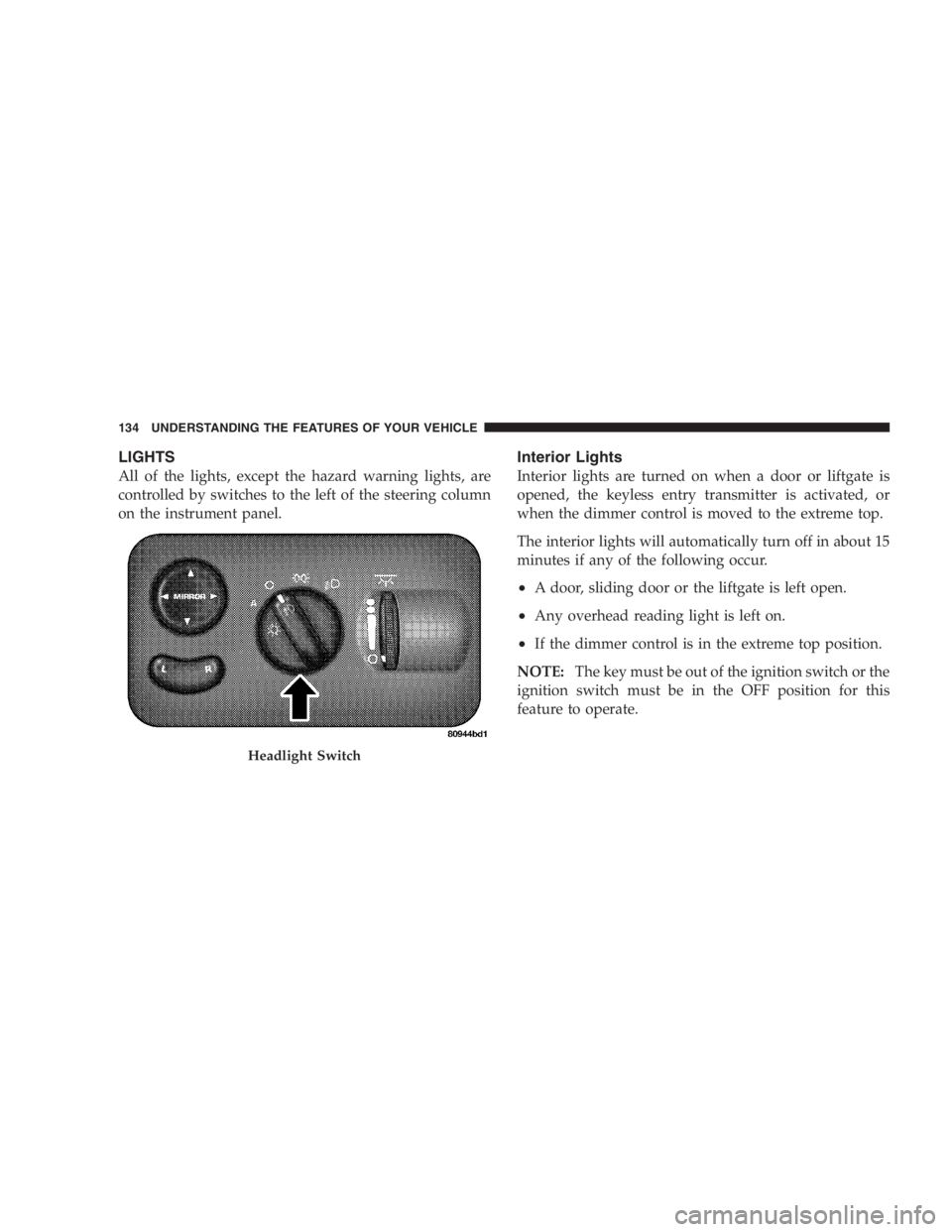
LIGHTS
All of the lights, except the hazard warning lights, are
controlled by switches to the left of the steering column
on the instrument panel. Interior Lights
Interior lights are turned on when a door or liftgate is
opened, the keyless entry transmitter is activated, or
when the dimmer control is moved to the extreme top.
The interior lights will automatically turn off in about 15
minutes if any of the following occur.
• A door, sliding door or the liftgate is left open.
• Any overhead reading light is left on.
• If the dimmer control is in the extreme top position.
NOTE: The key must be out of the ignition switch or the
ignition switch must be in the OFF position for this
feature to operate.Headlight Switch134 UNDERSTANDING THE FEATURES OF YOUR VEHICLE
Page 136 of 480
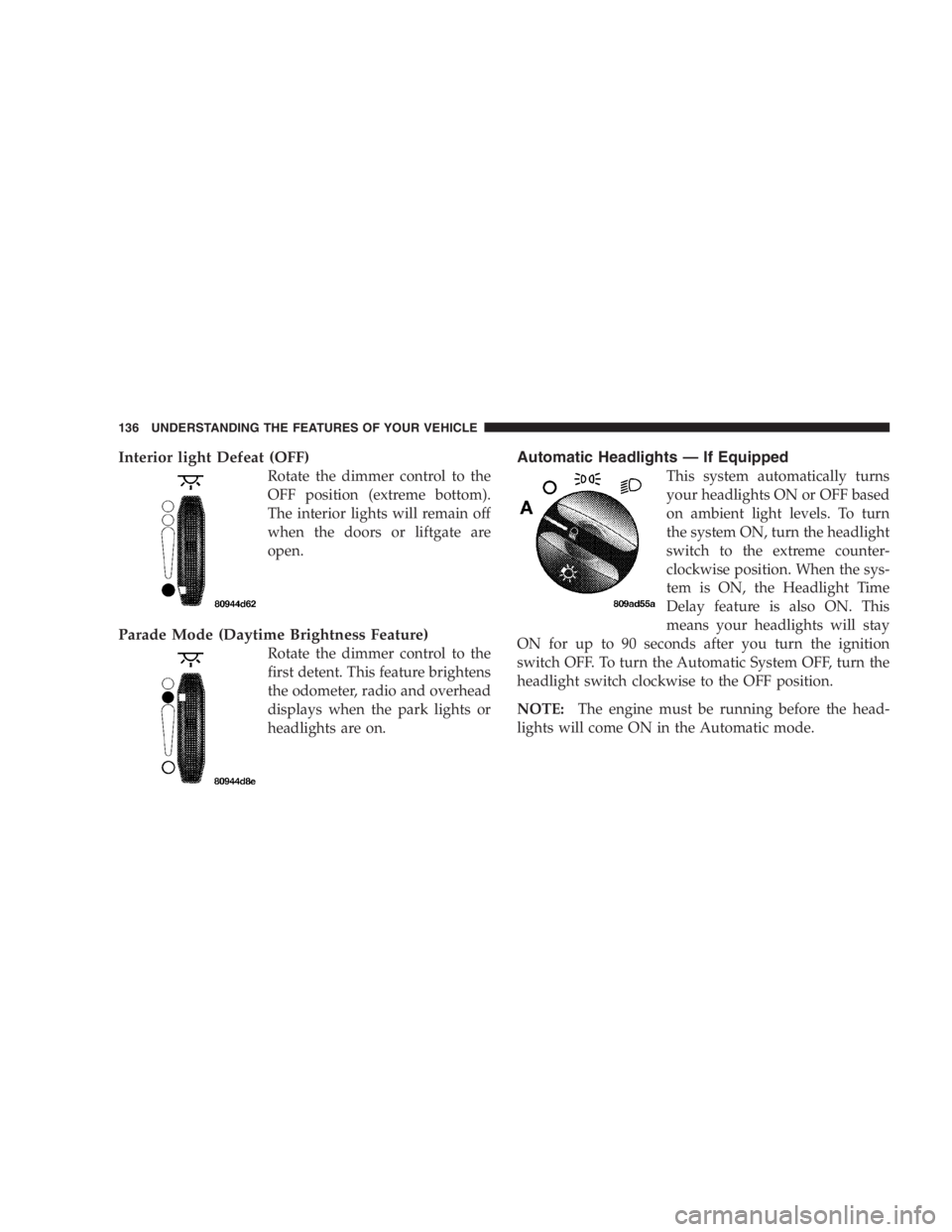
Interior light Defeat (OFF)
Rotate the dimmer control to the
OFF position (extreme bottom).
The interior lights will remain off
when the doors or liftgate are
open.
Parade Mode (Daytime Brightness Feature)
Rotate the dimmer control to the
first detent. This feature brightens
the odometer, radio and overhead
displays when the park lights or
headlights are on. Automatic Headlights — If Equipped
This system automatically turns
your headlights ON or OFF based
on ambient light levels. To turn
the system ON, turn the headlight
switch to the extreme counter-
clockwise position. When the sys-
tem is ON, the Headlight Time
Delay feature is also ON. This
means your headlights will stay
ON for up to 90 seconds after you turn the ignition
switch OFF. To turn the Automatic System OFF, turn the
headlight switch clockwise to the OFF position.
NOTE: The engine must be running before the head-
lights will come ON in the Automatic mode.136 UNDERSTANDING THE FEATURES OF YOUR VEHICLE
Page 137 of 480
Daytime Running Lights (Canada/Fleet Vehicles
Only)
The Daytime Running Lights will come on whenever the
vehicle is running, the headlights are off, and the parking
brake is off. The headlight switch must be used for
normal night time driving.
Lights-on Reminder
If the headlights or the park lights are left on, or if the
dimmer control is in the extreme top position after the
ignition switch is turned off, a chime will sound when the
driver ’ s door is opened. Battery Protection
This feature provides battery protection to avoid wearing
down the battery if the headlights, park lights, or front
fog lights are left on for extended periods of time when
the ignition switch is in the LOCK position. After 3
minutes of the ignition switch being in the LOCK posi-
tion and the headlight switch in any position other than
OFF or AUTO, the lights will turn off automatically until
the next cycle of the ignition switch or headlight switch.
The battery protection feature will be disabled if the
ignition switch is turned to any other position other than
LOCK during the 3 minute delay. UNDERSTANDING THE FEATURES OF YOUR VEHICLE 137
3
Page 138 of 480
Headlamp Delay — If Equipped
This feature provides the safety of headlight illumination
for up to 90 seconds, when leaving your vehicle in an
unlighted area.
To activate the delay feature, turn off the ignition switch
while the headlights are still on. Then turn off the
headlights within 45 seconds. The 90 second delay inter-
val begins when headlight switch is turned off. If the
headlights or park lights are turned back on or the
ignition switch is turned on, the delay will be cancelled.
The driver can choose, when exiting the vehicle, to have
the headlamps remain on for 30, 60, or 90 seconds, or not
remain on. refer to Electronic Vehicle Information Center
(EVIC) “ Customer Programmable Features ” for more
information.
If the headlights are turned off before the ignition, they
will turn off in the normal manner. NOTE: The headlights must be turned off within 45
seconds of turning the ignition off to activate this feature.
Front Fog Lights — If Equipped
To activate the front fog lights, turn on the park
lights or the low beam headlights and pull out on
the headlight switch control knob. An indicator in
the headlight switch shows that the front fog lights are
on. Pressing the headlight switch control knob in will
turn the front fog lights off.
MULTIFUNCTION LEVER
Turn Signals
Move the Multifunction Lever up or down and the
arrows on each side of the base instrument cluster or
Information Center flash to indicate proper operation of
the front and rear turn signal lights. You can signal a lane
change by moving the lever partially up or down.138 UNDERSTANDING THE FEATURES OF YOUR VEHICLE
Page 143 of 480
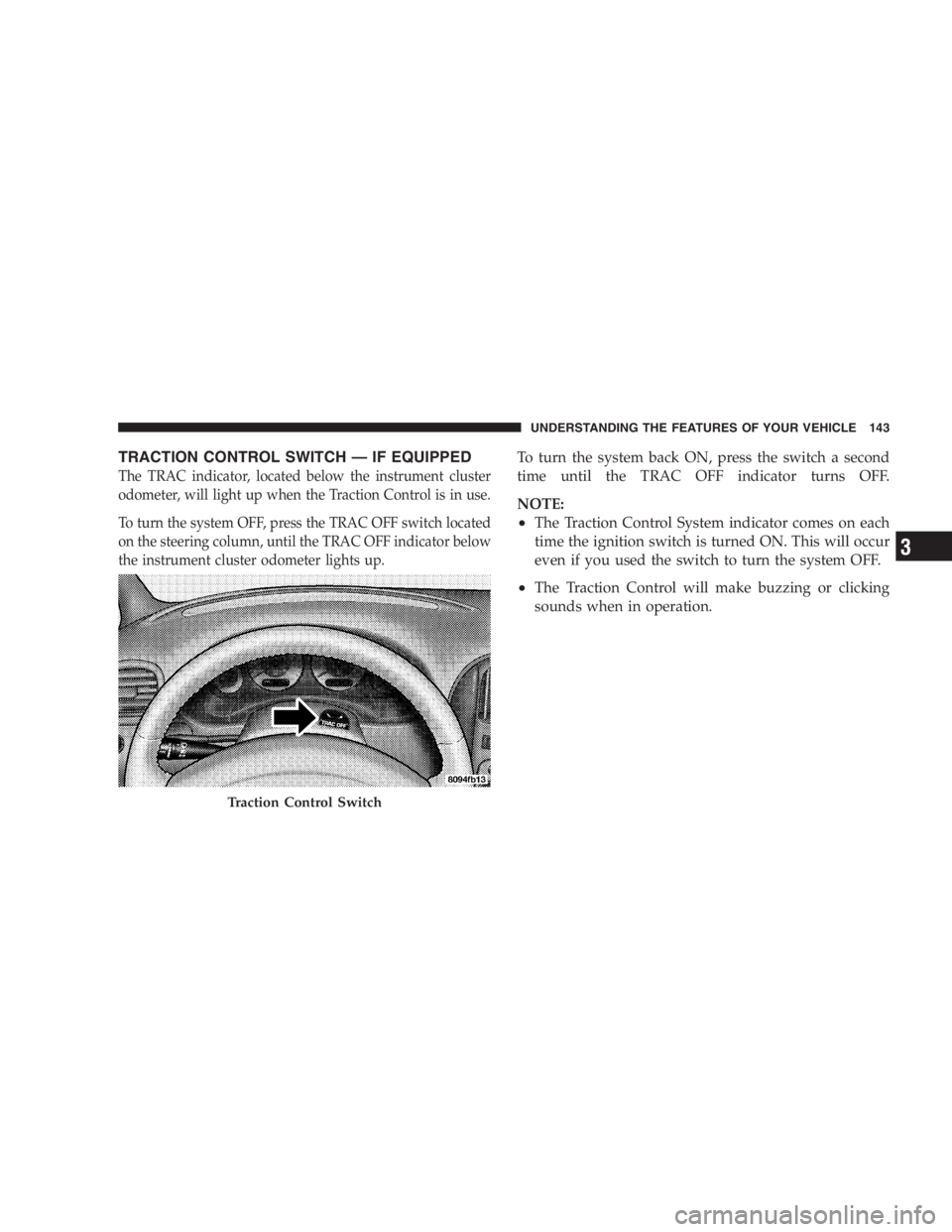
TRACTION CONTROL SWITCH — IF EQUIPPED
The TRAC indicator, located below the instrument cluster
odometer, will light up when the Traction Control is in use.
To turn the system OFF, press the TRAC OFF switch located
on the steering column, until the TRAC OFF indicator below
the instrument cluster odometer lights up. To turn the system back ON, press the switch a second
time until the TRAC OFF indicator turns OFF.
NOTE:
• The Traction Control System indicator comes on each
time the ignition switch is turned ON. This will occur
even if you used the switch to turn the system OFF.
• The Traction Control will make buzzing or clicking
sounds when in operation.
Traction Control Switch UNDERSTANDING THE FEATURES OF YOUR VEHICLE 143
3
Page 146 of 480
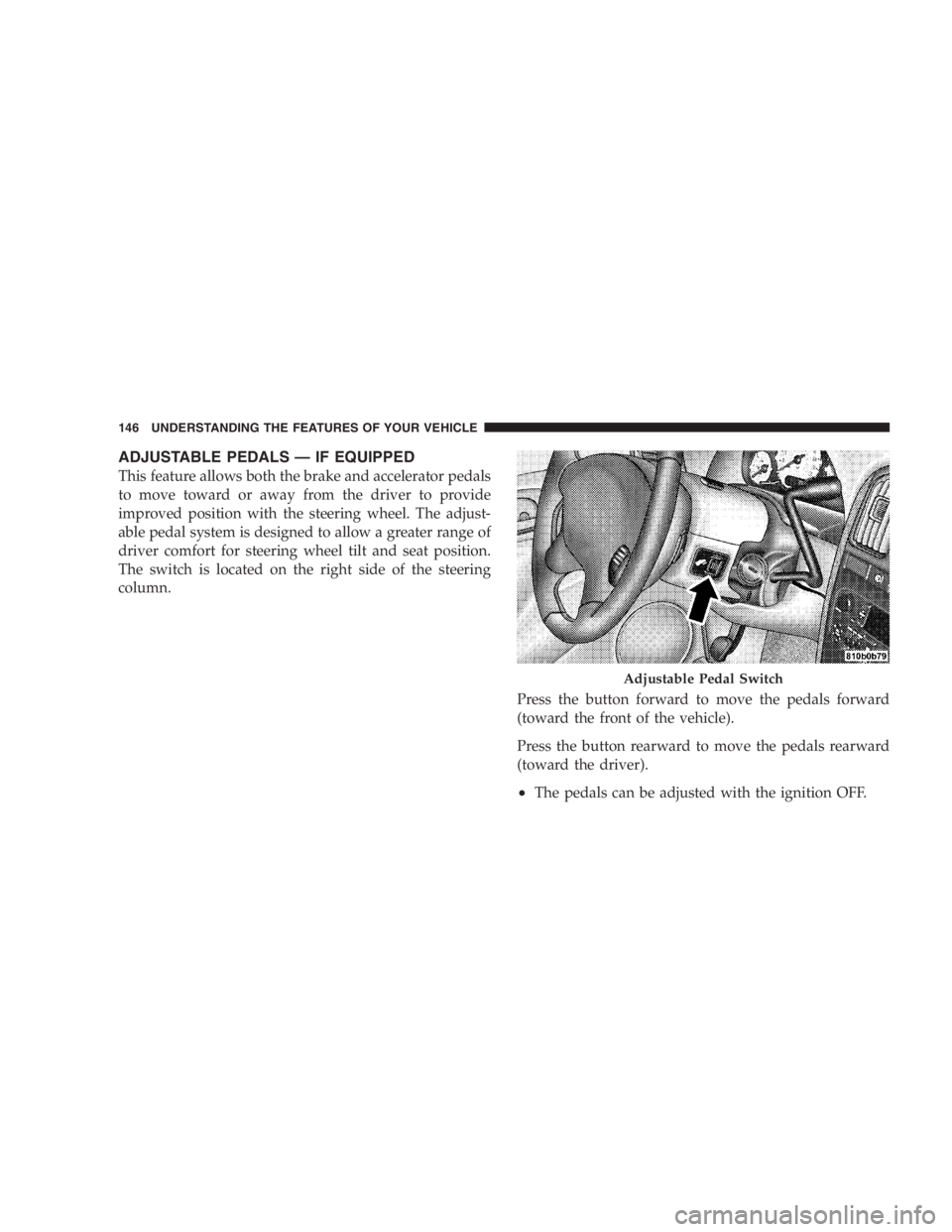
ADJUSTABLE PEDALS — IF EQUIPPED
This feature allows both the brake and accelerator pedals
to move toward or away from the driver to provide
improved position with the steering wheel. The adjust-
able pedal system is designed to allow a greater range of
driver comfort for steering wheel tilt and seat position.
The switch is located on the right side of the steering
column.
Press the button forward to move the pedals forward
(toward the front of the vehicle).
Press the button rearward to move the pedals rearward
(toward the driver).
• The pedals can be adjusted with the ignition OFF. Adjustable Pedal Switch146 UNDERSTANDING THE FEATURES OF YOUR VEHICLE
Page 148 of 480
To Activate:
Push the “ ON/OFF ” button once and the CRUISE indi-
cator located below the instrument cluster odometer will
illuminate showing the electronic speed control system is
on. To turn the system OFF, push the “ ON/OFF ” button
again and the system and indicator will turn off.
WARNING!Leaving the Electronic Speed Control system on
when not in use is dangerous. You could accidently
set the system or cause it to go faster than you want.
You could lose control and have an accident. Always
leave the system OFF when you aren ’ t using it. To Set At A Desired Speed:
When the vehicle has reached the desired speed, press
and release the “ SET ” button. Release the accelerator and
the vehicle will operate at the selected speed.
To Deactivate:
A soft tap on the brake pedal, pushing the “ CANCEL ”
button or normal braking while slowing the vehicle will
deactivate the speed control without erasing the set
speed memory. Pushing the “ ON/OFF ” button to the
OFF position or turning off the ignition erases the set
speed memory.
To Resume Speed:
To resume a previously set speed, push and release the
“ RESUME/ACCEL ” button. Resume can be used at any
speed above 25 mph (40 km/h).148 UNDERSTANDING THE FEATURES OF YOUR VEHICLE
Page 152 of 480
turns in an area free from large metal or metallic objects,
the “ CAL ” symbol will turn off and the compass will
function normally.
Manual Compass Calibration
If the compass appears erratic and the “ CAL ” symbol
does not appear, you must put the compass into the
Calibration Mode manually.
To put into a Calibration Mode: Turn on the ignition
switch and set the display to Comp/Temp. Press the
RESET button on vehicles equipped with a Compass/
Mini Trip Computer for at least 10 seconds until the
“ CAL ” symbol appears. On vehicles equipped with
Compass/Temp press and hold the C/T and US/M
buttons for 10 seconds. Release the RESET button and
complete three 360 ° turns in an area free from large metal
objects. The “ CAL ” symbol will turn off and the compass
will function normally. CAUTION!Do not place any external magnets, such as magnetic
roof mount antennas, in the vicinity of the compass.
Do not use magnetic tools when servicing the over-
head console.
Compass Variance
Compass Variance is the difference between magnetic
North and Geographic North. In some areas of the
country, the difference between magnetic and geographic
North is great enough to cause the compass to give false
readings. If this occurs, the compass variance must be set.
NOTE: Magnetic materials should be kept away from
the overhead console.152 UNDERSTANDING THE FEATURES OF YOUR VEHICLE