ESP DODGE GRAND CARAVAN 2008 5.G Owner's Manual
[x] Cancel search | Manufacturer: DODGE, Model Year: 2008, Model line: GRAND CARAVAN, Model: DODGE GRAND CARAVAN 2008 5.GPages: 531, PDF Size: 7.72 MB
Page 293 of 531
Pressing the MUSIC TYPE button again will close the
MUSIC TYPE screen. Once closed, seek up, seek down,
and scan will no longer be based on your selection.
SETUP Button
Pressing the SETUP button allows you to select the
following items:
²Display Sirius ID number Ð Press the AUDIO/
SELECT button to display the Sirius ID number. This
number is used to activate, deactivate, or change the
Sirius subscription.
SET Button ± To Set the Pushbutton Memory
When you are receiving a channel that you wish to
commit to pushbutton memory, press the SET button.
The symbol SET 1 will now show in the display window.
Select the button (1-6) you wish to lock onto this channel
and press and release that button. If a button is notselected within five seconds after pressing the SET but-
ton, the channel will continue to play but will not be
stored into pushbutton memory.
You may add a second channel to each pushbutton by
repeating the above procedure with this exception: Press
the SET button twice and SET 2 will show in the display
window. Each button can be set for SET 1 and SET 2. This
allows a total of 12 Satellite channels to be stored into
pushbutton memory. The channels stored in SET 2
memory can be selected by pressing the pushbutton
twice.
Every time a preset button is used, a corresponding
button number will display.
Buttons1-6
These buttons tune the radio to the channels that you
commit to pushbutton memory (12 Satellite stations).
UNDERSTANDING YOUR INSTRUMENT PANEL 291
4
Page 334 of 531
REVERSE
Use REVERSE for moving the vehicle rearward. Shift into
REVERSE only after the vehicle has come to a complete
stop.
NEUTRAL
Shift the gear selector lever into this gear only after the
vehicle has come to a complete stop. The engine may be
started in this range.
WARNING!
Do not coast in NEUTRAL and never turn off the
ignition to coast down a hill. These are unsafe
practices that limit your response to changing traffic
or road conditions. You might lose control of the
vehicle and have an accident.
DRIVE Ð Six-Speed Transmission
This range should be used for most city and highway
driving. It provides the smoothest upshifts, downshifts,
and best fuel economy. However, use the Electronic
Range Select (ERS) mode by moving the leverÐ/+and
select the ª5º range when frequent transmission shifting
occurs while using the DRIVE range, such as when
operating the vehicle under heavy loading conditions,
(i.e., in hilly terrain, traveling into strong head winds or
while towing heavy trailers). Under these conditions,
using the ª5º range will improve performance and
extend transmission life by reducing excessive shifting
and heat build-up.
DRIVE Ð Four-Speed Transmission
This range should be used for most city and highway
driving. It provides the smoothest upshifts, downshifts,
and best fuel economy. However, select the ª3º range
when frequent transmission shifting occurs while using
the DRIVE range, such as when operating the vehicle
332 STARTING AND OPERATING
Page 336 of 531
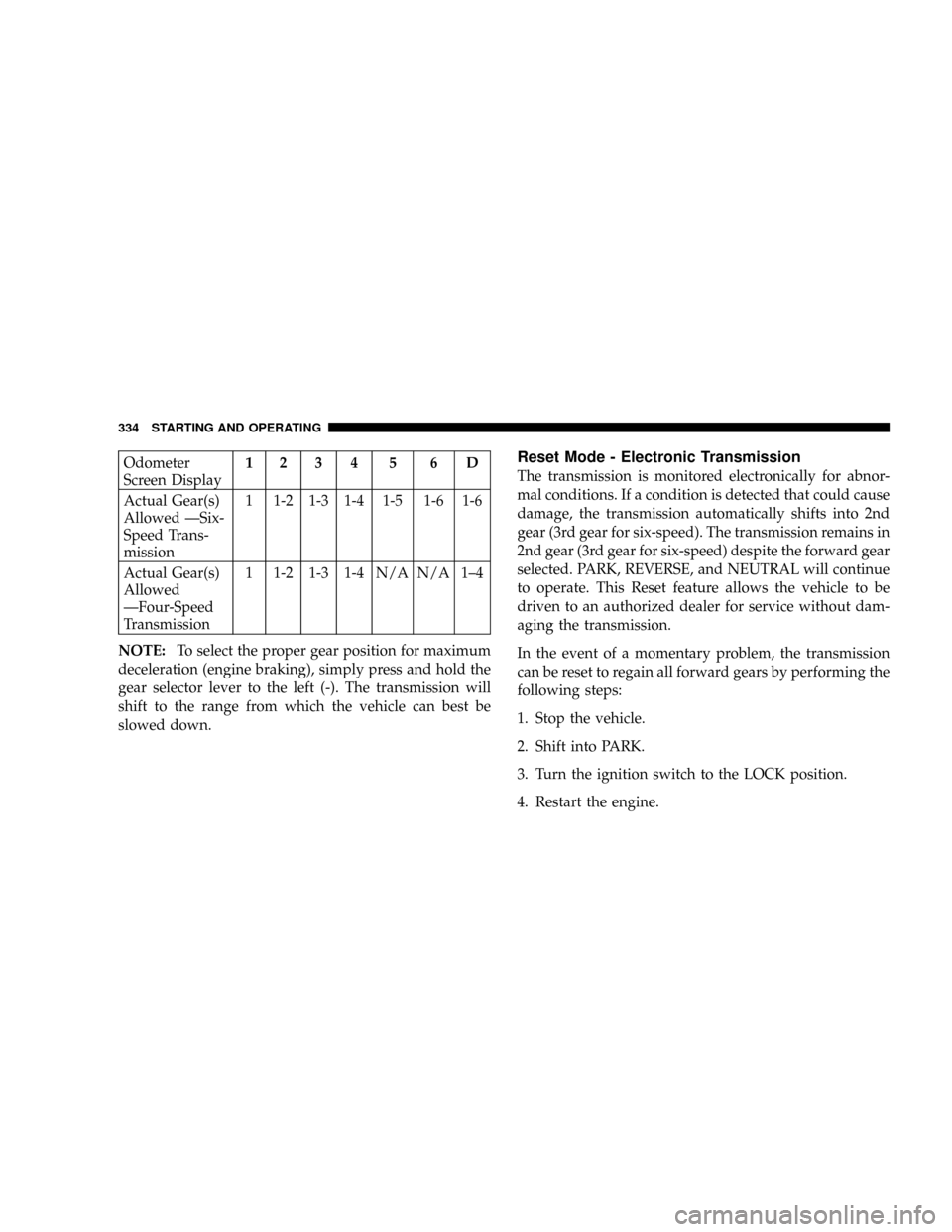
Odometer
Screen Display1234 5 6D
Actual Gear(s)
Allowed ÐSix-
Speed Trans-
mission1 1-2 1-3 1-4 1-5 1-6 1-6
Actual Gear(s)
Allowed
ÐFour-Speed
Transmission1 1-2 1-3 1-4 N/A N/A 1±4
NOTE:To select the proper gear position for maximum
deceleration (engine braking), simply press and hold the
gear selector lever to the left (-). The transmission will
shift to the range from which the vehicle can best be
slowed down.Reset Mode - Electronic Transmission
The transmission is monitored electronically for abnor-
mal conditions. If a condition is detected that could cause
damage, the transmission automatically shifts into 2nd
gear (3rd gear for six-speed). The transmission remains in
2nd gear (3rd gear for six-speed) despite the forward gear
selected. PARK, REVERSE, and NEUTRAL will continue
to operate. This Reset feature allows the vehicle to be
driven to an authorized dealer for service without dam-
aging the transmission.
In the event of a momentary problem, the transmission
can be reset to regain all forward gears by performing the
following steps:
1. Stop the vehicle.
2. Shift into PARK.
3. Turn the ignition switch to the LOCK position.
4. Restart the engine.
334 STARTING AND OPERATING
Page 342 of 531
to the ABS system is required. Consult with your autho-
rized dealer service center as soon as possible.
ELECTRONIC BRAKE CONTROL SYSTEMS
Your vehicle is equipped with an advanced electronic
brake control system that includes TCS (Traction Control
System), BAS (Brake Assist System) and ESP (Electronic
Stability Program). These systems complement the Anti-
Lock Brake System (ABS) by optimizing the vehicle
braking capability during emergency braking maneu-
vers.
Traction Control System (TCS)
This system monitors the amount of wheel spin of each of
the driven wheels. If wheel spin is detected, brake
pressure is applied to the slipping wheel(s) and engine
power is reduced to provide enhanced acceleration and
stability. A feature of the TCS system functions similar to
a limited slip differential and controls the wheel spin
across a driven axle. If one wheel on a driven axle isspinning faster than the other, the system will apply the
brake of the spinning wheel. This will allow more engine
torque to be applied to the wheel that is not spinning.
This feature remains active even if the ESP is in the
ªPartial Offº mode.
The Traction Control System (TCS) Indicator
Light, located in the instrument cluster, starts
to flash as soon as the tires lose traction and the
wheels begin to spin. This indicates that the
TCS is active. If the indicator light flashes during accel-
eration, ease up on the accelerator and apply as little
throttle as possible. Be sure to adapt your speed and
driving to the prevailing road conditions, and do not
switch off the ESP or TCS.
340 STARTING AND OPERATING
Page 344 of 531
WARNING!
²BAS (Brake Assist System) cannot prevent the
natural laws of physics from acting on the vehicle,
nor can it increase the traction afforded by prevail-
ing road conditions.
²BAS cannot prevent accidents, including those
resulting from excessive speed in turns, driving on
very slippery surfaces, or hydroplaning. Only a
safe, attentive, and skillful driver can prevent
accidents.
²The capabilities of a BAS-equipped vehicle must
never be exploited in a reckless or dangerous
manner which could jeopardize the user's safety
or the safety of others.
Electronic Stability Program (ESP)
This system enhances directional control and stability of
the vehicle under various driving conditions. ESP cor-
rects for over/under steering of the vehicle by applying
the brake of the appropriate wheel to assist in counter-
acting the over/under steer condition. Engine power
may also be reduced to help the vehicle maintain the
desired path.
ESP uses sensors in the vehicle to determine the vehicle
path intended by the driver and compares it to the actual
path of the vehicle. When the actual path does not match
the intended path, ESP applies the brake of the appropri-
ate wheel to assist in counteracting the oversteer or
understeer condition.
²Oversteer - when the vehicle is turning more than
appropriate for the steering wheel position.
²Understeer - when the vehicle is turning less than
appropriate for the steering wheel position.
342 STARTING AND OPERATING
Page 345 of 531
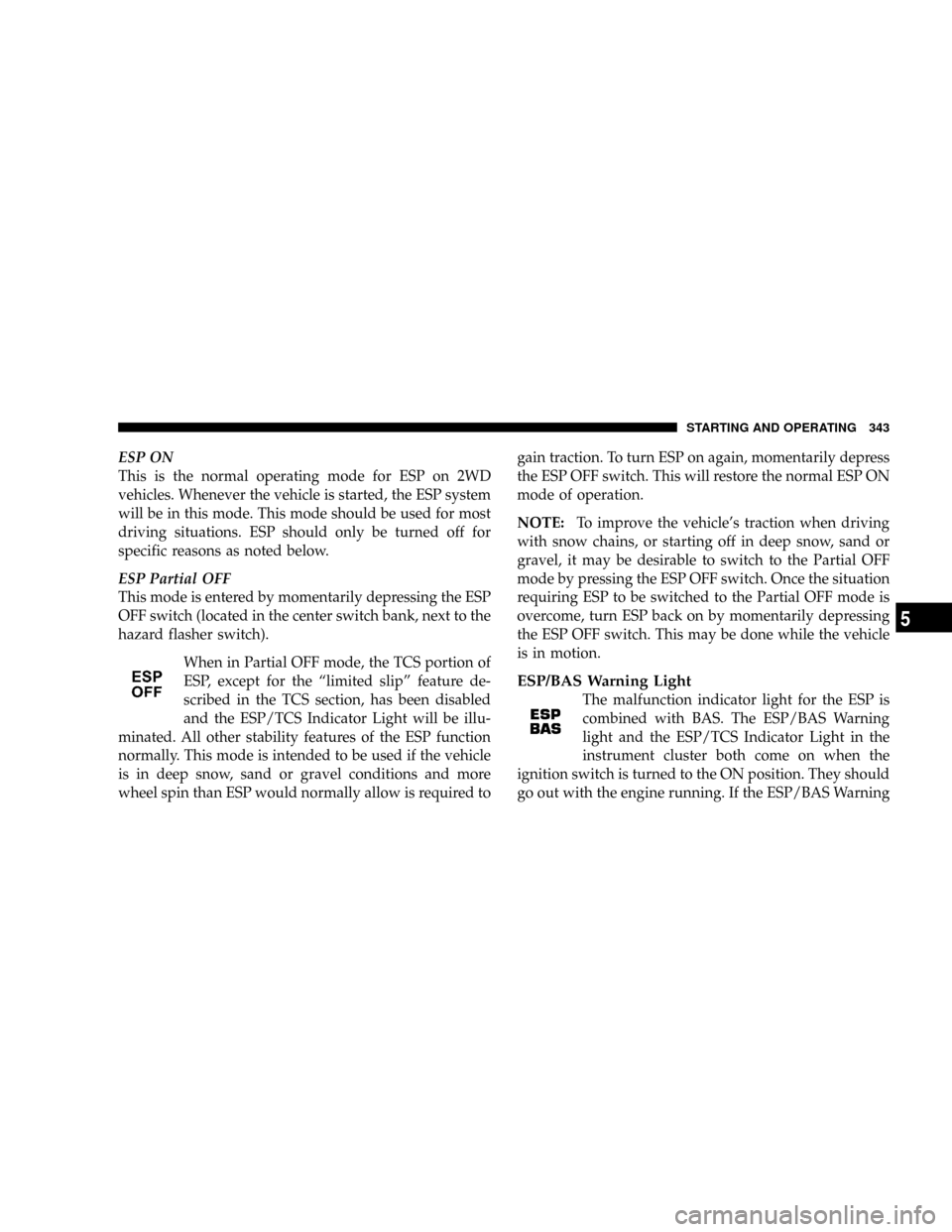
ESP ON
This is the normal operating mode for ESP on 2WD
vehicles. Whenever the vehicle is started, the ESP system
will be in this mode. This mode should be used for most
driving situations. ESP should only be turned off for
specific reasons as noted below.
ESP Partial OFF
This mode is entered by momentarily depressing the ESP
OFF switch (located in the center switch bank, next to the
hazard flasher switch).
When in Partial OFF mode, the TCS portion of
ESP, except for the ªlimited slipº feature de-
scribed in the TCS section, has been disabled
and the ESP/TCS Indicator Light will be illu-
minated. All other stability features of the ESP function
normally. This mode is intended to be used if the vehicle
is in deep snow, sand or gravel conditions and more
wheel spin than ESP would normally allow is required togain traction. To turn ESP on again, momentarily depress
the ESP OFF switch. This will restore the normal ESP ON
mode of operation.
NOTE:To improve the vehicle's traction when driving
with snow chains, or starting off in deep snow, sand or
gravel, it may be desirable to switch to the Partial OFF
mode by pressing the ESP OFF switch. Once the situation
requiring ESP to be switched to the Partial OFF mode is
overcome, turn ESP back on by momentarily depressing
the ESP OFF switch. This may be done while the vehicle
is in motion.
ESP/BAS Warning Light
The malfunction indicator light for the ESP is
combined with BAS. The ESP/BAS Warning
light and the ESP/TCS Indicator Light in the
instrument cluster both come on when the
ignition switch is turned to the ON position. They should
go out with the engine running. If the ESP/BAS Warning
STARTING AND OPERATING 343
5
Page 346 of 531
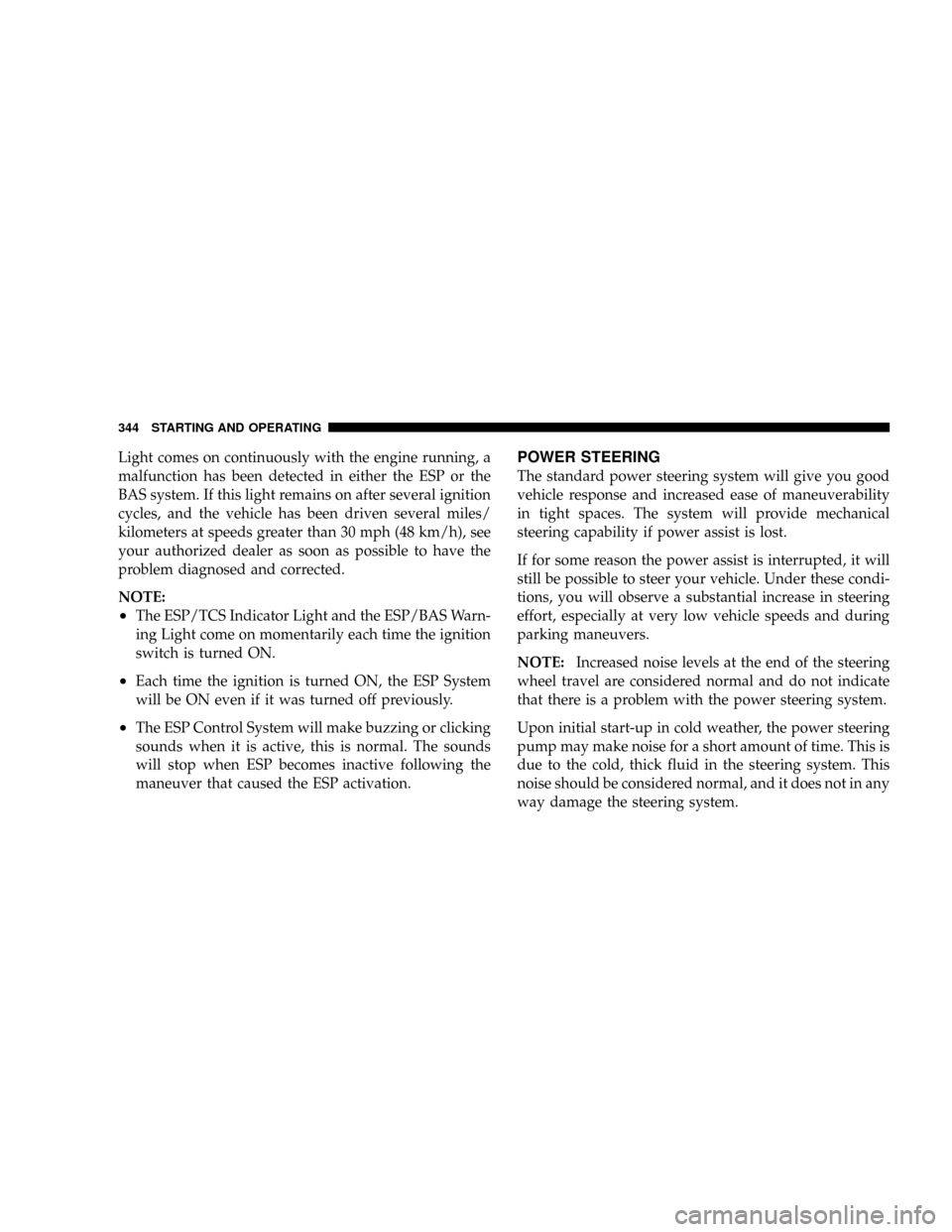
Light comes on continuously with the engine running, a
malfunction has been detected in either the ESP or the
BAS system. If this light remains on after several ignition
cycles, and the vehicle has been driven several miles/
kilometers at speeds greater than 30 mph (48 km/h), see
your authorized dealer as soon as possible to have the
problem diagnosed and corrected.
NOTE:
²The ESP/TCS Indicator Light and the ESP/BAS Warn-
ing Light come on momentarily each time the ignition
switch is turned ON.
²Each time the ignition is turned ON, the ESP System
will be ON even if it was turned off previously.
²The ESP Control System will make buzzing or clicking
sounds when it is active, this is normal. The sounds
will stop when ESP becomes inactive following the
maneuver that caused the ESP activation.
POWER STEERING
The standard power steering system will give you good
vehicle response and increased ease of maneuverability
in tight spaces. The system will provide mechanical
steering capability if power assist is lost.
If for some reason the power assist is interrupted, it will
still be possible to steer your vehicle. Under these condi-
tions, you will observe a substantial increase in steering
effort, especially at very low vehicle speeds and during
parking maneuvers.
NOTE:Increased noise levels at the end of the steering
wheel travel are considered normal and do not indicate
that there is a problem with the power steering system.
Upon initial start-up in cold weather, the power steering
pump may make noise for a short amount of time. This is
due to the cold, thick fluid in the steering system. This
noise should be considered normal, and it does not in any
way damage the steering system.
344 STARTING AND OPERATING
Page 353 of 531
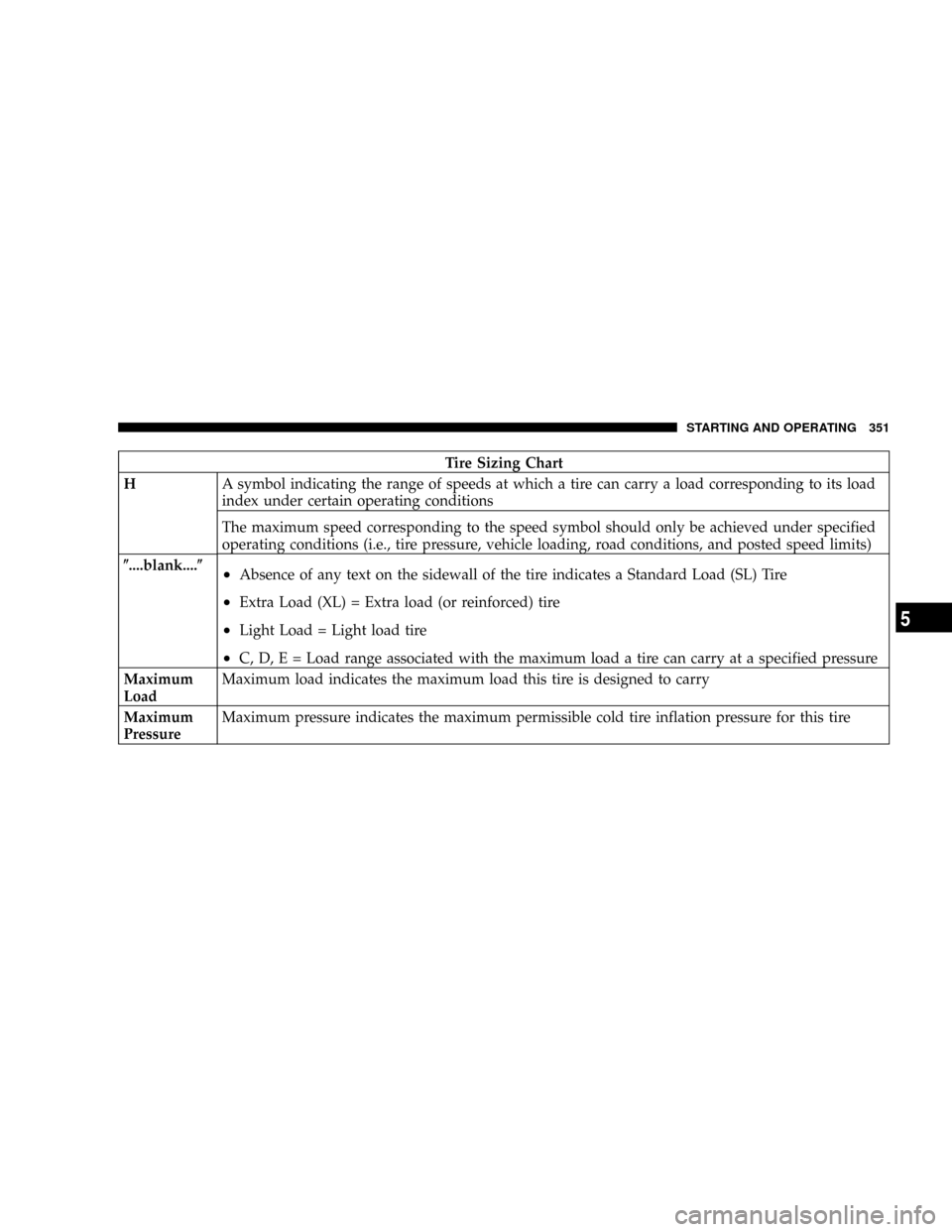
Tire Sizing Chart
HA symbol indicating the range of speeds at which a tire can carry a load corresponding to its load
index under certain operating conditions
The maximum speed corresponding to the speed symbol should only be achieved under specified
operating conditions (i.e., tire pressure, vehicle loading, road conditions, and posted speed limits)
(....blank....(
²Absence of any text on the sidewall of the tire indicates a Standard Load (SL) Tire
²Extra Load (XL) = Extra load (or reinforced) tire
²Light Load = Light load tire
²C, D, E = Load range associated with the maximum load a tire can carry at a specified pressure
Maximum
LoadMaximum load indicates the maximum load this tire is designed to carry
Maximum
PressureMaximum pressure indicates the maximum permissible cold tire inflation pressure for this tire
STARTING AND OPERATING 351
5
Page 362 of 531
Tire pressures change by approximately 1 psi (7 kPa) per
12 F (7 C) of air temperature change. Keep this in mind
when checking tire pressure inside a garage, especially in
the winter.
Example: If garage temperature = 68ÉF (20ÉC) and the
outside temperature = 32ÉF (0ÉC) then the cold tire
inflation pressure should be increased by 3 psi (21 kPa),
which equals 1 psi (7 kPa) for every 12 F (7 C) for this
outside temperature condition.
Tire pressure may increase from 2 to 6 psi (13 to 40 kPa)
during operation. DO NOT reduce this normal pressure
buildup or your tire pressure will be too low.Tire Pressures for High-Speed Operation
The manufacturer advocates driving at safe speeds
within posted speed limits. Where speed limits or condi-
tions are such that the vehicle can be driven at high
speeds, maintaining correct tire inflation pressure is very
important. Increased tire pressure and reduced vehicle
loading may be required for high-speed vehicle opera-
tion. Refer to original equipment information or an
authorized tire dealer for recommended safe operating
speeds, loading and cold tire inflation pressures.
WARNING!
High-speed driving with your vehicle at or above
maximum load is dangerous. The added strain on
your tires could cause them to fail. You could have a
serious accident. Don't drive a vehicle loaded to the
maximum capacity at continuous speeds above 75
mph (120 km/h).
360 STARTING AND OPERATING
Page 369 of 531
TIRE CHAINS
Use only compact chains, or other traction aids that meet
SAE type ªClass Sº specifications. Chains must be the
proper size for the vehicle, as recommended by the chain
manufacturer.
NOTE:Do not use tire chains on a compact spare tire.CAUTION!
To avoid damage to your vehicle or tires, observe the following
precautions:
²Because of restricted chain clearance between tires and other
suspension components, it is important that only chains in
good condition are used. Broken chains can cause serious
damage. Stop the vehicle immediately if noise occurs that
could indicate chain breakage. Remove the damaged parts of
the chain before further use.
²Do not exceed 45 mph (70 km/h).
²Drive cautiously and avoid severe turns and large bumps,
especially with a loaded vehicle.
²Install chains on the front wheels as tightly as possible and
then retighten after driving about oneÐhalf mile (0.8 km).
²Do not drive for prolonged period on dry pavement.
²Observe the tire chain manufacturer's instructions on the
method of installation, operating speed, and conditions for
use. Always use the lower suggested operating speed of the
chain manufacturer if different from the speed recom-
mended by the manufacturer.STARTING AND OPERATING 367
5