wheel DODGE GRAND CARAVAN 2009 5.G User Guide
[x] Cancel search | Manufacturer: DODGE, Model Year: 2009, Model line: GRAND CARAVAN, Model: DODGE GRAND CARAVAN 2009 5.GPages: 535, PDF Size: 18.61 MB
Page 252 of 535
As an added safety feature, your vehicle has been
equipped with a Tire Pressure Monitoring System
(TPMS) that illuminates a low tire pressure telltale when
one or more of your tires is significantly under-inflated.
Accordingly, when the low tire pressure telltale illumi-
nates, you should stop and check your tires as soon as
possible, and inflate them to the proper pressure. Driving
on a significantly under-inflated tire causes the tire to
overheat and can lead to tire failure. Under-inflation also
reduces fuel efficiency and tire tread life, and may affect
the vehicle’s handling and stopping ability.
Please note that the TPMS is not a substitute for proper
tire maintenance, and it is the driver ’s responsibility to
maintain correct tire pressure, even if under-inflation has
not reached the level to trigger illumination of the TPMS
low tire pressure telltale.Your vehicle has also been equipped with a TPMS
malfunction indicator to indicate when the system is not
operating properly. The TPMS malfunction indicator is
combined with the low tire pressure telltale. When the
system detects a malfunction, the telltale will flash for
approximately one minute and then remain continuously
illuminated. This sequence will continue upon subse-
quent vehicle start-ups as long as the malfunction exists.
When the malfunction indicator is illuminated, the sys-
tem may not be able to detect or signal low tire pressure
as intended. TPMS malfunctions may occur for a variety
of reasons, including the installation of replacement or
alternate tires or wheels on the vehicle that prevent the
TPMS from functioning properly. Always check the
TPMS malfunction telltale after replacing one or more
tires or wheels on your vehicle, to ensure that the
replacement or alternate tires and wheels allow the TPMS
to continue to function properly.
250 UNDERSTANDING YOUR INSTRUMENT PANEL
Page 253 of 535
CAUTION!The TPMS has been optimized for the original
equipment tires and wheels. TPMS pressures and
warning have been established for the tire size
equipped on your vehicle. Undesirable system opera-
tion or sensor damage may result when using re-
placement equipment that is not of the same size,
type, and/or style. Aftermarket wheels can cause
sensor damage. Do not use tire sealant from a can, or
balance beads if your vehicle is equipped with a
TPMS, as damage to the sensors may result.
26. Electronic Stability Program (ESP) Indicator Light
/ Brake Assist System (BAS) Warning Light The malfunction light for the Electronic Stabil-
ity Program (ESP) is combined with Brake
Assist System (BAS). The yellow “ESP/BAS
Warning Light” comes on when the ignition switch is turned to the “ON” position. They should go
out with the engine running. If the “ESP/BAS Warning
Light” comes on continuously with the engine running, a
malfunction has been detected in either the ESP or the
BAS system. If this light remains on after several ignition
cycles, and the vehicle has been driven several miles/
kilometers at speeds greater than 30 mph (48 km/h), see
an authorized dealer as soon as possible.
27. Compass Mini-Trip Computer (CMTC) Reset
Button
Press the reset button to scroll through sub menus (i.e.,
Outside Temperature, Trip Functions: AVG Fuel
Economy, DTE, Elapsed Time, and Units. Press and hold
the reset button for approximately two seconds to reset
the display shown.
NOTE:
For more detailed operation, refer to “Compass
Mini-Trip Computer” later in this section. UNDERSTANDING YOUR INSTRUMENT PANEL 251
4
Page 258 of 535
ELECTRONIC VEHICLE INFORMATION CENTER
(EVIC) —
IF EQUIPPED
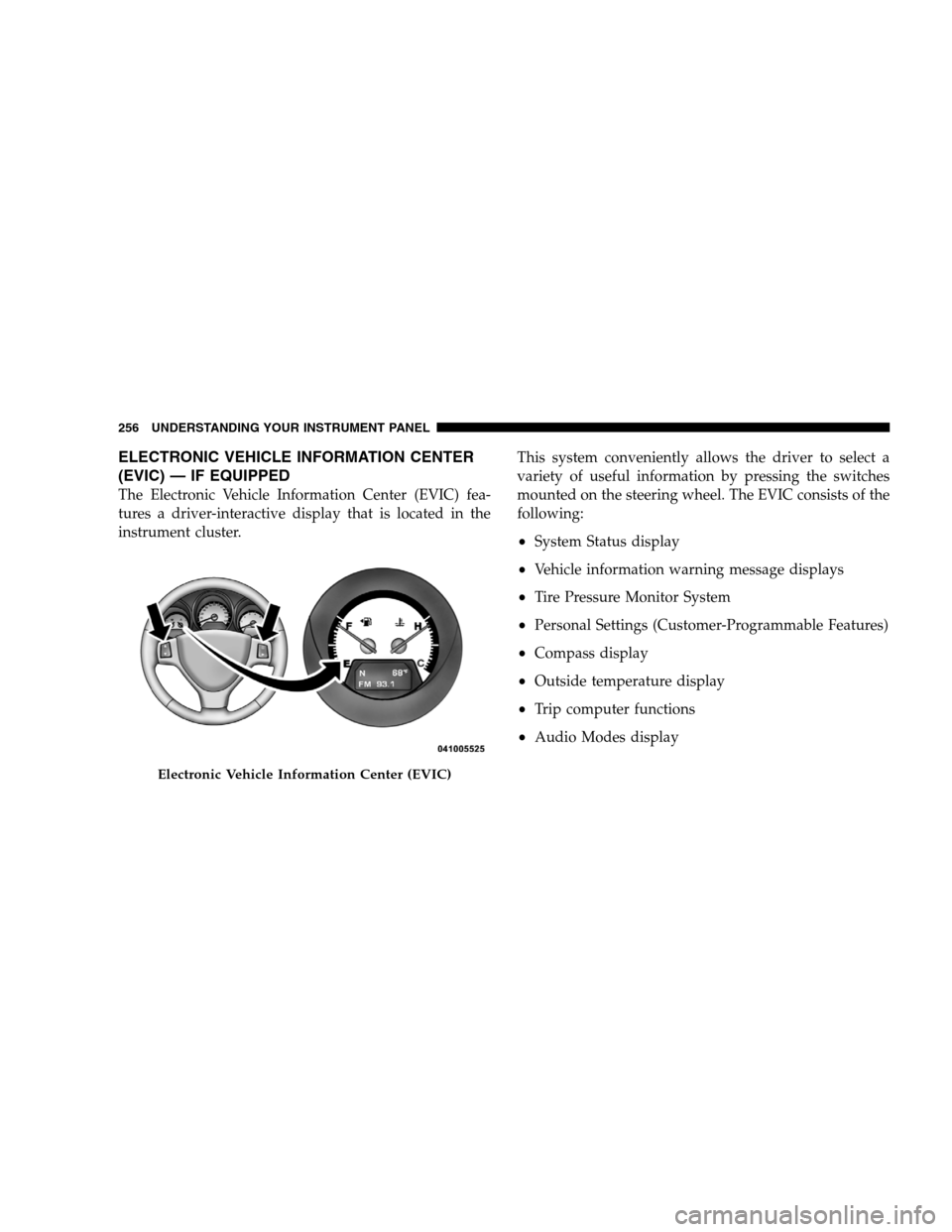
The Electronic Vehicle Information Center (EVIC) fea-
tures a driver-interactive display that is located in the
instrument cluster. This system conveniently allows the driver to select a
variety of useful information by pressing the switches
mounted on the steering wheel. The EVIC consists of the
following:
System Status display
Vehicle information warning message displays
Tire Pressure Monitor System
Personal Settings (Customer-Programmable Features)
Compass display
Outside temperature display
Trip computer functions
Audio Modes displayElectronic Vehicle Information Center (EVIC)
256 UNDERST
ANDING YOUR INSTRUMENT PANEL
Page 259 of 535
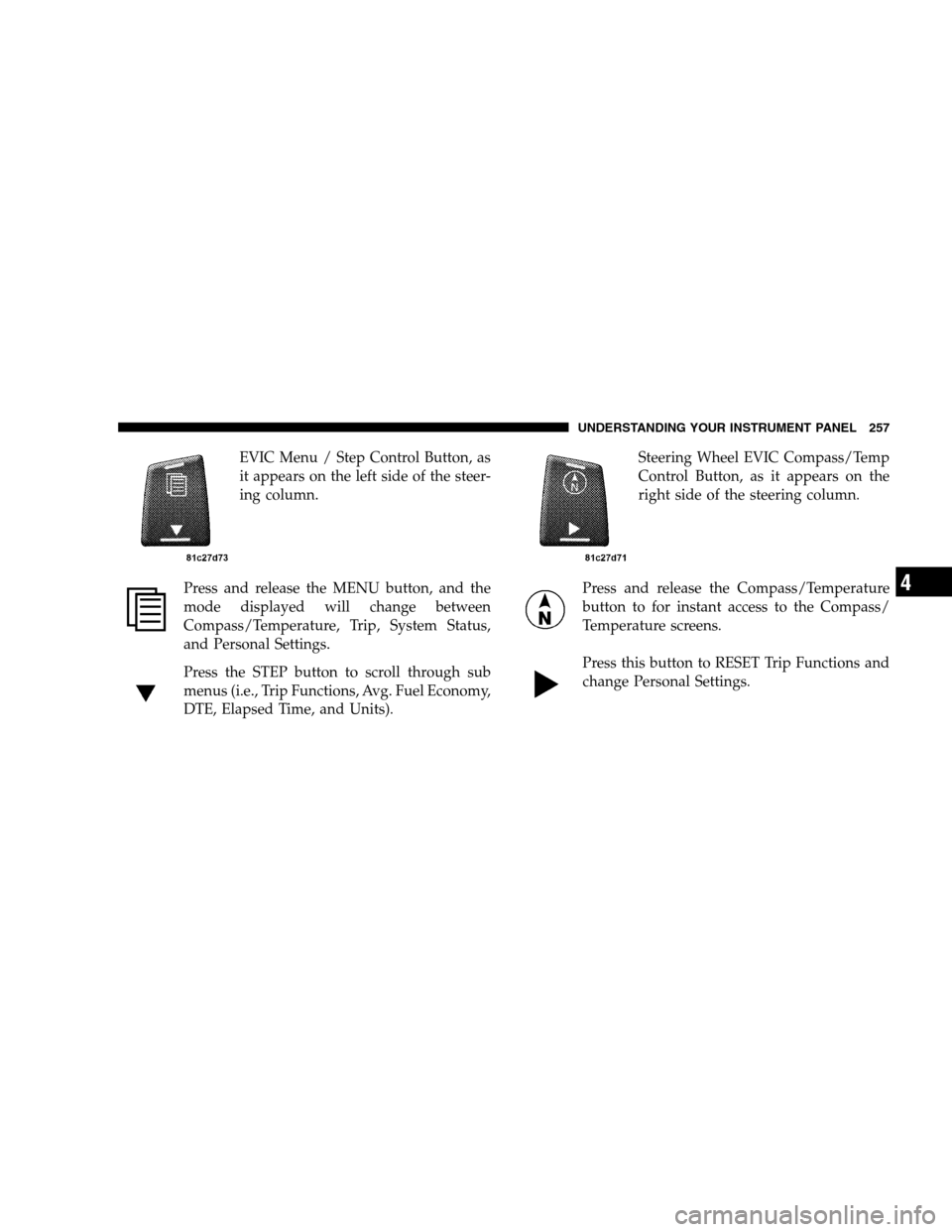
EVIC Menu / Step Control Button, as
it appears on the left side of the steer-
ing column.
Press and release the MENU button, and the
mode displayed will change between
Compass/Temperature, Trip, System Status,
and Personal Settings.
Press the STEP button to scroll through sub
menus (i.e., Trip Functions, Avg. Fuel Economy,
DTE, Elapsed Time, and Units). Steering Wheel EVIC Compass/Temp
Control Button, as it appears on the
right side of the steering column.
Press and release the Compass/Temperature
button to for instant access to the Compass/
Temperature screens.
Press this button to RESET Trip Functions and
change Personal Settings. UNDERSTANDING YOUR INSTRUMENT PANEL 257
4
Page 296 of 535
Shuffle OFF modes for the iPodt. If theRNDicon is
showing on the radio display, then the shuffle mode is
ON.
List Or Browse Mode
During Play mode, pressing any of the buttons described
below, takes you to List mode. List mode enables you to
scroll through the list of menus and tracks on the iPodt.
TUNE control knob: The TUNEcontrol knob functions
in a similar manner as the scroll wheel on the iPodt.
Turning it clockwise (forward) and counterclock-
wise (backward) scrolls through the lists, displaying
the track detail on the radio display. Once you have
the track to be played highlighted on the radio
display, press the TUNEcontrol knob to select and
start playing the track. Turning the TUNEcontrol
knob fast will scroll through the list faster. During
fast scroll, you may notice a slight delay in updating
the information on the radio display.
During all List modes, the iPodt displays all lists in
“wrap-around” mode. So if the track is at the
bottom of the list, just turn the wheel backwards
(counter-clockwise) to get to the track faster.
In List mode, the radio PRESETButtons are used as
shortcuts to the following lists on the iPodt.
Preset 1 – Playlists
Preset 2 – Artists
Preset 3 – Albums
Preset 4 – Genres
Preset 5 - Audiobooks
Preset 6 – Podcasts
Pressing a PRESET button will display the current
list on the top line and the first item in that list on
the second line.
294 UNDERSTANDING YOUR INSTRUMENT PANEL
Page 305 of 535
REMOTE SOUND SYSTEM CONTROLS — IF
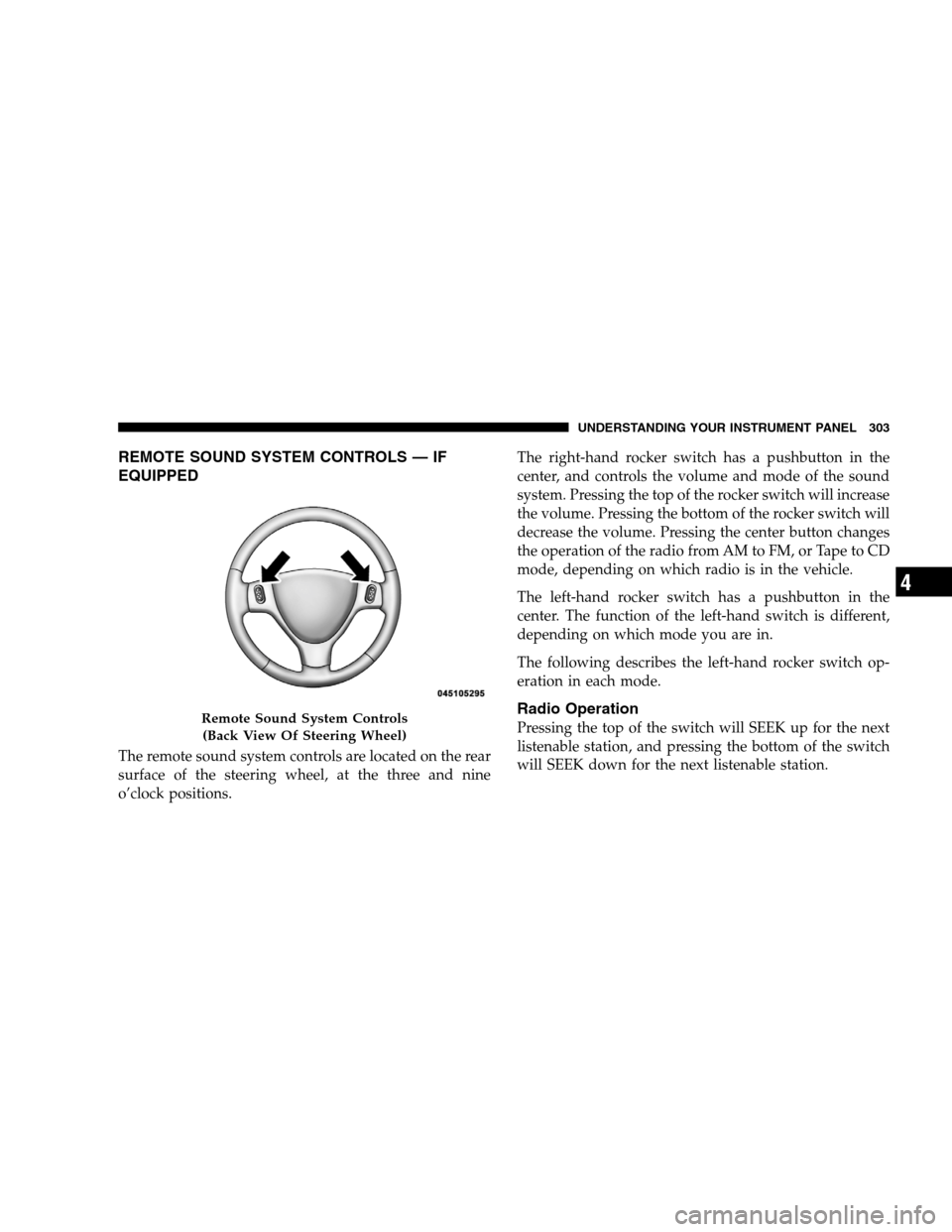
EQUIPPEDThe remote sound system controls are located on the rear
surface of the steering wheel, at the three and nine
o’clock positions.
The right-hand rocker switch has a pushbutton in the
center, and controls the volume and mode of the sound
system. Pressing the top of the rocker switch will increase
the volume. Pressing the bottom of the rocker switch will
decrease the volume. Pressing the center button changes
the operation of the radio from AM to FM, or Tape to CD
mode, depending on which radio is in the vehicle.
The left-hand rocker switch has a pushbutton in the
center. The function of the left-hand switch is different,
depending on which mode you are in.
The following describes the left-hand rocker switch op-
eration in each mode.
Radio Operation
Pressing the top of the switch will SEEK up for the next
listenable station, and pressing the bottom of the switch
will SEEK down for the next listenable station.Remote Sound System Controls
(Back V iew Of Steering Wheel) UNDERSTANDING YOUR INSTRUMENT PANEL 303 4
Page 336 of 535
Gear RangesDo not race the engine when moving the shift lever from
PARK or NEUTRAL positions into another gear range.
PARK
This range supplements the parking brake by locking the
transaxle. The engine can be started in this gear. Never
attempt to use PARK while the vehicle is in motion.
Apply the parking brake when leaving the vehicle in this
gear.
When parking on a flat surface, place the shift lever in the
PARK position first, and then apply the parking brake.
When parking on a hill, it is important to set the parking
brake before placing the shift lever in PARK, otherwise
the load on the transaxle locking mechanism may make it
difficult to move the shift lever out of PARK. As an added
precaution, turn the front wheels toward the curb on a
downhill grade, and away from the curb on an uphill
grade.
WARNING!
Never use the PARK position as a substitute for
the parking brake. Always apply the parking
brake fully when parked to guard against vehicle
movement and possible injury or damage.
Unintended movement of a vehicle could injure
those in and near the vehicle. As with all vehicles,
you should never exit a vehicle while the engine is
running. Before exiting a vehicle, you should
always move the shift lever into PARK, remove the
key from the ignition, and apply the parking
brake. Once the key is removed from the ignition,
the shift lever is locked in the PARK position,
securing the vehicle against unwanted movement.
Furthermore, you should never leave unattended
children or pets inside a vehicle.
334 STARTING AND OPERATING
Page 337 of 535
The following indicators should be used to ensure that
you have placed the shift lever into the PARK position:
When moving the shift lever into PARK, press the
button on the shift lever and firmly move the lever all
the way forward until it stops.
Look at the shift indicator window on the console to
ensure the shift lever is in the PARK position.
When engaged in PARK, you will not be able to move
the shift lever rearward without pressing the shift
lever button.CAUTION!
Before moving the shift lever out of PARK, you must
turn the ignition from OFF to ACC/ON so the steer-
ing wheel and shift lever are released. Otherwise,
damage to the steering column or shift lever could
result.
REVERSE
This range is for moving the vehicle backward. Shift into
REVERSE only after the vehicle has come to a complete
stop.
NEUTRAL
This range is used when vehicle is standing for pro-
longed periods with engine running. Engine may be
started in this range. Set the parking brake if you must
leave the vehicle. WARNING!
Do not coast in NEUTRAL and never turn off the
ignition to coast down a hill. These are unsafe
practices that limit your response to changing traffic
or road conditions. You might lose control of the
vehicle and have an accident.
STARTING AND OPERATING 335 5
Page 339 of 535
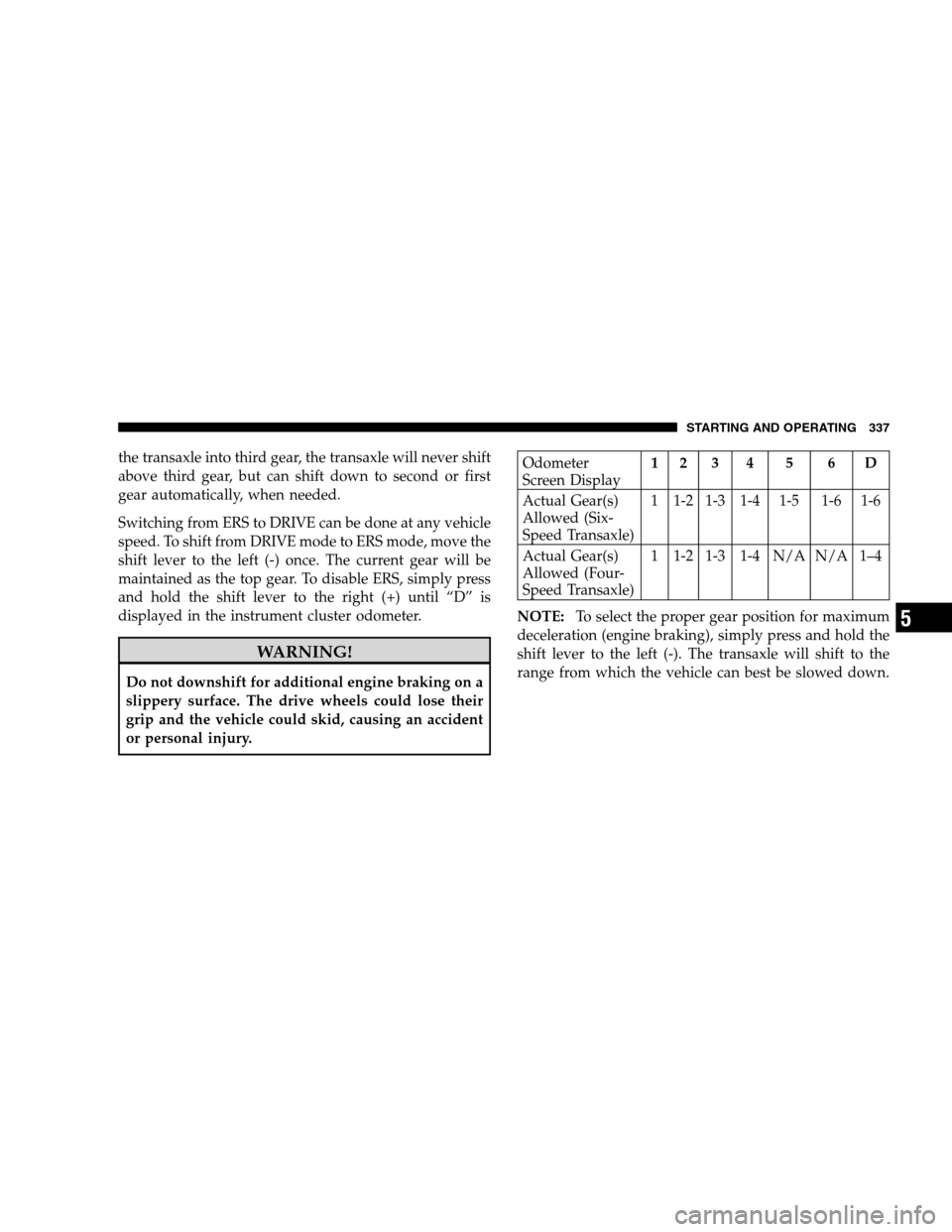
the transaxle into third gear, the transaxle will never shift
above third gear, but can shift down to second or first
gear automatically, when needed.
Switching from ERS to DRIVE can be done at any vehicle
speed. To shift from DRIVE mode to ERS mode, move the
shift lever to the left (-) once. The current gear will be
maintained as the top gear. To disable ERS, simply press
and hold the shift lever to the right (+) until “D” is
displayed in the instrument cluster odometer.WARNING!
Do not downshift for additional engine braking on a
slippery surface. The drive wheels could lose their
grip and the vehicle could skid, causing an accident
or personal injury.
Odometer
Screen Display
1 2 3 4 5 6 D
Actual Gear(s)
Allowed (Six-
Speed Transaxle) 1 1-2 1-3 1-4 1-5 1-6 1-6
Actual Gear(s)
Allowed (Four-
Speed Transaxle) 1 1-2 1-3 1-4 N/A N/A 1–4
NOTE: To select the proper gear position for maximum
deceleration (engine braking), simply press and hold the
shift lever to the left (-). The transaxle will shift to the
range from which the vehicle can best be slowed down.
STARTING AND OPERATING 337 5
Page 341 of 535
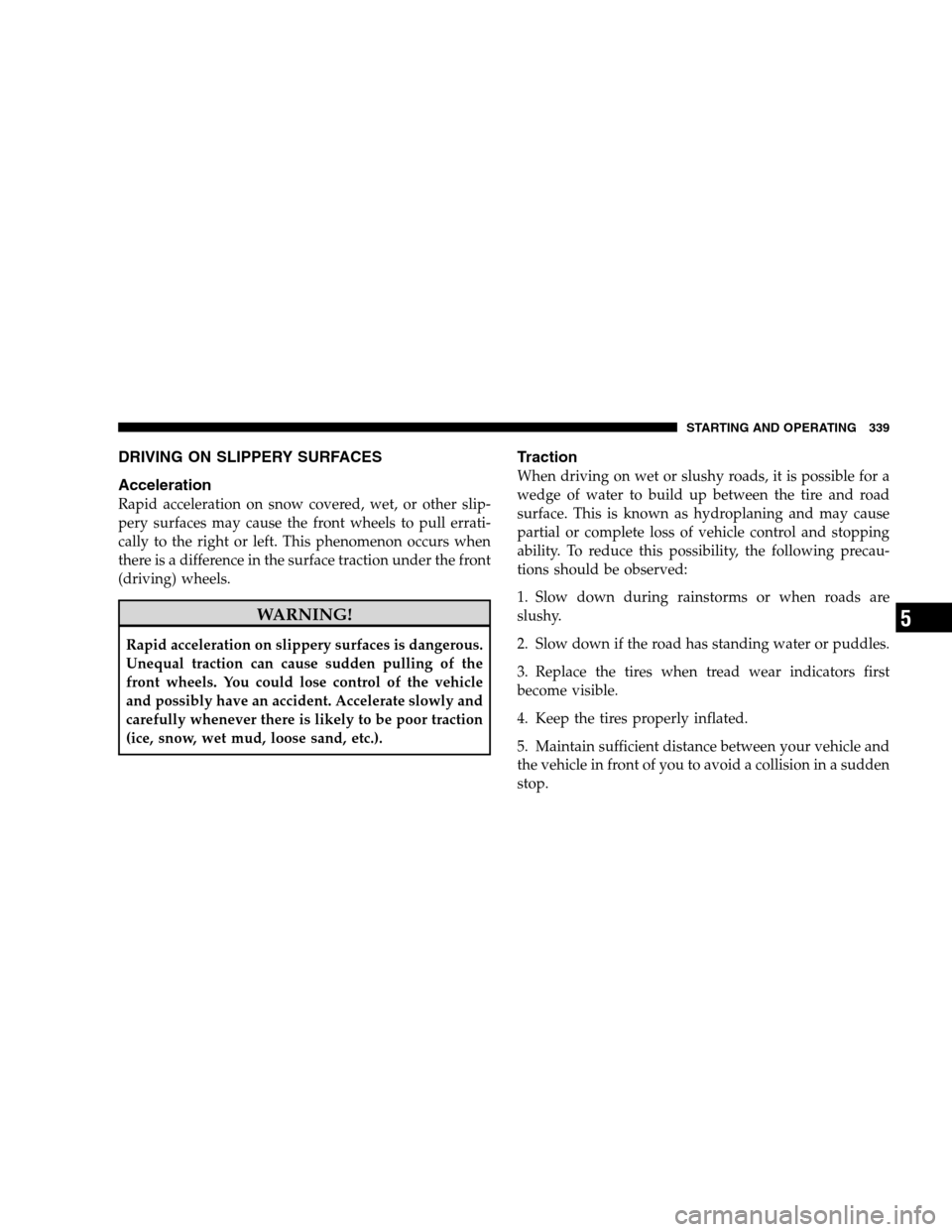
DRIVING ON SLIPPERY SURFACES
AccelerationRapid acceleration on snow covered, wet, or other slip-
pery surfaces may cause the front wheels to pull errati-
cally to the right or left. This phenomenon occurs when
there is a difference in the surface traction under the front
(driving) wheels.
WARNING!
Rapid acceleration on slippery surfaces is dangerous.
Unequal traction can cause sudden pulling of the
front wheels. You could lose control of the vehicle
and possibly have an accident. Accelerate slowly and
carefully whenever there is likely to be poor traction
(ice, snow, wet mud, loose sand, etc.).
Traction
When driving on wet or slushy roads, it is possible for a
wedge of water to build up between the tire and road
surface. This is known as hydroplaning and may cause
partial or complete loss of vehicle control and stopping
ability. To reduce this possibility, the following precau-
tions should be observed:
1. Slow down during rainstorms or when roads are
slushy.
2. Slow down if the road has standing water or puddles.
3. Replace the tires when tread wear indicators first
become visible.
4. Keep the tires properly inflated.
5. Maintain sufficient distance between your vehicle and
the vehicle in front of you to avoid a collision in a sudden
stop.
STARTING AND OPERATING 339
5