lights DODGE GRAND CARAVAN 2009 5.G Owner's Manual
[x] Cancel search | Manufacturer: DODGE, Model Year: 2009, Model line: GRAND CARAVAN, Model: DODGE GRAND CARAVAN 2009 5.GPages: 535, PDF Size: 18.61 MB
Page 181 of 535
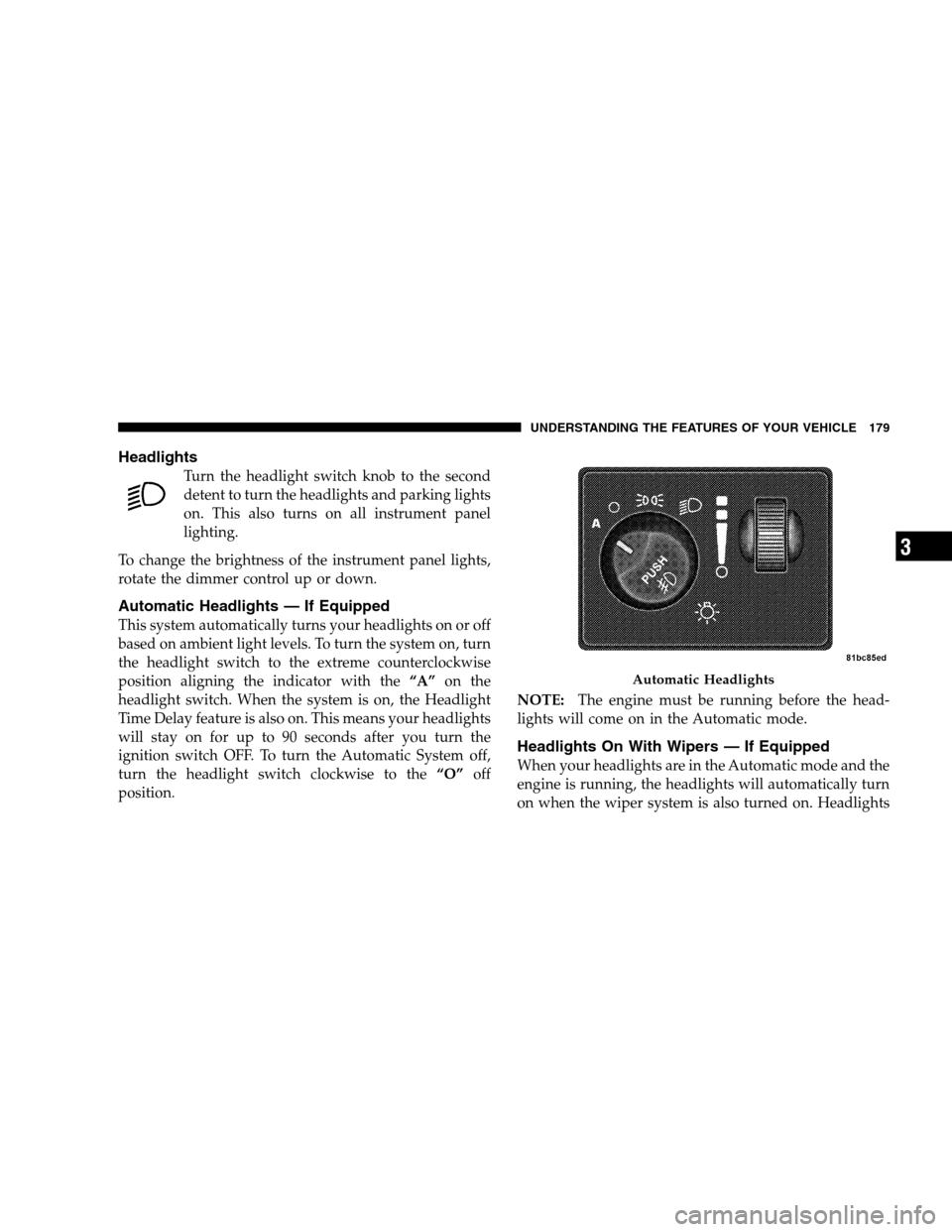
HeadlightsTurn the headlight switch knob to the second
detent to turn the headlights and parking lights
on. This also turns on all instrument panel
lighting.
To change the brightness of the instrument panel lights,
rotate the dimmer control up or down.
Automatic Headlights — If Equipped
This system automatically turns your headlights on or off
based on ambient light levels. To turn the system on, turn
the headlight switch to the extreme counterclockwise
position aligning the indicator with the “A”on the
headlight switch. When the system is on, the Headlight
Time Delay feature is also on. This means your headlights
will stay on for up to 90 seconds after you turn the
ignition switch OFF. To turn the Automatic System off,
turn the headlight switch clockwise to the “O”off
position. NOTE:
The engine must be running before the head-
lights will come on in the Automatic mode.
Headlights On With Wipers — If Equipped
When your headlights are in the Automatic mode and the
engine is running, the headlights will automatically turn
on when the wiper system is also turned on. Headlights Automatic Headlights
UNDERSTANDING
THE FEATURES OF YOUR VEHICLE 179 3
Page 182 of 535
on when windshield wipers are on may be found on
vehicles equipped with an automatic headlight system.
Refer to the Electronic Vehicle Information Center (EVIC)
in Section 4 under “Personal Settings (customer-
programmable features)” for more information.
Headlight Delay — If Equipped
This feature provides the safety of headlight illumination
for up to 90 seconds after exiting your vehicle.
To activate the delay feature, turn OFF the ignition switch
while the headlights are still on. Then turn off the
headlights within 45 seconds. The 90 second delay inter-
val begins when headlight switch is turned off. If the
headlights or parking lights are turned back on or the
ignition switch is turned ON, the delay will be cancelled.
When exiting the vehicle the driver can choose to have
the headlights remain on for 30, 60, or 90 seconds or not
remain on. To change the timer setting, see your autho-
rized dealer.The headlight delay time is programmable on vehicles
equipped with an EVIC. Refer to “Delay Turning Head-
lights Off,” under “Personal Settings (Customer-
Programmable Features)” under “Electronic Vehicle In-
formation Center (EVIC)” in Section 4.
If the headlights are turned off before the ignition, they
will turn off in the normal manner.
NOTE:
The headlights must be turned off within 45 sec-
onds of turning the ignition OFF to activate this feature.
Lights-On Reminder
If the headlights or the parking lights are left on, or if the
dimmer control is in the extreme top position after the
ignition switch is turned OFF, a chime will sound when
the driver’s door is opened.
180 UNDERSTANDING THE FEATURES OF YOUR VEHICLE
Page 183 of 535
Daytime Running Lights (Canada/Fleet Vehicles
Only)The headlights on your vehicle will illuminate when the
engine is started and the transmission is in any gear
except PARK. This provides a constant lights on condi-
tion until the ignition is turned OFF. The lights illuminate
at less than 50% of normal intensity. If the parking brake
is applied, the Daytime Running Lights (DRL) will turn
off. Also, if a turn signal is activated, the DRL lamp on the
same side of the vehicle will turn off for the duration of
the turn signal activation. Once the turn signal is no
longer active, the DRL lamp will illuminate.
Front Fog Lights — If Equipped
To activate the front fog lights, turn on the parking
lights or the low beam headlights and push in the
headlight switch control knob. Pressing the head-
light switch control knob in a second time will turn the
front fog lights off.
Battery Protection
This feature provides battery protection to avoid wearing
down the battery if the headlights, parking lights, or
front fog lights are left on for extended periods of time
when the ignition switch is in the LOCK position. After
eight minutes of the ignition switch being in the LOCK
position and the headlight switch in any position other
than OFF or AUTO, the lights will turn off automatically
until the next cycle of the ignition switch or headlight
switch.
The battery protection feature will be disabled if the
ignition switch is turned to any other position other than
LOCK during the three minute delay. UNDERSTANDING THE FEATURES OF YOUR VEHICLE 181
3
Page 184 of 535
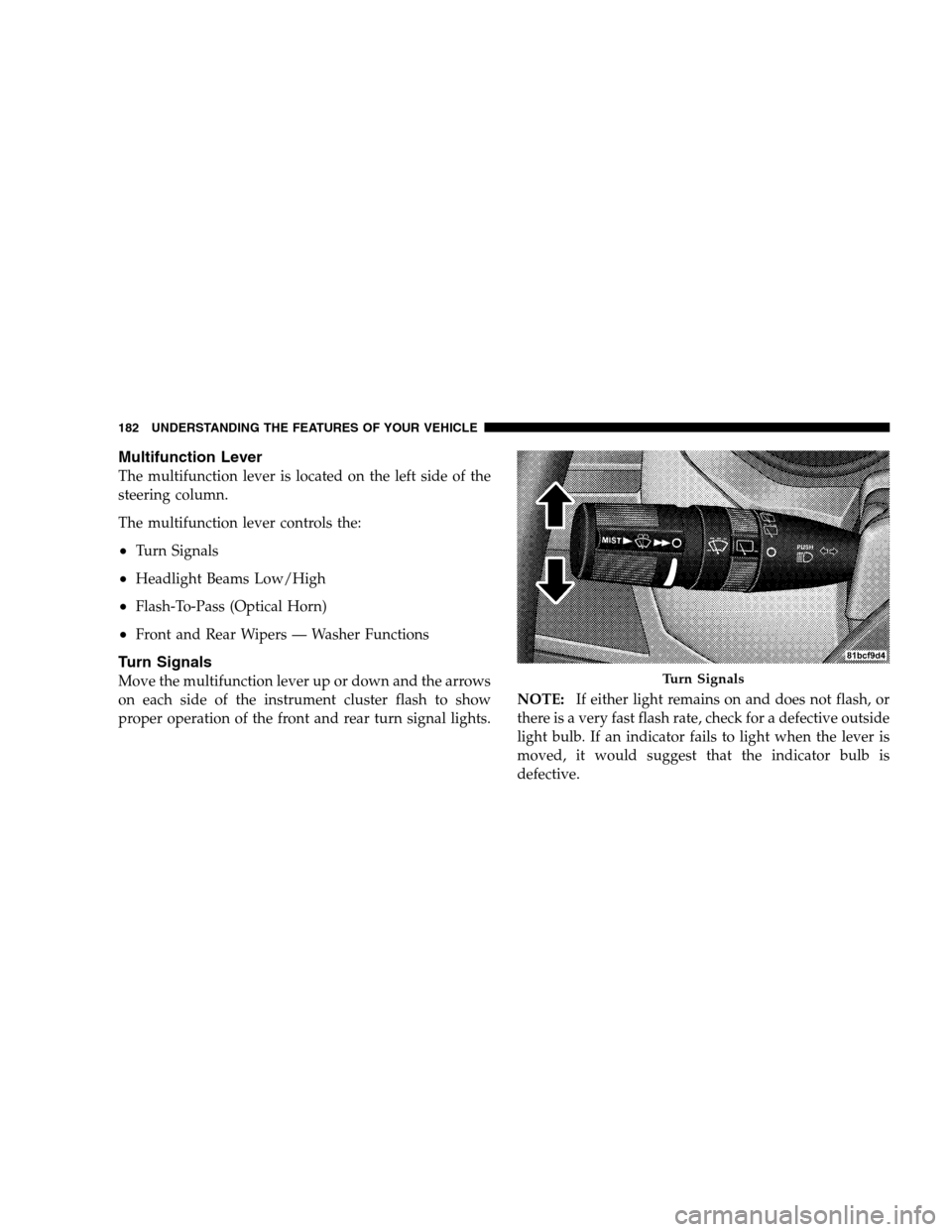
Multifunction LeverThe multifunction lever is located on the left side of the
steering column.
The multifunction lever controls the:
Turn Signals
Headlight Beams Low/High
Flash-To-Pass (Optical Horn)
Front and Rear Wipers — Washer Functions
Turn Signals
Move the multifunction lever up or down and the arrows
on each side of the instrument cluster flash to show
proper operation of the front and rear turn signal lights.
NOTE:
If either light remains on and does not flash, or
there is a very fast flash rate, check for a defective outside
light bulb. If an indicator fails to light when the lever is
moved, it would suggest that the indicator bulb is
defective. Turn Signals
182 UNDERST
ANDING THE FEATURES OF YOUR VEHICLE
Page 185 of 535
Turn Signal WarningIf the vehicle electronics sense that the vehicle has
traveled at over 18 mph (29 km/h) for about 1 mile
(1.6 km) with the turn signals on, a chime will sound to
alert the driver.
Lane Change Assist
Tap the lever up or down once, without moving beyond
the detent, and the turn signal (right or left) will flash
three times then automatically turn off.
High Beam/Low Beam Select Switch
When the headlights are turned on, pushing the multi-
function lever toward the instrument panel will switch
from low beams to high beams. Pulling back to the
neutral position returns the headlights to the low beam
operation.
Flash-To-Pass
You can signal another vehicle with your headlights by
lightly pulling the multifunction lever toward you. This
will cause the headlights to turn on at high beam and
remain on until the lever is released.
WINDSHIELD WIPER AND WASHERS
The wipers and washers are operated by a switch within
the multifunction lever. Rotate the end of the multifunc-
tion lever to select the desired wiper speed.
UNDERSTANDING THE FEATURES OF YOUR VEHICLE 183
3
Page 194 of 535
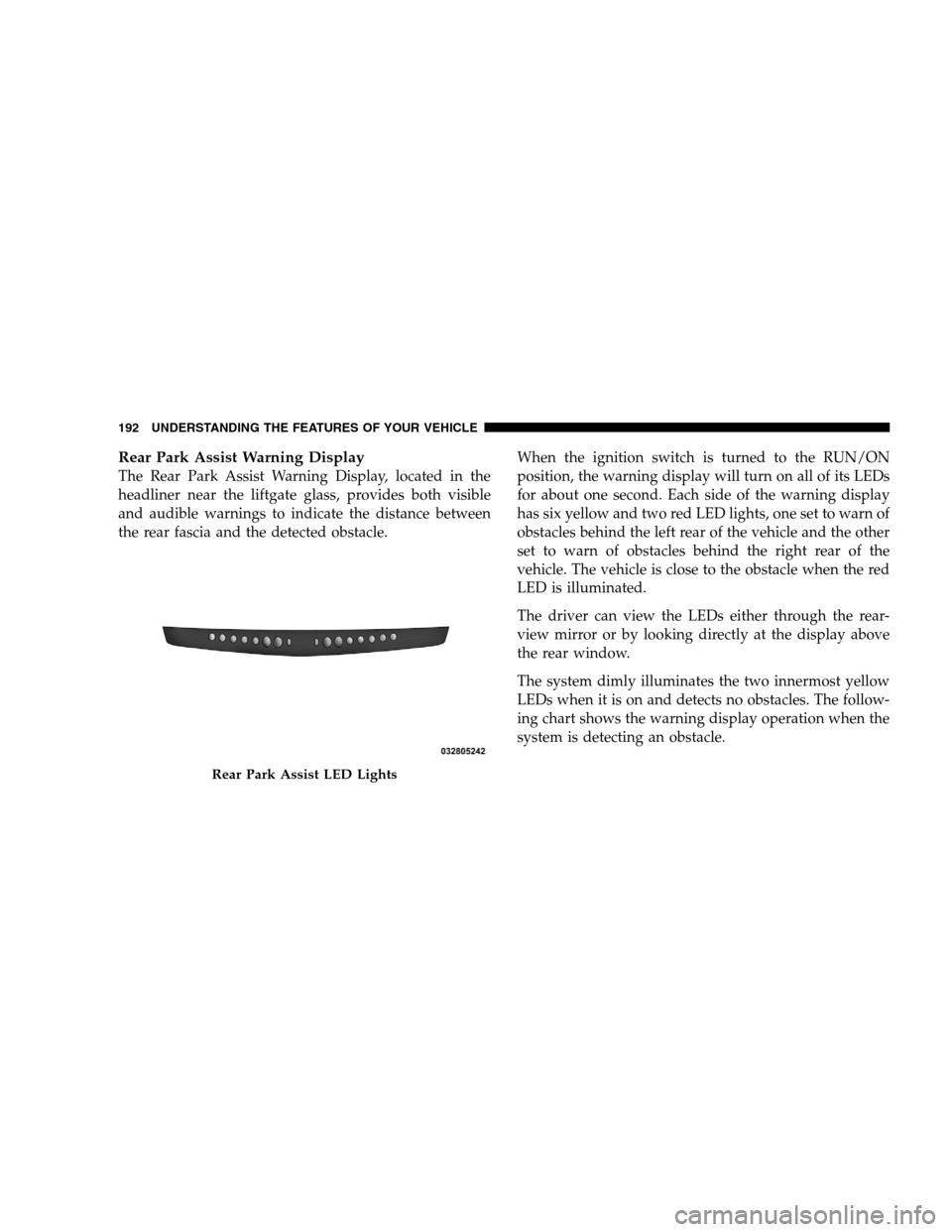
Rear Park Assist Warning DisplayThe Rear Park Assist Warning Display, located in the
headliner near the liftgate glass, provides both visible
and audible warnings to indicate the distance between
the rear fascia and the detected obstacle.
When the ignition switch is turned to the RUN/ON
position, the warning display will turn on all of its LEDs
for about one second. Each side of the warning display
has six yellow and two red LED lights, one set to warn of
obstacles behind the left rear of the vehicle and the other
set to warn of obstacles behind the right rear of the
vehicle. The vehicle is close to the obstacle when the red
LED is illuminated.
The driver can view the LEDs either through the rear-
view mirror or by looking directly at the display above
the rear window.
The system dimly illuminates the two innermost yellow
LEDs when it is on and detects no obstacles. The follow-
ing chart shows the warning display operation when the
system is detecting an obstacle.Rear Park Assist LED Lights
192 UNDERST
ANDING THE FEATURES OF YOUR VEHICLE
Page 200 of 535
4. Enable or disable the rear camera feature by selecting
9enable rear camera in reverse9soft key.
5. Press the “save” soft key.
6. When the vehicle is shifted into REVERSE, an image of
the rear of the vehicle will appear with a caution note to
9check entire surroundings9 displayed across the top of
the screen. After five seconds this note will disappear.
7. When the vehicle is shifted out of REVERSE, the rear
camera mode is exited and the navigation or audio screen
appears again.
Turning the Rear Camera On or Off — Without
Navigation Radio
1. Press the 9menu9hard key.
2. Select 9system setup9 soft key.
3. Enable or disable the rear camera feature by selecting
9enable rear camera in reverse9 soft key.4. When the vehicle is shifted into REVERSE, an image of
the rear of the vehicle will appear with a caution note to
9check entire surroundings9
displayed across the top of
the screen. After five seconds this note will disappear.
5.
When the vehicle is shifted out of REVERSE, the rear
camera mode is exited and the audio screen appears again.
OVERHEAD CONSOLES
Front Overhead Console
Two versions of the overhead console are available. The
base front overhead console model featured fixed incan-
descent courtesy/reading lights, flip-down sunglass stor-
age and conversation mirror. The premium front over-
head console model features a LED focused light that
illuminates the instrument panel cupholders, Infrared
Automatic Temperature Control Sensor (ATC equipped
only), two swiveling LED lights, flip-down sunglass
storage, conversation mirror, optional power sliding door
switches and an optional power liftgate switch.
198 UNDERSTANDING THE FEATURES OF YOUR VEHICLE
Page 201 of 535
NOTE:Premium sunroof console models include all of
above except sunglass storage.Courtesy/Interior Lighting
At the forward end of the console are two courtesy lights
(standard dome light has two buttons). The lights turn on
when a front door, a sliding door or the liftgate is opened.
If your vehicle is equipped with Remote Keyless Entry
(RKE), the lights will also turn on when the UNLOCK
button on the RKE transmitter is pressed.
The courtesy lights also function as reading lights. Press
in on each lens to turn these lights on while inside the
vehicle. Press a second time to turn each light off. You
may adjust the direction of these lights by pressing the
outside ring, which is identified with four directional
arrows (LED lamps only).
The area around the instrument panel cupholders is also
illuminated from a light in the overhead console (pre-
mium console only). This light is turned on when the
headlight switch is on, and will adjust in brightness when
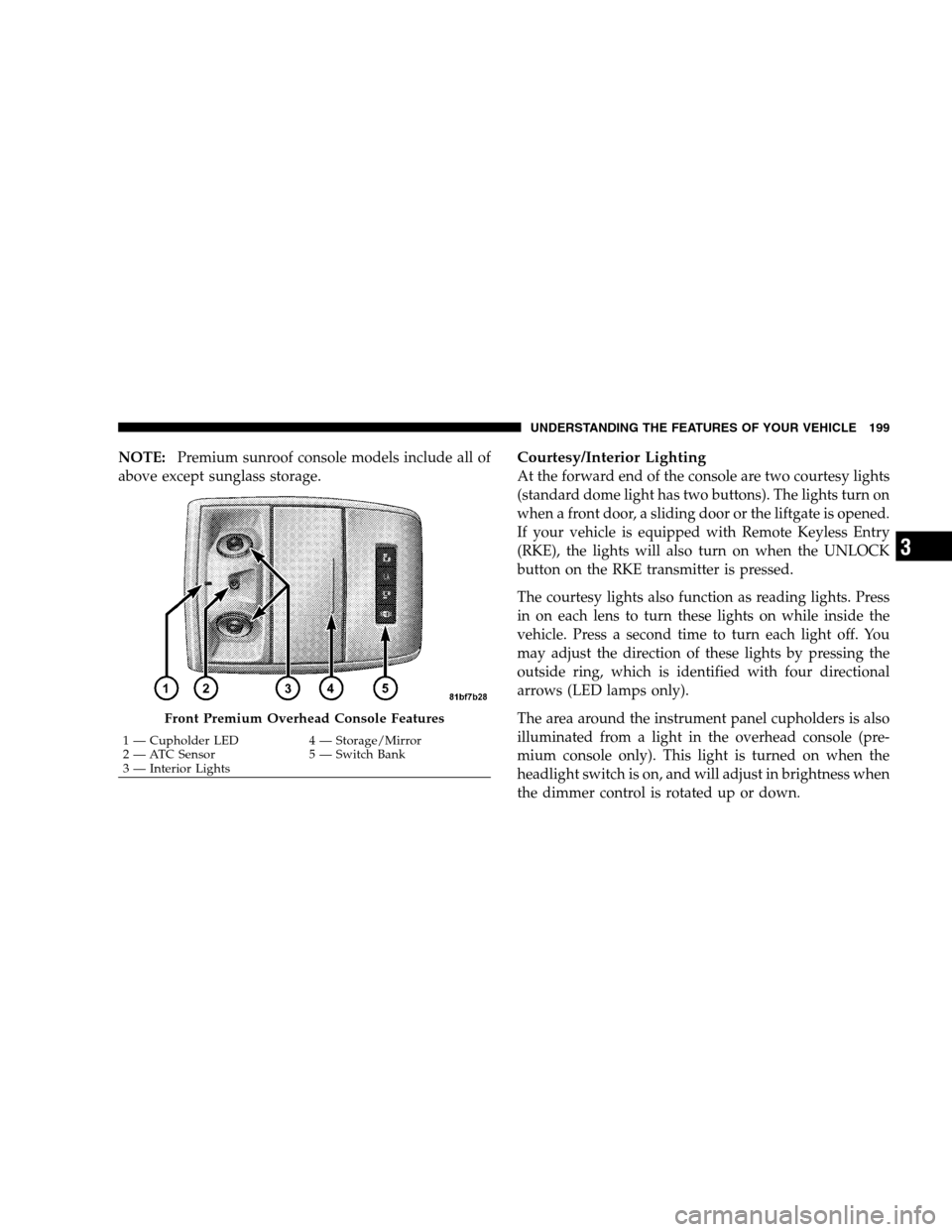
the dimmer control is rotated up or down. Front Premium Overhead Console Features
1 — Cupholder LED
4 — Storage/Mirror
2 —
ATC Sensor 5 — Switch Bank
3 — Interior Lights UNDERSTANDING THE FEATURES OF YOUR VEHICLE 199 3
Page 202 of 535
Sunglass Storage (non-sunroof only)At the rear of the front overhead console, a compartment
is provided for the storage of two pairs of sunglasses.
From the closed position, press the door over-travel latch
to open the compartment. The door will slowly rotate to
the full open position. From this position, the door can be
fully closed or, by rotating upward about 3/4 of the way
and releasing, positioned for conversation mirror use.
From the
9conversation mirror9 position, the door can
only be closed. To return to the full open position, the
door must first be closed and then opened by pressing
the over-travel latch again to release.
NOTE: The front overhead console supplied with fac-
tory sunroof, incorporates a sunroof switch.
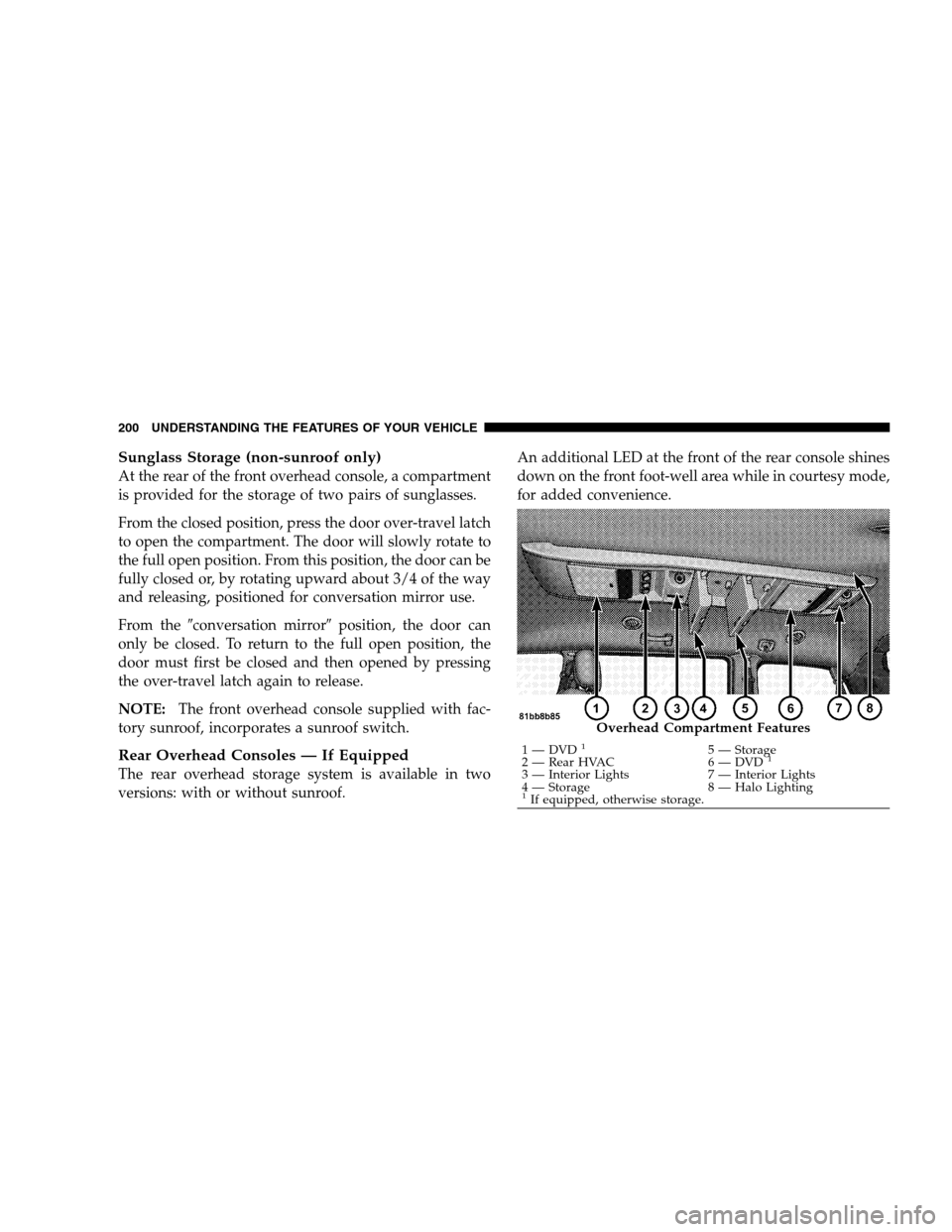
Rear Overhead Consoles — If Equipped
The rear overhead storage system is available in two
versions: with or without sunroof. An additional LED at the front of the rear console shines
down on the front foot-well area while in courtesy mode,
for added convenience. Overhead Compartment Features
1 — DVD
15 — Storage
2 — Rear HVAC 6 — DVD1
3 — Interior Lights7 — Interior Lights
4 — Storage 8 — Halo Lighting
1If equipped, otherwise storage.
200 UNDERSTANDING THE FEATURES OF YOUR VEHICLE
Page 203 of 535
Rear Courtesy/Reading Lights — If EquippedThe overhead console has two sets of courtesy lights. The
lights turn on when a front door, a sliding door or the
liftgate is opened. If your vehicle is equipped with
Remote Keyless Entry (RKE), the lights will also turn on
when the UNLOCK button on the RKE transmitter is
pressed.
The courtesy lights also function as reading lights. Press
in on each lens to turn these lights on while inside the
vehicle. Press the lens a second time to turn each light off.
You may adjust the direction of these lights by pressing
the outside ring, which is identified with four directional
arrows.
Rear Console Halo Lighting
The rear overhead console has recessed halo lighting
around the perimeter of the console base. This feature
provides additional lighting options while traveling and
is controlled by the headlight switch. Refer to ”Halo
Lights — If Equipped” under “Lights” in Section 3.
GARAGE DOOR OPENER — IF EQUIPPED
HomeLinkt
replaces up to three remote controls (hand-
held transmitters) that operate devices such as garage
door openers, motorized gates, lighting, or home security
systems. The HomeLinkt unit operates off your vehicle’s
battery.
UNDERSTANDING THE FEATURES OF YOUR VEHICLE 201 3