radio antenna DODGE GRAND CARAVAN 2009 5.G Owners Manual
[x] Cancel search | Manufacturer: DODGE, Model Year: 2009, Model line: GRAND CARAVAN, Model: DODGE GRAND CARAVAN 2009 5.GPages: 535, PDF Size: 18.61 MB
Page 237 of 535
▫Play Mode . . . . . . . . . . . . . . . . . . . . . . . . 292
▫ List Or Browse Mode . . . . . . . . . . . . . . . . 294
m uconnectt studios (Satellite Radio) — If
Equipped (REN/REQ/RER/RES/REU Radios
Only) . . . . . . . . . . . . . . . . . . . . . . . . . . . . . . . 296
▫ System Activation . . . . . . . . . . . . . . . . . . . 296
▫ Electronic Serial Number/Sirius
Identification Number (ESN/SID) . . . . . . . . . 296
▫ Selecting uconnectt studios (Satellite)
Mode . . . . . . . . . . . . . . . . . . . . . . . . . . . . . 297
▫ Satellite Antenna . . . . . . . . . . . . . . . . . . . 297
▫ Reception Quality . . . . . . . . . . . . . . . . . . . 297
▫ Operating Instructions — uconnectt studios
(Satellite) Mode . . . . . . . . . . . . . . . . . . . . . 298 ▫
Operating Instructions — uconnectt phone
(If Equipped) . . . . . . . . . . . . . . . . . . . . . . . 300
▫ Operating Instructions — Video
Entertainment System (VES)™
(If Equipped) . . . . . . . . . . . . . . . . . . . . . . . 301
m uconnectt studios (Sirius Backseat TV™) — If
Equipped . . . . . . . . . . . . . . . . . . . . . . . . . . . . 301
m Video Entertainment System (VES)™ — If
Equipped . . . . . . . . . . . . . . . . . . . . . . . . . . . . 301
m Remote Sound System Controls — If
Equipped . . . . . . . . . . . . . . . . . . . . . . . . . . . . 303
▫ Radio Operation . . . . . . . . . . . . . . . . . . . . 303
▫ CD Player . . . . . . . . . . . . . . . . . . . . . . . . 304
m CD/DVD Maintenance . . . . . . . . . . . . . . . . 304
m Radio Operation And Cellular Phones . . . . . . 305
UNDERSTANDING YOUR INSTRUMENT PANEL 235 4
Page 299 of 535
selected. Press the TUNE/SCROLL control knob and the
Sirius ID number will display. The Sirius ID number
display will time out in two minutes. Press any button on
the radio to exit this screen.
ESN/SID Access With REN/RER Radios
While in SAT mode, press the MENU button on the radio
faceplate.
Next, touch the SUBSCRIPTION tab on the touch screen.
All the ESNs that apply to your vehicle will display.
ESN/SID Access With REU Radio
While in SAT mode, press the MENU button on the radio
faceplate.
Next, turn the knob surrounding the joystick in the center
of the radio to scroll to Subscription, and then press and
release the joystick. All of the ESNs that apply to your
vehicle will display.
Selecting uconnectTstudios (Satellite) Mode
Press the SAT button until 9SAT9appears in the display. A
CD may remain in the radio while in the Satellite radio
mode.
Satellite Antenna
To ensure optimum reception, do not place items on the
roof around the rooftop antenna location or strap items to
the trunk lid around the trunk lid antenna (if equipped).
Metal objects placed within the line of sight of the
antenna will cause decreased performance. Larger lug-
gage items such as bikes should be placed as far rearward
as possible, within the loading design of the rack. Do not
place items directly on or above the antenna.
Reception Quality
Satellite reception may be interrupted due to one of the
following reasons:
The vehicle is parked in an underground parking
structure or under a physical obstacle.
UNDERSTANDING YOUR INSTRUMENT PANEL 297 4
Page 300 of 535
Dense tree coverage may interrupt reception in the
form of short audio mutes.
Driving under wide bridges or along tall buildings can
cause intermittent reception.
Placing objects over or too close to the antenna can
cause signal blockage.
Operating Instructions — uconnectT
studios
(Satellite) Mode
NOTE: The ignition switch must be in the ON or ACC
position to operate the radio.
SEEK Buttons
Press and release the SEEK buttons to search for the next
channel in Satellite mode. Press the right switch to seek
up and the left switch to seek down. The radio will
remain tuned to the new channel until you make another
selection. Holding either button will bypass channels
without stopping until you release it.
SCAN Button (When Equipped)
Pressing the SCAN button causes the tuner to search for
the next channel, pausing for eight seconds before con-
tinuing to the next. To stop the search, press the SCAN
button a second time.
INFO Button — Except REU Radio
Pressing the INFO button will cycle the display informa-
tion between Artist, Song Title, and Composer (if avail-
able). Also, pressing and holding the INFO button for an
additional three seconds will make the radio display the
song title all of the time (press and hold again to return to
normal display).
INFO Button — REU Radio
Pressing the INFO button will display information about
Artist, Song Title, and Composer (if available). Pressing
the INFO button again will close the INFO screen.
298 UNDERSTANDING YOUR INSTRUMENT PANEL
Page 307 of 535
RADIO OPERATION AND CELLULAR PHONESUnder certain conditions, the cellular phone being on in
your vehicle can cause erratic or noisy performance from
your radio. This condition may be lessened or eliminated
by relocating the cellular phone antenna. This condition
is not harmful to the radio. If your radio performance
does not satisfactorily “clear” by the repositioning of the
antenna, it is recommended that the radio volume be
turned down or off during cellular phone operation.
CLIMATE CONTROLS
The Climate Control System allows you to regulate the
temperature, amount, and direction of air circulating
throughout the vehicle. The controls are located on the
instrument panel, below the radio.
Manual Heating and Air Conditioning System
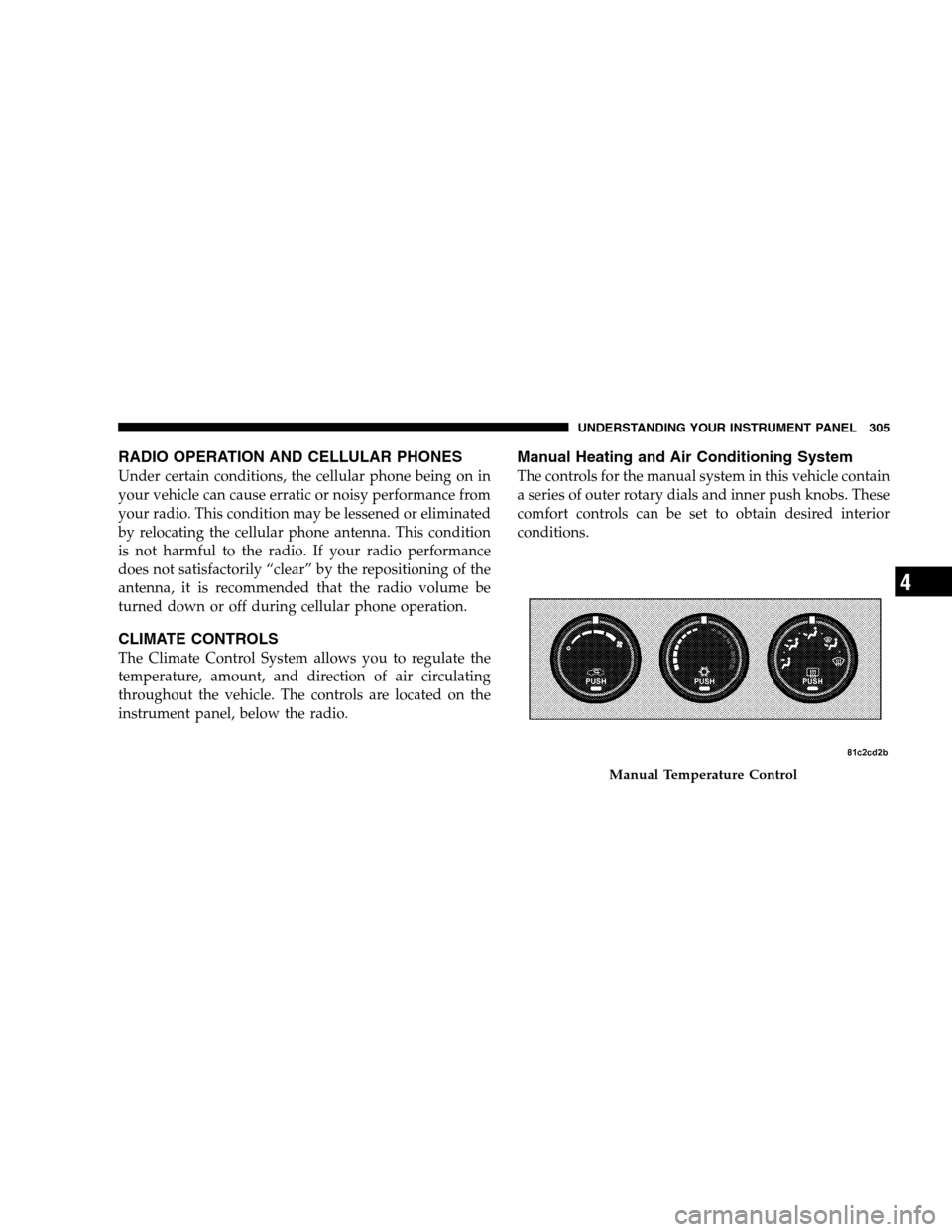
The controls for the manual system in this vehicle contain
a series of outer rotary dials and inner push knobs. These
comfort controls can be set to obtain desired interior
conditions.
Manual Temperature Control
UNDERSTANDING
YOUR INSTRUMENT PANEL 305 4
Page 468 of 535
cleaner. Use caution when cleaning the inside rear win-
dow equipped with electric defrosters or the right rear
quarter window equipped with the radio antenna. Do
not use scrapers or other sharp instruments that may
scratch the elements.
When cleaning the rearview mirror, spray cleaner on the
towel or rag that you are using. Do not spray cleaner
directly on the mirror.
Cleaning Plastic Instrument Cluster Lenses
The lenses in front of the instruments in this vehicle are
molded in clear plastic. When cleaning the lenses, care
must be taken to avoid scratching the plastic.
1. Clean with a wet soft rag. A mild soap solution may be
used, but do not use high alcohol content or abrasive
cleaners. If soap is used, wipe clean with a clean damp
rag.
2. Dry with a soft tissue.
Seat Belt Maintenance
Do not bleach, dye or clean the seat belts with chemical
solvents or abrasive cleaners. This will weaken the fabric.
Sun damage can also weaken the fabric.
If the seat belts need cleaning, use a mild soap solution or
lukewarm water. Do not remove the belts from the car to
wash them.
Replace the seat belts if they appear frayed or worn, or if
the buckles do not work properly.
Cleaning the Instrument Panel Cupholders
Removal
Pull the flexible liner from the cupholder drawer starting
at one edge to ease removal.
Cleaning
The liner is top shelf dishwasher safe, or you may follow
the cleaning procedure below.
466 MAINTAINING YOUR VEHICLE
Page 514 of 535
Adding Engine Coolant (Antifreeze) . . . . . . . . . . 453
Adding Fuel . . . . . . . . . . . . . . . . . . . . . . . . . . . 387
Adding Washer Fluid . . . . . . . . . . . . . . . . . . . . . 450
Additives, Fuel . . . . . . . . . . . . . . . . . . . . . . . . . 381
Adjustable Pedals . . . . . . . . . . . . . . . . . . . . . . . 186
Air Cleaner, Engine (Engine Air Cleaner Filter) . . . 442
Air Conditioner Maintenance . . . . . . . . . . . . . . . 446
Air Conditioning . . . . . . . . . . . . . . . . . . . . . . . . 305
Air Conditioning Controls . . . . . . . . . . . . . . . . . 305
Air Conditioning Filter . . . . . . . . . . . . . . . . . 324,448
Air Conditioning, Operating Tips . . . . . . . . . . . . 324
Air Conditioning, Rear Zone . . . . . . . . . . . . . 311,319
Air Conditioning Refrigerant . . . . . . . . . . . . . . . 446
Air Conditioning System . . . . . . . . . . . . . 305,314,446
Air Conditioning System, Zone Control . . . . . . . . 310
Air Pressure, Tires . . . . . . . . . . . . . . . . . . . . . . . 361
Airbag . . . . . . . . . . . . . . . . . . . . . . . . . . . . . . 63,70
Airbag Deployment . . . . . . . . . . . . . . . . . . . . . . . 71
Airbag Light . . . . . . . . . . . . . . . . . . . 63,69,73,93,249Airbag Maintenance . . . . . . . . . . . . . . . . . . . . . . . 72
Airbag, Side . . . . . . . . . . . . . . . . . . . . . . . . . . 68,70
Airbag, Window (Side Curtain) . . . . . . . . . . . 65,68,70
Alarm Light . . . . . . . . . . . . . . . . . . . . . . . . . . . 249
Alarm (Security Alarm) . . . . . . . . . . . . . . . . . . . . 17
Alterations/Modifications, Vehicle . . . . . . . . . . . . . 7
Antenna, Satellite Radio . . . . . . . . . . . . . . . . . . . 297
Antifreeze (Engine Coolant) . . . . . . . . . . . 452,453,480
Disposal . . . . . . . . . . . . . . . . . . . . . . . . . . . . 454
Anti-Lock Warning Light . . . . . . . . . . . . . . . . . . 241
Anti-Theft System . . . . . . . . . . . . . . . . . . . . . . . . 17
Appearance Care . . . . . . . . . . . . . . . . . . . . . . . . 461
Ashtray . . . . . . . . . . . . . . . . . . . . . . . . . . . . . . . 216
Assistance Towing . . . . . . . . . . . . . . . . . . . . . . . 127
Auto Down Power Windows . . . . . . . . . . . . . . . . 38
Auto Up Power Windows . . . . . . . . . . . . . . . . 38,210
Automatic Dimming Mirror . . . . . . . . . . . . . . . . 100
Automatic Door Locks . . . . . . . . . . . . . . . . . . . 32,33
Automatic Headlights . . . . . . . . . . . . . . . . . . . . 179
512 INDEX
Page 527 of 535
Rear Heater . . . . . . . . . . . . . . . . . . . . . . . . . . . . 311
Rear Park Sense System . . . . . . . . . . . . . . . . . . . 191
Rear Window Defroster . . . . . . . . . . . . . . . . . . . 226
Rearview Mirrors . . . . . . . . . . . . . . . . . . . . . . . . 100
Reclining Front Seats . . . . . . . . . . . . . . . . . . . . . 151
Recorder, Event Data . . . . . . . . . . . . . . . . . . . . . . 74
Recreational Towing . . . . . . . . . . . . . . . . . . . 408,429
Reminder, Seat Belt . . . . . . . . . . . . . . . . . . . . . . . 61
Remote Keyless Entry (RKE) . . . . . . . . . . . . . . . . . 19
Remote Sound System (Radio) Controls . . . . . . . . 303
Remote Starting System . . . . . . . . . . . . . . . . . . . . 27
Removable Floor Console . . . . . . . . . . . . . . . . . . 226
Replacement Keys . . . . . . . . . . . . . . . . . . . . . . . . 16
Replacement Parts . . . . . . . . . . . . . . . . . . . . . . . 437
Replacement Tires . . . . . . . . . . . . . . . . . . . . . . . 366
Reporting Safety Defects . . . . . . . . . . . . . . . . . . . 506
Resetting Oil Change Indicator . . . . . . . . . 245,252,259
Restraint, Head . . . . . . . . . . . . . . . . . . . . . . . . . 149
Restraints, Child . . . . . . . . . . . . . . . . . . . . . . . 79,87Restraints, Infant . . . . . . . . . . . . . . . . . . . . . . . . . 79
Rocking Vehicle When Stuck . . . . . . . . . . . . . . . . 427
Roof Rack (Luggage Rack) . . . . . . . . . . . . . . . . . 228
Rotation, Tires . . . . . . . . . . . . . . . . . . . . . . . . . . 369
Safety Checks Inside Vehicle . . . . . . . . . . . . . . . . . 93
Safety Checks Outside Vehicle . . . . . . . . . . . . . . . 94
Safety Defects, Reporting . . . . . . . . . . . . . . . . . . 506
Safety, Exhaust Gas . . . . . . . . . . . . . . . . . . . . . 50,92
Safety Information, Tire . . . . . . . . . . . . . . . . . . . 352
Safety Tips . . . . . . . . . . . . . . . . . . . . . . . . . . . . . 92
Satellite Radio Antenna . . . . . . . . . . . . . . . . . . . 297
Satellite Radio (uconnectt
studios) . . . . . . . . . 296,301
Schedule, Maintenance . . . . . . . . . . . . . . . . . . . . 484
Seat Belt Maintenance . . . . . . . . . . . . . . . . . . . . 466
Seat Belt Reminder . . . . . . . . . . . . . . . . . . . . . . . 61
Seat Belts . . . . . . . . . . . . . . . . . . . . . . . . . . . . 52,93 Adjustable Shoulder Belt . . . . . . . . . . . . . . . . . . 59
Adjustable Upper Shoulder Anchorage . . . . . . . . 59
INDEX 525
10
Page 533 of 535

INTRODUCTION INTRODUCTION HOW TO USE THIS MANUAL WARNINGS AND CAUTIONS VEHICLE IDENTIFICATION NUMBER VEHICLE MODIFICATIONS/ALTERATIONS THINGS TO KNOW BEFORE STARTING YOUR VEHICLE A WORD ABOUT YOUR KEYS
Wireless Ignition
Node (WIN)SENTRY KEY Replacement KeysVEHICLE SECURITY ALARM - IF EQUIPPED Rearming Of The SystemILLUMINATED ENTRY SYSTEM - IF EQUIPPED REMOTE KEYLESS ENTRY (RKE) - IF EQUIPPED Using the RKE TransmitterREMOTE
STARTING SYSTEM - IF EQUIPPED How to Use Remote StartDOOR LOCKS Manual Door LocksPower Door Locks - If EquippedWINDOWS Power Vent Windows - If EquippedPower WindowsSLIDING SIDE DOOR Power Sliding Side Door - If EquippedSliding Side Door
Child Protection LockLIFTGATE Power Liftgate - If EquippedSTORAGE BIN SAFETY WARNING Safety WarningOCCUPANT RESTRAINTS Lap/Shoulder BeltsAutomatic Locking Retractors (ALR) Mode - If EquippedSeat Belt PretensionersEnhanced Seat Belt Use Reminder
System (BeltAlert)Seat Belts and Pregnant WomenSeat Belt ExtenderSupplemental Restraint System (SRS) - AirbagsAirbag System ComponentsFront Seat Airbag FeaturesAirbag Deployment Sensors and ControlsEvent Data Recorder (EDR)Integrated Child Booster Seat
- If EquippedIntegrated Child Seat - If EquippedChild RestraintsREAR SEAT DELETE FEATURE (COMMERCIAL VEHICLES ONLY) - IF EQUIPPED Restraining Infants and Small Children with Seat Delete Feature (Commercial Vehicles Only)ENGINE BREAK-IN
RECOMMENDATIONS SAFETY TIPS Transporting PassengersExhaust GasSafety Checks You Should Make Inside the VehiclePeriodic Safety Checks You Should Make Outside the VehicleUNDERSTANDING THE FEATURES OF YOUR VEHICLE MIRRORS Inside
Day/Night Mirror - If EquippedAutomatic Dimming Mirror - If EquippedOutside MirrorsDrivers Outside Automatic Dimming Mirror - If EquippedOutside Mirror Folding FeaturePower Mirrors - If EquippedHeated Mirrors - If EquippedTilt Mirrors in Reverse (Available with Memory
Seat Only) - If EquippedIlluminated Vanity Mirrors - If EquippedBLIND SPOT MONITORING - IF EQUIPPED Rear Cross PathModes Of Operationuconnect phone - IF EQUIPPED OperationPhone Call Featuresuconnect phone FeaturesAdvanced Phone ConnectivityThings
You Should Know About Your uconnect phoneGeneral InformationVOICE RECOGNITION (VR) SYSTEM - IF EQUIPPED Voice Recognition (VR) System OperationCommandsVoice TrainingSEATS Manual Front And Second Row Seat AdjusterEight-Way Driver And
Passenger Power Seat - If EquippedAdjustable Head RestraintsHeated Seats - If EquippedManual Reclining Seats - If EquippedManual Lumbar Adjust Lever - If EquippedStow n Go Seating - If EquippedEasy Access SeatingSwivel n Go Premium Seating - If Equipped
Second Row Bench Seat - If EquippedThird Row Power Seat - If EquippedDRIVER MEMORY SEAT - IF EQUIPPED Setting Memory Positions and Linking RKE Transmitter to MemoryEasy Entry/Exit Seat (Available with Memory Seat ONLY)TO OPEN AND CLOSE THE
HOOD LIGHTS Interior LightingParking LightsHeadlightsAutomatic Headlights - If EquippedHeadlights On With Wipers - If EquippedHeadlight Delay - If EquippedDaytime Running Lights (Canada/Fleet Vehicles Only)Front Fog Lights - If EquippedBattery Protection
Multifunction LeverTurn SignalsLane Change AssistHigh Beam/Low Beam Select SwitchFlash-To-PassWINDSHIELD WIPER AND WASHERS TILT STEERING COLUMN - IF EQUIPPED ADJUSTABLE PEDALS - IF EQUIPPED ELECTRONIC SPEED CONTROL - IF
EQUIPPED To ActivateTo Set At A Desired SpeedDeactivating Electronic Speed ControlResuming SpeedVarying The Speed SettingAccelerating To PassREAR PARK ASSIST - IF EQUIPPED Rear Park Assist SensorsREAR BACKUP CAMERA SYSTEM - IF EQUIPPED
Turning the Rear Camera On or Off - With Navigation RadioTurning the Rear Camera On or Off - Without Navigation RadioOVERHEAD CONSOLES Front Overhead ConsoleGARAGE DOOR OPENER - IF EQUIPPED Programming HomelinkGate Operator/Canadian
ProgrammingSecurityTroubleshooting TipsGeneral InformationPOWER SUNROOF - IF EQUIPPED Power Sunroof OperationELECTRICAL POWER OUTLETS - IF EQUIPPED POWER INVERTER - IF EQUIPPED CUPHOLDERS Instrument Panel CupholdersInteriorBottle
HoldersSmokers Package Kit - If EquippedSTORAGE Glove CompartmentsDoor Trim Panel StorageDriver Seatback Storage - If EquippedUmbrella HolderSecond Row Seat Storage Bins - If EquippedCoat HooksCargo Area StorageCONSOLE FEATURES Basic Console
Premium Console - If EquippedREAR WINDOW FEATURES Rear Window DefrosterLOAD-LEVELING SYSTEM ROOF LUGGAGE RACK - IF EQUIPPED SUN SCREENS - IF EQUIPPED UNDERSTANDING YOUR INSTRUMENT PANEL INSTRUMENT PANEL FEATURES
INSTRUMENT CLUSTER - BASE INSTRUMENT CLUSTER - PREMIUM INSTRUMENT CLUSTER DESCRIPTIONS COMPASS MINI-TRIP COMPUTER (CMTC) - IF EQUIPPED CMTC Reset ButtonsCompass/Temperature DisplayELECTRONIC VEHICLE INFORMATION
CENTER (EVIC) - IF EQUIPPED Electronic Vehicle Information Center (EVIC) DisplaysTrip FunctionsCompass DisplayPersonal Settings (Customer-Programmable Features)AM/FM/CD/DVD RADIO (RER/REN) - IF EQUIPPED Operating Instructions - Voice Recognition
System (VR) - If EquippedOperating Instructions - uconnect phone - If EquippedClock Setting ProcedureSALES CODE RES - AM/FM STEREO RADIO WITH CD PLAYER (MP3 AUX JACK) Operating Instructions - Radio ModeOperation Instructions - CD MODE For CD
And MP3 Audio PlayNotes on Playing MP3 FilesOperation Instructions - Auxiliary ModeSALES CODE RES/RSC - AM/FM STEREO RADIO WITH CD PLAYER (MP3 AUX JACK) AND SIRIUS RADIO Operating Instructions - Radio ModeOperation Instructions - CD MODE
for CD and MP3 Audio PlayNotes On Playing MP3 FilesLIST Button (CD Mode for MP3 Play)INFO Button (CD Mode for MP3 Play)UNIVERSAL CONSUMER INTERFACE (UCI) - IF EQUIPPED Connecting The iPodUsing This FeatureControlling The iPod Using Radio Buttons
Play ModeList Or Browse Modeuconnect studios (SATELLITE RADIO) - IF EQUIPPED (REN/REQ/RER/RES/REU RADIOS ONLY) System ActivationElectronic Serial Number/Sirius Identification Number (ESN/SID)Selecting uconnect studios (Satellite) ModeSatellite Antenna
Reception QualityOperating Instructions - uconnect studios (Satellite) ModeOperating Instructions - uconnect phone (If Equipped)Operating Instructions - Video Entertainment System (VES) (If Equipped)uconnect studios (SIRIUS BACKSEAT TV) - IF EQUIPPED VIDEO
ENTERTAINMENT SYSTEM (VES) - IF EQUIPPED REMOTE SOUND SYSTEM CONTROLS - IF EQUIPPED Radio OperationCD PlayerCD/DVD MAINTENANCE RADIO OPERATION AND CELLULAR PHONES CLIMATE CONTROLS Manual Heating and Air Conditioning
SystemRear Manual Climate Control - If EquippedAutomatic Temperature Control (ATC) - If EquippedSummer OperationWinter OperationVacation/StorageWindow FoggingOutside Air IntakeOperating Tips A/C Air Filter- If EquippedSTARTING AND OPERATING STARTING
PROCEDURES Automatic TransaxleNormal StartingExtreme Cold Weather (Below -20 degrees F or -29 degrees C)If The Engine Fails To StartAfter StartingENGINE BLOCK HEATER - IF EQUIPPED AUTOMATIC TRANSAXLE Brake/Transaxle Interlock SystemFour-Speed
or Six-Speed Automatic TransaxleGear RangesDRIVING ON SLIPPERY SURFACES AccelerationTractionDRIVING THROUGH WATER Flowing/Rising WaterShallow Standing WaterPOWER STEERING Power Steering Fluid CheckPARKING BRAKE ANTI-LOCK BRAKE
SYSTEM (ABS) Anti-Lock Brake Warning LightELECTRONIC BRAKE CONTROL SYSTEM Traction Control System (TCS)Brake Assist System (BAS)Electronic Stability Program (ESP)ESP/BAS Warning LightTIRE SAFETY INFORMATION Tire Markings TireIdentification
Number (TIN)Tire Loading and Tire PressureTIRES - GENERAL INFORMATION Tire PressureTIRE CHAINS SNOW TIRES TIRE ROTATION TIRE PRESSURE MONITOR SYSTEM (TPMS) Base SystemPremium System - If EquippedFUEL REQUIREMENTS 3.3L/3.8L
Gasoline Engine4.0L Gasoline EngineReformulated GasolineGasoline/Oxygenate BlendsE-85 Usage In Non-Flex Fuel VehiclesMMT In GasolineMaterials Added to FuelFuel System CautionsCarbon Monoxide WarningsFLEXIBLE FUEL (3.3L ENGINES ONLY) - IF
EQUIPPED E-85 General InformationETHANOL FUEL (E-85)Fuel RequirementsSelection Of Engine Oil For Flexible Fuel Vehicles E-85 and Gasoline VehiclesStartingCruising RangeReplacement PartsMaintenanceADDING FUEL Fuel Filler Cap (Gas Cap)Loose Fuel Filler
Cap MessageVEHICLE LOADING Vehicle Certification LabelTRAILER TOWING Common Towing DefinitionsTowing TipsRECREATIONAL TOWING (BEHIND MOTORHOME, ETC.) WHAT TO DO IN EMERGENCIES HAZARD WARNING FLASHER IF YOUR ENGINE
OVERHEATS JACKING AND TIRE CHANGING Jack LocationJUMP-STARTING PROCEDURE FREEING A STUCK VEHICLE TOWING A DISABLED VEHICLE Towing With The Ignition KeyMAINTAINING YOUR VEHICLE ENGINE COMPARTMENT - 3.3/3.8L ENGINE
COMPARTMENT - 4.0L ONBOARD DIAGNOSTIC SYSTEM - OBD II Loose Fuel Filler Cap Message - gASCAPEMISSIONS INSPECTION AND MAINTENANCE PROGRAMS REPLACEMENT PARTS DEALER SERVICE MAINTENANCE PROCEDURES Engine OilEngine
Oil FilterEngine Air Cleaner FilterExhaust SystemMaintenance-Free BatteryAir Conditioner MaintenanceBody LubricationWindshield Wiper BladesCooling SystemBrakesAutomatic TransaxleAppearance Care and Protection from CorrosionCleaning the Instrument Panel
CupholdersFUSES Totally Integrated Power Module (TIPM)VEHICLE STORAGE REPLACEMENT LIGHT BULBS BULB REPLACEMENT HeadlampsFront Park/Turn Signal LampsFog LampsRear Tail, Stop, Turn Signal, Side Marker and Backup LampsCenter High-Mounted
Stop Lamp (CHMSL)License LampFLUIDS AND CAPACITIES FLUIDS, LUBRICANTS AND GENUINE PARTS EngineChassisMAINTENANCE SCHEDULES EMISSIONS CONTROL SYSTEM MAINTENANCE MAINTENANCE SCHEDULE Required Maintenance Intervals
IF YOU NEED CONSUMER ASSISTANCE SUGGESTIONS FOR OBTAINING SERVICE FOR YOUR VEHICLE Prepare For The AppointmentPrepare A ListBe Reasonable With RequestsIF YOU NEED ASSISTANCE Chrysler LLC Customer CenterChrysler Canada Inc.
Customer CenterIn Mexico contactCustomer Assistance For The Hearing Or Speech Impaired (TDD/TTY)Service ContractWARRANTY INFORMATION (U.S. Vehicles Only) MOPAR PARTS REPORTING SAFETY DEFECTS In the 50 United States and Washington, D.C
In CanadaPUBLICATION ORDER FORMS DEPARTMENT OF TRANSPORTATION UNIFORM TIRE QUALITY GRADES TreadwearTraction GradesTemperature GradesINDEX
Page 534 of 535
INSTALLATION OF RADIO TRANSMITTING
EQUIPMENT
Special design considerations are incorporated into this
vehicle’s electronic system to provide immunity to radio
frequency signals. Mobile two-way radios and telephone
equipment must be installed properly by trained person-
nel. The following must be observed during installation.
The positive power connection should be made directly
to the battery and fused as close to the battery as possible.
The negative power connection should be made to body
sheet metal adjacent to the negative battery connection.
This connection should not be fused.
Antennas for two-way radios should be mounted on the
roof or the rear area of the vehicle. Care should be used
in mounting antennas with magnet bases. Magnets may
affect the accuracy or operation of the compass on
vehicles so equipped.The antenna cable should be as short as practical and
routed away from the vehicle wiring when possible. Use
only fully shielded coaxial cable.
Carefully match the antenna and cable to the radio to
ensure a low Standing Wave Ratio (SWR).
Mobile radio equipment with output power greater than
normal may require special precautions.
All installations should be checked for possible interfer-
ence between the communications equipment and the
vehicle’s electronic systems.