key DODGE GRAND CARAVAN 2013 5.G Owner's Manual
[x] Cancel search | Manufacturer: DODGE, Model Year: 2013, Model line: GRAND CARAVAN, Model: DODGE GRAND CARAVAN 2013 5.GPages: 683, PDF Size: 5.5 MB
Page 36 of 683
Cancel Remote Start
Remote Starting will also cancel if any of the following
occur:
•The engine stalls or engine speed exceeds 2500 rpm
•Any engine warning lights come on
•Low Fuel Light turns on
•The hood is opened
•The hazard switch is pressed
•The shift lever is moved out of PARK
•The engine is allowed to run for the entire 15-minute
cycle
•The brake pedal is pressedTo Turn Off The Engine While In Remote Start Mode
Press and release the REMOTE START button 1 time or
allow the engine to run for the entire 15 minute cycle.
NOTE:To avoid unintentional shutdowns while in the
Remote Start Mode, the system will not allow the Remote
Start button to shut down the engine for 2 seconds after
receiving a valid Remote Start request.
When To Reset Remote Start
The vehicle can be started remotely up to a maximum of
two times. The vehicle is also allowed a maximum of one
failed start, where the Remote Starting sequence was
initiated but the engine stopped cranking without start-
ing. After either of these conditions, or if the Vehicle
Security Alarm system is alarming, or if the PANIC
button was pressed, the vehicle must be reset insert the
Key Fob into the ignition switch and turn the switch to
the ON/RUN position.
34 THINGS TO KNOW BEFORE STARTING YOUR VEHICLE
Page 37 of 683
DOOR LOCKS
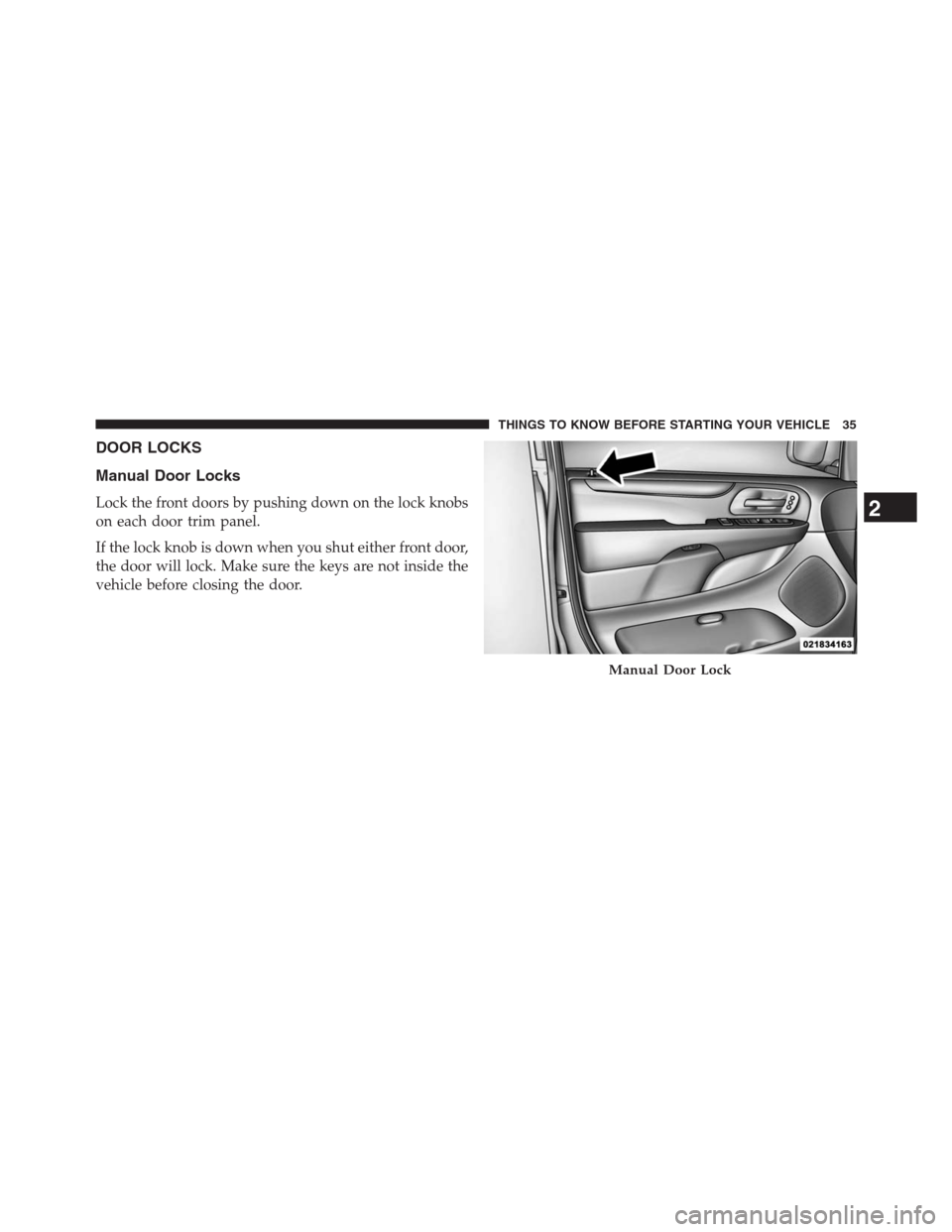
Manual Door Locks
Lock the front doors by pushing down on the lock knobs
on each door trim panel.
If the lock knob is down when you shut either front door,
the door will lock. Make sure the keys are not inside the
vehicle before closing the door.
Manual Door Lock
2
THINGS TO KNOW BEFORE STARTING YOUR VEHICLE 35
Page 38 of 683
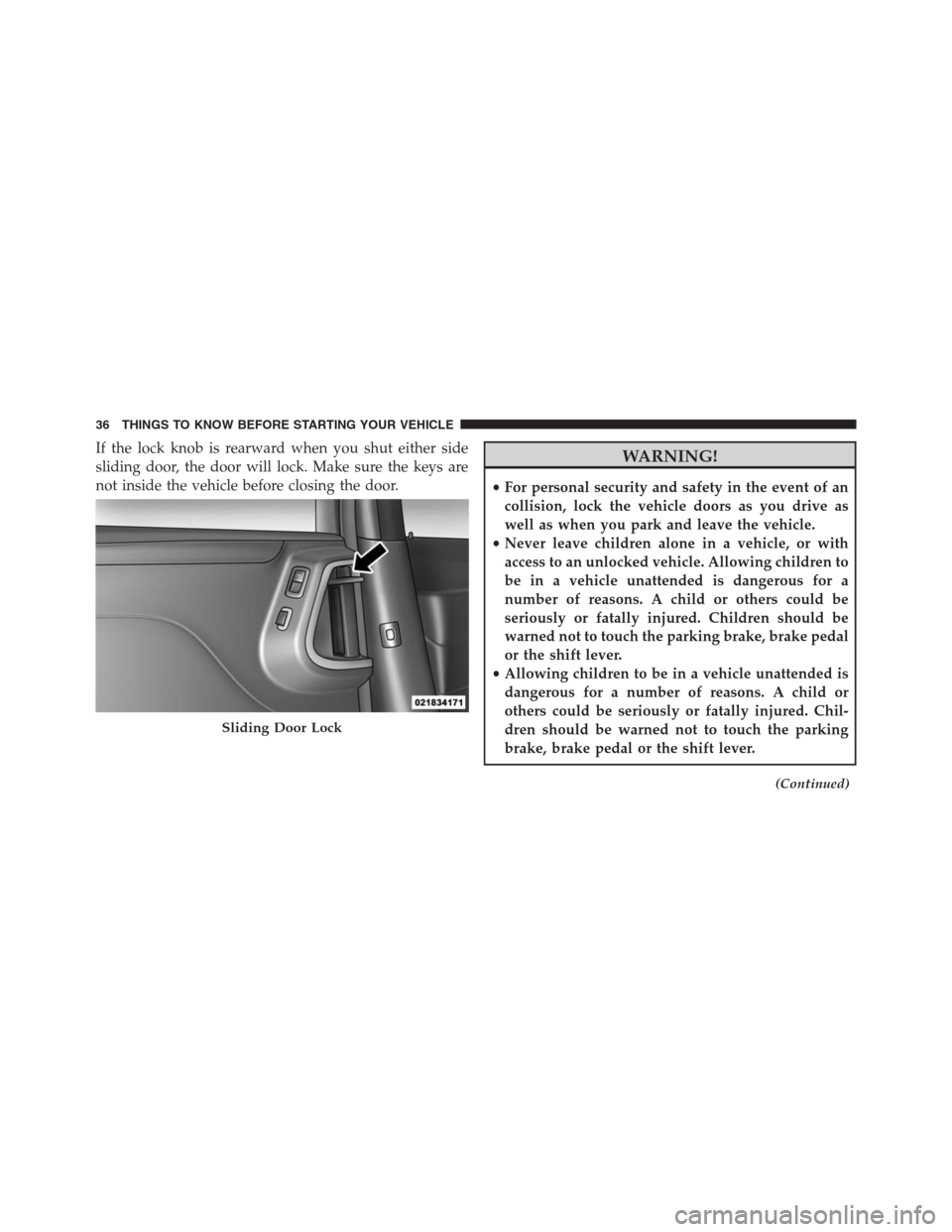
If the lock knob is rearward when you shut either side
sliding door, the door will lock. Make sure the keys are
not inside the vehicle before closing the door.WARNING!
•For personal security and safety in the event of an
collision, lock the vehicle doors as you drive as
well as when you park and leave the vehicle.
•Never leave children alone in a vehicle, or with
access to an unlocked vehicle. Allowing children to
be in a vehicle unattended is dangerous for a
number of reasons. A child or others could be
seriously or fatally injured. Children should be
warned not to touch the parking brake, brake pedal
or the shift lever.
•Allowing children to be in a vehicle unattended is
dangerous for a number of reasons. A child or
others could be seriously or fatally injured. Chil-
dren should be warned not to touch the parking
brake, brake pedal or the shift lever.
(Continued)
Sliding Door Lock
36 THINGS TO KNOW BEFORE STARTING YOUR VEHICLE
Page 39 of 683
WARNING!(Continued)
•Do not leave the key fob in or near the vehicle, or in
a location accessible to children, and do not leave a
vehicle equipped with Keyless Enter-N-Go™ in the
ACC or ON/RUN position. A child could operate
power windows, other controls, or move the vehicle.
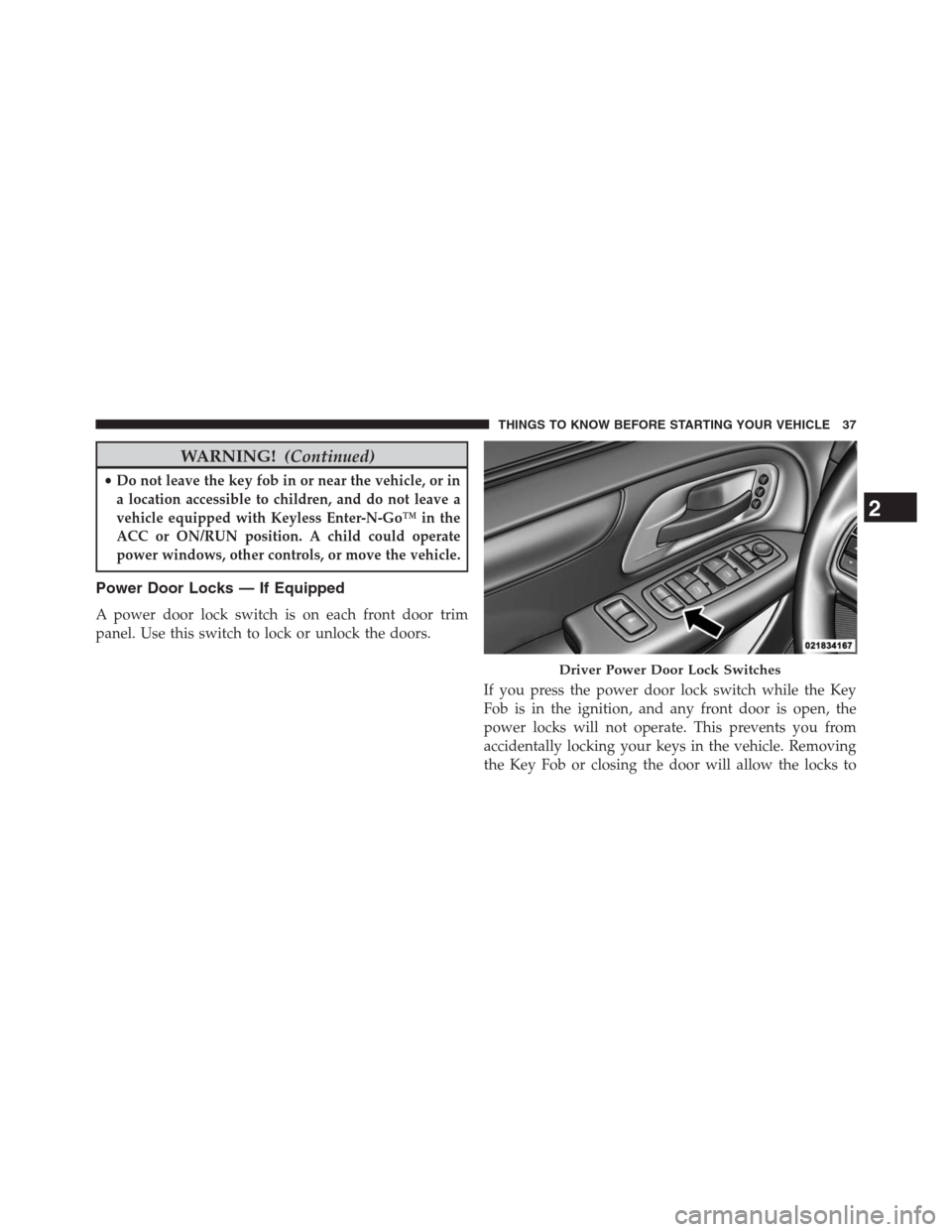
Power Door Locks — If Equipped
A power door lock switch is on each front door trim
panel. Use this switch to lock or unlock the doors.
If you press the power door lock switch while the Key
Fob is in the ignition, and any front door is open, the
power locks will not operate. This prevents you from
accidentally locking your keys in the vehicle. Removing
the Key Fob or closing the door will allow the locks to
Driver Power Door Lock Switches
2
THINGS TO KNOW BEFORE STARTING YOUR VEHICLE 37
Page 40 of 683
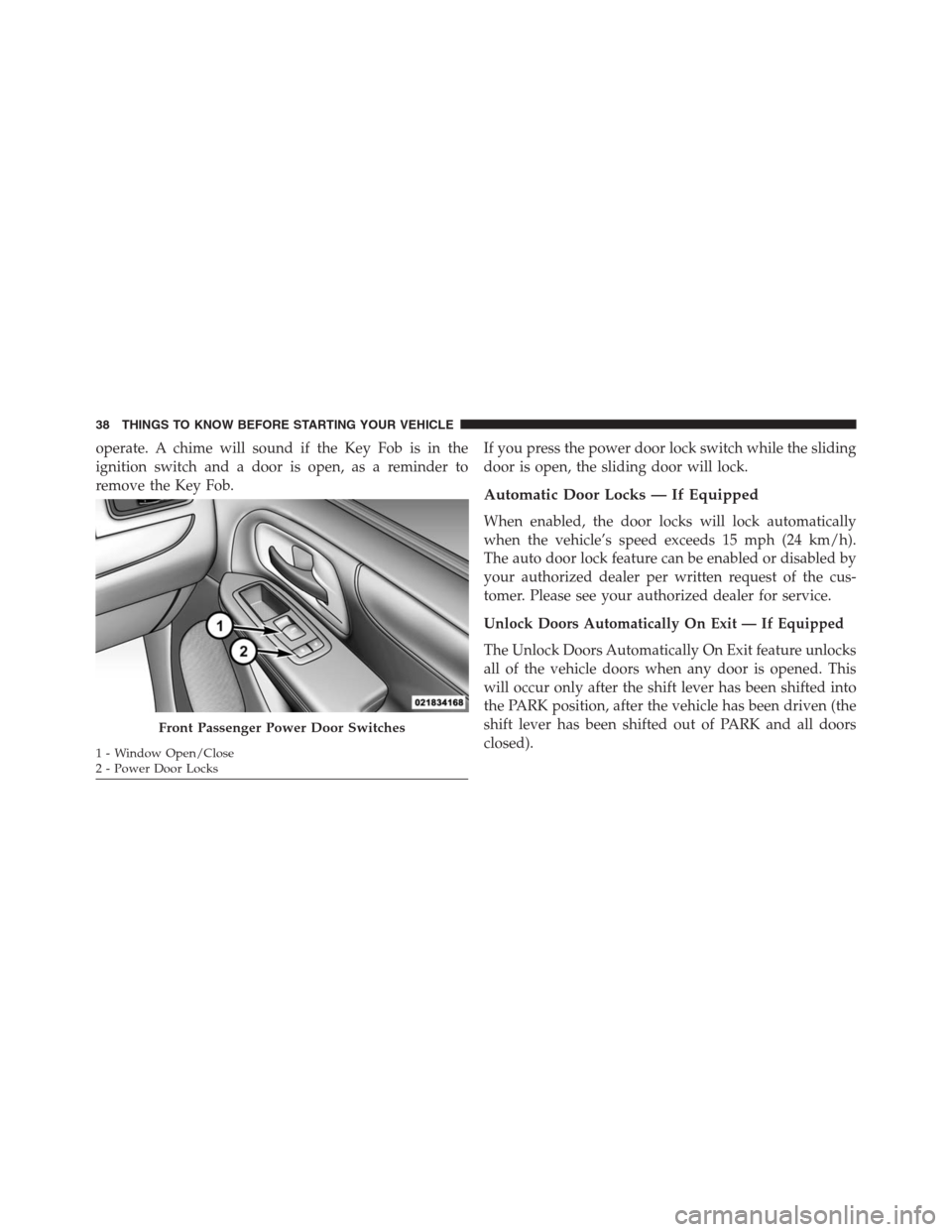
operate. A chime will sound if the Key Fob is in the
ignition switch and a door is open, as a reminder to
remove the Key Fob.If you press the power door lock switch while the sliding
door is open, the sliding door will lock.
Automatic Door Locks — If Equipped
When enabled, the door locks will lock automatically
when the vehicle’s speed exceeds 15 mph (24 km/h).
The auto door lock feature can be enabled or disabled by
your authorized dealer per written request of the cus-
tomer. Please see your authorized dealer for service.
Unlock Doors Automatically On Exit — If Equipped
The Unlock Doors Automatically On Exit feature unlocks
all of the vehicle doors when any door is opened. This
will occur only after the shift lever has been shifted into
the PARK position, after the vehicle has been driven (the
shift lever has been shifted out of PARK and all doors
closed).
Front Passenger Power Door Switches
1 - Window Open/Close
2 - Power Door Locks 38 THINGS TO KNOW BEFORE STARTING YOUR VEHICLE
Page 50 of 683
Power Sliding Side Door Open Flash
The left and right exterior hazard lights will flash for
12 seconds when either sliding door is opened. This will
alert other drivers in the area that passenger(s) could be
entering or exiting the vehicle.
The Sliding Side Door Open Flash can be enabled or
disabled by performing the following procedure:
1. Place the Key Fob in the ignition switch.
2. Cycle the ignition switch from ON/RUN to OFF five
times ending in the ON/RUN position(do not start
the engine).
3. Within 10 seconds of the final cycle, press the HAZ-
ARD switch ON.
4. A single chime will sound to signify that you have
successfully completed the programming.You can turn the feature back on by repeating the
previous procedure.
Power Sliding Side Door Master Lock Switch
To provide a safer environment for small children riding
in the rear seats, the second row sliding door switches
and handles may be overridden by pressing the OFF side
of the Master Lock Out Switch located in the front
overhead console.
When the power sliding door master lock switch is in the
OFF position, the power sliding side door may not be
opened or closed by pressing the switch located on the
b-pillar trim panel, just in front of the sliding door or
activating the inside power sliding door handle.
48 THINGS TO KNOW BEFORE STARTING YOUR VEHICLE
Page 54 of 683
LIFTGATE
On vehicles equipped with power locks, the liftgate can
be unlocked using the Remote Keyless Entry (RKE)
transmitter button, or by activating the power door lock
switches located on the front doors.
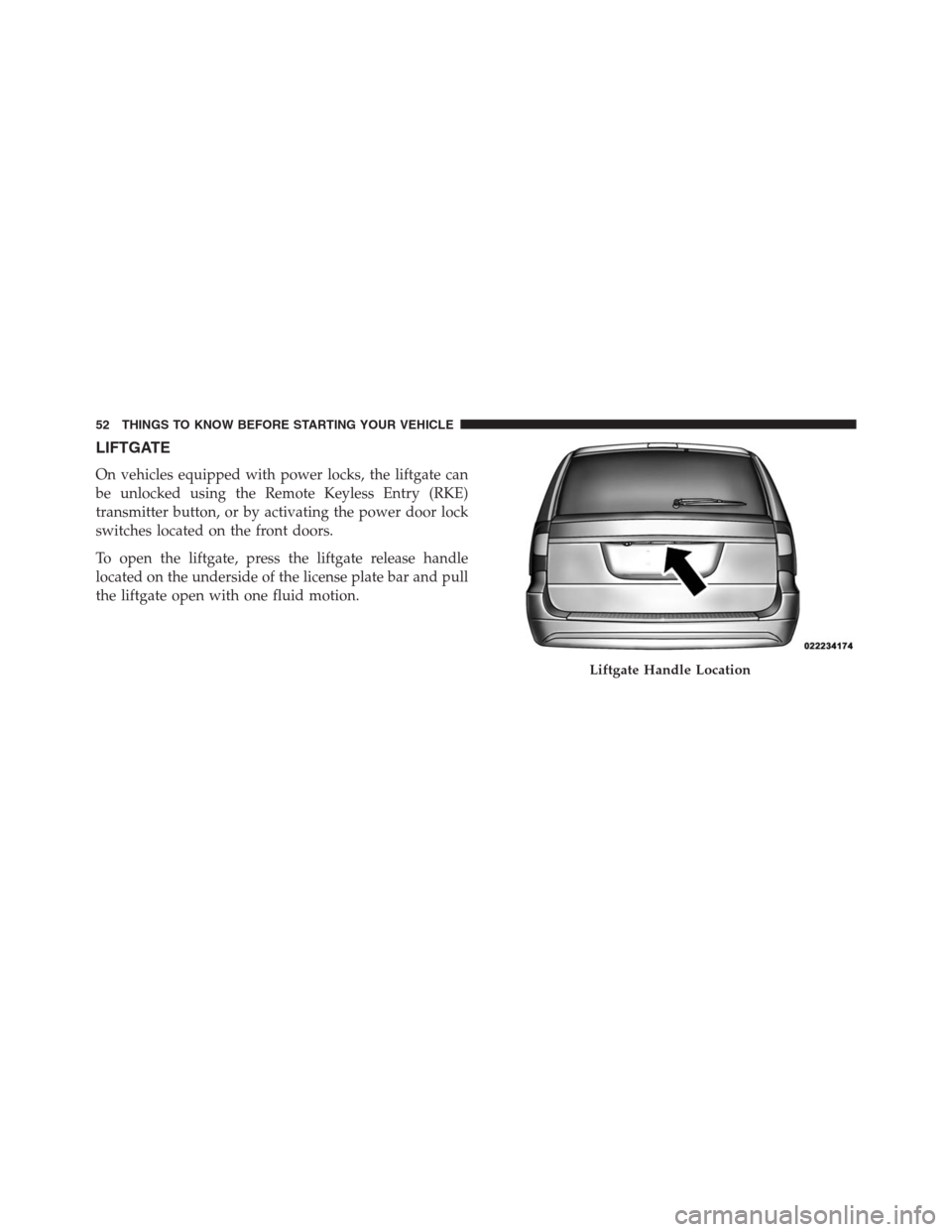
To open the liftgate, press the liftgate release handle
located on the underside of the license plate bar and pull
the liftgate open with one fluid motion.
Liftgate Handle Location
52 THINGS TO KNOW BEFORE STARTING YOUR VEHICLE
Page 55 of 683
Power Liftgate — If Equipped
The power liftgate may be opened manually or by using
the button on the Remote Keyless Entry (RKE) transmit-
ter. Press the button on the transmitter twice within
five seconds, to open the power liftgate. When the liftgate
is fully open, pressing the button twice within five sec-
onds, a second time, will close the liftgate.
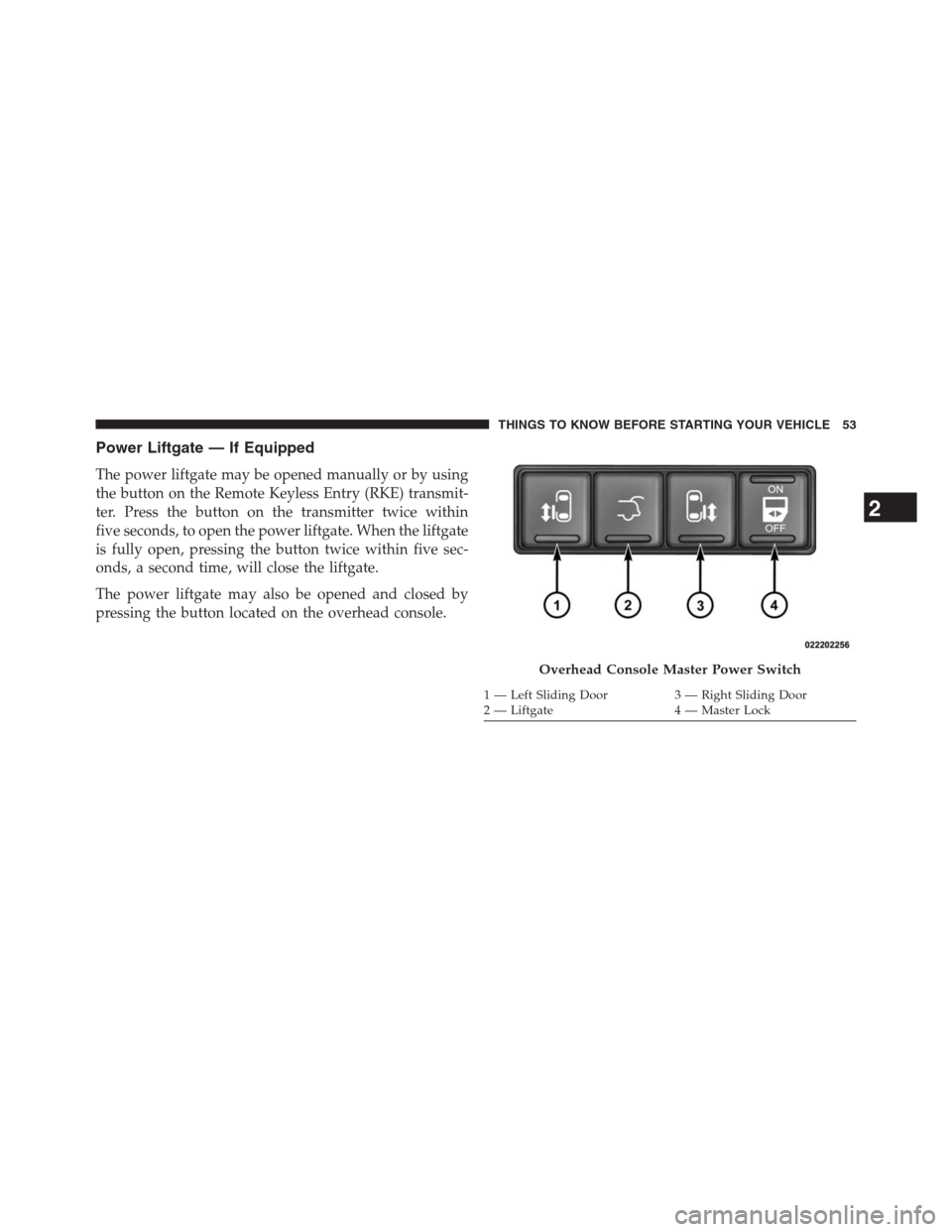
The power liftgate may also be opened and closed by
pressing the button located on the overhead console.
Overhead Console Master Power Switch
1 — Left Sliding Door 3 — Right Sliding Door
2 — Liftgate 4 — Master Lock
2
THINGS TO KNOW BEFORE STARTING YOUR VEHICLE 53
Page 84 of 683
Seat belts are necessary for your protection in all colli-
sions, and also are needed to help keep you in position,
away from an inflating air bag.
The ORC monitors the readiness of the electronic parts of
the air bag system whenever the ignition switch is in the
START or ON/RUN position. If the key is in the OFF
position, in the ACC position, or not in the ignition, the
air bag system is not on and the air bags will not inflate.
The ORC contains a backup power supply system that
may deploy the air bags even if the battery loses power or
it becomes disconnected prior to deployment.
Also, the ORC turns on the Air Bag Warning
Light in the instrument panel for approxi-
mately four to eight seconds for a self-check
when the ignition is first turned on. After the
self-check, the Air Bag Warning Light will turn off. If the
ORC detects a malfunction in any part of the system, itturns on the Air Bag Warning Light, either momentarily
or continuously. A single chime will sound if the light
comes on again after initial startup.
It also includes diagnostics that will illuminate the instru-
ment cluster Air Bag Warning Light if a malfunction is
noted that could affect the air bag system. The diagnos-
tics also record the nature of the malfunction.
WARNING!
Ignoring the Air Bag Warning Light in your instru-
ment panel could mean you won’t have the air bags
to protect you in a collision. If the light does not come
on as a bulb check when the ignition is first turned
on, stays on after you start the vehicle, or if it comes
on as you drive, have an authorized dealer service the
air bag system immediately.
82 THINGS TO KNOW BEFORE STARTING YOUR VEHICLE
Page 87 of 683
Because air bag sensors estimate deceleration over time,
vehicle speed and damage are not good indicators of
whether or not an air bag should have deployed.
NOTE:In a rollover the pretensioners and/or SAB and
SABIC air bags may deploy on both sides of the vehicle.
Front And Side Impact Sensors
In front and side impacts, impact sensors can aid the
ORC in determining appropriate response to impact
events.
Enhanced Accident Response System
In the event of an impact causing air bag deployment, if
the communication network remains intact, and the
power remains intact, depending on the nature of the
event the ORC will determine whether to have the
Enhanced Accident Response System perform the follow-
ing functions:
Cut off fuel to the engine.Flash hazard lights as long as the battery has power or
until the ignition key is turned off.
Turn on the interior lights, which remain on as long as the
battery has power or until the ignition key is removed.
Unlock the doors automatically.
In order to reset the Enhanced Accident Response System
functions after an event, the ignition switch must be
changed from IGN ON to IGN OFF.
If A Deployment Occurs
The Advanced Front Air Bags are designed to deflate
immediately after deployment.
NOTE:Front and/or side air bags will not deploy in all
collisions. This does not mean something is wrong with
the air bag system.
2
THINGS TO KNOW BEFORE STARTING YOUR VEHICLE 85