ABS DODGE GRAND CARAVAN 2013 5.G User Guide
[x] Cancel search | Manufacturer: DODGE, Model Year: 2013, Model line: GRAND CARAVAN, Model: DODGE GRAND CARAVAN 2013 5.GPages: 132, PDF Size: 4.51 MB
Page 8 of 132
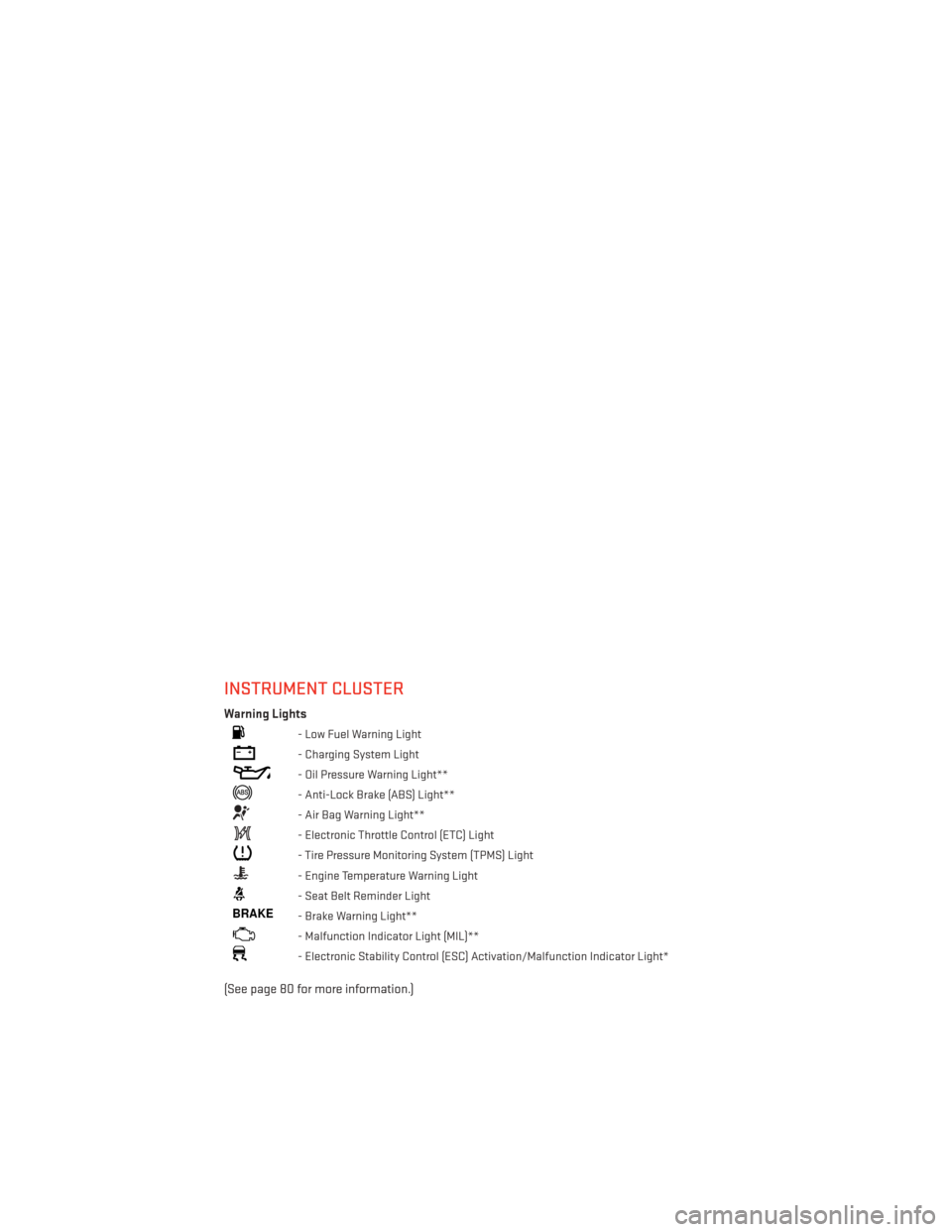
INSTRUMENT CLUSTER
Warning Lights
- Low Fuel Warning Light
- Charging System Light
- Oil Pressure Warning Light**
- Anti-Lock Brake (ABS) Light**
- Air Bag Warning Light**
- Electronic Throttle Control (ETC) Light
- Tire Pressure Monitoring System (TPMS) Light
- Engine Temperature Warning Light
- Seat Belt Reminder Light
BRAKE- Brake Warning Light**
- Malfunction Indicator Light (MIL)**
- Electronic Stability Control (ESC) Activation/Malfunction Indicator Light*
(See page 80 for more information.)
CONTROLS AT A GLANCE
6
Page 46 of 132
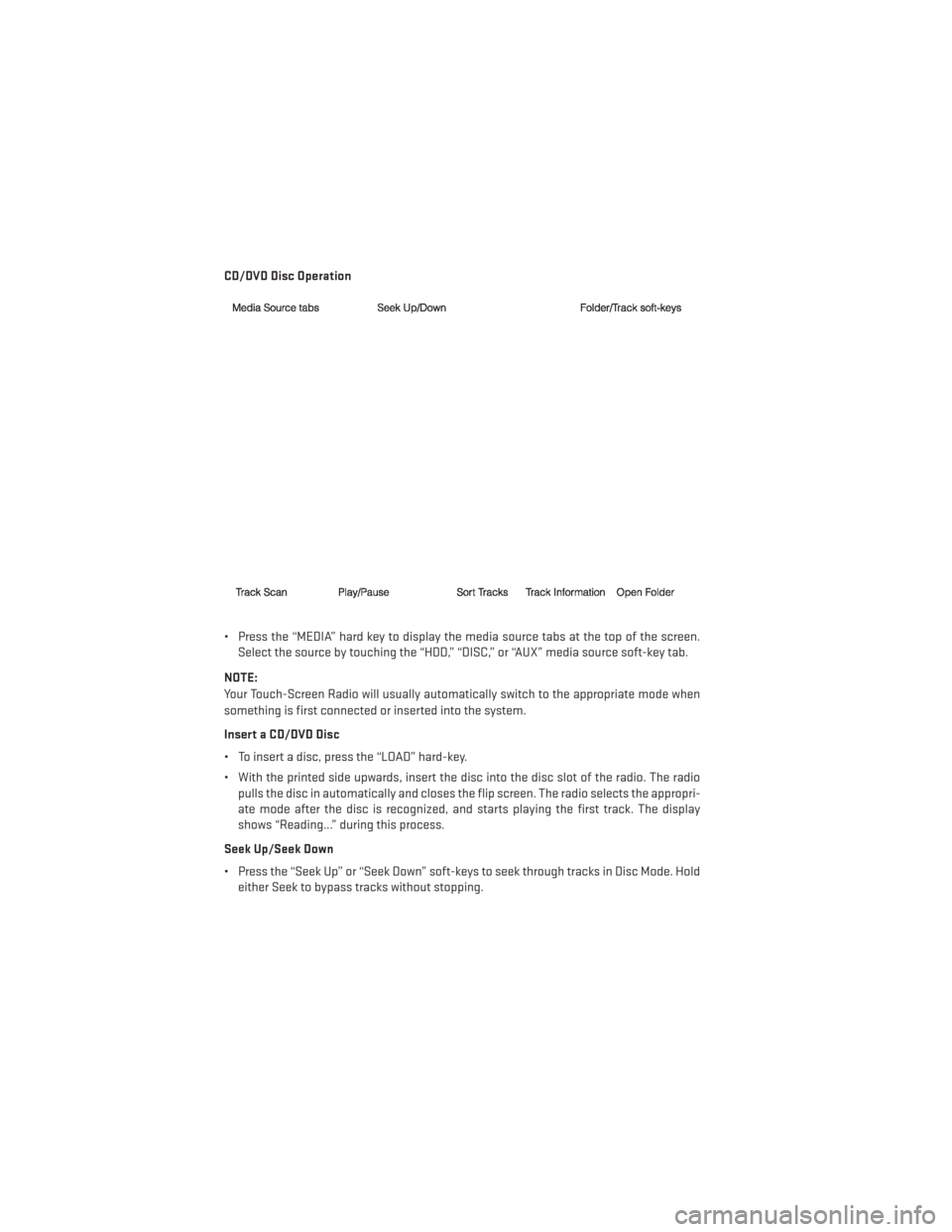
CD/DVD Disc Operation
• Press the “MEDIA” hard key to display the media source tabs at the top of the screen.Select the source by touching the “HDD,” “DISC,” or “AUX” media source soft-key tab.
NOTE:
Your Touch-Screen Radio will usually automatically switch to the appropriate mode when
something is first connected or inserted into the system.
Insert a CD/DVD Disc
• To insert a disc, press the “LOAD” hard-key.
• With the printed side upwards, insert the disc into the disc slot of the radio. The radio pulls the disc in automatically and closes the flip screen. The radio selects the appropri-
ate mode after the disc is recognized, and starts playing the first track. The display
shows “Reading...” during this process.
Seek Up/Seek Down
• Press the “Seek Up” or “Seek Down” soft-keys to seek through tracks in Disc Mode. Hold either Seek to bypass tracks without stopping.
ELECTRONICS
44
Page 49 of 132
Playing Music From The HDD
• Press the “MEDIA” hard-key to display the media source tabs at the top of the screen.Touch the “HDD” soft-key tab. Touch the desired track soft-key to play or touch the
“SEARCH/BROWSE” soft-key to search by artist, by album, by song, by genre, from a
folder, or from Favorites.
Cleaning Your Touch-Screen Radio
• Do not spray any liquid or caustic chemi- cals directly on the screen. Use a clean
and dry micro fiber lens cleaning cloth to
clean the touch-screen.
• If necessary, use a lint-free cloth damp- ened with a cleaning solution such as iso-
propyl alcohol or an isopropyl alcohol and
water solution ratio of 50:50. Always fol-
low the solvent manufacturer's precau-
tions and directions.
Garmin® Navigation
• Uconnect® 430N integrates Garmin’s consumer-friendly navigation into your
vehicle. Garmin® Navigation includes a
database with over six million points of
interest.
• Touch the “NAV” soft-key in the upper right corner of the screen to access the Navigation system.
Changing the Navigation Voice Prompt
Volume
1. Program a destination.
2. While traveling on your route, touch the upper left area of the map screen where
your next turn is displayed.
3. The Navigation system will then repeat the distance to your next turn.
4. While the Navigation system is speaking, use the ON/OFF VOLUME rotary knob to adjust the volume to a comfortable level. Please note the volume setting for Navigation Voice
Prompt is different than the audio system.
NOTE:
For your own safety and the safety of others, it is not possible to use certain features while
the vehicle is in motion.
ELECTRONICS
47
Page 55 of 132
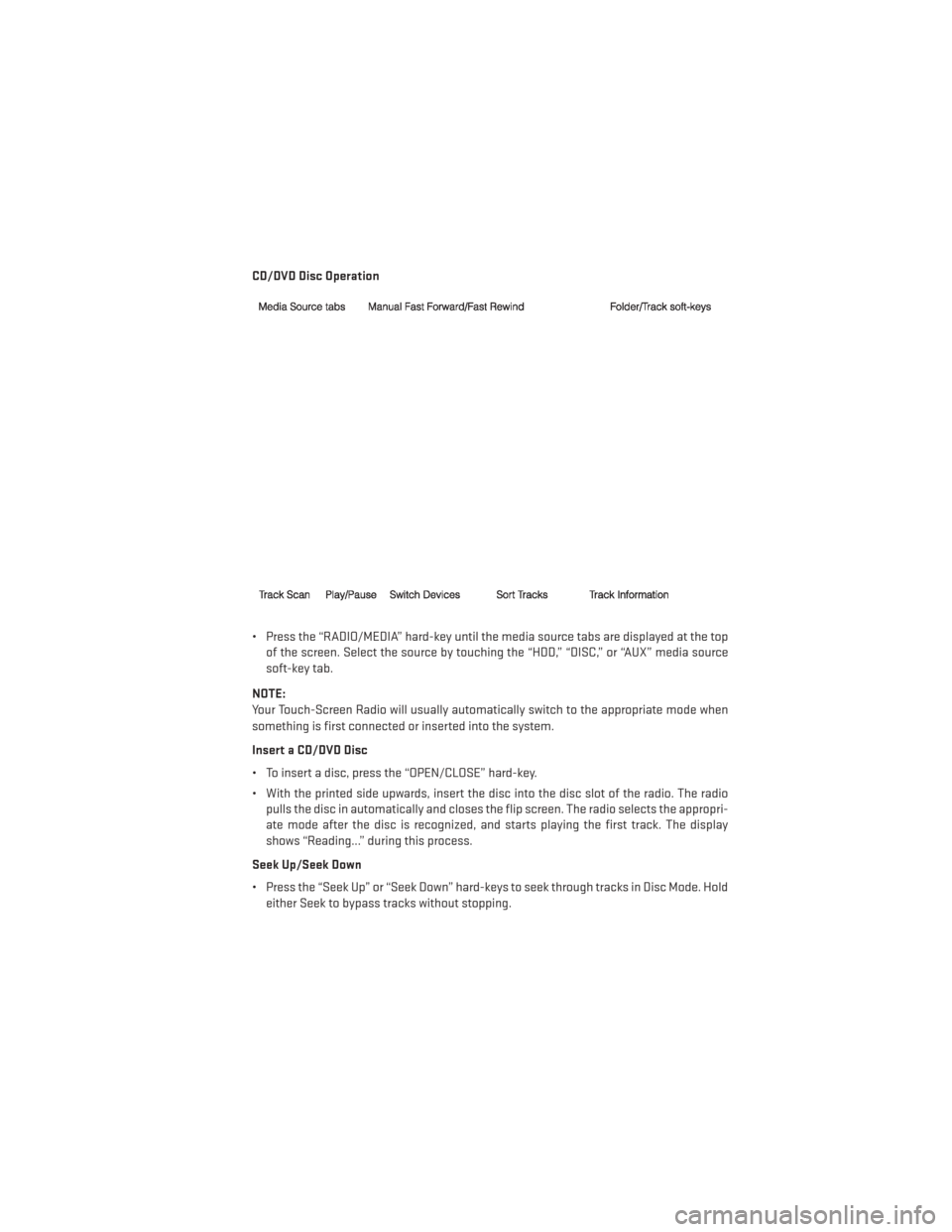
CD/DVD Disc Operation
• Press the “RADIO/MEDIA” hard-key until the media source tabs are displayed at the topof the screen. Select the source by touching the “HDD,” “DISC,” or “AUX” media source
soft-key tab.
NOTE:
Your Touch-Screen Radio will usually automatically switch to the appropriate mode when
something is first connected or inserted into the system.
Insert a CD/DVD Disc
• To insert a disc, press the “OPEN/CLOSE” hard-key.
• With the printed side upwards, insert the disc into the disc slot of the radio. The radio pulls the disc in automatically and closes the flip screen. The radio selects the appropri-
ate mode after the disc is recognized, and starts playing the first track. The display
shows “Reading...” during this process.
Seek Up/Seek Down
• Press the “Seek Up” or “Seek Down” hard-keys to seek through tracks in Disc Mode. Hold either Seek to bypass tracks without stopping.
ELECTRONICS
53
Page 58 of 132
Playing Music From The HDD
• Press the “RADIO/MEDIA” hard-key until the media source tabs are displayed at the topof the screen. Touch the “HDD” soft-key tab. Touch the desired track soft-key to play or
touch the “SEARCH/BROWSE” soft-key to search by artist, by album, by song, by genre,
from a folder, or from Favorites.
Cleaning Your Touch-Screen Radio
• Do not spray any liquid or caustic chemi- cals directly on the screen. Use a clean
and dry micro fiber lens cleaning cloth to
clean the touch-screen.
• If necessary, use a lint-free cloth damp- ened with a cleaning solution such as iso-
propyl alcohol or an isopropyl alcohol and
water solution ratio of 50:50. Always fol-
low the solvent manufacturer's precau-
tions and directions.
NAVIGATION
• Your navigation system receives GPS sig- nals from up to 16 satellites to display the
position of your vehicle. Map and data-
base information is supplied through a
hard disk drive.
• Touch the “NAV” hard-key on the radio face plate to access the Navigation sys-
tem and the NAV – Main Menu.
Changing the Navigation Guidance
Prompt Volume
1. From the Navigation Map screen, touch the Menu hard-key and then touch the Guidance Prompts soft-key.
2.
Select and adjust the navigation guidance prompt volume using the left and right arrows.
3. Touch the “SAMPLE VOL” soft-key to lis- ten to the current volume setting.
4. Once satisfied with the volume, touch the “SAVE” soft-key to save the settings.
Touch the “CANCEL” soft-key to exit the
menu without saving the settings.
NOTE:
For your own safety and the safety of others,
it is not possible to use the certain features while the vehicle is in motion.
ELECTRONICS
56
Page 84 of 132
BRAKE- Brake Warning Light
• The Brake Warning light illuminates when there is either a system malfunction or the parking brake is applied. If the light is on and the parking brake is not applied, it indicates
a possible brake hydraulic malfunction, brake booster problem or an Anti-Lock Brake
System problem.
• Please have your vehicle serviced immediately.
WARNING!
Driving a vehicle with the red brake light on is dangerous. Part of the brake system may
have failed. It will take longer to stop the vehicle. You could have a collision. Have the
vehicle checked immediately.
- Malfunction Indicator Light (MIL)
• Certain conditions, such as a loose or missing gas cap, poor fuel quality, etc., may illuminate the MIL after engine start. The vehicle should be serviced if the light stays on
through several typical driving cycles. In most situations, the vehicle will drive normally
and not require towing.
• If the MIL flashes when the engine is running, serious conditions may exist that could lead to immediate loss of power or severe catalytic converter damage. We recommend
you do not operate the vehicle. Have the vehicle serviced immediately.
- Electronic Stability Control (ESC) OFF Indicator Light
• This light indicates the Electronic Stability Control (ESC) is off.
- Charging System Light
•
This light shows the status of the electrical charging system. If the charging system light
remains on, it means that the vehicle is experiencing a problem with the charging system.
• We recommend you do not continue driving if the charging system light is on. Have the vehicle serviced immediately.
- Oil Pressure Warning Light
•
This light indicates low engine oil pressure. If the light turns on while driving, stop the vehicle
and shut off the engine as soon as possible. A chime will sound when this light turns on.
• We recommend you do not operate the vehicle or engine damage will occur. Have the vehicle serviced immediately.
- Anti-Lock Brake (ABS) Light
• This light monitors the Anti-Lock Brake System (ABS).
• If the light is not on during starting, stays on, or turns on while driving, we recommend you drive to the nearest authorized dealer immediately and have the vehicle serviced
immediately.
WHAT TO DO IN EMERGENCIES
82
Page 90 of 132
Spare Tire Removal Instructions
• The spare tire is located under the vehiclebeneath the center console area.
1. Assemble the spare tire tools into a T-handle and place the square end over
the spare tire winch drive nut.
2. Rotate the nut to the left until the winch mechanism stops turning freely. This will
allow enough slack in the cable to allow
you to pull the spare tire out from under-
neath the vehicle.
3. Assemble the winch handle extensions to form the spare tire hook, and pull the
spare tire from under the vehicle.
NOTE:
If either front tire is flat it may be necessary
to jack up the vehicle to remove the compact
spare tire/cover assembly from under the
vehicle.
4. Stand the tire/cover assembly upright and remove the wheel spacer by squeez-
ing the winch retaining tabs together.
Push the retainer through the spare tire to
release it from the wheel.
WHAT TO DO IN EMERGENCIES
88
Page 92 of 132
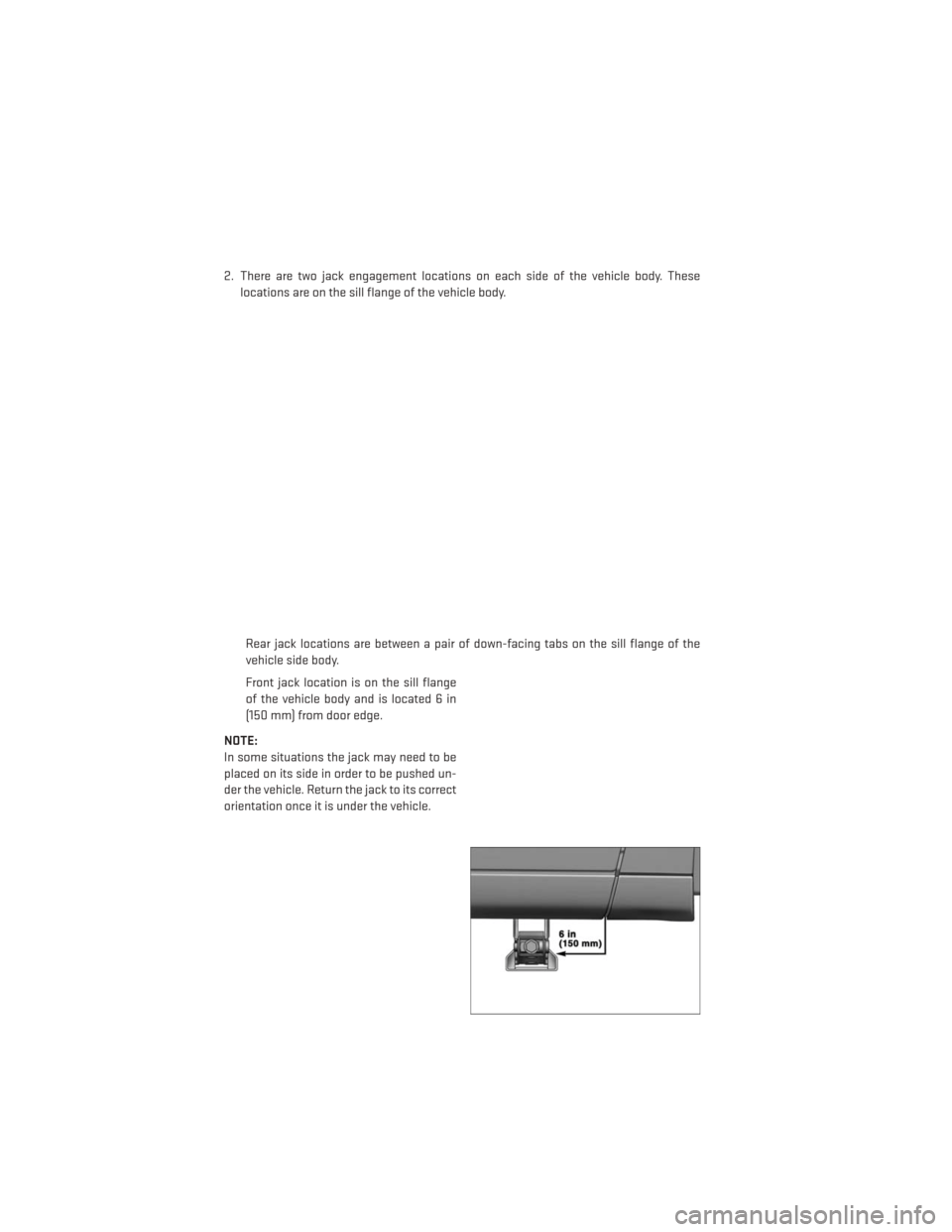
2. There are two jack engagement locations on each side of the vehicle body. Theselocations are on the sill flange of the vehicle body.
Rear jack locations are between a pair of down-facing tabs on the sill flange of the
vehicle side body.
Front jack location is on the sill flange
of the vehicle body and is located 6 in
(150 mm) from door edge.
NOTE:
In some situations the jack may need to be
placed on its side in order to be pushed un-
der the vehicle. Return the jack to its correct
orientation once it is under the vehicle.
WHAT TO DO IN EMERGENCIES
90
Page 94 of 132
Securing The Spare Tire
1. Assemble the winch handle extensions to form a T-handle and fit the winch T-handle overthe drive nut. Rotate the nut to the left until the winch mechanism stops turning freely.
This will allow enough slack in the cable to allow you to pull the wheel spacer out from
under the vehicle.
2. Assemble the winch handle extensions to form the spare tire hook, and pull the wheel spacer from under the vehicle.
3. Turn the compact spare tire so that the valve stem is down, and place the tire into the spare tire/cover assembly. Slide the wheel spacer through the center of the wheel and
spare tire/cover assembly, so that the two retainer tabs snap out and engage the spare
tire cover on the opposite side.
4. Using the winch T-handle, rotate the drive nut to the right until the compact spare tire/cover assembly is drawn into place against the underside of the vehicle.
5. Continue to rotate the nut to the right until you hear the winch mechanism click three times. It cannot be overtightened. Check under the vehicle to ensure the compact spare
tire/cover assembly is positioned correctly against the underside of the vehicle.
Road Tire Installation
Vehicles Equipped With Wheel Covers
1. Mount the road tire on the axle.
2. To ease the installation process for steel wheels with wheel covers, install two lug nuts on the mounting studs which are on each side of the valve stem. Install the lug nuts with
the cone shaped end of the nut toward the wheel. Lightly tighten the lug nuts.
3. Align the valve notch in the wheel cover with the valve stem on the wheel. Install
the cover by hand, snapping the cover
over the two lug nuts. Do not use a ham-
mer or excessive force to install the
cover.
4. Install the remaining lug nuts with the cone shaped end of the nut toward the
wheel. Lightly tighten the lug nuts.
5. Lower the vehicle to the ground by turn- ing the jack handle counterclockwise.
1 — Valve Stem 4 — Wheel Cover
2 — Valve Notch 5 — Mounting Stud
3 — Wheel Lug Nut
WHAT TO DO IN EMERGENCIES
92
Page 96 of 132
WARNING!
• Do not attempt to change a tire on the side of the vehicle close to moving traffic. Pullfar enough off the road to avoid the danger of being hit when operating the jack or
changing the wheel.
• Being under a jacked-up vehicle is dangerous. The vehicle could slip off the jack and
fall on you. You could be crushed. Never put any part of your body under a vehicle that
is on a jack. If you need to get under a raised vehicle, take it to a service center where
it can be raised on a lift.
• Never start or run the engine while the vehicle is on a jack.
• The jack is designed to be used as a tool for changing tires only. The jack should not
be used to lift the vehicle for service purposes. The vehicle should be jacked on a firm
level surface only. Avoid ice or slippery areas.
• Carefully follow these tire changing warnings to help prevent personal injury or
damage to your vehicle:
• Always park on a firm, level surface as far from the edge of the roadway as possible
before raising the vehicle.
• Turn on the Hazard Warning flasher.
• Block the wheel diagonally opposite the wheel to be raised.
• Set the parking brake firmly and set an automatic transmission in PARK; a manual
transmission in REVERSE.
• Do not let anyone sit in the vehicle when it is on a jack.
• Do not get under the vehicle when it is on a jack.
• Only use the jack in the positions indicated and for lifting this vehicle during a tire
change.
• If working on or near a roadway, be extremely careful of motor traffic.
• To assure that spare tires, flat or inflated, are securely stowed, spares must be
stowed with the valve stem facing the ground.
• Raising the vehicle higher than necessary can make the vehicle less stable. It could
slip off the jack and hurt someone near it. Raise the vehicle only enough to remove
the tire.
• To avoid the risk of forcing the vehicle off the jack, do not tighten the wheel nuts fully
until the vehicle has been lowered. Failure to follow this warning may result in
personal injury.
• A loose tire or jack thrown forward in a collision or hard stop could endanger the
occupants of the vehicle. Always stow the jack parts and the spare tire in the places
provided. Have the deflated (flat) tire repaired or replaced immediately.
• Verify that both retainer tabs of the wheel spacer have been properly extended
through the center of the wheel and spare tire/cover assembly. Failure to properly
engage both retainer tabs could result in loss of the spare tire and cover assembly,
which will cause vehicle damage and may cause loss of vehicle control.
WHAT TO DO IN EMERGENCIES
94