fuel DODGE GRAND CARAVAN 2013 5.G User Guide
[x] Cancel search | Manufacturer: DODGE, Model Year: 2013, Model line: GRAND CARAVAN, Model: DODGE GRAND CARAVAN 2013 5.GPages: 132, PDF Size: 4.51 MB
Page 3 of 132
INTRODUCTION/WELCOME
WELCOME FROM CHRYSLER GROUP LLC . . . 2
CONTROLS AT A GLANCE
DRIVER COCKPIT................4
INSTRUMENT CLUSTER .............6
GETTING STARTED
KEYFOB .....................8
REMOTE START.................9
THEFT ALARM ..................9
SEATBELT ...................10
SUPPLEMENTAL RESTRAINT SYSTEM
(SRS)—AIRBAGS................10
CHILD RESTRAINTS ..............11
FRONT SEATS .................14
REARSEATS ..................15
HEATEDSEATS .................19
HEATED STEERING WHEEL ..........20
TILT/TELESCOPING STEERING COLUMN . . . 20
ADJUSTABLE PEDALS .............21
OPERATING YOUR VEHICLE
ENGINE BREAK-IN RECOMMENDATIONS . . . 22
TURN SIGNAL/WIPER/WASHER/HIGH
BEAM LEVER..................22
HEADLIGHT SWITCH AND HALO LIGHT
SWITCH .....................24
SPEED CONTROL ................25
ELECTRONIC RANGE SELECTION (ERS) . . . 26
FUEL ECONOMY (ECON) MODE ........26
MANUAL CLIMATE CONTROLS ........27
THREE ZONE MANUAL CLIMATE CONTROLS . . 28THREE ZONE AUTOMATIC TEMPERATURE
CONTROLS (ATC)................29
PARKSENSE® REAR PARK ASSIST ......30
PARKVIEW® REAR BACK-UP CAMERA ....30
BLIND SPOT MONITORING WITH REAR
CROSS PATH ..................31
POWER SLIDING SIDE DOORS .........31
POWER LIFTGATE ...............32
POWER SUNROOF ...............32
WIND BUFFETING ...............33
ELECTRONICS
YOUR VEHICLE'S SOUND SYSTEM ......34
Uconnect® 130 .................36
Uconnect® 130 WITH SiriusXM SATELLITE
RADIO ......................38
Uconnect® 430/430N .............41
Uconnect® 730N ................50
SiriusXM SATELLITE RADIO/TRAVEL LINK . . 60
STEERING WHEEL AUDIO CONTROLS ....63
iPod®/USB/MP3 CONTROL ..........63
Uconnect® Phone ...............64
Uconnect® VOICE COMMAND .........67Bluetooth® STREAMING AUDIO
........69
VIDEO ENTERTAINMENT SYSTEM (VES™)..69
ELECTRONIC VEHICLE INFORMATION
CENTER (EVIC) .................71
PROGRAMMABLE FEATURES .........72
UNIVERSAL GARAGE DOOR OPENER
(HomeLink®) ..................73
POWER INVERTER ...............75
POWER OUTLETS ...............76
UTILITY
IN-FLOORSTORAGE–STOW'NGO® ......78
ROOF LUGGAGE RACK .............78
TRAILER TOWING WEIGHTS
(MAXIMUM TRAILER WEIGHT RATINGS) . . . 79
RECREATIONAL TOWING
(BEHIND MOTORHOME, ETC.) .........79
WHAT TO DO IN EMERGENCIES
ROADSIDE ASSISTANCE............80INSTRUMENT CLUSTER WARNING LIGHTS . . . 80IF YOUR ENGINE OVERHEATS .........84
JACKING AND TIRE CHANGING ........85
JUMP-STARTING ...............95
SHIFT LEVER OVERRIDE ............97
TOWING A DISABLED VEHICLE ........97
FREEING A STUCK VEHICLE .........98
EVENT DATA RECORDER (EDR) ........99
MAINTAINING YOUR VEHICLE
OPENING THE HOOD.............100
ADDING FUEL .................101
ENGINE COMPARTMENT ...........102
FLUIDS AND CAPACITIES ..........103
MAINTENANCE SCHEDULE .........104
MAINTENANCE RECORD ...........108
FUSES .....................109
TIRE PRESSURES ...............112
WHEEL AND WHEEL TRIM CARE .......113
EXTERIOR BULBS ...............113
CONSUMER ASSISTANCE
CHRYSLER GROUP LLC
CUSTOMER CENTER .............114
CHRYSLER CANADA INC.
CUSTOMER CENTER .............114
PUBLICATIONS ORDERING ..........114
ASSISTANCE FOR THE HEARING IMPAIRED. . 114
REPORTING SAFETY DEFECTS IN THE
UNITEDSTATES ................115
MOPAR ACCESSORIES
AUTHENTIC ACCESSORIES BY MOPAR® . . . 116
INDEX.....................117
FAQ (How To?)
FREQUENTLY ASKED QUESTIONS ......120
TABLE OF CONTENTS
Page 7 of 132
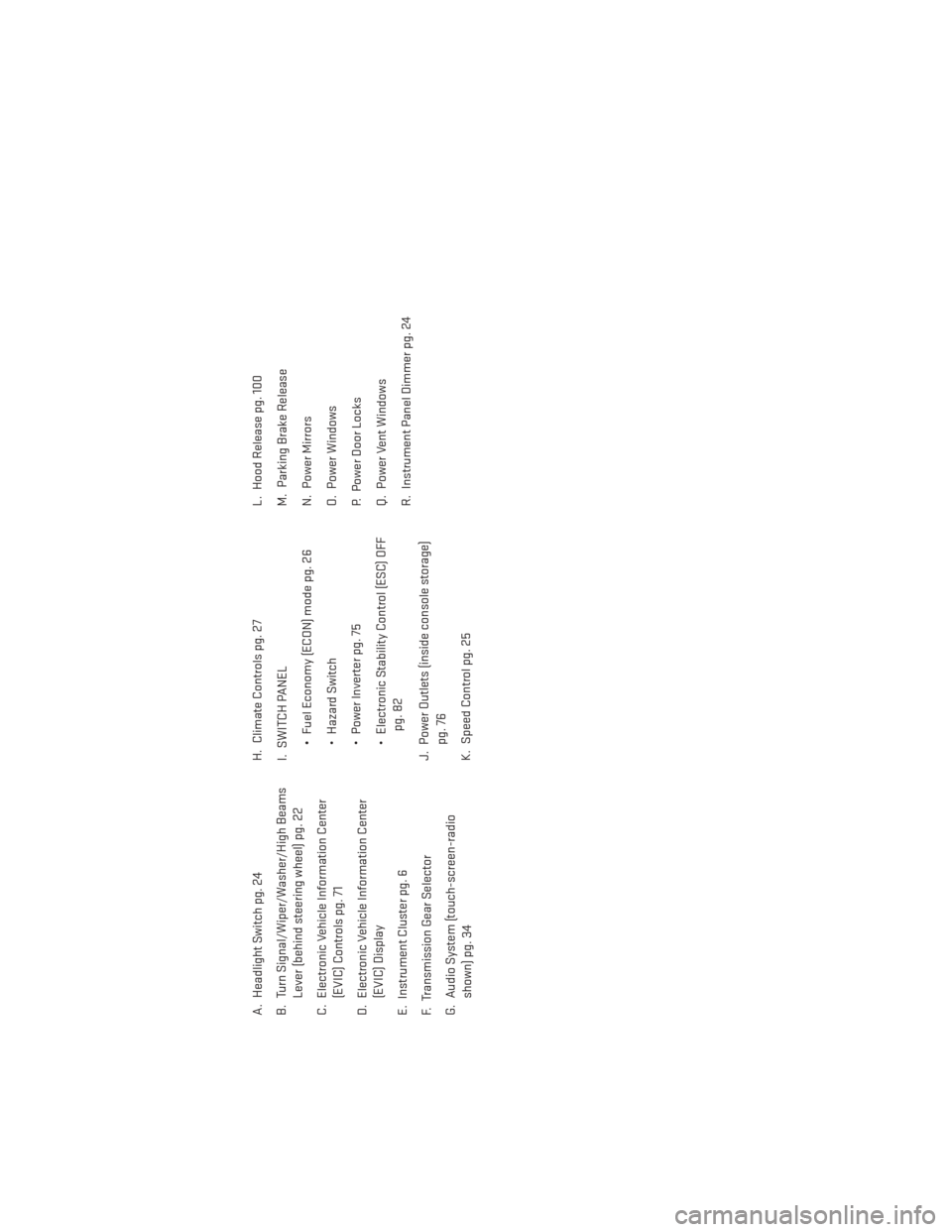
A. Headlight Switch pg. 24
B. Turn Signal/Wiper/Washer/High BeamsLever (behind steering wheel) pg. 22
C. Electronic Vehicle Information Center (EVIC) Controls pg. 71
D. Electronic Vehicle Information Center (EVIC) Display
E. Instrument Cluster pg. 6
F. Transmission Gear Selector
G. Audio System (touch-screen-radio shown) pg. 34 H. Climate Controls pg. 27
I. SWITCH PANEL
• Fuel Economy (ECON) mode pg. 26
• Hazard Switch
• Power Inverter pg. 75
• Electronic Stability Control (ESC) OFFpg. 82
J. Power Outlets (inside console storage) pg. 76
K. Speed Control pg. 25 L. Hood Release pg. 100
M. Parking Brake Release
N. Power Mirrors
O. Power Windows
P. Power Door Locks
Q. Power Vent Windows
R. Instrument Panel Dimmer pg. 24
CONTROLS AT A GLANCE
5
Page 8 of 132
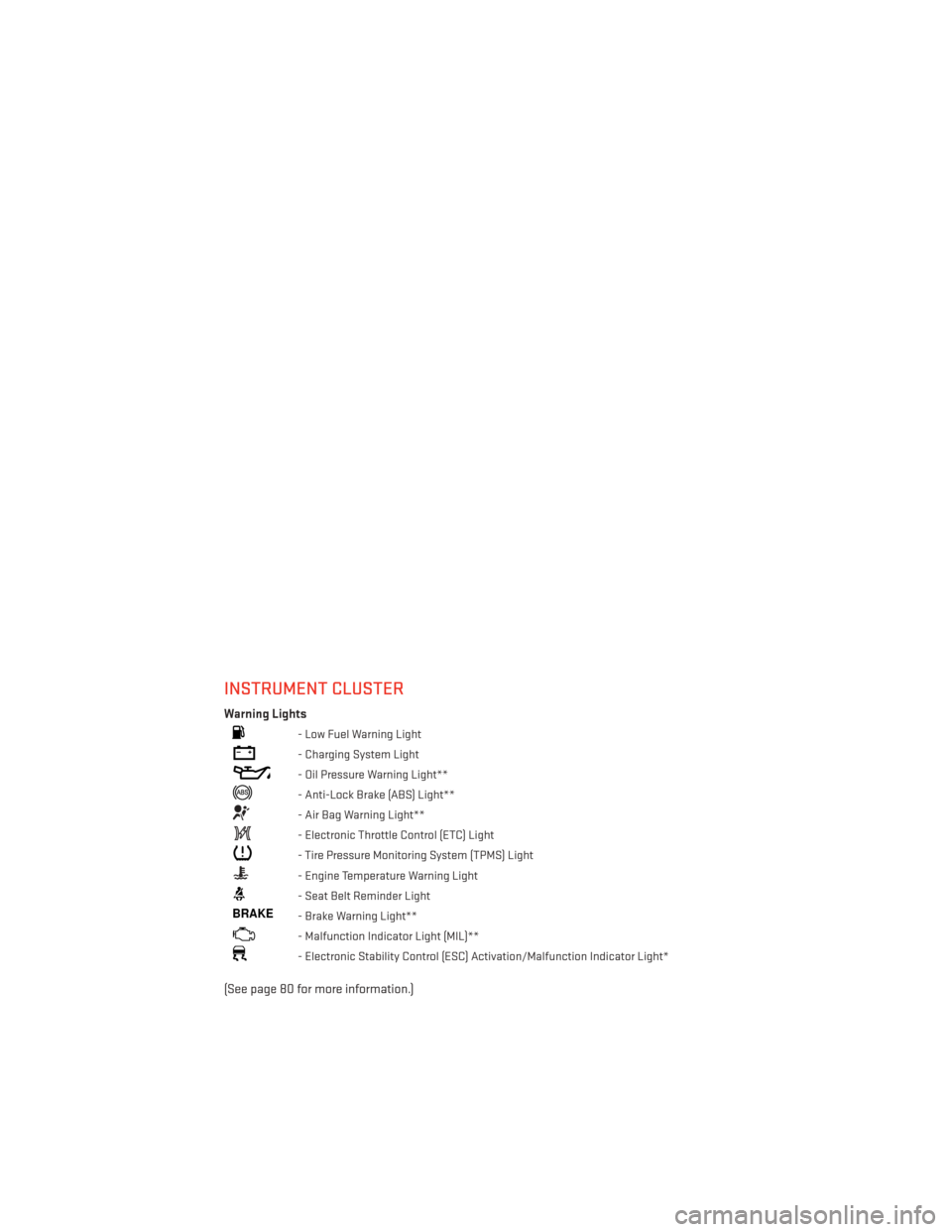
INSTRUMENT CLUSTER
Warning Lights
- Low Fuel Warning Light
- Charging System Light
- Oil Pressure Warning Light**
- Anti-Lock Brake (ABS) Light**
- Air Bag Warning Light**
- Electronic Throttle Control (ETC) Light
- Tire Pressure Monitoring System (TPMS) Light
- Engine Temperature Warning Light
- Seat Belt Reminder Light
BRAKE- Brake Warning Light**
- Malfunction Indicator Light (MIL)**
- Electronic Stability Control (ESC) Activation/Malfunction Indicator Light*
(See page 80 for more information.)
CONTROLS AT A GLANCE
6
Page 9 of 132
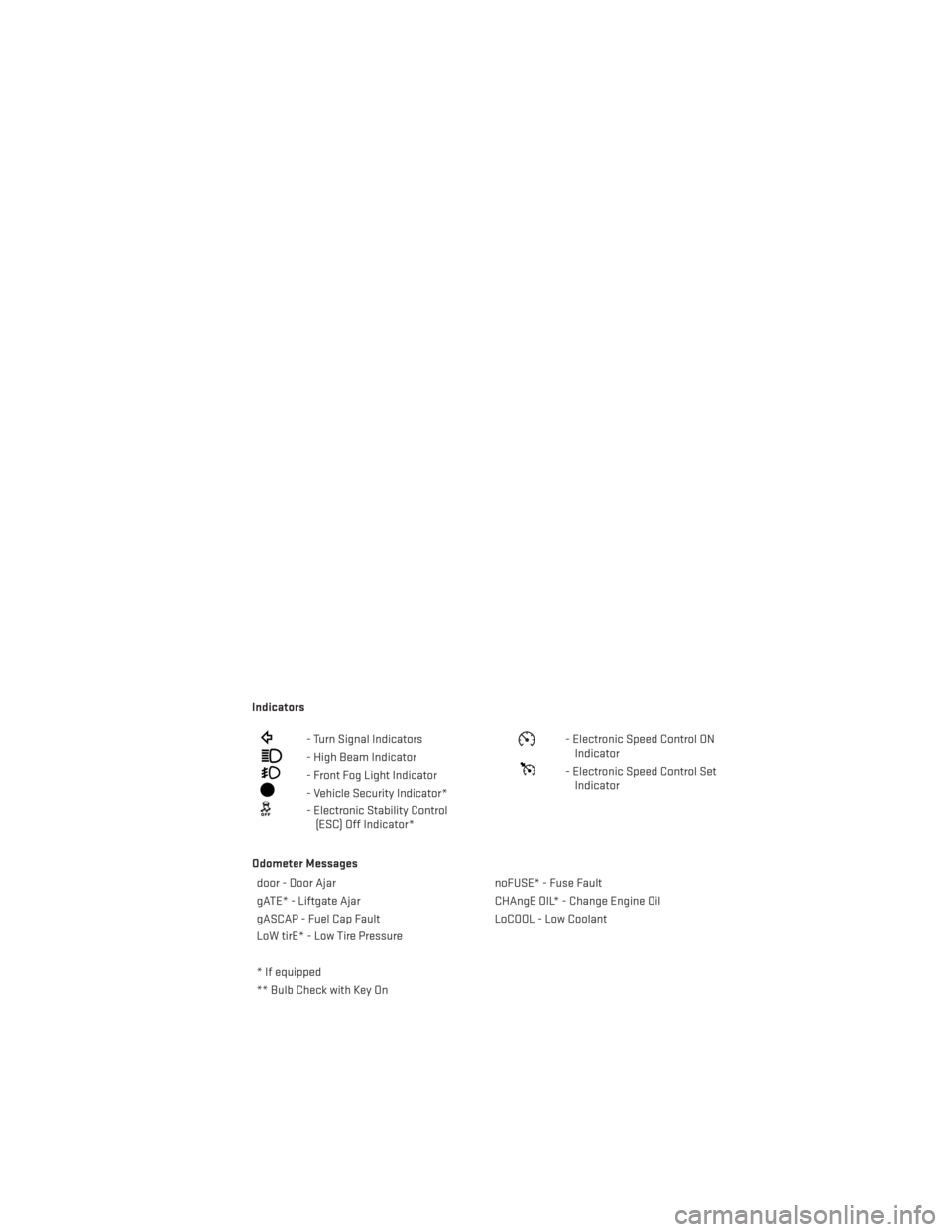
Indicators
- Turn Signal Indicators
- High Beam Indicator
- Front Fog Light Indicator
- Vehicle Security Indicator*
- Electronic Stability Control(ESC) Off Indicator*
- Electronic Speed Control ONIndicator
- Electronic Speed Control SetIndicator
Odometer Messages door - Door Ajar noFUSE* - Fuse Fault
gATE* - Liftgate Ajar CHAngE OIL* - Change Engine Oil
gASCAP - Fuel Cap Fault LoCOOL - Low Coolant
LoW tirE* - Low Tire Pressure
* If equipped
** Bulb Check with Key On
CONTROLS AT A GLANCE
7
Page 28 of 132
ELECTRONIC RANGE SELECTION (ERS)
• Electronic Range Select (ERS) allows youto limit the highest available transmis-
sion gear, and can be activated during any
driving condition. When towing a trailer or
operating the vehicle in off-road condi-
tions, using ERS shift control will help you
maximize both performance and engine
braking.
• To shift from DRIVE mode to ERS mode, move the shift lever to the left (-) once.
The current gear will be maintained as the
top gear. To disable ERS, simply press and
hold the shift lever to the right (+) until “D”
is displayed in the instrument cluster
odometer.
• Switching between ERS and DRIVE mode can be done at any vehicle speed.
• Refer to your Owner's Manual on the DVD for further details.
FUEL ECONOMY (ECON) MODE
• The Fuel Economy (ECON) mode can improve the vehicle’s overall fuel economy duringnormal driving conditions.
• Press the “econ” switch in the center stack of the instrument panel and a green light will indicate the ECON mode is engaged.
OPERATING YOUR VEHICLE
26
Page 29 of 132
• When the Fuel Economy (ECON) Mode is engaged, the vehicle control systems will beable to change the following:• The transmission will upshift sooner and downshift later.
• The transmission will skip select gears during shifts to allow the engine to operate at
lower speeds.
• The torque converter clutch will engage sooner (lower engine rpm’s) and remain on longer.
• The engine idle speed will be lower.
• The overall driving performance will be more conservative.
MANUAL CLIMATE CONTROLS
Air Recirculation
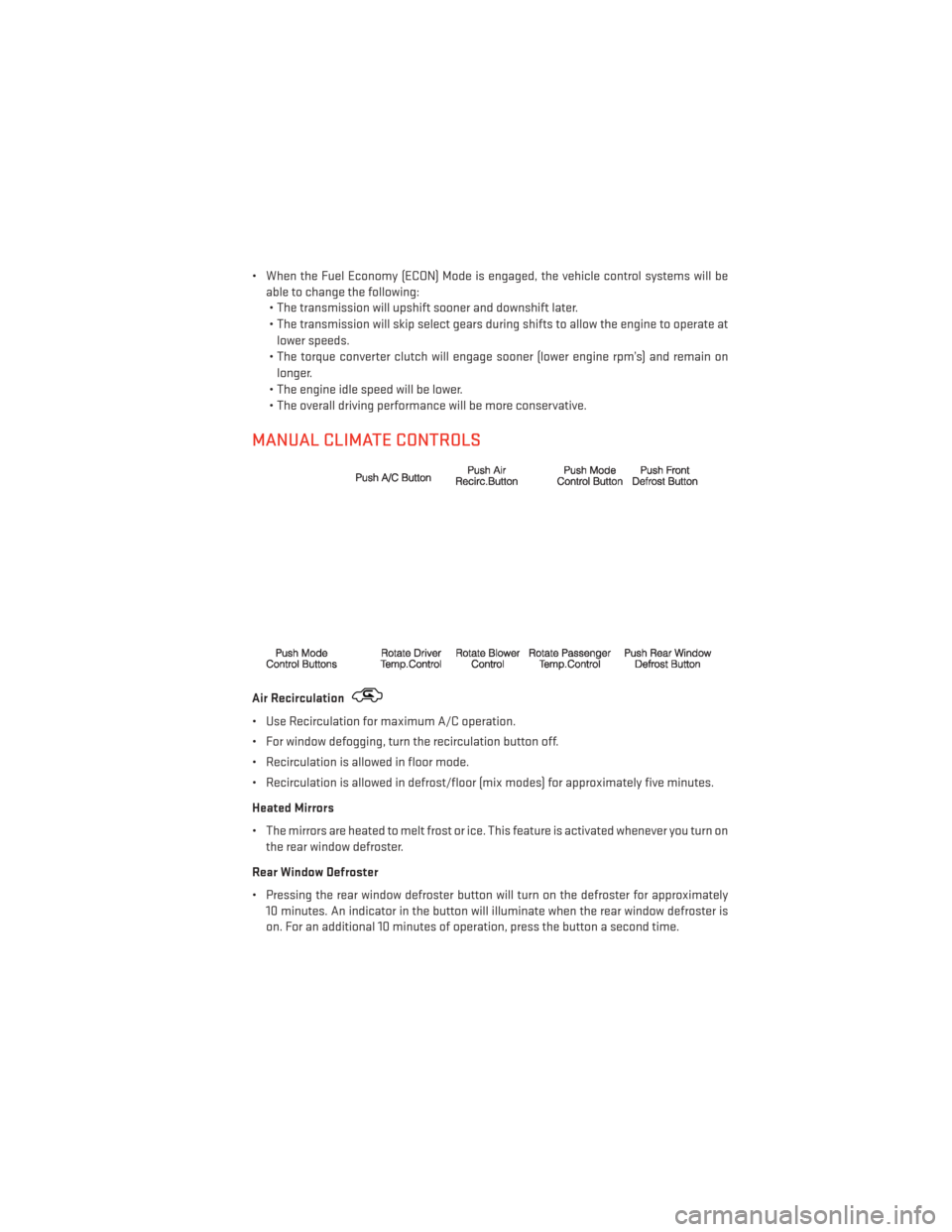
• Use Recirculation for maximum A/C operation.
• For window defogging, turn the recirculation button off.
• Recirculation is allowed in floor mode.
• Recirculation is allowed in defrost/floor (mix modes) for approximately five minutes.
Heated Mirrors
• The mirrors are heated to melt frost or ice. This feature is activated whenever you turn on the rear window defroster.
Rear Window Defroster
• Pressing the rear window defroster button will turn on the defroster for approximately 10 minutes. An indicator in the button will illuminate when the rear window defroster is
on. For an additional 10 minutes of operation, press the button a second time.
OPERATING YOUR VEHICLE
27
Page 64 of 132
Replay Option Option Description
Replay Time Displays the amount of time in the upper center of the screen by which yourcontent lags the live channel.
Live Resumes playback of live content at any time while replaying rewound content.
SiriusXM Travel Link (Uconnect® 730N & Uconnect® 430N Only)
NOTE:
• SiriusXM Travel Link requires a subscription, sold separately after the 1 year trial sub-
scription included with your vehicle purchase.
• SiriusXM Travel Link is only available in the United States.
• SiriusXM Travel Link brings a wealth of useful information into your vehicle and right to your fingertips.
• To access Travel Link, press the MENU hard-key, then the Travel Link soft-key.
1 – Favorites View and store your favorite location, theater and sport teams for
quick access.
2 – Forecast View detailed weather conditions, forecasts and ski/snowboarding
conditions at resorts.
3 – Ski Info View ski and snowboarding conditions at ski resorts.
4 – Fuel Prices View detailed price information for fuel stations.
5 – Movies View information on movies that are playing at theaters.
6 – Sports View sports scores and upcoming events for all major sports.
ELECTRONICS
62
Page 73 of 132
ELECTRONIC VEHICLE INFORMATION CENTER (EVIC)
• The EVIC features a driver interactive dis-play that is located in the instrument
cluster. Pressing the controls on the left
side of the steering wheel allows the
driver to select vehicle information and
Personal Settings. For additional infor-
mation, refer to “Programmable Fea-
tures” located in this guide.
• Press and release the UP
button to
scroll upward through the main menus
(Fuel Economy, Vehicle Info, Tire PSI,
Cruise, Messages, Units, System Setup)
and sub menus.
• Press and release the DOWN
button to scroll downward through the main menus and
sub menus.
• Press and release the SELECT
button for access to main menus, sub menus or to
select a personal setting in the setup menu.
• Press the BACK button to scroll back to a previous menu or sub menu.
Compass Calibration
• This compass is self-calibrating, which eliminates the need to set the compass manu- ally. When the vehicle is new, the compass may appear erratic and the EVIC will display
“CAL” until the compass is calibrated.
• You may also calibrate the compass by completing one or more 360 degree turns (in an area free from large metal or metallic objects) until the “CAL” message displayed in the
EVIC turns off. The compass will now function normally.
ELECTRONICS
71
Page 82 of 132
ROADSIDE ASSISTANCE
•Dial toll-free 1-800-521-2779 for U.S. Residents or 1-800-363-4869 for Canadian Residents.
•Provide your name, vehicle identification number, license plate number, and your location,
including the telephone number from which you are calling.
• Briefly describe the nature of the problem and answer a few simple questions.
•
You will be given the name of the service provider and an estimated time of arrival. If you feel
you are in an “unsafe situation”, please let us know. With your consent, we will contact local
police or safety authorities.
INSTRUMENT CLUSTER WARNING LIGHTS
- Electronic Stability Control (ESC) Indicator Light
• If this indicator light flashes during acceleration, apply as little throttle as possible. While driving, ease up on the accelerator. Adapt your speed and driving to the prevailing road
conditions. To improve the vehicle's traction when starting off in deep snow, sand or
gravel, it may be desirable to switch the ESC system off.
- Tire Pressure Monitoring System (TPMS) Light
• Each tire, including the spare (if provided), should be checked monthly, when cold and inflated to the inflation pressure recommended by the vehicle manufacturer on the
vehicle placard or tire inflation pressure label. (If your vehicle has tires of a different size
than the size indicated on the vehicle placard or tire inflation pressure label, you should
determine the proper tire inflation pressure for those tires.)
• As an added safety feature, your vehicle has been equipped with a Tire Pressure Moni- toring System (TPMS) that illuminates a low tire pressure telltale when one or more of
your tires is significantly under-inflated. Accordingly, when the low tire pressure telltale
illuminates, you should stop and check your tires as soon as possible, and inflate them to
the proper pressure. Driving on a significantly under-inflated tire causes the tire to
overheat and can lead to tire failure. Under-inflation also reduces fuel efficiency and tire
tread life, and may affect the vehicle’s handling and stopping ability.
• IF THE LIGHT STARTS FLASHING INDICATING A LOW TIRE PRESSURE, ADJUST THE
AIR PRESSURE IN THE LOW TIRE TO THE AIR PRESSURE SHOWN ON THE VEHICLE
PLACARD OR TIRE INFLATION PRESSURE LABEL LOCATED ON THE DRIVER'S DOOR.
NOTE:
AFTER INFLATION, THE VEHICLE MAY NEED TO BE DRIVEN FOR 20 MINUTES BEFORE THE
FLASHING LIGHT WILL TURN OFF.
• Please note that the TPMS is not a substitute for proper tire maintenance, and it is the driver’s responsibility to maintain correct tire pressure, even if under-inflation has not
reached the level to trigger illumination of the TPMS low tire pressure telltale.
WHAT TO DO IN EMERGENCIES
80
Page 84 of 132
BRAKE- Brake Warning Light
• The Brake Warning light illuminates when there is either a system malfunction or the parking brake is applied. If the light is on and the parking brake is not applied, it indicates
a possible brake hydraulic malfunction, brake booster problem or an Anti-Lock Brake
System problem.
• Please have your vehicle serviced immediately.
WARNING!
Driving a vehicle with the red brake light on is dangerous. Part of the brake system may
have failed. It will take longer to stop the vehicle. You could have a collision. Have the
vehicle checked immediately.
- Malfunction Indicator Light (MIL)
• Certain conditions, such as a loose or missing gas cap, poor fuel quality, etc., may illuminate the MIL after engine start. The vehicle should be serviced if the light stays on
through several typical driving cycles. In most situations, the vehicle will drive normally
and not require towing.
• If the MIL flashes when the engine is running, serious conditions may exist that could lead to immediate loss of power or severe catalytic converter damage. We recommend
you do not operate the vehicle. Have the vehicle serviced immediately.
- Electronic Stability Control (ESC) OFF Indicator Light
• This light indicates the Electronic Stability Control (ESC) is off.
- Charging System Light
•
This light shows the status of the electrical charging system. If the charging system light
remains on, it means that the vehicle is experiencing a problem with the charging system.
• We recommend you do not continue driving if the charging system light is on. Have the vehicle serviced immediately.
- Oil Pressure Warning Light
•
This light indicates low engine oil pressure. If the light turns on while driving, stop the vehicle
and shut off the engine as soon as possible. A chime will sound when this light turns on.
• We recommend you do not operate the vehicle or engine damage will occur. Have the vehicle serviced immediately.
- Anti-Lock Brake (ABS) Light
• This light monitors the Anti-Lock Brake System (ABS).
• If the light is not on during starting, stays on, or turns on while driving, we recommend you drive to the nearest authorized dealer immediately and have the vehicle serviced
immediately.
WHAT TO DO IN EMERGENCIES
82