service DODGE GRAND CARAVAN 2015 5.G User Guide
[x] Cancel search | Manufacturer: DODGE, Model Year: 2015, Model line: GRAND CARAVAN, Model: DODGE GRAND CARAVAN 2015 5.GPages: 703, PDF Size: 19.83 MB
Page 145 of 703
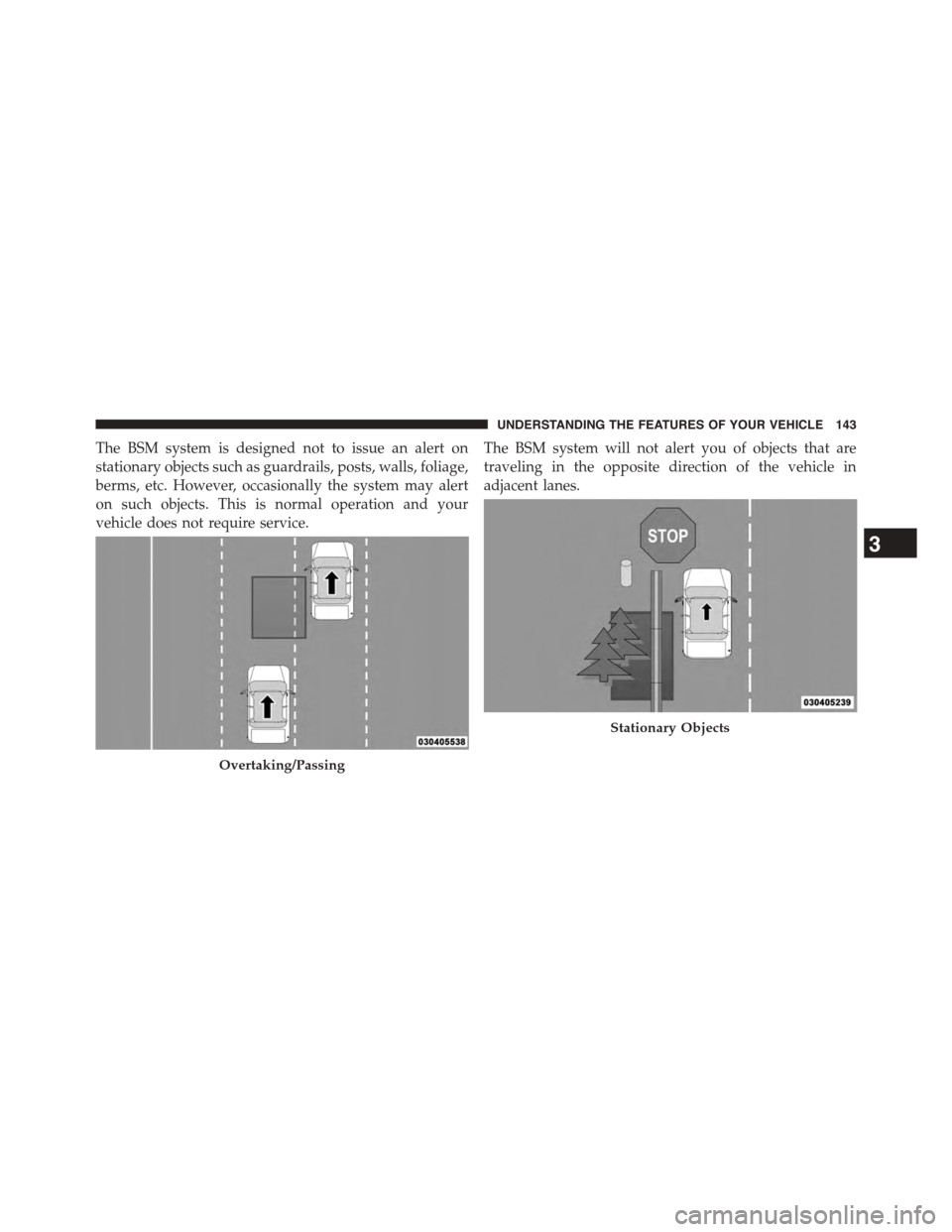
The BSM system is designed not to issue an alert on
stationary objects such as guardrails, posts, walls, foliage,
berms, etc. However, occasionally the system may alert
on such objects. This is normal operation and your
vehicle does not require service.
The BSM system will not alert you of objects that are
traveling in the opposite direction of the vehicle in
adjacent lanes.
Overtaking/Passing
Stationary Objects
3
UNDERSTANDING THE FEATURES OF YOUR VEHICLE 143
Page 149 of 703
When the system is in RCP, the system shall respond with
both visual and audible alerts when a detected object is
present. Whenever an audible alert is requested, the radio
volume is reduced. Turn/hazard signal status is ignored;
the RCP state always requests the chime.
NOTE:The BSM system will store the current operating
mode when the vehicle is shut off. Each time the vehicle
is started the previously stored mode will be recalled and
used.
General Information
This vehicle has systems that operate on radio frequency
that comply with Part 15 of the Federal Communications
Commission (FCC) rules and with Industry Canada
Standards RSS- GEN/210/220/310.
Operation is subject to the following two conditions:
1. The device may not cause harmful interference.
2. The device must accept any interference received,
including interference that may cause undesired op-
eration of the device.
Changes or modifications to any of these systems by
other than an authorized service facility could void
authorization to use this equipment.
Uconnect® PHONE — IF EQUIPPED
Uconnect® Phone is a voice-activated, hands-free, in-
vehicle communications system. Uconnect® Phone al-
lows you to dial a phone number with your mobile
phone using simple voice commands (e.g., “Call”$
“Mike”$“Work” or “Dial”$“248-555-1212”). Your
mobile phone’s audio is transmitted through your vehi-
cle’s audio system; the system will automatically mute
your radio when using the Uconnect® Phone.
3
UNDERSTANDING THE FEATURES OF YOUR VEHICLE 147
Page 151 of 703
Uconnect® Phone Button
The radio or steering wheel controls (if
equipped) will contain the two control buttons
(Uconnect® Phonebutton and Voice Com-
mandbutton) that will enable you to
access the system. When you push the button you will
hear the word Uconnect® followed by a BEEP. The
beep is your signal to give a command.
Voice Command Button
Actual button location may vary with the ra-
dio. The individual buttons are described in the
“Operation” section.
The Uconnect® Phone can be used with any Hands-Free
Profile certified Bluetooth® mobile phone. See the
Uconnect® website for supported phones. Refer to your
mobile service provider or the phone manufacturer for
details.
The Uconnect® Phone is fully integrated with the vehi-
cle’s audio system. The volume of the Uconnect® Phone
can be adjusted either from the radio volume control
knob or from the steering wheel radio control (right
switch), if so equipped.
The radio display will be used for visual prompts from
the Uconnect® Phone such as “CELL” or caller ID on
certain radios.
Operation
Voice commands can be used to operate the Uconnect®
Phone and to navigate through the Uconnect® Phone
menu structure. Voice commands are required after most
Uconnect® Phone prompts. You will be prompted for a
specific command and then guided through the available
options.
3
UNDERSTANDING THE FEATURES OF YOUR VEHICLE 149
Page 159 of 703
•The Uconnect® Phone will ask you to verify that you
wish to delete all the entries from the phonebook.
3. After confirmation, the phonebook entries will be
deleted.
List All Names In The Uconnect® Phonebook
To list ALL names in the Uconnect® Phonebook using
voice Command:
1. Push the Phonebutton to begin.
2. After the “Ready” prompt and the following beep, say
“Phonebook List Names.”
•The Uconnect® Phone will play the names of all the
phonebook entries, including the downloaded
phonebook entries, if available.
3. To call one of the names in the list, push the VR
button during the playing of the desired name,
and say “Call.”
•The user can also exercise “Edit” or “Delete” opera-
tions at this point.
4. The Uconnect® Phone will then prompt you as to the
number designation you wish to call.
5. The selected number will be dialed.
Phone Call Features
The following features can be accessed through the
Uconnect® Phone if the feature(s) are available on your
mobile service plan. For example, if your mobile service
plan provides three-way calling, this feature can be
accessed through the Uconnect® Phone. Check with your
mobile service provider for the features that you have.
Answer Or Reject An Incoming Call — No Call
Currently In Progress
When you receive a call on your mobile phone, the
Uconnect® Phone will interrupt the vehicle audio sys-
tem, if on, and will ask if you would like to answer the
3
UNDERSTANDING THE FEATURES OF YOUR VEHICLE 157
Page 163 of 703
•Continue to follow the system prompts to complete the
language selection.
After selecting one of the languages, all prompts and
voice commands will be in that language.
NOTE:After every Uconnect® Phone language change
operation, only the language-specific 32-name phone-
book is usable. The paired phone name is not language-
specific and is usable across all languages.
Emergency Assistance
If you are in an emergency and the mobile phone is
reachable:
•Pick up the phone and manually dial the emergency
number for your area.
If the phone is not reachable and the Uconnect® Phone is
operational, you may reach the emergency number as
follows:
•Push thebutton to begin.
•After the “Ready” prompt and the following beep, say
“Emergency” and the Uconnect® Phone will instruct
the paired mobile phone to call the emergency number.
This feature is supported in the U.S., Canada, and
Mexico.
NOTE:
•The emergency number dialed is based on the country
where the vehicle is purchased (911 for the U.S. and
Canada and 060 for Mexico). The number dialed may
not be applicable with the available mobile service and
area.
•If supported, this number may be programmable on
some systems. To do this, push thebutton and say
“Setup,” followed by “Emergency.”
3
UNDERSTANDING THE FEATURES OF YOUR VEHICLE 161
Page 165 of 703
Working With Automated Systems
This method is used in instances where one generally has
to press numbers on the mobile phone keypad while
navigating through an automated telephone system.
You can use your Uconnect® Phone to access a voice mail
system or an automated service, such as a paging service
or automated customer service line. Some services re-
quire immediate response selection. In some instances,
that may be too quick for use of the Uconnect® Phone.
When calling a number with your Uconnect® Phone that
normally requires you to enter in a touch-tone sequence
on your mobile phone keypad, you can push the
button and say the sequence you wish to enter,
followed by the word “Send.” For example, if required
to enter your PIN followed with a pound, (3 7 4 6 #),
you can push thebutton and say, “3746#Send.”
Saying a number, or sequence of numbers, followed
by “Send,” is also to be used for navigating through an
automated customer service center menu structure,
and to leave a number on a pager.
You can also send stored Uconnect® phonebook entries
as tones for fast and easy access to voice mail and pager
entries. To use this feature, dial the number you wish to
call and then push thebutton and say “Send.” The
system will prompt you to enter the name or number
and say the name of the phonebook entry you wish to
send. The Uconnect® Phone will then send the corre-
sponding phone number associated with the phone-
book entry, as tones over the phone.
3
UNDERSTANDING THE FEATURES OF YOUR VEHICLE 163
Page 198 of 703
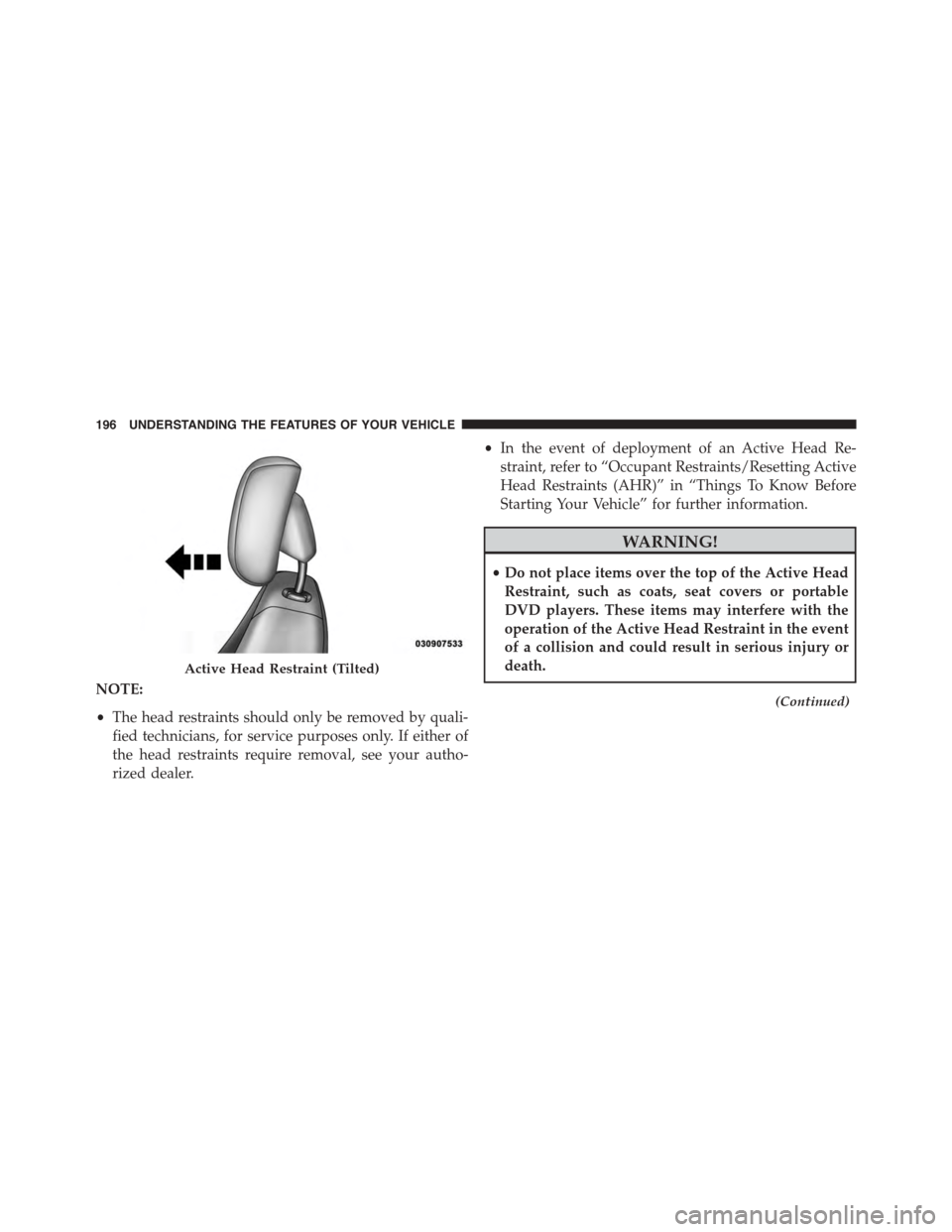
NOTE:
•The head restraints should only be removed by quali-
fied technicians, for service purposes only. If either of
the head restraints require removal, see your autho-
rized dealer.
•In the event of deployment of an Active Head Re-
straint, refer to “Occupant Restraints/Resetting Active
Head Restraints (AHR)” in “Things To Know Before
Starting Your Vehicle” for further information.
WARNING!
•Do not place items over the top of the Active Head
Restraint, such as coats, seat covers or portable
DVD players. These items may interfere with the
operation of the Active Head Restraint in the event
of a collision and could result in serious injury or
death.
(Continued)
Active Head Restraint (Tilted)
196 UNDERSTANDING THE FEATURES OF YOUR VEHICLE
Page 248 of 703

When ParkSense® is disabled, the instrument cluster will
display the “PARK ASSIST SYSTEM OFF” message for
approximately five seconds. Refer to “Electronic Vehicle
Information Center (EVIC)” in “Understanding Your
Instrument Panel” for further information. When the
shift lever is moved to REVERSE and the system is
disabled, the EVIC will display the “PARK ASSIST SYS-
TEM OFF” message for as long as the vehicle is in
REVERSE.
Service The ParkSense® Rear Park Assist
System
During vehicle start up, when the ParkSense® Rear Park
Assist System has detected a faulted condition, the
instrument cluster will actuate a single chime, once per
ignition cycle, and it will display the “SERVICE PARK
ASSIST SYSTEM” message. Refer to “Electronic Vehicle
Information Center (EVIC)” in “Understanding Your
Instrument Panel” for further information. When the
shift lever is moved to REVERSE and the system has
detected a faulted condition, the EVIC will display the
“SERVICE PARK ASSIST SYSTEM” message for as long
as the vehicle is in REVERSE. Under this condition,
ParkSense® will not operate.
If “SERVICE PARK ASSIST SYSTEM” appears in the
Electronic Vehicle Information Center (EVIC) after mak-
ing sure the rear fascia/bumper is free from snow, ice,
mud, dirt and debris, see your authorized dealer.
Cleaning The ParkSense® System
Clean the ParkSense® sensors with water, car wash soap
and a soft cloth. Do not use rough or hard cloths. Do not
scratch or poke the sensors. Otherwise, you could dam-
age the sensors.
246 UNDERSTANDING THE FEATURES OF YOUR VEHICLE
Page 249 of 703
ParkSense® System Usage Precautions
NOTE:
•Ensure that the rear bumper is free of snow, ice, mud,
dirt and debris to keep the ParkSense® system oper-
ating properly.
•Jackhammers, large trucks, and other vibrations could
affect the performance of ParkSense®.
•When you turn ParkSense® OFF, the instrument clus-
ter will display “PARK ASSIST SYSTEM OFF.” Fur-
thermore, once you turn ParkSense® off, it remains off
until you turn it on again, even if you cycle the ignition
key.
•When you move the shift lever to the REVERSE
position and ParkSense® is turned OFF, the EVIC will
display “PARK ASSIST SYSTEM OFF” message for as
long as the vehicle is in REVERSE.
•ParkSense®, when on, will reduce the radio volume
when it is sounding a tone.
•Clean the ParkSense® sensors regularly, taking care
not to scratch or damage them. The sensors must not
be covered with ice, snow, slush, mud, dirt or debris.
Failure to do so can result in the system not working
properly. The ParkSense® system might not detect an
obstacle behind the fascia/bumper, or it could provide
a false indication that an obstacle is behind the fascia/
bumper.
•Ensure the ParkSense® system is OFF if objects such as
bicycle carriers, trailer hitches, etc. are placed within 12
in (30 cm) from the rear fascia/bumper. Failure to do
so can result in the system misinterpreting a close
object as a sensor problem, causing the “SERVICE
PARK ASSIST SYSTEM” message to be displayed in
the EVIC.
3
UNDERSTANDING THE FEATURES OF YOUR VEHICLE 247
Page 314 of 703
6. Odometer Display/Electronic Vehicle Information
Center (EVIC) — If Equipped
Odometer Display / Trip Odometer DisplayThe odom-
eter display shows the total distance the vehicle has been
driven.
U.S. Federal regulations require that upon transfer of
vehicle ownership, the seller certify to the purchaser the
correct mileage that the vehicle has been driven. If your
odometer needs to be repaired or serviced, the repair
technician should leave the odometer reading the same
as it was before the repair or service. If s/he cannot do so,
then the odometer must be set at zero, and a sticker must
be placed in the door jamb stating what the mileage was
before the repair or service. It is a good idea for you to
make a record of the odometer reading before the repair/
service, so that you can be sure that it is properly reset, or
that the door jamb sticker is accurate if the odometer
must be reset at zero.
This also displays Trip A and Trip B, DTE, MPG or
L/100km, OAT (Outside Air Temperature) information to
Base Cluster, use STEP and RESET button (on steering
wheel) to access or reset the display.
Message Display Area
When the appropriate conditions exist, the following
odometer messages will display:
door.............................Door Ajar
gATE..........................Liftgate Ajar
LoW tirE....................LowTirePressure
gASCAP......................Fuel Cap Fault
noFUSE..........................Fuse Fault
312 UNDERSTANDING YOUR INSTRUMENT PANEL