lock DODGE GRAND CARAVAN 2015 5.G Manual PDF
[x] Cancel search | Manufacturer: DODGE, Model Year: 2015, Model line: GRAND CARAVAN, Model: DODGE GRAND CARAVAN 2015 5.GPages: 703, PDF Size: 19.83 MB
Page 255 of 703
Courtesy/Interior Lighting
At the forward end of the console are two courtesy lights
(standard dome light has two buttons). The lights turn on
when a front door, a sliding door or the liftgate is opened.
If your vehicle is equipped with Remote Keyless Entry
(RKE) the lights will also turn on when the UNLOCK
button on the RKE transmitter is pressed.
The courtesy lights also function as reading lights. Press
in on each lens to turn these lights on while inside the
vehicle. Press a second time to turn each light off. You
may adjust the direction of these lights by pressing the
outside ring, which is identified with four directional
arrows (LED lamps only).
The area around the instrument panel cupholders is also
illuminated from a light in the overhead console (pre-
mium console only). This light is turned on when the
headlight switch is on, and will adjust in brightness when
the dimmer control is rotated up or down.
Sunglass Storage (Non-Sunroof Only)
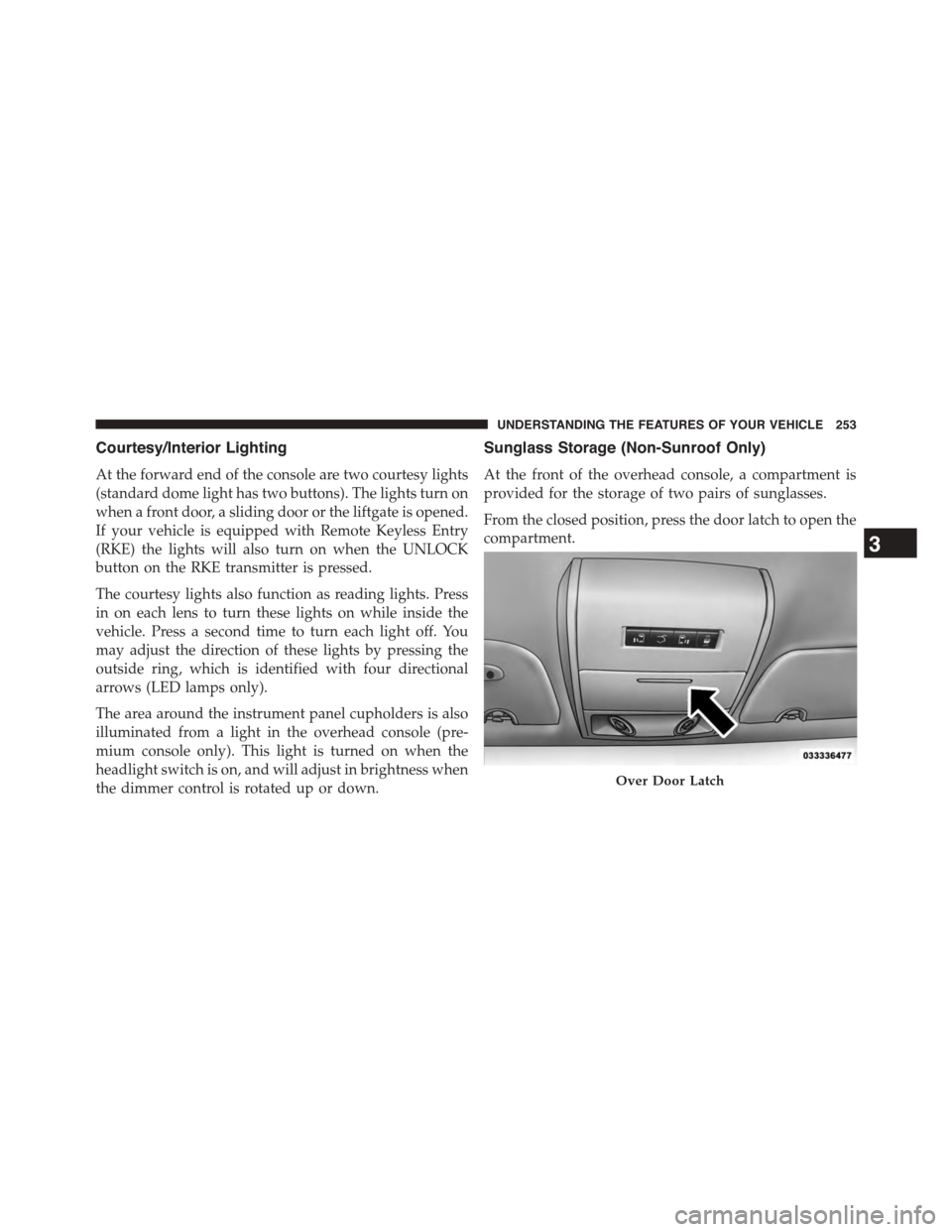
At the front of the overhead console, a compartment is
provided for the storage of two pairs of sunglasses.
From the closed position, press the door latch to open the
compartment.
Over Door Latch
3
UNDERSTANDING THE FEATURES OF YOUR VEHICLE 253
Page 257 of 703
Rear Courtesy/Reading Lights — If Equipped
The overhead console has two sets of courtesy lights. The
lights turn on when a front door, a sliding door or the
liftgate is opened. If your vehicle is equipped with
Remote Keyless Entry (RKE) the lights will also turn on
when the UNLOCK button on the RKE transmitter is
pressed.
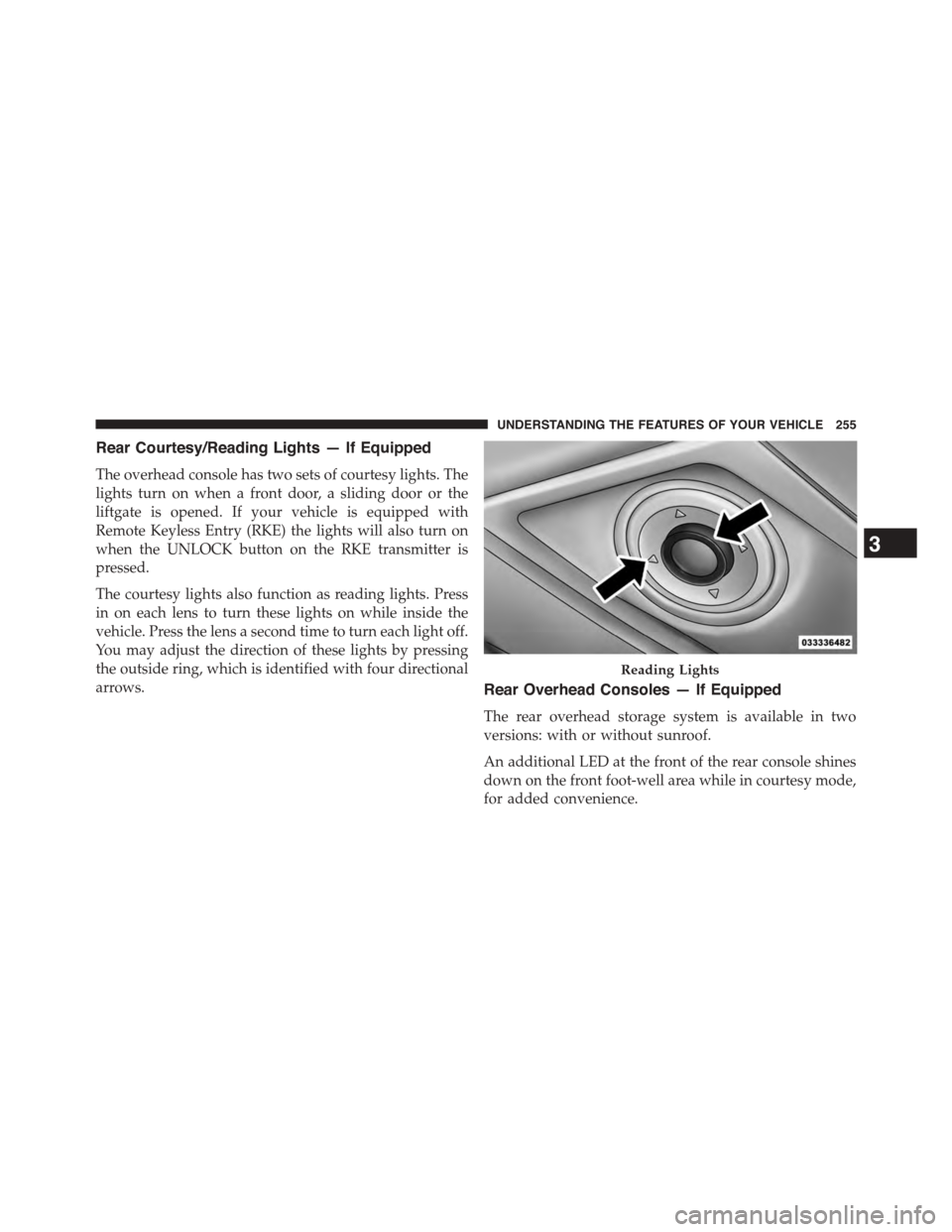
The courtesy lights also function as reading lights. Press
in on each lens to turn these lights on while inside the
vehicle. Press the lens a second time to turn each light off.
You may adjust the direction of these lights by pressing
the outside ring, which is identified with four directional
arrows.Rear Overhead Consoles — If Equipped
The rear overhead storage system is available in two
versions: with or without sunroof.
An additional LED at the front of the rear console shines
down on the front foot-well area while in courtesy mode,
for added convenience.
Reading Lights
3
UNDERSTANDING THE FEATURES OF YOUR VEHICLE 255
Page 265 of 703
•If the indicator light stays on constantly, program-
ming is complete and the garage door/device should
activate when the HomeLink® button is pushed.
•To program the two remaining HomeLink® buttons,
repeat each step for each remaining button. DO NOT
erase the channels.
If you unplugged the garage door opener/device for
programming, plug it back in at this time.
Reprogramming A Single HomeLink® Button
(Canadian/Gate Operator)
To reprogram a channel that has been previously trained,
follow these steps:
1. Cycle the ignition to the ON/RUN position.
2. Push and hold the desired HomeLink® button until
the indicator light begins to flash after 20 seconds.Do
not release the button.
3.Without releasing the buttonproceed with
“Canadian/Gate Operator Programming” step 2 and
follow all remaining steps.
Using HomeLink®
To operate, push and release the programmed
HomeLink® button. Activation will now occur for the
programmed device (i.e., garage door opener, gate opera-
tor, security system, entry door lock, home/office light-
ing, etc.,). The hand-held transmitter of the device may
also be used at any time.
Security
It is advised to erase all channels before you sell or turn
in your vehicle.
To do this, push and hold the two outside buttons for 20
seconds until the red indicator flashes. Note that all
channels will be erased. Individual channels cannot be
erased.
3
UNDERSTANDING THE FEATURES OF YOUR VEHICLE 263
Page 268 of 703
POWER SUNROOF — IF EQUIPPED
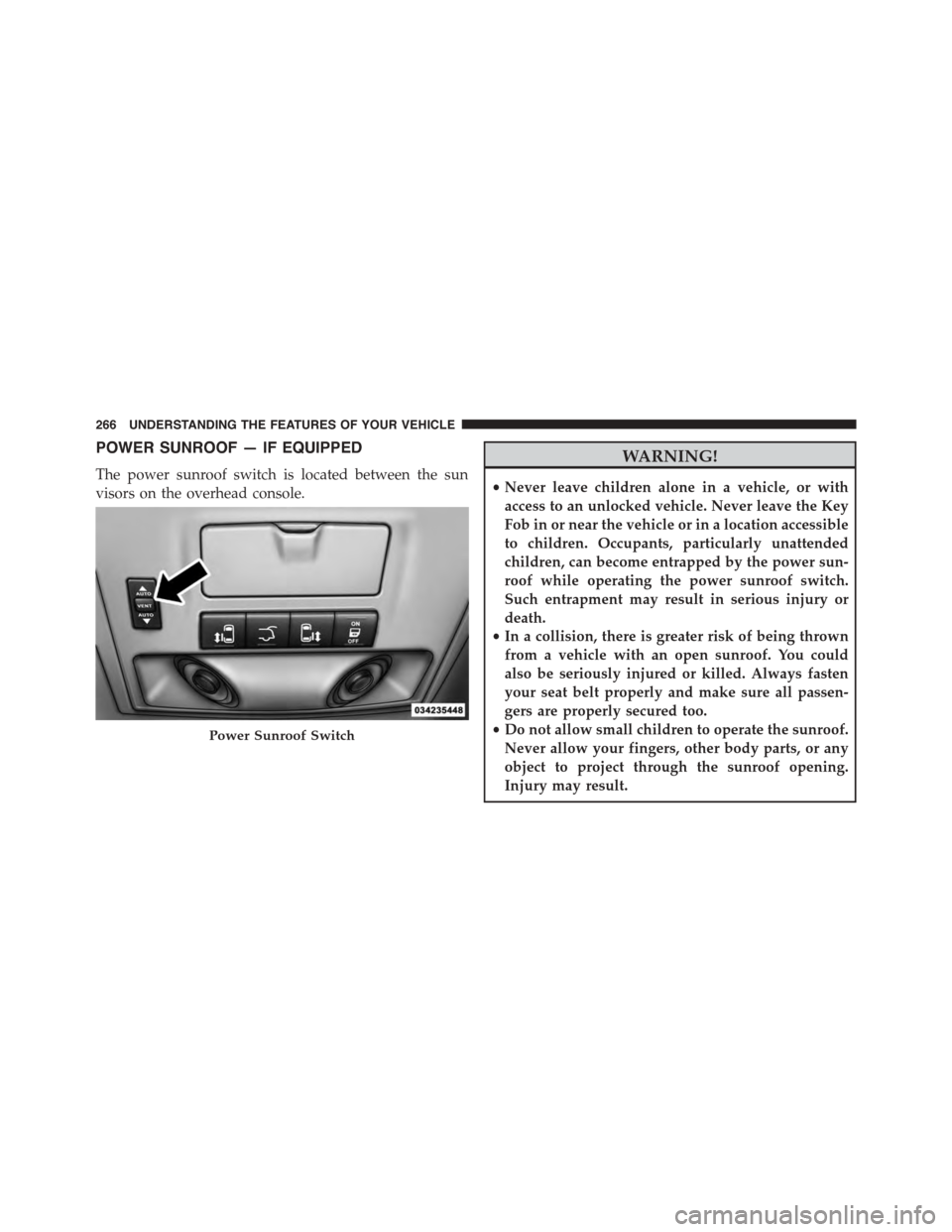
The power sunroof switch is located between the sun
visors on the overhead console.
WARNING!
•Never leave children alone in a vehicle, or with
access to an unlocked vehicle. Never leave the Key
Fob in or near the vehicle or in a location accessible
to children. Occupants, particularly unattended
children, can become entrapped by the power sun-
roof while operating the power sunroof switch.
Such entrapment may result in serious injury or
death.
•In a collision, there is greater risk of being thrown
from a vehicle with an open sunroof. You could
also be seriously injured or killed. Always fasten
your seat belt properly and make sure all passen-
gers are properly secured too.
•Do not allow small children to operate the sunroof.
Never allow your fingers, other body parts, or any
object to project through the sunroof opening.
Injury may result.
Power Sunroof Switch
266 UNDERSTANDING THE FEATURES OF YOUR VEHICLE
Page 271 of 703
Ignition Off Operation
For Vehicles Not Equipped With The Electronic Vehicle
Information Center (EVIC)
The power sunroof switch will remain active for 45
seconds after the ignition switch is turned to the LOCK
position. Opening either front door will cancel this
feature.
For Vehicles Equipped With The EVIC
The power sunroof switch will remain active for up to
approximately ten minutes after the ignition switch is
turned to the LOCK position. Opening either front door
will cancel this feature.
ELECTRICAL POWER OUTLETS — IF EQUIPPED
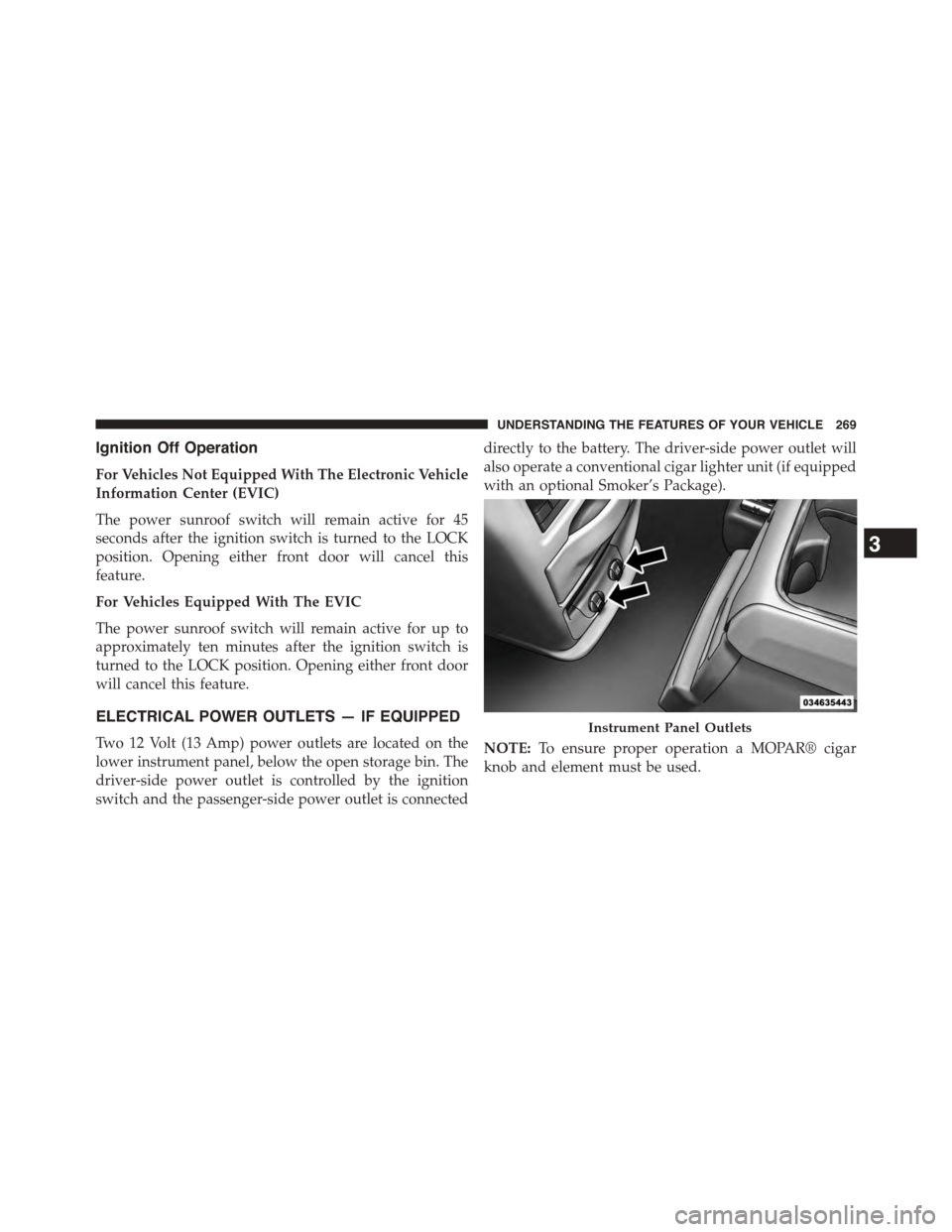
Two 12 Volt (13 Amp) power outlets are located on the
lower instrument panel, below the open storage bin. The
driver-side power outlet is controlled by the ignition
switch and the passenger-side power outlet is connected
directly to the battery. The driver-side power outlet will
also operate a conventional cigar lighter unit (if equipped
with an optional Smoker’s Package).
NOTE:To ensure proper operation a MOPAR® cigar
knob and element must be used.
Instrument Panel Outlets
3
UNDERSTANDING THE FEATURES OF YOUR VEHICLE 269
Page 282 of 703
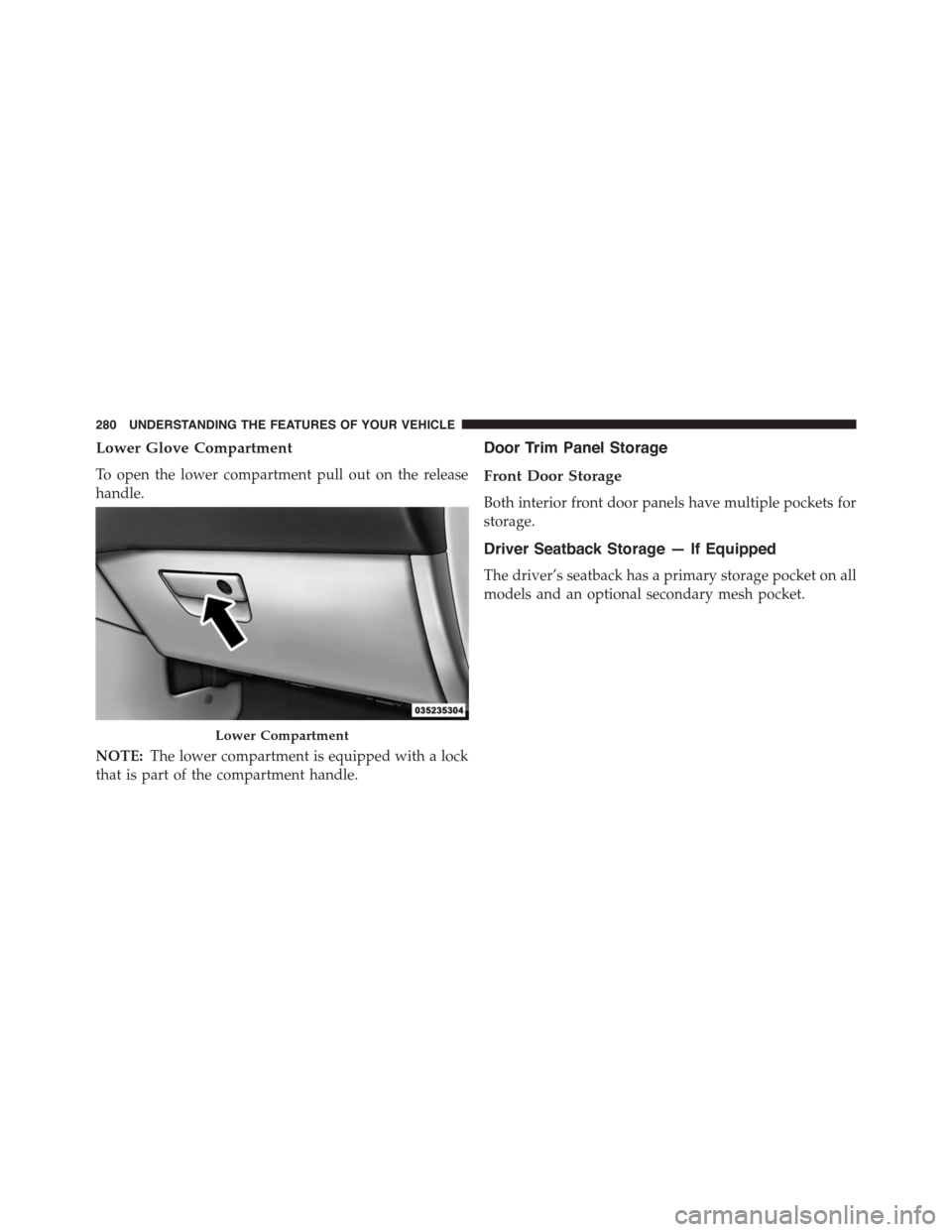
Lower Glove Compartment
To open the lower compartment pull out on the release
handle.
NOTE:The lower compartment is equipped with a lock
that is part of the compartment handle.
Door Trim Panel Storage
Front Door Storage
Both interior front door panels have multiple pockets for
storage.
Driver Seatback Storage — If Equipped
The driver’s seatback has a primary storage pocket on all
models and an optional secondary mesh pocket.
Lower Compartment
280 UNDERSTANDING THE FEATURES OF YOUR VEHICLE
Page 284 of 703
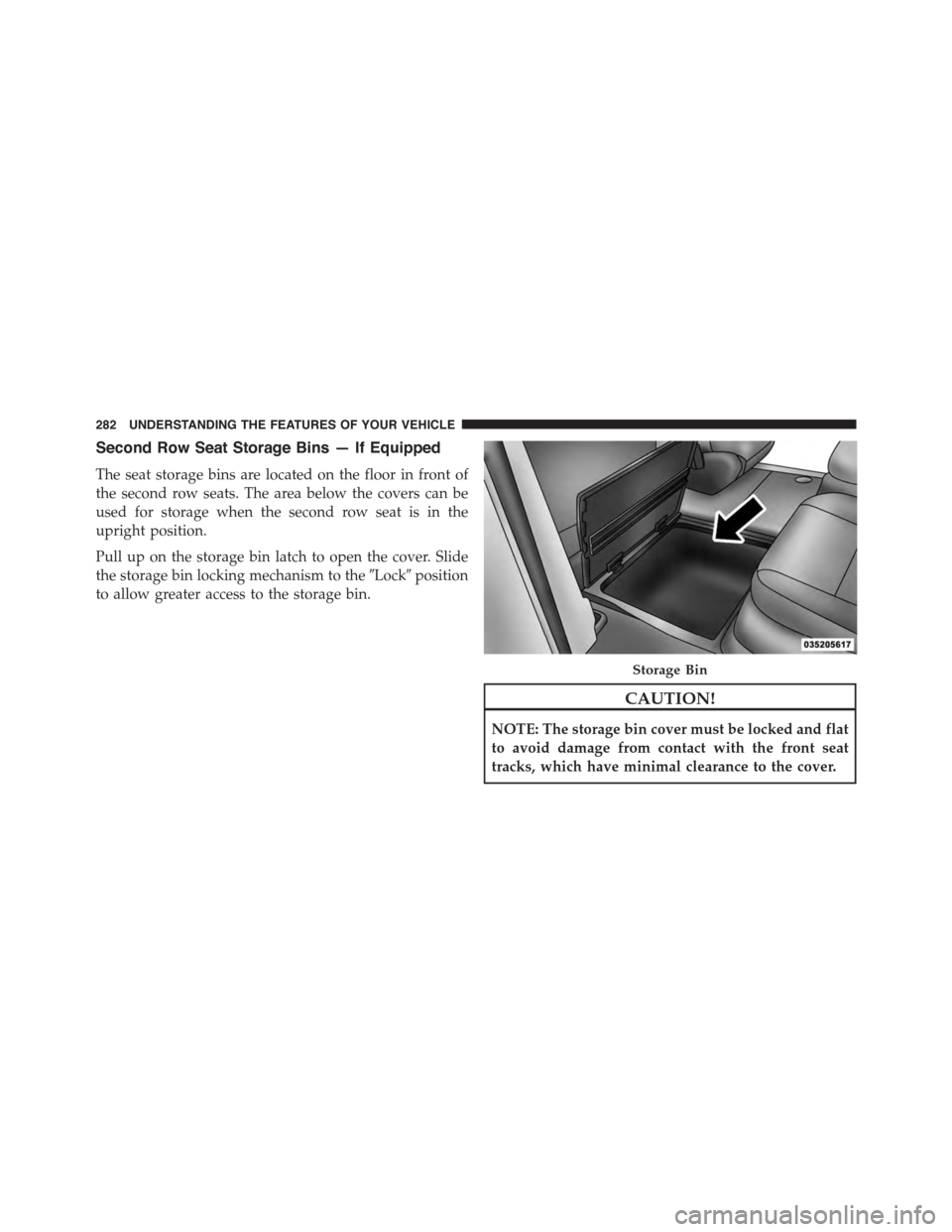
Second Row Seat Storage Bins — If Equipped
The seat storage bins are located on the floor in front of
the second row seats. The area below the covers can be
used for storage when the second row seat is in the
upright position.
Pull up on the storage bin latch to open the cover. Slide
the storage bin locking mechanism to the#Lock#position
to allow greater access to the storage bin.
CAUTION!
NOTE: The storage bin cover must be locked and flat
to avoid damage from contact with the front seat
tracks, which have minimal clearance to the cover.
Storage Bin
282 UNDERSTANDING THE FEATURES OF YOUR VEHICLE
Page 286 of 703
CAUTION!
The storage bin cover must be flat and locked to
avoid damage from contact with the front seat tracks,
which have minimal clearance to the cover.
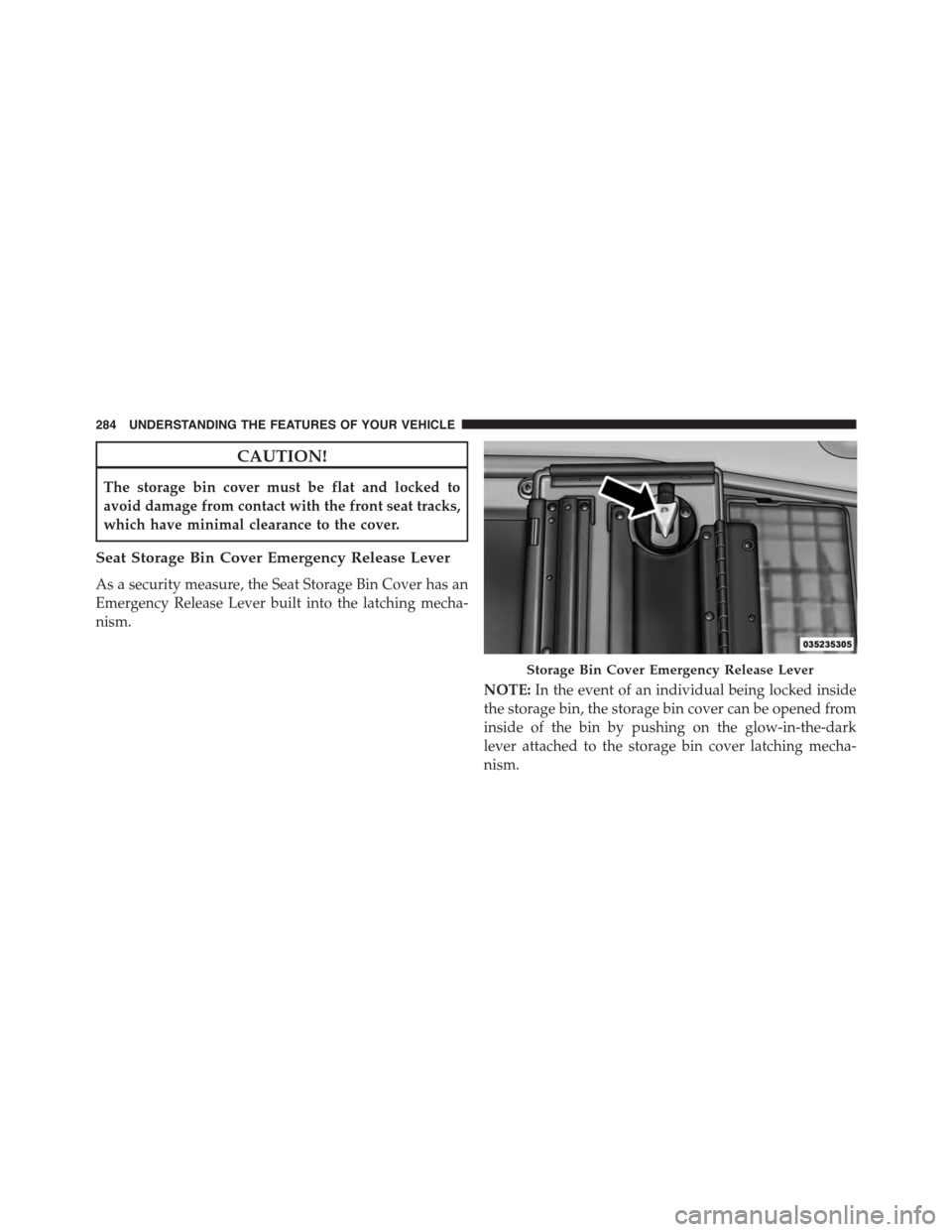
Seat Storage Bin Cover Emergency Release Lever
As a security measure, the Seat Storage Bin Cover has an
Emergency Release Lever built into the latching mecha-
nism.
NOTE:In the event of an individual being locked inside
the storage bin, the storage bin cover can be opened from
inside of the bin by pushing on the glow-in-the-dark
lever attached to the storage bin cover latching mecha-
nism.
Storage Bin Cover Emergency Release Lever
284 UNDERSTANDING THE FEATURES OF YOUR VEHICLE
Page 308 of 703
▫Listen To An Audio Source While A Video Is
Playing.............................397
▫Important Notes For Dual Video Screen
System.............................400
▫VES™ Remote Control — If Equipped.......401
▫Blu-ray™ Player Remote Control — If
Equipped...........................403
▫Remote Control Storage.................405
▫Locking The Remote Control.............406
▫Replacing The Remote Control Batteries......406
▫Headphones Operation.................407
▫Blu-ray™ Headphones Operation..........408
▫Controls............................409
▫Replacing The Headphone Batteries.........410
▫Unwired® Stereo Headphone Lifetime Limited
Warranty...........................410
▫System Information....................411
!STEERING WHEEL AUDIO CONTROLS — IF
EQUIPPED...........................430
▫Radio Operation......................430
▫CD Player...........................431
!CD/DVD/Blu-ray™ Disc MAINTENANCE . . . .431
!RADIO OPERATION AND MOBILE PHONES . .432
▫General Information...................432
!CLIMATE CONTROLS...................432
▫Manual Heating And Air Conditioning System —
If Equipped.........................433
▫Rear Manual Climate Control — If Equipped . .438
306 UNDERSTANDING YOUR INSTRUMENT PANEL
Page 316 of 703
indicator system is duty cycle-based, which means the
engine oil change interval may fluctuate dependent upon
your personal driving style.
Unless reset, this message will continue to display each
time you turn the ignition switch to the ON/RUN
position. To reset the oil change indicator system (after
performing the scheduled maintenance), perform the
following steps.
1. Turn the ignition switch to the ON/RUN position (do
not start the engine).
2. Fully push the accelerator pedal, slowly, three times
within 10 seconds.
3. Turn the ignition switch to the OFF position.
NOTE:If the indicator message illuminates when you
start the engine, the oil change indicator system did not
reset. If necessary, repeat these steps.
Electronic Vehicle Information Center (EVIC) — If
Equipped
The Electronic Vehicle Information Center (EVIC) fea-
tures a driver-interactive display that is located in the
instrument cluster. For further information, refer to
“Electronic Vehicle Information Center (EVIC)” in this
section.
7. Anti-Lock Brake (ABS) Light
This light monitors the Anti-Lock Brake System
(ABS). The light will turn on when the ignition
switch is turned to the ON/RUN position and
may stay on for as long as four seconds.
If the ABS light remains on or turns on while driving, it
indicates that the Anti-Lock portion of the brake system
is not functioning and that service is required. However,
the conventional brake system will continue to operate
normally if the BRAKE warning light is not on.
314 UNDERSTANDING YOUR INSTRUMENT PANEL