instrument panel DODGE GRAND CARAVAN 2019 User Guide
[x] Cancel search | Manufacturer: DODGE, Model Year: 2019, Model line: GRAND CARAVAN, Model: DODGE GRAND CARAVAN 2019Pages: 490, PDF Size: 3.84 MB
Page 65 of 490
NOTE:The Headlights with Wipers feature can be turned
on or off through the instrument cluster display — if
equipped. Refer to “Instrument Cluster Display” in “Get-
ting To Know Your Instrument Panel” for further informa-
tion.
Headlight Delay — If Equipped
This feature provides the safety of headlight illumination
for up to 90 seconds after exiting your vehicle.
To activate the delay feature, turn OFF the ignition switch
while the headlights are still on. Then turn off the head-
lights within 45 seconds. The 90 second delay interval
begins when the headlight switch is turned off. If the
headlights or parking lights are turned back on or the
ignition switch is turned ON, the delay will be cancelled.
When exiting the vehicle the driver can choose to have the
headlights remain on for 30, 60 or 90 seconds or not remain
on. To change the timer setting, see an authorized dealer.
The headlight delay time is programmable on vehicles
equipped with an instrument cluster display. Refer to
“Instrument Cluster Display” in “Getting To Know Your
Instrument Panel” for further information.
If the headlights are turned off before the ignition, they will
turn off in the normal manner. NOTE:
The headlights must be turned off within 45 sec-
onds of turning the ignition OFF to activate this feature.
Lights-On Reminder
If the headlights or the parking lights are left on, or if the
dimmer control is in the extreme top position after the
ignition switch is turned OFF, a chime will sound when the
driver’s door is opened.
Front Fog Lights — If Equipped
To activate the front fog lights, turn on the parking lights or
the low beam headlights and push in the headlight switch
control knob. Pushing the headlight switch control knob in
a second time will turn the front fog lights off.
Turn Signals
Move the multifunction lever up or down and the arrows
on each side of the instrument cluster display will flash to
show proper operation of the front and rear turn signal
lights.
NOTE: If either light remains on and does not flash, or
there is a very fast flash rate, check for a defective outside
light bulb. If an indicator fails to light when the lever is
moved, it would suggest that the indicator bulb is defec-
tive.
3
GETTING TO KNOW YOUR VEHICLE 63
Page 68 of 490
Dimmer Controls
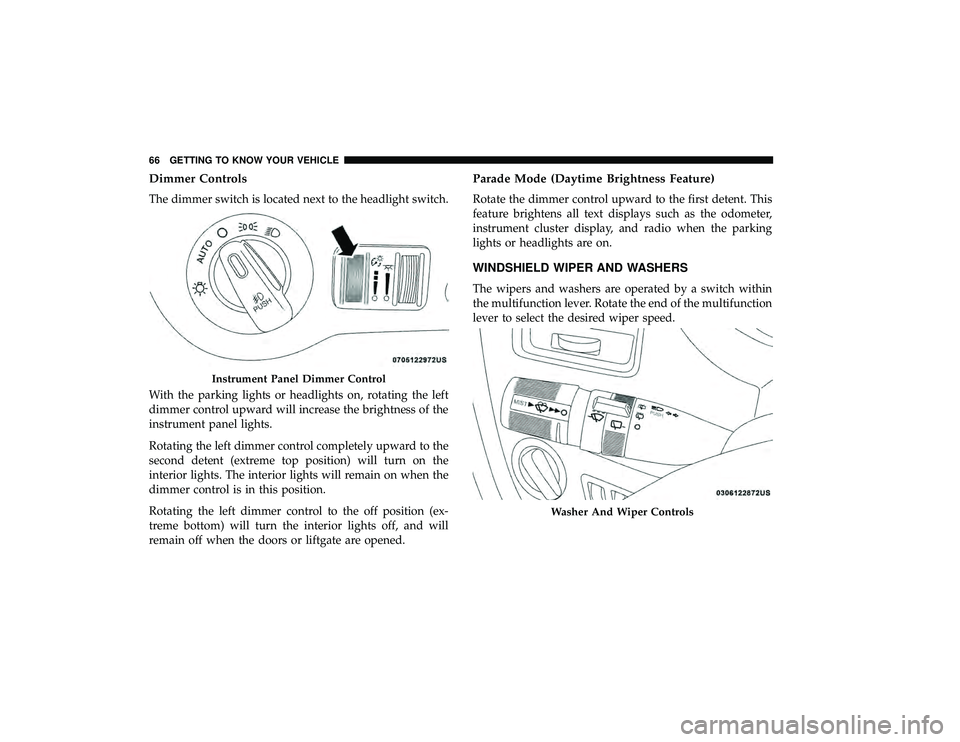
The dimmer switch is located next to the headlight switch.
With the parking lights or headlights on, rotating the left
dimmer control upward will increase the brightness of the
instrument panel lights.
Rotating the left dimmer control completely upward to the
second detent (extreme top position) will turn on the
interior lights. The interior lights will remain on when the
dimmer control is in this position.
Rotating the left dimmer control to the off position (ex-
treme bottom) will turn the interior lights off, and will
remain off when the doors or liftgate are opened.
Parade Mode (Daytime Brightness Feature)
Rotate the dimmer control upward to the first detent. This
feature brightens all text displays such as the odometer,
instrument cluster display, and radio when the parking
lights or headlights are on.
WINDSHIELD WIPER AND WASHERS
The wipers and washers are operated by a switch within
the multifunction lever. Rotate the end of the multifunction
lever to select the desired wiper speed.
Instrument Panel Dimmer Control
Washer And Wiper Controls
66 GETTING TO KNOW YOUR VEHICLE
Page 70 of 490
NOTE:The mist feature does not activate the washer
pump; therefore, no washer fluid will be sprayed on the
windshield. The wash function must be used in order to
spray the windshield with washer fluid.
Rear Wiper And Washer
Rotating the center ring of the wiper lever to the first detent
activates the rear intermittent wipers. To activate the
washers, rotate the center ring fully forward and the
washers will spray until the ring is released, and then
resume the intermittent interval.
NOTE: Rear window wipers function in the intermittent
wiper speed only.
CLIMATE CONTROLS
The Climate Control System allows you to regulate the
temperature, air flow, and direction of air circulating
throughout the vehicle. The controls are located on the
touchscreen (if equipped) and on the instrument panel
below the radio.
Manual Climate Control Overview
The air conditioning and heating system is designed to
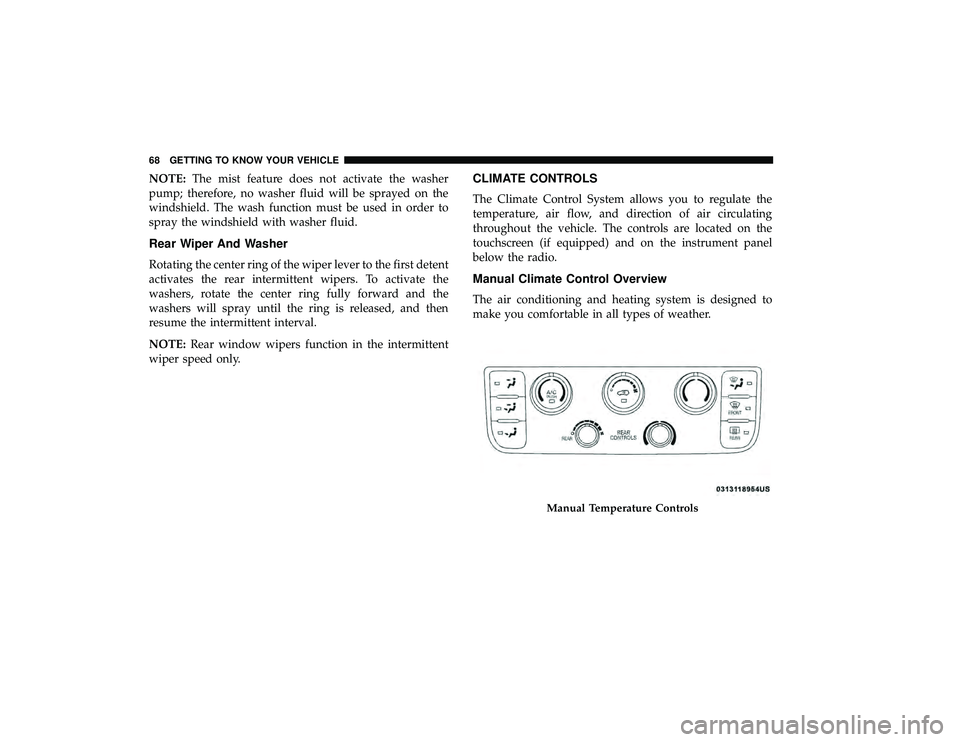
make you comfortable in all types of weather.
Manual Temperature Controls
68 GETTING TO KNOW YOUR VEHICLE
Page 72 of 490
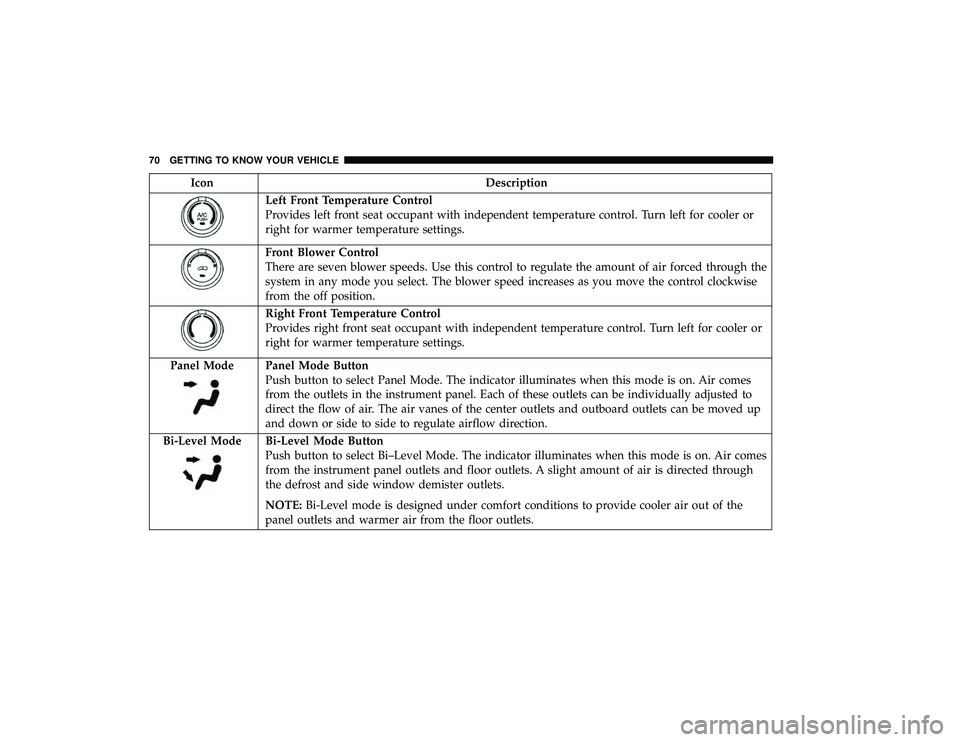
IconDescription
Left Front Temperature Control
Provides left front seat occupant with independent temperature control. Turn left for cooler or
right for warmer temperature settings.
Front Blower Control
There are seven blower speeds. Use this control to regulate the amount of air forced through the
system in any mode you select. The blower speed increases as you move the control clockwise
from the off position.
Right Front Temperature Control
Provides right front seat occupant with independent temperature control. Turn left for cooler or
right for warmer temperature settings.
Panel Mode
Panel Mode Button
Push button to select Panel Mode. The indicator illuminates when this mode is on. Air comes
from the outlets in the instrument panel. Each of these outlets can be individually adjusted to
direct the flow of air. The air vanes of the center outlets and outboard outlets can be moved up
and down or side to side to regulate airflow direction.
Bi-Level Mode
Bi-Level Mode Button
Push button to select Bi–Level Mode. The indicator illuminates when this mode is on. Air comes
from the instrument panel outlets and floor outlets. A slight amount of air is directed through
the defrost and side window demister outlets.
NOTE: Bi-Level mode is designed under comfort conditions to provide cooler air out of the
panel outlets and warmer air from the floor outlets.
70 GETTING TO KNOW YOUR VEHICLE
Page 74 of 490
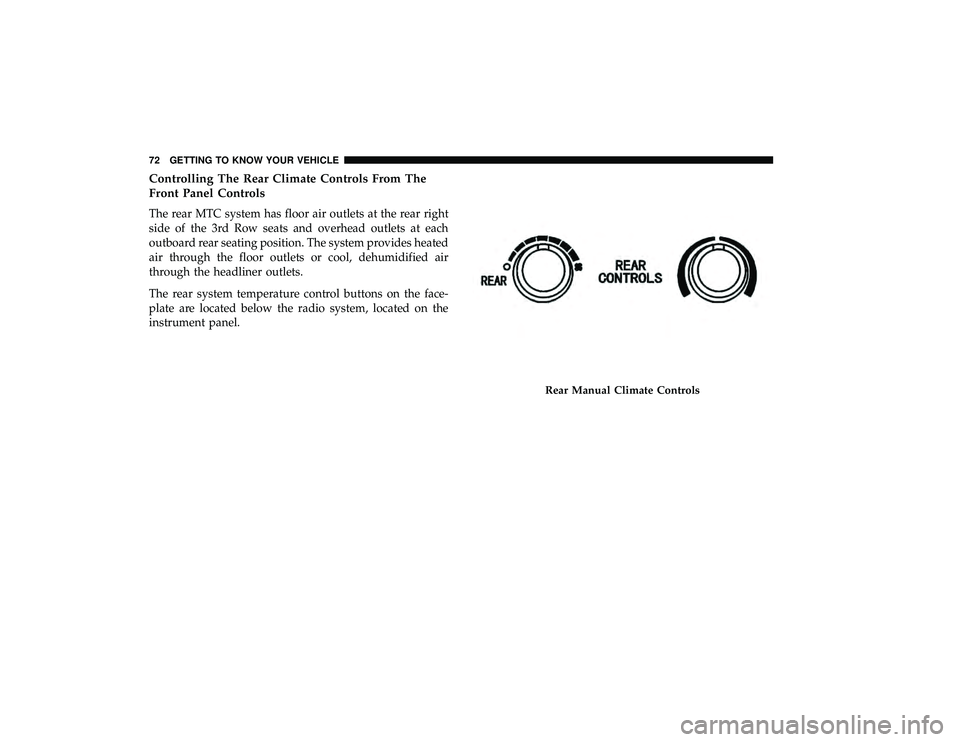
Controlling The Rear Climate Controls From The
Front Panel Controls
The rear MTC system has floor air outlets at the rear right
side of the 3rd Row seats and overhead outlets at each
outboard rear seating position. The system provides heated
air through the floor outlets or cool, dehumidified air
through the headliner outlets.
The rear system temperature control buttons on the face-
plate are located below the radio system, located on the
instrument panel.
Rear Manual Climate Controls
72 GETTING TO KNOW YOUR VEHICLE
Page 80 of 490
IconDescription
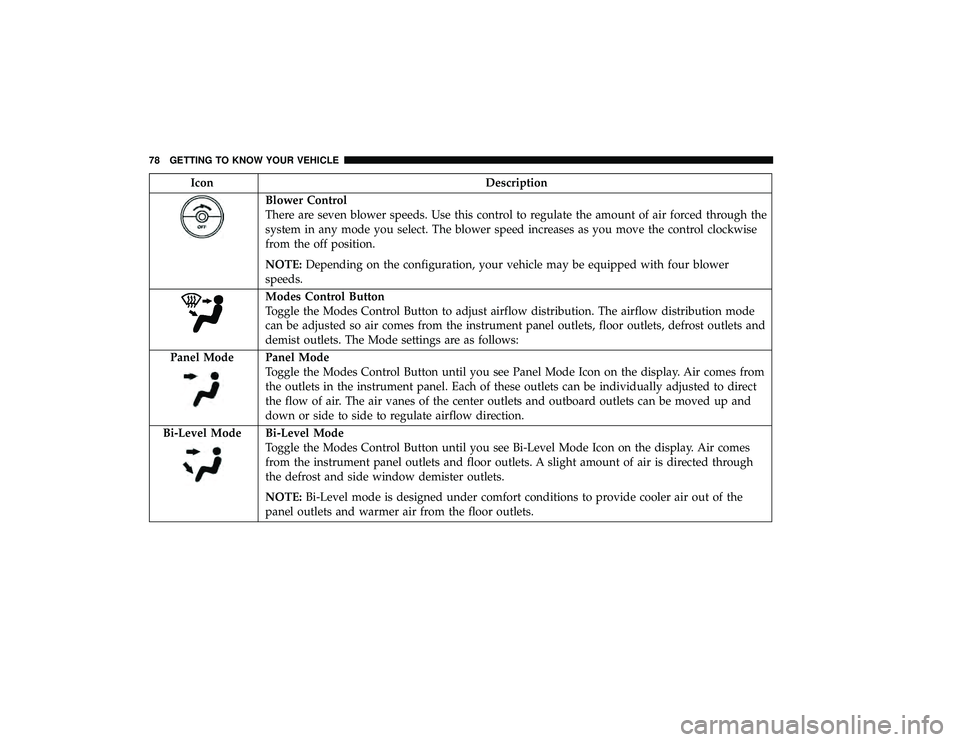
Blower Control
There are seven blower speeds. Use this control to regulate the amount of air forced through the
system in any mode you select. The blower speed increases as you move the control clockwise
from the off position.
NOTE:Depending on the configuration, your vehicle may be equipped with four blower
speeds.
Modes Control Button
Toggle the Modes Control Button to adjust airflow distribution. The airflow distribution mode
can be adjusted so air comes from the instrument panel outlets, floor outlets, defrost outlets and
demist outlets. The Mode settings are as follows:
Panel Mode
Panel Mode
Toggle the Modes Control Button until you see Panel Mode Icon on the display. Air comes from
the outlets in the instrument panel. Each of these outlets can be individually adjusted to direct
the flow of air. The air vanes of the center outlets and outboard outlets can be moved up and
down or side to side to regulate airflow direction.
Bi-Level Mode
Bi-Level Mode
Toggle the Modes Control Button until you see Bi-Level Mode Icon on the display. Air comes
from the instrument panel outlets and floor outlets. A slight amount of air is directed through
the defrost and side window demister outlets.
NOTE: Bi-Level mode is designed under comfort conditions to provide cooler air out of the
panel outlets and warmer air from the floor outlets.
78 GETTING TO KNOW YOUR VEHICLE
Page 82 of 490
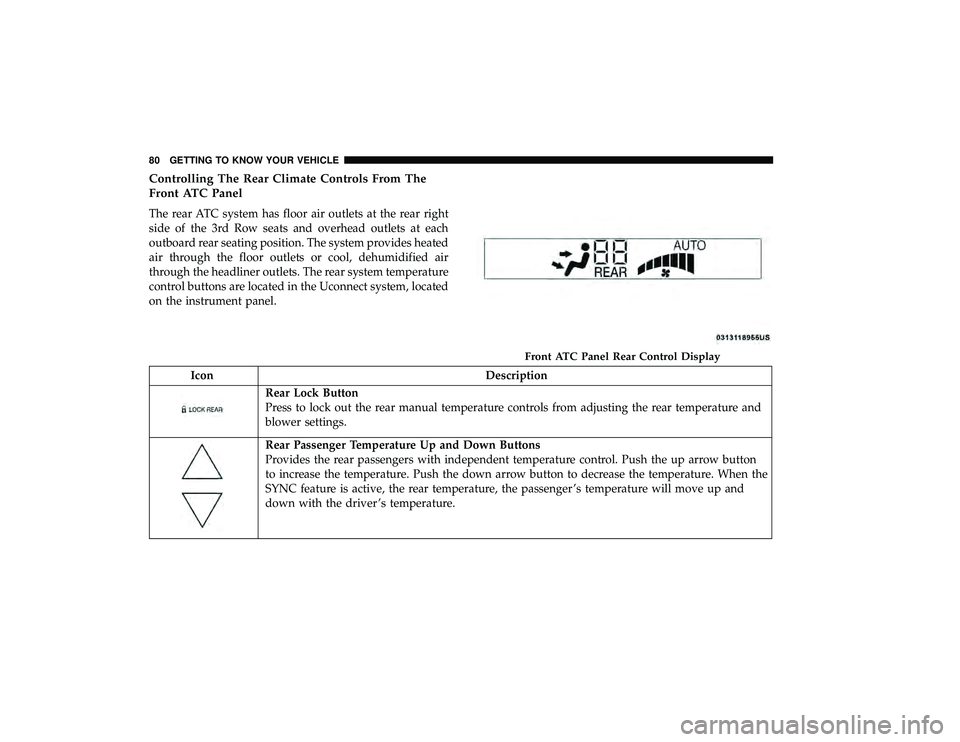
Controlling The Rear Climate Controls From The
Front ATC Panel
The rear ATC system has floor air outlets at the rear right
side of the 3rd Row seats and overhead outlets at each
outboard rear seating position. The system provides heated
air through the floor outlets or cool, dehumidified air
through the headliner outlets. The rear system temperature
control buttons are located in the Uconnect system, located
on the instrument panel.
IconDescription
Rear Lock Button
Press to lock out the rear manual temperature controls from adjusting the rear temperature and
blower settings.
Rear Passenger Temperature Up and Down Buttons
Provides the rear passengers with independent temperature control. Push the up arrow button
to increase the temperature. Push the down arrow button to decrease the temperature. When the
SYNC feature is active, the rear temperature, the passenger ’s temperature will move up and
down with the driver ’s temperature.
Front ATC Panel Rear Control Display
80 GETTING TO KNOW YOUR VEHICLE
Page 94 of 490
Wind Buffeting
Wind buffeting can be described as the perception of
pressure on the ears or a helicopter-type sound in the ears.
Your vehicle may exhibit wind buffeting with the windows
down, or the sunroof (if equipped) in certain open or
partially open positions. This is a normal occurrence and
can be minimized. If the rear windows are open and
buffeting occurs, open the front and rear windows together
to minimize the buffeting. If the buffeting occurs with the
sunroof open, adjust the sunroof opening to minimize the
buffeting.HOOD
Opening The Hood
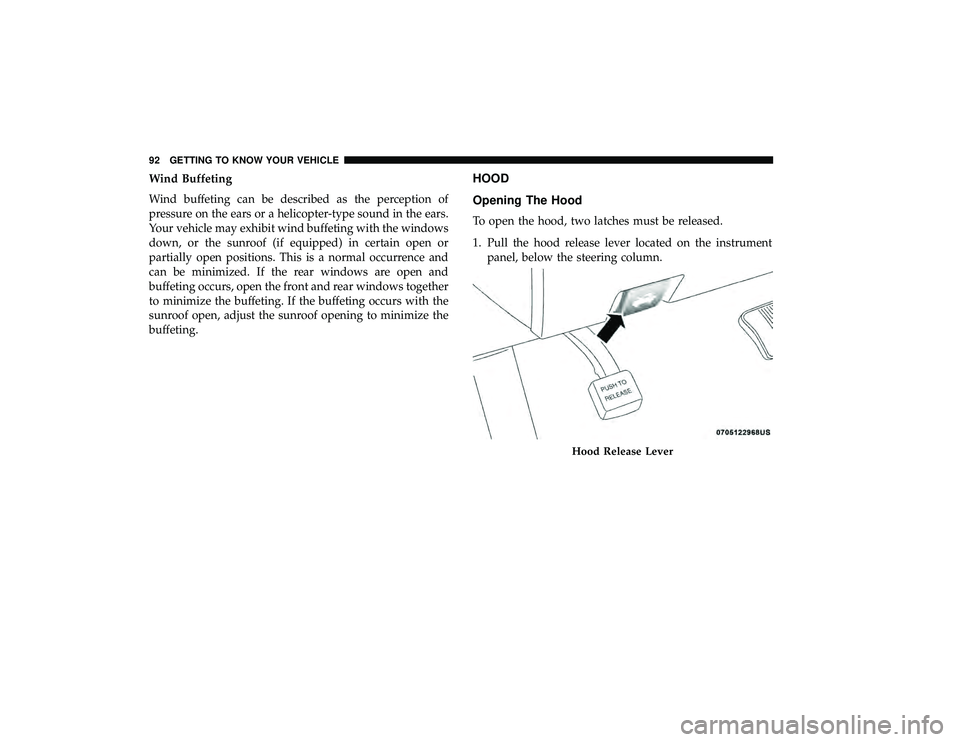
To open the hood, two latches must be released.
1. Pull the hood release lever located on the instrumentpanel, below the steering column.
Hood Release Lever
92 GETTING TO KNOW YOUR VEHICLE
Page 106 of 490
General Information
The following regulatory statement applies to all Radio
Frequency (RF) devices equipped in this vehicle:
This device complies with Part 15 of the FCC Rules and
with Industry Canada license-exempt RSS standard(s).
Operation is subject to the following two conditions:
1. This device may not cause harmful interference, and
2. This device must accept any interference received, in-cluding interference that may cause undesired opera-
tion.
NOTE: Changes or modifications not expressly approved
by the party responsible for compliance could void the
user ’s authority to operate the equipment.
INTERNAL EQUIPMENT
Storage
Glove Compartments
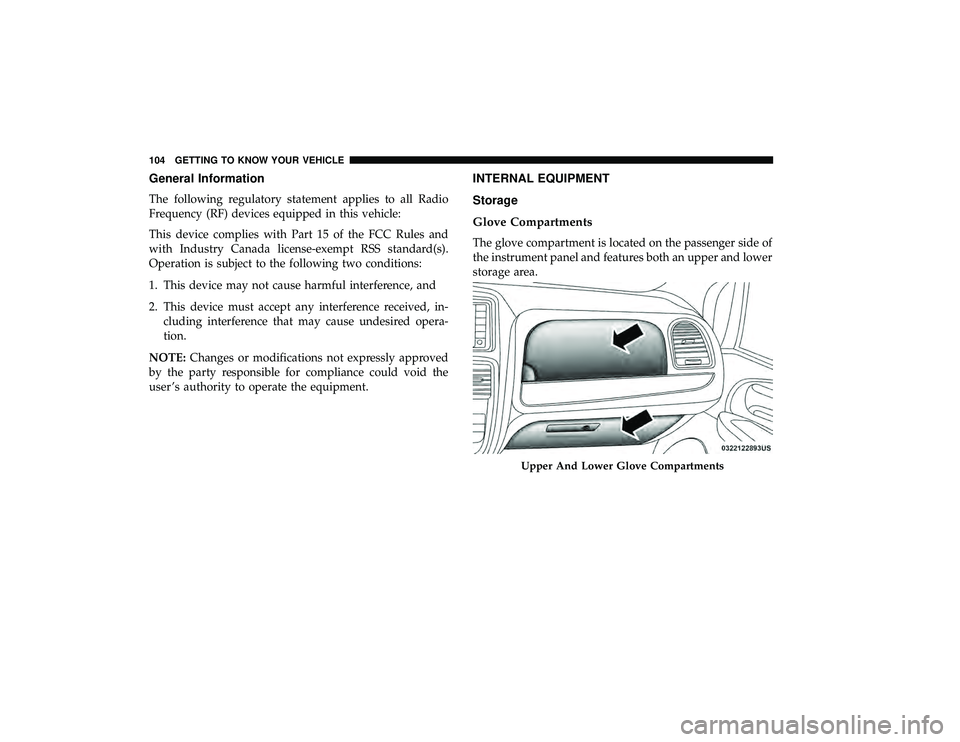
The glove compartment is located on the passenger side of
the instrument panel and features both an upper and lower
storage area.
Upper And Lower Glove Compartments
104 GETTING TO KNOW YOUR VEHICLE
Page 109 of 490
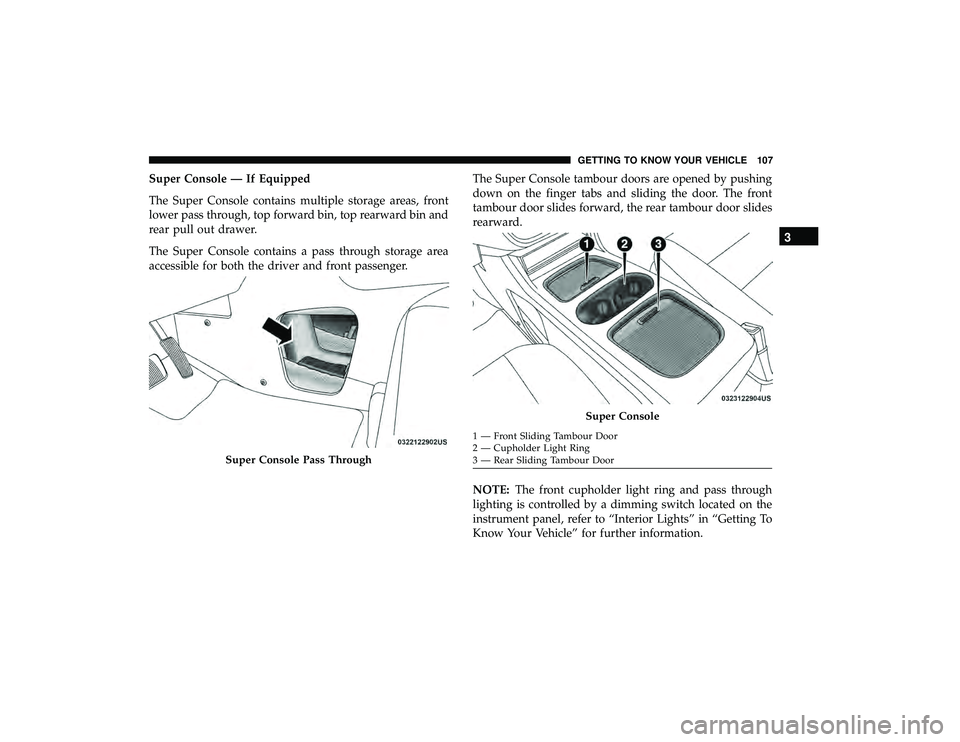
Super Console — If Equipped
The Super Console contains multiple storage areas, front
lower pass through, top forward bin, top rearward bin and
rear pull out drawer.
The Super Console contains a pass through storage area
accessible for both the driver and front passenger.The Super Console tambour doors are opened by pushing
down on the finger tabs and sliding the door. The front
tambour door slides forward, the rear tambour door slides
rearward.
NOTE:
The front cupholder light ring and pass through
lighting is controlled by a dimming switch located on the
instrument panel, refer to “Interior Lights” in “Getting To
Know Your Vehicle” for further information.
Super Console Pass Through
Super Console
1 — Front Sliding Tambour Door
2 — Cupholder Light Ring
3 — Rear Sliding Tambour Door
3
GETTING TO KNOW YOUR VEHICLE 107