steering wheel DODGE GRAND CARAVAN 2019 Owner's Guide
[x] Cancel search | Manufacturer: DODGE, Model Year: 2019, Model line: GRAND CARAVAN, Model: DODGE GRAND CARAVAN 2019Pages: 490, PDF Size: 3.84 MB
Page 407 of 490
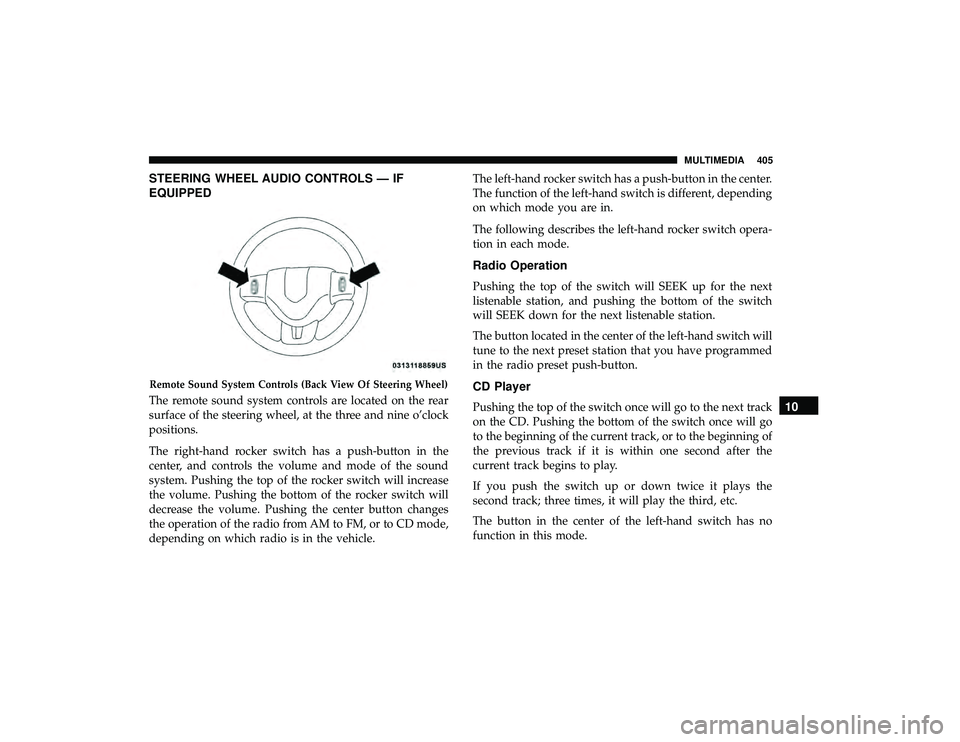
STEERING WHEEL AUDIO CONTROLS — IF
EQUIPPED
The remote sound system controls are located on the rear
surface of the steering wheel, at the three and nine o’clock
positions.
The right-hand rocker switch has a push-button in the
center, and controls the volume and mode of the sound
system. Pushing the top of the rocker switch will increase
the volume. Pushing the bottom of the rocker switch will
decrease the volume. Pushing the center button changes
the operation of the radio from AM to FM, or to CD mode,
depending on which radio is in the vehicle.The left-hand rocker switch has a push-button in the center.
The function of the left-hand switch is different, depending
on which mode you are in.
The following describes the left-hand rocker switch opera-
tion in each mode.
Radio Operation
Pushing the top of the switch will SEEK up for the next
listenable station, and pushing the bottom of the switch
will SEEK down for the next listenable station.
The button located in the center of the left-hand switch will
tune to the next preset station that you have programmed
in the radio preset push-button.
CD Player
Pushing the top of the switch once will go to the next track
on the CD. Pushing the bottom of the switch once will go
to the beginning of the current track, or to the beginning of
the previous track if it is within one second after the
current track begins to play.
If you push the switch up or down twice it plays the
second track; three times, it will play the third, etc.
The button in the center of the left-hand switch has no
function in this mode.
Remote Sound System Controls (Back View Of Steering Wheel)
10
MULTIMEDIA 405
Page 435 of 490
NOTE:The Uconnect Phone requires a mobile phone
equipped with the Bluetooth “Hands-Free Profile,” Version
0.96 or higher. See the Uconnect website for supported
phones. For Uconnect customer support:
• U.S. residents - visit UconnectPhone.com or call 1-877-
855-8400 (24 hours a day 7 days a week).
• Canadian Residents - visit UconnectPhone.com or call
1-800-465-2001 (English) or 1-800-387-9983 (French).
• Mon. – Fri., 8:00 am – 8:00 pm, ET
• Sat., 9:00 am – 5:00 pm, ET
• Sun., Closed
Uconnect Phone allows you to transfer calls between the
system and your mobile phone as you enter or exit your
vehicle and enables you to mute the system’s microphone
for private conversation.
The Uconnect Phone is driven through your Bluetooth
“Hands-Free Profile” mobile phone. Uconnect features
Bluetooth technology - the global standard that enables
different electronic devices to connect to each other with-
out wires or a docking station, so Uconnect Phone works
no matter where you stow your mobile phone (be it your
purse, pocket, or briefcase), as long as your phone is turned
on and has been paired to the vehicle’s Uconnect Phone.
The Uconnect Phone allows up to seven mobile phones to be linked to the system. Only one linked (or paired) mobile
phone can be used with the system at a time. The system is
available in English, Spanish, or French languages.
WARNING!
ALWAYS drive safely with your hands on the wheel.
You have full responsibility and assume all risks
related to the use of the Uconnect features and appli-
cations in this vehicle. Only use Uconnect when it is
safe to do so. Failure to do so may result in an accident
involving serious injury or death.
Uconnect Phone Button The radio or steering wheel controls (if
equipped) contain the two control buttons
(Uconnect Phone
button and Voice Com-
mand
button) that enables you to access the
system. When you push the button you hear the word
Uconnect followed by a BEEP. The beep is your signal to
give a command.
NOTE: The driver side upper windshield trim contains the
microphone for the Uconnect Phone.
10
MULTIMEDIA 433
Page 436 of 490
Voice Command Button
WARNING!
Any voice commanded system should be used only in
safe driving conditions following all applicable laws.
Your attention should be focused on safely operating
the vehicle. Failure to do so may result in a collision
causing serious injury or death.Actual button location may vary with the radio.
The individual buttons are described in the “Op-
eration” section.
The Uconnect Phone can be used with any Hands-Free
Profile certified Bluetooth mobile phone. See the Uconnect
website for supported phones. Refer to your mobile service
provider or the phone manufacturer for details.
The Uconnect Phone is fully integrated with the vehicle’s
audio system. The volume of the Uconnect Phone can be
adjusted either from the radio volume control knob or from
the steering wheel radio control (right switch), if so
equipped. The Uconnect display will be used for visual prompts from
the Uconnect Phone such as “CELL” or caller ID on certain
radios.Operation
Voice commands can be used to operate the Uconnect
Phone and to navigate through the Uconnect Phone menu
structure. Voice commands are required after most
Uconnect Phone prompts. You will be prompted for a
specific command and then guided through the available
options.
•
Prior to giving a voice command, one must wait for the
beep, which follows the “Ready” prompt or another
prompt.
• For certain operations, compound commands can be
used. For example, instead of saying “Setup” and then
“Phone Pairing,” the following compound command
can be said: “Setup Phone Pairing.”
• For each feature explanation in this section, only the
compound form of the voice command is given. You can
also break the commands into parts and say each part of
the command when you are asked for it. For example,
you can use the compound form voice command
434 MULTIMEDIA
Page 485 of 490
Seats.............................. .32, 46, 48
Adjustment ....................... .32, 33, 46
Heated .................................48
Power .................................45
Rear Folding .............................32
Reclining ...............................34
Seatback Release ..........................33
Stow ‘n Go (Fold in Floor) ...................35
Tilting .............................. .32, 33
Security Alarm ........................... .148
Arm The System ..........................25
Disarm The System ........................25
Selection Of Coolant (Antifreeze) ...............398
Sentry Key Key Programming .........................24
Sentry Key (Immobilizer) ......................23
Sentry Key Replacement ......................24
Service Assistance ......................... .466
Service Contract .......................... .468
Service Manuals .......................... .470
Settings Personal .............................. .139
Shift Lever Override ....................... .328
Shoulder Belts ............................ .182
Side View Mirror Adjustment ...................56 Signals, Turn
.................... .61, 152, 237, 289
Snow Chains (Tire Chains) ....................378
Snow Tires .............................. .374
Spare Tires .................... .301, 374, 375, 376
Spark Plugs ............................. .398
Specifications Fuel (Gasoline) ......................... .398
Oil.................................. .398
Speed Control Accel/Decel ........................... .257
Cancel ............................... .258
Resume .............................. .258
Speed Control (Cruise Control) .................255
Starting ................................ .241
Button .................................20
Cold Weather .......................... .241
Engine Fails To Start ..................... .242
Starting
And Operating ..................... .241
Starting Procedures ........................ .241
Steering Power ............................... .254
Tilt Column .............................55
Wheel, Heated ...........................55
Wheel, Tilt ..............................55
Steering Wheel Audio Controls .................405
12
INDEX 483
Page 486 of 490
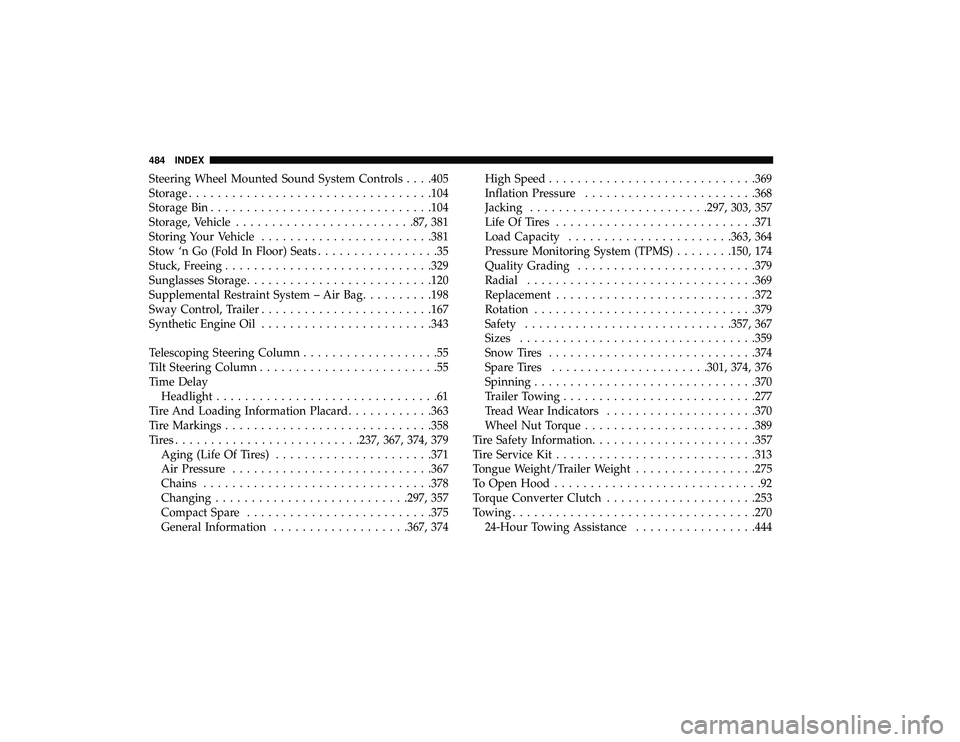
Steering Wheel Mounted Sound System Controls . . . .405
Storage................................. .104
Storage Bin .............................. .104
Storage, Vehicle ........................ .87, 381
Storing Your Vehicle ....................... .381
Stow ‘n Go (Fold In Floor) Seats .................35
Stuck, Freeing ............................ .329
Sunglasses Storage ......................... .120
Supplemental Restraint System – Air Bag ..........198
Sway Control, Trailer ....................... .167
Synthetic Engine Oil ....................... .343
Telescoping Steering Column ...................55
Tilt Steering Column .........................55
Time Delay Headlight ...............................61
Tire And Loading Information Placard ............363
Tire Markings ............................ .358
Tires......................... .237, 367, 374, 379
Aging (Life Of Tires) ..................... .371
Air Pressure ........................... .367
Chains ............................... .378
Changing .......................... .297, 357
Compact Spare ......................... .375
General Information .................. .367, 374High Speed
............................ .369
Inflation Pressure ....................... .368
Jacking ........................ .297, 303, 357
Life Of Tires ........................... .371
Load Capacity ...................... .363, 364
Pressure Monitoring System (TPMS) ........150, 174
Quality Grading ........................ .379
Radial ............................... .369
Replacement ........................... .372
Rotation .............................. .379
Safety ............................ .357, 367
Sizes ................................ .359
Snow Tires ............................ .374
Spar
e Tires ..................... .301, 374, 376
Spinning .............................. .370
Trailer Towing .......................... .277
Tread Wear Indicators .................... .370
Wheel Nut Torque ....................... .389
Tire Safety Information ...................... .357
Tire Service Kit ........................... .313
Tongue Weight/Trailer Weight .................275
To Open Hood .............................92
Torque Converter Clutch .................... .253
Towing ................................. .270
24-Hour Towing Assistance .................444
484 INDEX