Power DODGE HORNET 2023 User Guide
[x] Cancel search | Manufacturer: DODGE, Model Year: 2023, Model line: HORNET, Model: DODGE HORNET 2023Pages: 288, PDF Size: 14.2 MB
Page 27 of 288
GETTING TO KNOW YOUR VEHICLE25
To Lock The Liftgate
With a valid Passive Entry key fob within 5 ft (1.5 m) of the
liftgate, push the Passive Entry lock button located on the
outside liftgate door handle.
NOTE:The liftgate Passive Entry lock button will lock all doors
and the liftgate Úpage 275.
AUTOMATIC DOOR LOCKS —
I
F EQUIPPED
When enabled, the door locks will lock automatically when
the vehicle's speed exceeds 12 mph (20 km/h). The auto
door lock feature is enabled or disabled within the
Uconnect system
Úpage 130.
AUTOMATIC UNLOCK DOORS ON EXIT
The doors will unlock automatically on vehicles with power
door locks if:
1. The Automatic Unlock Doors On Exit feature is
enabled.
2. All doors are closed.
3. The gear selector was not in PARK, then is placed in PARK.
4. Any door is opened.
DEAD LOCK DEVICE — IF EQUIPPED
The Dead Lock Device is a safety device that prevents the
use of the internal door handles of the vehicle and the
power door lock switch. This device prevents the doors
from opening within the passenger compartment.
The device works on all doors.
Arming The Device
The device is armed after two pushes of the lock button
on the key fob
For vehicles equipped with Passive Entry, the device
will also work by pushing the lock button on the driver’s
or passenger’s side exterior door handle
The arming of the device is indicated by three flashes of
the turn signals.
NOTE:The device does not operate if one or more doors are not
properly closed.
Disarming The Device
The device will automatically disarm by pushing the
unlock button on the key fob
By placing the ignition in the ON/RUN position
For vehicles equipped with Passive Entry, the device
will also disarm by using the driver’s or passenger’s
Passive Entry door handle to unlock and open the door
CHILD-PROTECTION DOOR LOCK
S
YSTEM — REAR DOORS
To provide a safer environment for small children riding in
the rear seats, the rear doors are equipped with a
Child-Protection Door Lock system.
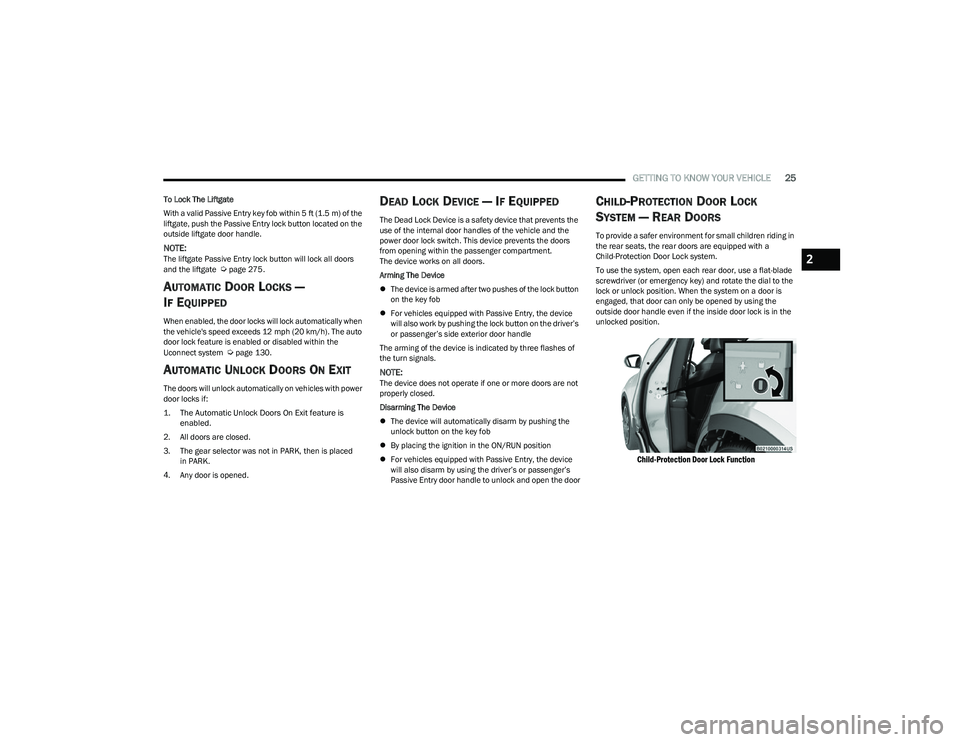
To use the system, open each rear door, use a flat-blade
screwdriver (or emergency key) and rotate the dial to the
lock or unlock position. When the system on a door is
engaged, that door can only be opened by using the
outside door handle even if the inside door lock is in the
unlocked position.
Child-Protection Door Lock Function
2
23_GG_OM_EN_USC_t.book Page 25
Page 30 of 288
28GETTING TO KNOW YOUR VEHICLE
MANUAL ADJUSTMENT (FRONT SEATS) —
I
F EQUIPPED
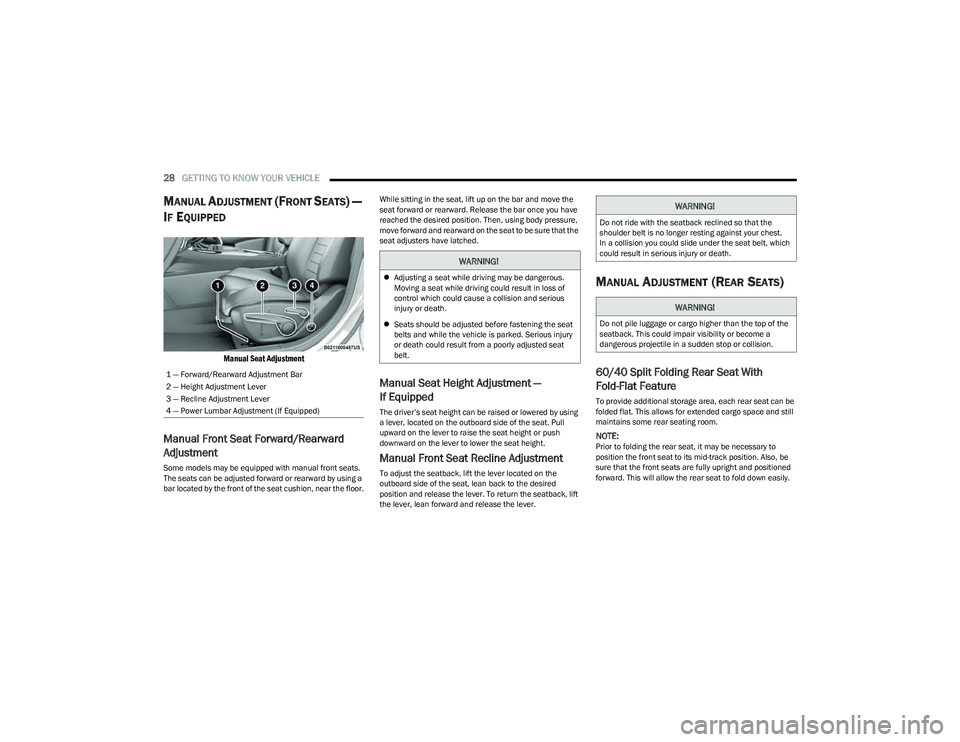
Manual Seat Adjustment
Manual Front Seat Forward/Rearward
Adjustment
Some models may be equipped with manual front seats.
The seats can be adjusted forward or rearward by using a
bar located by the front of the seat cushion, near the floor. While sitting in the seat, lift up on the bar and move the
seat forward or rearward. Release the bar once you have
reached the desired position. Then, using body pressure,
move forward and rearward on the seat to be sure that the
seat adjusters have latched.
Manual Seat Height Adjustment —
If Equipped
The driver’s seat height can be raised or lowered by using
a lever, located on the outboard side of the seat. Pull
upward on the lever to raise the seat height or push
downward on the lever to lower the seat height.
Manual Front Seat Recline Adjustment
To adjust the seatback, lift the lever located on the
outboard side of the seat, lean back to the desired
position and release the lever. To return the seatback, lift
the lever, lean forward and release the lever.
MANUAL ADJUSTMENT (REAR SEATS)
60/40 Split Folding Rear Seat With
Fold-Flat Feature
To provide additional storage area, each rear seat can be
folded flat. This allows for extended cargo space and still
maintains some rear seating room.
NOTE:Prior to folding the rear seat, it may be necessary to
position the front seat to its mid-track position. Also, be
sure that the front seats are fully upright and positioned
forward. This will allow the rear seat to fold down easily.
1 — Forward/Rearward Adjustment Bar
2 — Height Adjustment Lever
3 — Recline Adjustment Lever
4 — Power Lumbar Adjustment (If Equipped)
WARNING!
Adjusting a seat while driving may be dangerous.
Moving a seat while driving could result in loss of
control which could cause a collision and serious
injury or death.
Seats should be adjusted before fastening the seat
belts and while the vehicle is parked. Serious injury
or death could result from a poorly adjusted seat
belt.
WARNING!
Do not ride with the seatback reclined so that the
shoulder belt is no longer resting against your chest.
In a collision you could slide under the seat belt, which
could result in serious injury or death.
WARNING!
Do not pile luggage or cargo higher than the top of the
seatback. This could impair visibility or become a
dangerous projectile in a sudden stop or collision.
23_GG_OM_EN_USC_t.book Page 28
Page 31 of 288
GETTING TO KNOW YOUR VEHICLE29
TO LOWER THE REAR SEAT
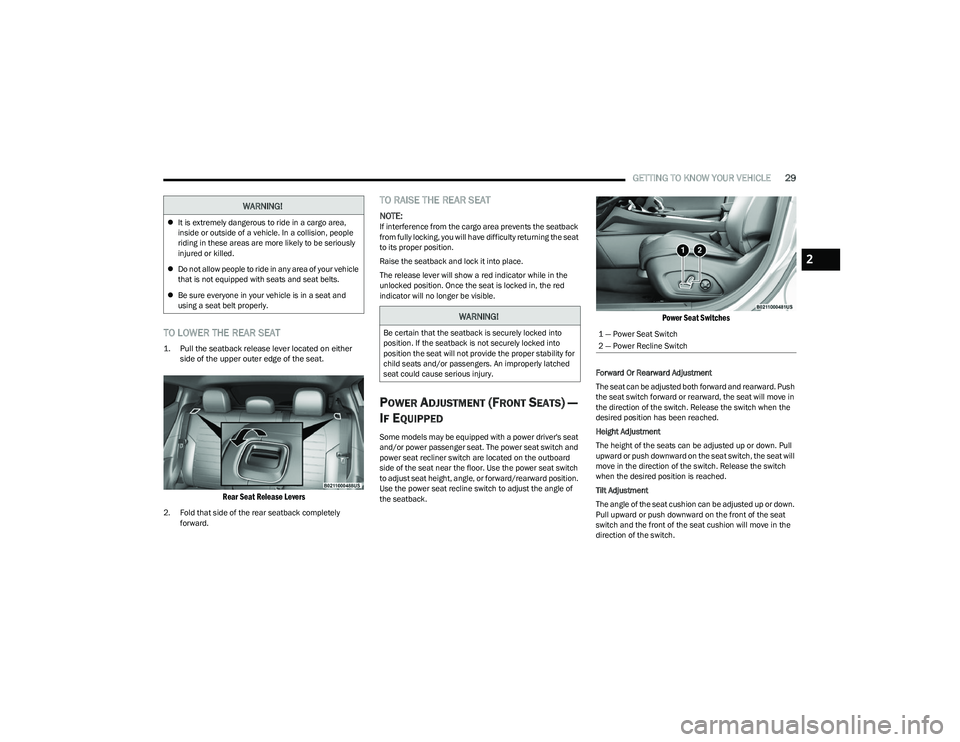
1. Pull the seatback release lever located on either
side of the upper outer edge of the seat.
Rear Seat Release Levers
2. Fold that side of the rear seatback completely forward.
TO RAISE THE REAR SEAT
NOTE:If interference from the cargo area prevents the seatback
from fully locking, you will have difficulty returning the seat
to its proper position.
Raise the seatback and lock it into place.
The release lever will show a red indicator while in the
unlocked position. Once the seat is locked in, the red
indicator will no longer be visible.
POWER ADJUSTMENT (FRONT SEATS) —
I
F EQUIPPED
Some models may be equipped with a power driver's seat
and/or power passenger seat. The power seat switch and
power seat recliner switch are located on the outboard
side of the seat near the floor. Use the power seat switch
to adjust seat height, angle, or forward/rearward position.
Use the power seat recline switch to adjust the angle of
the seatback.
Power Seat Switches
Forward Or Rearward Adjustment
The seat can be adjusted both forward and rearward. Push
the seat switch forward or rearward, the seat will move in
the direction of the switch. Release the switch when the
desired position has been reached.
Height Adjustment
The height of the seats can be adjusted up or down. Pull
upward or push downward on the seat switch, the seat will
move in the direction of the switch. Release the switch
when the desired position is reached.
Tilt Adjustment
The angle of the seat cushion can be adjusted up or down.
Pull upward or push downward on the front of the seat
switch and the front of the seat cushion will move in the
direction of the switch.
WARNING!
It is extremely dangerous to ride in a cargo area,
inside or outside of a vehicle. In a collision, people
riding in these areas are more likely to be seriously
injured or killed.
Do not allow people to ride in any area of your vehicle
that is not equipped with seats and seat belts.
Be sure everyone in your vehicle is in a seat and
using a seat belt properly.
WARNING!
Be certain that the seatback is securely locked into
position. If the seatback is not securely locked into
position the seat will not provide the proper stability for
child seats and/or passengers. An improperly latched
seat could cause serious injury.1 — Power Seat Switch
2 — Power Recline Switch
2
23_GG_OM_EN_USC_t.book Page 29
Page 32 of 288
30GETTING TO KNOW YOUR VEHICLE
Reclining The Seatback Forward Or
Rearward
The seatback can be reclined both forward and rearward.
Push the seat recliner switch forward or rearward. The
seatback will move in the direction of the switch. Release
the switch when the desired position has been reached.
Power Lumbar — If Equipped
Vehicles equipped with power driver or passenger seats
may be equipped with power lumbar. The power lumbar
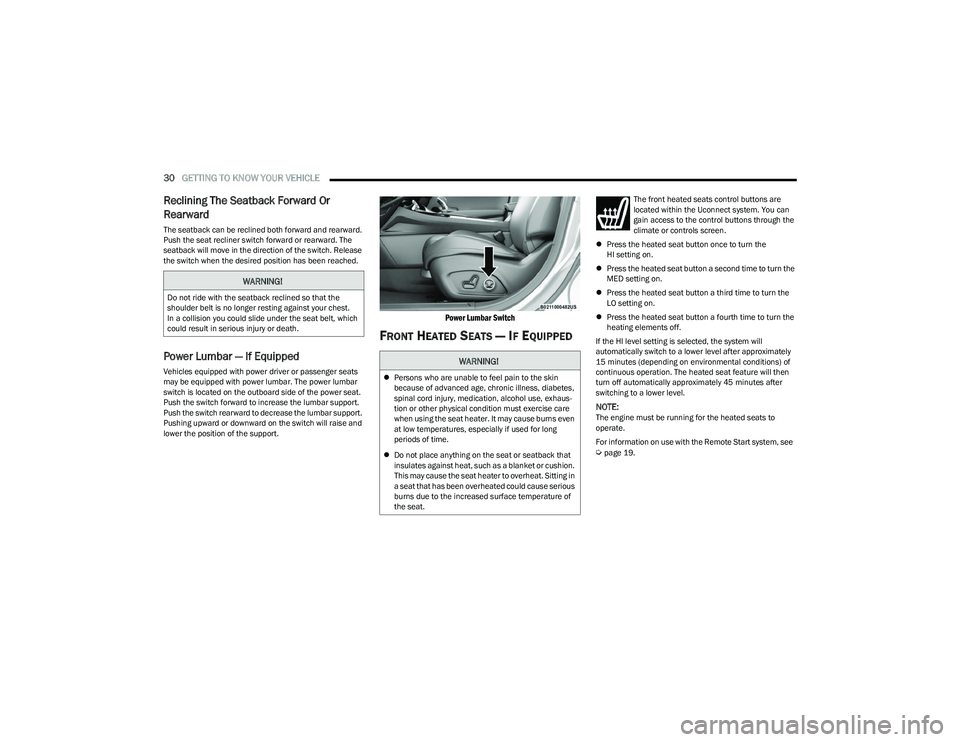
switch is located on the outboard side of the power seat.
Push the switch forward to increase the lumbar support.
Push the switch rearward to decrease the lumbar support.
Pushing upward or downward on the switch will raise and
lower the position of the support.
Power Lumbar Switch
FRONT HEATED SEATS — IF EQUIPPED
The front heated seats control buttons are
located within the Uconnect system. You can
gain access to the control buttons through the
climate or controls screen.
Press the heated seat button once to turn the
HI setting on.
Press the heated seat button a second time to turn the
MED setting on.
Press the heated seat button a third time to turn the
LO setting on.
Press the heated seat button a fourth time to turn the
heating elements off.
If the HI level setting is selected, the system will
automatically switch to a lower level after approximately
15 minutes (depending on environmental conditions) of
continuous operation. The heated seat feature will then
turn off automatically approximately 45 minutes after
switching to a lower level.
NOTE:The engine must be running for the heated seats to
operate.
For information on use with the Remote Start system, see
Úpage 19.
WARNING!
Do not ride with the seatback reclined so that the
shoulder belt is no longer resting against your chest.
In a collision you could slide under the seat belt, which
could result in serious injury or death.
WARNING!
Persons who are unable to feel pain to the skin
because of advanced age, chronic illness, diabetes,
spinal cord injury, medication, alcohol use, exhaus -
tion or other physical condition must exercise care
when using the seat heater. It may cause burns even
at low temperatures, especially if used for long
periods of time.
Do not place anything on the seat or seatback that
insulates against heat, such as a blanket or cushion.
This may cause the seat heater to overheat. Sitting in
a seat that has been overheated could cause serious
burns due to the increased surface temperature of
the seat.
23_GG_OM_EN_USC_t.book Page 30
Page 37 of 288
GETTING TO KNOW YOUR VEHICLE35
OUTSIDE MIRRORS
The outside mirror(s) can be adjusted to the center of the
adjacent lane of traffic to achieve the optimal view.
NOTE:The passenger side convex outside mirror will give a much
wider view to the rear, and especially of the lane next to
your vehicle.
POWER ADJUSTMENT MIRRORS
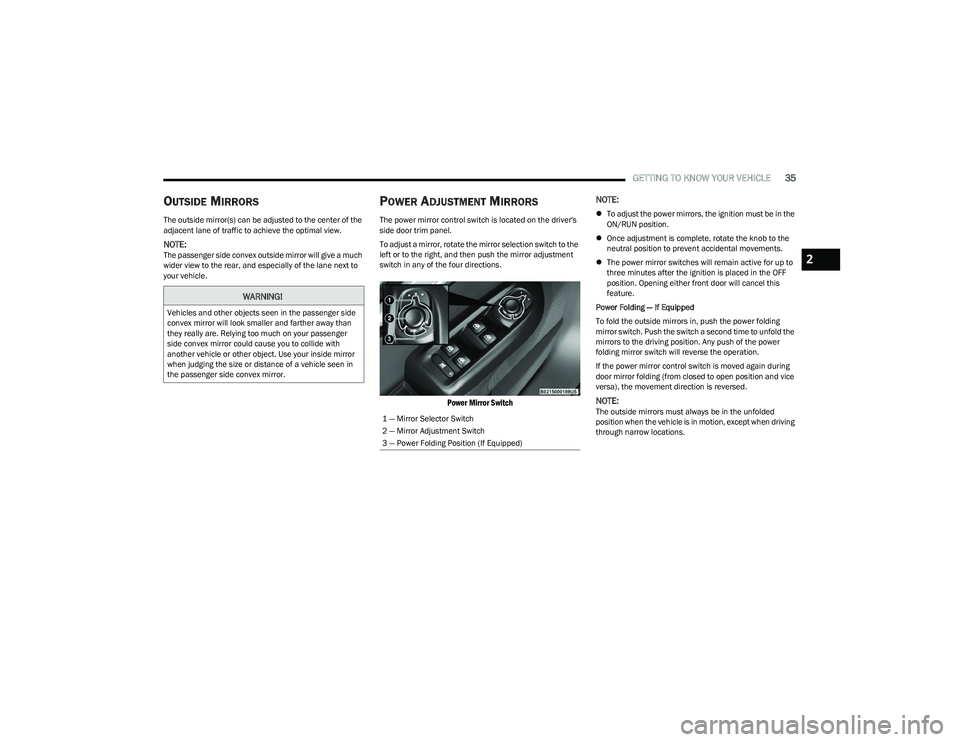
The power mirror control switch is located on the driver's
side door trim panel.
To adjust a mirror, rotate the mirror selection switch to the
left or to the right, and then push the mirror adjustment
switch in any of the four directions.
Power Mirror Switch
NOTE:
To adjust the power mirrors, the ignition must be in the
ON/RUN position.
Once adjustment is complete, rotate the knob to the
neutral position to prevent accidental movements.
The power mirror switches will remain active for up to
three minutes after the ignition is placed in the OFF
position. Opening either front door will cancel this
feature.
Power Folding — If Equipped
To fold the outside mirrors in, push the power folding
mirror switch. Push the switch a second time to unfold the
mirrors to the driving position. Any push of the power
folding mirror switch will reverse the operation.
If the power mirror control switch is moved again during
door mirror folding (from closed to open position and vice
versa), the movement direction is reversed.
NOTE:The outside mirrors must always be in the unfolded
position when the vehicle is in motion, except when driving
through narrow locations.
WARNING!
Vehicles and other objects seen in the passenger side
convex mirror will look smaller and farther away than
they really are. Relying too much on your passenger
side convex mirror could cause you to collide with
another vehicle or other object. Use your inside mirror
when judging the size or distance of a vehicle seen in
the passenger side convex mirror.
1 — Mirror Selector Switch
2 — Mirror Adjustment Switch
3 — Power Folding Position (If Equipped)
2
23_GG_OM_EN_USC_t.book Page 35
Page 38 of 288
36GETTING TO KNOW YOUR VEHICLE
FOLDING MIRRORS
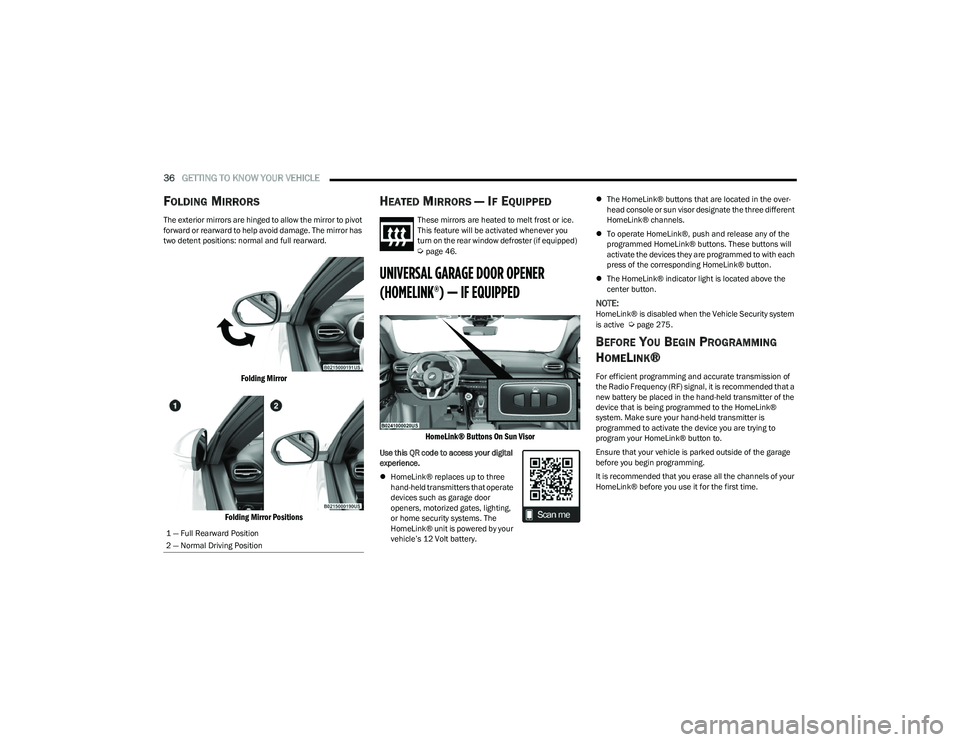
The exterior mirrors are hinged to allow the mirror to pivot
forward or rearward to help avoid damage. The mirror has
two detent positions: normal and full rearward.
Folding Mirror
Folding Mirror Positions
HEATED MIRRORS — IF EQUIPPED
These mirrors are heated to melt frost or ice.
This feature will be activated whenever you
turn on the rear window defroster (if equipped)
Úpage 46.
UNIVERSAL GARAGE DOOR OPENER
(HOMELINK®) — IF EQUIPPED
HomeLink® Buttons On Sun Visor
Use this QR code to access your digital
experience.
HomeLink® replaces up to three
hand-held transmitters that operate
devices such as garage door
openers, motorized gates, lighting,
or home security systems. The
HomeLink® unit is powered by your
vehicle’s 12 Volt battery.
The HomeLink® buttons that are located in the over -
head console or sun visor designate the three different
HomeLink® channels.
To operate HomeLink®, push and release any of the
programmed HomeLink® buttons. These buttons will
activate the devices they are programmed to with each
press of the corresponding HomeLink® button.
The HomeLink® indicator light is located above the
center button.
NOTE:HomeLink® is disabled when the Vehicle Security system
is active Úpage 275.
BEFORE YOU BEGIN PROGRAMMING
H
OMELINK®
For efficient programming and accurate transmission of
the Radio Frequency (RF) signal, it is recommended that a
new battery be placed in the hand-held transmitter of the
device that is being programmed to the HomeLink®
system. Make sure your hand-held transmitter is
programmed to activate the device you are trying to
program your HomeLink® button to.
Ensure that your vehicle is parked outside of the garage
before you begin programming.
It is recommended that you erase all the channels of your
HomeLink® before you use it for the first time.
1 — Full Rearward Position
2 — Normal Driving Position
23_GG_OM_EN_USC_t.book Page 36
Page 53 of 288
GETTING TO KNOW YOUR VEHICLE51
Console Storage Compartment
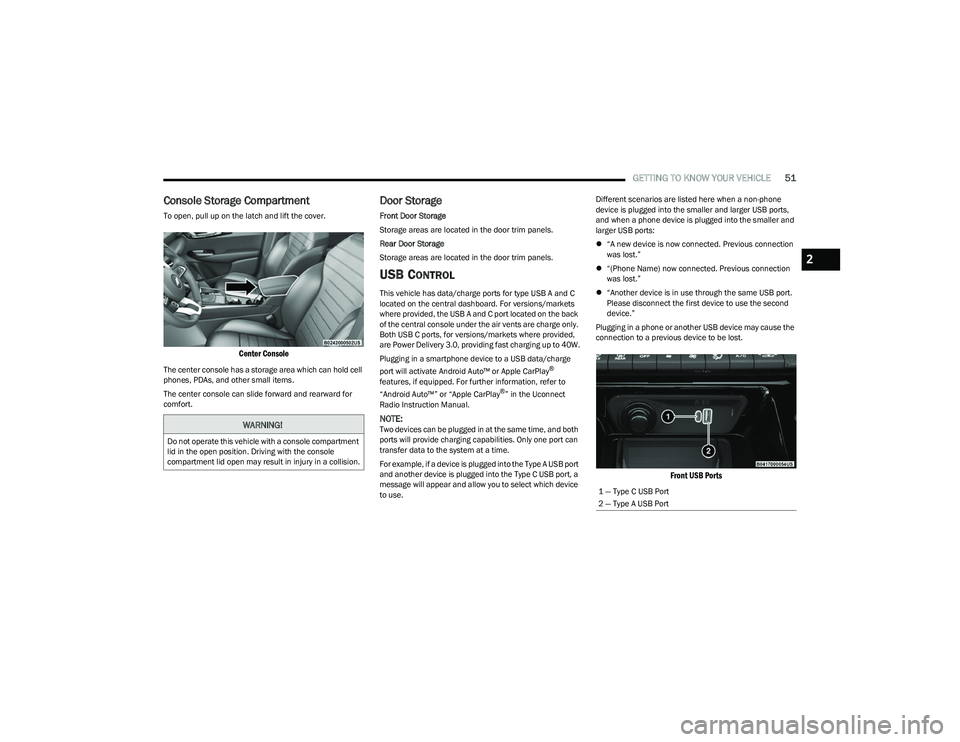
To open, pull up on the latch and lift the cover.
Center Console
The center console has a storage area which can hold cell
phones, PDAs, and other small items.
The center console can slide forward and rearward for
comfort.
Door Storage
Front Door Storage
Storage areas are located in the door trim panels.
Rear Door Storage
Storage areas are located in the door trim panels.
USB CONTROL
This vehicle has data/charge ports for type USB A and C
located on the central dashboard. For versions/markets
where provided, the USB A and C port located on the back
of the central console under the air vents are charge only.
Both USB C ports, for versions/markets where provided,
are Power Delivery 3.0, providing fast charging up to 40W.
Plugging in a smartphone device to a USB data/charge
port will activate Android Auto™ or Apple CarPlay
®
features, if equipped. For further information, refer to
“Android Auto™” or “Apple CarPlay
®” in the Uconnect
Radio Instruction Manual.
NOTE:Two devices can be plugged in at the same time, and both
ports will provide charging capabilities. Only one port can
transfer data to the system at a time.
For example, if a device is plugged into the Type A USB port
and another device is plugged into the Type C USB port, a
message will appear and allow you to select which device
to use. Different scenarios are listed here when a non-phone
device is plugged into the smaller and larger USB ports,
and when a phone device is plugged into the smaller and
larger USB ports:
“A new device is now connected. Previous connection
was lost.”
“(Phone Name) now connected. Previous connection
was lost.”
“Another device is in use through the same USB port.
Please disconnect the first device to use the second
device.”
Plugging in a phone or another USB device may cause the
connection to a previous device to be lost.
Front USB Ports
WARNING!
Do not operate this vehicle with a console compartment
lid in the open position. Driving with the console
compartment lid open may result in injury in a collision.
1 — Type C USB Port
2 — Type A USB Port
2
23_GG_OM_EN_USC_t.book Page 51
Page 54 of 288
52GETTING TO KNOW YOUR VEHICLE
By using a USB cable to connect an external device:
The device can be played on the vehicle’s sound
system, providing the artist, track title, and album infor -
mation on the radio display.
NOTE:Depending on track configuration, track information may
not be present on the radio display.
The device can be controlled using the radio buttons to
play, and browse the contents of the device.
The audio device battery charges when plugged into
the USB port.
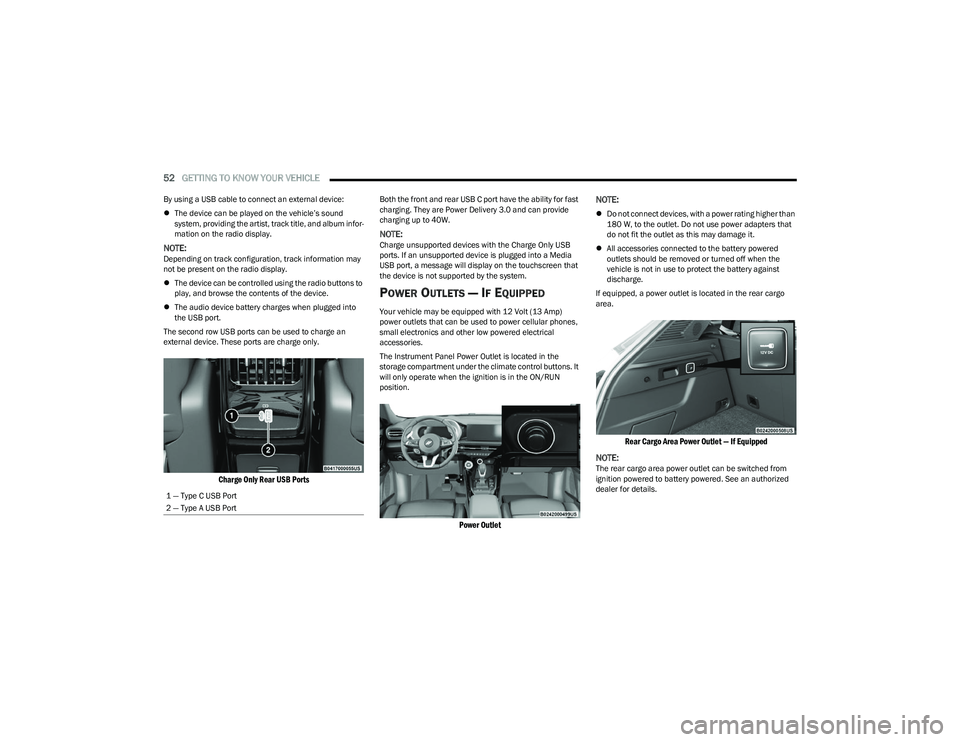
The second row USB ports can be used to charge an
external device. These ports are charge only.
Charge Only Rear USB Ports
Both the front and rear USB C port have the ability for fast
charging. They are Power Delivery 3.0 and can provide
charging up to 40W.
NOTE:Charge unsupported devices with the Charge Only USB
ports. If an unsupported device is plugged into a Media
USB port, a message will display on the touchscreen that
the device is not supported by the system.
POWER OUTLETS — IF EQUIPPED
Your vehicle may be equipped with 12 Volt (13 Amp)
power outlets that can be used to power cellular phones,
small electronics and other low powered electrical
accessories.
The Instrument Panel Power Outlet is located in the
storage compartment under the climate control buttons. It
will only operate when the ignition is in the ON/RUN
position.
Power Outlet
NOTE:
Do not connect devices, with a power rating higher than
180 W, to the outlet. Do not use power adapters that
do not fit the outlet as this may damage it.
All accessories connected to the battery powered
outlets should be removed or turned off when the
vehicle is not in use to protect the battery against
discharge.
If equipped, a power outlet is located in the rear cargo
area.
Rear Cargo Area Power Outlet — If Equipped
NOTE:
The rear cargo area power outlet can be switched from
ignition powered to battery powered. See an authorized
dealer for details.
1 — Type C USB Port
2 — Type A USB Port
23_GG_OM_EN_USC_t.book Page 52
Page 55 of 288
GETTING TO KNOW YOUR VEHICLE53
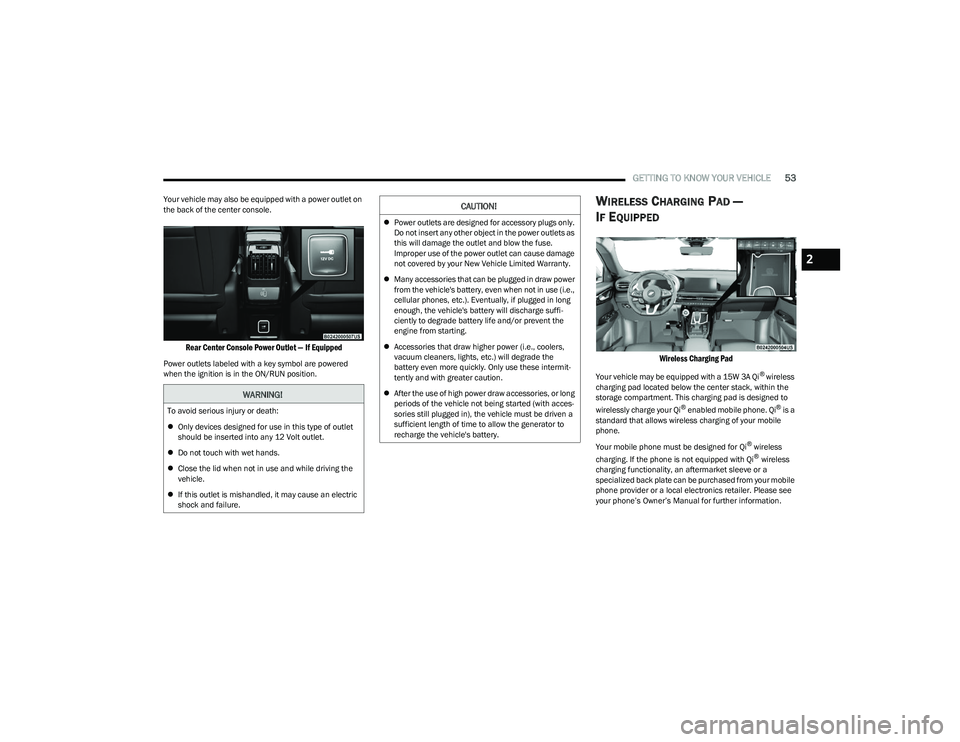
Your vehicle may also be equipped with a power outlet on
the back of the center console.
Rear Center Console Power Outlet — If Equipped
Power outlets labeled with a key symbol are powered
when the ignition is in the ON/RUN position.
WIRELESS CHARGING PAD —
I
F EQUIPPED
Wireless Charging Pad
Your vehicle may be equipped with a 15W 3A Qi® wireless
charging pad located below the center stack, within the
storage compartment. This charging pad is designed to
wirelessly charge your Qi
® enabled mobile phone. Qi® is a
standard that allows wireless charging of your mobile
phone.
Your mobile phone must be designed for Qi
® wireless
charging. If the phone is not equipped with Qi® wireless
charging functionality, an aftermarket sleeve or a
specialized back plate can be purchased from your mobile
phone provider or a local electronics retailer. Please see
your phone’s Owner’s Manual for further information.
WARNING!
To avoid serious injury or death:
Only devices designed for use in this type of outlet
should be inserted into any 12 Volt outlet.
Do not touch with wet hands.
Close the lid when not in use and while driving the
vehicle.
If this outlet is mishandled, it may cause an electric
shock and failure.
CAUTION!
Power outlets are designed for accessory plugs only.
Do not insert any other object in the power outlets as
this will damage the outlet and blow the fuse.
Improper use of the power outlet can cause damage
not covered by your New Vehicle Limited Warranty.
Many accessories that can be plugged in draw power
from the vehicle's battery, even when not in use (i.e.,
cellular phones, etc.). Eventually, if plugged in long
enough, the vehicle's battery will discharge suffi -
ciently to degrade battery life and/or prevent the
engine from starting.
Accessories that draw higher power (i.e., coolers,
vacuum cleaners, lights, etc.) will degrade the
battery even more quickly. Only use these intermit -
tently and with greater caution.
After the use of high power draw accessories, or long
periods of the vehicle not being started (with acces -
sories still plugged in), the vehicle must be driven a
sufficient length of time to allow the generator to
recharge the vehicle's battery.
2
23_GG_OM_EN_USC_t.book Page 53
Page 57 of 288
GETTING TO KNOW YOUR VEHICLE55
WINDOWS
POWER WINDOW CONTROLS
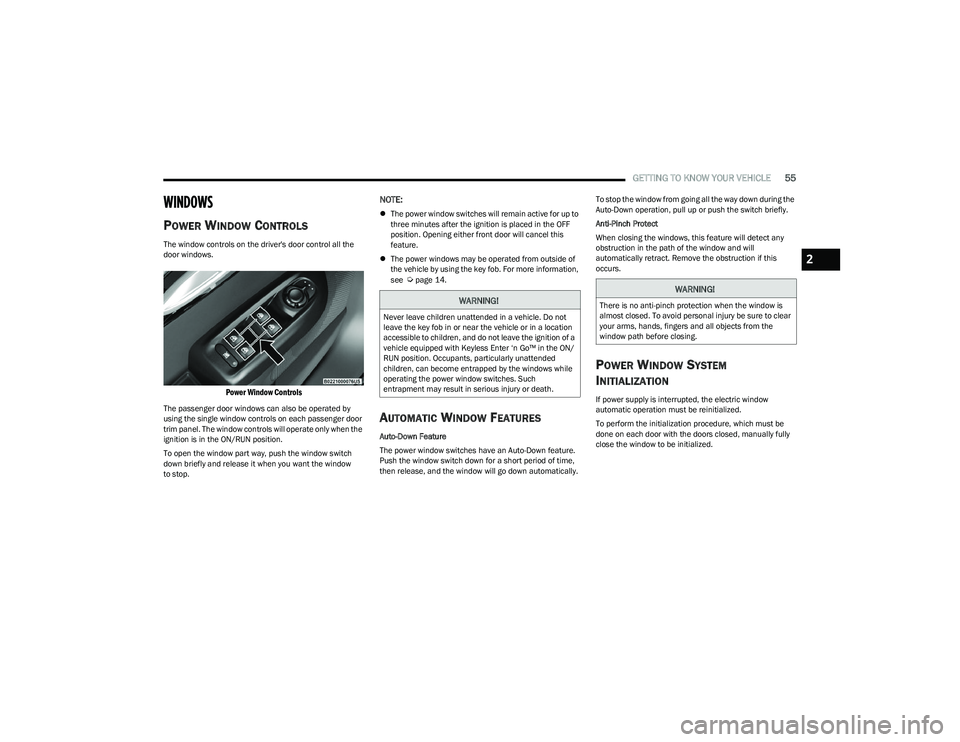
The window controls on the driver's door control all the
door windows.
Power Window Controls
The passenger door windows can also be operated by
using the single window controls on each passenger door
trim panel. The window controls will operate only when the
ignition is in the ON/RUN position.
To open the window part way, push the window switch
down briefly and release it when you want the window
to stop.
NOTE:
The power window switches will remain active for up to
three minutes after the ignition is placed in the OFF
position. Opening either front door will cancel this
feature.
The power windows may be operated from outside of
the vehicle by using the key fob. For more information,
see
Úpage 14.
AUTOMATIC WINDOW FEATURES
Auto-Down Feature
The power window switches have an Auto-Down feature.
Push the window switch down for a short period of time,
then release, and the window will go down automatically. To stop the window from going all the way down during the
Auto-Down operation, pull up or push the switch briefly.
Anti-Pinch Protect
When closing the windows, this feature will detect any
obstruction in the path of the window and will
automatically retract. Remove the obstruction if this
occurs.
POWER WINDOW SYSTEM
I
NITIALIZATION
If power supply is interrupted, the electric window
automatic operation must be reinitialized.
To perform the initialization procedure, which must be
done on each door with the doors closed, manually fully
close the window to be initialized.
WARNING!
Never leave children unattended in a vehicle. Do not
leave the key fob in or near the vehicle or in a location
accessible to children, and do not leave the ignition of a
vehicle equipped with Keyless Enter ‘n Go™ in the ON/
RUN position. Occupants, particularly unattended
children, can become entrapped by the windows while
operating the power window switches. Such
entrapment may result in serious injury or death.
WARNING!
There is no anti-pinch protection when the window is
almost closed. To avoid personal injury be sure to clear
your arms, hands, fingers and all objects from the
window path before closing.
2
23_GG_OM_EN_USC_t.book Page 55