ignition DODGE JOURNEY 2009 1.G Service Manual
[x] Cancel search | Manufacturer: DODGE, Model Year: 2009, Model line: JOURNEY, Model: DODGE JOURNEY 2009 1.GPages: 523
Page 176 of 523
Sunroof Fully Closed
Press the switch forward and release to ensure that the
sunroof is fully closed.
ELECTRICAL POWER OUTLETS
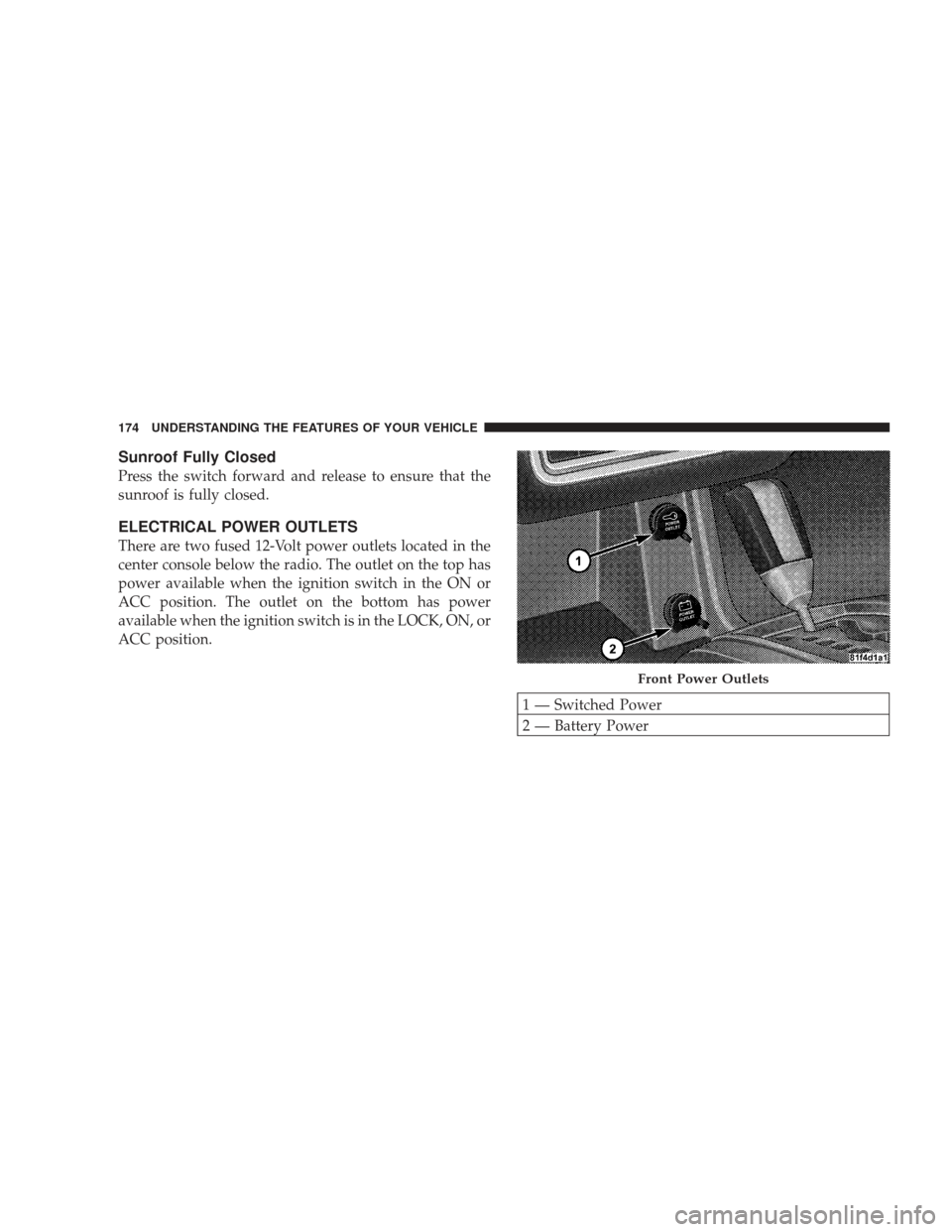
There are two fused 12-Volt power outlets located in the
center console below the radio. The outlet on the top has
power available when the ignition switch in the ON or
ACC position. The outlet on the bottom has power
available when the ignition switch is in the LOCK, ON, or
ACC position.
1 — Switched Power
2 — Battery Power
Front Power Outlets
174 UNDERSTANDING THE FEATURES OF YOUR VEHICLE
Page 177 of 523
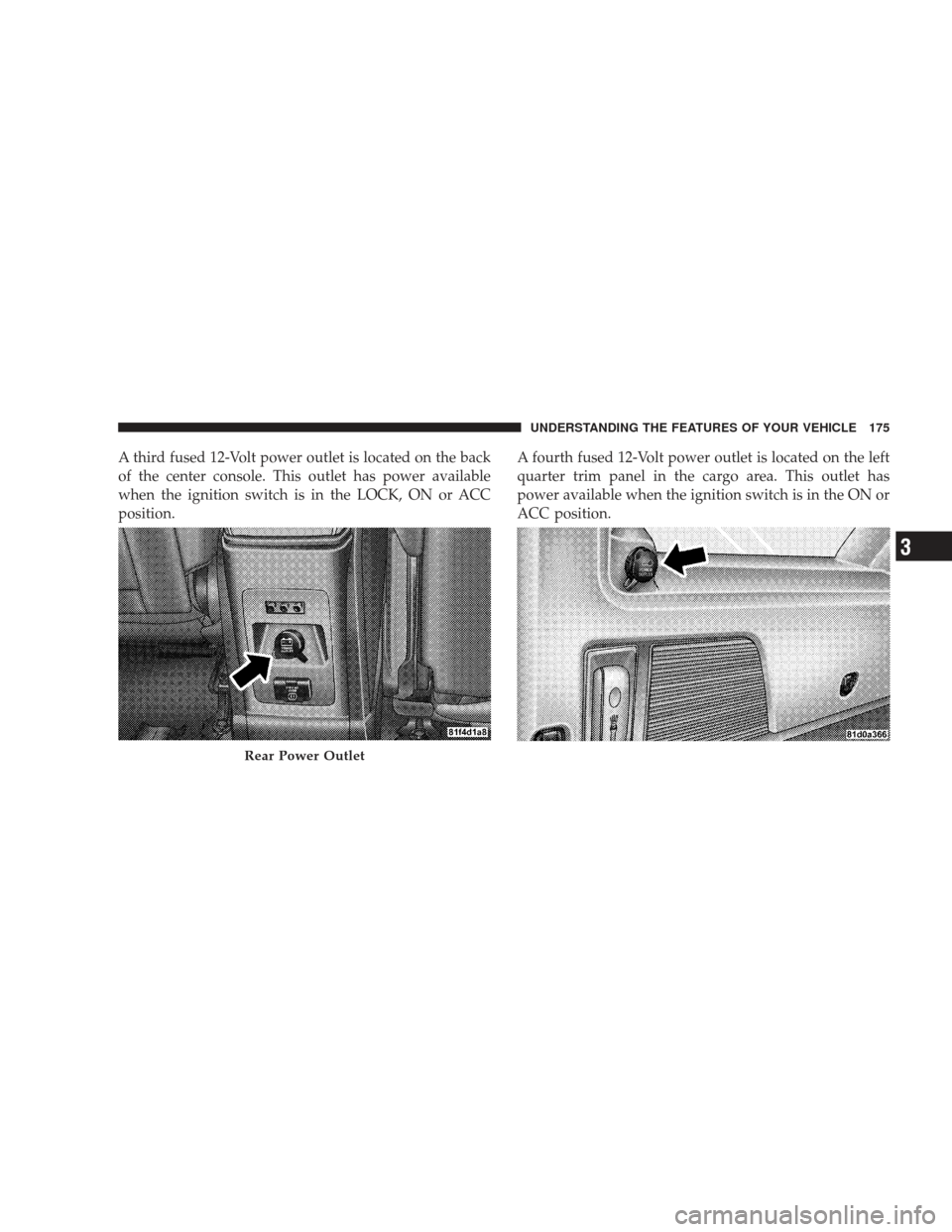
A third fused 12-Volt power outlet is located on the back
of the center console. This outlet has power available
when the ignition switch is in the LOCK, ON or ACC
position.A fourth fused 12-Volt power outlet is located on the left
quarter trim panel in the cargo area. This outlet has
power available when the ignition switch is in the ON or
ACC position.
Rear Power Outlet
UNDERSTANDING THE FEATURES OF YOUR VEHICLE 175
3
Page 195 of 523
REAR WINDOW FEATURES
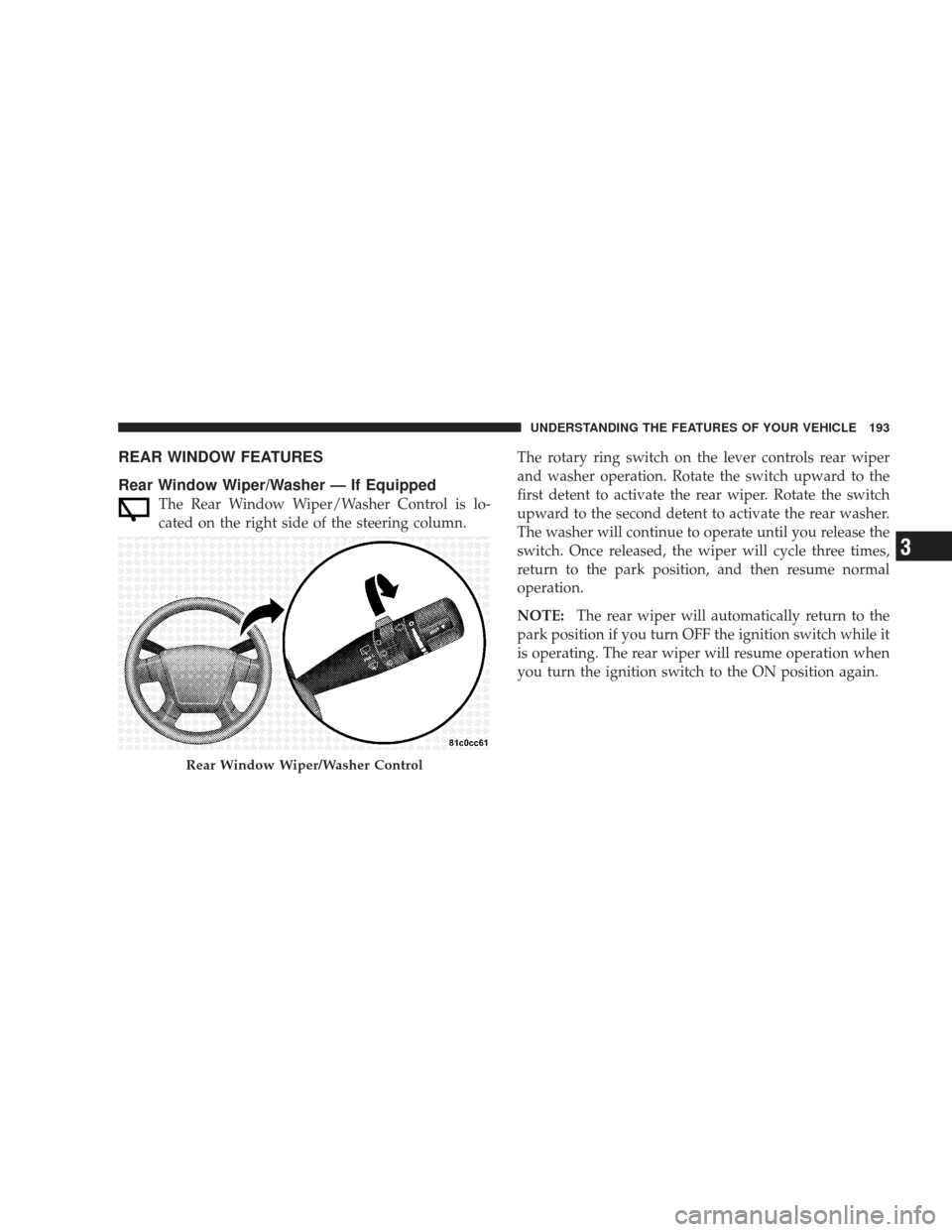
Rear Window Wiper/Washer — If Equipped
The Rear Window Wiper/Washer Control is lo-
cated on the right side of the steering column.The rotary ring switch on the lever controls rear wiper
and washer operation. Rotate the switch upward to the
first detent to activate the rear wiper. Rotate the switch
upward to the second detent to activate the rear washer.
The washer will continue to operate until you release the
switch. Once released, the wiper will cycle three times,
return to the park position, and then resume normal
operation.
NOTE:
The rear wiper will automatically return to the
park position if you turn OFF the ignition switch while it
is operating. The rear wiper will resume operation when
you turn the ignition switch to the ON position again.
Rear Window Wiper/Washer Control
UNDERSTANDING THE FEATURES OF YOUR VEHICLE 193
3
Page 205 of 523
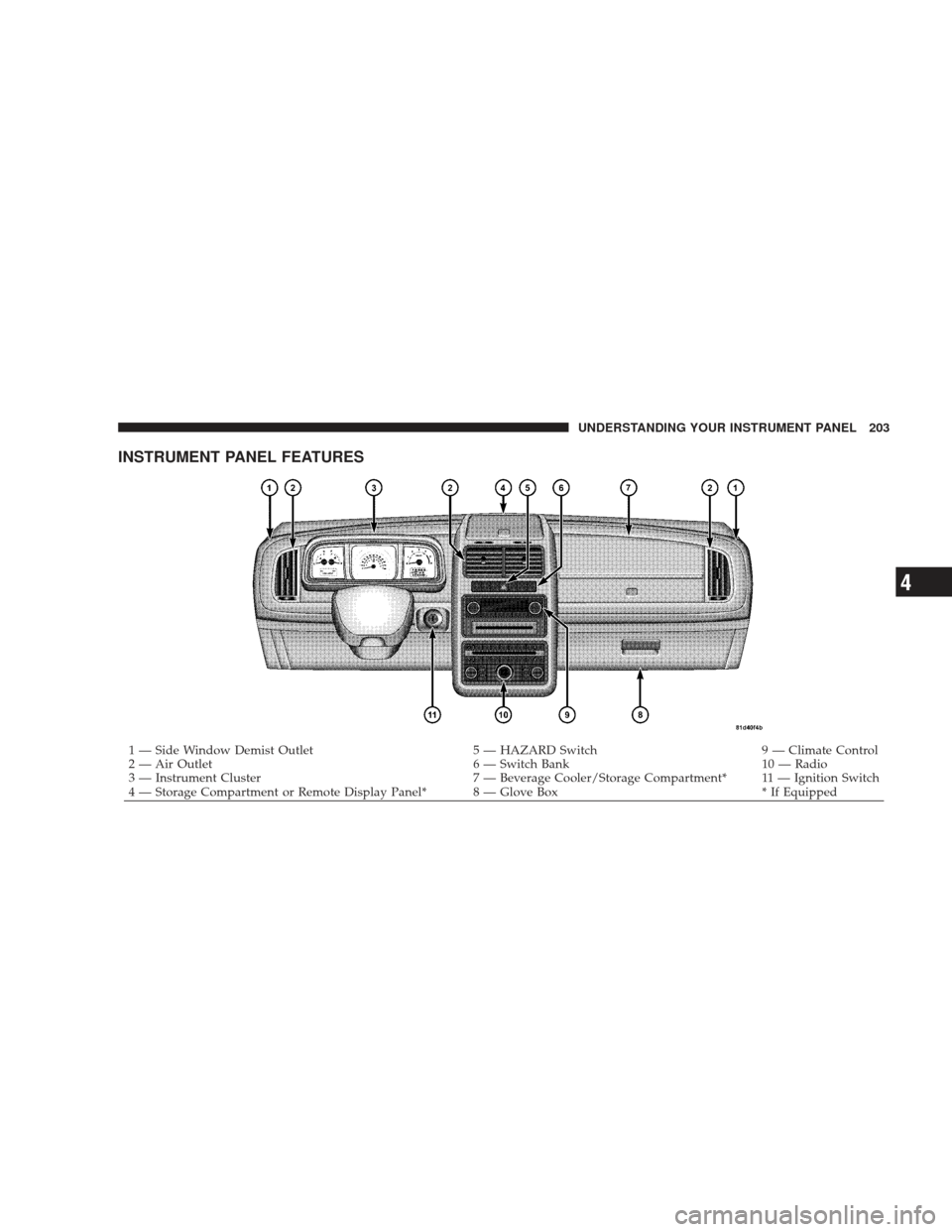
INSTRUMENT PANEL FEATURES
1 — Side Window Demist Outlet5 — HAZARD Switch9 — Climate Control
2 — Air Outlet 6 — Switch Bank10 — Radio
3 — Instrument Cluster 7 — Beverage Cooler/Storage Compartment* 11 — Ignition Switch
4 — Storage Compartment or Remote Display Panel* 8 — Glove Box * If Equipped
UNDERSTANDING YOUR INSTRUMENT PANEL 203
4
Page 207 of 523
INSTRUMENT CLUSTER DESCRIPTIONS
1. Coolant Temperature Gauge
The temperature gauge indicates engine coolant tem-
perature. Any reading within the normal range indicates
that the cooling system is operating satisfactorily. The
gauge pointer will likely indicate a high temperature
when driving in hot weather, up mountain grades, in
heavy traffic, or when towing a trailer. If the pointer rises
to the “H” mark, safely pull over and stop the vehicle. If
the Air Conditioning A/C system is on, turn it off. Also,
shift the transaxle into NEUTRAL and idle the vehicle. If
the needle remains on the “H” mark, turn the engine OFF
immediately and call for service. (See page 394 for more
information.)
NOTE:The gauge pointer will remain near its last
reading when the engine is turned off. It will return to a
true reading when the engine is restarted.
CAUTION!
Do not leave your vehicle unattended with the en-
gine running, as you would not be able to react to the
temperature indicator light if the engine overheats.
2. Fuel Gauge
The fuel gauge shows the level of fuel in the tank when
ignition switch is in the ON position.
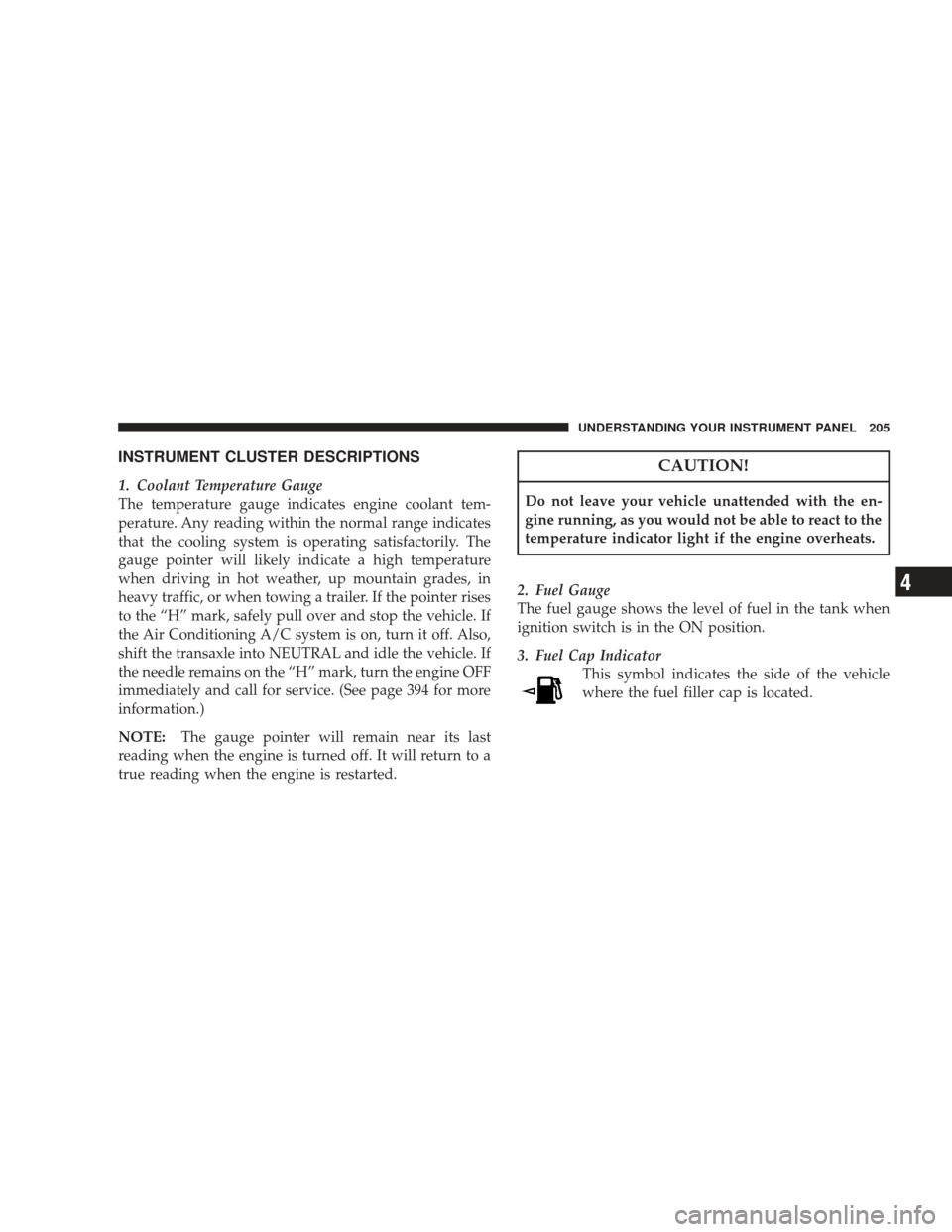
3. Fuel Cap Indicator This symbol indicates the side of the vehicle
where the fuel filler cap is located.
UNDERSTANDING YOUR INSTRUMENT PANEL 205
4
Page 210 of 523
10. Vehicle Security Alarm (VSA) Indicator Light — If
EquippedThis light will flash rapidly for approximately
16 seconds when the vehicle Security system is
arming and then flash slowly when the system
is armed. The light will also turn on for about
three seconds when the ignition switch is first turned
ON. (See page 18 for more information.)
11. All-Wheel Drive (AWD) Failure Indicator Light —
If Equipped This light monitors the All-Wheel-Drive
(AWD) system. The light will turn on for a bulb
check when the ignition switch is turned to the
ON position and may stay on for as long as
three seconds.
When lit solid: There is an AWD system fault. AWD
performance will be at a reduced level. Service the AWD
system soon. When blinking:
The AWD system is temporarily dis-
abled due to overload condition.
12. Tachometer
This gauge measures engine revolutions per minute
(RPM x 1000). Before the pointer reaches the red area,
ease up on the accelerator to prevent engine damage.
13. Transaxle Range Indicator
This display indicator shows automatic transaxle gear
selection. (See page 311 for more information.)
14. Seat Belt Reminder Light This light will turn on for several seconds after the
ignition switch is turned ON as a reminder to
“buckle up.” This light will remain on as long as
the driver’s seat belt remains unbuckled. (See page 48 for
more information.)
208 UNDERSTANDING YOUR INSTRUMENT PANEL
Page 212 of 523
off the message. If the problem persists, the message will
appear the next time the vehicle is started.
A loose, improperly installed, or damaged fuel filler cap
may also turn on the MIL. (See page 421 for more
information.)
Change Oil Message (Base And Mid Line Clusters
Only)
Your vehicle is equipped with an engine oil change
indicator system. The “CHANgE OIL” message will flash
in the instrument cluster odometer for approximately 12
seconds after a single chime has sounded to indicate the
next scheduled oil change interval. The engine oil change
indicator system is duty cycle based, which means the
engine oil change interval may fluctuate dependent upon
your personal driving style.Unless reset, this message will continue to display each
time you turn the ignition switch to the ON position. To
turn off the message temporarily, press and release the
TRIP ODOMETER button on the instrument cluster. To
reset the oil change indicator system (after performing
the scheduled maintenance) perform the following pro-
cedure:
1. Turn the ignition switch to the ON position. (Do not
start the engine).
2. Fully depress the accelerator pedal slowly three
times within 10 seconds.
3. Turn the ignition switch to the LOCK position.
NOTE: If the indicator message illuminates when you
start the vehicle, the oil change indicator system did not
reset. If necessary, repeat this procedure.
210 UNDERSTANDING YOUR INSTRUMENT PANEL
Page 213 of 523
16. Electronic Throttle Control (ETC) Warning Light —
If EquippedThis light will turn on briefly as a bulb check
when the ignition switch is turned ON. This
light will also turn on while the engine is
running if there is a problem with the Elec-
tronic Throttle Control (ETC) system.
If the light turns on while the engine is running, safely
bring the vehicle to a complete stop as soon as possible,
place the shift lever in PARK, and cycle the ignition key.
The light should turn off. If the light remains lit with the
engine running, your vehicle will usually be drivable.
However, see your authorized dealer for service as soon
as possible.
If the light is flashing when the engine is running,
immediate service is required. In this case, you may
experience reduced performance, an elevated/rough idle
or engine stall, and your vehicle may require towing. Also, have the system checked by an authorized dealer if
the light does not turn on during starting.
17. Oil Pressure Warning Light
This light shows low engine oil pressure. The light
will turn on and remain on when the ignition
switch is turned from the LOCK or ACC position to the
ON position. The light will turn off after the engine is
started.
If the light does not turn on during starting, have the
system checked by an authorized dealer.
If the light turns on and remains on while driving, safely
bring the vehicle to a stop and shut off the engine. DO
NOT OPERATE THE VEHICLE UNTIL THE CAUSE IS
CORRECTED. This light does not show the quantity of
oil in the engine. The engine oil level must be checked
using the proper procedure. (See page 424 for more
information.)
UNDERSTANDING YOUR INSTRUMENT PANEL 211
4
Page 214 of 523
18. Charging System Warning LightThis light shows the status of the electrical charg-
ing system. The light should turn on when the
ignition switch is first turned ON and remain on briefly
as a bulb check. If the light stays on or turns on while
driving, turn off some of the vehicle’s electrical devices,
such as the fog lights or rear defroster. If the light remains
on, it means that the charging system is experiencing a
problem. See your local authorized dealer to obtain
service immediately.
19. Cruise Indicator Light — If Equipped This indicator lights when the electronic speed
control system is turned on. (See page 159 for
more information.) 20. Trip Odometer Button
Changing the Display
Press and release this button once to change the display
from odometer to “Trip A.” Press and release it again to
change the display from “Trip A” to “Trip B.”
Resetting the Trip Odometer
Display the trip mileage that you want to reset, “Trip A”
or “Trip B.” Then push and hold the button (approxi-
mately two seconds) until the display resets to 0. The
odometer must be in Trip Mode to reset the trip odom-
eter.
212 UNDERSTANDING YOUR INSTRUMENT PANEL
Page 217 of 523
22. Anti-Lock Brake System (ABS) Warning LightThis light monitors the Anti-Lock Brake System
(ABS). The light will turn on when the ignition
switch is turned to the ON position and may
stay on for as long as four seconds.
If the ABS light remains on or turns on while driving, it
indicates that the Anti-Lock portion of the brake system
is not functioning and that service is required. However,
the conventional brake system will continue to operate
normally if the Brake System Warning Light is not on.
If the ABS light is on, the brake system should be serviced
as soon as possible to restore the benefit of Anti-Lock
brakes. Furthermore, the ABS light should be checked
frequently to assure that it is operating properly. If the
light does not turn on, have the system checked by an
authorized dealer. (See page 328 for more information.) 23. Electronic Stability Program (ESP)/Traction
Control System (TCS) Indicator Light
If this indicator light flashes during accelera-
tion, ease up on the accelerator and apply as
little throttle as possible. Adapt your speed and
driving to the prevailing road conditions. (See
page 328 for more information.)
24. Malfunction Indicator Light (MIL) This light is part of an Onboard Diagnostic
system called OBD II. The OBD system monitors
emissions, engine, and automatic transaxle con-
trol systems. The MIL will turn on when the key is in the
ON position before engine start. If the MIL does not turn
on when turning the key from LOCK or ACC to ON, have
the condition checked promptly.
Certain conditions such as a loose or missing gas cap,
poor fuel quality, etc., may illuminate the MIL after
engine start. The vehicle should be serviced if the MIL
UNDERSTANDING YOUR INSTRUMENT PANEL 215
4