battery DODGE JOURNEY 2013 1.G User Guide
[x] Cancel search | Manufacturer: DODGE, Model Year: 2013, Model line: JOURNEY, Model: DODGE JOURNEY 2013 1.GPages: 630
Page 76 of 630
Front And Side Impact Sensors
In front and side impacts, impact sensors can aid the
ORC in determining appropriate response to impact
events.
Enhanced Accident Response System
In the event of an impact causing air bag deployment, if
the communication network remains intact, and the
power remains intact, depending on the nature of the
event the ORC will determine whether to have the
Enhanced Accident Response System perform the follow-
ing functions:
•Cut off fuel to the engine.
•Flash hazard lights as long as the battery has power or
until the ignition is cycled to off.•Turn on the interior lights, which remain on as long as
the battery has power or until the ignition key is
removed.
•Unlock the doors automatically.
In order to reset the Enhanced Accident Response System
functions after an event, the ignition switch must be
changed from IGN ON to IGN OFF.
If A Deployment Occurs
The Advanced Front Air Bags are designed to deflate
immediately after deployment.
NOTE:In a rollover the pretensioners and/or SAB and
SABIC - if equipped air bags may deploy on both sides of
the vehicle.
74 THINGS TO KNOW BEFORE STARTING YOUR VEHICLE
Page 135 of 630
Toggling Between Calls
If two calls are in progress (one active and one on hold),
press the
button until you hear a single beep, indicating
that the active and hold status of the two calls have
switched. Only one call can be placed on hold at a time. Also
you can press the Swap soft-key on the Phone main screen.
Join Calls
When two calls are in progress (one active and one on
hold), touch the “Join Calls” soft-key on the Phone main
screen to combine all calls into a Conference Call.
Call Termination
To end a call in progress, momentarily press the End
soft-key or the
button. Only the active call(s) will be
terminated and if there is a call on hold, it will become
the new active call. If the active call is terminated by the
far end, a call on hold may not become active automati-
cally. This is cell phone-dependent.
Redial
•Press the “Redial” soft-key,
•or press the
button and after the “Listening”
prompt and the following beep, say “Redial”,
•After the “Listening” prompt and the following beep,
say “Redial”,
•The Uconnect® Phone will call the last number that
was dialed from your mobile phone.
Call Continuation
Call continuation is the progression of a phone call on the
Uconnect® Phone after the vehicle ignition key has been
switched to OFF.
•After the ignition key is switched to OFF, a call can
continue on the Uconnect® Phone either until the call
ends, or until the vehicle battery condition dictates cessa-
tion of the call on the Uconnect® Phone and transfer of
the call to the mobile phone.
3
UNDERSTANDING THE FEATURES OF YOUR VEHICLE 133
Page 139 of 630
Barge In — Overriding Prompts
Thebutton can be used when you wish to skip part of
a prompt and issue your voice command immediately. For
example, if a prompt is asking “There are 2 numbers with
the name John. Say the full name” you could press the
button and say, “John Smith” to select that option
without having to listen to the rest of the voice prompt.
Voice Response Length
It is possible for you to choose between Brief and
Detailed Voice Response Length.
•Touch the “More” hard-key, then touch the “Settings”
soft-key,
•Touch the “Display” soft-key, then scroll down to Voice
Response Length,
•Select either “Brief” or “Detailed” by touching the box
next to the selection. A check-mark will appear to
show your selection.
Phone And Network Status Indicators
Uconnect® Phone will provide notification to inform you
of your phone and network status when you are attempt-
ing to make a phone call using Uconnect® Phone. The
status is given for roaming, network signal strength and
phone battery strength.
Dialing Using The Mobile Phone Keypad
WARNING!
Your new vehicle has many features for the comfort
and convenience of you and your passengers. Some
of these should not be used when driving because
they take your eyes from the road or your attention
from driving. Never dial using the mobile phone
keypad while driving.
3
UNDERSTANDING THE FEATURES OF YOUR VEHICLE 137
Page 169 of 630
Voice Response Length
It is possible for you to choose between Brief and
Detailed Voice Response Length.
•Touch the “More” soft-key (where available), then
touch the “Settings” soft-key,
•Touch the “Display” soft-key, then scroll down to Voice
Response Length,
•Select either “Brief” or “Detailed” by touching the box
next to the selection. A check-mark will appear to
show your selection.
Phone And Network Status Indicators
Uconnect® Phone will provide notification to inform you
of your phone and network status when you are attempt-
ing to make a phone call using Uconnect® Phone. The
status is given for network signal strength and phone
battery strength.
Dialing Using The Mobile Phone Keypad
WARNING!
Your new vehicle has many features for the comfort
and convenience of you and your passengers. Some
of these should not be used when driving because
they take your eyes from the road or your attention
from driving. Never dial using the mobile phone
keypad while driving.
You can dial a phone number with your mobile phone
keypad and still use the Uconnect® Phone (while dialing
via the mobile phone keypad, the user must exercise
caution and take precautionary safety measures). By
dialing a number with your paired Bluetooth® mobile
phone, the audio will be played through your vehicle’s
audio system. The Uconnect® Phone will work the same
as if you dial the number using voice a command.
3
UNDERSTANDING THE FEATURES OF YOUR VEHICLE 167
Page 227 of 630
Lane Change Assist
Tap the lever up or down once, without moving beyond
the detent, and the turn signal (right or left) will flash
three times then automatically turn off.
High/Low Beam Switch
Push the multifunction lever away from you to switch
the headlights to high beam. Pull the multifunction lever
toward you to switch the headlights back to low beam.
Flash-To-Pass
You can signal another vehicle with your headlights by
lightly pulling the multifunction lever toward you. This
will turn on the high beams headlights until the lever is
released.
Interior Lights
The interior lights come on when a door is opened.
To protect the battery, the interior lights will turn off
automatically 10 minutes after the ignition is moved to
the LOCK position. This will occur if the interior lights
were switched on manually or are on because a door is
open. This includes the glove box light, but not the trunk
light. To restore interior light operation, either turn the
ignition switch ON or cycle the light switch.
3
UNDERSTANDING THE FEATURES OF YOUR VEHICLE 225
Page 252 of 630
GARAGE DOOR OPENER — IF EQUIPPED
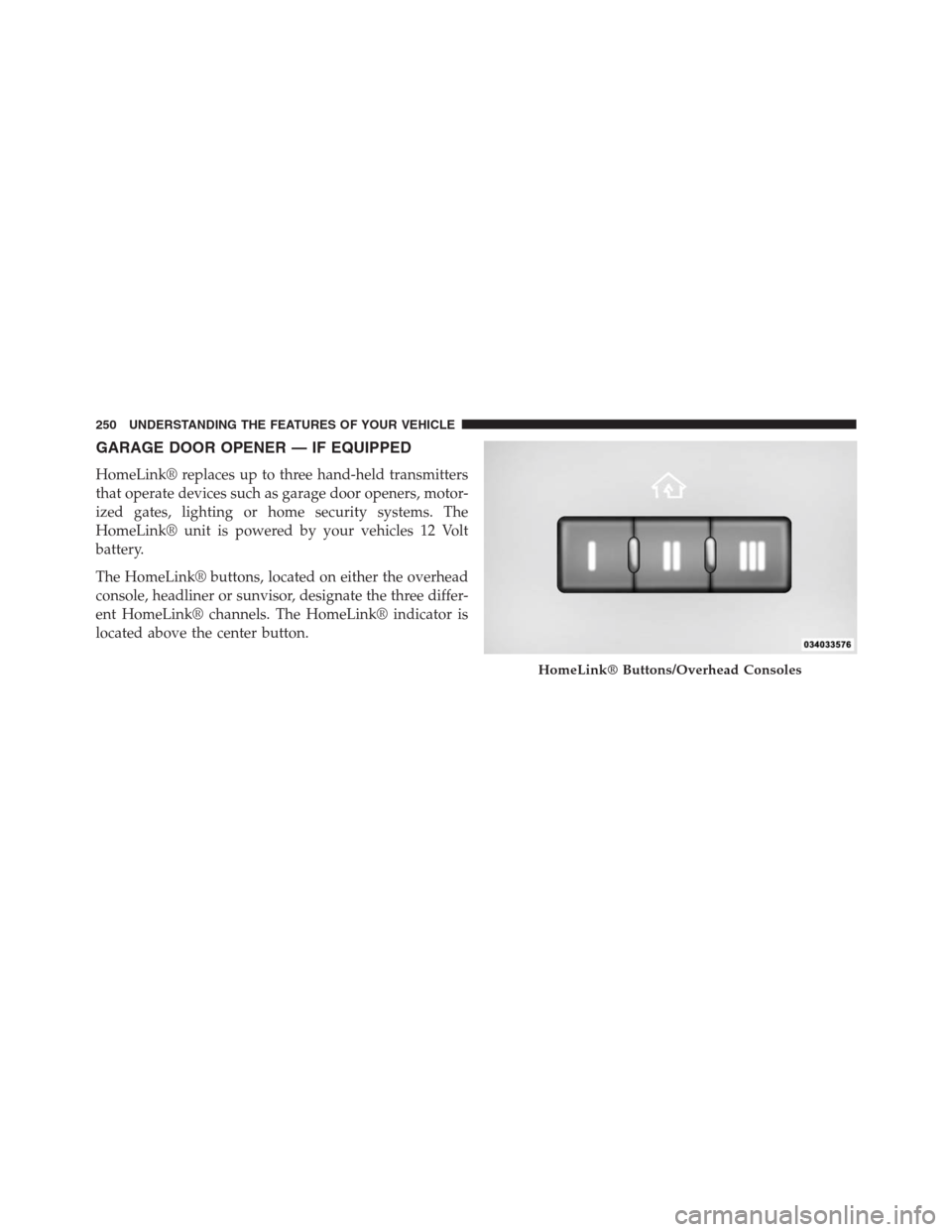
HomeLink® replaces up to three hand-held transmitters
that operate devices such as garage door openers, motor-
ized gates, lighting or home security systems. The
HomeLink® unit is powered by your vehicles 12 Volt
battery.
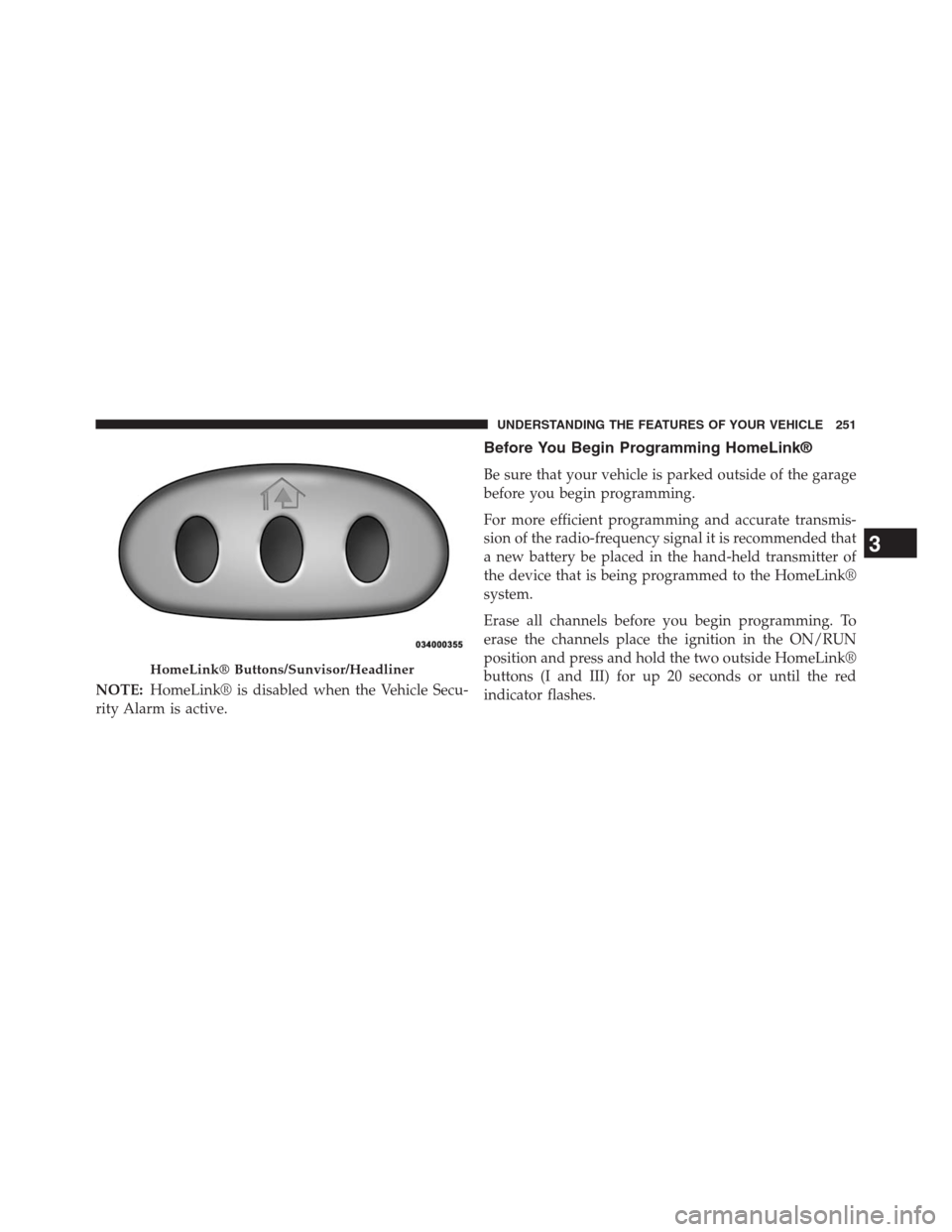
The HomeLink® buttons, located on either the overhead
console, headliner or sunvisor, designate the three differ-
ent HomeLink® channels. The HomeLink® indicator is
located above the center button.
HomeLink® Buttons/Overhead Consoles
250 UNDERSTANDING THE FEATURES OF YOUR VEHICLE
Page 253 of 630
NOTE:HomeLink® is disabled when the Vehicle Secu-
rity Alarm is active.
Before You Begin Programming HomeLink®
Be sure that your vehicle is parked outside of the garage
before you begin programming.
For more efficient programming and accurate transmis-
sion of the radio-frequency signal it is recommended that
a new battery be placed in the hand-held transmitter of
the device that is being programmed to the HomeLink®
system.
Erase all channels before you begin programming. To
erase the channels place the ignition in the ON/RUN
position and press and hold the two outside HomeLink®
buttons (I and III) for up 20 seconds or until the red
indicator flashes.
HomeLink® Buttons/Sunvisor/Headliner
3
UNDERSTANDING THE FEATURES OF YOUR VEHICLE 251
Page 259 of 630
Using HomeLink®
To operate, press and release the programmed HomeLink®
button. Activation will now occur for the programmed
device (i.e., garage door opener, gate operator, security
system, entry door lock, home/office lighting, etc.,). The
hand-held transmitter of the device may also be used at any
time.
Security
It is advised to erase all channels before you sell or turn
in your vehicle.
To do this, press and hold the two outside buttons for
20 seconds until the red indicator flashes. Note that all
channels will be erased. Individual channels cannot be
erased.
The HomeLink® Universal Transceiver is disabled when
the Vehicle Security Alarm is active.
Troubleshooting Tips
If you are having trouble programming HomeLink®,
here are some of the most common solutions:
•
Replace the battery in the original hand-held transmitter.
•Press the LEARN button on the Garage Door Opener
to complete the training for a Rolling Code.
•Did you unplug the device for programming and
remember to plug it back in?
If you have any problems, or require assistance, please
call toll-free 1–800–355–3515 or, on the Internet at
www.HomeLink.com for information or assistance.3
UNDERSTANDING THE FEATURES OF YOUR VEHICLE 257
Page 268 of 630
WARNING!
To avoid serious injury or death:
•Only devices designed for use in this type of outlet
should be inserted into any 12 Volt outlet.
•Do not touch with wet hands.
•Close the lid when not in use and while driving the
vehicle.
•If this outlet is mishandled, it may cause an electric
shock and failure.
CAUTION!
•Many accessories that can be plugged in draw power
from the vehicle’s battery, even when not in use (i.e.,
cellular phones, etc.). Eventually, if plugged in long
(Continued)
CAUTION!(Continued)
enough, the vehicle’s battery will discharge suffi-
ciently to degrade battery life and/or prevent the
engine from starting.
•Accessories that draw higher power (i.e., coolers,
vacuum cleaners, lights, etc.) will degrade the bat-
tery even more quickly. Only use these intermit-
tently and with greater caution.
•After the use of high power draw accessories, or
long periods of the vehicle not being started (with
accessories still plugged in), the vehicle must be
driven a sufficient length of time to allow the
alternator to recharge the vehicle’s battery.
•Power outlets are designed for accessory plugs
only. Do not hang any type of accessory or acces-
sory bracket from the plug.
266 UNDERSTANDING THE FEATURES OF YOUR VEHICLE
Page 287 of 630
Rear Window Defroster
The rear window defroster button is located on
the climate control panel. Press this button to turn
on the rear window defroster and the heated outside
mirrors (if equipped). An indicator in the button will
illuminate when the rear window defroster is on. The
rear window defroster automatically turns off after ap-
proximately 10 minutes.
NOTE:To prevent excessive battery drain, use the rear
window defroster only when the engine is operating.
CAUTION!
Failure to follow these cautions can cause damage to
the heating elements:
•Use care when washing the inside of the rear
window. Do not use abrasive window cleaners on
the interior surface of the window. Use a soft cloth
and a mild washing solution, wiping parallel to the
heating elements. Labels can be peeled off after
soaking with warm water.
•Do not use scrapers, sharp instruments, or abrasive
window cleaners on the interior surface of the
window.
•Keep all objects a safe distance from the window.
3
UNDERSTANDING THE FEATURES OF YOUR VEHICLE 285