keyless entry DODGE JOURNEY 2013 1.G User Guide
[x] Cancel search | Manufacturer: DODGE, Model Year: 2013, Model line: JOURNEY, Model: DODGE JOURNEY 2013 1.GPages: 630
Page 26 of 630
To Lock The Doors And Liftgate
Press and release the LOCK button on the RKE transmitter
to lock all doors and liftgate. The turn signal lights will flash
and the horn will chirp to acknowledge the signal.
If the vehicle is equipped with Passive Entry, refer to
“Keyless Enter-N-Go™” under “Things To Know Before
Starting Your Vehicle” for further information.
Sound Horn With Remote Key Lock
This feature will cause the horn to chirp when the doors
are locked with the RKE transmitter. This feature can be
turned on or turned off. To change the current setting,
refer to “Uconnect® Settings” in “Understanding Your
Instrument Panel” for further information.
Using The Panic Alarm
To turn the Panic Alarm feature on or off, press and hold
the PANIC button on the RKE transmitter for at least
one second and release. When the Panic Alarm is on, theheadlights will turn on, the park lights will flash, the
horn will pulse on and off, and the interior lights will
turn on.
The Panic Alarm will stay on for three minutes unless
you turn it off by either pressing the PANIC button a
second time or drive the vehicle at a speed of 15 mph
(24 km/h) or greater.
NOTE:
•The interior lights will turn off if you cycle the ignition
switch to the ACC or ON/RUN position while the
Panic Alarm is activated. However, the exterior lights
and horn will remain on.
•You may need to be less than 35 ft (11 m) from the
vehicle when using the RKE transmitter to turn off the
Panic Alarm due to the radio frequency noises emitted
by the system.
24 THINGS TO KNOW BEFORE STARTING YOUR VEHICLE
Page 28 of 630
3.Remove the battery by turning the back cover over
(battery facing downward) and tapping it lightly on a
solid surface such as a table or similar, then replace the
battery. When replacing the battery, match the + sign on
the battery to the + sign on the inside of the battery clip,
located on the back cover. Avoid touching the new battery
with your fingers. Skin oils may cause battery deteriora-
tion. If you touch a battery, clean it with rubbing alcohol.
4. To assemble the RKE transmitter case, snap the two
halves together.
General Information
This device complies with Part 15 of the FCC rules and
RSS 210 of Industry Canada. Operation is subject to the
following conditions:
•This device may not cause harmful interference.
•
This device must accept any interference received, includ-
ing interference that may cause undesired operation.
NOTE:Changes or modifications not expressly ap-
proved by the party responsible for compliance could
void the user’s authority to operate the equipment.
If your RKE transmitter fails to operate from a normal
distance, check for these two conditions:
1. A weak battery in the RKE transmitter. The expected
life of the battery is a minimum of three years.
2. Closeness to a radio transmitter such as a radio station
tower, airport transmitter, and some mobile or CB
radios.
REMOTE STARTING SYSTEM — IF EQUIPPED
This system uses the Key Fob with Remote
Keyless Entry (RKE) transmitter to start the
engine conveniently from outside the vehicle
while still maintaining security. The system has
a range of approximately 300 ft (91 m).
26 THINGS TO KNOW BEFORE STARTING YOUR VEHICLE
Page 29 of 630
NOTE:
•The vehicle must be equipped with an automatic
transmission to be equipped with Remote Start.
•Obstructions between the vehicle and the Key Fob may
reduce this range.
How To Use Remote Start
All of the following conditions must be met before the
engine will remote start:
•Shift lever in PARK
•Doors closed
•Hood closed
•Liftgate closed
•HAZARD switch off
•BRAKE switch inactive (brake pedal not pressed)•Battery at an acceptable charge level
•RKE PANIC button not pressed.
•System not disabled from previous remote start event
•Vehicle theft alarm not active
•Ignition in OFF positionWARNING!
•Do not start or run an engine in a closed garage or
confined area. Exhaust gas contains Carbon Mon-
oxide (CO) which is odorless and colorless. Carbon
Monoxide is poisonous and can cause serious in-
jury or death when inhaled.
•Keep Remote Keyless Entry (RKE) transmitters
away from children. Operation of the Remote Start
System, windows, door locks or other controls
could cause serious injury or death.
2
THINGS TO KNOW BEFORE STARTING YOUR VEHICLE 27
Page 34 of 630

The doors can also be locked and unlocked with the
Keyless Enter-N-Go™ (Passive Entry) system. For further
information, refer to “Keyless Enter-N-Go™” in “Things
To Know Before Starting Your Vehicle”.
If you press the power door lock switch while the Key
Fob is in the vehicle, and any front door is open, the
power locks will not operate. This prevents you from
accidentally locking the Key Fob in the vehicle. Remov-
ing the Key Fob or closing the door will allow the locks to
operate. If a door is open, and the ignition is in the LOCK
or ACC position, a chime will sound as a reminder to
remove the Key Fob.
Automatic Door Locks — If Equipped
When enabled, the door locks will lock automatically
when the vehicle’s speed exceeds 15 mph (24 km/h). The
auto door lock feature can be enabled or disabled by your
authorized dealer . Please see your authorized dealer for
service.
Automatic Unlock Doors On Exit
The doors will unlock automatically on vehicles with
power door locks if:
1. The Automatic Unlock Doors On Exit feature is en-
abled.
2. The transmission was in gear and the vehicle speed
returned to 0 mph (0 km/h).
3. The transmission is in NEUTRAL or PARK.
4. Any vehicle door is opened.
5. The doors were not previously unlocked.
6. The vehicle speed is 0 mph (0 km/h).
32 THINGS TO KNOW BEFORE STARTING YOUR VEHICLE
Page 38 of 630
KEYLESS ENTER-N-GO™
The Passive Entry system is an enhancement to the
vehicle’s Remote Keyless Entry (RKE) system and a
feature of Keyless Enter-N-Go™. This feature allows you
to lock and unlock the vehicle’s door(s) without having to
press the RKE transmitter lock or unlock buttons.
NOTE:
•Passive Entry may be programmed ON/OFF; refer to
“Uconnect® Settings” in “Understanding Your Instru-
ment Panel” for further information.
•
If wearing gloves on your hands, or if it has been raining
on the Passive Entry door handle, the unlock sensitivity
can be affected, resulting in a slower response time.
•If the vehicle is unlocked by the RKE transmitter or
Passive Entry and no door goes ajar within 60 seconds,
the vehicle will re-lock and if equipped will arm the theft
alarm.
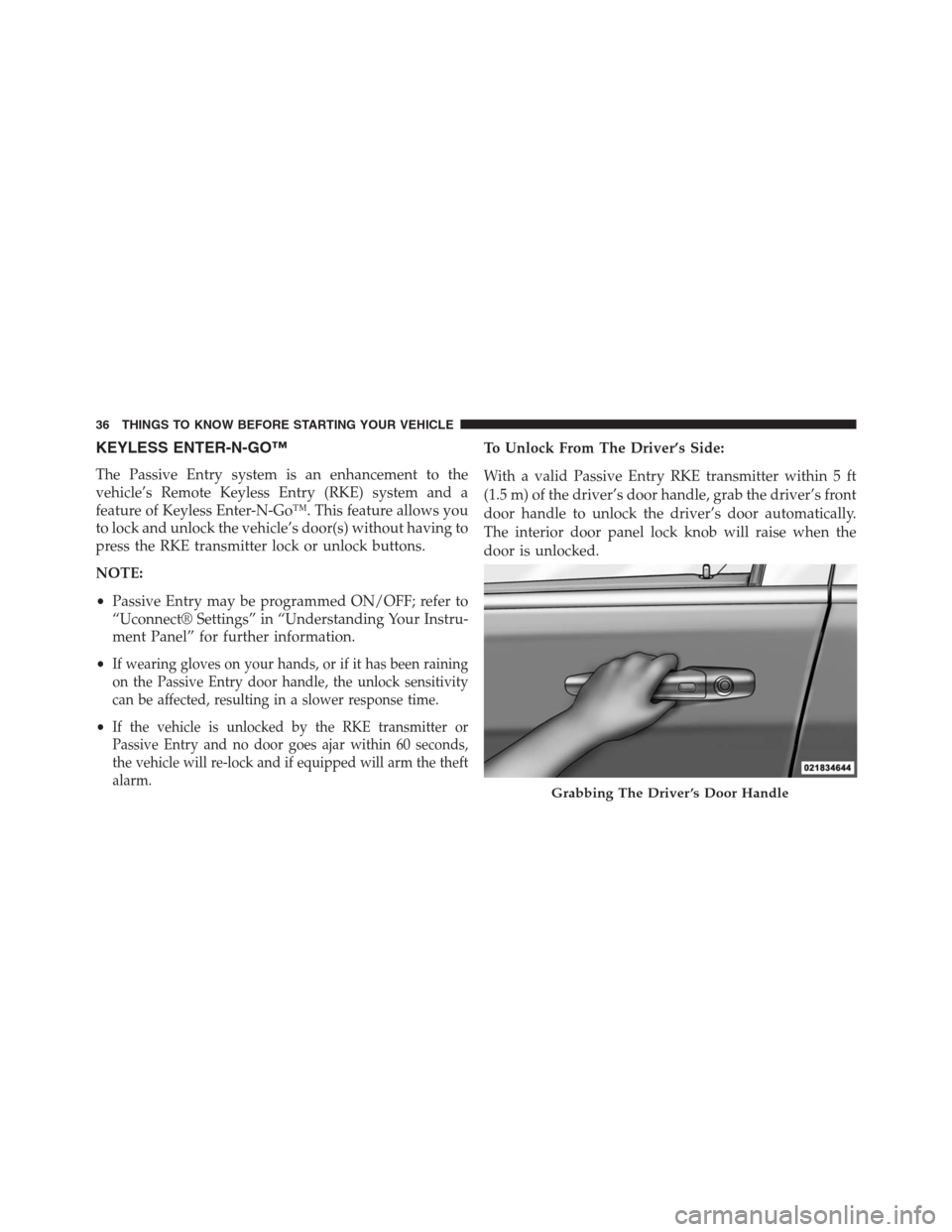
To Unlock From The Driver’s Side:
With a valid Passive Entry RKE transmitter within 5 ft
(1.5 m) of the driver’s door handle, grab the driver’s front
door handle to unlock the driver’s door automatically.
The interior door panel lock knob will raise when the
door is unlocked.
Grabbing The Driver ’s Door Handle
36 THINGS TO KNOW BEFORE STARTING YOUR VEHICLE
Page 46 of 630
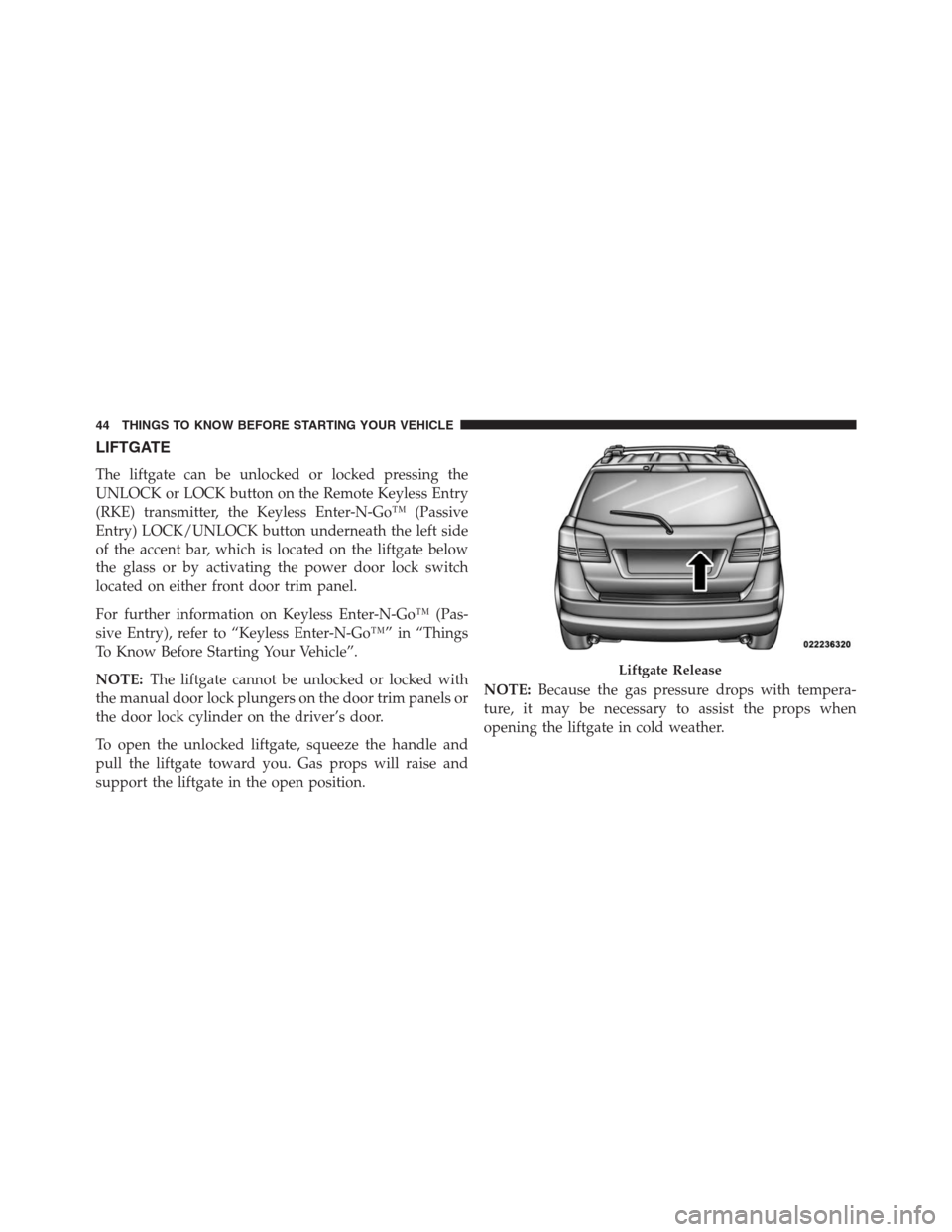
LIFTGATE
The liftgate can be unlocked or locked pressing the
UNLOCK or LOCK button on the Remote Keyless Entry
(RKE) transmitter, the Keyless Enter-N-Go™ (Passive
Entry) LOCK/UNLOCK button underneath the left side
of the accent bar, which is located on the liftgate below
the glass or by activating the power door lock switch
located on either front door trim panel.
For further information on Keyless Enter-N-Go™ (Pas-
sive Entry), refer to “Keyless Enter-N-Go™” in “Things
To Know Before Starting Your Vehicle”.
NOTE:The liftgate cannot be unlocked or locked with
the manual door lock plungers on the door trim panels or
the door lock cylinder on the driver’s door.
To open the unlocked liftgate, squeeze the handle and
pull the liftgate toward you. Gas props will raise and
support the liftgate in the open position.NOTE:Because the gas pressure drops with tempera-
ture, it may be necessary to assist the props when
opening the liftgate in cold weather.
Liftgate Release
44 THINGS TO KNOW BEFORE STARTING YOUR VEHICLE
Page 249 of 630
Turning ParkView® On Or Off — With Touch
Screen Radio
1. Turn the Radio on.
2. Press the “More” soft-key.
3. Press the “Settings” soft-key.
4. Press the “Safety & Driving Assistance” soft-key.
5. Press the check box soft key next to “Parkview®
Backup Camera” to enable/disable.
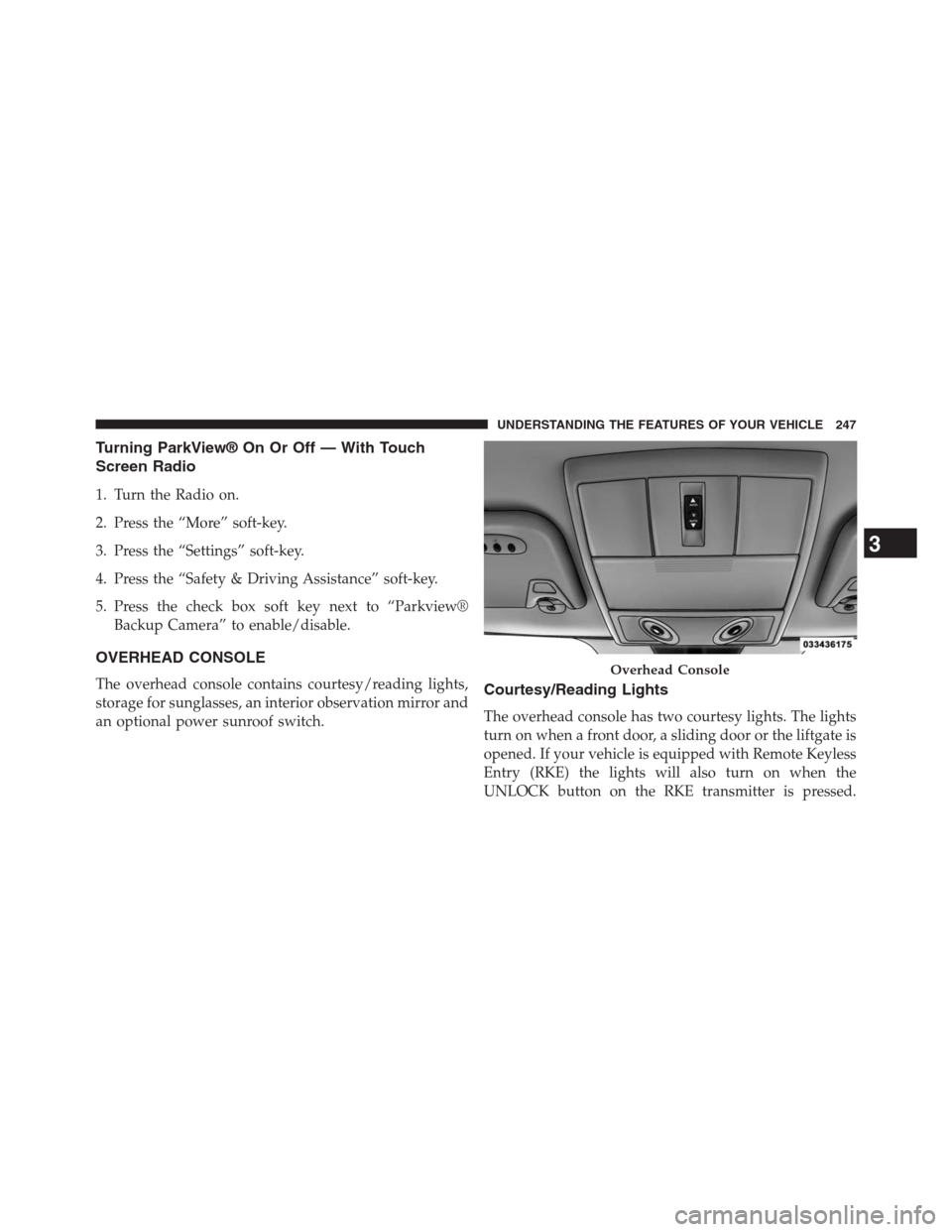
OVERHEAD CONSOLE
The overhead console contains courtesy/reading lights,
storage for sunglasses, an interior observation mirror and
an optional power sunroof switch.Courtesy/Reading Lights
The overhead console has two courtesy lights. The lights
turn on when a front door, a sliding door or the liftgate is
opened. If your vehicle is equipped with Remote Keyless
Entry (RKE) the lights will also turn on when the
UNLOCK button on the RKE transmitter is pressed.
Overhead Console
3
UNDERSTANDING THE FEATURES OF YOUR VEHICLE 247
Page 323 of 630
•Hill Start Assist — If Equipped
Touch the Hill Start Assist soft-key to change this display.
When this feature is selected, the Hill Start Assist (HSA)
system is active. Refer to “Electronic Brake Control
System” in “Starting And Operating” for system function
and operating information. To make your selection, touch
the Hill Start Assist soft-key and select ON or OFF. Then
touch the arrow back soft-key.
Lights
•Illuminated Approach
Touch the Illuminated Approach soft-key to change this
display. When this feature is selected, the headlights will
activate and remain on for 0, 30, 60, or 90 seconds when
the doors are unlocked with the Remote Keyless Entry
(RKE) transmitter. To change the Illuminated Approach
status, touch the 0, 30, 60 or 90 soft-key. Then touch the
arrow back soft-key.•Headlights With Wipers
Touch the Headlights With Wipers soft-key to change this
display. When this feature is selected, and the headlight
switch is in the AUTO position, the headlights will turn
on approximately 10 seconds after the wipers are turned
on. The headlights will also turn off when the wipers are
turned off if they were turned on by this feature. To make
your selection, touch the Headlights With Wipers soft-
key and select ON or OFF. Then touch the arrow back
soft-key.
•Auto High Beams “SmartBeams™”
Touch the Auto High Beams soft-key to change this display.
When this feature is selected, the high beam headlights will
deactivate automatically under certain conditions. To make
your selection, touch the Auto High Beams soft-key and
select ON or OFF. Then touch the arrow back soft-key. Refer
to “Lights/SmartBeam™ — If Equipped” in “Understand-
ing The Features Of Your Vehicle” for further information.
4
UNDERSTANDING YOUR INSTRUMENT PANEL 321
Page 324 of 630
•Daytime Running Lights – If Available
Touch the Daytime Running Lights soft-key to change
this display. When this feature is selected, the headlights
will turn on whenever the engine is running. To make
your selection, touch the Daytime Running Lights soft-
key and select ON or OFF. Then touch the arrow back
soft-key.
•Steering Directed Lights – If Equipped
Touch the Steering Directed Lights soft-key to change this
display. When this feature is selected, the headlights turn
relative to a change in direction of the steering wheel. To
make your selection, touch the Steering Directed Lights
soft-key and select ON or OFF. Then touch the arrow
back soft-key.•Flash Lights With Lock
Touch the Flash Headlights With Lock soft-key to change
this display. When this feature is selected, the headlights
will flash when the doors are locked or unlocked with the
Remote Keyless Entry (RKE) transmitter. This feature
may be selected with or without the sound horn on lock
feature selected. To make your selection, touch the Flash
Headlights With Lock soft-key and select ON or OFF.
Then touch the arrow back soft-key.
Doors & Locks
•Auto Unlock On Exit
Touch the Auto Unlock On Exit soft-key to change this
display. When this feature is selected, all doors will
unlock when the vehicle is stopped and the transmission
is in the PARK or NEUTRAL position and the driver’s
door is opened. To make your selection, touch the Auto
Unlock On Exit soft-key and select ON or OFF. Then
touch the arrow back soft-key.
322 UNDERSTANDING YOUR INSTRUMENT PANEL
Page 325 of 630
•Flash Lights With Lock
Touch the Flash Lights With Lock soft-key to change this
display. When this feature is selected, the front and rear
turn signals will flash when the doors are locked or
unlocked with the Remote Keyless Entry (RKE) transmit-
ter. To make your selection, touch the Flash Lights With
Lock soft-key and select ON or OFF. Then touch the
arrow back soft-key.
•Sound Horn With Remote Start
Touch the Sound Horn With Remote Start soft-key to
change this display. When this feature is selected, the
horn will sound when the remote start is activated. To
make your selection, touch the Sound Horn With Remote
Start soft-key and select ON or OFF. Then touch the
arrow back soft-key.•Sounds Horn With Lock
Touch the Sounds Horn With Lock soft-key to change this
display. When this feature is selected, the horn will chirp
when the doors are locked or unlocked with the Remote
Keyless Entry (RKE) transmitter. To make your selection,
touch the Sounds Horn With Lock soft-key and select ON
or OFF. Then touch the arrow back soft-key.
•Remote Door Unlock Order
Touch the Remote Door Unlock Order soft-key to change
this display. When Unlock Driver Door Only On 1st Press
is selected, only the driver’s door will unlock on the first
press of the Remote Keyless Entry (RKE) transmitter
UNLOCK button. When Unlock Driver Door Only On 1st
Press is selected, you must press the RKE transmitter
UNLOCK button twice to unlock the passenger’s doors.
When Unlock All Doors On 1st Press is selected, all of the
doors will unlock on the first press of the RKE transmitter
UNLOCK button.
4
UNDERSTANDING YOUR INSTRUMENT PANEL 323